When I open a track record, I first write down the account, the period and what I can actually see. A return chart is useful once those boundaries are clear. A single account report cannot tell me which product build produced each trade unless I have evidence linking the account to that software and its settings.
Start with the account behind the chart
A Myfxbook track record helps you examine a trading account over time. Start with the account identity, verification labels and reporting period, then review losses, open exposure, trade history and execution conditions. A rising growth curve is only one part of that review.
For an Expert Advisor, the useful question is whether the record provides enough evidence to understand the system's risks and operating conditions. It cannot establish what the account will earn next, or what your account would have earned.
Understand the two verification labels
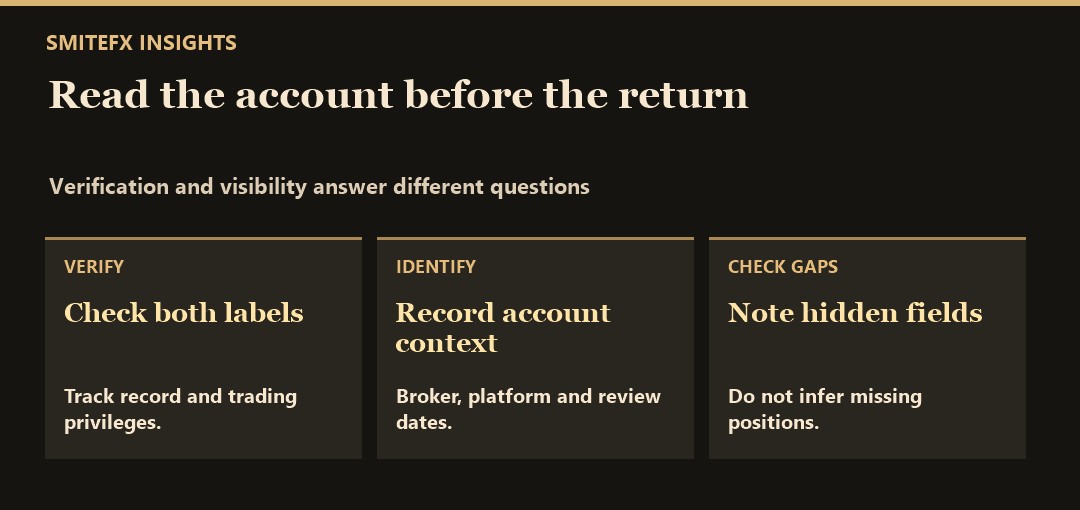
Myfxbook distinguishes Track Record verification from Trading Privileges verification. Its verification documentation describes the first as a check that the displayed history matches the broker's platform history. The second checks that the person adding the account has trading access through the master password.
These labels answer specific questions about the record and access to the account. They do not certify that a strategy is suitable for you, independently endorse the broker or guarantee future returns. Myfxbook's FAQ also acknowledges that inaccuracies can remain in verified accounts.
Record the account URL and date of your review. A screenshot can omit verification status, dates, open positions or other context that the source page makes available.
Establish what period and account you are reviewing
Check whether the account is real or demo, its broker, platform, currency, start date and latest update. Note any information that is hidden rather than filling the gap with an assumption.
Ask whether the history covers the conditions relevant to the strategy. Six quiet weeks do not tell you how a system behaves during a different volatility regime. Equally, an old start date does not mean trading was continuous: check gaps and the distribution of actual trades.
Distinguish the record's last update from its last closed trade. An account may update without closing a new trade. Conversely, a recent winning trade shown in an old screenshot is not evidence that the current connection is healthy.
Compare balance, equity and drawdown
Closed-trade performance and open-position risk can tell different stories. In a simple hypothetical account with no other adjustments, a $10,000 balance and $8,500 equity imply $1,500 of unrealised loss. A balance-only view could hide that exposure.
Myfxbook's drawdown explanation describes its calculation and shows why timing matters. A recorded maximum depends on the data the service observed; do not assume it captures every intraperiod fluctuation. Missing public equity or open-trade details are missing evidence, not proof that exposure is absent.
Use our drawdown guide to distinguish the different loss measures. Write down which measure, dates and account scale you actually inspected.
Read the trades behind the headline return
Work through these checks rather than choosing a universal pass number:
- Trade count: How many trades produced the result, and how concentrated were they in time or one instrument?
- Profit factor: Did a small number of wins dominate the sample? Read it alongside losses and exposure using the profit factor guide.
- Holding time: Were losses held substantially longer than wins? Check the available history before drawing a conclusion.
- Position size: Did lot sizes or the number of simultaneous positions change? A change in exposure can explain a change in the curve.
- Cash flows: Identify deposits and withdrawals separately from trading profit. Check the platform's metric definitions before comparing return figures.
- Losing periods: Are difficult weeks visible, and does the strategy description explain its intended operating conditions without promising recovery?
For example, suppose two hypothetical records each show a 20% gain. One has 20 closed trades and undisclosed open exposure; the other has 300 trades with publicly visible equity history. The headline is the same, but the available evidence is different. Neither record proves what happens next.
Check whether the setup is comparable to yours
Broker, symbol, account type, spread, commission, swap and order execution can differ. So can leverage, account size and the EA's risk settings. These differences matter when comparing a public account with a historical test or a proposed live setup. Use the spread and slippage guide to examine the execution assumptions. If you are comparing a provider with a follower account, the copy-trading results comparison provides a more specific discrepancy-review process.
A VPS can support terminal availability; the VPS setup checklist covers the operating checks. It cannot make fills identical between accounts or remove market risk. Treat a live track record as one evidence source alongside the backtest and forward-test review.
Apply the checklist to SmiteFX
Open the SmiteFX systems comparison, choose a system, and follow its Myfxbook verification link to the source account. Check that the identity matches the system, then review the current dates, verification labels, loss history and disclosed account conditions.
The website's summary is a starting point. Consult the source page for the details it exposes, and record anything unavailable. No current performance figure is embedded in this guide because those figures change.
Before deciding, use the wider Expert Advisor evaluation checklist. A useful final note records what you verified, what remains unknown and what would trigger another review. Trading involves risk, and past performance does not predict future results.
A track-record review note you can reuse
A hypothetical record shows a visible equity curve but hides individual trades and lot sizes. You can examine the plotted dates, check the public verification labels and note the displayed drawdown. You cannot use the hidden trade history to establish position sizing, whether manual trades were included, or how often the EA changed settings. Record those points as unavailable.
Write a short provenance note with the account label, broker and platform, oldest visible activity, latest sync timestamp and date of review. Then note which results come from the chart and which require access to the underlying trades. If deposits or withdrawals appear, record them separately from profit and check what the platform’s gain calculation represents. A partial report can still be useful when its limits are explicit.
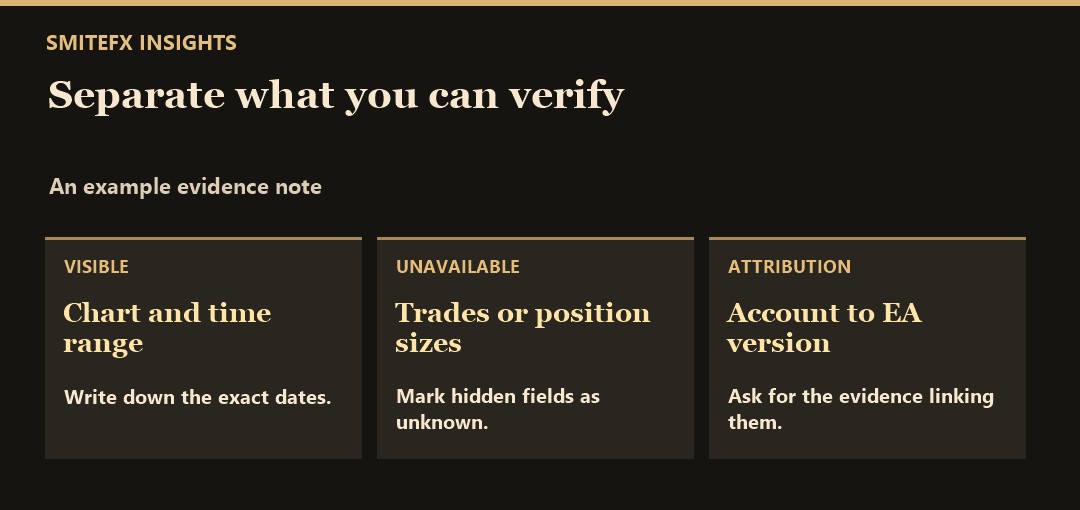
For a SmiteFX product reference, see Frontier MT5. For this EA, use its listing as a separate source for the product details. If someone presents an account as evidence, look for a documented link between the account, version, settings and dates. Keep your own demo record separate.