Advanced Position Management in Multi Risk Manager Pro: Partial Close, Reverse, Close By and Hidden SL/TP

Opening a trade is only the beginning of position management.
After entering the market, traders may need to reduce their exposure, close part of a position, reverse their trading direction, or manage exit levels without placing conventional stop-loss and take-profit orders on the broker's server.
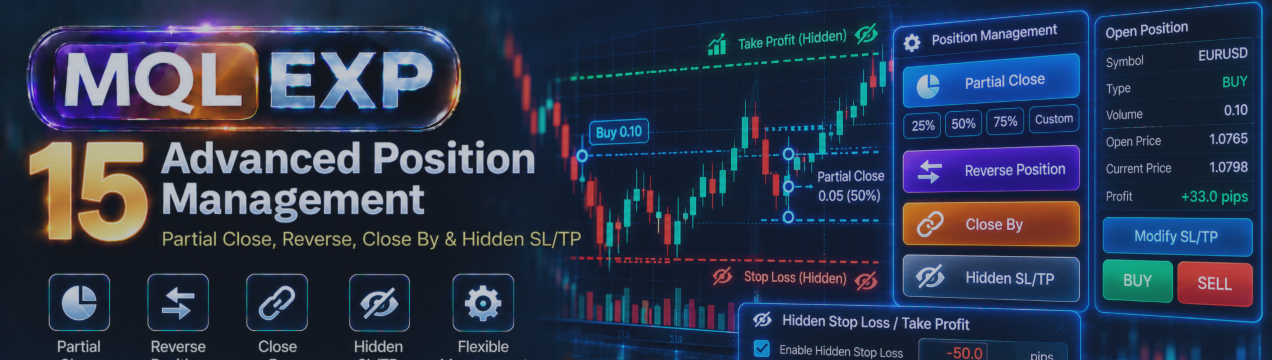
Multi Risk Manager Pro for MetaTrader 5 / 4 includes several advanced position-management functions designed to support these operations from a unified trading panel.
In this article, we explore four important features:
-
Partial Close
-
Reverse Position
-
Close By
-
Hidden Stop Loss and Take Profit
We also examine how broker conditions and MT5 / 4 account types can influence their behavior.
MT5 : https://www.mql5.com/en/market/product/201074
MT4 : https://www.mql5.com/en/market/product/201075
Public channel : https://www.mql5.com/en/channels/mqlexp
MT4 : https://www.mql5.com/en/market/product/201075
1. Why Advanced Position Management Matters
A trading plan may require more than one entry and one exit.
For example, a trader might want to reduce exposure after price reaches the first target while keeping the remaining position open. Another trader may need to close opposite positions efficiently or use EA-managed exit levels.
These actions require careful execution.
Position-management tools can simplify the workflow, but they do not eliminate the trading risks associated with changing or closing positions.
Before using an advanced operation, traders should understand what it does, which positions it affects, and whether their broker and account configuration support it.
2. Partial Close: Reducing Position Volume
A partial close reduces the volume of an existing position without necessarily closing it completely.
Suppose a trader opens a BUY position with a volume of 1.00 lot.
If the trader closes 40% of that position, the intended result is:
-
Original volume: 1.00 lot
-
Closed volume: 0.40 lot
-
Remaining volume: 0.60 lot
This can be useful when a trader wants to realize part of an existing profit or reduce exposure while keeping some participation in a potential continuation.
However, partial closing does not guarantee an improved outcome. The remaining position can still incur losses, and the partial exit itself is subject to execution conditions.
Partial-close methods in Multi Risk Manager Pro
The documented manual partial-close functionality supports three methods:
Percentage: Close a specified percentage of the position.
Lots: Close a specified trading volume.
Monetary amount: Use the tool's supported money-based partial-close calculation.
The referenced settings specify percentage mode as the default, with an initial value of 50%.
For monetary partial closing, verify the exact calculation and applicable conditions in the installed version before relying on it.
Example: Percentage-based partial close
Imagine that you have a 0.80-lot position and want to close 25% of it.
The intended closed volume is:
0.80 × 25% = 0.20 lots
The intended remaining volume is:
0.80 − 0.20 = 0.60 lots
The broker must support the requested volumes.
If the calculation produces an invalid lot size, the requested operation may be adjusted, rejected, or handled differently according to the implementation and broker conditions.
3. Minimum Lot Size and Volume Step
Partial closing must comply with the broker's volume restrictions.
For example, an instrument may have:
-
Minimum trading volume: 0.01 lot
-
Volume step: 0.01 lot
Another instrument may require a much larger minimum volume or a different step.
Consider a position of 0.03 lots.
A 50% partial close would mathematically require closing 0.015 lots. If the broker only accepts increments of 0.01 lot, the calculated volume is not directly executable.
This is why a percentage-based request does not always produce the exact mathematical result.
Depending on the calculation, remaining volume, broker restrictions, and EA implementation, a requested partial close may fail or result in the entire eligible position being closed.
Always check the actual position volume after an operation.
4. Partial Close and Multiple Take-Profit Levels
Partial closing can also be part of a staged exit strategy.
Multi Risk Manager Pro supports up to five take-profit levels through its trade-planning and management features.
A trader may distribute position exits across several targets instead of closing the full position at one price.
For example, a hypothetical strategy might allocate:
-
50% of the original volume to TP1.
-
25% to TP2.
-
15% to TP3.
-
5% to TP4.
-
The remaining volume to TP5.
These percentages correspond to the referenced default allocation structure.
The EA documents both a Partial Close approach and a Split Orders approach for staged exits.
These methods should not be treated as identical.
With partial-close management, an eligible position can be reduced when an intermediate target is reached.
With split orders, the trade may be structured using separate orders or positions, subject to account and broker limitations.
An important consideration is that intermediate EA-managed exits require MetaTrader 5 and the EA to remain operational and receive the events needed to process them.
A broker-side final take-profit or stop-loss, where actually placed and accepted, has different operational dependencies from an EA-managed intermediate exit.
5. Reverse Position: Changing Trade Direction
A Reverse operation is intended to change the direction of trading exposure.
For example, a trader holding a BUY position may decide to reverse into a SELL position.
This is more complex than simply moving a stop-loss.
A reversal can involve closing existing exposure and establishing new exposure in the opposite direction.
Multi Risk Manager Pro documents a Reverse position-management operation.
However, traders should confirm the exact behavior in their installed version, especially with respect to position volume, associated stop-loss and take-profit levels, and account configuration.
Why reversal requires caution
Reversing a position changes the nature of the trade.
A BUY position benefits from an upward price movement, while a SELL position benefits from a downward movement.
Reversing because of a temporary retracement can lead to repeated losses if the market moves back and forth.
A reversal should therefore be based on a defined trading rule, not simply on frustration with an existing position.
Practical verification
Before using Reverse on a live account, test:
-
A BUY-to-SELL reversal.
-
A SELL-to-BUY reversal.
-
The volume of the resulting position.
-
The resulting stop-loss and take-profit levels.
-
The operation's behavior when execution is rejected or partially completed.
Do not assume that every reversal will be completed at one price or that the resulting exposure will always match the requested volume.
6. Reverse on Hedging and Netting Accounts
MetaTrader 5 / 4 supports different position-accounting systems.
Understanding the distinction is important for reversal operations.
Hedging accounts
In a hedging account, separate BUY and SELL positions on the same symbol can generally coexist, subject to broker rules.
A reversal operation may therefore need to close or modify existing positions and open new exposure according to the EA's implementation.
Netting accounts
In a netting account, trades on the same symbol affect one net position.
For example, if the account has a BUY position of 1.00 lot and a SELL order for 1.50 lots is executed, the net result may be a SELL exposure of 0.50 lot, assuming the orders are fully executed and no other positions or operations intervene.
This is an illustration of netting mechanics, not a claim that the EA's Reverse function always sends this exact order sequence.
Always verify the resulting position rather than assuming that hedging and netting accounts behave identically.
7. Close By: Closing Opposite Positions
Close By is a position-closing mechanism available in MetaTrader 5 / 4 when supported by the account and broker.
It is relevant to hedging accounts that hold opposite positions on the same symbol.
For example, consider:
-
BUY EUR/USD: 0.50 lots
-
SELL EUR/USD: 0.50 lots
Where Close By is supported, the two opposite positions may be closed against one another through the platform's Close By operation.
Multi Risk Manager Pro includes a Close By management function where supported.
Potential advantage
Closing opposite positions through Close By can have different execution-cost characteristics from closing each position independently at the current bid and ask prices.
Depending on the broker's execution rules, it may avoid paying the spread in the same way as two separate market closures.
However, the actual financial result depends on the positions, broker conditions, and applicable charges.
Important requirements
Close By is not universally available.
It generally requires:
-
A hedging account.
-
Opposite positions on the same symbol.
-
Broker support for the Close By operation.
If the positions have unequal volumes, the handling of the remaining exposure depends on the platform and broker rules.
Traders should confirm the final positions and transaction history after the operation.
8. Hidden Stop Loss and Take Profit
Most traders are familiar with conventional stop-loss and take-profit levels submitted to the broker.
When a standard protective order level is successfully placed on the broker's server, it may remain active even if MetaTrader 5 / 4 is disconnected.
Hidden Stop Loss and Hidden Take Profit work differently.
Multi Risk Manager Pro documents hidden SL/TP functionality managed by the EA.
Instead of relying entirely on protective levels held on the broker's server, the EA monitors the applicable conditions and attempts to perform the required closing action when a hidden level is reached.
The main operational difference is where the exit decision is maintained.
Conventional broker-side protection
A conventional stop-loss or take-profit level is held by the broker after successful placement.
It can remain available when the local trading terminal is offline, subject to market conditions and broker execution rules.
EA-managed hidden protection
A hidden SL or TP requires the EA to monitor market conditions and act when its configured level is reached.
If MetaTrader 5 / 4 is closed, disconnected, or the EA stops operating, the hidden exit may not be executed.
This distinction is critical.
A hidden stop-loss is not equivalent to a broker-side stop-loss in terms of protection during terminal or connectivity failures.
9. Why Might Traders Use Hidden SL/TP?
Some traders prefer not to submit every planned exit level as a visible broker-side order parameter.
Hidden SL/TP functionality can support workflows in which the EA manages selected exit conditions internally.
However, hiding an exit level does not guarantee better execution or prevent other market participants from observing general trading activity.
It also introduces dependency on the terminal, EA execution, price updates, and connectivity.
Traders should evaluate whether this additional operational risk is acceptable for their strategy.
10. Risks of Hidden SL/TP
Hidden exit management requires special attention.
Terminal disconnection
If the terminal loses connectivity, the EA may not receive the information required to detect and act on the exit condition.
Platform shutdown
If MetaTrader 5 is closed, hidden levels may not be monitored.
Market gaps
A price gap can cause the market to move beyond the intended hidden exit level before a closing operation can be completed.
Slippage
When the EA sends a closing request, the actual execution price may differ from the hidden level.
Execution failure
The broker may reject or delay a closing request due to market conditions or account restrictions.
For these reasons, hidden SL/TP should not be presented as a guaranteed replacement for broker-side protection.
11. Combining Advanced Management Tools
Advanced management becomes more complex when several functions are used on the same position.
For example, a trader might:
-
Open a position with a predefined initial risk.
-
Close part of the volume at an intermediate target.
-
Move the remaining position toward break-even.
-
Apply a trailing-stop method.
-
Use another management operation when the trading plan requires it.
This is a hypothetical workflow, not a guarantee that every combination is supported or conflict-free.
Before combining features, determine which operation controls the position's stop-loss, take-profit, and remaining volume.
Multiple management rules may attempt to modify the same position, especially when the EA is used alongside other automated trading systems.
12. Practical Testing Checklist
Before using these tools on a live account, complete the following tests in a suitable demo environment.
Partial Close
-
Test percentage-based closing.
-
Test fixed-lot closing.
-
Verify the monetary mode's actual calculation.
-
Test volumes close to the broker's minimum lot size.
-
Confirm the remaining position volume.
Reverse
-
Reverse a BUY position.
-
Reverse a SELL position.
-
Confirm the resulting volume and direction.
-
Test the behavior on the intended account type.
Close By
-
Verify that the broker supports the operation.
-
Test with equal-volume opposite positions.
-
Test unequal volumes where supported.
-
Inspect the final trade history and remaining exposure.
Hidden SL/TP
-
Verify that hidden levels trigger the intended actions under normal conditions.
-
Observe the behavior during connectivity interruptions in a controlled test.
-
Confirm which exits, if any, are actually maintained on the broker's server.
-
Review the resulting execution price and costs.
Combined Operations
-
Test staged exits alongside break-even.
-
Test trailing management after a partial close.
-
Confirm that different management features do not conflict.
-
Check the behavior after restarting the terminal.
13. Important Account and Broker Considerations
Multi Risk Manager Pro documents support for different MT5 / 4 account configurations, including hedging and netting, subject to broker and account restrictions.
However, the exact capabilities available depend on the environment.
Before using advanced position management, review:
-
Account position-accounting mode.
-
Broker minimum lot size and volume step.
-
Supported closing operations.
-
Symbol trade restrictions.
-
Available margin.
-
Execution and filling policies.
-
Current EA configuration.
An operation that works correctly on one broker or symbol may behave differently on another.
Conclusion
Multi Risk Manager Pro provides advanced position-management tools that can help traders handle more complex exit and exposure-management workflows.
Partial Close can reduce an existing position without necessarily exiting completely.
Reverse supports changes in trading direction, subject to the EA's implementation and account mechanics.
Close By provides a specialized way to close eligible opposite positions on supported hedging accounts.
Hidden SL/TP enables EA-managed exit levels but introduces an important dependency on the trading terminal remaining operational.
These tools can make position management more flexible, but flexibility also increases the importance of testing.
Start with simple operations, verify their behavior on the intended account type, and add more complex combinations only after confirming their results.
Advanced position-management tools cannot eliminate market risk, slippage, execution failures, or the consequences of terminal and connectivity interruptions.




