Golden Robot Prime — Installation, Recommended Settings & Backtest Guide

Golden Robot Prime is a fully automated Expert Advisor developed specifically for XAUUSD / Gold on MetaTrader 5.
The system combines 5 independent trading modules designed for different market environments, including momentum, reversal, trend breakout and major economic news.
Each module follows its own entry conditions, market filters and trade-management logic, allowing the EA to adapt its behavior according to the current market environment.
Official MQL5 Market page:
https://www.mql5.com/en/market/product/195296
This guide explains the recommended installation, Risk settings, backtest configuration and several important features that users should understand before evaluating Golden Robot Prime.
1. Recommended Setup
For normal operation, the following configuration is recommended:
Platform: MetaTrader 5
Symbol: XAUUSD / Gold
Chart Timeframe: M15
Account Type: Hedging
Default Risk: Risk 1.0
Trading Mode: Fully Automated
Algo Trading: Enabled
VPS: Recommended
Leverage: 1:100 or higher recommended
Golden Robot Prime uses multiple timeframes internally.
The EA should remain attached to the recommended M15 chart, while higher-timeframe information required by individual trading modules is processed automatically.
There is no need to attach the EA to multiple charts.
2. Installation
After installing Golden Robot Prime from MQL5 Market:
- Open MetaTrader 5.
- Open an XAUUSD / Gold chart.
- Set the chart timeframe to M15.
- Attach Golden Robot Prime to the chart.
- Enable Algo Trading.
- Start with the standard Risk 1.0 setting.
- Confirm that the EA is operating correctly through the on-chart dashboard.
For continuous automated operation, a stable VPS is recommended.
3. Understanding the Risk Setting
Golden Robot Prime uses an adaptive position-sizing framework rather than requiring users to maintain a fixed lot size.
The Risk setting controls the relative level of exposure:
Risk 0.9 — slightly lower exposure
Risk 1.0 — standard default setting
Risk 1.1 — slightly higher exposure
The Risk value should not be interpreted as a fixed percentage of account balance risked on every individual trade.
Trade volume is calculated dynamically according to the EA's internal capital-management logic.
For new users, Risk 1.0 or lower is a reasonable starting point for evaluation.
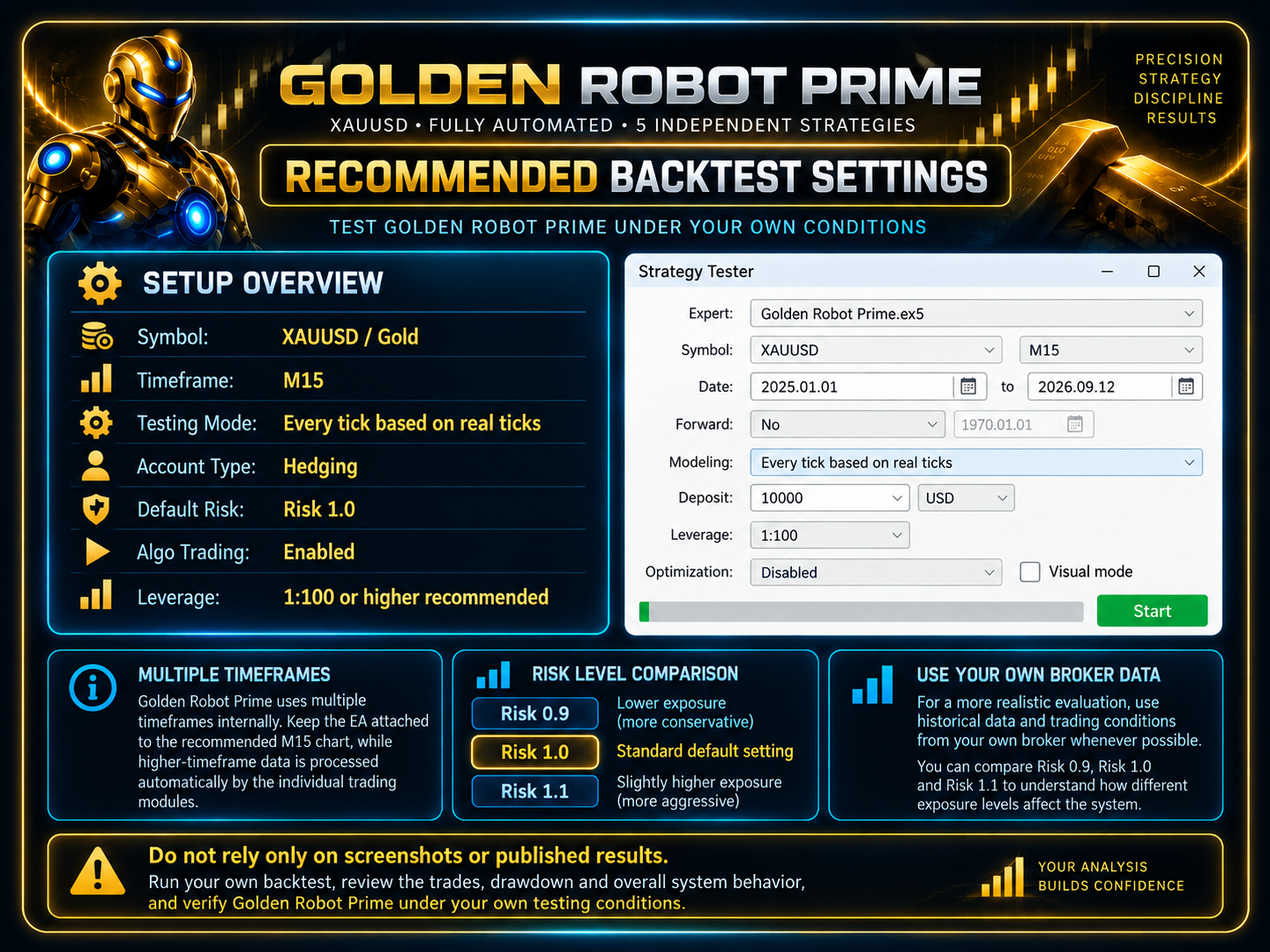
4. Recommended Backtest Settings
Before using the EA in a live trading environment, users are encouraged to perform their own tests in MetaTrader 5 Strategy Tester.
Recommended configuration:
Symbol: XAUUSD / Gold
Timeframe: M15
Testing Mode: Every tick based on real ticks
Account Type: Hedging
Default Risk: Risk 1.0
Leverage: 1:100 or higher
Whenever possible, use historical data and trading conditions from your own broker.
Broker conditions can differ significantly in areas such as:
- Spread
- Slippage
- Liquidity
- Execution
- XAUUSD symbol specifications
- Historical tick data
Because of these differences, identical EA settings can produce different results between brokers.
5. What Should You Evaluate in a Backtest?
A trading system should not be evaluated only by its final profit.
Important factors include:
- Maximum drawdown
- Number of trades
- Win and loss distribution
- Equity behavior
- Performance across different market conditions
- Behavior around major economic events
- Stability across different historical periods
The objective is to understand how the system behaves, not simply to search for the highest historical profit.
6. Compare Different Risk Levels
Users can repeat the same test using:
Risk 0.9
Risk 1.0
Risk 1.1
This makes it easier to understand the relationship between potential return, drawdown and overall account exposure.
A higher Risk setting may increase potential returns, but it can also increase account volatility and drawdown.
The best setting is not necessarily the one that produces the highest historical profit.
It should match the user's own account size and risk tolerance.
7. Capital Recovery Simulation
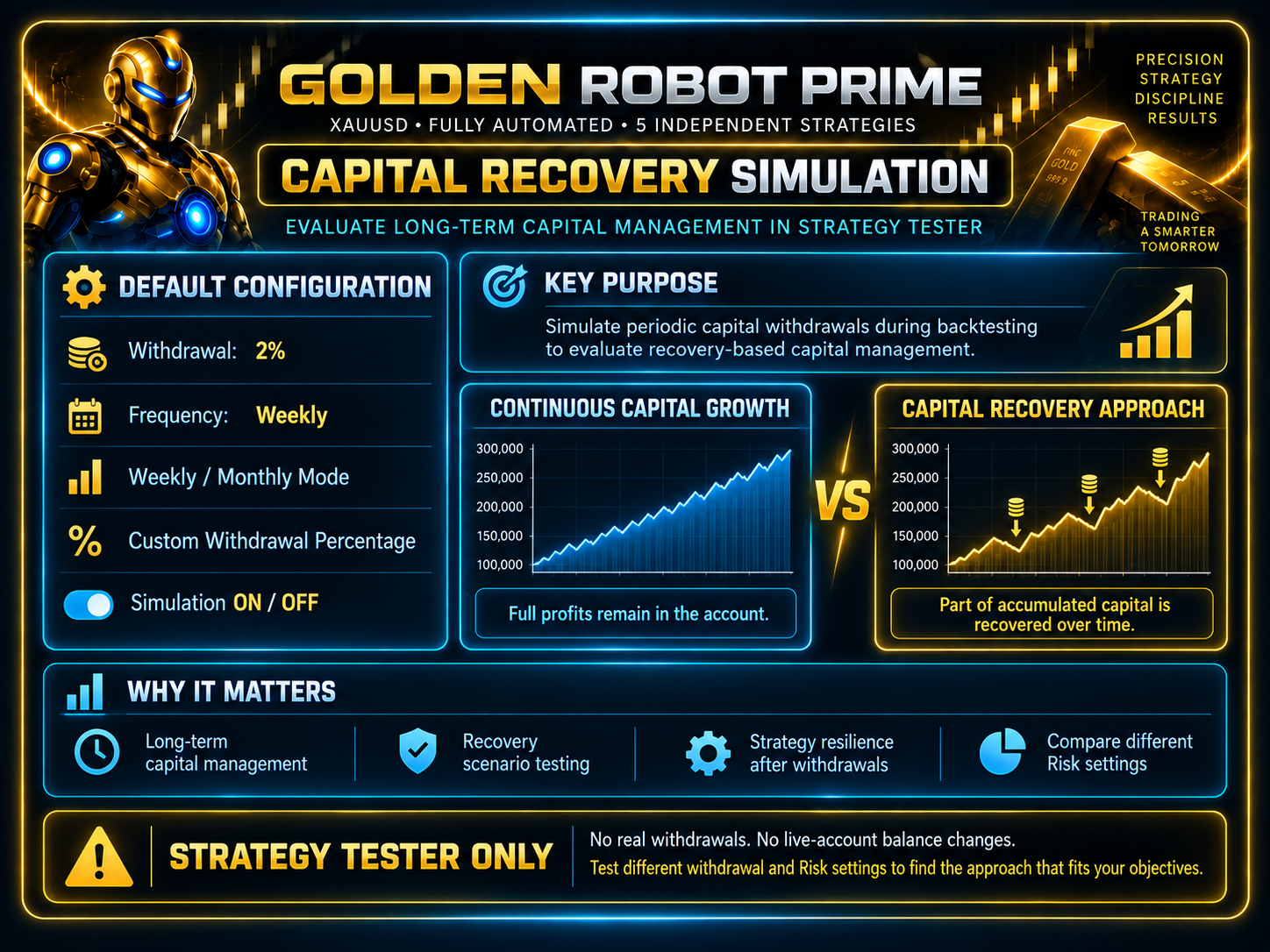
One of the additional testing features included in Golden Robot Prime is Capital Withdrawal Simulation.
This feature is designed specifically for MetaTrader 5 Strategy Tester and allows users to simulate periodically recovering part of accumulated capital during a backtest.
Default configuration:
Withdrawal: 2%
Frequency: Weekly
Available options include:
- Weekly withdrawal
- Monthly withdrawal
- Custom withdrawal percentage
- Simulation ON / OFF
This makes it possible to compare:
Continuous capital growth
with
Periodically recovering part of accumulated capital while the strategy continues trading with the remaining balance.
The objective is to provide another perspective on long-term capital management and strategy resilience.
This feature works exclusively inside Strategy Tester.
It does not withdraw real funds, modify a live account balance or perform any withdrawal-related action on a live trading account.
8. Advanced On-Chart Dashboard
Golden Robot Prime includes an integrated real-time information dashboard displayed directly on the trading chart.
Depending on current conditions, the dashboard can provide information such as:
- EA operating status
- Trading session
- Spread conditions
- Performance information
- Multi-timeframe trend status
- Upcoming major economic events
The dashboard is designed to make the EA's current operating state easier to understand.
It can also be enabled or disabled from the EA settings.
9. Five Independent Trading Modules
Golden Robot Prime does not rely on a single trading model.
The system includes:
1. RSI Momentum & Pullback
For selected momentum and pullback opportunities.
2. RSI Extreme Reversal
For selected overextended market conditions and potential corrective movements.
3. Donchian Trend Breakout
For qualified directional breakout opportunities.
4. News OCO Event Trader
A dedicated event-driven strategy for selected major economic releases.
5. Post-News Reaction
Analyzes market behavior after important economic events and waits for independent confirmation.
Each module operates independently and remains inactive when its required market conditions are not present.
10. Test the EA Yourself
Users do not need to rely only on screenshots, published statistics or marketing claims.
Golden Robot Prime can be evaluated directly through MetaTrader 5 Strategy Tester using your own broker data, historical period, deposit size and Risk configuration.
Before making a decision, review:
- Trades
- Drawdown
- Equity behavior
- Module activity
- Different Risk settings
- Different historical periods
Independent testing is the best way to understand whether the system is suitable for your own trading environment.
Final Notes
Golden Robot Prime was developed for automated XAUUSD trading across different market environments.
However, no historical backtest can guarantee future trading performance.
Actual results may vary because of differences in spread, execution, slippage, liquidity, broker conditions, symbol specifications and user-selected Risk settings.
Run your own backtest. Review the drawdown. Understand the system behavior. Then choose the configuration that fits your objectives.
Golden Robot Prime — Official MQL5 Market Page:
https://www.mql5.com/en/market/product/195296