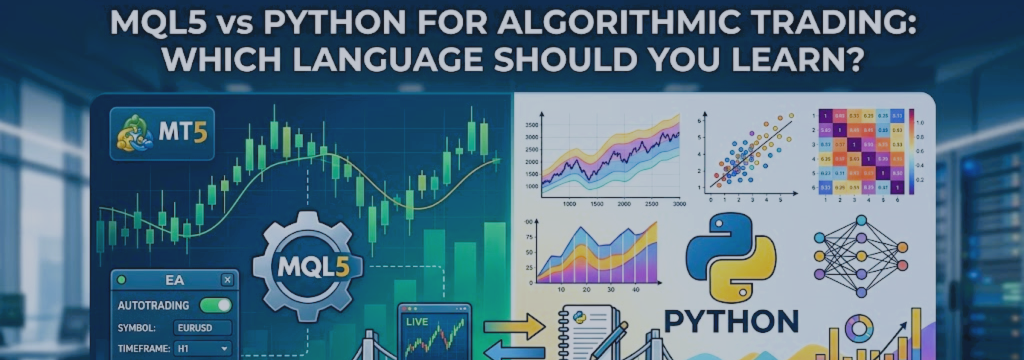

New algorithmic traders often ask whether they should learn MQL5 or Python first. The most useful answer is not that one language is universally better. The right choice depends on what you want to build, where it must run, how quickly it must execute, and whether your strategy needs advanced research, machine learning, or external data.
MQL5 is designed specifically for MetaTrader 5. It is the natural choice for Expert Advisors, indicators, scripts, and trading tools that run directly inside the MT5 terminal.
Python is a general-purpose programming language with a large ecosystem for data analysis, research, machine learning, visualization, databases, APIs, and automation.
For many serious trading projects, the strongest long-term workflow uses both:
- Use Python for research, data preparation, analysis, machine learning, reporting, and experimentation.
- Use MQL5 for MetaTrader 5 execution, order management, risk controls, and deployment as an Expert Advisor.
Important: Choosing a programming language does not create a profitable trading system. A trading strategy still needs a logical edge, realistic testing, risk management, reliable execution, and ongoing monitoring.
Quick Answer
Choose MQL5 first if your primary goal is to build Expert Advisors that trade through MetaTrader 5, use MT5’s Strategy Tester, or distribute a trading robot to MT5 users.
Choose Python first if your main interest is data analysis, machine learning, custom research, alternative data, broker APIs, crypto exchanges, portfolio analysis, or statistical modeling.
Learn both if you want a professional workflow that separates research from live execution. Python can help you discover and validate an idea, while MQL5 can turn the finalized trading rules into an EA that runs inside MetaTrader 5.
What Is MQL5?
MQL5 is the programming language used to create trading applications for MetaTrader 5. Developers use it to build Expert Advisors, custom indicators, scripts, services, libraries, and chart tools.
An MQL5 Expert Advisor runs inside the MetaTrader 5 terminal. It can receive market events, read prices and indicators, inspect account and position information, send trading requests, manage open positions, and write messages to the terminal logs.
MQL5 is particularly useful when your strategy needs direct access to the trading environment where it will execute.
Common MQL5 projects include:
- Automated trading robots and Expert Advisors.
- Custom technical indicators.
- Trade-management utilities.
- Position-sizing tools.
- Session filters and news-management tools.
- Risk dashboards and account-protection systems.
- Multi-symbol portfolio EAs.
- Trade-copying or alert-management tools.
What Is Python?
Python is a general-purpose programming language used in software development, automation, data science, artificial intelligence, finance, web services, and scientific computing.
In algorithmic trading, Python is commonly used to collect and clean data, calculate indicators, test ideas, build machine-learning models, analyze portfolios, connect to APIs, generate reports, and operate custom trading infrastructure.
Python does not run inside MetaTrader 5 in the same way that an MQL5 EA does. Instead, a Python program runs as a separate process and can communicate with MetaTrader 5 through the official MetaTrader5 package, a local socket connection, files, databases, web services, or another bridge.
The official MetaTrader5 Python package can connect to a running MT5 terminal, retrieve market and account data, and perform trading operations through interprocess communication. This makes Python useful for research and integration workflows involving MetaTrader 5. [74]
MQL5 and Python at a Glance
| Category | MQL5 | Python |
|---|---|---|
| Primary purpose | Building programs that run in MetaTrader 5. | General-purpose programming, data analysis, automation, and research. |
| Best execution environment | Inside the MT5 terminal. | Outside MT5, through broker APIs, exchange APIs, or an MT5 connection. |
| Expert Advisor development | Native and purpose-built. | Possible through a bridge, but not as a native MT5 EA. |
| MT5 Strategy Tester | Direct support for testing and optimization. | Requires custom research and backtesting frameworks outside MT5. |
| Machine learning ecosystem | More limited, although MQL5 supports numerical tools and ONNX integration. | Very broad ecosystem, including NumPy, pandas, scikit-learn, PyTorch, XGBoost, and many more. |
| Data analysis | Suitable for trading-focused calculations and terminal data. | Excellent for large datasets, research pipelines, visualization, and statistical analysis. |
| Distribution to MT5 users | Usually distributed as a compiled .ex5 program. | Usually requires Python, packages, configuration, and supporting infrastructure. |
| Broker and platform portability | Primarily tied to MetaTrader 5. | Can connect to many broker, exchange, database, and web APIs. |
| Learning focus | Trading logic, MT5 events, order handling, and risk controls. | Programming fundamentals, data, research, automation, and software architecture. |
MQL5 Strengths
Native MetaTrader 5 Integration
MQL5 is the native language of MetaTrader 5. An EA written in MQL5 runs within the terminal and can directly work with chart data, ticks, indicators, account information, open positions, pending orders, symbol specifications, and trading functions.
This reduces the number of moving parts required for a standard MT5 trading system. You do not need a separate Python process, an API bridge, or another application just to send a trade request from a standard EA.
Built for Trading Events
MQL5 uses an event-driven structure. A program can respond to events such as:
- A new market tick arriving.
- A timer event occurring.
- A trade transaction being received.
- A chart event, such as a mouse click or keyboard input.
- EA initialization or removal from a chart.
This structure fits automated trading naturally. For example, an EA can evaluate an entry condition on every tick, manage positions after each transaction, and run account-protection checks every minute through a timer.
Direct Order and Position Management
MQL5 includes trading functions and classes designed for the MetaTrader 5 environment. An EA can send market orders, place pending orders, modify stops, close positions, partially close positions, inspect trade history, and react to trade events.
However, direct access does not mean that every request will be filled exactly as expected. A well-built EA must still handle invalid volumes, insufficient margin, broker stop-level restrictions, price changes, execution errors, rejected requests, and other real-world conditions.
Built-In Strategy Tester
One of MQL5’s major advantages is the MetaTrader 5 Strategy Tester. It allows developers to test Expert Advisors using historical data, inspect trade history, view charts, optimize selected parameters, and perform forward validation before live use.
This is particularly useful when the live strategy will execute through MT5, because the testing environment is closely connected to the same platform, symbol specifications, and trading model used for deployment.
The Strategy Tester is a tool for research and validation, not a guarantee of future performance. Test conditions, data quality, commission, spread, swap, slippage, and overfitting must still be considered carefully.
Simple Deployment for MT5 Users
When an MQL5 program is compiled, it is normally produced as an .ex5 file. For a standard EA, the user can place the file in the appropriate Experts folder or obtain it through the MQL5 Market, attach it to a chart, configure inputs, and enable algorithmic trading.
This is generally easier for an MT5 end user than installing Python, configuring virtual environments, downloading packages, managing API keys, and keeping a separate application running.
Useful Numerical and AI Features
MQL5 is not limited to simple moving averages and basic indicators. It includes arrays, structures, classes, vectors, matrices, statistical functions, and other numerical capabilities that can support many trading models.
MetaTrader 5 also supports ONNX model integration. This can allow a developer to train a compatible machine-learning model outside MT5, export it in ONNX format, and use it inside an MQL5 program for inference.
This approach can be useful when you want to research a model in Python but keep the final live prediction process closer to the EA. It still requires careful validation, model-version control, input normalization, and reliable error handling.
MQL5 Limitations
Platform Dependence
MQL5 is strongly connected to MetaTrader 5. This is an advantage when MT5 is your intended platform, but it becomes a limitation if you want the same code to run directly on a crypto exchange, an institutional API, a web server, or a different trading platform.
A strategy written entirely in MQL5 may require significant rewriting if you later move away from MetaTrader 5.
Smaller External Ecosystem
Python has a much larger ecosystem for general software development and data science. In Python, it is easy to find mature libraries for data cleaning, statistics, optimization, machine learning, visualization, databases, web APIs, cloud deployment, and reporting.
MQL5 has many useful built-in functions and a large community, but it does not offer the same breadth of third-party libraries as Python. Complex research tasks may therefore require more custom implementation in MQL5.
Less Convenient for Large-Scale Research
MQL5 can analyze historical data and run robust backtests inside MetaTrader 5. However, Python is often more convenient when you need to work with very large datasets, combine multiple data sources, create research notebooks, compare many models, generate charts, or build repeatable data pipelines.
For example, cleaning several years of tick data, combining economic-calendar data with market data, calculating hundreds of features, and training multiple machine-learning models is usually easier to organize in Python.
Development Can Feel More Specialized
MQL5 is designed around trading concepts and the MT5 event model. This is helpful for EA developers, but beginners who have never programmed before may need time to understand indicator handles, price buffers, position management, symbol properties, order types, and broker-specific trading rules.
The learning curve is worthwhile if your main goal is MT5 automation. It may be less efficient if your long-term goal is broader software engineering, data science, or multi-venue trading infrastructure.
Python Strengths
Powerful Data Analysis
Python is widely used for financial research because it has strong tools for working with structured data.
Common Python libraries include:
- pandas: Tables, time series, data cleaning, resampling, and analysis.
- NumPy: Fast numerical arrays and mathematical operations.
- SciPy: Scientific computing, optimization, and statistics.
- matplotlib: Charts and visualizations.
- plotly: Interactive charts and dashboards.
- statsmodels: Statistical tests and time-series models.
For a trader, this means Python is excellent for questions such as:
- How does a strategy perform in trending versus ranging markets?
- What is the distribution of daily returns?
- How correlated are several currency pairs or strategies?
- What happens when spread assumptions increase?
- How stable are strategy parameters over time?
- What is the likely range of drawdown under different trade sequences?
Machine Learning and Artificial Intelligence
Python is the leading environment for machine learning research and development. It provides mature libraries for classification, regression, clustering, feature engineering, deep learning, explainability, and model evaluation.
Examples include:
- scikit-learn: Classical machine-learning models such as random forests, logistic regression, clustering, and gradient boosting.
- XGBoost and LightGBM: Gradient-boosting frameworks often used with tabular financial features.
- PyTorch: Deep-learning framework for neural networks and custom models.
- TensorFlow: Machine-learning and deep-learning framework.
- SHAP: Tools for interpreting model feature importance.
Machine learning should not be treated as a shortcut to profitable trading. Financial data is noisy, non-stationary, and vulnerable to overfitting. A model that performs well on training data can fail in live conditions if it uses leaked information, poorly defined labels, unstable features, or unrealistic transaction-cost assumptions.
External Data and API Integration
Python is well suited to combining market data with external data sources. A trading project may use Python to retrieve information from exchange APIs, economic calendars, databases, sentiment providers, news sources, proprietary data feeds, or internal analytics systems.
For example, a Python research process might combine:
- Historical price data.
- Economic-event timestamps.
- Volatility measurements.
- Commitment of Traders data.
- Position or trade logs.
- Custom sentiment or regime classifications.
This flexibility is valuable for strategies that need information beyond the prices and indicators available inside a single terminal.
Fast Research Iteration
Python supports notebooks, interactive development environments, charts, data exports, and reusable scripts. This can make it easier to test an idea, inspect a dataset, find errors, and explain results.
For example, a developer can create a notebook that:
- Loads historical data.
- Calculates features.
- Tests a strategy hypothesis.
- Measures transaction costs.
- Creates equity and drawdown charts.
- Runs out-of-sample tests.
- Exports finalized parameter values for an MQL5 EA.
Portability Beyond MetaTrader 5
Python can run on a desktop computer, VPS, cloud server, Docker container, or other supported environment. It can connect to many different services, which is useful if you trade multiple brokers, exchanges, asset classes, or platforms.
A Python research library can often be reused even if the execution venue changes. For example, the same data-cleaning and portfolio-analysis code may be used whether you later trade through MT5, a broker API, or a cryptocurrency exchange.
Python Limitations for MT5 Traders
Python Does Not Run as a Native EA
A Python script does not attach to an MT5 chart in the same way as an MQL5 Expert Advisor. It runs separately and communicates with the MT5 terminal or another broker API.
This means a Python-based execution system may require:
- A running Python environment.
- Installed packages and dependencies.
- A running and connected MT5 terminal when using the MetaTrader5 package.
- Reliable error handling and reconnection logic.
- Logging and monitoring outside the terminal.
- Careful configuration of account credentials, permissions, and security.
These requirements are manageable, but they add operational complexity compared with deploying one self-contained MQL5 EA.
Extra Communication Layer
When Python communicates with MetaTrader 5, information must travel between separate processes. This adds another dependency and may add delay compared with running the execution logic directly inside an EA.
The practical importance of that delay depends on the strategy. For a strategy that trades only on H1 or H4 candle closes, small communication delays may be insignificant. For a strategy that depends on very short-lived price changes, tight stops, or rapid scalping decisions, the architecture should be evaluated much more carefully.
Do not assume a specific latency number will apply to every setup. Actual performance depends on the computer, VPS, terminal state, broker connection, market conditions, bridge design, and execution venue.
Deployment Is More Complex
A Python project may work perfectly on the developer’s computer but fail on another machine because of missing packages, version conflicts, permissions, environment variables, or operating-system differences.
Good Python deployment practices include:
- Using a virtual environment.
- Keeping a requirements file for all packages.
- Pinning package versions where appropriate.
- Logging errors and important events.
- Using configuration files instead of hard-coding credentials.
- Monitoring whether the process is alive and connected.
- Creating a restart plan after a crash, reboot, or network outage.
These practices are important for any serious automated trading system, but they are especially important when several programs must communicate with each other.
The Global Interpreter Lock Is Not the Whole Story
Python’s Global Interpreter Lock, often called the GIL, can limit true parallel execution of some CPU-bound code inside one Python process. However, it does not mean Python cannot handle multiple tasks or build useful trading systems.
Python programs can use multiprocessing, asynchronous programming, external services, optimized numerical libraries, and separate processes. The important design question is not simply whether Python has a GIL. The question is whether the full system can process market data, generate signals, manage risk, and submit orders fast enough and reliably enough for the intended strategy.
A Practical Hybrid Workflow
A hybrid workflow uses Python and MQL5 for the tasks each language handles best. This architecture is especially useful for MT5 traders who want advanced research without adding unnecessary complexity to live order execution.
Stage 1: Research in Python
Start with Python for strategy discovery and validation. This stage may include historical-data preparation, feature engineering, machine-learning experiments, portfolio analysis, Monte Carlo simulations, and walk-forward testing.
For example, a developer may use Python to:
- Download or import historical price data.
- Calculate ATR, volatility, moving averages, returns, and market-regime features.
- Test whether a signal behaves differently in high- and low-volatility periods.
- Train a classifier to estimate market regime.
- Evaluate out-of-sample performance.
- Analyze drawdown and consecutive-loss distributions.
- Create visual reports and save research results.
Stage 2: Define the Strategy Clearly
Before moving to live execution, translate the research into exact, testable rules. Every part of the strategy should be defined objectively.
For example:
- What exact condition creates a long entry?
- What exact condition creates a short entry?
- When does the system refuse to trade?
- How is trade volume calculated?
- Where is the stop loss placed?
- How is the trade exited?
- What is the maximum daily loss?
- What happens after a connection failure or rejected order?
If the research result cannot be explained as clear rules, it may be difficult to implement and validate reliably in MQL5.
Stage 3: Implement Execution and Risk in MQL5
Once the strategy rules are defined, build an MQL5 EA for the live MT5 environment. The EA can handle:
- Market-data processing.
- Entry and exit signals.
- Spread and session filters.
- Position sizing.
- Stop loss and take profit placement.
- Trailing stops and break-even rules.
- Maximum drawdown or daily-loss protection.
- Order-error handling.
- Position and trade-history management.
Keeping risk management and order execution inside the EA can simplify the live environment. The EA remains close to the MT5 terminal and can react directly to terminal events.
Stage 4: Use Python for Monitoring and Reporting
Python can continue to provide value after the EA is deployed. The EA can export logs or trade information to files, a database, a web service, or another approved communication channel. Python can then process that information for monitoring and analysis.
A Python monitoring system may track:
- Current balance, equity, and drawdown.
- Open exposure by symbol and direction.
- Correlation between open positions.
- Daily, weekly, and monthly performance.
- Spread and execution-quality changes.
- Differences between expected and actual fills.
- Unexpected trading behavior or missing signals.
- Alerts for risk limits, terminal disconnections, or EA errors.
Monitoring does not need to control the EA directly. In many cases, a read-only monitoring system is safer because it can report problems without adding another component that can interfere with execution.
Example Hybrid Architecture
The following is an example of a simple, practical architecture:
Python Research Layer ↓ Historical data, features, validation, model development ↓ Defined strategy rules and approved parameters ↓ MQL5 Expert Advisor ↓ Signal checks, filters, risk management, trade execution ↓ MetaTrader 5 Terminal ↓ Broker Trading Server MQL5 logs and trade data ↓ Python Monitoring Dashboard ↓ Equity, drawdown, exposure, alerts, and reports
This structure separates responsibilities. Python focuses on research and analysis. MQL5 focuses on the tasks that must happen reliably inside MetaTrader 5. The monitoring layer provides visibility without forcing every live decision through an external bridge.
When to Choose MQL5 Only
Using only MQL5 may be the best choice when:
- You trade through MetaTrader 5 and do not need external data.
- Your strategy is rule-based and can be expressed with indicators, price data, and account information.
- You want to use the built-in MT5 Strategy Tester extensively.
- You want the simplest deployment for MT5 customers or users.
- You need the live execution logic to run inside the MT5 terminal.
- You are building trade-management, risk-control, or chart-based utility tools.
For many retail and professional MT5 strategies, an MQL5-only EA is sufficient and easier to maintain.
When to Choose Python Only
Using only Python may be more appropriate when:
- You trade through a broker or exchange API rather than MetaTrader 5.
- You need to connect to multiple exchanges, brokers, or data providers.
- Your project depends heavily on machine learning or alternative data.
- You are creating institutional-style research infrastructure.
- You need custom databases, cloud services, web applications, or dashboards.
- You want maximum portability across platforms and execution venues.
Python can also send orders through MT5 using the official package, but if the complete live strategy depends on MT5, compare the added operational complexity with the benefit of keeping execution in a native EA.
When to Use Both
A hybrid approach is often appropriate when:
- You research in Python but execute through MetaTrader 5.
- You need machine-learning models or advanced data preparation.
- You want robust monitoring, reporting, or portfolio analytics outside MT5.
- You want to keep live order handling and account protection inside an MQL5 EA.
- You want to reduce bridge dependency during the most time-sensitive execution steps.
The hybrid approach is not automatically better. It introduces more software components and therefore more maintenance responsibility. Use it when the additional research, analysis, or monitoring capability provides a clear benefit.
Learning Path for New Developers
If Your Goal Is Building MT5 EAs
- Learn the basics of MetaTrader 5 and order types.
- Learn MQL5 variables, conditions, loops, functions, arrays, and classes.
- Understand event functions such as OnInit, OnTick, OnTimer, and OnTradeTransaction.
- Build simple indicators and scripts before building a full EA.
- Learn position sizing, stop-loss handling, spread filters, and broker restrictions.
- Use the Strategy Tester and Visual Mode to inspect every trade.
- Build small, understandable EAs before attempting complex machine-learning systems.
If Your Goal Is Quantitative Research and Machine Learning
- Learn Python fundamentals, including functions, classes, files, and error handling.
- Learn NumPy and pandas for financial data.
- Learn data-cleaning, time-series handling, and visualization.
- Study backtesting bias, transaction costs, look-ahead bias, and overfitting.
- Learn statistical validation and out-of-sample testing.
- Learn machine learning only after you can build and validate simple rule-based systems.
- Build a repeatable research process before trying to automate live execution.
Frequently Asked Questions
Is MQL5 faster than Python?
An MQL5 EA runs directly inside MetaTrader 5, so it avoids the additional communication layer required when an external Python process sends commands to MT5. This can be important for strategies that depend on fast reaction to market events.
However, actual system performance depends on much more than the language. Broker execution, server location, spread, market liquidity, VPS quality, algorithm complexity, and order-handling logic can all matter. Do not assume that language choice alone determines trading success.
Can Python trade on MetaTrader 5?
Yes. The official MetaTrader5 Python package can connect a Python program to a running MT5 terminal, retrieve data, inspect account information, and perform trading operations. Python remains external to MT5 rather than becoming a native chart-attached EA. [74]
Can MQL5 use machine learning?
Yes, but the workflow is different from Python. MQL5 can perform numerical calculations and can use ONNX models for inference. Many developers train and validate models in Python, then export a compatible model or translate the finalized logic for MQL5 deployment.
Should a beginner start with machine learning?
Usually, no. Begin by learning market mechanics, backtesting, risk management, and simple rule-based strategies. Machine learning adds complexity and can make overfitting harder to detect. A simple strategy with strong validation is generally more valuable than a complex model that cannot be explained or trusted.
Can I sell Python trading bots through the MQL5 Market?
The MQL5 Market is primarily designed for MetaTrader applications such as EAs, indicators, and utilities built for the platform. An MQL5 EA is generally the more natural distribution format for MT5 users. A Python-based system normally requires separate installation instructions and supporting infrastructure.
Final Thoughts
MQL5 and Python are not enemies. They solve different problems.
MQL5 is the practical choice for building Expert Advisors that execute inside MetaTrader 5. Python is the practical choice for advanced research, data analysis, machine learning, external integrations, and custom reporting.
For an MT5-focused developer, a strong long-term path is to learn enough Python to research and validate ideas, then learn enough MQL5 to convert reliable rules into safe, well-tested live execution systems. Use the simplest architecture that meets the strategy’s real requirements.
Risk disclosure: This article is for educational purposes only and does not constitute investment advice, a recommendation, or a guarantee of results. Algorithmic trading, forex, CFDs, futures, cryptocurrencies, and other leveraged instruments involve substantial risk. Historical results, simulations, and backtests do not guarantee future performance.