

Ultimate Breakout EA: The All-in-One Channel Breakout System for MT5
By Muresan Daniel | Version 1.00
Breakout trading is one of the most enduring and popular methodologies in the financial markets. Whether you are trading forex, commodities or indices, catching a volatility expansion as price breaks out of a consolidation zone is a proven way to capture massive trends.
But which channel indicator is best? Donchian? Keltner? Or a combination of both?
Instead of forcing you to choose, the Ultimate Breakout EA brings the three most powerful channel breakout systems into one comprehensive, highly optimized MetaTrader 5 Expert Advisor.
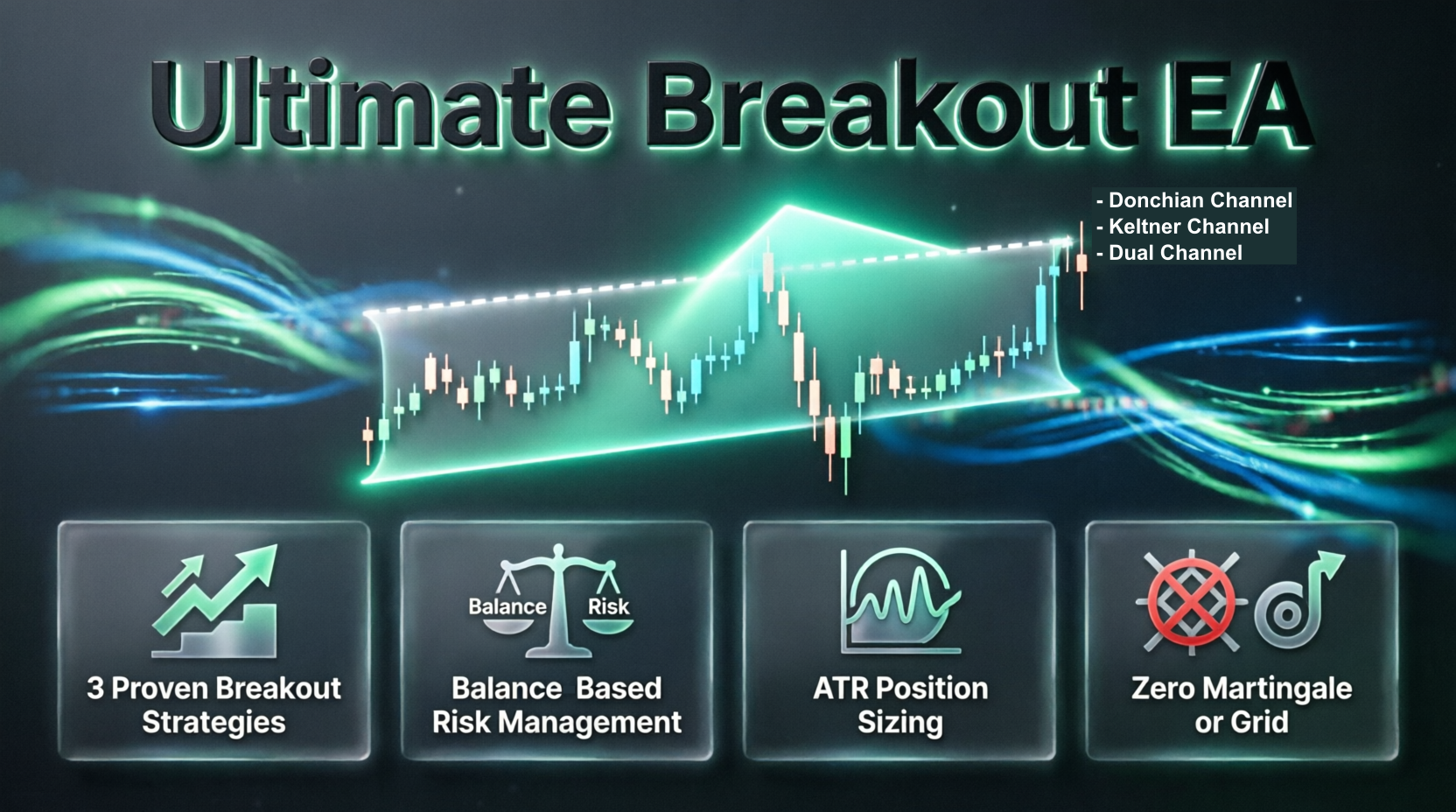
🌟 Core Philosophy: Three Strategies in One
The Ultimate Breakout EA is not just a simple script; it is a modular trading system. Through the "Master Strategy Selector," you can seamlessly switch between three distinct, fully automated breakout strategies without changing the underlying code.
1. The Classic Donchian Channel Strategy
Inspired by the legendary Richard Donchian this strategy relies on pure price action and historical highs/lows.
- Entry Logic: Buys when the price breaks above the highest high of the last N periods. Sells when the price breaks below the lowest low.
- Stop Loss & Trailing: The initial Stop Loss is placed at the opposite band. As new candles form, the EA dynamically trails the stop loss to the new Donchian band levels, locking in profits as the trend develops.
- Best for: Highly trending markets and long term swing trading.
2. The Dual Channel Strategy (Donchian + Keltner)
This is the crown jewel of the EA. It combines the raw price action of Donchian channels with the volatility smoothed logic of Keltner Channels.
- Entry Logic: It calculates both the Donchian and Keltner upper/lower bands. To enter a trade, the price must break through one of these channel bands, which one is first.
- Stop Loss: The Stop Loss is calculated using the combined logic of both lower/upper bands and is set at the most close to the entry opposite band.
- Best for: Traders who want to benefit from the best Donchian and Keltner channels have to offer.
3. The Keltner Channels Strategy
Keltner Channels use an Exponential Moving Average (EMA) and Average True Range (ATR) to create dynamic bands. This strategy features two distinct sub-modes to suit your trading style:
- Mode A: Closed Candles Mode:
- Waits for a candle to close outside the Keltner bands before entering, preventing wick fakeouts.
- Features three customizable exit modes: Exit on Opposite Band, Exit on Mid-line (conservative), or Exit on Return Inside the bands.
- Mode B: Tom Basso Mode (Live Price):
- Enters immediately on live price crossing the bands.
- Uses the opposite Keltner band as a dynamic, live updating trailing stop. This allows the EA to ride massive trends while keeping a tight, volatility based leash on the trade.
🛡️ Institutional Grade Risk Management
A strategy is only as good as its risk management. The Ultimate Breakout EA features a sophisticated, built-in position sizing engine that protects your capital.
- Dynamic Risk Based Lot Sizing: You don't trade fixed lots. You input your Risk Percentage (e.g., 1.0%). The EA calculates the exact distance to the Stop Loss, checks your account balance, and calculates the precise lot size to ensure you never risk more than your specified percentage.
- Broker Safety Checks: Before placing or modifying any trade, the EA checks the broker's minimum STOPLEVEL , current spread, and required margin. If a trade violates broker rules, it is safely blocked.
- Max Lot Protection: A hard cap ( MaxAllowedLot ) ensures that even on massive accounts, a single trade won't exceed your broker's limits or your personal comfort zone.
⚙️ Robustness and "Set-and-Forget" Features
We know that VPS glitches, terminal restarts, and internet drops happen. The Ultimate Breakout EA is built to survive them:
- Auto-Recovery: If the terminal restarts or the EA is removed and reattached, it scans open positions. If it finds a trade with its unique Magic Number, it seamlessly re-attaches and resumes trailing the stop loss without missing a beat.
- History Syncing: For the Keltner Closed Candles mode, the EA scans the last 500 bars of history on startup to determine the exact "Virtual State" of the market, ensuring it doesn't take conflicting entry signals immediately after a reboot.
- Unique Magic Numbers: The EA automatically generates a unique Magic Number based on the Symbol and your Base Magic Number. This allows you to run the EA on multiple charts simultaneously without them interfering with each other's trades.
- Critical Logging: An optional EnableCriticalLogging toggle allows you to see exactly what the EA is doing in the Experts tab. Perfect for debugging or monitoring trade execution in real time.
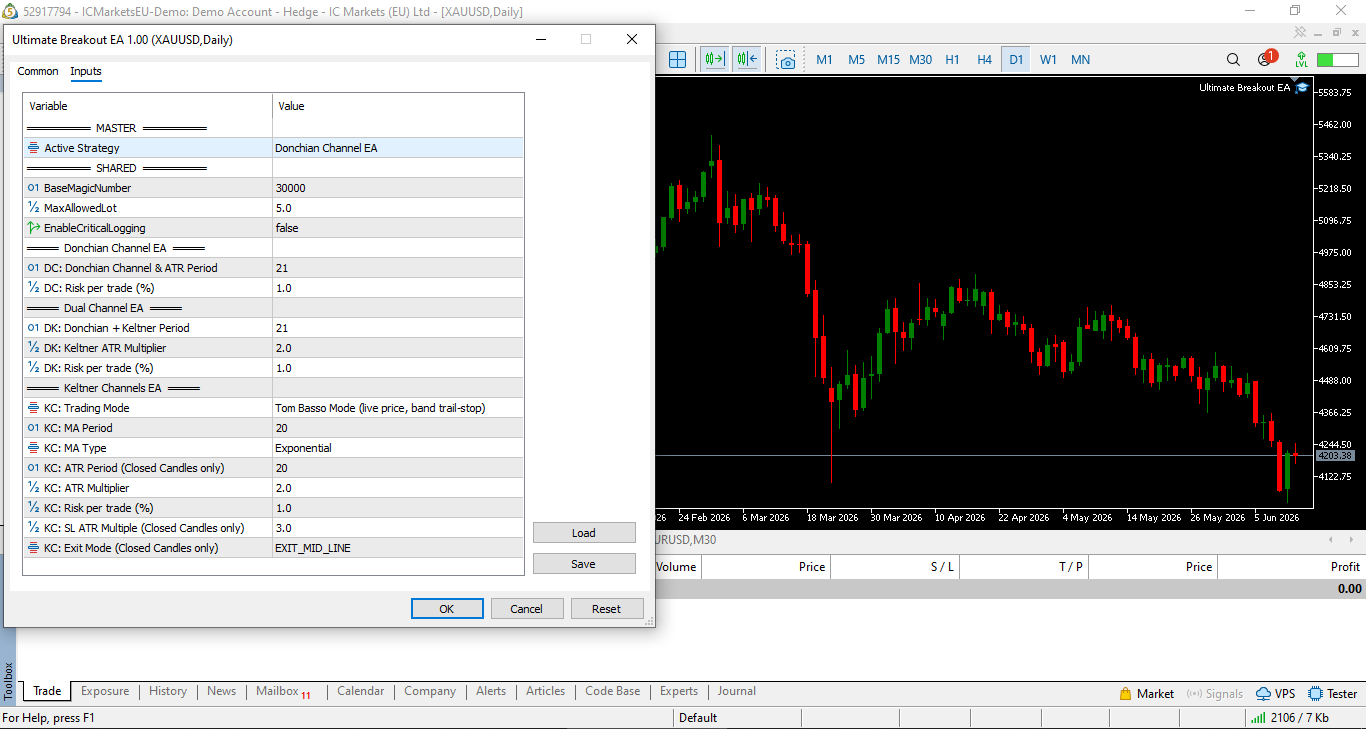
📊 Input Parameters Guide
The EA is neatly organized into logical groups in the MT5 settings menu:
MASTER & SHARED
- Active_Strategy : Choose between Donchian, Dual Channel, or Keltner.
- BaseMagicNumber : Base ID for trade identification.
- MaxAllowedLot : Absolute maximum lot size the EA is allowed to open.
- EnableCriticalLogging : Turn on/off detailed journal printing.
DONCHIAN CHANNEL SETTINGS
- DC_Period : Lookback period for the Donchian High/Low.
- DC_RiskPercent : Risk per trade (e.g., 1.0 for 1%).
DUAL CHANNEL SETTINGS
- DK_Period : Lookback period for both Donchian and Keltner calculations.
- DK_KC_ATR_Mult : ATR multiplier for the Keltner portion of the Dual strategy.
- DK_RiskPercent : Risk per trade.
KELTNER CHANNEL SETTINGS
- KC_Trading_Mode : Choose between Closed Candles or Tom Basso.
- KC_MA_Period & KC_MA_Type : Moving Average settings for the middle band.
- KC_ATR_Period & KC_ATR_Multiplier : ATR settings for the channel width.
- KC_SL_ATR_Mult : Stop loss distance multiplier (Closed Candles mode only).
- KC_Exit_Mode : Choose how to exit trades (Opposite Band, Mid Line, or Return Inside) for (Closed Candles mode only).
🚀 How to Get Started
- Download : Save the Ultimate Breakout EA .
- Attach to Chart: Drag the EA onto your desired chart (works on all time frames, though D1 are recommended for breakouts).
- Select Your Strategy: In the inputs, choose your preferred Active_Strategy .
- Set Your Risk: Adjust the RiskPercent for your chosen strategy. Always start with a low risk (0.5% - 1.0%) when testing a new system.
- Backtest: Open the Strategy Tester, select the EA, and run it through the Strategy Tester to see how the different channel modes perform on your favorite asset!
Final Thoughts
The Ultimate Breakout EA takes the guesswork out of channel trading. By combining the raw power of Donchian, the volatility filtering of Keltner, and the dual logic of the Dual Channel system, you have a complete arsenal to tackle any market condition.
Whether you are a conservative trader looking for closed candle confirmations, or a pure trend follower utilizing the Tom Basso live price action, this EA provides the tools you need to execute your vision flawlessly.
Disclaimer: Trading foreign exchange and CFDs on margin carries a high level of risk, and may not be suitable for all investors. Past performance of the Ultimate Breakout EA in backtests is not indicative of future results. Always test thoroughly in the Strategy Tester and on a Demo account before risking real capital.
Rules. Not emotions. That's how the Turtles traded and how my EA's work.
👇 Automated systems for MT5:
https://daniel-muresan-trading.netlify.app/