
Every trader who has ever managed more than one account knows this pressure.
You open a trade on one terminal. Then you need to repeat it on another account. Then another one. One broker uses different symbol names. One account is on MetaTrader 4. Another one is on MetaTrader 5. The price is already moving. Your hand is faster than your mind. And one small mistake can cost more than the whole trading tool.
Wrong lot size.
Forgotten Stop Loss.
Missed Take Profit.
Wrong symbol.
Late entry.
Manual closing error.
This is not always a strategy problem. Very often, it is a workflow problem.
That is exactly why a professional trade copier becomes not just a convenience, but a serious trading assistant.
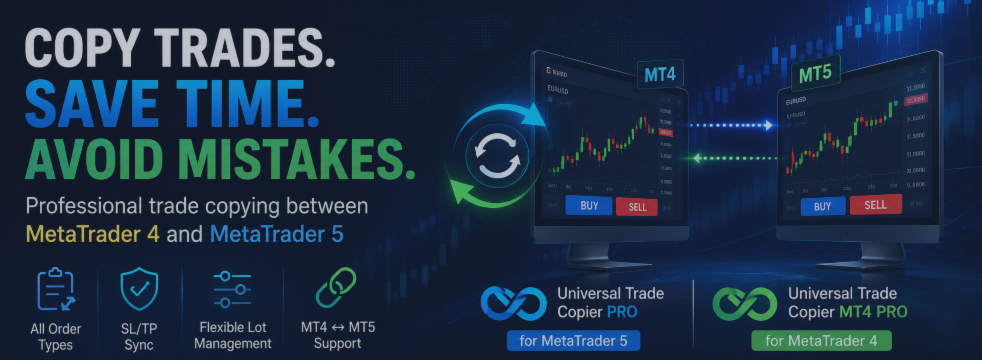
Universal Trade Copier PRO for MetaTrader 5 and Universal Trade Copier MT4 PRO for MetaTrader 4 are designed for traders who need local trade copying between MetaTrader 4 and MetaTrader 5 terminals on the same computer or VPS.
These tools are not magic profit machines. They do not predict the market. They do not replace discipline. Their purpose is different: to remove routine, reduce manual errors, and make trade copying faster, cleaner, and more controlled.
The copier supports different copying directions:
MT4 → MT4
MT5 → MT5
MT4 → MT5
MT5 → MT4
This is important for traders who work with several accounts, different brokers, prop accounts, demo accounts, or separate trading environments. In real trading, flexibility matters. You may have one main account, one investor account, one prop account, and one testing account. Managing all of them manually can quickly become chaotic.
A trade copier helps bring order into that chaos.
It can copy Buy and Sell market orders, pending orders, Stop Loss and Take Profit levels, SL/TP modifications, pending order changes, order closing, and partial closing. It also includes flexible lot management: lot multiplier, fixed lot, and risk percentage mode.
This is where the real value appears.
Instead of repeating the same mechanical actions again and again, the trader can focus on the decision itself. The copier handles the execution logic. The trader stays focused on analysis, risk, and control.
Another important feature is Symbol Mapping. Brokers often use different names for the same instruments: EURUSD, EURUSDm, EURUSD.pro, XAUUSDm. Without symbol mapping, copying between different brokers can become a frustrating process. With manual symbol mapping, this problem becomes much easier to manage.
For example:
EURUSD = EURUSDm
GBPUSD = GBPUSD.pro
XAUUSD = XAUUSDm
The copier is especially useful for manual traders managing multiple accounts, traders using both MT4 and MT5, account managers, signal providers, prop traders, and users who need local trade copying between different MetaTrader terminals.
But there is one rule that should never be ignored.
Before using any copier on a real account, test it carefully on demo accounts. Check the direction of copying. Check lot settings. Check symbol mapping. Check Stop Loss and Take Profit behavior. Check partial closing. Check everything.
Professional trading is not about pressing buttons blindly. It is about control.
The author of these products is Andrei Strashko, a trader and MQL developer creating trading solutions for MetaTrader 4 and MetaTrader 5.
If you are tired of manually copying trades between terminals, if you manage several accounts, or if you want to reduce technical mistakes in your trading process, take a closer look at these tools:
Universal Trade Copier PRO for MetaTrader 5
Universal Trade Copier MT4 PRO for MetaTrader 4
All products by Andrei Strashko
In trading, risk cannot be removed completely.
But unnecessary chaos can be removed.
And sometimes, that is already a huge step forward.