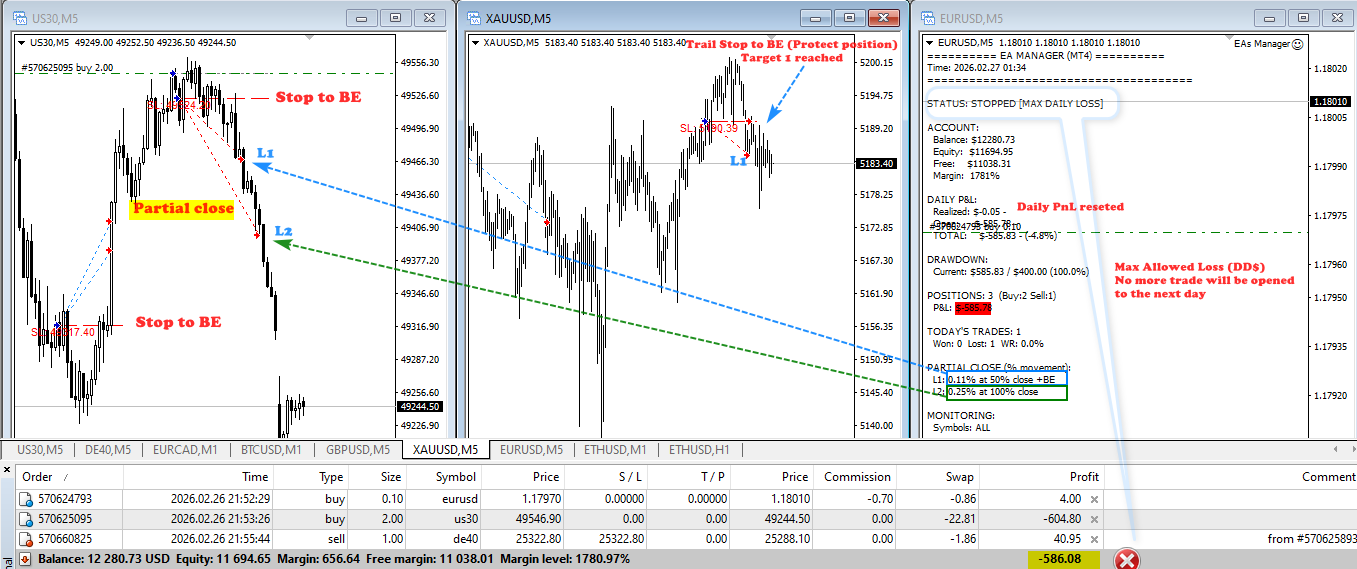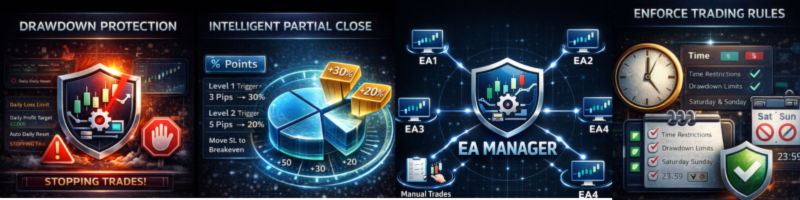

The Ultimate EAs Manager is a professional risk management and trade assistance tool designed to monitor, control, and optimize all trading activities on your MT5 account. It acts as a central command center that oversees every trade - whether opened by other Expert Advisors or manually by you.
MT5 version : https://www.mql5.com/en/market/product/166211
MT4 version : https://www.mql5.com/en/market/product/167007
HOW IT WORKS WITH OTHER EAs
Scenario: You're Running 4 Different EAs
EA #1: Super Grid Strategy on Nasdaq(Magic 1001)
EA #2: Range Breakout X2 on US30(Magic 2002)
EA #3 :Trendline Breakout on USDJPY (Magic 12345)
EA #3: Dynamic Fibo Scalper on XAUUSD (Magic 3003)

YOUR EA MANAGER (Magic 999999)
-
All EAs open trades independently
-
EA Manager sees ALL positions (regardless of magic number)
-
Unified rules applied to every trade:
-
If any trade hits 0.17% profit → partial close 50%
-
Stop loss moved to breakeven
-
If trade hits 0.28% profit → close remainder
-
-
Daily loss limit monitored across ALL positions combined
-
Time filter blocks ALL EAs during restricted hours

Manual Trades Too:
-
Open a manual trade on mobile or desktop
-
EA Manager detects it immediately
-
Applies all your partial close rules automatically
-
Protects your manual trades just like EA trades
📈 BENEFITS
For Traders Running Multiple EAs:
✅ Unified Risk - One set of rules for all strategies
✅ No Communication Needed - EAs don't need to talk to each other
✅ Automatic Profit Taking - Never leave profits unprotected
✅ Breakeven Protection - Moves stops to entry after first target
✅ Drawdown Prevention - Stops all trading before big losses
For Manual Traders:
✅ Automated Trade Management - Set it and forget it
✅ Consistent Rules - Same protection for every trade
✅ No Emotions - Takes profits automatically at your targets
⚙️ QUICK START GUIDE
Basic Setup (2 minutes):
-
Attach to ANY chart (EURUSD M5 or Any)
-
Configure your risk:
MaxDailyLoss = 300        // Stop at $300 loss
MaxDailyProfit = 500       // Take profit at $500
3.Set partial close levels (choose one mode):
// Points mode (specific symbol)
UsePercentageMode = false
Level1Value = 30          // 30 points
Level2Value = 50          // 50 points

// OR Percentage mode (universal, all symbols)
UsePercentageMode = true
Level1Value = 0.17        // 0.17%
Level2Value = 0.28        // 0.28%
4.Enable filters as needed:
EnableTimeFilter = true   // Block overnight trading
TradingHours = 1-23       // Trade 01:00-23:00 only
EnableNewsFilter = true   // Block around news
Advanced Options:
-
Symbol whitelist: MonitoredSymbols = "XAUUSD,EURUSD,GBPUSD"
-
Magic number filter: Target specific EAs only
-
Midnight close: Auto-close all at end of day
-
Profit/Loss percentages: Close at 5% gain / 2% loss
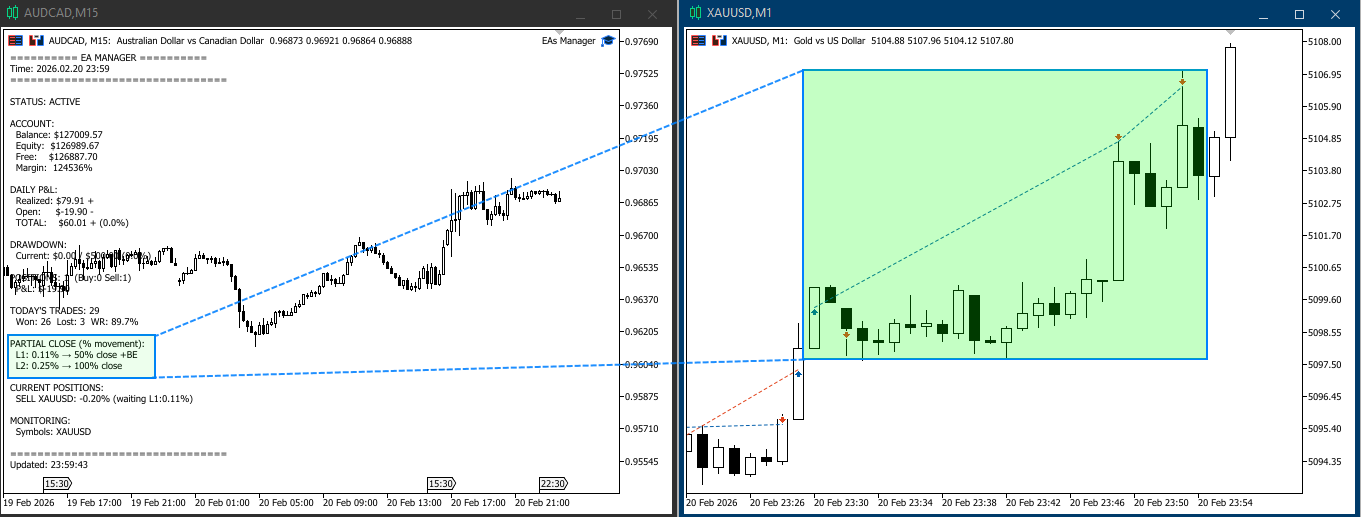
How Our EAs Manager handle other EAs SL and TP levels?
The EA Manager can and will modify stop loss and take profit levels set by other EAs, it can also add protection to naked trades . Here's what happens:
Scenario 1: Other EA has SL at 50 pips, Your Manager wants BE at 30 pips
Other EA SL: 50 pips away
Price moves 30 pips → Your Manager modifies SL to BE (0 pips)
Result: SL MOVED from 50 to 0 (breakeven)
✅ Works - Manager's rule overrides
Scenario 2: Other EA has trailing stop, Your Manager wants BE
Other EA's trailing stop: moving SL up slowly
Your Manager: wants immediate BE at 30 pips
When price hits 30 pips, Manager sets SL to BE
Result: SL forced to BE immediately, overriding the slow trail
✅ Works - Manager takes control
Scenario 3: Conflict - Both try to modify simultaneously
Other EA: "Modify SL to 45"
Your Manager: "Modify SL to 30"
Last one wins! Usually the last modification sent to broker
⚠️ Potential conflict - but broker handles sequentially
Our recommandation : Let the EA Manager be the single source of truth for all exits. Disable SL/TP in all other EAs (SL,TP.. =0), use percentage-based partial closes, and monitor everything from one dashboard.f you prefer partial close based on pips/points instead of percentage, we suggest running a separate EA for each symbol type. For example, use one EA Manager for forex pairs only, another for indices only, and configure each with its own filters.
📋 SUMMARY
| Aspect | Rating |
|---|---|
| Ease of Use | ⭐⭐⭐⭐⭐ (Attach and go) |
| Risk Protection | ⭐⭐⭐⭐⭐ (Comprehensive) |
| Multi-EA Support | ⭐⭐⭐⭐⭐ (Works with any EA) |
| Manual Trading | ⭐⭐⭐⭐⭐ (Auto-manages manual trades) |
| Customization | ⭐⭐⭐⭐ (Lots of options) |
| Dashboard | ⭐⭐⭐⭐⭐ (Clear, real-time) |