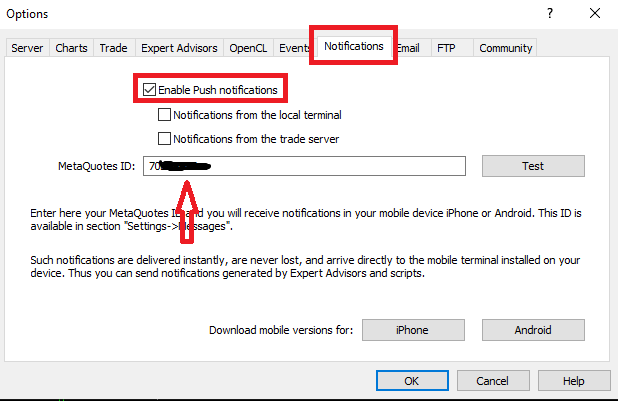
To enable Push notifications sent to your MT5 Mobile application, you need to get the MQID on your MT5 Mobile which is then inputted on the MT5 Desktop where the EA is installed.
Here are the steps required:
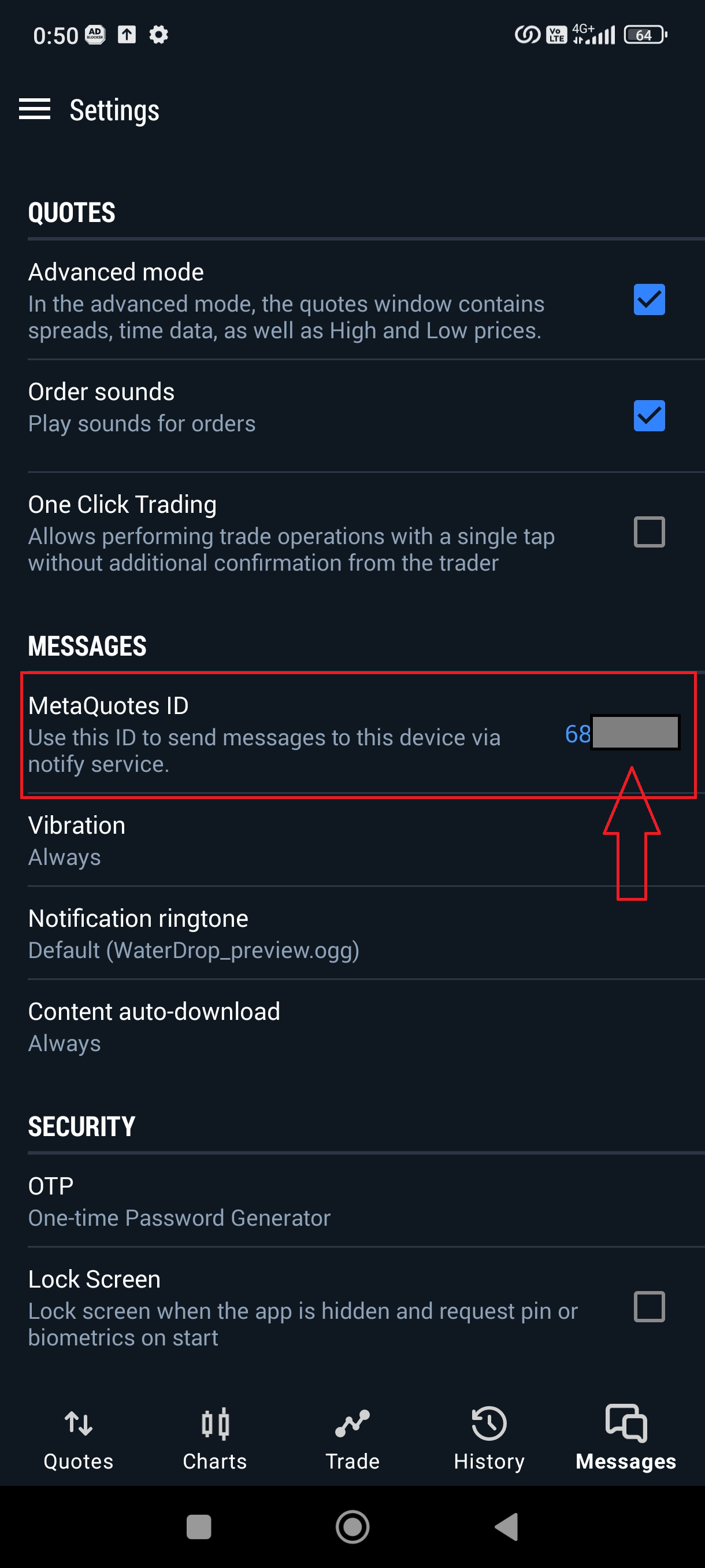
- Open your MT5 Mobile application, go to the sidebar and select settings, there you can see your MetaQuotes ID (MQID).
- Next go to your MT5 Desktop, select "Tools" - "Options".
- In the "Options" window, select the "Notifications" menu.
- Check "Enable Push Notifications".
- Enter your MQID in the column provided.
To test whether push notifications are working please press the "Test" button, and you will get a push notification sent to your phone.