
MetaTrader 5 on Linux
 1 236 513
 378
378

In this article, we demonstrate how to install MetaTrader 5 on popular Linux versions, Ubuntu, Debian, Linux Mint and Fedora. These systems are widely used on companies’ server hardware as well as on traders’ personal computers.
Installing the platform with one command
MetaTrader 5 runs on Linux using Wine. Wine is a free compatibility layer that allows application software developed for Microsoft Windows to run on Unix-like operating systems.
We have prepared a special script to make the installation process as simple as possible. The script will automatically detect your system version, it supports Ubuntu, Debian, Linux Mint and Fedora distributions. Based on it, it will download and install the appropriate Wine package. After that, it will download and run the platform installer.
To start the installation, open the command line (Terminal) without the administrator privileges (no sudo) and specify the relevant command:
This command downloads the script, makes it executable and runs it. You only need to enter your account password to allow installation.
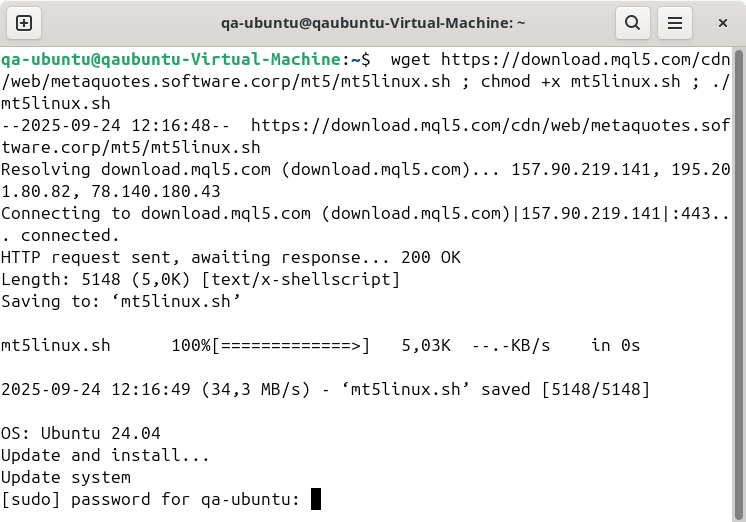
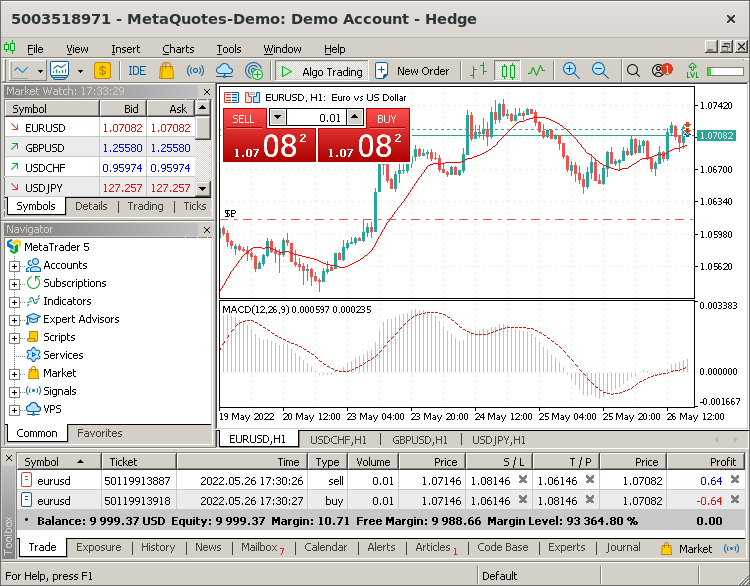
If you are prompted to install additional Wine packages (Mono, Gecko), please agree, as these packages are required for platform operation. The MetaTrader 5 installer will launch after that, proceed with the standard steps. Once the installation is complete, restart your operating system, and the platform is ready to go.
Install updates in a timely manner
It is highly recommended to always use the latest versions of the operating system and Wine. Timely updates increase platform operation stability and improve performance.
To update Wine, open a command prompt and type the following command:
For further information, please visit the official Wine website.
MetaTrader 5 Data Directory
Wine creates a separate virtual logical drive with the necessary environment for every installed program. The default path of the installed terminal data folder is as follows:
Translated from Russian by MetaQuotes Ltd.
Original article: https://www.mql5.com/ru/articles/625
Warning: All rights to these materials are reserved by MetaQuotes Ltd. Copying or reprinting of these materials in whole or in part is prohibited.

 Neural Networks: From Theory to Practice
 General information on Trading Signals for MetaTrader 4 and MetaTrader 5
 Order Strategies. Multi-Purpose Expert Advisor
 Interview with Alexey Masterov (ATC 2012)

- Free trading apps
- Over 8,000 signals for copying
- Economic news for exploring financial markets
You agree to website policy and terms of use
1) I think you need to make a video showing how you install MT5 on Ubuntu following MetaQuotes’ instructions… even if it works, record a video of you opening the Market and the AI Assistant in MT5 on Ubuntu, and how it runs poorly and freezes with crashes…
2) And you’ll have personal proof that the problem is widespread and affects all Linux users.
3) Stop twisting my words – I wasn’t talking specifically about you; I was referring to the official responses from representatives on this forum. I don’t know whether you’re one of them or not. If you are one of them, then this is addressed to you too
4) Send the video to the support team; that way, you’ll also understand what the problem is and how to solve it
5) mt5linux.sh doesn’t work; the repository specified there is broken, and before installing it on a clean Linux system, you need to install a whole lot of other things as well... Ultimately, it doesn’t work, and you’ll need to spend half an hour using standard Wine to figure out for yourself how to get MT5 running on Linux
6) Web-based trading is unworkable on Linux and macOS.
7) P.S. Why bother with the web version in the first place if the platform is positioned for emulators?
As for macOS 27, I checked the latest PKG from MetaQuotes:
1) The AI assistant worked perfectly when called up directly in MT5 via the button
2) However, in MetaEditor, error 2026.09.29 03:17:35.602 still occurs: WebView2 could not find WebView2 Runtime
And there’s an error with the Editor as well
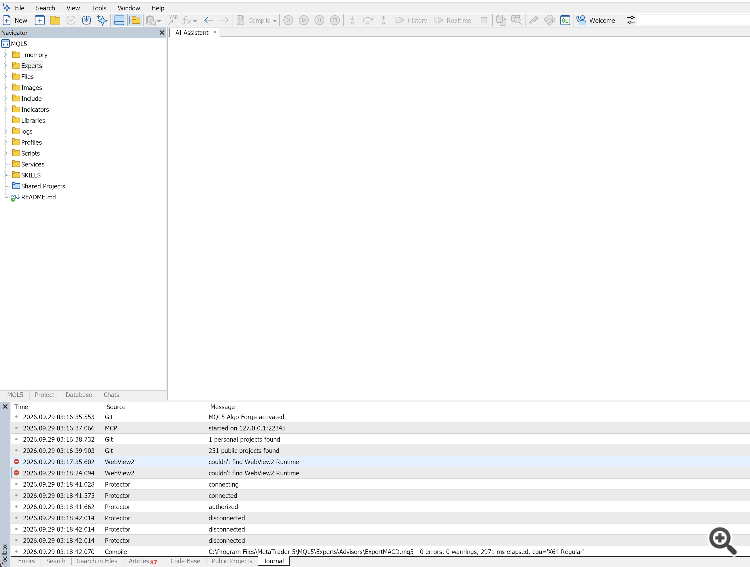
Even the Market works
What I’m getting at is – perhaps you could also build a package for Linux with the same correct dependencies?
To add to the above, on macOS, WebView will only work in the terminal or only in the Editor – depending on which one was launched first. I’m trying to fix
macOS (MetaTrader 5.app), build 6230: The AI assistant in MetaEditor says ‘couldn’t find WebView2 Runtime’. I’ve found the cause and a workaround. I used the official macOS pkg from MetaQuotes
Environment: MetaTrader 5 x64 build 6230, official MetaTrader 5.app, Wine 11.1, macOS (Darwin 27.0), Apple Silicon. The Terminal is launched from /portable, MetaEditor from /portable/language:English.
Symptom: The Assistant and Market work in the terminal. The Assistant does not open in MetaEditor; the log shows:
What was found.
A workaround that works: run MetaEditor with a separate data folder via the WEBVIEW2_USER_DATA_FOLDER variable (Wine passes this from macOS to the Windows process):
export WINEPREFIX="$HOME/Library/Application Support/net.metaquotes.wine.metatrader5" export WEBVIEW2_USER_DATA_FOLDER='C:\Program Files\MetaTrader 5\temp\EBWebView-MetaEditor' "/Applications/MetaTrader 5.app/Contents/SharedSupport/wine/bin/wine" \ "C:\Program Files\MetaTrader 5\MetaEditor64.exe" /portable
So the assistant works simultaneously in both the terminal and the editor. However, if you open the editor via the IDE / F4 button from the terminal, the conflict reoccurs.
In my view, here’s how you can fix this:
Linux update – webView2 and the AI assistant are working, though there are some freezes, and I had to write a script to fix the keyboard layout switching issue
P.S.: What a mess...
The issue with WebView2/Wine does indeed exist; no one has denied this. However, you have not proven that it affects all Ubuntu users, or even the majority of them. A few reports suggest that some users have encountered this problem. However, they do not prove that it is a widespread failure. The same applies to the claim that the official instructions ‘do not work at all’.
So, does the official guide for Linux actually work or not? Or should we make a video? Is the failure widespread or not? I wonder how many times it’ll take for people to get it
As for Alain: he clearly stated that the official script is mt5linux.sh, not mt5ubuntu.sh. You then posted mt5linux.sh and said: ‘Here you go, the script from MetaQuotes’. Yes, Karl… that’s exactly what Alain has just told you.
And what’s this:
Read
Well, if nothing else, all this back-and-forth has at least helped turn "it doesn’t work at all" into a properly documented, specific issue. 🙂