Alexander Nechaev / Profil
- Information
|
9+ Jahre
Erfahrung
|
102
Produkte
|
959
Demoversionen
|
|
2
Jobs
|
2
Signale
|
0
Abonnenten
|
📢 mql5com channel 👉 https://www.mql5.com/en/channels/awtradingsoftware
📢 Telegram channel 👉 https://t.me/AWSoftware
🎞️ YouTube 👉 https://www.youtube.com/@awtradingsoftware
_____________⭐⭐⭐⭐⭐ 👇🏻 Beliebt 👇🏻 ⭐⭐⭐⭐______________
✅ "AW Recovery"
System zur Wiederherstellung verlorener Positionen
👉 MT4 https://www.mql5.com/de/market/product/49453
👉 MT5 https://www.mql5.com/de/market/product/49692
📌 Anleitung und Beschreibung des Beraters
👉 https://www.mql5.com/en/blogs/post/735029
_______________________🔹 Produkte 🔹________________________
💎 Handelsberater 💎
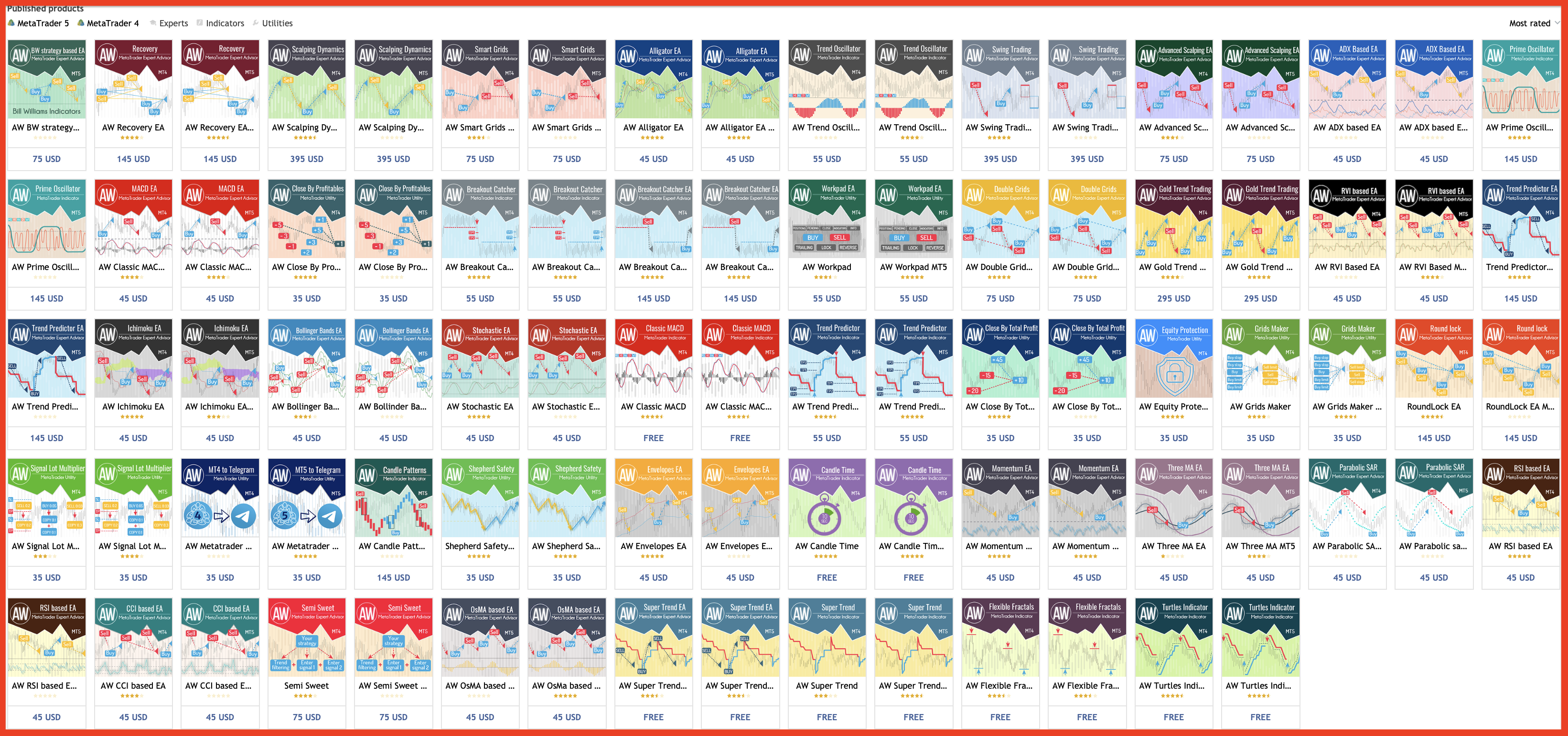
👉 MT4 https://www.mql5.com/de/market/mt4/expert?Filter=nechaevrealle
👉 MT5 https://www.mql5.com/de/market/mt5/expert?Filter=nechaevrealle
💎 Handelsunternehmen 💎
👉 MT4 https://www.mql5.com/de/market/mt4/utility?Filter=nechaevrealle
👉 MT5 https://www.mql5.com/de/market/mt5/utility?Filter=nechaevrealle
💎 Technische Indikatoren 💎
👉 MT4 https://www.mql5.com/de/market/mt4/indicator?Filter=nechaevrealle
👉 MT5 https://www.mql5.com/de/market/mt5/indicator?Filter=nechaevrealle
_____________________ 🔹 Blog 🔹 ______________________
📌 Alle Anweisungen in meinem Blog - https://www.mql5.com/en/users/nechaevrealle/blog
Anzeige der Zeit bis zum Ende der Kerze. Zeigt die Zeit bis zum Ende der Kerze sowie die Serverzeit an. Text kann den Trend oder die Richtung der Kerze anzeigen, akustische Benachrichtigungen sind integriert Besonderheiten: Zeigt die Zeit bis zum Ende der aktuellen Kerze sowie andere Zeitrahmen an, die bei Bedarf angepasst oder deaktiviert werden können AW Candle Time kann die Richtung der aktuellen Kerze oder des Trends mit dem AW Super Trend Indikator auswählen Die Trendstrategie wird in der
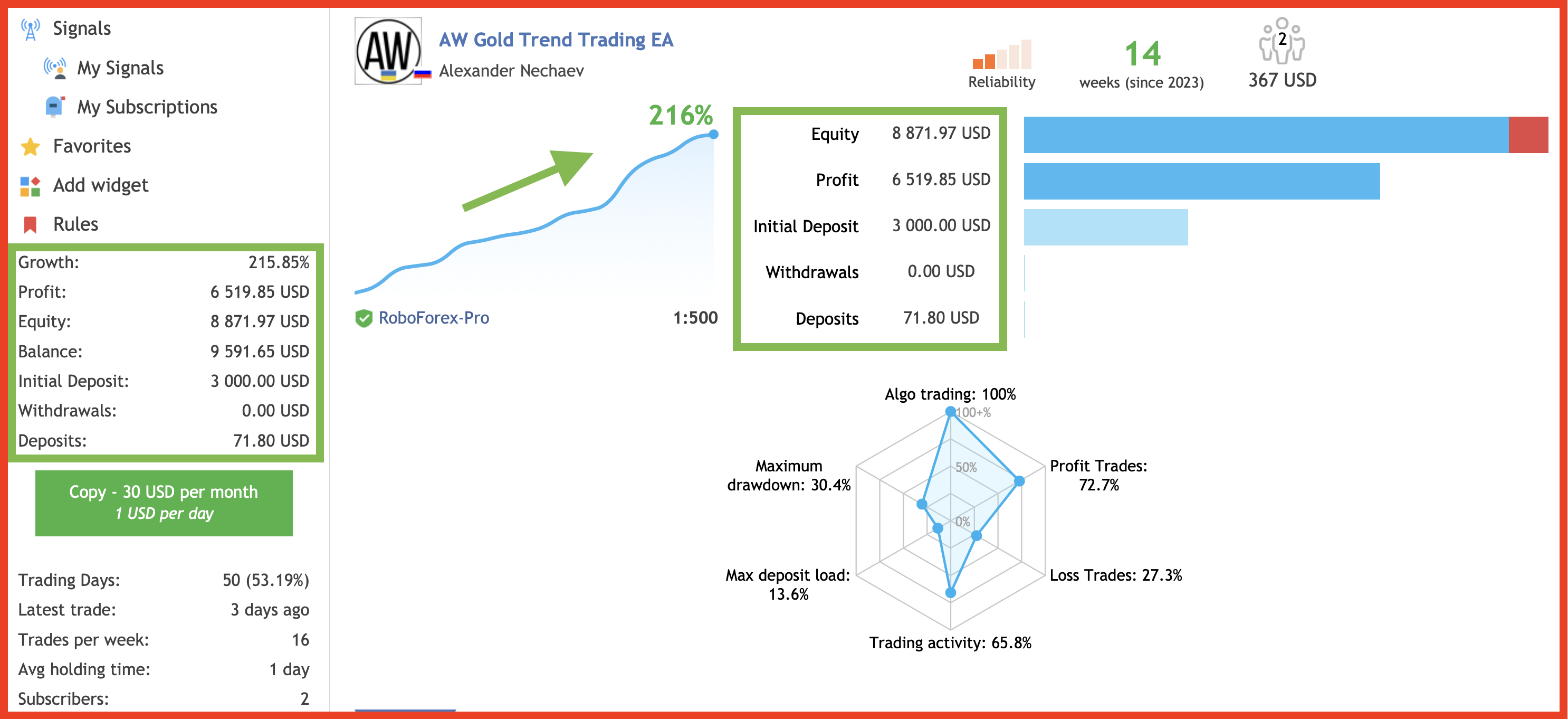
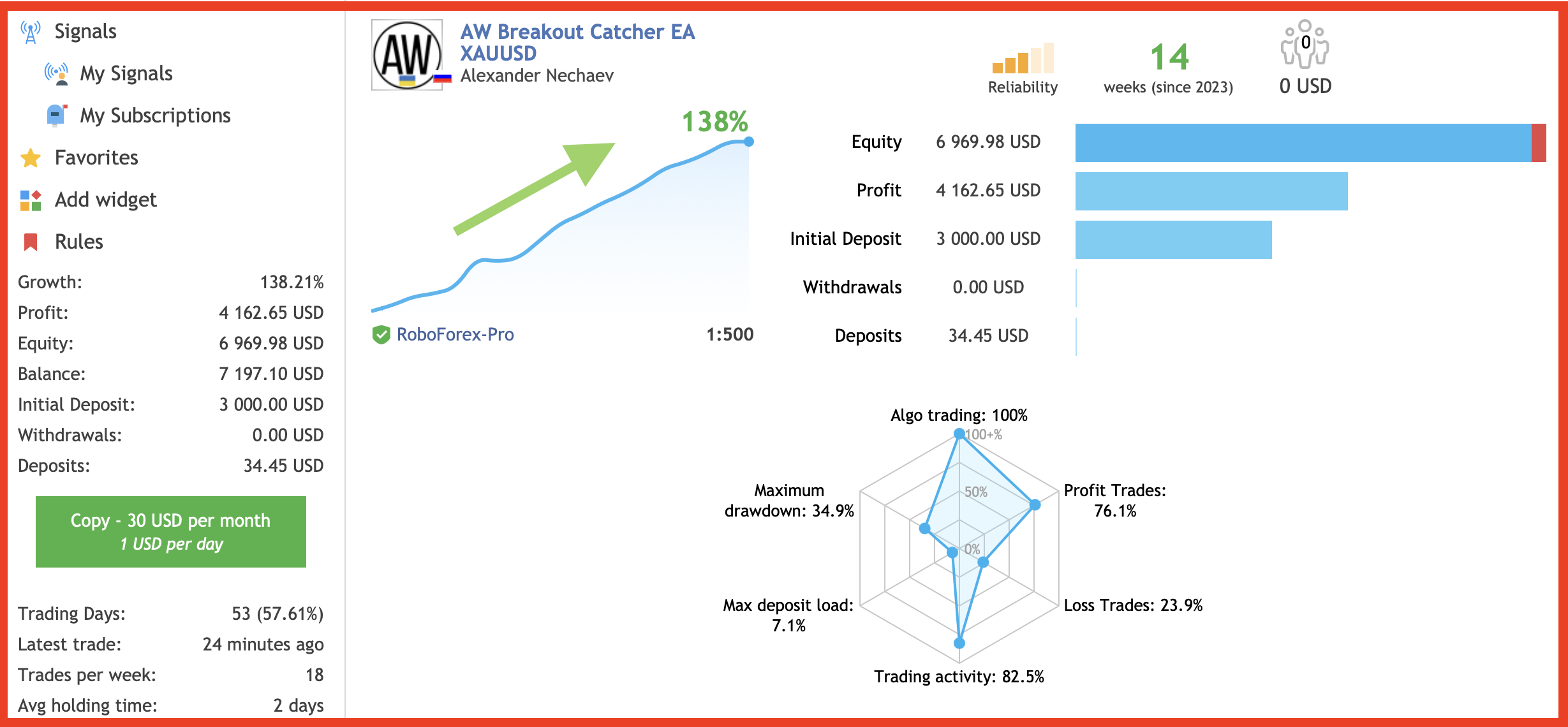
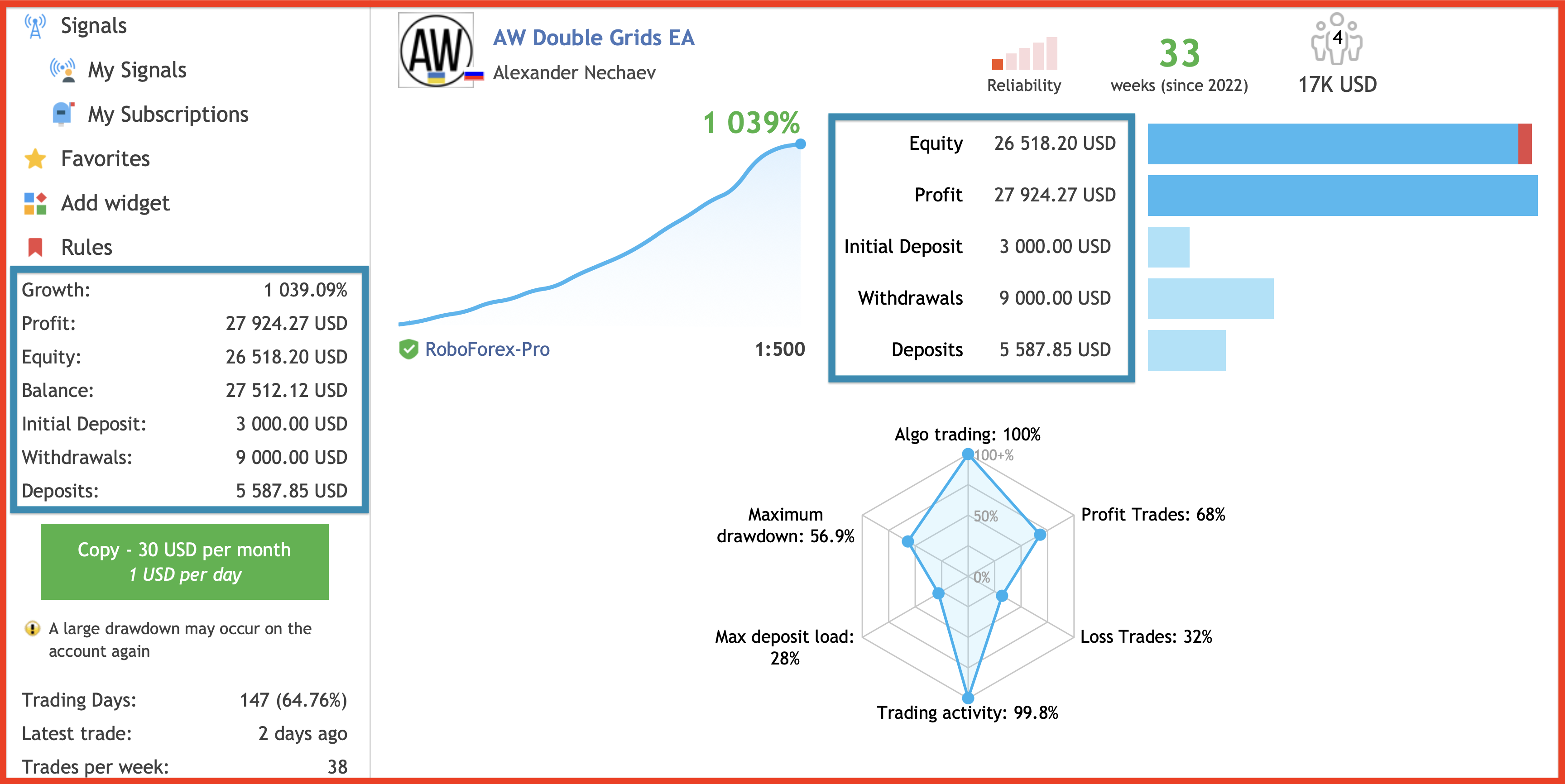
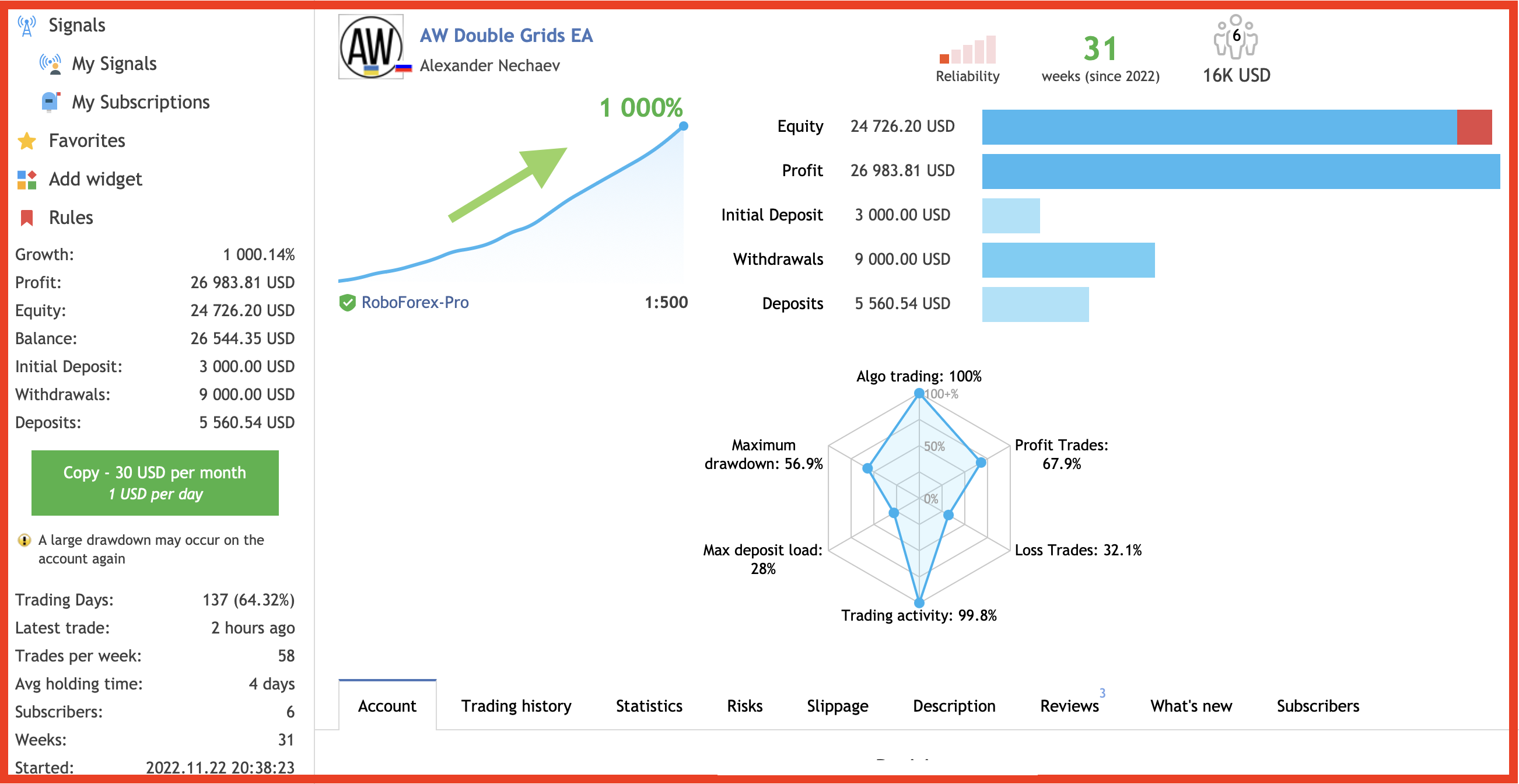
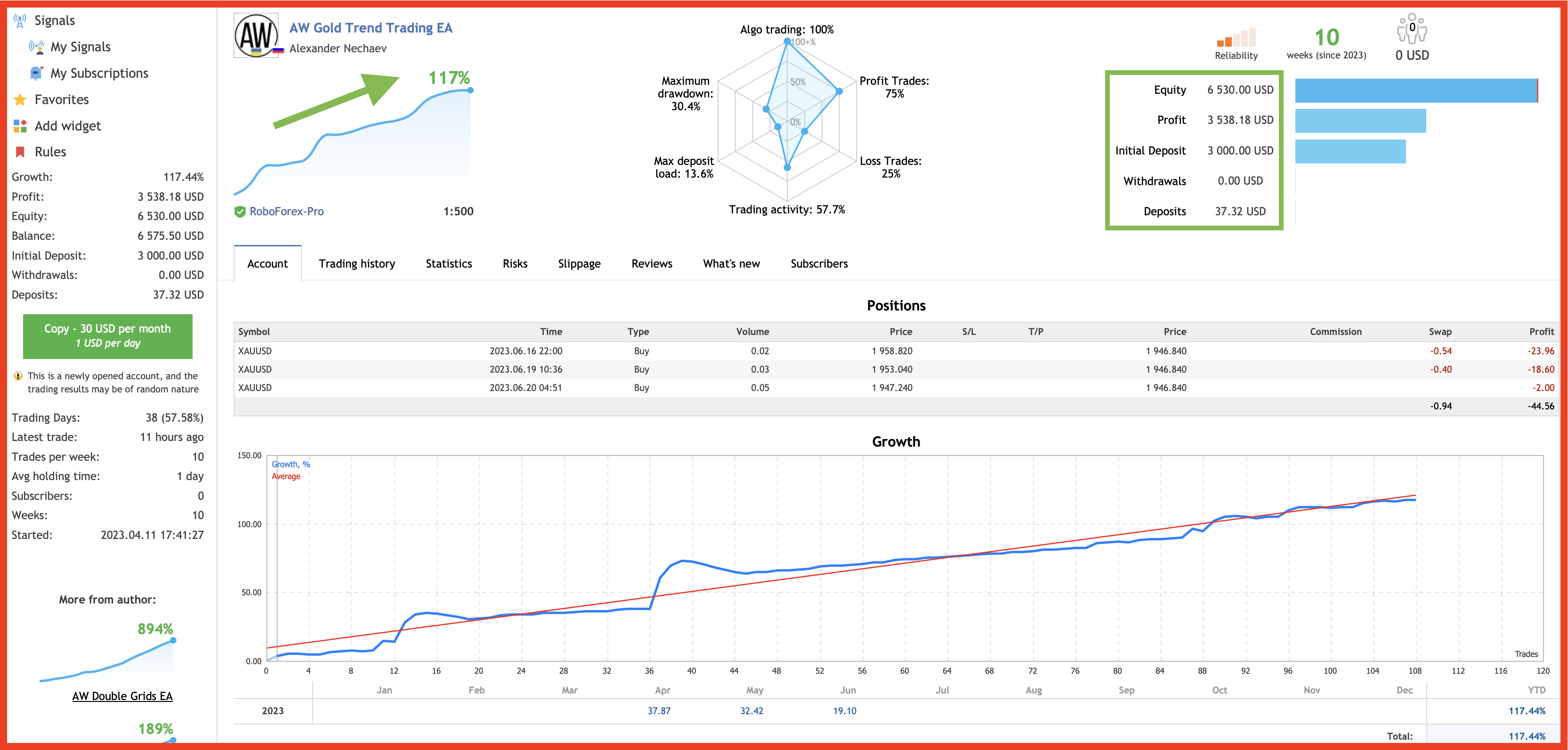
🔹 Screenshot of live trading 🔹
📌Signal monitoring
👉https://www.mql5.com/en/signals/1071496
MT4 👉 https://www.mql5.com/en/market/product/27079
MT5 👉 https://www.mql5.com/en/market/product/28908
The classic strategy of determining the trend by the values of PlusDi and MinusDi relative to each other is used when the trend is active, determined by the mainline of the indicator.
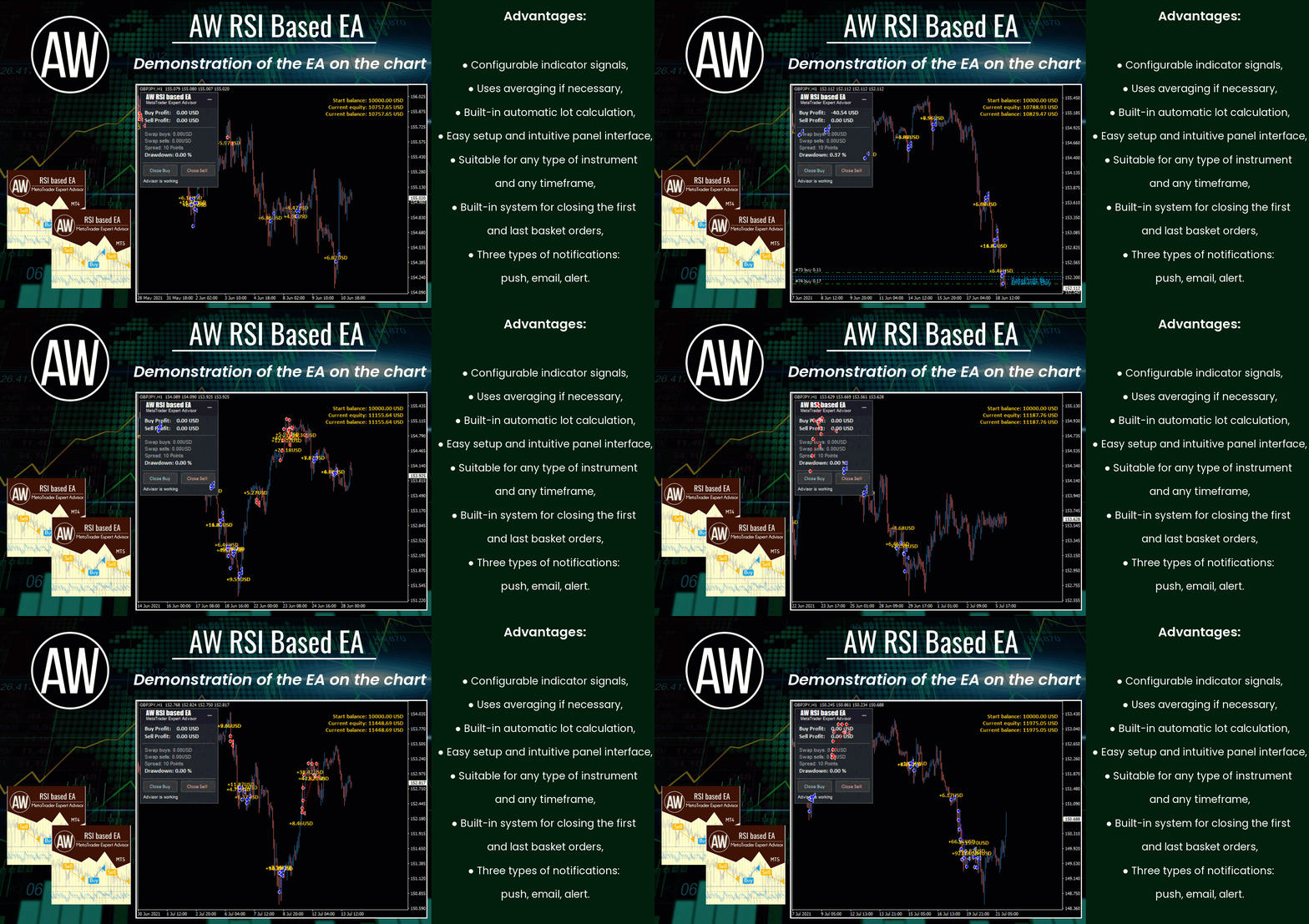
✅ Configurable indicator signals
✅ Suitable for any type of instrument and any timeframe
✅ Uses averaging if necessary
✅ Pluggable system of overlapping the first order with the last one
✅ Virtual TakeProfit
✅ Has three types of notifications
✅ Ability to automatically calculate trading volumes
Get MT4 Version
👉https://www.mql5.com/en/market/product/69495
Get MT5 Version
👉 https://www.mql5.com/en/market/product/69499
🔹 A combination of two oscillators. The first one displays the entry points, the second shows the current trend. 🔹
Get MT4 Version
👉 https://www.mql5.com/en/market/product/64446
Get MT5 Version
👉 https://www.mql5.com/en/market/product/64681
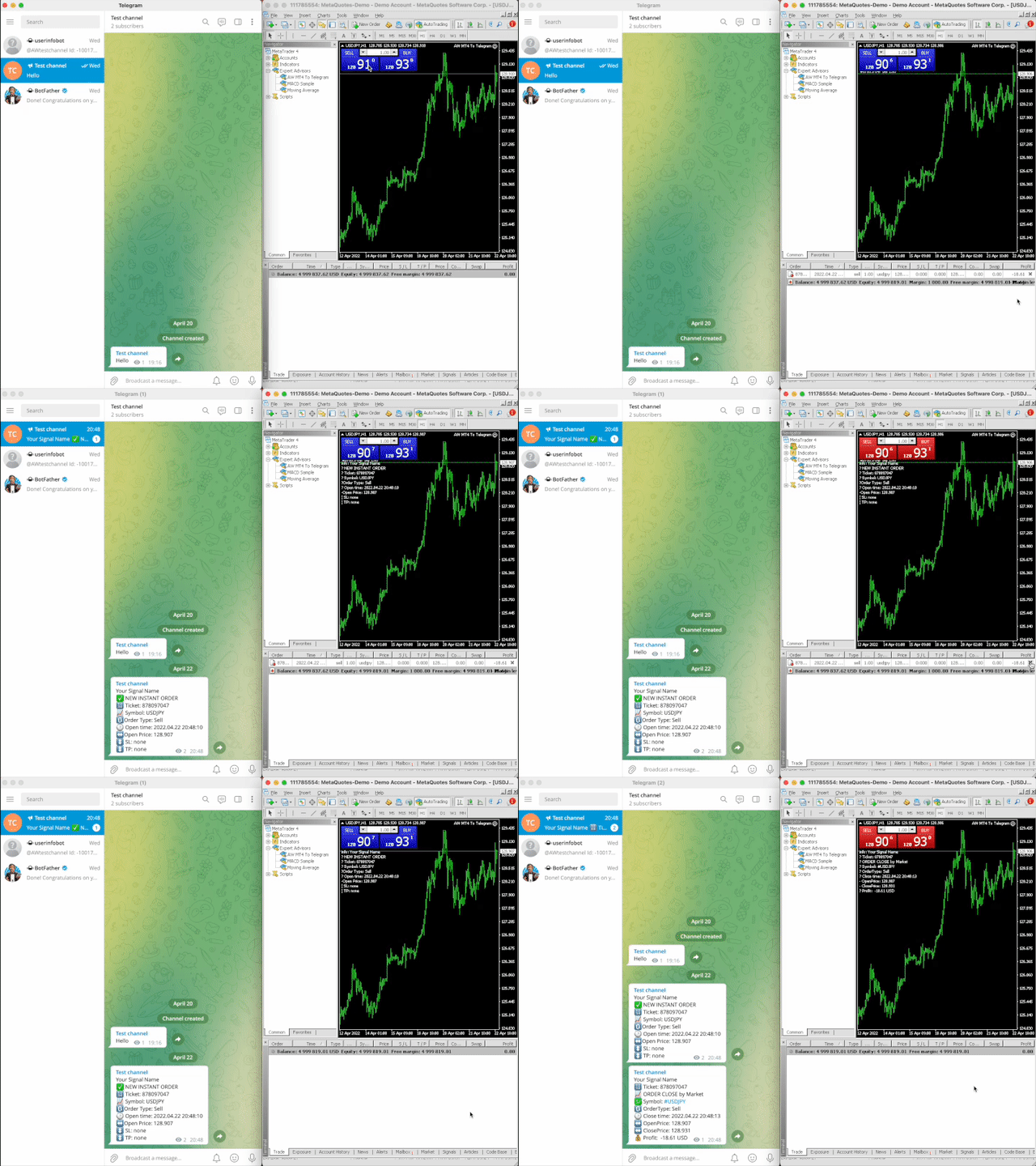
A utility that sends notifications to the Telegram messenger about any trading operations on your account.
MT4 👉 https://www.mql5.com/en/market/product/80020
MT5 👉 https://www.mql5.com/en/market/product/81256
📌 Instructions 👉 https://www.mql5.com/en/blogs/post/748832
MT4 👉 https://www.mql5.com/en/market/product/75999
MT5 👉 https://www.mql5.com/en/market/product/81941
📌 Advantages:
Automated system with the ability to add manual orders
Fixed and adjustable dynamic pitch
Adjustable Overlap Recovery Algorithm
Ability to trade in one or both directions
Uses averaging when moving in the opposite direction
Pluggable automatic volume calculation
Built-in ability to send all types of notifications
After the purchase of the AW Trend Predictor , write to me on this page https://www.mql5.com/en/users/nechaevrealle/news to get your Trend Pad for free .
Get MT4 Version
👉 https://www.mql5.com/en/market/product/43299
Get MT5 Version
👉 https://www.mql5.com/en/market/product/28260
🔹 get your Trend Pad for free 🔹
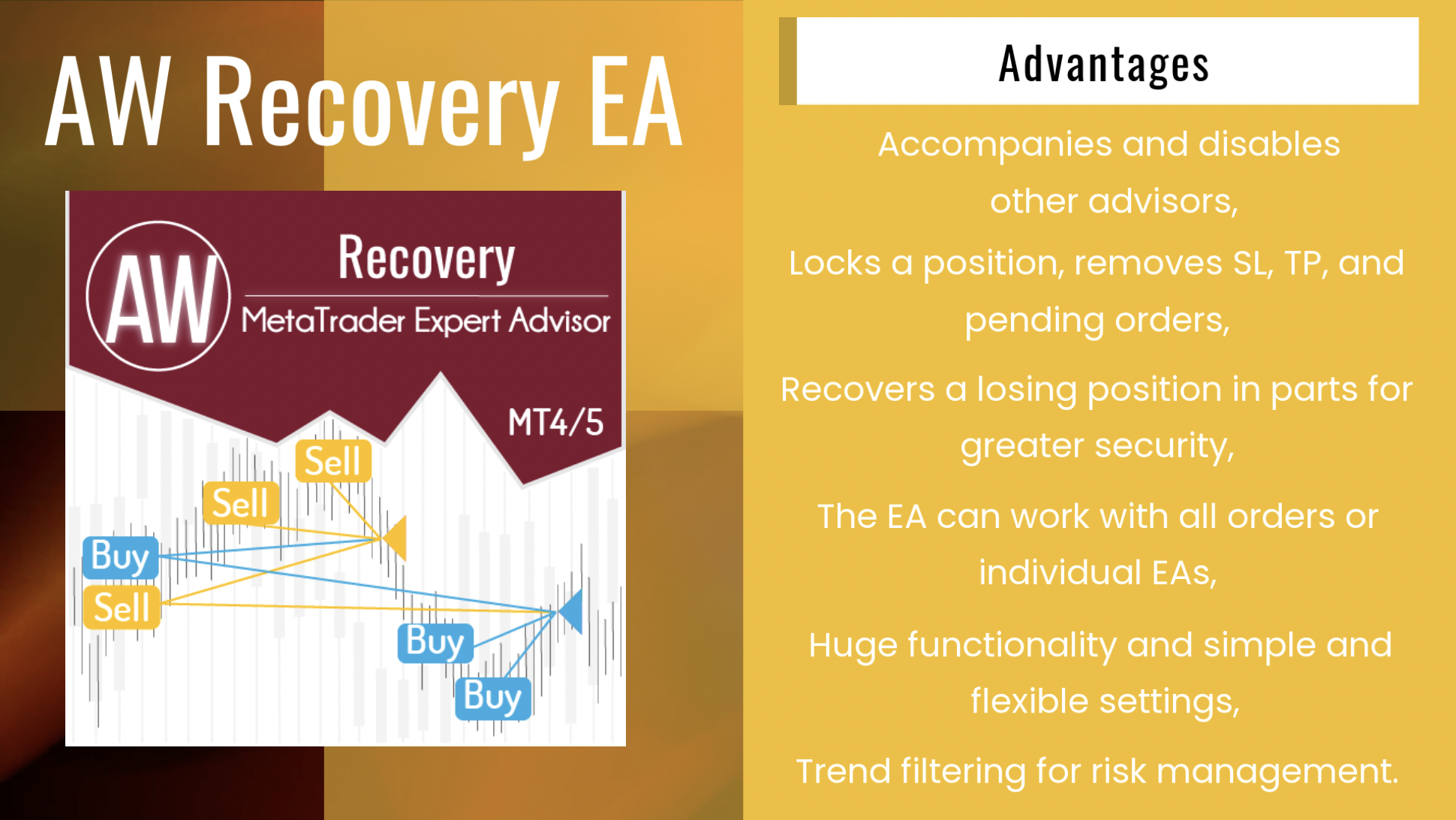
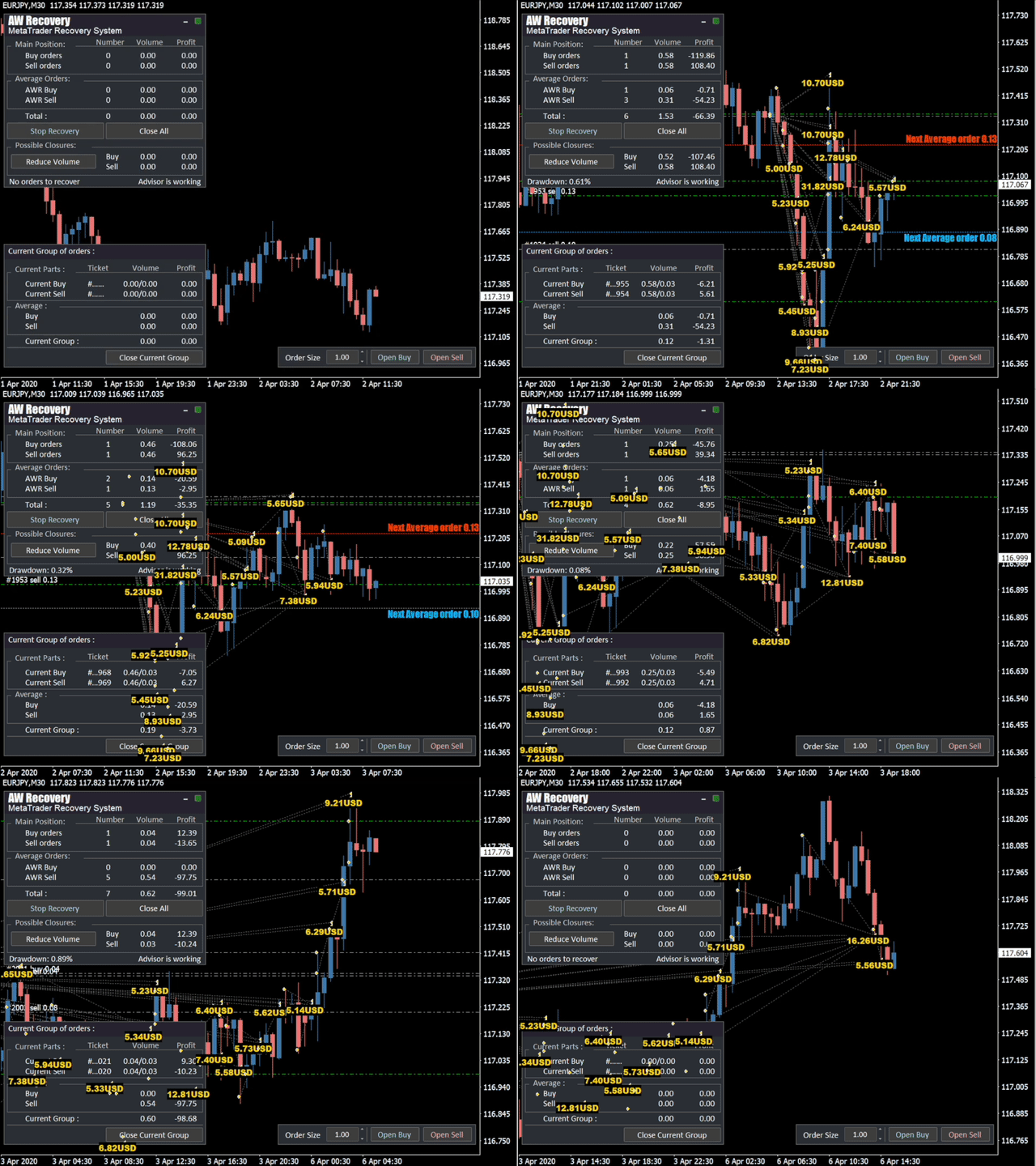
AW Recovery EA is a system designed to restore unprofitable positions. The author's algorithm locks a losing position, splits it into many separate parts, and closes each of them separately. Easy setup, delayed launch in case of drawdown, locking, disabling other Expert Advisors, averaging with trend filtering and partial closing of a losing position are built into one tool.
It is the use of closing losses in parts that allows you to reduce losses with a smaller deposit load, which ensures safer work with losses, unlike grid strategies that close orders only in whole groups.
✅How orders are restored:
⭐ AW Recovery can accompany other advisors and turn them off at the right time
⭐ The EA automatically locks the position, resets TP and SL levels, and deletes pending orders
⭐ Restores a losing position in parts, allowing you to work with a lower deposit load
⭐ Can be used to recover the loss of individual Expert Advisors or work on the current symbol
⭐ The robot combines functionality with simple and flexible settings for each specific situation
⭐ Built-in many protective functions, trend filtering, overlapping, etc. for risk management
✅How to trade with an advisor:
❗Step 1: Adjust the pitch and volumes
Adjust the volume of the first averaging order
Adjust the step for averaging orders
Adjust the ratio between averaging and closing and their volumes
❗Step 2: Set up additional features
Select period for trend filter(If used)
Choose a multiplier for averaging orders
Select Take Profit to close parts of a losing position with a specified profit
❗Step 3: Disable Other Expert Advisors
Disable other Expert Advisors working with these orders
Or let AW Recovery disable these Expert Advisors
Or work without locking
Get MT4 Version
👉 https://www.mql5.com/en/market/product/49453
Get MT5 Version
👉 https://www.mql5.com/en/market/product/49692
🎬 Video instruction 👉 https://youtu.be/Sx_QwmvSAEY
🔹 Advanced trend reversal trading 🔹
📌Signal monitoring
👉https://www.mql5.com/en/signals/1071496
MT4 👉 https://www.mql5.com/en/market/product/27079
MT5 👉 https://www.mql5.com/en/market/product/28908
A utility that sends notifications to the Telegram messenger about any trading operations on your account.
MT4 👉 https://www.mql5.com/en/market/product/80020
MT5 👉 https://www.mql5.com/en/market/product/81256
📌 Instructions 👉 https://www.mql5.com/en/blogs/post/748832
📌Advanced Trend Filtering
📌Changing the sensitivity of the indicator in one click
📌Easy setup
📌Multi-timeframe panel
📌Ability to move and minimize the panel
📌Works on any symbols and any timeframes.
📌All kinds of notifications
Get MT4 Version
👉 https://www.mql5.com/en/market/product/52045
Get MT5 Version
👉 https://www.mql5.com/en/market/product/52085
All products here - https://www.mql5.com/ru/users/nechaevrealle/seller
📌The utility monitors the work of other advisers on all instruments and helps to prevent a drawdown on the deposit.
In the event that another EA generates a loss, the utility will be able to turn it off and then lock or delete unprofitable positions, as well as send you notifications about this.
MT4 👉 https://www.mql5.com/en/market/product/79259
Link to the product:
Get MT4 Version
👉 https://www.mql5.com/en/market/product/25582
Get MT5 Version
👉 https://www.mql5.com/en/market/product/28263
🔹 get your Breakouts Dashboard for free 🔹
Manual: https://www.mql5.com/en/blogs/post/740915
Link to the product:
Get MT4 Version
👉 https://www.mql5.com/en/market/product/69511
Get MT5 Version
👉 https://www.mql5.com/en/market/product/69520
AW Recovery EA is a system designed to restore unprofitable positions. The author's algorithm locks a losing position, splits it into many separate parts, and closes each of them separately. Easy setup, delayed launch in case of drawdown, locking, disabling other Expert Advisors, averaging with trend filtering and partial closing of a losing position are built into one tool.
It is the use of closing losses in parts that allows you to reduce losses with a smaller deposit load, which ensures safer work with losses, unlike grid strategies that close orders only in whole groups.
Get MT4 Version
👉 https://www.mql5.com/en/market/product/49453
Get MT5 Version
👉 https://www.mql5.com/en/market/product/49692
🎬 Video instruction 👉 https://youtu.be/Sx_QwmvSAEY
Vollautomatischer Handelsroboter basierend auf den Signalen des Standardindikators Bollinger Bands. Der EA verfügt über integrierte Funktionen für die automatische Losberechnung und ein intelligentes Trailing-System. Wenn sich der Markt in die entgegengesetzte Richtung bewegt, wird ein Mittelungssystem aus ausstehenden Aufträgen angewendet. Vorteile: Vollautomatisches System Anpassbare Indikatorparameter Eingebaute automatische Losberechnung Intuitive Einrichtung Multiplikatoreinstellung
🔹 Work in the direction of the current price movement. The breakdown of the Momentum indicator levels in the direction of the continuation of the price movement is used as signals. 🔹
MT4 👉 https://www.mql5.com/en/market/product/64760
MT5 👉 https://www.mql5.com/en/market/product/64766
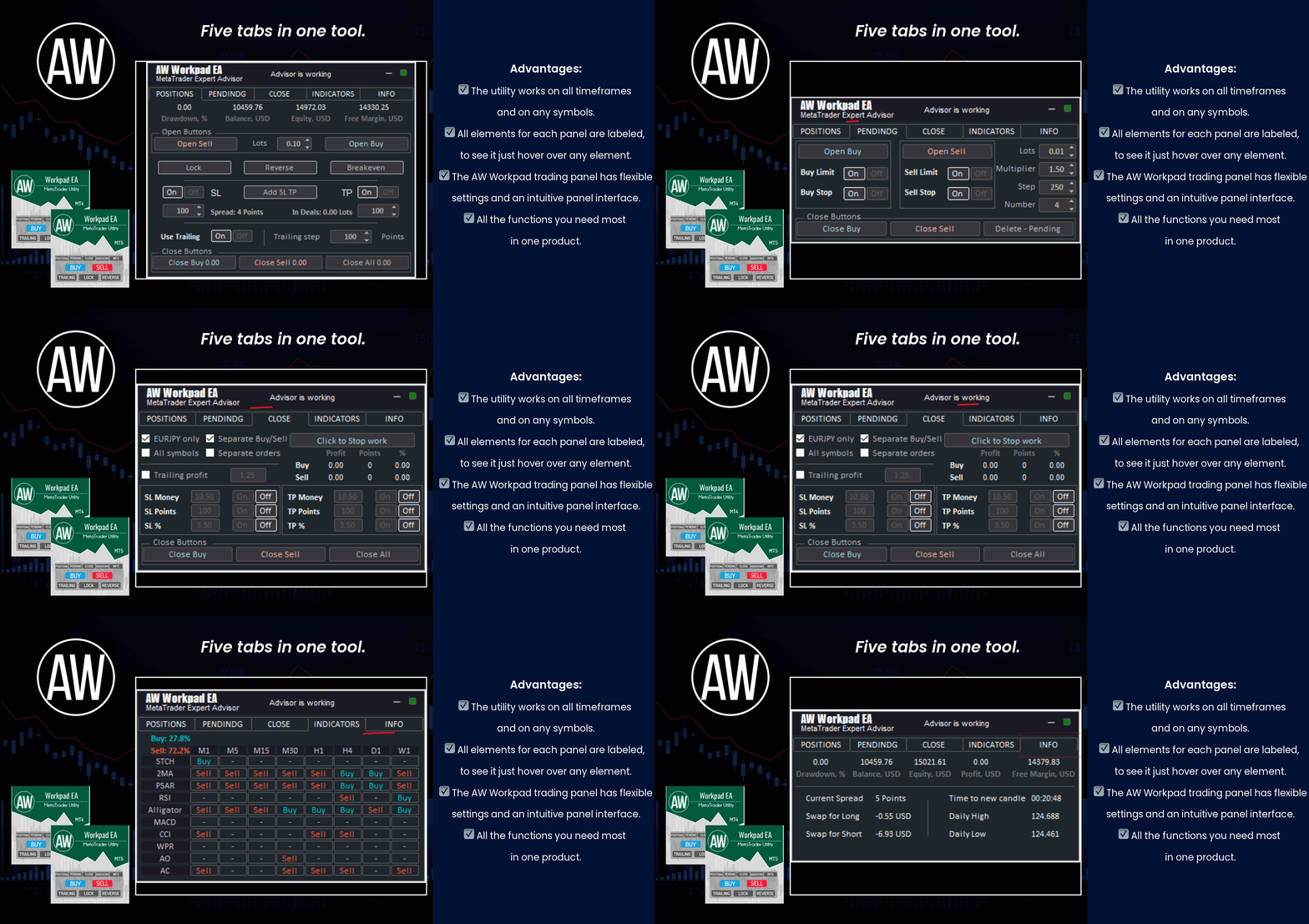
🔹 Multifunctional trading control panel designed for manual and semi-automatic trading
Get MT4 Version
👉 https://www.mql5.com/en/market/product/55886
Get MT5 Version
👉 https://www.mql5.com/en/market/product/56179
AW Recovery EA is a system designed to restore unprofitable positions. The author's algorithm locks a losing position, splits it into many separate parts, and closes each of them separately. Easy setup, delayed launch in case of drawdown, locking, disabling other Expert Advisors, averaging with trend filtering and partial closing of a losing position are built into one tool.
It is the use of closing losses in parts that allows you to reduce losses with a smaller deposit load, which ensures safer work with losses, unlike grid strategies that close orders only in whole groups.
✅How orders are restored:
⭐ AW Recovery can accompany other advisors and turn them off at the right time
⭐ The EA automatically locks the position, resets TP and SL levels, and deletes pending orders
⭐ Restores a losing position in parts, allowing you to work with a lower deposit load
⭐ Can be used to recover the loss of individual Expert Advisors or work on the current symbol
⭐ The robot combines functionality with simple and flexible settings for each specific situation
⭐ Built-in many protective functions, trend filtering, overlapping, etc. for risk management
✅How to trade with an advisor:
❗Step 1: Adjust the pitch and volumes
Adjust the volume of the first averaging order
Adjust the step for averaging orders
Adjust the ratio between averaging and closing and their volumes
❗Step 2: Set up additional features
Select period for trend filter(If used)
Choose a multiplier for averaging orders
Select Take Profit to close parts of a losing position with a specified profit
❗Step 3: Disable Other Expert Advisors
Disable other Expert Advisors working with these orders
Or let AW Recovery disable these Expert Advisors
Or work without locking
Get MT4 Version
👉 https://www.mql5.com/en/market/product/49453
Get MT5 Version
👉 https://www.mql5.com/en/market/product/49692
🎬 Video instruction 👉 https://youtu.be/Sx_QwmvSAEY