Keltner Bands Stop
- 指标
-
Santiago Nicolas Pla Casuriaga
 Global Investing 为 MetaTrader 5 打造专业级外汇分析工具,并配有一个在 global-investing.pages.dev 上自动更新的网页终端。该网页终端涵盖实时 G10 报价、CFTC 的 COT 持仓数据、carry trade 排名、央行政策倾向与 OIS 隐含利率预期、散户情绪、经济意外评分(ESI)、收益率曲线与主权利差、跨资产风险状态、衍生品市场结构(CIP 远期、risk reversal 曲面、DTCC 场外流量),以及由 AI 生成的宏观内容——实时 Market Signals、按交易时段更新的 AI Narrative,以及按货币划分的
 - 版本: 1.6
- 更新: 27 九月 2026
The Keltner Bands Stop is a trend-following stop indicator for MetaTrader 5 that plots a self-adjusting stop-loss level on a Keltner Channel — an EMA midline plus/minus an ATR multiple — flipping direction and marking a signal dot the moment the stop switches sides. No configuration is required — attach to any chart and it runs immediately.
The channel and stop are built entirely from MetaTrader's own iMA and iATR series. There is no external data source, no chart objects, and no on-chart panel — every element you see is a native indicator buffer/plot, so it behaves and layers with other indicators exactly like MetaTrader's own built-in tools.
Chart display
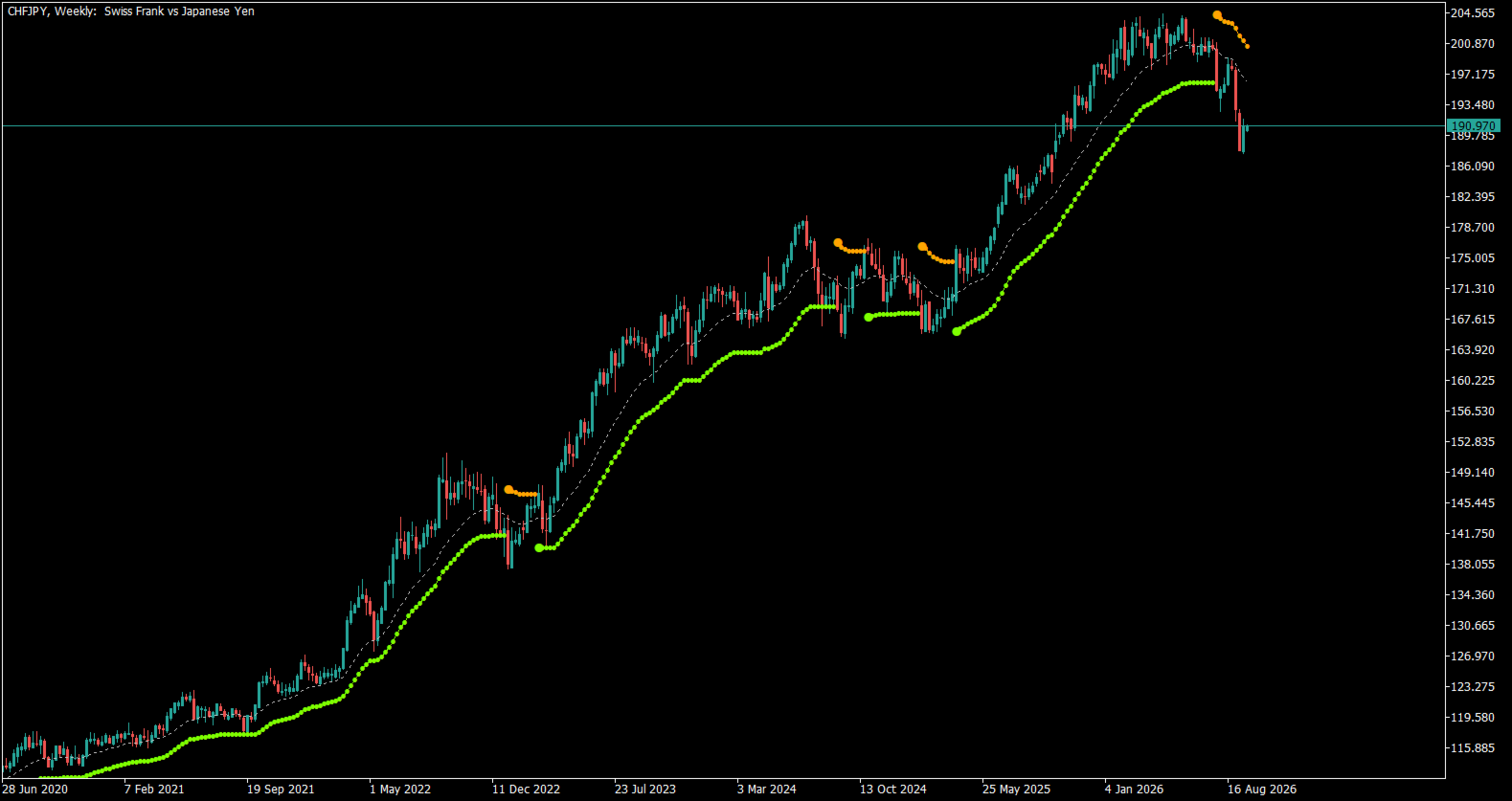
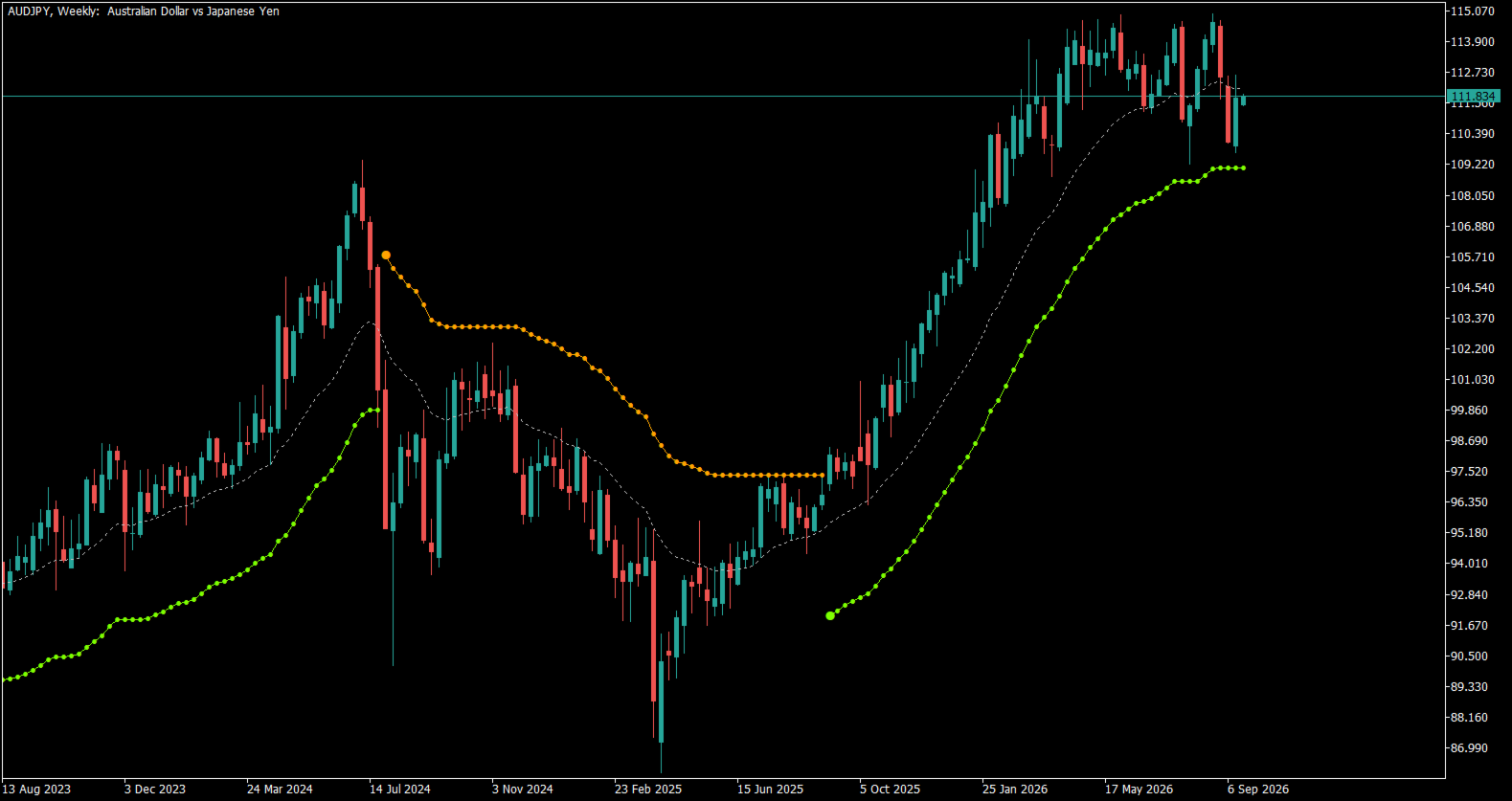
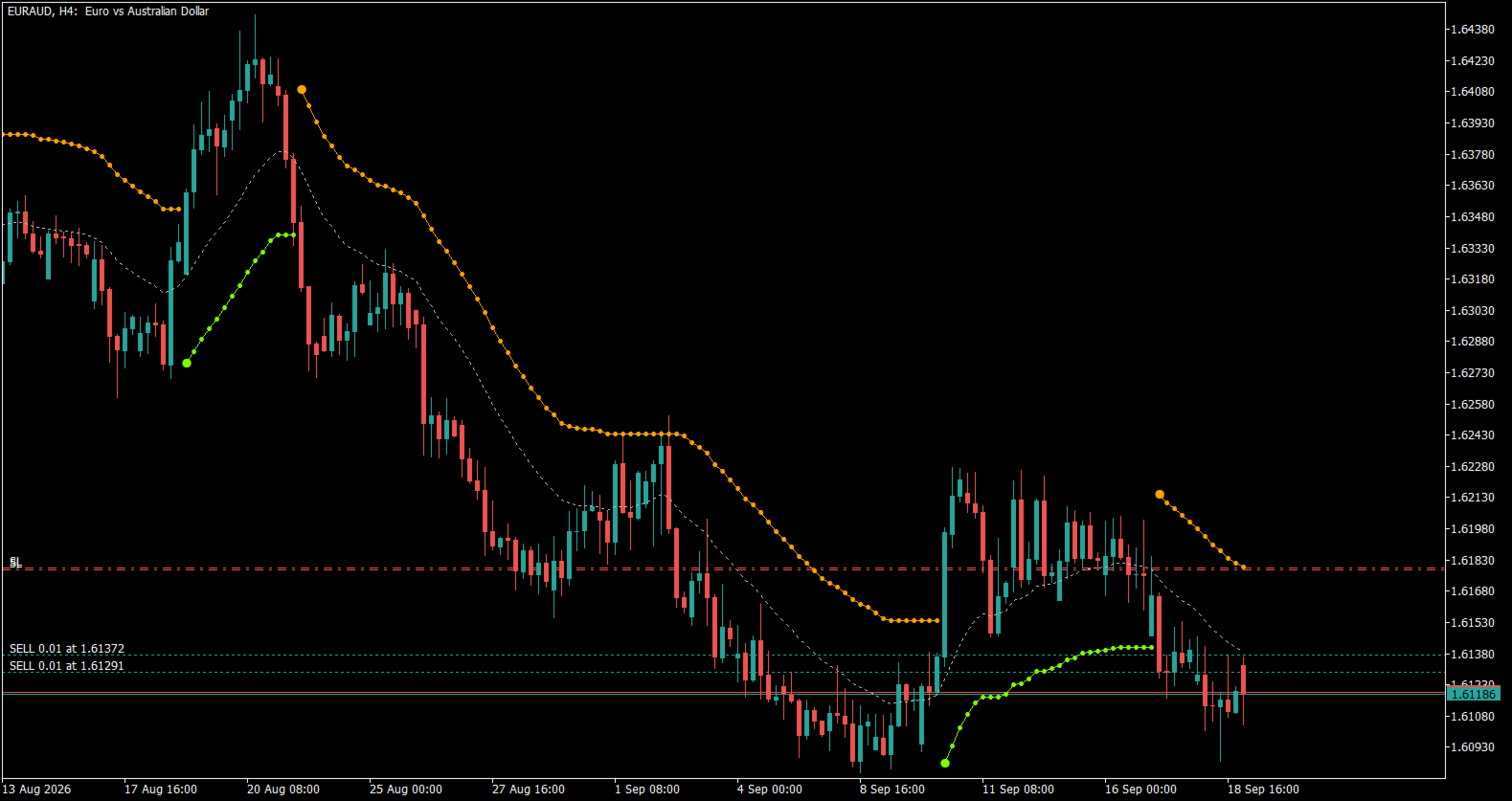
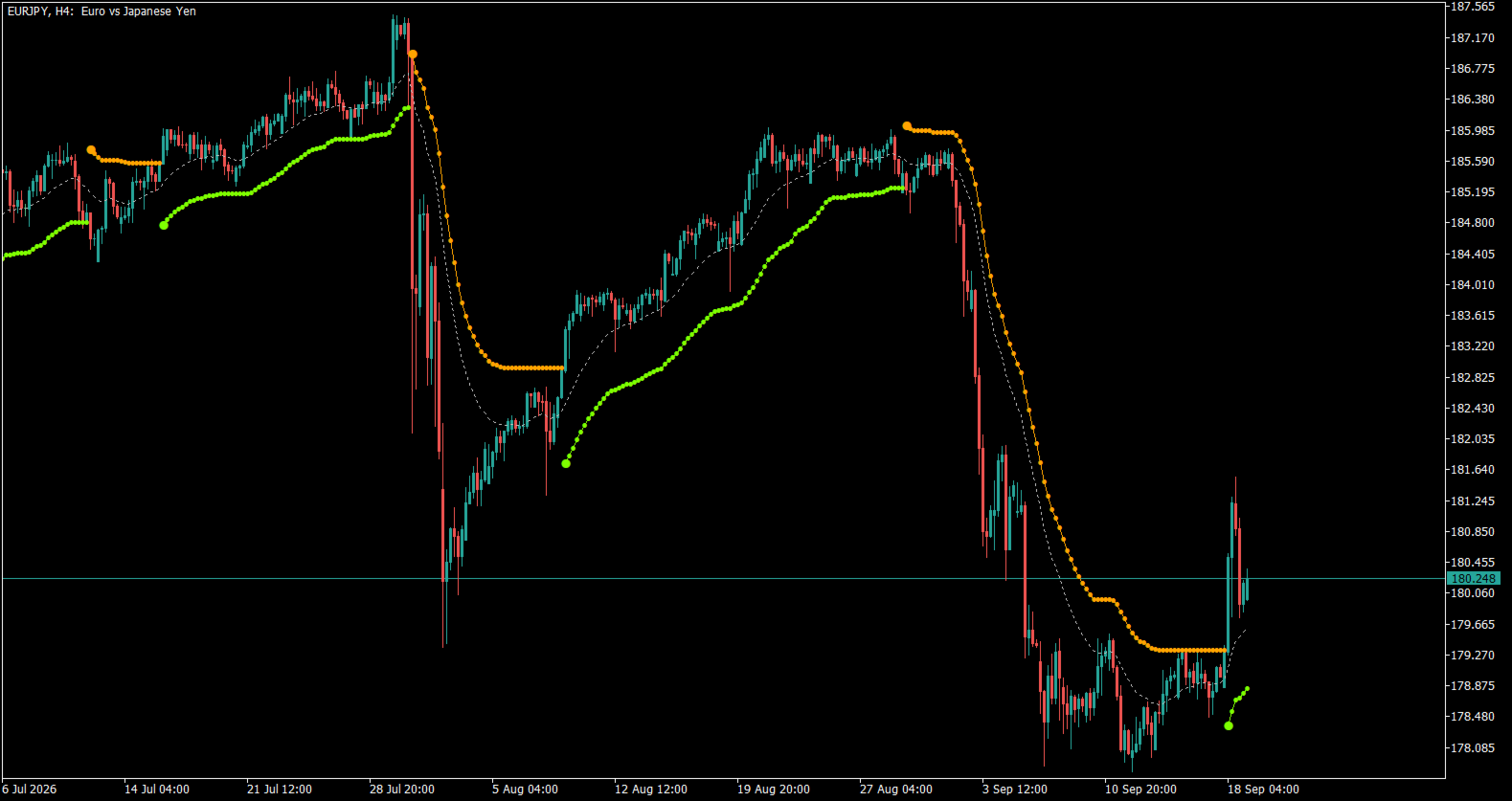
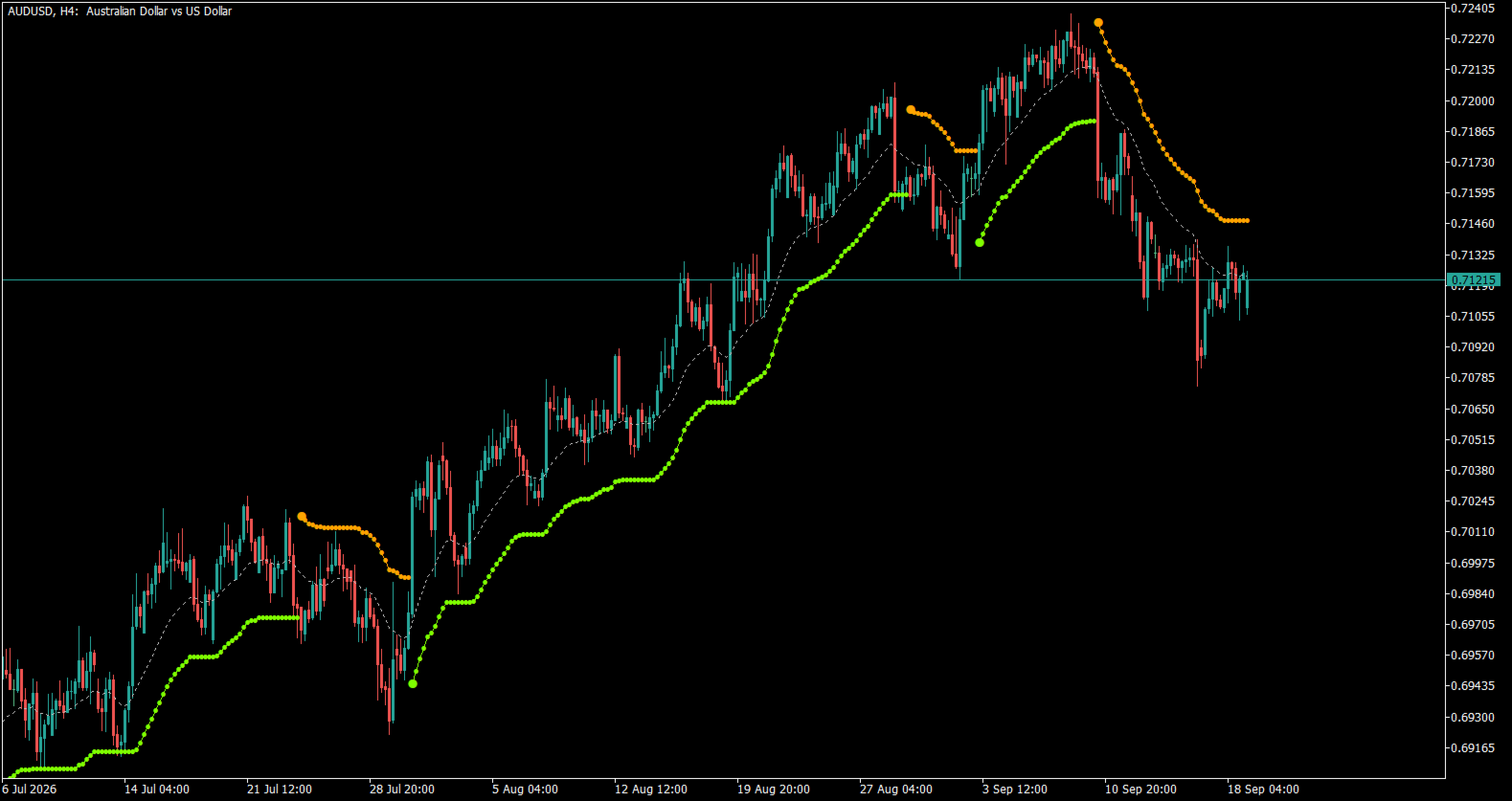
Seven native buffers draw directly on the price chart:
- Stop line — the trailing stop level, colored by direction (bearish/bullish)
- Flip signal marker — marks only the bar where the stop first appears on a new side
- Stop marker — a lighter dot tracing the stop level bar by bar
- EMA midline — the channel's center line, shown as a dotted reference
Each element can be shown or hidden independently, so the chart can be reduced to just the stop line, just the flip signals, or the full picture with the EMA reference included.
Trend & stop logic
Every bar, the indicator builds a Keltner Channel from the EMA midline plus/minus an ATR multiple. The trend flips when price closes beyond the opposite side of the previous bar's channel. Once a trend is established, the channel edge is ratcheted in the trend's favor — it is never allowed to retreat against the current direction. The stop level is then derived from that edge plus a configurable offset, and ratchets the same way: it only ever trails, it never jumps back toward price.
Signal modes
- Only Stops — a continuous stop marker on every bar, no distinct flip arrow
- Signals & Stops (default) — the continuous stop marker, plus a distinct arrow on the bar the stop first appears
- Only Signals — just the flip arrows, with the continuous stop marker hidden
The stop line and the EMA midline are controlled independently of the signal mode, so either can stay visible (or be turned off) regardless of which arrow style is active.
Configurable inputs
- EMA period — channel midline period (default: 20)
- ATR period — channel width period (default: 10)
- ATR multiplier — channel width factor (default: 2.0)
- Offset factor — applied to the trailing stop relative to the channel edge (default: 1.00, no offset)
- Signal/stop display mode — Only Stops / Signals & Stops / Only Signals
- Draw stop line — toggle the continuous stop line on/off
- Draw EMA midline — toggle the EMA reference line on/off
Part of the Global Investing suite
Keltner Bands Stop shares the same input-naming, buffer-handling and validation conventions as the rest of the Global Investing line of MetaTrader 5 indicators — consistent, predictable behavior whether you're running one tool or several side by side.