SL Manager
- 实用工具
-
Gabriel Paul Ange Perrin
 Gabriel Perrin, Independent trader since 2015, based in France. I design and test utilities and Expert Advisors for MetaTrader: trade management tools (breakeven, stop loss management, daily profit and loss notifications, limit order zones) and trading robots.
- 版本: 1.0
SL Manager is a trade management utility for MetaTrader 5. It removes the Stop Loss of your open positions during a time window that you choose, then puts it back at the end of the window. The goal is to keep a stop from being hit only by a spread spike, for example around the daily rollover or a session close when liquidity is low.
Why a time window
Around the daily rollover, many brokers widen the spread for a few minutes. A Buy closes at the Bid and a Sell at the Ask, so a wider spread can reach a stop even when the chart price hardly moves.
SL Manager lets the position go through this short period without a stop at the broker, then checks the price once the window is over. You decide when the window starts and ends.
What it does
The utility checks the time every second. When the window starts (default 23:00 to 01:00, server time), it saves the Stop Loss of every open position that has a Stop Loss and removes it from the position. The Take Profit is not changed.
When the window ends, the utility asks the broker to place each saved Stop Loss back on its position. If the price is already beyond the saved level at that moment, the position is closed at market instead.
Example: a Buy on EURUSD has its Stop Loss at 1.1000 and the window is 23:00 to 01:00. At 23:00 the stop is removed, and if the price touches 1.0995 at 23:30, the trade stays open.
At 01:00, if the price is still below 1.1000, the trade is closed at market. If it is back above 1.1000, the Stop Loss returns to 1.1000 and the trade continues.
A Sell works the other way round. It is closed at the end of the window if the price is still above its saved stop, and its Stop Loss is restored if the price is below it.
Main features
- Time window - you set the start and the end in hours and minutes; the window can cross midnight.
- Automatic restore - at the end of the window, the utility sends a request to place back each saved Stop Loss; a refused request is not repeated.
- Close if passed - a position whose price is beyond its saved stop at the end of the window is closed at market.
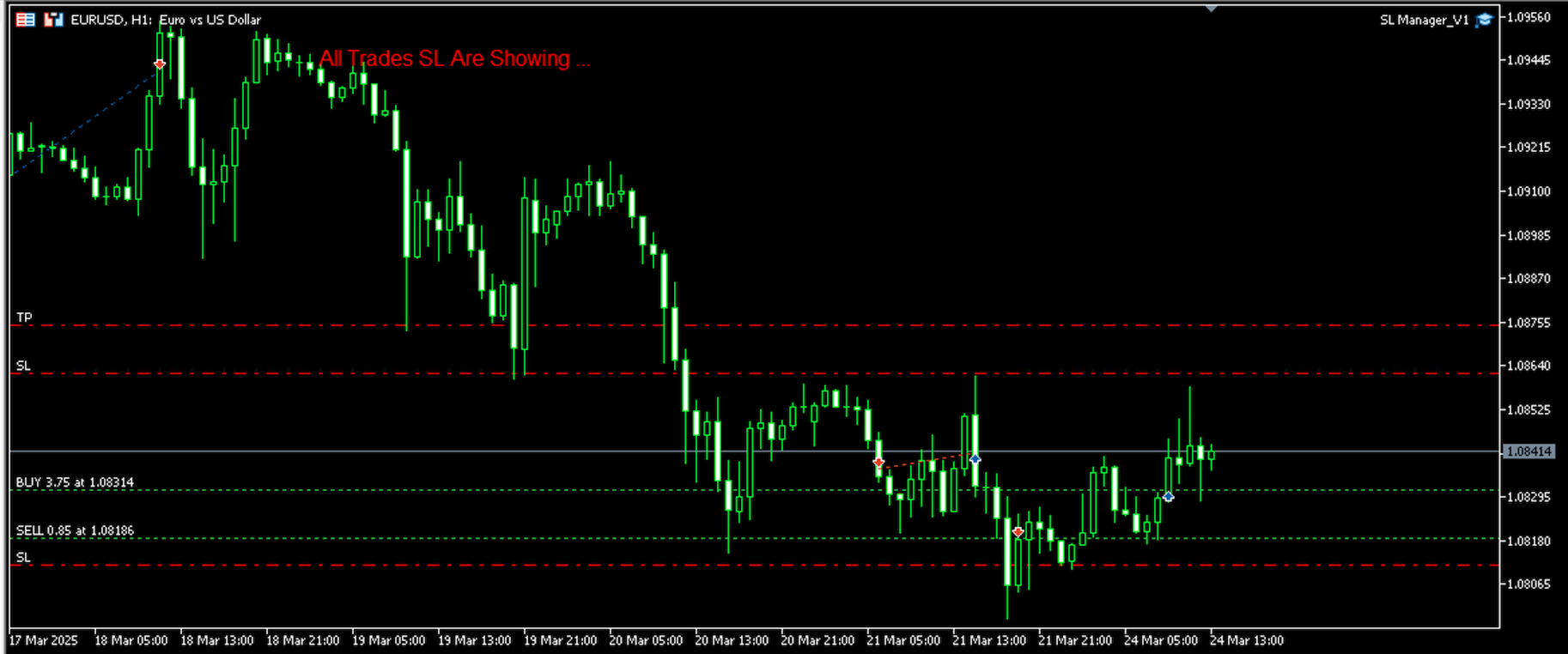
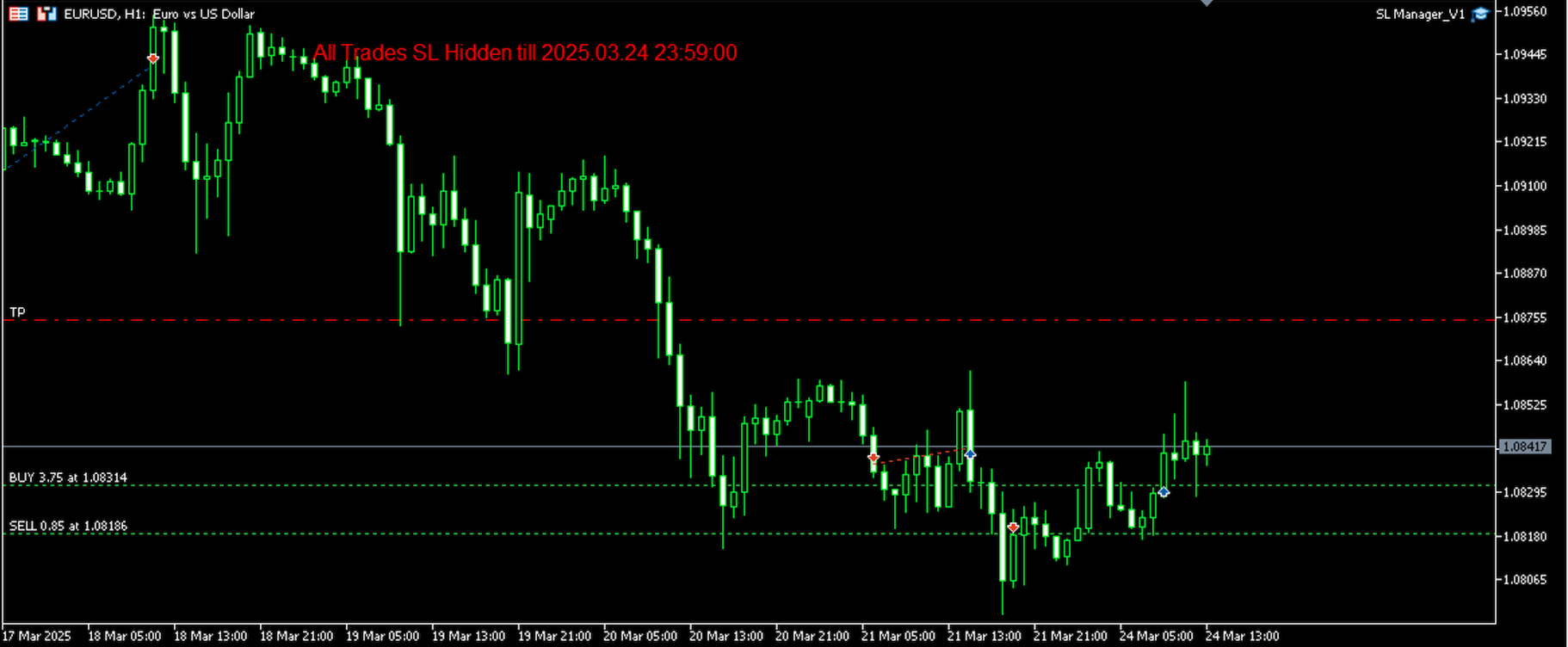
- Status on the chart - a red text tells you whether the stops are hidden or showing again.
- Any symbol - Forex pairs, indices, crypto or any other symbol of your account.
How to use
- Attach SL Manager to any chart and allow algorithmic trading.
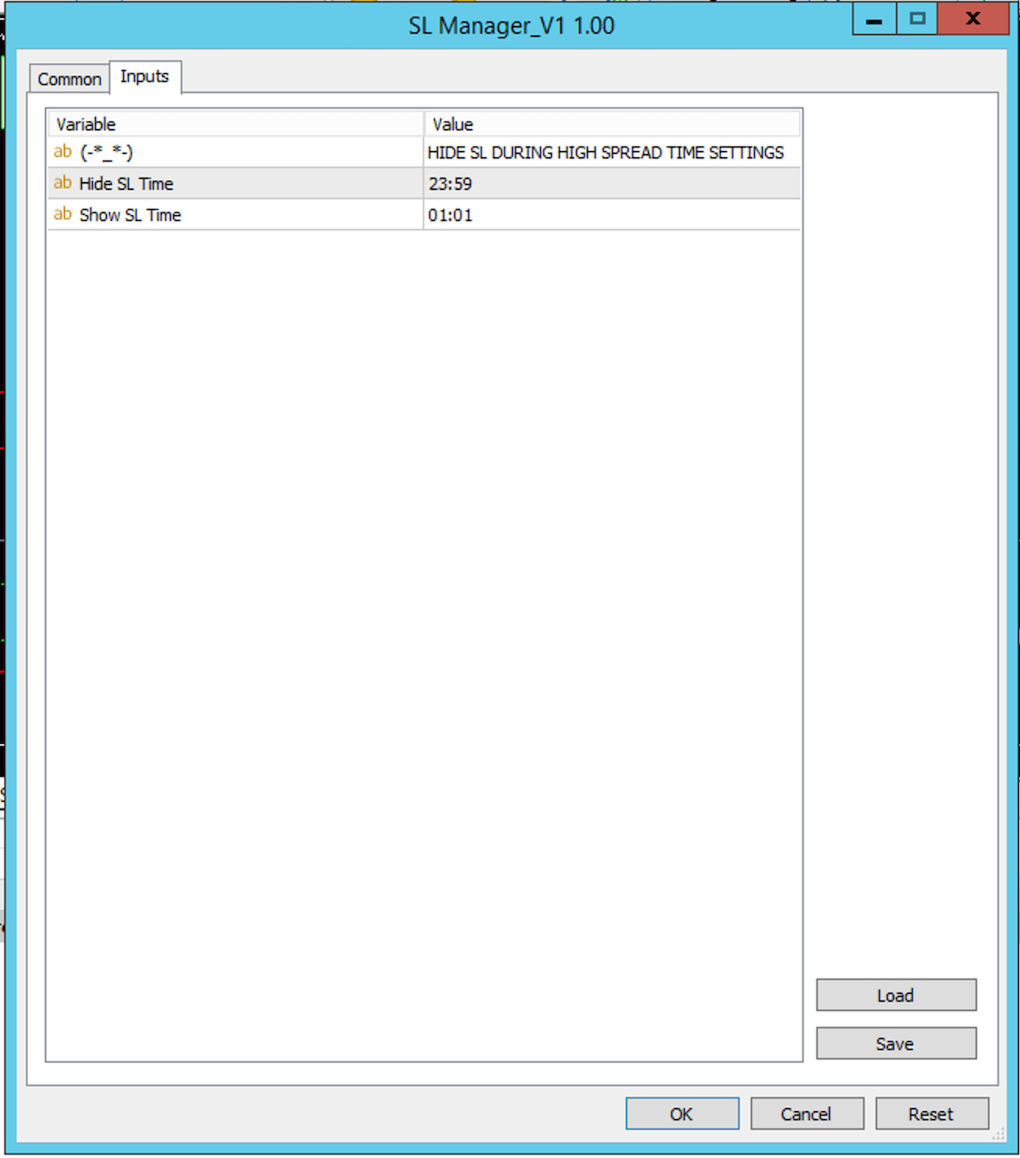
- In the inputs, set Hide SL Time (default 23:00) and Show SL Time (default 01:00) in the format HH:MM.
- Use the broker server time, not your local time.
- Keep MetaTrader running until the end of the window, for example on a VPS: the utility itself sends the requests that put the stops back.
Only positions that have a Stop Loss are changed. The saved levels are kept in the global variables of the terminal, one per position ticket, and deleted after the utility tries to restore the stop or close the position, whatever the broker's answer.
If MetaTrader is closed when the window ends, the stops stay removed until the utility runs again. It then sends the requests that restore them, or close the positions whose stop was passed.
What it does not do
During the window, your positions have no Stop Loss at the broker. A strong move or a price gap in that time is not limited by the stop, and the loss at the end of the window can be larger than the one you planned. Choose a window that covers only the minutes you need.
If the broker refuses the request that puts a stop back, the utility does not try again, and the position stays without a Stop Loss. If the window starts before the weekend close (for example Friday 23:00), the stops stay removed during the whole weekend, until the end of the window on Monday.
The utility applies to all open positions of the account, on every symbol and whatever their magic number, not only to the chart where it runs. A position opened during the window also has its stop removed, and a stop you set by hand in that time is removed again within one second.
SL Manager does not open trades, does not choose entries and does not move the Take Profit. It does not guarantee any result, and trading involves risk.
Support
Questions or suggestions: use the Comments tab of this page or send me a message through my MQL5 profile: https://www.mql5.com/en/users/centralia
Other products: Breakeven Bot, a utility with a button to move your profitable positions to breakeven: https://www.mql5.com/en/market/product/131301 and Zone Limite, to place limit orders across a price zone: https://www.mql5.com/en/market/product/206822