 MetaTrader 5
 专家
专家
 指标
指标
 程序库
程序库
 实用工具
实用工具
 窗口小部件
窗口小部件
 规则
规则
全新的MetaTrader 5 交易实用工具 - 69
 以下是可在MetaTrader 5中简化交易的交易程序。将鼠标悬停在一个工具上,阅读它的描述和用途。
Forex Trade Manager Grid MT5 helps you to managing orders and achieve the goal. You only need to place first order with Take Profit, run EA and set in params profit (pips) you want to get. EA will be managing your positions, as will gather appointed amount of pips. It’s a strategy for management of manual trades opened on current pair. The strategy adds positions to currently opened trades in a grid management (with chosen distance in pips between trades) - up to 15 trades (or less). First up to
FREE

This is the demo version of SmartVSV Panel. https://www.mql5.com/en/market/product/91131 It is the same as original panel with all graphic objects and settings. Main difference is that you can not trade with this demo, but you can see all orders' parameters such as entry, TakeProfit and StopLoss. Also you can test QuickTrade. All functions are explained with alerts. When you add it to your chart press "I" to call information alert.
FREE

SmartVSV Panel. Swing trade with pending orders or scalp with your keyboard . You can try this panel out with the free version SmartVSV1. https://www.mql5.com/en/market/product/91194 Chart objects. This tool will help you to find orderblocks , fair value gaps and liquidity . If you use session ranges or Sunday open in your strategy, it will draw them for you. If you are looking at another chart (such as DXY, Gold etc) while trading, SmartVSV has a minichart button for you. You can set an
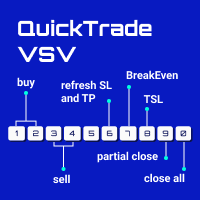
From 0 to 9... the only keyboard buttons you need to trade with this EA!
If I am wrong just write which button should I add in the comment section. I recommend you to test this tool on demo account first. This version of QuickTradeVSV can help you to: 1 - Open buy position with TakeProfit and StopLoss (Lotsize is calculated by your Account Balance and StopLoss). 2 - Open buy position with fixed LotSize. 3 - Open sell position with TakeProfit and StopLoss (Lotsize is calculated by your Account B

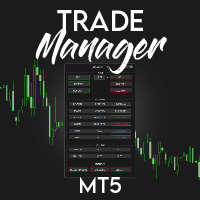
️ Discover the powerful Trade Manager for MetaTrader, a tool that will revolutionize your trading experience in the financial market. This innovative software provides you with efficiency and speed, allowing you to execute all your trades quickly and visually.
️ With just a click of a button, the Trade Manager creates three strategic lines: a blue line for order placement, a green line for take profit, and a red line for stop loss. These lines offer you a clear focus and enable you to manage

You've probably heard that different brokers give different results? But what is the main problem when brokers have approximately the same trading conditions for spreads and commissions,you have the same ping.. but the results of trading on real accounts are very different. What's the matter?
There are situations when even good advisors give bad results and the point here may not be in the adviser, but in the broker and you can draw the wrong conclusion about the adviser without getting a good

**This is a Utility so the DEMO does not work. Please leave a comment and we will reply** ‘Trader Pro – Any Broker’ is the ideal solution for beginners and professional traders who want to trade ANY Signals on MT5 with ANY broker. This unique service will complete all the technical set up, monitoring and maintenance, so you don’t have too.
This ground breaking service has been developed by experienced traders to solve real world problems and overcome Signal to Broker limitations so the user

Cerberus the Equity Watcher 是一种风险管理工具,可以持续监控您的账户资产并避免因错误的 EA 或您的情绪行为(如果您是全权交易者)导致的重大亏损。对于依赖 EA 的系统交易者来说,它非常有用,EA 可能包含错误,或者在意外的市场条件下可能表现不佳。 Cerberus 允许您设置最小净值和(可选)最大值,如果达到其中任何一个,则所有头寸都被平仓,所有挂单被关闭,所有 EA 被“杀死”。在展平所有位置后,将向用户手机发送通知,并在屏幕上显示一条清晰的消息。在“扁平化”之后, Cerberus 继续关注股权价值,并继续扼杀任何进一步的交易尝试,直到它被重新初始化。 Cerberus 执行的任何操作都清楚地显示在屏幕上,报告在“专家顾问”选项卡上,并向用户发送通知。为了避免用户错误,对用户输入的输入值和自动交易的当前状态进行了多次检查。 ****** 特征 最小和最大权益值可以以账户货币或初始权益的百分比设置 最大净值是可选的 如果达到最小/最大净值,则所有 EA 将独立于它们交易的符号被终止 第一次压扁后几秒钟进行双重检查 Cerberus 在拉平后也继续监控股权

XA Risk Reward Ratio Tool MT5 tool is a professional algorithm, that calculates risk of every transaction before it is finalized. It allows you to precisely estimate gain and possible loss. The professional tool can estimate levels of Take Profit and Stop Loss incredibly precisely, making investments more effective and safer. Using Risk Reward Ratio Tool, you can with one click carry out transactions, cancel position, set position rate, set opening point, TP, SL and many other features. List of
FREE

This is exactly what the name says. Visual strategy builder . One of a kind. Turn your trading strategies and ideas into Expert Advisors without writing single line of code. Generate mql source code files with a few clicks and get your fully functional Expert Advisors, which are ready for live execution, strategy tester and cloud optimization.
There are very few options for those who have no programming skills and can not create their trading solutions in the MQL language. Now, with Bots Builde

Trade Panel MetaTrader 5 - feature-rich tool that adds the desired and highly-demanded functions to the terminal to enhance trading experience. Orders execution with one click You can open and close orders easily, using the panel. Buttons to open Market, Limit and Stop orders in both buy and sell directions are located on the Main tab, while there are multiple options to close already existing positions and cancel orders: Close/cancel all Close/cancel buy and sell positions/orders separately Clo
ABOUT THE PRODUCT
Your all-in-one licensing software is now available. End users are typically granted the right to make one or more copies of software without infringing on third-party rights. The license also specifies the obligations of the parties to the license agreement and may impose limitations on how the software can be used. AIM OF THE SOFTWARE
The purpose of this system is to provide you with a one-of-a-kind piece of software that will help you license and securely track your MT4/MT5
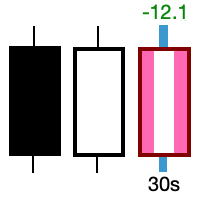
Take control of the most important candle on your chart. Customise and supercharge the active candle. "LastCandle" is a unique indicator. There is no other indicator that is so laser-focused on just the active candle. Set different colors and make it stand out from all the other candles. (This makes sure you never mistake an active candle from a closed one. Even if this happens once it could save you the cost of the software.) When you zoom out, you get a super-sized version of the candle so yo

FOREXBOB AUTO CLOSER is a very handsome tool for :- Scalping Correlation Hedging Those who use averaging methods As this utility tool will help you by closing all your running trades when the universal floating P/L reaches a certain value that you will put in inputs. This tool consider all the trades that running on the your account either opened MANUALLY or with help of an EA.
Inputs USD - Put numeric value for required profit Group Mode - False Magic No. - Zero (0) to consider manually opene
FREE

This Unique Expert Advisor calculates the strength of 28 various currencies according to the percentage change in a day from the opening of the candle. This calculation is done seen as decimals. If some currency is found to be very strong or very weak, the system will check the difference between both. If the calculations work to be more than the value provided in the input's parameters, it will open a trade with that pair and set take profit as given by the user. There are several other settin

Ever took a trade and when you come back to the termainal to check on the status of the position, you realized the market has gone so far in the opposite direction or it has hit your stoploss. Well this system is here to help manage those moments price doesn't go in your desired direction. Consider this to be the insurance your account needs for your trading business. This tool manages manual trades and e.a. triggered trades. However be aware that some e.a.s are programmed to override other e.a.

This is the HFT Flame Ea....This is a complex Expert Advisor that basically pick trades from price movements, it is also a none-martingale mechanism with netting strategy that makes this Ea more interested and profitable throughout your trading journey. The HFT Flame EA can be super consistent on profits depending on the inputs selected for your style of trading. This is a hand free trading robot that can trade your way to success while you are away from the charts, another perfect advantage abo

Pivot points have been a trading strategy for a long time, originally used by floor traders. Using this method, you can understand where the market is going in a day through a few simple calculations.
The pivot point in the pivot point method is the turning point of the market direction during the day. A series of points can be obtained by simply calculating the high, low and closing price of the previous day. These points may form key support and resistance lines. The pivot point, support and
FREE

The GRat_OrderExport EA exports trades made in the MT5 (manual or any other Expert Advisor), which can later be imported by: GRat_BinanceImpor t or GRat_BybitImport or GRat_Crypto tool in order to copy trades to the crypto exchange; using the GRat Order Exchange library (in particular, by the GRat_OrderImport EA) in order to copy trades to another MT5 terminal or to another correlating symbol of the same MT5 terminal; using GRat_OrderImport (MT4) in order to copy trades to MT4 termina
FREE

Is your trade at a loss? Does not matter ! You can use this Extra martingale tool. In the set loss of your trade or your EA's trade , this tool will open another trade at a better price. It can also open multiple trades at different distances and with different lot sizes. Each trade will be assigned a TakeProfit. This tool has a lot of settings. You can set variable lot sizes, variable trade distances, variable TakeProfit sizes, maximum total profit or loss in money. You can also close trades

Manual trading assistant focused on ICT strategies with several aids:
It establishes time slots in which we can operate, disabling any operation placed outside these zones, preventing over-trading in places where we should not, such as during the opening of markets with strong volatility, or after hours with no volatility. It marks important levels for us: the high and low of the previous day, and the high and low of the current day. If we want, we can make the current high and low adaptive, and
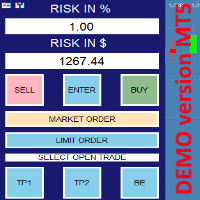
this is DEMO VERISON (for demo acc.) of TRADING OVERLAY with PARTIAL take profit ("virtual TP") and % risk lot size
--- full version available on my 'seller page' as well as version for MT4 Take better control of your trades with ease ! Easy lot size calculation with easy SL/TP setting. Your trading will be much more comfortable with this tool!
Main goal with this tool is very SIMPLE and FAST operation! Works like any EA, add it to selected chart and trade !
Features: start tra
FREE
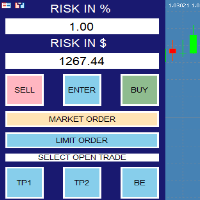
RISK CALCULATOR - TRADING PANEL - CHART OVERLAY with:
PARTIAL TAKE PROFIT ("virtual TP") % RISK LOT SIZE TRAILING STOP LOSS Fast and simple control of your trades Easy lot size calculation with easy SL/TP setting. Your trading will be much more comfortable with this tool!
Works like any EA, add it to selected chart and trade !
(this version is converted from MT4)
Features: start trade with calculated lot based on % of account balance * that you want to risk/ or based on

Советник для, перевода позиции в безубыток + трал. Сделан специально для работы на Мосбиржи с учётом удаления позиции при клиринге и последующем её открытии по новой цене. После клиринга, советник тралит учитывая реальную цену открытия позиции, а не ту которая получилась после клиринга. Советник может работать на любых рынках. На счетах HEDGING советник будет переводить в БУ и тралить каждую позицию, отдельно.
Так как демо версию советника можно запустить только в тестере стратегий , а этот с

Product Description Bybit Charts Utility for MetaTrader 5 — a streamlined tool designed for traders who use Bybit. This utility provides you with the convenience of automatically drawing all charts of Bybit within MetaTrader 5, enabling seamless time-frame switching and efficient market visualization. MQL5 Key Features Automatically draws every timeframe (starting from M1) for charts of Bybit. MQL5 Enables smooth navigation between different time-frames, just like viewing regular charts. MQL5

Do You Like Catching 100+, 500+ Pips In Seconds, Trading During High Impact News Like NFP, and CPI..?
I have been trading news for 2 year with my mentor Raja Banks, playing the Buy Stop, Sell Stop pending orders.
In normal news events price shots straight-down or straight-up based on the data of the event, and sometimes it whipsaws up and down.
As a manual trader, somedays I would miss out on securing big profits because price moved too quick, and retraced back to hit my Stop Loss, or even B

MyVersion Helper -утилита создана для помощи трейдеру в занятое время утилита работает по принципу работы советника!. он открывает сделки и закрывает их по своему усмотрению когта трейдер не перед пк. . работает на 19 валютных парах . . в зависимости от баланса утилита сама решает на каких валютах торговать. . если баланса достаточно штобы торговать на всех парах вы можете включать и отключать конкретные валютные пары нажав в настройках на валютную пару и выбрав True / False True -торговать Fal

FREE

This indicator allows to know the remaining time before the closing of the candle. It works on every timeframe. It is very usefull when your trading strategy depend of the close or the open of a specific candle. So use it like you want. Don't forget to leave a comment or a request for a EA or an indicator. Also spread it to your friends and don't hesitate to visit my profile to see others tools.
FREE

Binance Grid Pro offers an alternative to the built in Grid systems Binance Platform offers.
This utility let you define a grid parameters for interact with your Binance account using an Isolated Margin account. This is, similar to Spot Grid in Binance. This is not for handle with derivatives contracts, is for handle with Spot through Isolated Margin Account. But obviosly this utility offers a different approach than built in Binance Grid to handle the Grid, which I have found useful based on

Blow Stopper EA V3 – Your Ultimate Trading Edge Ready to elevate your trading game? Introducing Blow Stopper EA V3 , the cutting-edge trading tool meticulously crafted to turn market uncertainty into opportunity. Designed by the visionary Tsietsi Gladson Nyathi , this groundbreaking Expert Advisor delivers unmatched precision, unparalleled risk management, and consistent profitability across EURUSD, NZDUSD, AUDUSD, EURJPY, GBPUSD, USDJPY, USDCHF, USDCAD, EURCHF, and XAUUSD (GOLD) . Why Blow Sto

This is a standalone dashboard that let the user save their entry strategies for an unlimited number of currency pairs/indexes/commodities. Strategies remain saved after closing the meta trader or removing the EA. It saves your favourite assets to trade and places your trades in an instant. You can save, your lot size, risk percentage, stop loss and take profit points and trailing stop points. You can double-entry positions or reverse trades at the click of a button. After the purchase, you

Right here, is the utility tool to help traders with opening, managing, and closing multiple trading positions at the same time. This Utility tool does not work on strategy tester. To test this utility, follow the blog link below to download the demo version. https://www.mql5.com/en/blogs/post/751097
Specifications. 1) User-friendly - No complications and any trader can find it easy to use. - A simple click on a button is all it takes to perform the desired task. 2) Doe
FREE
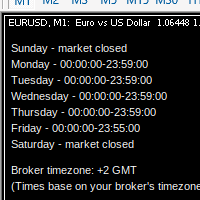
MarketSchedule displays market sessions' open/close time for each day through out the week, also broker's timezone.
It also supports instruments that have more than 1 session per day (maximum of 2 as most instruments don't have more than this)
e.g. crypto market such as BTCUSD which usually has a few hours break mid-day thus it spans into 2 market sessions. You don't have to spend time looking for such information on broker's website. It's an on-demand script that you can drop onto the chart to

Утилита Trade By Time предназначена для автоматизации торговли для списка валютных пар в определённое время, например, во время выхода новостей. Принцип работы будет описан немного ниже. Сама утилита работает только с заранее подготовленным файлом с таймингом и списком инструментов. Сам файл нужно положить в каталоге данных в папку Files , указать название этого файла в настройках утилиты и перезапустить её. Файл должен содержать строки с данными следующей структуры: yyyy.mm.dd hh:mm; <EURUSD|

回撤保护器是一个实用工具,用于管理您所需的最大每日回撤。
在自营公司充满挑战的时代, 了解每日提款限额 非常重要 。它是一款有效的 EA,易于用于股本回撤管理和防止报复性交易。 输入参数:
阻止交易多少小时? - 在这里,您可以设置 EA 在违反每日回撤百分比后阻止新交易的小时数。 值必须 >0。 大宗交易直到下一个日历日? - 是/否(双击进行更改)。在这里,您可以设置是否希望在新日历日 (服务器时区的午夜) 之前阻止新交易 ,无论上面的输入如何(阻止交易的时间)。
如果此输入设置为“是”,并且您还使用上述输入设置了“阻止交易的时间”,则将 在两个参数中 最早的时间再次允许交易。 每日回撤百分比 - 您可以在此处以 0.0% 格式(即 1.5%)设置您希望作为限制的最大每日回撤。 发送移动通知: 如果“true”,EA 将通过您的移动 MT5 应用程序向您发送通知。确保您已将其与计算机的终端连接。 (为了说明目的,我附上了测试通知的屏幕截图) 终端警报: 如果为“true”,则当新模式形成或交易订单出现错误时,EA 将在新窗口中发送警报。 在日志上打印: 如果

Forget about coding! You no longer need EAs! Any indicators (and not only) can now trade themselves anything anywhere!
GRat_IndiTrade is a unique strategy builder for automatic trading by the signals of ANY indicators available on the chart without limits (both standard and custom), ANY candlestick patterns , as well as ANY of their combinations, without the need to write, generate or compile any code . You no longer need to be or hire a programmer to test and automate ALL your trading id
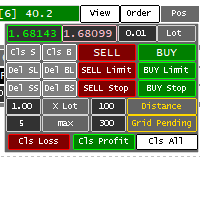
Panel for help Manual Trade if trader take order in multi Symbol/pair this will help more. this is look like hybrid dashboard in multi pair with small display
Panel have function : TP/SL, that also have funtion in Average TP/SL from BreakEvent (this will have for trader with multi trader in singgle pair) in Point can response multi Symbol
Trailing and Average Trailing from BreakEvent in Point can response multi pair. breakEvent in point Take Profit/Stop Loss in $ will detect in multi pair, an

Hello, Every one
This is "Close All Button" future 2
A script to manage order and close all market positions and/or pending orders.
----------------------------------------------------------------------------------- This is Close All Market positions and/or pending orders button
You can close all or manage orders in 1 second by one click
------------------------------------------------------------------------------------
Download for Demo Account: Demo version: Close 1s manage v1.7 DEMO
F
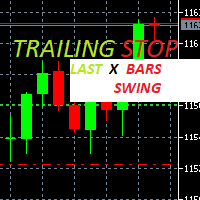
Trailing Stop loss last X candles swing high and low.
X is a value of candles you can set as an input parameter.
This Trailing stop loss moves the SL below the last X candles low(if BUY positions) or high(for SELL positions)
If we are in a trend and we open a position following the trend, the SL will be automatically placed at the low or high of the last X bars.
contact me if you need further assistence

同步十字指标允许您从多个图表窗口链接十字准线。这意味着在图表上移动十字准线会在不同的时间范围内自动移动所有其他十字准线,因此用户可以轻松识别市场移动和目标,以便按时间获取。
如何使用十字线:
1)当你拖放所有打开的图表时
2)任何图表点击
按 A 选择 Active Cross Hair 并显示所有图表。
按 D 以取消激活十字准线和删除线或图表。
例如,如果您在 M5 时间帧上移动鼠标指针(见屏幕截图),十字准线将在较高时间帧上显示为一条线,在较低或较高时间帧上显示为一个区域。这使得更容易关联时间范围。
以每秒更新的速度显示当前市场信息。 传播大小; 盈利显示金额:针对空头和多头头寸; 利润显示百分比:针对空头和多头头寸;
输入参数为:
显示利润:真/假 以百分比显示利润:真/假 显示点差:真/假 显示关闭酒吧的时间:真/假 文字颜色:选择颜色 利润颜色:选择颜色 损失颜色:挑颜色 附件的图表角:设置显示信息的位置 外观类型:显示数据为显示价格/commnet/选定的角落屏幕。

On the price chart, the market session indicator shows the trading hours in New York, London, Tokyo, and Sydney. The beginning and ending times of each trading session can be manually set.
Features:
Show main sessions: Sydney, Tokyo, London and New York. Highlight with colored lines and draw objects. You can identify graphically sessions volatility for overlapping sessions. It includes eighteen movable parameters, includingParameters:
Sidney session begin - Sydney trading session start hour

Big News Promo 40%! From today we have added the possibility to take partials! Purchase or upgrade your autolot to use this new feature immediately. Introducing Autolot 2.0 Trade Management : The Revolutionary Trading Utility is Now Even MORE POWERFUL and EFFICIENT! We're proud to announce the launch of Autolot 2.0, the upgrade that takes your trading to a whole new level! We've listened to your feedback and improved the utility to make it even more versatile and user-friendly. Here are the key

Reward Multiplier is a semi-automatic trade manager based on pyramid trading that opens additional orders with the running profit of your trades to maximize return exponentially without increasing the risk.Unlike other similar EAs, this tool shows potential profit/loss and reward to risk ratio before even entering the first trade! Download full version here ( In the mini version. Starting lot is fixed at 0.01 (or minimum allowed lot size ) Guide + tips here MT4 version here You only open the
FREE

One Click Close MT5 is an EA which allows you close orders quickly. EA display on chart two buttons. The first button "Close All Positions" is using to close all opened orders. The second button "Close Profit Positions" is using to close only profitable orders. EA is closing orders for all available symbols, not only for chart symbol. In EA params you can set distance from upper chart frame (Y Offset) and from left chart frame (X Offset). For installation EA it is only need to copy One Click Clo
FREE
Itrade manager expert advisor (EA) is a type of software that can be programmed to perform a variety of tasks related to managing trades in the financial markets. Some of the ways in which the Itrade manager EA can help you trade better include: Itrade manager EA can automatically modify, and close trades based on predefined rules and conditions, freeing you up to focus on other aspects of your trading strategy. Managing risk: Itrade manager EA can help you manage risk by placing stop-loss and t
FREE

BatchLoader for Mobile Traders: The idea of BatchLoader just as the name implies is to enable traders open a single position through their mobile phone and have it duplicated based on the max position such trader set in the "input settings", we have day traders and scalpers who find it difficult to open several position when trying to scalp, with this BatchLoader, you won't have to worry about poor entry execution.. How to Use it; *install the expert on your desired chart you usually trade on(
FREE

Assistant for all those who forget to set StopLoss, TakeProfit and Trailing Stop in deal parameters, or trade on a very fast market and fail to place them in time. This tool automatically tracks trades without StopLoss, TakeProfit, Trailing Stop and checks what level should be set in accordance with the settings. The tool works both with market and pending orders. The type of orders to work with can be set in the parameters. It can track either trades for the instrument it runs on, or all

!! BLACK FRIDAY !! FOR LIFETIME !! ================== == 35$ ONLY !! == ==================
BOOK YOURS NOW !!
The Position Manager Contains A Lot of Functions such as; (How to Operate) 1. Adjustable Volume per Trade (You could change the volume as you wish per trade). 2. Adjustable Risk : Reward Ratio (1RR means sacrifice 1 Risk : 1 Reward, 1.5RR, 2RR etc. as you wish) 3. Adjustable Stop Loss Points (Calculated Points as Stop Loss and Automatically adjusted the Risk Reward Ratio) 4. Buy Button
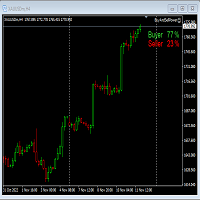
This Expert Advisor will not place any trade.
This Expert Advisor will only show the buyer and the seller power in percentage on the upper right corner of the selected chart. The percentage of the Buyer and Seller is calculated based on the Open, Close, High and Low price of the selected candle.
Candle can be selected using the shift on the Input Tab where 0 means the current candle, 1 means previous 1 candle before the current candle.
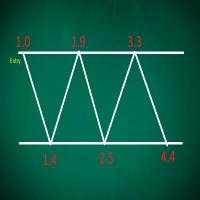
This EA performs with a Hedging strategy by which Buy and Sell signals are from the MACD indicator.... The lot sizes in the input are Custome for you to adjust as you pleased, so you are able to improve your hedging style. Inputs. Close Money- this option is basically the take profit in ($), for example if you set the close money at $20 the EA will automatically close all trades when your overall profit is $20. Nearby Hedge Pips- this basically determine the distance of pips between yo

这是一个通过发送邮件警报,让您能够及时了解到交易账号的实时动态的工具,同时支持Nedge 和Netting 模式。 警报功能如下: 1.浮动盈亏警报,一旦达到您所设置的盈利和亏损金额条件,EA会自动发送详细警报内容邮件给您; 2.订单开仓和平仓警报,一旦您的账号有开仓和平仓, EA会自动发送详细警报内容邮件给您; 3.多个商品报价涨跌警报,一旦达到您所设置的价格涨跌条件, EA会自动发送详细警报内容邮件给您; 以上都可以自定义警报次数。 使用方法: 1.在MT5客户端--工具--选项--电邮 中 完成电邮设置并启用; 2. 在MT5客户端 加载EA 并启用自动交易即可。 EA 参数设置说明 : 盈亏警报参数介绍: 1.参数TP 设置盈利金额,SL 设置亏损金额,这里的金额指的是所有在仓单的盈亏总额。若不启用,设置TP、SL为-1即可。 2.参数 INMintes 设置警报间隔时间,时间单位为分钟,这里的时间是指在 到达设置的盈亏值发送邮件后,再次检查并发送警报邮件的间隔时间。 若间隔时间后条件成立就再次发送警报邮件,否则就不再发送。 TPSLComment=Send

Free TrendLine EA opens trades whenever the price on the chart interacts with or crosses your trend line. You simply draw the trend line manually then let the EA do the trading automatically according to the rules you give it. The settings available in the EA are explained below: Lots : The lot size for trading. RiskPercentage : Set a value other than zero to activate lot sizing by use of percentage of margin. TrendLineName: The name of the line to track. You can either * rename the trend li
FREE

Lumos Lumos is a multifunctional trading assistant. It gives an overview of the current market situation for a better decision making. The strategy tester only provides a visualization of the application. Lumos is highly customizable and gives you information in multiple timeframes about: MAs, price structure, RSI, RSI MA and an overview of the price distance to possible SLs.
FREE

This EA helps to Close all Positions opened. It saves you the time of closing multiple positions manually.
Parameters: Buy: Close Buy Positions Only Sell: Close Sell Positions Only Buy & Sell: Close Buy & Sell Positions Pending: Close Pending Orders
More Advanced MT5 version available at: https://www.mql5.com/en/market/product/93301?source=Unknown%3Ahttps%3A%2F%2Fwww.mql5.com%2Fen%2Fmarket%2Fmy More Advanced MT4 version available at: https://www.mql5.com/en/market/product/93468?source=Unk

The utility displays in a convenient form the historical trades made on the account. You can filter trades by magic or comcent, display only profitable or losing trades, and only buy or sell trades. Using this utility, you can see trade entry and exit points, stop loss and take profit levels, trade profit, magic number and comment, order ticket and order size - you only need to run the utility on the chart of the currency pair you want information on get and customize the input parameters. MT4
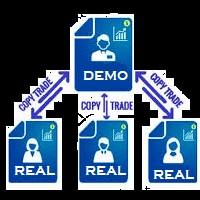
You Can Copy All the Trades from one MT5 terminal to another MT5 terminal hosting two different accounts in the same computer or VPS. It will work with same broker as well as different broker. You can also use it to copy from MT5 to MT4, then you also need to download the MT4 version and set the SEND and RECEIVE accordingly. MT4 version download- https://www.mql5.com/en/market/product/83400 Note: While Testing with demo version, do not use real account, as it will not copy. If your trades are
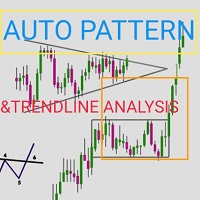
Automatic pattern recognition software for MT5
Trend lines Common chart patterns eg triangles, flags, pennants etc range detection with latest support and resistance levels. object updates to avoid lagging signals. Telegram updates just place your chart ID in the inputs section and it will send you screenshots at a given interval of what is happening in the market so you do not miss out on any opportunity) free updates. all timeframes, all symbols, all brokers
copyright @ GABRIEL MATOVU, BSc.
Multi Symbol ZigZag Breakout Scanner 扫描在 marketwatch 中选择的所有符号。
当价格即将达到这些水平时,它将有助于轻松找到双顶、双底或任何斐波那契扩展水平。
您可以选择时间范围,以及 Zigzag 的多个 Extdepths(最多 3 个)。 推荐的 ZigZag 为 21,34 和 55,涵盖所有类型的 Zigzag 和过滤噪声
您可以设置接收终端警报或推送通知或两者
Multi Symbol ZigZag Breakout Scanner 扫描在 marketwatch 中选择的所有符号。
当价格即将达到这些水平时,它将有助于轻松找到双顶、双底或任何斐波那契扩展水平。
您可以选择时间范围,以及 Zigzag 的多个 Extdepths(最多 3 个)。 推荐的 ZigZag 为 21,34 和 55,涵盖所有类型的 Zigzag 和过滤噪声
您可以设置接收终端警报或推送通知或两者
Next Candle Timer Pro displays the remaining time before the current bar closes and a new bar forms. It can be used for time management with trade to wait next moments. Feature Highlights Tracks server time not local time Configurable Text Color and Font Size Optional Visualization of the Symbol Daily Variation Optimized to reduce CPU usage Every time frame will automatic get remain timing. Input Parameters Color as Label Anchor of the label a sort assign Position of timer: true/false Text Font
FREE

BETA product Recurring updates, and real-time assistance. Ea Auto is a specialist in inserting TakeProfit and StopLoss of positions, and moving them in favor of operations in an automated way, the user only needs to enter the initial TakeProfit and StopLoss value.
Recommendations on use in any asset In any period Chart So far, this utility only supports Forex
Description of input parameters Theme: set between Light (a lighter theme) and Night (a darker one) Take Profit(points): field where t
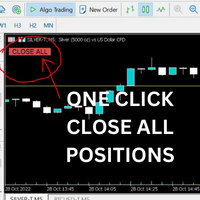
Just Attach to the Chart to be able to Click Button to Close all Open Positions in your Trading Account. Change Horizontal And Vertical Pixel based positioning for Button placement on chart. Appreciate your feedback and reviews. Note: All open positions on your trading account will be closed when button pressed.
If you need help with any simple utility happy to help.
FREE

Smart Stop Manager EA – Maximize Profits, Minimize Risk!
This Expert Advisor (EA) is designed to automatically adjust your stop loss when your trades move into profit. It works on all open trades for the symbol it is attached to, ensuring maximum profit protection while letting your trades run.
How It Works
The EA uses two key inputs to manage your trades efficiently:
Stop Loss Points – The distance from the current price where the stop loss is placed. Stop Loss Trigger Points – The pro
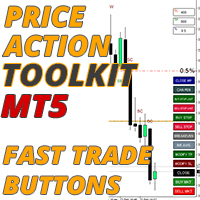
價格行為工具包 EA 主要為剝頭皮而設計,但可用於所有時間框架,以根據您的止損水平正確計算手數大小來快速進入市場,它允許您快速進入交易(即時或在蠟燭高點和低點掛起訂單),然後隨著市場的變化調整止損並獲利了結。
如需使用的所有功能、設置和最佳實踐策略的完整列表,請單擊此處: https://www.mql5.com/en/blogs/post/748072
基於風險的進入 快速下單按鈕可根據您賬戶的風險百分比讓您進入頭寸。它會根據您選擇的風險和止損距離自動計算您的手數。因此,您需要確保您的經紀商允許您使用 0.01 手大小,如果您被迫使用 0.10 或 1.00 手增量,它將不起作用。
快速交易執行按鈕 它在您的圖表上放置了快速交易執行按鈕,這些按鈕會立即自動打開、關閉或調整交易。除了正常的進場按鈕外,您還有一個快速關閉按鈕來退出所有頭寸,將您的止損移動到盈虧平衡(或您的平均盈虧平衡,如果您有多個交易未平倉),將買入和賣出止損設置在當前或最後一根蠟燭高點之上並且能夠僅平倉您最有利可圖的頭寸,這樣您就可以在多筆交易開始為您工作時從您擴大的頭寸中獲得部分利潤。 止損模式按鈕可讓您快速

使用说明: https://www.mql5.com/zh/blogs/post/754946 MT4版本: https://www.mql5.com/zh/market/product/88205 MT5 版本: https://www.mql5.com/zh/market/product/88204 ----------------------------------------------
1.复制订单,从12个主帐号到100个从帐号.从帐号数量可以自定,从12个到100个。 2.支持MT4到MT4, MT4到MT5, MT5到MT4,MT5 到MT5. 3.识别不同平台的交易品种后缀,如EURUSD,EURUSDm,EURUSDk. 4.自定义货币匹配,如XAUUSD=GOLD. 5.可复制所有交易,或只复制BUY,SELL,CLOSE指令 6.可选择是否复制止盈止损 7.可反向复制,如主帐号是BUY,从帐户就是SELL,反之也是。当主帐号平仓时,从帐户不管是同向复制还是反向复制,都会同时平仓 8.发生意外如从帐号关闭时,主帐号有平仓信号而从帐号没有及时复制,当从帐号再次启

用户手册:多连接交易复制器 (MT4/MT5)
该系统允许在 MetaTrader 终端之间自动复制交易,充当通信桥梁,以最小的延迟同步投资组合。
1. 简介和用途
多连接交易复制器是一款用于管理镜像账户的基础架构工具。其功能是从主账户提取信号并在从账户中执行,从而实现 MT4 和 MT5 之间的交易交换、独立的风险调整以及自定义资产映射。
2. 参数指南(入口菜单)
主要设置
账户类型:定义终端是发送信号(主账户)还是接收信号(从账户)。
速度(毫秒):扫描频率(例如,500 毫秒)。数值越低,复制速度越快。
复制通道:通信通道的名称。两个终端中的通道名称必须相同。
资产映射(交易品种)
主账户前缀/后缀移除/添加:移除或添加资产名称的文本(例如,将“EURUSD.pro”转换为“EURUSD”)。
主/从账户资产:用于配对名称差异很大的资产的手动列表(例如,主账户使用“US30”,从账户使用“DJI”)。
屏蔽资产:从账户应忽略的交易品种列表。
过滤器和执行
复制买入/卖出/限价/止损:用于选择要复制的订单类型。
开立新订单的时间:复制订单的时间限制

Comprehensive OHLC Data Downloader for MetaTrader 5 This powerful and efficient script allows traders, quantitative analysts, and developers to download the complete OHLC history of any financial instrument available in MetaTrader 5. Whether you need historical data for a specific asset or want to download data for all assets in the Market Watch , this tool simplifies the process with just a few clicks. Key Features: Flexible Data Extraction – Download OHLC data for a single asset or all asse
FREE
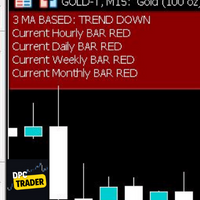
This Utility Bot is for New Traders, that struggle to spot the Trend direction. It also make you conscious about different Timeframes Bar Status. Utility have 3 Moving Averages totally configurable by input parameters. 3MA Based Trend is shown for the current Timeframe selected on the chart. (Line 1) 3MA Based Trend for Daily Timeframe. (Line 2nd) Also provide quick information about the currently Hourly Daily and Weekly Candle Status. Utility work on 1 Min Bar control, so comment section info
FREE

Trade management is a system that helps you manage your operations, that is, you perform the analysis, and we manage the operations as follows: Automatic Stop Loss once the trade is opened is a short or long with a maximum risk of 1% of the account. Trailing Stop as the price moves in your favor. Risk management is handled in a 2:1 , once the operation reaches a 1:1 move Stop Loss to break even . Once the trade reaches a 2:1 closes half the lot, securing the profit and allowing the operation
MetaTrader市场是您可以下载免费模拟自动交易,用历史数据进行测试和优化的唯一商店。
阅读应用程序的概述和其他客户的评论,直接下载程序到您的程序端并且在购买之前测试一个自动交易。只有在MetaTrader市场可以完全免费测试应用程序。
