 MetaTrader 5
 专家
专家
 指标
指标
 程序库
程序库
 实用工具
实用工具
 窗口小部件
窗口小部件
 规则
规则
全新的MetaTrader 5 交易实用工具 - 72
 以下是可在MetaTrader 5中简化交易的交易程序。将鼠标悬停在一个工具上,阅读它的描述和用途。
Hi everyone im pleasure to give you an EA who can get economic news
- U can choose ur Timezone in GMT - Prevent Paused trading before news economic Setting how many minutes u want Prevent paused before and after news
- U can choose what news u want
Filter by Low , Medium or Hight impact.
Very good if u have a prop firm with a restriction of the news economic for hight impact
"One Click Trade" is the most faster risk manager of times! With Auto Mode, I don't even need clicks, only TWO keys to activate trades and send my order. Mouse movement does it ALL, with Auto Mode enabled!
Basic instruccions: ''Tools/Options/Experts Advisor/Allow automated trading'' box should be checked In ''Common'' tab, check ''Allow live trading'' box
In ''Inputs'' tab, set ''Money Risk'', set ''Risk/Reward Ratio'', click on ''Accept''
Press ''A'' and move the mouse on chart (to have Stop

Equity Defense是由Trading Toolkit设计的一款强大的风险管理工具,旨在保护您的交易账户免受大幅回撤的影响。该工具密切监控您的账户资产净值,在交易日内达到预设的资产净值损失百分比时自动关闭所有未平仓交易。Equity Defense工具确保您的每日损失不超过预设的损失阈值,帮助您安心交易。 主要特点: 每日损失限制:为每个交易日设定资产净值损失的最大限制。一旦超过此限制,所有未平仓交易将被关闭,并且在当天的其余时间不会开启新的交易。 交易关闭:一旦达到每日损失限制,自动关闭所有未平仓交易,防止进一步损耗资产净值。 警报通知:当达到最大每日损失限制时,您将立即收到声音通知。该功能确保您始终了解您的账户状态。 图表标签:当超过每日损失限制时,Equity Defense在您的图表上显示一个标签,指示资产净值损失的百分比。 新的一天重置:随着新的交易日的开始,每日损失限制和警报状态将被重置,为您准备另一天的安全交易。 风险管理是成功交易的基石。通过定义最大每日损失限制,Equity Defense确保糟糕的一天不会变成灾难性的一天。这个工具特别适用于管理多个头寸或运行

Trading ICT's OTE Concept is simplified with the ICT Optimal Trade Entry Tool. This semi-automatic EA/utility allows trading with manually defined Fibonacci retracement levels. Simply anchor the Fibonacci between swing highs and lows, select your desired entry level in the graphical panel, and the tool automatically opens positions based on your predefined direction. No more waiting in front of charts for price action to reach your entry levels; set the Fibonacci, enable your chosen entry level,

This EA is made for manual trading. It cannot open orders by itself. But it can help close orders according to the conditions that are placed, for example, the profit meets the target or the loss reaches the specified value. so that after opening the order manually, you don't have to waste time watching Don't worry that the investment will be damaged too much . The EA can display an identity message after finishing the job as well. It can display both numbers and letters, but if you don't want t

Ofir Blue exporter is a handy utility to export your orders history to a JSON file . You'll need it if you want to back-test Ofir blue or Ofir Hedging , using your own trading history. How it works: Install the indicator on a chart Press export all or export <current symbol> (for example GBPUSD) The indicator will create the json file in the directory files/ofirblue/export. This directory is in the common file area. The file will be automatically taken in charge by Ofir blue strategy tester
FREE

The EA is a supervisor that is offering monitoring and control at the account level. It is working even when market is closed.
Here are the main functionalities: set an account stoploss level set an account takeprofit level send notifications ( push, email, telegram ) about new opened / closed trades send notifications ( push, email, telegram ) about daily's performance at the end of day shows today's profit percent shows current live profit percent shows total positions shows today's calenda

The TradeMetrics Pro indicator enhances trade analysis and performance evaluation by presenting trade history and metrics directly on the chart. It accomplishes this through three key features:
Summary Trade Panel: The Summary Trade Panel provides a concise overview of open and closed trades. It organizes trade summaries by symbol, lots traded, pips gained or lost, profit, and advanced statistics. This panel enables quick assessment and comparison of trade performance across different symbols.
Introducing Smart Signals - Your Ultimate Expert Advisor for Precise Market Analysis and Trading Automation
Are you tired of spending countless hours analyzing market charts, looking for profitable trading opportunities? Look no further! Smart Signals is the expert advisor you've been searching for. With its advanced features and user-friendly interface, Smart Signals empowers traders to make informed decisions and automate their trading strategies effortlessly.
Key Features:
1. Multiple In

TradePad Pro 是一款配备多种订单功能和先进特性的动态交易工具。它提供了八种不同的订单类型:市价买入、市价卖出、限价买入、限价卖出、止损买入、止损卖出,以及两个额外的功能(Pro Sell 和 Pro Buy),我们在 YouTube 教程中进行了演示。NewsAlert 系统提供实时市场新闻,确保您始终了解关键市场变化。 TradePad Pro 的最新增加是创新的资产保护工具 Equity Defense。该功能允许您设定每日最大亏损,从而保护您的资产。当您的账户资产在一天内下降到指定水平以下时,该工具会自动关闭所有未平仓交易,防止进一步亏损。它还显示当天的资产损失,方便跟踪,并暂停新的交易开仓,直到下一个24小时周期。这个新功能对于参与具有每日资产损失限制的专有公司的交易员特别有益。 TradePad Pro的一大亮点是Trailing Stop功能,该功能可以通过在输入中设置的点数跟踪您的止损,从而帮助管理风险(此功能可以随时开启/关闭,并根据您的方便进行自定义)。您的反馈对我们至关重要,我们鼓励您为TradePad Pro的未来改进提出建议。 有关设置 Trade

TradePad Light,也称为由Trading Toolkit提供的TradePadLite,是高级订单功能和实时新闻警报的动态混合。这种创新的交易工具旨在简化您的交易过程,并使您与市场脉动同步。 什么是TradePadLite? TradePadLite是一种多功能的交易工具,提供六种不同的订单功能 - 市价买入,市价卖出,买入限价,卖出限价,买入止损和卖出止损 - 以满足各种交易策略。它还具有一个集成的NewsAlert系统,提供实时市场新闻,确保您永远不会错过任何关键的市场动态。 如何操作TradePadLite以及如何使用NewsAlert系统的详细教程可在我的YouTube上找到(在我的个人资料中的linktree中的链接)。教程从初步设置到高级功能都有涵盖,以帮助您充分利用该产品。 购买TradePadLite后,您有机会加入我们活跃的Discord社区(在我的个人资料中的linktree中的链接)。参与热烈的讨论,从其他交易者的经验中学习,并得到您需要的支持,以充分利用TradePadLite。 我们还在MQL5市场上提供TradePad Pro产品。这个高级交易工

NewsAlert是一个多功能的警报系统,旨在让交易员了解即将发生的重要市场新闻事件。当有新闻事件发生在指定的事件时间内时,EA将向您发送推送通知和电子邮件警报。 在我的YouTube(个人资料中的linktree中的链接)上有关于设置NewsAlert EA和配置推送通知&SMTP以进行电子邮件通知的详细教程。这些教程涵盖了从初始设置到高级功能的所有内容,以帮助您充分利用该产品。 购买NewsAlert后,您有机会成为一个活跃的Discord社区的一员(个人资料中的linktree中的链接)。参与热烈的讨论,从同行交易员的经验中学习,并获得您需要的支持,以充分利用NewsAlert。 我们还在MQL5市场上提供TradePadLite和TradePadPro产品。这些交易工具与NewsAlert集成,以提供更全面的交易解决方案。 免责声明 Trading Toolkit仅提供用于教育和信息目的的工具和资源。提供的工具和信息不应被解释为投资建议或对任何特定交易策略的背书。投资决策和投资方法完全由您自己决定。因此,Trading Toolkit对由于使用我们的工具或依赖任何提供的信息而产
FREE

Demo version T Position Size Calculator doesn't work in the strategy tester. The Strategy Tester does not support the processing of ChartEvent. It does not support most of the panel's functionality. Contact me for any questions or ideas for improvement or in case of a bug found. Control and manage your trading like a professional trader with T Position Size Calculator. T Position Size Calculator – an MT5 Expert Adviser, is a user-friendly custom tools (Dialog Panel and Three Lines, Order Line

Demo version T Trading Simulator doesn't work in the strategy tester. The Strategy Tester does not support the processing of ChartEvent. It does not support most of the panel's functionality. Contact me for any questions or ideas for improvement or in case of a bug found. Hi everyone, Trobotrader here. By T Trading Simulator , You can go back to past then analysis and trade with this simulator to develop trading skill. We are going to walk through step-by-step how you can use T Trading Simul

The CSV File Reader Utility executes commands received by text files of type "csv" (Comma Separated Values). This type of utility is ideal for those who process signals in other applications, and want to manage signals and positions based on text files . To read signal commands from the text file, the file must contain a header with column names and the column names must match the input parameter settings . The utility also has some extra functions, such as the possibility of filtering commands

Don't want to risk or loose your personal trading account or prop trading firm account because of a simple Margin Call or exceeded Loss Limit?
Then this Utility Expert Advisor is the solution for you! This Expert Advisor monitors your account Equity or Balance or even both! If the Equity and/ or Balance fall under your defined stop limits, the EA closes all of your positions and keeps you so on track.
Options and Variables: Monitored Values: Choose which values should get monitored Equity: if
交易计算器允许您在开始交易之前计算交易参数并获得保证金、交易量和风险的值,这使您能够在可能的损失和利润方面相当准确地评估交易。 它还显示当前工具的计算方法、盈利货币、兑换率、基础货币、资产规模、头寸量、百分比风险、止损和获利规模(以点数、货币和百分比)、止损规模比率从中受益。 交易计算器可以在两种模式下工作。 其中之一是根据给定的交易量计算每笔交易的风险百分比。 另一个是交易量的计算,这取决于给定风险占可用资金的百分比。 允许您通过显示可以用鼠标在图表周围移动的相应水平线来直观地监控在特定条件下开仓点、止损和获利的计划交易值的变化。 因此,通过将线移动到图表上的所需位置,交易参数将被实时计算和显示。 如果工具的货币与基础货币不同,例如,对于 USDJPY,利润货币为 JPY 而账户货币为美元,计算器将尝试自动获取 JPY 的转换率(如果数据不是可用,然后可以手动设置转换率)并计算,当您单击“Rate, c”时 - 它将重置为接收到的转换率值。 每行都有一个工具提示。
符号 TC-Mode — 计算模式 Profit — 利润货币 Rate, c — 转化率(可手动输入)

Close Partial: You can close half of your opened positions (Close Partial). If, for example, you set a predefined number of 100 points, the system will immediately close half of your position when it reaches that profit level. Risk-Free: All your positions in various symbols. For example, when your profit reaches 120 points, the system will automatically adjust your stop loss to secure your profits and minimize risk. Trail Stop: All your positions in various symbols. For example, when your prof

Introducing our Trailing Stop Tool, a powerful solution designed to enhance your trading strategy by trailing your trades based on a selected number of candles. This tool provides an advanced feature that allows you to dynamically adjust your stop loss level as the market moves in your favor, aiming to lock in profits while minimizing potential losses. With the Trailing Stop Tool, you have the flexibility to choose the number of candles you want the tool to trail. Whether you prefer a conservat

Advanced harmonic filter is a reliable and smart utility that uses an author's algorithm to process continuous data and present them in the form of harmonic oscillations. The utility can identify regularities and patterns in the input data, which are then used to generate output data that is most similar to the input data. This makes it a powerful tool to use with other indicators to predict future trends and identify Elliott waves on selected intervals. The utility is most effective when us
FREE

Advanced harmonic filter is a reliable and smart utility that uses an author's algorithm to process continuous data and present them in the form of harmonic oscillations. The utility can identify regularities and patterns in the input data, which are then used to generate output data that is most similar to the input data. This makes it a powerful tool to use with other indicators to predict future trends and identify Elliott waves on selected intervals. The utility is most effective when us

Phoenix MT5 Telegram Notifier is a trading utility that integrates with both MetaTrader5 and Telegram. The utility publishes all your trades as signals in your channels or groups. This allows you to track in real time what is happening with your account via Telegram.
Notifications for :
Opened order Closed order Modified order
Parameters :
Telegram Bot Token - create a bot on Telegram and get a token Telegram Chat Id - input your Telegram group/channel Id Notify for opened order - notifies wh

Phoenix MT5 Discord Notifier is a trading utility that integrates with both MetaTrader5 and Discord. The utility publishes all your trades as signals in your channels or groups. This allows you to track in real time what is happening with your account via Discord .
Notifications for :
Opened order Closed order Modified order
Parameters :
Discord Webhook - Discord webhook which will be used for receiving the info
Discord Bot name - Bot name in Discord server/channel Notify for opened order - no
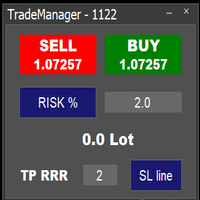
Easy to use trade manager/lotsize calculator. You can chose if you want to risk exact percentage of your account or exact amount of money. You can chose your risk to reward based on stoploss. Then you click on SL line and you can move where exactly you want to have stoploss. When you click on buy or sell, manager will calculate lotsize for you and opens trade. :) :)

执行买/卖订单时,TradeSnap 会自动捕获并保存屏幕。
只需将其设置在图表上,它就会自动保存,无需任何额外工作。
图表上的线条、箭头等也会按图像中的原样保存。
图像大小可以是 10000x10000 像素,因此您可以保存显示价格变动历史的水平图像。
参数信息
--事件参数--
Magic number (0=ALL):如果您有任何 EA,请设置 Mugic Number。
entry: true:打开执行时捕获。
exit: true:关闭执行时捕获。
--捕获信息--
图像宽度、图像高度:图像大小 x/y,以像素为单位。 最大值:10000px
--留言信息--
文本颜色、文本大小、文本位置、显示秒数:如果您想更改消息显示,请更改设置。
图像过滤器:deta filder/MQL5/Files/OshiraseSnap/
无:如有必要,请删除旧图像。
感谢您对本产品的关注。 如果您对我们的产品感到满意,我们将非常高兴。 如果不是,请联系我们寻找解决方案。 此外,如果您需要其他功能,请随时告诉我们。
FREE

介绍KML Grid:通过网格策略最大化您的交易潜力
KML Grid是利用网格策略将您的交易提升到新水平的终极工具。为雄心勃勃的交易者设计,KML Grid提供了一种创新的方式来利用市场波动并最大化您的利润潜力。
通过网格策略增强您的交易能力: 网格策略以在一定范围内利用市场条件的能力而闻名。KML Grid智能地利用这一策略,在预定的间隔内开启买入和卖出仓位。这使您能够利用市场走势,并在任何方向上潜在地获利。
灵活性和个性化控制: 通过KML Grid,您可以完全掌握交易策略的控制权。您可以调整参数,以根据个人偏好和风险承受能力来定制网格策略。设置间隔大小、最大仓位数量以及止损和盈利目标水平,以个性化您的交易方法。
智能风险管理: 有效的风险管理在任何交易策略中都至关重要。KML Grid使您能够设置止损和盈利目标水平,以保护交易并限制潜在损失。此外,通过部分平仓功能,您可以在市场向有利方向移动时保证利润,同时保持其他仓位以捕捉更大的波动。
直观且用户友好的界面: KML Grid具有直观且用户友好的界面,使设置和监控变得轻而易举。轻松查看您的开放仓位,管理风险水平,并

TradeInfo is a utility indicator which displays the most important information of the current account and position.
Displayed information: Information about the current account (Balance, Equity, Free Margin). Current spread, current drawdown (DD), planned profit, expected losses, etc. Number of open position(s), volume (LOT), profit. Today’s and yesterday’s range. Remaining time to the next candle. Last day profit information. MagicNumber filter. Comment filter.
Indicator parameters: ShowPro
FREE

Telegram Bot EA This Expert Advisor (EA) is a powerful tool that allows traders to receive Telegram notifications, manage Drawdown alerts, set up charts, and much more, all directly from the MetaTrader 5 platform.
The Expert Advisor (EA) tool, integrated with Telegram, offers extensive customizable options to enhance your trading activities. The product allows you to display the signal name in the messages for easy tracking. It further provides the feature of sending the MQL5 link, either with

*Display all text information you need on your charts.*
This will help you on displaying text on the chart, to note everything , for example: strategy.
* BUY SIGNAL
- rule 1 - rule 2 - rule 3 - etc * SELL SIGNAL
- rule 1 - rule 2 - rule 3 - etc
This will remind you to follow the discipline and trading strategy set by you.
The Discipline to Follow Rules is the Mark of a Top Trader
Safety first, then profit will come.
FREE

Use Day Trading Tracker to keep a record of your earnings across accounts. This indicator will show a dashboard in the Meta Trader chart to show for the profit or loss money in your account. It’s easy to see just how much money you’re making matched betting with the Forex Trading Profit Tracker. Key features: Track your profit over time Check out your stats. Track expected profits against actual profits. Export account history to Excel. MT4 version: https://www.mql5.com/en/market/product/39113
FREE

This script allows you to visualize the risk of your account based on the open orders you have. * Low risk is between 0 and 10% of handicap * Medium risk is between 11% and 30% of handicap * High risk is more than 31% of handicap
The script displays the spread of the current pair, the total of open positions, showing the lotage for both directions (buy, sell) as well as the number of buy and sell operations.
FREE

介绍FX28 Trader Dashboard – 您的终极交易管理工具 通过FX28 Trader Dashboard,解锁您交易体验的全部潜力,这是一款全面而直观的交易管理工具,旨在将您的外汇交易提升到新的水平。无论您是经验丰富的交易员还是刚刚开始您的金融之旅,这个强大的工具旨在简化您的交易活动并提高您的决策过程。 主要特点: 用户友好界面: FX28 Trader Dashboard拥有用户友好的界面,适应各个层次的交易员。通过几次点击轻松导航各种功能和工具,确保您只需轻松几下就完全掌控了交易。 实时市场数据: 利用实时市场数据源,始终保持领先地位,为您提供有关货币对、趋势和市场波动的最新信息。做出明智的决策,充满信心地执行交易。 高级交易分析: 通过高级分析深入了解您的交易绩效。跟踪交易历史,分析趋势,并识别模式,以优化您的策略和改善您的结果。 风险管理工具: 用我们强大的风险管理工具保护您的投资。轻松设置止损和获利订单,自定义仓位大小,并轻松实施风险收益比,确保自律和受控的交易方法。 多时间框架分析: FX28 Trader Dashboard允许您同时分析不同时间框架的市

Position Calculator calculates how many lots to trade based on: Entry and stop-loss levels Risk tolerance Account size (balance, equity, or even your savings account) Account currency Currency exchange rates - The main tab of the panel provides the primary control over the EA's functions and serves to output the most important calculation results: the position size, risk, reward, and risk-to-reward ratio. - The risk tab can help you assess current and potential risk and reward profile. Using a s
FREE

The E.A listens for keyboard events and performs specific actions based on the keys that are pressed. When the "C" key is pressed, the script iterates through all open positions and closes them. When the "D" key is pressed, the script iterates through all pending orders and deletes them. This E.A could be useful for traders who want to quickly close all open positions or delete all pending orders with a single keystroke. and specially in times of strong news. if you are SCALPER facing many Prof

Exaado Capital care If you've been searching for ways to manage Drawdown control, Drawdown Control, Balance protection, or Daily Drawdown Limit related to trading with Prop Firms, FTMO, My Forex Fund, or Funded accounts, then you've come to the right place. Additionally, if you're looking to safeguard your trading account, we can help. Do you struggle with managing your drawdown while trading funded accounts? Our EA is designed specifically for those in your position. Many prop firms have a "Tra
FREE

product video: https://vimeo.com/824742776?share=copy Trade Assistant, Trade Manager, Trade Panel for MetaTrader 5 with the following functions:
- Display the remaining candle time and the current time of day
- Open long and short positions without SL and TP at the current market price
- Display of the current ask, bid and spread
- Open long and short positions with predefined lot size, SL and TP at the current market price
- Quick selection of the lot size (freely selectable lot sizes)
-
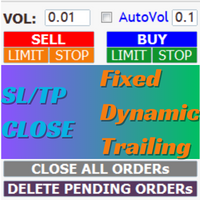
AIP – TradeManagement The main functions of Ea TradeManagement 1. GUI o Interact with running EAs o GUI for placing orders o Closing orders by Ticket o Closing orders by MagicNumber o Closing all orders o Delete Pending orders 2. General management: o Management based on Symbol, manually orders , orders from the EA, and orders from other EAs o User-friendly trade interface with the ability to drag and drop SL,TP,Entry o Support backtest
3. Stoploss man

Breaking TrendLine This Forex Expert Advisor is a semi-automated trading system that utilizes trend lines and support/resistance levels to execute buy and sell orders in the foreign exchange market. The system automatically places stop-loss and take-profit orders based on predefined parameters set by the user. The Expert Advisor operates on an algorithmic approach to trading, allowing for precise and timely execution of trades without the need for human intervention. This system provides traders

[ MT4 Version ] [ Discord Version ] [ Pro: Telegram + Discord ] Post your trades to Telegram automatically — and keep every signal UPDATED: this is the only sender that EDITS the original message when you modify SL/TP or close the trade. Your followers always see the real state of every trade, and your channel stays clean and professional. Built for signal providers, VIP channel owners and traders who share their trading. WHY THIS ONE ️ EDITS THE ORIGINAL SIGNAL

Instead of sticking to the Charts,let's use OneKey.
Welcome to our new product - OneKey ! This is a great product written in MQL5, a streamlined version of the ALL IN ONE Keylevel product with the only feature removed being Algo trading. Other features of the product are kept intact and not affected. OneKey integrates many notable functions, including trend determination and Kelevel drawing, detecting Engulfing candle signals, Pinbar, Sideway breakout patterns, BOS, CHOCH, along with profession
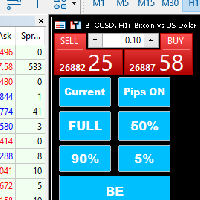
Introducing our MT5 Expert Advisor (EA) with advanced functionality to optimize your trading strategy: Current/All Button: Choose between closing trades on the current chart or all running trades across multiple charts. Enjoy flexibility in managing your positions with a single click. Pips Display Toggle: Easily view or hide your running pips and total pips. Stay informed about your trade progress with real-time updates. Full Close Button: Close all active trades swiftly and efficiently. Streaml

Hide Scale - 为需要更多屏幕空间的交易员提供的工具 使用说明 按下“T”键隐藏时间刻度,按下“P”键隐藏价格刻度。 您可以通过单击相应的按钮并在键盘上键入新键来自定义这些键。 要同时隐藏两个刻度,您可以将同一键分配给两个选项。 要重新显示刻度,只需再次按下相应的键即可。 为什么创建这个工具 我们创建这个 Hide Scale 工具的目的是为了帮助使用我们的 Sweet VWAP 指标的交易员获得更多屏幕空间。 我们的想法是为所有面临屏幕空间限制的交易员提供一个更舒适和高效的工作环境。 这个工具对于使用价格行动的交易员特别有用,因为他们通常只需要观察蜡烛的形成和价格的走势。 使用我们的工具,只需按下一个键即可隐藏刻度,再次按下该键即可显示刻度。 这样,交易员可以集中精力分析市场,专注于最重要的事情。 自定义键位 要自定义键位,只需单击相应的按钮并在键盘上键入新键即可。 请确保选择一个在您的平台中未被其他功能使用的键。 了解更多关于我们的信息: 立即提高您的市场分析能力! 使用我们的免费Metatrader 5的 VWAP指标 ,您将在金融市场中拥有竞争优势。结合市场上最重要的
FREE

引入MQL5实用程序按钮 - 轻松交易管理的终极解决方案!只需单击一下,您就可以立即关闭所有未平仓头寸,使您的交易体验比以往任何时候都更顺畅、更高效。
这个创新工具的设计考虑到了简单性,确保它易于所有级别的交易者使用。无论您是经验丰富的专业人士还是初学者,MQL5 实用程序按钮都提供了一种轻松无忧的方式来管理您的交易,无与伦比。 该按钮不仅简化了关闭所有未平仓头寸的过程,而且还为您节省了宝贵的时间。不再需要逐个手动平仓 - MQL5 实用程序按钮只需几秒钟即可为您完成所有操作。 那么为什么要等待呢?立即下载MQL5实用程序按钮,将您的交易提升到一个新的水平。简单,高效且随时可用 - 对于希望简化交易管理流程的交易者来说,它是完美的工具。
FREE

Because of the variety of strategies that traders and investors have developed over time, quantified, statistics-based strategies over time stand out. Statistical strategies are not based on technical analysis or similar patterns, as some might expect, but on the approach of using recurring patterns in the market, caused, for example, by liquidity effects, on the basis of a period-based entry and exit.
The Quantifier Expert Advisor therefore offers the possibility to implement exactly these sa
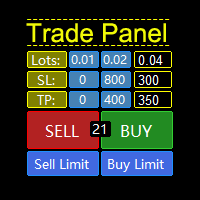
MQL5 Trading Panel SL TP — это мощный инструмент, призванный помочь трейдерам эффективно управлять своими позициями на платформе MetaTrader 5. Эта торговая панель предоставляет простой в использовании интерфейс для установки уровней Stop Loss (SL) и Take Profit (TP) для открытых позиций. MQL5 Trading Panel SL TP обладает широкими возможностями настройки и может быть адаптирована к конкретным потребностям отдельных трейдеров. Панель можно изменять в размере, перемещать и настраивать с помощью ра

--- StudentK Strategy EA --- 1. Various strategies available 2. Private channel for discussion 3. Keep going improvements for opportunities
4. Adapt StudentK's Indicators for advanced usage
5. ** Price must be increased from time to time (old 1-year members will get discount) **
--- Context --- StudentK is not indicated as a master or K Sir for knowledgeable person who claims for winning all the time. (But lots of traders should know the fact that it is rarely truth, especially in fluctuated p

Индикатора группирует исторические и актуальные данные по наименованиям инструментов. Индикатор работает с любыми инструментами. Сортировка по наименованию инструмента и прибыли, убытку. Движение средств (ввод / вывод), прибыльность за последние две недели. Информация сведена в таблицы с возможностью настройки формата таблиц. В одном окне информация по всем инструментам с которыми вы когда - либо работ работали.
多符号双击图表上的任意位置以设置价格警报并从终端警报或推送通知中获得通知
1. 在图表上添加 EA Utility
2. 按 <- 左或 -> 右箭头键浏览图表
3. 双击图表上的任意位置,它会添加一条线,拖动这条线以设置您想要的价格,瞧,警报已设置! 当价格达到该线时,它会根据实用程序的设置通过终端或推送通知通知您。 即使您重新启动终端,此警报也会继续工作。
4. 继续浏览多品种并继续在您希望收到警报通知的许多图表上添加线条。
5. 如果您想重新开始,请按 D 删除您设置的所有警报。
6. 删除水平线,警报将被禁用。
-- 多符号双击图表上的任意位置以设置价格警报并从终端警报或推送通知中获得通知
1. 在图表上添加 EA Utility
2. 按 <- 左或 -> 右箭头键浏览图表
3. 双击图表上的任意位置,它会添加一条线,拖动这条线以设置您想要的价格,瞧,警报已设置! 当价格达到该线时,它会根据实用程序的设置通过终端或推送通知通知您。 即使您重新启动终端,此警报也会继续工作。
4. 继续浏览多品种并继续在您希望收到警报通知的许多图表上添加线条。
5. 如果


[ MT4 Version ] [ Telegram Version ] [ Pro: Telegram + Discord ] Post your trades to Discord automatically via webhook — no bot setup, no permissions: paste ONE URL and you are live in 60 seconds . And keep every signal UPDATED: the original message is edited when you modify SL/TP or close the trade. Built for signal providers, trading communities and prop-firm teams living on Discord. WHY THIS ONE WEBHOOK-BASED — no bot to create, no tokens, no permissions. Disc

The application works as a service. It sends the report to the e-mail address you enter in your Meta Trade program.
Prepares H1 analysis reports every hour.
Prepares and sends D1 analysis reports after 00:00 at night.
Meta Trader analyzes all symbols loaded from the watch screen.
Below is a report for H1. I have added 2-3 symbols in the market watch as an example.
You have an assistant who does these analyzes for you every hour and sends you an e-mail. All the analysis is now done for yo

El EA Boton pone botones de Buy y Sell en la pantalla Ideal para usuarios que habren muchas ordenes y diferentes pares
9 botones buy desde 0.01 al 0.09 y 9 botones sell de 0.01 al 0.09 9 botones buy desde 0.1 al 0.9 y 9 botones sell de 0.1 al 0.9 Boton Close buy y sell Boton Close buy positivos y Boton Sell positivos Boton Close buy negativos y Boton Sell negativos un boton close all y botones buy de 1, 5 y 10 y botones de sell 1,5, 10

This utility is a stop loss assistant simply make a trade as you desire, ether a buy or a sell. Manually set your own stop loss as you desire the higher the timeline the lower the stop loss.
When the Algorithm Trading or Auto Trading is enabled the stop loss will follow the market price. Stop/disable the Algorithm Trading or Auto Trading.
This is a simple stop loss tailing utility use at own risk or pleasure.

It Will Close Your All Trade in Half of second no matter you open 100 plus trade open it will close all trade half of second .
it good work for 1 -5 min scalping this Ea have many function see the pic i uploaded there .
ea that have function close all trade , close all lossing trade , close all profit trade . also have lot system where you can put your expected lot and buy sell button and it can close 100 trade in 1 second

交易管理器可帮助您快速进入和退出交易,同时自动计算风险。 包括帮助您防止过度交易、报复性交易和情绪化交易的功能。 交易可以自动管理,账户绩效指标可以在图表中可视化。 这些功能使该面板成为所有手动交易者的理想选择,并有助于增强 MetaTrader 5 平台。多语言支持。 MT4版本 | 用户指南+演示 交易经理在策略测试器中不起作用。 如需演示,请参阅用户指南 风险管理 根据%或$自动调整风险 可选择使用固定手数或根据交易量和点自动计算手数 使用 RR、点数或价格设置盈亏平衡止损 追踪止损设置 最大每日损失百分比,在达到目标时自动平仓所有交易。 保护账户免遭过多提款并阻止您过度交易 最大每日损失(以美元为单位)在达到目标时自动关闭所有交易。 保护账户免遭过多提款并阻止您过度交易 一键实现所有交易的盈亏平衡 自动计算从手机/电话发送的交易的风险 OCO 在设置中可用
交易和头寸管理 通过设置每月、每周、每天、每小时或每分钟的最大交易次数,停止过度交易和报复性交易。 高级挂单管理。 调整何时关闭挂单的规则 追踪挂单 支持市价订单和挂单 每日最大利润目标(以美元为单位)以确保头寸并停止

Tick Database — export of tick database from MT5 terminal to MT4. The utility provides access to the tick database in real time. This is necessary to generate synthetic charts in the MT4 terminal, which initially does not provide for loading a tick database. For example, you can organize permanent access to the tick database for the Seconds Chart utility. If the opening time of the current candle in the terminals is different, then you need to specify the time offset in hours. Example We open M1
FREE

1. What is this Many of the EA's on the market have cheats inside to optimize its money curve, which results in the buyer wasting money and effort and buying a junk EA . This tool is an effective tool for detecting whether an EA is cheating by allowing the data to be panned to the left for 28 years. 2. How to use a. Load it and it will generate a new symbol, usually it will be named with a suffix. For example, EURUSD --> EURUSD_28year. b. If your want to test one EA, you should open The time fr

TrendFollowing is an multi-currency scanner that just indicates where to buy/sell: Abilities: Opens up the chart automatically with and arrow indicating where to take action. Send the signal to a telegram channel, see @fx_signal_com channel to get the idea. Configuration: No need to configure "Market Watch". Open a chart and attach the scanner to it. Trading Rules: Use only buystop/sellstop orders above/below arrow on the chart. Delete the pending order if price retraces below/above the moving
FREE

TrendFollowing is an multi-currency scanner that just indicates where to buy/sell: Abilities: Opens up the chart automatically with and arrow indicating where to take action. Send the signal to a telegram channel, see @fx_signal_com channel to get the idea. Configuration: Configure "Market Watch" with all the symbol you like to trade. Open a chart and attach the scanner to it. Trading Rules: Use only buystop/sellstop orders above/below arrow on the chart Delete the pending order if price retrac
Este script permite abrir operaciones de forma rápida con un loteo automático basado en el "equity".
También permite habilitar/deshabilitar la colocación de SL y TP al hacer clic en un botón. Si se habilita el SL o el TP, también se tiene la posibilidad de establecer el riesgo que se desea tomar en pips.
* Se recomienda ocultar los botones de compra y venta originales.
FREE

此工具将具有指定或自动计算的时间差的原始时间刻度添加到图表底部。
通过使用这个方便的工具,您可以提高图表的可读性,并通过以您或您所在国家/地区熟悉的时间格式显示图表来减轻精神压力。
即使您不需要计算时差,只需将默认时间刻度替换为 Local_Time 即可提高图表的可读性。
Local_Time支持多种时间格式,如“DD.MM hh:mm”、“DD MMM hh:mm”、“MM-DD hh:mm”、“MM/DD hh:mm”、“DD hh:mm”、“ hh:mm”,专为不同国家的人使用而设计。
通过灵活的参数设置,您可以根据需要自定义 Local_Time,从删除默认时间刻度、自动或手动计算时差、调整夏令时、调整刻度之间的间隔。
如果在 Local_Time 下面创建了一个子窗口,会出现一个红色的条,点击它可以将其移动到底部。
产品图片请参考截图。
how to use
https://www.mql5.com/en/blogs/post/752455
FREE

Msg2Slack 是将消息从 MT4/MT5 文本框发送到 Slack 的工具。 只需单击位于文本框右侧的按钮,您就可以轻松地将文本和图表图像发送到您的 Slack 频道。 即使您在图表上画线、标记、注释等,图像也会被发布。
无论您是想向自己还是群组发送消息,这个简单而强大的工具都可以让您非常轻松地捕获图表图像并即时发送消息。
Msg2Slack 工具显示在图表底部。 只需输入您的消息并单击右侧的按钮即可发布您的消息或带有图像的消息。
虽然效用水平因人而异,但任何使用 Slack 进行交流的人都可以从 Msg2Slack 即时发送图表图像的能力中获益。
获取 Slack API TOKEN 并将其设置为该工具的参数。
您还可以使用策略测试器来检查它是否有效。
FREE
Trading assistant that offers advanced management of your trades with optimization features. It automatically calculates the risk per trade, makes it easy to set up new orders, and offers advanced management tools such as automatic trade closing in 5 different ways. It also has other useful features that will improve your control and decision making. And best of all, you can use it in the strategy tester to perfect your tactics before trading live!
Our trading assistant is a trading tool that

Here is a powerful trading tool that will allow you to trade manually or automatically in any market, but is especially useful in markets with high volatility and liquidity.
This system has two EAs (Expert Advisors): one for Buy and one for Sell, which work independently. The operation is based on the hedging strategy and the increase in lots based on the Fibonacci sequence, which will allow you to always add the two previous lots: 1, 2, 3, 5, 8, 13...
You decide how you want to trade: you ca

PropAngel EA is a manager EA to help you to pass proprietary firm challenges and evaluations and to keep your funded accounts. PropAngel EA makes sure you do not breach daily drawdown limit which gives you change to continue trading the account and recover from the drawdown. PropAngel EA makes sure that at the moment you have reached your challenge, evaluation or scaling target all trading will be immediately stopped. This is done to prevent account falling away from the target. PropAngel EA giv
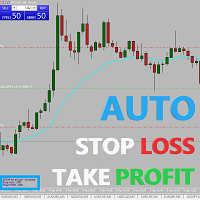
Easy and simple Automatic Stop Loss and Take Profit manager.
For all pairs, indexes etc. Works with all instruments.
All types of orders. All charts.
Users inputs:
- take profit in pp
- stop loss in pp
- font name,size and color
- corner for place settings info
Save & Load settings option.
Fast, simple and reliable trade assistant.
A "MUST HAVE" for all traders.
Check out other tools provided by our team!

Easy and simple tool which close all trades in defined point of time. It can also close all open trades when opened positions reach defined target profit or stop loss.
For all pairs, indexes etc. Works with all instruments.
All types of orders. All charts.
Users inputs:
- close time (hour,min,sec)
- take profit (in users currency)
- stop loss (in users currency)
Save & Load settings option.
Fast, simple and reliable.
Check out other tools provided by our team!
FREE
This indicator shows both GMT time and your broker's time on the chart.
Simply attach the indicator to a chart, and you will see the GMT time and your broker's time displayed in the top left corner, as shown in the screenshot. By using this indicator, you can always stay informed about your broker's time, which is especially useful during daylight saving changes.
You won't have to worry about whether your broker follows the US or EU schedule, as the indicator automatically adjusts to reflect any
FREE

我们中的大多数人使用VPS来运行我们的交易EA,24/7,但如何监控这些终端是否正常运行?
如果他们崩溃了,或者因为更新而关闭了怎么办?我如何得到这方面的通知?
这就是我们的心跳监测发挥作用的地方。
它为您的所有终端和VPS提供24/7的监控。
那么,我们需要什么呢?
1.一个 在Cronitor 的免费用户 账户 ,一个专业的监控服务。
2.2. 这个工具在您的VPS上的图表上运行。 在MT5或连接问题的情况下,您会收到邮件通知(有更多的通知方式)。
我们使用这个技术方案来监控我们关键的后台基础设施,所以它被证明是可靠和有用的。
请 阅读完整的教程 ,在我合作伙伴的博客:Daniel Stein。
如果你愿意,你也可以使用 Nodeping服务 (付费)。
通过我们 在mql5 和 Telegram 上 的 晨间简报,获得每日市场更新的细节和截图!
Trade simplifier is a trade panel that simplifies trade opening. It is simple and easy to understand, with key features to ease trading. Features include:
Order type selection Fixed lot entry from the chart user interface Easy Take profit entry field on the chart user interface Visual take profit selection and adjustment via the line that appears when you click the Take Profit button Easy Stop loss entry field in points on the chart user interface Visual Stop Loss selection and adjustment via
FREE
MetaTrader市场是 出售自动交易和技术指标的最好地方。
您只需要以一个有吸引力的设计和良好的描述为MetaTrader平台开发应用程序。我们将为您解释如何在市场发布您的产品将它提供给数以百万计的MetaTrader用户。
