 MetaTrader 5
 专家
专家
 指标
指标
 程序库
程序库
 实用工具
实用工具
 窗口小部件
窗口小部件
 规则
规则
全新的MetaTrader 5 交易实用工具 - 75
 以下是可在MetaTrader 5中简化交易的交易程序。将鼠标悬停在一个工具上,阅读它的描述和用途。
“Time Sessions MT5”是外汇交易者的另一个便捷工具,显示全球主要的四个交易时段。
时间场次: 该工具中的时间会根据您的当地时间自动设置。 它有一个移动时间标志,每秒向左移动并向您显示实时时间。 该面板包含漂亮的图形,引人注目。
此外,您可以将面板移动到图表上的任何位置。
更多解释...
希望能享受其中。
终于:
我强烈鼓励您分享您的想法和反馈。
提供您认为交易者可能需要的任何信息至关重要。
作者:
我是一名 MQL 语言程序员,三年来我一直在做各种项目。
我是一名电气工程师,我喜欢解决难题。
加入我的小组一起讨论;)
赛佩尔外汇。 微量润滑集团 .....................................
在金融市场领域,熟练的资本管理至关重要。它不仅仅是为了保护你的初始投资,还要增加它。手工计算的时代已经过去。最大化你的回报,最小化你的风险,以前所未有的方式释放金融市场的潜力。通过交易面板掌控你的交易旅程。 如果你是一名高频交易者,需要快速执行交易,我们的交易管理面板提供了所有必要的工具。通过简单点击“买入”或“卖出”按钮,设置固定的订单参数并迅速执行交易。你可以通过一个按键关闭所有头寸,或选择特定类型的挂单,或仅平仅盈利或亏损交易。 体验一种新的便捷、高效和盈利的水平。
如何使用Trade Panel MGH MT4 Version
设施:
• 跟随止损 - 当你的交易获利时,程序会保护利润的另一部分
• 部分平仓 - 当价格向有利方向移动,你的交易达到更多中间目标时,程序会通过平仓来实现利润
• 保本 - 你的交易既不赚也不亏的点位
• 无风险 - 如果你选择了止损位为零,将是无风险的
• 3个精确的手数选项
• 在图表的角落看到有关TP、SL、买入盈利、卖出盈利、交易品种和时间框架的信息
• 一键下挂单
• 点数设定的获利
大家好
“Trader Assistant Mini”是一款方便的工具,可通过流畅的 R:R 面板计算每笔交易的风险。
风险回报率加上交易面板:
每个交易者都可以方便地根据利润大小计算损失大小,并管理每个交易者的风险,以便他可以判断这是否是一笔好交易。 此外,它还以点数和百分比显示损失和利润以及损失和利润。 How to install the demo version + Demo file: Trader Assistant Mini MT5 Demo 您可以看到“交易助手专业版”。 Pro Risk Management Panel MT5
希望能享受其中。 终于:
我强烈鼓励您分享您的想法和反馈。
提供您认为交易者可能需要的任何信息至关重要。
作者:
我是一名 MQL 语言程序员,三年来我一直在做各种项目。
我是一名电气工程师,我喜欢解决难题。 ..................

使用革命性的交易时间管理器轻松控制您的交易程序。这个强大的工具可以在指定时间自动执行订单,从而改变您的交易方式。 为不同的交易行为(从购买到设置订单)制定个性化任务列表,所有这些都无需人工干预。 交易时间管理器安装和输入指南 如果您想获取有关 EA 的通知,请将我们的 URL 添加到 MT4/MT5 终端(参见屏幕截图)。 MT4版本 https://www.mql5.com/en/market/product/103716 MT5版本 https://www.mql5.com/en/market/product/103715 告别人工监控,拥抱精简效率。直观的界面允许您设置精确的参数,包括交易品种、执行时间、价格、止损 (SL)、止盈 (TP) 点和手数大小。 该工具的灵活性通过与市场行为相匹配的适应性重复选项来凸显。通过视觉主题个性化您的体验,并减少长时间交易期间的眼睛疲劳。 摆脱手动交易程序,拥抱“交易时间管理器”的强大功能。提高交易的准确性、组织性和自由度。简化您的日常工作并重新体验交易。
主要特点:
自动订单执行:按指定时间间隔无缝自动执行订单,从而节省您的
Expert Advisor that tracks assets listed in the Market Watch window by checking which assets are needled (crossing the 3, 8, and 20 moving averages) or are close to crossing. It does not track when there is no crossing of the averages. The EA allows you to choose the timeframe for analyzing the crossings. There is no maximum limit for assets or EAs running simultaneously, but a very large number can lead to system slowdown and freezing. Users should be mindful of their device's capabilities. Th
FREE

Missing entry opportunities,profitable exits or the chance to make profitable set ups on the chart can be very frustrating for a trader.This tool will help you by giving you alerts if your criteria or conditions have been fully met.It will send you alerts based on conditions you have set and send them through email and mql5 notifications (laptop and mobile devices). 1.Creating Alerts In order to create an alert you must first give the alert its name and how frequent it send you those alerts if c

Chart Walker Analysis Engine | Machine-led instincts
Recommended Time Frames M30, H1
TRADING INTEGRITY: CHART WALKER NEVER REPAINTS ITS SIGNALS. What you see is EXACTLY what you get. Unlike standard indicators that alter past data to look profitable, the Chart Walker Analysis Engine locks its signals into market history the exact millisecond a candle closes. ONCE PRINTED, IT STAYS FOREVER. No vanishing Signals. No shifted entries. No historical manipulation.
Every buy and sell alert remains

Chart Notes = MULTI LINE TEXT INPUT ON CHART FOR MT5 is finally here! # sticky notes This indicator is a powerful text editor for placing notes on chart, similarly like the feature on Tradingview.
There are 2 types of messages: anchored (on screen ) and free (on chart).
1. Anchored = stays on the same place on screen (x point, y point) -this text can be EDITED on click (first line is for dragging the message around- this line is edited via right clicking- >properties) -move the messages by dra

TradeGuard by Chart Walker TradeGuard is a MT5 Expert Advisor (EA) designed to enhance your trading experience by automating key aspects of trade management. This EA excels in efficiently managing Take Profit (TP) and Stop Loss (SL) levels, offering a seamless and intelligent approach to trailing stops. One of TradeGuard's standout features is its Smart Trailing Stop, which dynamically adjusts the trailing distance based on market conditions. This adaptive approach helps maximize profits dur
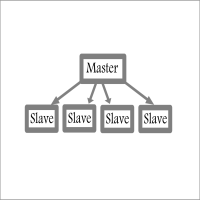
Fast / Reliable / Multi Functions / Simple To use local MT5 to MT5 | MT5 to MT4 platform copier , it will copy all your Master account orders into any Slave accounts very fast , no delay, Also it supports any kind of orders/ExpertAdvisors such as Buy / Sell / BuyStop / SellStop / BuyLimit / SellLimit / Smart Partial Closing / opened in Hedge mode / opened in Martingale mode / Modifying Pending orders / Modifying StopLoss-TakeProfit .using it is simple , Just drop the EA on Master account which y
Just key in your equity target
step 1: drag/ Double click ''Auto Close EA for Prop Firm "
step 2: Allow modification of signals settings & Allow Algo Trading
step 3: Key in your equity target
step 4: Turn on Algo Trading
*you can add some buffer, example: 8% for 10,000 acc, key in 10805 / 10801 / 10810 and etc
"Disclaimer:
The information provided in this communication is for informational purposes only and does not constitute financial advice.
Trades are closed in a loop, not simultaneous

Title: News History Downloader with Filters for MetaTrader 5
Enhance your trading analysis with the News History Downloader script for MetaTrader 5. This powerful tool allows traders to effortlessly download historical news data from the MQL5 news feed directly into a convenient CSV file. Make informed trading decisions by filtering news events based on country and importance (impact level), focusing on crucial data for comprehensive market analysis.
Key Features:
- Effortless Historical New

MT4 to Discord Signal Provider 是一款用户友好、完全可定制的工具,专为直接向 Discord 发送交易信号而设计。这个工具将您的交易账户转变为一个高效的信号提供者。 自定义消息格式以适应您的风格!为了方便使用,您可以从预先设计的模板中选择,并决定包括或排除哪些消息元素。 [ 演示 ] [ 手册 ] [ MT4 版本 ] [ Telegram 版本 ] New: [ Telegram To MT5 ]
设置 遵循我们详细的 用户指南 进行简单设置。 不需要预先了解 Discord API;我们提供所有必要工具。
主要特性 为订阅者更新自定义订单详情。 实施分层订阅模型,如铜牌、银牌、金牌,每一层都提供不同级别的信号访问。 附加执行订单的图表截图。 在这些截图上显示已关闭的订单,以增加清晰度。 提供延迟发送新订单消息的选项,以便在发送前进行最后调整。 透明和详细的订单信息: 带截图的新市场订单。 订单修改(止损、获利)。 已关闭和部分关闭的订单。 新的和修改的挂起订单。 挂起订单的激活和删除。 关于历史订单的详细报告。 每个订单的可定制评论。 注意: *

避免過度交易、FOMO和強迫性行為,通過使用EmoGuardian對你的交易帳戶施加高級風險限制。 自動為倉位添加 止損 , 管理 EA 損失 , 自動載入 / 卸載 EA 。 限制 每個頭寸、每筆交易、每個時間範圍、每天的風險。 風險管理選項旨在專門解決導致交易者爆倉的強迫行為。 注意 : 這是一個實用程式 , 因此它不適用於策略測試器。EmoGuardian 不適用於凈額結算帳戶 (大多數交易帳戶都是對沖帳戶) 完整、詳細的手冊,請訪問以下連結: https://www.mql5.com/en/blogs/post/753194 獨特功能: 自動將止損添加到賬戶餘額的百分比或點數的頭寸中 當達到風險限制時終止 EA,並在第二天自動重新載入它們 創建緊急信號以管理 在 VPS 伺服器上運行的 EA 每日限額 以帳戶貨幣設置最低/最高凈值水準 以貨幣價值或百分比設置每天的最大損失/最大收益 自訂一天的開始時間 持倉限額 限制每個倉位的最大開倉量 限制每日最大交易量 限制每天的交易數量 施加最大連續失敗者數 對每筆交易或每個交易品種施加最大未平倉風險 每個時間範圍的限制 最多可定義 3
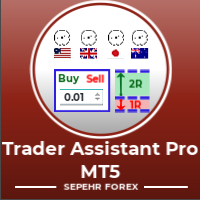
Trader Assistant MT5帮助每个交易者根据他的余额管理每笔交易的风险,并且它有一些方便的工具。 注意力。 该应用程序在策略测试器中不起作用。 如何下载演示。 交易助理: 它使用特殊的流畅面板 - 元交易平台上没有该面板。您可以在建立交易前查看盈利和亏损金额。它还具有一些方便的工具,如下所述。
风险回报率面板. 该面板类似于交易视图平台。 您可以将 RR Ratio 设置为固定数字,例如 1:2 或 1:3 或...。此外,您还可以将止损设置为固定的点数。 交易量计算. 交易量可以通过三种模式计算。 第一个是您可以批量设置的固定体积。第二种是基于固定现金止损。 第三个是基于您的止损余额/净值的百分比。
工具菜单. 它有每个交易者都需要的四个方便的工具。 规模修复。 只需单击一下,您就可以比平时放大图表。 蜡烛定时器。 它显示蜡烛关闭之前的剩余时间。 整数价格。 它显示了最接近的整数的 12 个价格水平。 世界交易时间会话。 该面板根据“您的当地时间”显示四个主要交易时段 - 纽约、伦敦、东京和悉尼。 重要的. 该 EA 将在未来版本中具有额外的功能特性,从而导致

该程序将允许您使用非常友好的用户界面将所有交易从 MetaTrader 帐户直接导出到 Notion。 MT4版本 | 用户指南+演示 要开始使用,请使用用户指南并下载概念模板。 如果您想要演示,请参阅用户指南。 在策略测试器中不起作用! 主要特点 将所有交易从您的交易账户导出到您的 Notion 将运行交易和挂单导出到 Notion 并更新它们 创建模板 最后一日出口贸易 上周出口贸易 上个月出口贸易 从自定义时间范围导出交易 自动将所有新的已平仓交易发送至 Notion 选择要包含在导出中的字段,例如订单类型、数量、开仓时间、平仓时间等
如何开始 转到上面的用户指南或启动 EA 并单击“获取连接帮助” 连接后,单击“开始:导出全部”将历史记录中的所有当前交易发送到 Notion 如果您希望它自动将所有新的已平仓交易发送到 Notion,请选中“更新新已平仓交易”
如果您有任何问题,请告诉我。 随着产品的开发,将添加新功能。
介绍 Telegram Signal Sender MT5,一款强大的工具,旨在自动化将交易信号直接发送到您的 Telegram 频道的过程。这个工具非常适合有抱负和成熟的信号提供者,帮助他们增强与追随者的沟通,并简化交易警报的分享。 使用 Telegram Signal Sender MT5,交易者可以受益于更高的参与度和更快的市场机会传播。用户报告称响应时间和协调性显著改善,使他们能够更多地专注于交易,而不是手动发布信号。 MQL 产品安装指南 | 在 MT4/MT5 上更新已购买的 MQL 产品 | 常见故障排除指南 | 指标设置 / 指南 主要特点 图表仪表板:在图表上直接显示实时信息面板,以便即时状态概览。 自动信号传递:将交易信号(买入/卖出,止损,获利水平)发送到 Telegram 频道,简化沟通,无需手动发布。 可定制面板:调整面板位置、大小和外观,创建符合您偏好的用户友好体验。 风险管理:根据用户定义的风险回报比计算止损和获利水平,增强交易决策。 灵活的消息格式:自定义消息内容,以确保专业的信号展示,包括相关的交易数据。 Telegram Signal Sender

Click and Go Trade Manager: The Ultimate MT5 Execution Suite Precision Execution. Professional Performance Tracking. Total Control. In the world of Smart Money Concepts (SMC) , ICT, and high-frequency scalping, precision is your only edge. Most traders lose not because their analysis is wrong, but because their execution is slow and their psychology is undisciplined. The Hard Truth: If you are still manually calculating lot sizes or dragging lines while the price moves against you, you

It has never been so easy to manage the risk of your account until now, this tool will allow you to have full control of your capital and manage your entries in the synthetic index derivative markets, in an easy, practical and safe way. The available input and configuration parameters are as follows : RISK MANAGEMENT 1. Value of your account: Here as its name says you will place the value corresponding to the size of your account, for example if your account is 150 dollars the corresponding val

It has never been so easy to manage the risk of your account until now, this tool will allow you to have full control of your capital and manage your entries in the synthetic index derivative markets, in an easy, practical and safe way.
The available input and configuration parameters are as follows : RISK MANAGEMENT 1. Value of your account: Here as its name says you will place the value corresponding to the size of your account, for example if your account is 150 dollars the corresponding

Whether you are a trader that uses Expert Advisors (EA) or you trade manually, if you decided to obtain a funded account and you are going to start an evaluation phase with a Prop Firm (like FTMO, MyForexFunds, FundedNext and all the other ones available), you will surely need to pay close attention to put a daily drawdown limit. That seems easy, at least in words, but dealing with the rigid rules of a Proprietary Firm leave no space for mistakes, distractions, emotional blindness or execution

测试您的交易思路并查看它们在市场中的表现从未如此简单。只需在图表上点击4次,选择过去的任何"密码"模式,将其添加到回测列表中,完成!您将获得每个交易品种和时间框架的完整数据分析。
密码策略教程
请注意,机器人在策略测试器中不起作用 四次点击即可选择密码 自动调整止损和盈利目标水平 多种资金管理策略:每笔交易的风险百分比,固定金额交易,固定手数交易 验证密码策略以避免无效模式 通过选择过去的密码进行简单回测,并生成交易品种和时间框架的数据分析 分析包括交易数量,胜率,利润,目标命中率,平均收益与风险比率 适用于运行缓慢的计算机或虚拟专用服务器的特殊模式 未来更新将包括策略优化,更多统计数据(如最大回撤)和分析选项 。
FREE
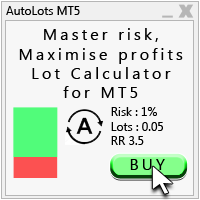
Auto Lots MT5
Auto Lots MT5 is an innovative and powerful application designed for traders on the MetaTrader 5 (MT5) platform. The application offers a user-friendly and intuitive interface, allowing traders to efficiently manage their positions, set precise entry levels and apply advanced risk management.
Key features: 1. Creation of SL/TP zones on the chart: The application allows users to create two customisable rectangles directly on the chart, making it easy to adjust entry points, take
FREE
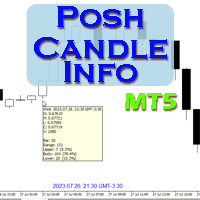
Show candle info with: Time in selected timezone Bar number Candle range points Upper wick points and percentage Body points and percentage Lower wick points and percentage Mark large/small candle body with customizable line. Settings group: Broker and local timezone. Lookback bars for candle marking. Large candle body Small candle body Date and time info with auto position or custom the x and y coordinate.
FREE

Trading Utility for Forex Currency Pairs Only not for Gold Functions Auto Lot Calculation based on Risk Auto stoploss Auto TakeProfit Breakeven Auto Close Half % Close in percentage with respect to the PIPs Pending Orders BuyLimit Sell Limit with distances BuyStop Sell Stop with distances Trading Informations Risk in percentage For Multiple trades Combine Takeprofit and Combine Stoplosses

介绍 CandleBot - 您的最终免费工具,用于识别和交易蜡烛图形式!借助 CandleBot,轻松识别牛市和熊市的吞没,晨星和暮星信号,从而在市场中占据优势。蜡烛图形式源自一段特定时间内的开盘价、最高价、最低价和收盘价,是价格走势的视觉表现,帮助交易员分析市场情绪,预测潜在的趋势反转或延续。 了解蜡烛图形式: 吞没图形式: 由两根蜡烛组成,第二根蜡烛完全覆盖第一根。在下降趋势结束时,出现的牛市吞没信号可能标志着上升趋势的反转,而在上升趋势结束时,出现的熊市吞没可能表明可能的下降趋势反转。吞没蜡烛的身体越大,信号越强烈。 锤子图形式: 单根蜡烛,其身体靠近顶部,底部有着长长的下影线,类似锤子形状。牛市锤子表明在下降趋势后可能发生反转,显示买家介入。下影线越长,潜在反转信号越强烈。 晨星图形式: 一个由三根蜡烛组成的图形,表明可能发生牛市反转。以一根熊市蜡烛开始(代表下降趋势),接着是一根小的牛市或熊市蜡烛(表示犹豫不决),最后是一根较大的牛市蜡烛(表明可能发生上升趋势)。晨星信号表明下降趋势可能结束,发生反转。 CandleBot 的显著特点: 可定制参数: 为符合您的交易风格,定

THIS EA IS A SEMI-AUTO EA, IT NEEDS USER INPUT. Manual & Test Version Please TEST this product before BUYING and watch my video about it. The price of the ManHedger will increase to 250$ after 20 copies sold. Contact me for user support or bug reports or if you want the MT4 version! MT4 Version I do not guarantee any profits or financial success using this EA.
With this Expert Advisor, you can: Implement your own Zone Recovery strategy to capitalize on trending markets. Create Grid trading s

T-Wallpaper. This is a very useful wallpaper that comes with trade manager panel. You can choose any wallpaper of your choice. Must add the WallPaper file to your MQL5 Data Folder. Follow this easy steps: Download the WallPaper files from our channel https://www.mql5.com/en/channels/transitbk98 Open MT5 Select files Open Data Folder Open MQL5 Open Files and past the Wallpaper folder Now the wallpaper will display. Wallpaper settings are found on the user input. Trade panel settings are found on
FREE

使用我们的仓位大小智能交易系统(EA),无缝输入订单并自动计算交易手数,成功应对所有道具公司的挑战。您稍后会感谢我们的!
EA 不是交易机器人,在策略测试器中无法运行! 主要功能 机构级风险管理: 每次交易只需承担余额 1%的风险,从而实现一致性。保护您的账户免受毁灭性损失。 自动头寸大小: 告别复杂的手数计算。我们的 "专家顾问 "会为您计算,确保您的交易决策精确、快速。 市场订单: 以闪电般的速度执行市场订单。只需设置止损和止赢,然后点击买入或卖出即可。 挂单: 设置入市价格、止损和止赢,然后单击即可执行。 收支平衡保护: 自信地维护您的资本。默认设置为 1%,"收支平衡 "会根据您的入市价格调整止损点,保护您的投资不受意外价格波动的影响。 真实盈亏平衡: 佣金转移功能默认设置为 10 个点,可吸收交易佣金和滑点成本,防止产生额外费用。 实时头寸统计: 进入交易后,智能交易系统会立即显示仓位类型以及相应的盈利/亏损(以美元价值和点数表示)。 放大和对冲: 迅速对市场状况做出反应。添加更多市场订单或挂单,以扩大交易规模或对冲不利的价格波动。 无缝头寸管理: 直接点击图表上的 "X

常规用法:
您可以将该指标用作反转系统的可靠确认工具,也可以将其用作强大的独立交易系统。它允许您在价格遇到每个枢轴点或支撑/阻力位时分析反转的概率。它起到了类似于背离或趋势延续的作用。该工具的风险收益比至少为1比2,在最佳情况下,通过适当的追踪,它可以达到1比10。
MT4 版本
优势:
• 提高成功率
• 是交易方法或自给自足策略的出色补充
• 可以提供任何方向(上升、下降或横盘)的信号
• 多时间框架
• 无重绘
• 轻量级和优化的代码库
• 手机、电子邮件、声音和视觉警报
• 可应用于任何金融资产
• 面向专家和初学者
工具原理:
它使用神奇数字(例如9、26、52等)作为输入,并基于一目均衡表云进行多时间框架分析。它为每个蜡烛赋予特定的分数,基于其反转强度。分数越高,反转的可能性就越高。
该工具的策略适用于1分钟和5分钟时间框架,涉及将简单的Tenkan-sen(9期移动平均线)添加到图表中,在1分钟时间框架中,寻找值为6的直方图,或在5分钟时间框架中,寻找值为5的直方图。数值为5表示当前时间框架和四个更高时间框架中满足反转条件。例如,如果您在1分钟时间框架中看到数字5,则
KT Trade Manager 是一款强大的交易工具,能够提升交易执行与持仓管理的效率。通过简洁易用的界面,交易者可以轻松监控并控制他们的交易。 这是一套全面的交易解决方案,涵盖了交易中的多个关键环节,包括风险控制与仓位管理。将这些核心要素整合在一起,帮助交易者更有效地应对金融市场,做出明智决策并优化交易策略。 随着全球市场不断发展,尤其是在外汇市场中,高效的交易工具对新手和专业交易者来说都变得越来越重要。这款工具已彻底革新了外汇交易方式。 这款功能强大的交易辅助工具为交易者提供了无与伦比的进场和持仓管理支持,助您将交易表现提升到新高度。
功能特点
清晰且用户友好的操作界面。 轻松执行市价订单与挂单。 一键设置移动止损、自动保本、部分平仓。 图表上显示入场、止损和止盈的交易线。 可通过控制面板按钮或图表线管理止损和止盈。 支持固定和自动仓位计算,按每笔交易的风险百分比设定。 一键关闭所有盈利或亏损的订单。 一键批量下挂单或删除所有挂单。 适用于外汇、加密货币、股票、期货、大宗商品、指数和贵金属,兼容 2-3-4 位定价格式。 使用 magic number 机制,避免与其他 EA

(This is the free version of our trade manager, download it for free and test it, and provide feedback. If you are satisfied with its capabilities, you can try out its bigger brother the Deriv Scalp Manager also available from us.)
EA Summary If you are a scalping trader who wants to place and close trades quickly and efficiently, you need a powerful tool that can help you achieve your goals. That's why we created the Deriv Trade Assistant EA, a smart and easy-to-use expert advisor that au
FREE

Pairs Navigator is a simple and easy-to-use tool that allows you to view all of your charts in a single window. This eliminates the need to open multiple charts from the Market Watch window, saving you time and effort. Pairs Navigator is also very lightweight, so it will not put a strain on your RAM or cause your MT4/5 platform to hang. To use Pairs Navigator, simply drag and drop the currency pairs you want to view into the Pairs Navigator window. You can then easily switch between charts by
FREE

Introduction Scruffy Countdown is a utility for MT5 that displays a countdown timer based on the chart's current timeframe. As each new bar (candlestick) appears the countdown is reset. Features include: Countdown based on current chart timeframe Customisable font and size Warning before and after the hour in minutes with customisable colours (optional) About Scruffy Coder We may be scruffy in name and wear a few scruffy clothes but we're dedicated to bring you useful and reliable tools for MT5
FREE

Trade Cypher Bot精确地执行和管理Cypher谐波形态交易,为您节省宝贵的时间,使您能够专注于做出充分知情和有利可图的决定。
如何使用Trade Cypher机器人 | Cypher策略教程
请注意,该机器人在策略测试器中不工作
只需在你的图表上点击四下,Trade Cypher Bot就能处理所有重要的交易管理任务。它确保模式验证,监测市场变化,并提供各种资金管理策略,让你有信心安心交易
体验交易记忆的便利性,它安全地存储每一笔交易,并提供一键访问高级统计数据。轻松地回溯测试你的交易理念,并继续关注令人兴奋的更新,如策略优化和最大跌幅分析。今天就加入我们,用Trade Cypher Bot像专家一样进行交易,它是你精确自动化交易的可靠伙伴。
四键选择Cypher,自动下单 自动调整SL和TP水平 多种资金管理策略:每笔交易的风险百分比、每笔交易的固定资金数额、每笔交易的固定手数 验证Cypher策略以避免无效的模式 保存交易历史,用于高级统计和分析 通过选择过去的Cyphers和生成符号和时间框架的数据分析,轻松进行回测 分析包括交易数量、胜率、利润、目标命中率、平均

Hm(水平标记)专为水平水平的手动标记而设计。 标记包含级别及其价格值。 线的厚度和颜色以及价格值在设置中设置。 水平可以放置在本地的时间框架,或公开设置所有的时间框架。
他的工作很简单:
1)–按你在设置中设置的键来标记级别;
2)-我们将线路带到所需的位置;
3)–点击鼠标右键和水平链接。
在未来,这些水平可以移动和调整。
从图表中移除后,指标不会自行清理水平。 他们将不得不手动删除。
最有效的应用是一次在所选交易工具上使用具有不同设置的多个HMS。
输入:
线条样式-线条样式
线宽-线厚
标记样式-价格标签的大小
标记偏移(像素)-相对于屏幕左边缘的标记偏移
线条颜色-线条和标签的颜色
单独的时间帧-显示在单独的时间帧上,或显示在所有时间帧上
标记热键-设置级别的键
FREE

Signals Executor for Telegram is a Utility that allows you to execute and manage positions from messages sent in Telegram Chats. Chat messages are processed to check for the existence of commands, and the command will be executed if its parameters are valid. You need the Telegram Bot Token and Chat Id to configure the input parameters. It is possible to restrict the sending of commands through the User Id, which must be configured in the input parameters. Valid Commands: Buy and Sell: Market or

This EA provides: Grid buy button and grid sell button When pressed, it enters market then subsequent layers as pending order separated by pips value for each layer. Close all button When pressed it closes all running positions and pending orders. This expert advisor does not provides means to automatically add take profits and stop losses. User must specify it manually.
FREE

使用图表定制器实用程序彻底改变您的图表定制。这款强大的工具旨在增强您的交易体验,提供广泛的功能和优势。
使用多图表模式,您可以轻松地将所需的图表设置应用于所有打开的图表。告别手动调整每个图表的繁琐任务。只需单击一下,您就可以同时自定义多个图表,从而节省您宝贵的时间和精力。
能够更改图表类型(例如烛台图、条形图或折线图),完全控制图表外观。调整前景选项以优先考虑价格图表并使其更加突出。尝试不同的图表转换,使价格图表从右边框缩进,从而提供更好的数据视图。
图表定制超越了美观。图表定制器实用程序提供自动滚动和固定比例模式等高级选项。通过自动移动到正确的边界,让您的图表保持最新状态,确保您不会错过重要的市场信息。利用固定比例模式,在不同图表之间保持一致的比例,提供统一的视觉体验。
使用可定制的配色方案个性化您的图表分析。从背景、轴、比例、OHLC 线、体积等的多种颜色选项中进行选择。根据您的喜好定制图表,并创建一个具有视觉吸引力的工作空间,以增强您的交易决策。
图表定制器实用程序的多功能性扩展到重要信息的显示。显示 OHLC 值、买入线和卖出线、最后值、周期分隔符、网格、交易量和交

EA to help traders stay within tight risk management.
Asks only for account's initial balance and Stop Out DD. This is meant for prop firm traders, but will help any trader who is looking for a simple risk manager.
Trasks and reports daily PnL and will advise you to stop at 1% daily loss. Will advise you to wait if you have too many open trades.
Based on the open chart (symbol and timeframe) will recommend size and SL distance in order to risk the desired cash risk. See screenshot for example
FREE

EA to prevent inactivity violations on prop firms.
This EA will scout for your most recent trade and if it is older than the number of days defined, will enter a micro lot position size 0.01 on the pair defined. It is recommended to use a tight spread pair like EURUSD. This EA will not act as long as you have at least one trade in the last X days (defined on config).
This EA will not place other trades or modify existing position.
FREE

Orion Telegram Notifier Bot allows the trader to receive trade notifications in his Telegram whenever a position is opened or closed.
The EA sends notifications showing the Symbol, Magic Number, Direction, Lot (Volume), Entry Price, Exit Price, Take Profit, Stop-Loss and Profit of the position. How to setup Orion Telegram Notifier? Open Telegram and Search for “BotFather” Click or Type “/newbot” Create a nickname and username (Example: nickname: MT5trades - username: MT5TelegramBot) *The use

What is this indicator? This indicator synchronizes the chart position of multiple charts with hotkey, drag and drop or date input. If you synchronize with hotkeys, the common vertical line will be drawn at the chart shift position.
Prameter 1: Alignment line properties
- Color:
The color of the common vertical line. - Width:
The width of the common vertical line. - Style:
The style of the common vertical line. - Draw as background:
If the value is true, draw the common vertical line a

What is this indicator? This indicator changes the height of the top and bottom padding of the chart. The padding you set does not change even if you scroll the chart. Even if you manually change the price scale of the chart, you can also restore the padding to its original height using the hotkey.
Prameter 1: Padding properties - Enable:
If the value is true, the padding setting is enabled. - Percentage:
The value of the padding height.
The value is relative to the height of the chart.

What is this indicator? This indicator always displays a gauge on the chart that is at the height of the specified value in pips. You can set the height, style and display position of the gauge. The width of the gauge is equal to the width of the candlestick on the chart.
Prameter: Gauge properties - Enable: If the value of this variable is true, the gauge will be displayed on the chart. - Height (in pips):
The height of the gauge in pips. - Color:
The color of the gauge. - Base corner

Attention All ICT Students! This indispensable tool is a must-have addition to your trading arsenal...
Introducing the ICT PD Arrays Trader: Empower your trading with this innovative utility designed to enhance and simplify your ICT trading strategy and maximize your potential profits.
How does it work? It's simple yet highly effective. Begin by placing a rectangle on your trading chart and assigning it a name like 'ict' or any preferred identifier. This allows the system to accurately ident

Dedicated for FTMO and other Prop Firms Challenges 2020-2024
Trade only GOOD and checked PROP FIRMS Default parameters for Challenge $100,000 Best results on GOLD and US100 Use any Time Frame Close all deals and Auto-trading before US HIGH NEWS, reopen 2 minutes after
Close all deals and Auto-trading before Weekend at 12:00 GMT+3 Friday Recommended time to trade 09:00-21:00 GMT+3 For Prop Firms MUST use special Protector https://www.mql5.com/en/market/product/94362 --------------------

Posh Sessions is indicator which displays sessions in broker time or your local time. You can set up to 5 sessions, assign name, start time, end time and color of each session. There is session's range to help you make a chart analysis.
Settings for a session: Show: To show or not the session on chart Title: The title/name of the session Timezone: Select between broker or local time to implement the session's period Start time: The session start time End time: The session end time Co
FREE

Pending orders system is a small trading panel created for quick setting of hidden pending stop orders.
Its functionality is simple and at the same time very necessary in the day-to-day work of a trader. The main function of this panel is to set hidden pending stop orders with one click of the mouse at the desired place on the chart. If necessary, the user can pre-register lot, stop loss and take profit in the corresponding fields. If the lot is not specified, it will be set at the level of the

Expert advisor that automatically closes all open positions when a specific profit amount or loss amount is reached. The profit and loss amounts are configurable inputs and can be set when attaching the EA to a chart. This EA has proven to be useful in high quantity trading strategies to control and minimize risk. The EA works for all account currencies and is designed to close out all trades once the desired profit or loss is hit.

风险交易面板是为手动交易而设计的. 这是发送订单的另一种方式。
面板的第一个特点是使用控制线方便地下订单。 第二个特征是在存在止损线的情况下计算给定风险的交易量。
使用热键设置控制行:
获利-默认情况下T键;
价格-默认情况下p键;
止损-默认情况下,S键;
您可以在交易面板的设置中自行配置密钥。
运算算法:
1)-我们把水平在所需的地方(这是没有必要把所有的水平);
2)-指定风险(可选);
3)-点击绿色发送订单按钮;
4)-我们正在等待下订单,或者会出现带有错误消息的警报;
5)-如果我们想关闭当前符号的所有订单,通过魔术链接到专家顾问,然后点击关闭订单按钮。
您不应该多次按下发送订单按钮。 一次就够了。 下单后,按钮将呈现"未按下"状态。
要发送带有风险计算的订单,需要设置止损线并在交易面板的"风险"字段中设置风险。 否则,订单将以当前交易工具的最低手数放置。
风险是从账户余额计算出来的. 由于经纪商对保证金交易细节的限制,不可能承担100%的风险。
在"风险"字段中允许小数(例如,您可以以余额的0.5%的风险进行交易)。
如果指定的风险低于允许
FREE
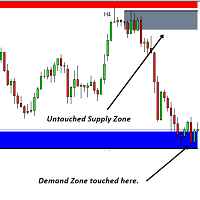
该软件工具旨在简化以您选择的五种可自定义颜色创建水平趋势线和矩形的过程。
在 MT5 中绘制精确的水平趋势线可能具有挑战性,但使用此指标,您可以轻松地以适合您偏好的颜色创建它们。
此外,我们的工具还可以清晰显示与您绘制的水平线相关的价格水平。
我们重视您的反馈,并希望您发现该工具成为满足您交易需求的宝贵资产。
请随时与我们分享您的想法。 .......................................................................................... ..........................................................................................

Big Boss EA MQL5平台的专家顾问是一个强大的工具,可以独立管理多达6个图表。它可以为每个图表以及整个账户设置目标利润和亏损限制。此外,它能够计算浮动盈利、回撤,并追踪每日、每周和每月的盈利情况。该工具具有直观的界面,方便比较不同策略和专家顾问。对于FTMO、Earn2Trade或Rebels Funding等资助账户的用户来说,它是一个必备工具,因为它还可以根据特定的回撤规则停止交易。 MQL5平台的专家顾问是一个强大的工具,可以独立管理多达6个图表。它可以为每个图表以及整个账户设置目标利润和亏损限制。此外,它能够计算浮动盈利、回撤,并追踪每日、每周和每月的盈利情况。该工具具有直观的界面,方便比较不同策略和专家顾问。对于FTMO、Earn2Trade或Rebels Funding等资助账户的用户来说,它是一个必备工具,因为它还可以根据特定的回撤规则停止交易。

50% off. Original price: $60 Order Manager is a trade assistant and trade copier with a money manager that helps traders open, modify and close manual trades and also copy their trades between multiple accounts in the most simple way to help them focus more on their market analysis and open orders with just a few clicks.
Download Demo here (It only works on demo accounts for 14 days) Full guide here MT4 version here
Order Manager features: Works on all instruments such as currency pairs, i

The utility is a checklist where you can write all the rules of your trading system and keep it on the chart in front of your eyes. As a rule is executed, mark it with a tick. To the right of each rule, you can write the "strength" (percentage) of the rule. And if there is a tick next to the rule, then all "forces" are summed up in the "Total" line.
For the convenience of visual perception, you can set the color for displaying the “Total” value.
Panel options: Title - The title of the panel N
FREE

Introducing the Ultimate Market Panel: Revolutionizing Order Management on MT5
The Ultimate Market Panel is a groundbreaking marketplace designed to provide you with a seamless and efficient experience for selling your products. This innovative panel offers a comprehensive range of functions, empowering you to execute various trading strategies effortlessly. Let's delve into its exceptional features:
1. Comprehensive Order Options: With the Ultimate Market Panel, you have complete control ove

"Are you tired of losing money on unsuccessful trades? Look no further than EA Trailing Stop! Our program is designed to help you prevent losses and control your trades efficiently. With features such as adjustable stop loss and more, you can rest assured that your trades are in good hands. Don't wait any longer to start making successful trades. Try EA Trailing Stop today!"
You can use this as a starting point and tailor it to your audience and the platform you're using. This EA Trailing Stop
FREE

PnL Calendar - analyse to profit PnL Calendar turns your trading history into a clear calendar view, so you can see profitable days, monitor risk in real time, and combine multiple broker accounts into a single portfolio picture using the Multi-Broker data export feature. The Calendar Panel breaks profit down by day, week, month, and year, while the Account Panel tracks balance, equity, margin alerts, multi-timeframe summaries, and overnight gap adjustments. The Risk Dashboard adds leverage, dra
Clean Any Chart Script Hides or Shows all Drawings And Indicators
--------------------------------------------------------------------- Traders use objects and indicators to analyze any chart. This process makes chart look messy and hides price action. Unfortunately, MT5 Platform doesn't have the option to hide and show drawing and indicator. That's why, I created this tool to help you clean your chart quickly and easily. When you buy this product, you get: 3 scripts: 1st- Hide Drawings only |

У стандартного трейлинга на FORTS две проблемы и обе связанны с клирингом. 1. Во первых при клиринге закрываются/открываются позиции, после чего цена открытия позиции становится каждый раз равной цене клиринга. Это можно исправить двумя способами. a) Сохранить цену открытия позиции в трейлинге, для этого нужно просто установить утилиту Trailing FORTS до клиринга. b) Но если цена уже изменилась после клиринга, то можно задать цену вручную. 2. Во вторых во время клиринга может происход

Global crosshair for spotting levels and positions on multiple chart (timeframes). Features: Toggle with middle click (replace default MT5 crosshair). Toggle with HotKey shortcut and on chart button. Multi instance feature. (every chart can draw separate instance). Customizable Display Style. (color / line style / ex.) Global crosshair for spotting levels and positions on multiple chart (timeframes).
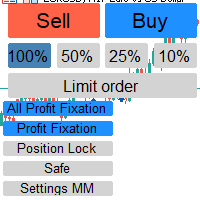
Отличный помощник для тех кто грамотно распоряжается своими рисками. Данный помощник просто не заменим если у вас всегда должен быть фиксированный риск на сделку. Помогает автоматически высчитывать лот в зависимости от вашего риска. Теперь можно не беспокоиться о том каким будет ваш Stoploss, риск всегда будет одинаковый. Считает объем сделок как для рыночных ордеров так и для отложенных. Удобный и интуитивно понятный интерфейс, так же есть некоторые дополнительные функции для упрощения вашей то

# 如果您有任何其他需求或對合作感興趣,請聯繫 zion.quantech.london@gmail.com。 Flash Trade (FT) 最友善的手動交易工具。 使用最直觀的操作來確保您的資金。
FT的特點 點擊任意位置快速交易 FT支持市場訂單和掛單 兩次點擊完成訂單並設置SL和TP 三次點擊完成掛單並設置SL和TP 自動將每個訂單的止損金額設置為您設置的餘額百分比或固定金額 下訂單時實時預估利潤 超簡單的界面和操作 支持拆分訂單
使用方式
市場訂單: 點擊圖表決定止損價位 點擊Buy或是Sell鈕
掛單: 點擊圖表決定入場價位 選擇掛單類型 點擊圖表決定止損價位
暫停FT: 點擊右上方的"On/Off"按鈕來切換開關 當按鈕從綠(On)變為紅(Off),代表FT已被停止 點擊"Off"按鈕再次開啟FT
如果有任何疑問、改善建議或是bug回報都可以聯繫e50310@gmail.com或留下評論 功能將持續於未來的版本推出
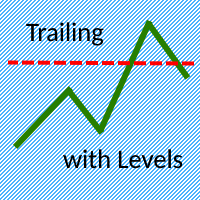
The Trailing with Levels utility is designed for trailing a profitable position with different coefficients, depending on the degree of deviation of the current trading symbol from the opening price of the transaction.
The closer the current price is to the trade opening price, the further the stoploss is set from the current price, and vice versa, if the current price is far from the trade opening price, the closer the stoploss is.
Advisor options:
TrailingStart - minimum distance as a pe

Hello :') I am a trader who trades many currency pairs: Forex, Metals, Indices. And I trade multiple timeframes using demand supply zones. As a result, each trade I have to recalculate lot sizes because my stop loss distance is not the same depending on the zone size.
So I created this EA to help calculate each of my trades. By choosing whether to set the risk as a dollar amount or Percent Risk and then drag Entry line, SL line, TP line to the desired prices. The EA will automatically calculat

"Statistics by magic pro" is a program that provides statistics after entering a magic number. You can simultaneously track up to 10 statistics for different magic numbers in one chart window. The program is very easy to use. The program should be run on any free chart. In the EDIT field on the chart, you should enter the magic number. Entering "0" will erase the statistics in that window. The operation of the program can be stopped by selecting the statistics off option. After selecting it, the
FREE
This tool allows you to catch possible entries from the M.A.R.B indicator by entering the trades at a click of a button(use link for details on M.A.R.B * https://www.mql5.com/en/market/product/96635 *).M.A.R.B Trader shows a maximum of 4 different possible trades all with different Take profits and different Risk to Reward ratios and you can choose from one by clicking a button.M.A.R.B Trader also allows you to enter Buy stop,Sell stop and Market trades using buttons.

Our selling bot envisions a seamless and efficient selling experience for clients. We understand the importance of optimizing the selling process and maximizing sales potential. With our bot, clients can effortlessly list their products, services, or assets, and attract buyers through intelligent pricing strategies and targeted promotions. Our vision is to provide clients with a user-friendly interface where they can easily input all the necessary details for their listings. We aim to simplify t

Inputs Available
Lotsizes
Partial Close %
You can change lotsizes as you require
On an open chart click once to select chart to be able to use hotkeys on specific chart.
All Pairs can be used with this expert
We created this expert to be able to still trade C300 with a 0.06 Lotsize
If you enter a 0.6 lot and close 0.90% you can trade with 0.06 Lot
Keys to be used:
B -Buy S -Sell C -Close Profitable D -Breakeven (Note if stoploss is set it won't break even) P -Partial close X -Close all

报复交易保护器对于可能成为报复交易受害者的交易者来说是一个简单但有效的工具。作为一名日间交易者,我了解报复性交易的心理层面以及弥补损失的愿望。
因此,我开发了这个工具(我自己也在使用),以百分百确定我能够在损失后保持耐心,而不是做出不合理的交易决定。
当您遭受损失时,复仇交易保护器 EA 会阻止您开立另一个订单 (限价订单、止损订单或市场执行订单), 直到所需的时间间隔过去。 例如,如果您在上午 10:45 亏损,并且设置了 30 分钟的休息时间,则您在上午 11:15 之前设置的任何订单都将被 EA 立即取消。一旦您再次获得允许,您将收到警报通知。 如果您在 30 分钟内尝试进行交易,您将会收到相应通知。
附加功能:最大净值回撤旨在防止当您超过所需的最大净值回撤时在当天剩余时间(日历日)出现任何类型的挂单。
例如,假设您将最大回撤设置为 2%,并且当天的亏损已经为 -1.75%,如果您进行另一笔交易并且浮动亏损超过 0.25%(因此为 -2%),
则EA将自动关闭交易并禁止当天剩余时间的交易
用户插入 3 个参数的值: Max DD :这是所需的最大回撤
MetaTrader市场提供了一个方便,安全的购买MetaTrader平台应用程序的场所。直接从您的程序端免费下载EA交易和指标的试用版在测试策略中进行测试。
在不同模式下测试应用程序来监视性能和为您想要使用MQL5.community支付系统的产品进行付款。
