 MetaTrader 5
 Experts
 Indicateurs
 Bibliothèque
 Utilitaires
 Widgets
 Règles
Regardez les tutoriels vidéo de Market sur YouTube
Comment acheter un robot de trading ou un indicateur
Exécutez votre EA sur
hébergement virtuel
hébergement virtuel
Test un indicateur/robot de trading avant d'acheter
Vous voulez gagner de l'argent sur Market ?
Comment présenter un produit pour qu'il se vende bien
Nouveaux utilitaires de trading pour MetaTrader 5 - 69
 Vous trouverez ci-dessous des programmes de trading simplifiant le trading dans MetaTrader 5. Passez la souris sur un utilitaire pour lire sa description et son objectif.
Auto Trailing Assistant (ATA) - Revolutionary Forex Trade Management Utility Core Capability Auto Trailing Assistant is a sophisticated Meta Trader utility that helps traders automatically manage and optimize trading positions with unparalleled precision and flexibility. With its comprehensive set of features, this powerful tool enables traders determine minimum guaranteed profits for each position, displayed very colourfully on the Chart of your Meta Trader. Flexible Position Target

Risk Management Tool - Multi symbols: any symbol you want to manage - Manage manual orders / orders by EA - Limit spread - Open order by timeframe: 1m, 5m, 15m, 30m... - Auto set SL/TP by point range - Close orders by symbol - DCA / Martin option - Limit lot for DCA - Martin feature - Close all order when reach drawdown limit - Can set trading time: open hour - close hour - disable on Friday/Monday

The SCT(Smart Candle Trigger) mt5 is designed for the manual trader who needs assistance to open and manage orders in defined SUPPLY and DEMAND zones. Trader based on his/her strategy define zones on the charts and SCT will open positions based on candle confirmation of Engulf and PinBar once price come into trader zones. SCT works on all kinds of symbols: currency pairs, indices, metals, commodities, cryptocurrencies, etc. Benefits Save trader time and energy to follow candles of market for co
Enregistreur d'exportation de données en temps réel et en 1 minute
Malheureusement, les données historiques sur les prix de votre courtier ne sont pas exactes, ce qui signifie qu'il manque des données (lacunes), que les prix ne sont pas corrects, ce qui conduit à des résultats de backtest incorrects.
L'enregistreur de données enregistre les données facultatives Tick / 1 Minute ou les deux en temps réel séparément dans un fichier CSV. Un fichier par mois.
Le tout au format MT5 afin que ces don

ATTENTION: the utility cannot work in the Strategy Tester, if you want to try the demo version for free for a week, or have any questions, write me an email! You can find my address on my user profile.
TrendLine Auto Executor is a software capable of identifying the trendlines you have drawn on the chart and opening orders as soon as they are touched or exceeded. The software allows you to manage two orders at a time for each chart by tracking two groups of trendlines, one for each order, and e

Maximize Your Trading Potential with Our Trailing Stop Expert Advisor! Are you tired of watching potential profits slip away due to unpredictable market fluctuations? Say goodbye to missed opportunities and hello to consistent gains with our revolutionary Trailing Stop EA, designed to safeguard your profits and minimize losses during your trading journey.
Why Choose Our Trailing Stop EA? 1. Flexible Trailing Stop Methods : Whether you prefer a fixed distance in pips or a percentage-based appro
FREE
This Expert Advisor is used to send messages from the PCT Multi indicator to Telegram.
The EA has 5 settings: - Channel name: The name of the Telegram channel. - Token: Your bot's Token. - Entries: Entry messages will be sent. - Results: Entry results will be sent. - Alerts: Alerts will be sent.
How to set up: In the Tools -> Options menu, in the "Expert Advisors" tab: - Check the "Allow WebRequest for listed URL:" option. - Click "add new URL" and add " https://api.telegram.org " (without the
FREE
This indicator is to be used in bot connectors for automation of Pct Multi indicator entries.
How to use: Configure the bot connector with the following information: Indicator name: pctmultibot Call buffer: 0 Put buffer: 1
Do not add this indicator to the chart, just configure it in the bot connector!
Pct Multi indicator:
https://www.mql5.com/en/market/product/111091
FREE
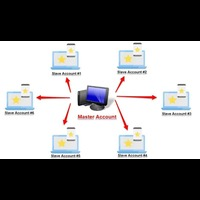
Forex Trade copier MT5. It copies forex trades, positions, orders from any accounts to any other account, MT5 even multiple accounts. The unique copying algorithm exactly copies all trades from the master account to your client account. It is also noted for its high operation speed and Tough error handling. It also can copy from demo account to live account too. It is one of the best free trade copiers that can do , MT5 or to multiple accounts MT5 to multiple accounts Features of Trade Copi

Version MT4 : https://www.mql5.com/en/market/product/91169
Version MT5 : https://www.mql5.com/en/market/product/110193 Signal en direct : https://www.mql5.com/en/signals/2345410
Découvrez « Smart Trader », l’assistant de trading expert advisor – l’outil de référence plébiscité par les traders professionnels du monde entier pour son adaptabilité inégalée et ses stratégies de gestion des risques de pointe.
Au cœur de « Smart Trader » se trouve son système révolutionnaire de gestion des risques

Le Gestionnaire de ratio risque/rendement est un outil visuel de gestion des ordres et de calcul de la taille des positions, conçu pour favoriser un trading rigoureux et une gestion professionnelle des risques. Il permet aux traders de définir visuellement les niveaux d'entrée, de stop-loss et de take-profit directement sur le graphique, tout en calculant automatiquement la taille du lot et le ratio risque/rendement avant l'envoi d'un ordre. Cet outil permet de standardiser la préparation des tr

Anti Grid Position Protector est un outil utilitaire conçu pour vous protéger de la tentation d'ajouter à une position perdante dans l'espoir d'une reprise, ou d'essayer de vous couvrir lorsque vous n'y êtes pas destiné également.
--------------------------Contributions----------------------- ---- Autoriser la couverture en cas de perte de positions ? - C'est une entrée vrai/faux (double clic pour changer sa valeur) qui autorise/interdit l'ouverture d'un trade (soit un ordre en attente
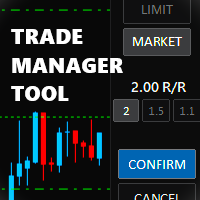
Trade Manager Tool uses adjustable lines displayed on your chart to let you prepare and visualize your order's entry, stop loss and take profit levels before you open a position. It will then use these levels along with your choice of maximum risk preset in order to calculate your optimal position size before sending the order to your broker. While providing an invaluable advantage to manual traders looking to control their risk and simplify their trading process, it also informs their deci

Trading panel for manual trading. Has a fairly wide functionality. Allows you to automatically calculate the order size, open both market and pending orders. It has a wide range of options for closing orders, it is possible to partially close orders, close orders after reaching a certain profit or loss, separately close profitable and unprofitable, buy and sell, as well as pending orders. The panel also contains a simple implementation of a grid of pending orders, reverse and lock functions, tr
FREE
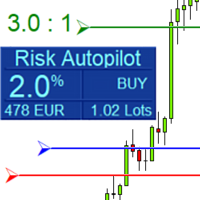
Maximize Your Trading Precision and Risk Management This unparalleled plugin ensures you trade at your desired risk level with automated precision, setting a new standard in efficient trading execution.
Exclusive Offer Limited time opportunity! Get this cutting-edge plugin for only $89 instead of $149 (Offer ends on October 31, 2025). Boost your trading potential now. This special discount won't last!
Streamlined Process 'Risk Autopilot Buttons' streamlines the process of setting StopLo

Netting Strategy: Implements a netting strategy for managing multiple positions, optimizing trade efficiency. Flexible Order Distances: Allows users to customize order distances in pips, providing adaptability to various market conditions. Dynamic Take Profit Method: Utilizes a dynamic take profit mechanism, adjusting profit targets based on evolving market dynamics. Adaptive Take Profit Ratio: Users can customize take profit ratios in accordance with the lot size, allowing for precise profit o
FREE

Risk-o-meter is a Risk calculator Panel designed to help people who are new to trading, better understand how much they are risking for potential profit or loss. And also place future orders. Premium Fetaure: 1. Set pending order 2. Set Profit in Cash (RR)
Inputs: 1. Enter your Risk in % or currency 2. Enter your Return Ratio 3. Enter your Lot Size
Results: 1. SL line 2. TP Line
Features: 1. By moving the SL line, lot size will adjust to keep Risk fixed. 2. By moving the TP line, Risk Ration
Introducing Mini Orders Executor , your powerful and efficient trading companion designed to seamlessly execute orders directly from a user-specified text file . This innovative trading tool streamlines your trading process, providing a convenient and automated solution for executing trades with precision and speed.
Key Features :
**Text File Integration:** Mini Orders Executor is designed to effortlessly read and interpret orders from a plain text file, eliminating the need
FREE

Discover a New Wave Trading Strategy - Suitable for Currency Pairs like AUDUSD.s Strategy Highlights : Specially Designed Trend Indicator Graphics : Our strategy offers a unique graphical interface to help traders identify and capitalize on market fluctuations. Backtesting Validation : Traders are encouraged to backtest currency pairs like AUDUSD.s to validate the effectiveness of our strategy. Flexible Time Frames : Default recommendation is to trade in the 15-minute (M15) time frame,

TradeCopier allows you to locally copy transactions between different MetaTrader 5 accounts on the same computer or vps with very little input from the user. Find out more: Her e Features One Chart Setup you only need one chart to trade all available symbols Multiple currency pairs support Very easy to use - minimal input from the user is required Has a very high refresh rate - it can refresh every 1 millisecond and in doing so reduce the lag between the transmitter account and receiver accoun
FREE

The program is use to copy trading from MT5 to MT4 and MT5 on local PC or copy over the Internet . Now you can easy copy trades to any where or share to friends. Only run one Flash Server on VPS, also need allow the apps if you turn on Windows Firewall. Can not add more than 20 account copier to server at same time, include both MT4 and MT5 Get free Copier EA for MT4 and MT5 (only receive signal), download here Instants copy, speed smaller 0.1 seconds, easy to setup How to setup and guide
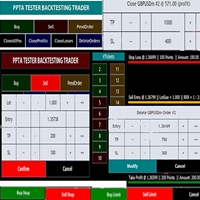
TESTER BACK TESTING AND TRADING MANAGER THE ONLY MT5 TOOL YOU CAN USE FOR BOTH LIVE TRADING AND BACKTESTING All functions can be used in both live trading and backtesting in MT5 Strategy Tester. This is one tool with many functionalities. Your ONLY tool for both trade management (live trading) and Backtesting in MQL5 Strategy Tester. The Tester Backtesting and Trading Manager can help you: 1. Trade Orders: a. Open Market Execution Orders (Buy or Sell)
b. Open Pending Orders (Buy Limit, Buy Stop

Outil de trading Binance pour MT5
1. Ce produit inclut un graphique en direct depuis WebSocket, un graphique historique et des mises à jour automatiques au redémarrage du terminal MT5 pour un fonctionnement fluide et sans intervention manuelle, vous permettant de trader Binance en toute fluidité.
Trading, graphique en direct et données historiques disponibles pour le marché au comptant et les contrats à terme.
Fonctionnalités graphiques :
1. Graphique OHLC en direct via WebSocket (WSS)
2. Mis

ATTENTION : Pour une version d’essai gratuite, visitez mon site web.
Manuel d’utilisation RiskGuard Management — Votre allié ultime pour un trading sans compromis. Lot Calculator — Calcul automatique de la taille de la position. Quantum — Risque automatique pour maximiser les profits et réduire les drawdowns. Automatic Journal — Inclus et téléchargeable gratuitement sur mon site. Automatic Screenshot — Deux captures d’écran : une à l’ouverture et une à la fermeture du trade. Partial Profit — S
La bougie précédente multi-devises ou le scanner de barres précédentes vous aident à numériser des graphiques multi-symboles avec n'importe quelle période personnalisée que vous sélectionnez dans les paramètres de l'indicateur.
Basé sur le produit : https://www.mql5.com/en/market/product/78657
Il peut être utilisé pour numériser plusieurs symboles pour le haut-bas du jour précédent, le haut-bas de la semaine précédente, le haut-bas du mois précédent ou toute période personnalisée, par exemple
Pivot Points Multi Symbol Scanner analyse tous les symboles disponibles dans Marketwatch pour les points pivots Floor, Woodie, Camarilla, Demark ou Fibonacci.
Vous pouvez sélectionner n'importe quelle période pour calculer les points pivots et recevoir des alertes lorsque le prix touche ces niveaux de support et de résistance.
Pour les points pivots visuels Ce produit pourrait vous intéresser : https://www.mql5.com/en/market/product/110072
Il propose des options pour choisir différents types

Présentation d'Orders Executor, votre compagnon de trading puissant et efficace conçu pour exécuter de manière transparente les ordres directement à partir d'un fichier texte spécifié par l'utilisateur. Cet outil de trading innovant rationalise votre processus de trading, offrant une solution pratique et automatisée pour exécuter des transactions avec précision et rapidité.
Principales caractéristiques:
**Intégration de fichiers texte :** Orders Executor est conçu pour lire et interpréter

Multi-currency trading on one chart!
Creation and management of positions with trailing and breakeven, risk management and other useful functions. To fix profits, the Target profit parameter is provided; if it is greater than zero, all positions will be closed if the set value is exceeded. All positions and orders have set Stop Loss and Take profit. For multi-currency trading, taking into account the impact of news and switching symbols on the chart, it is useful to use the News impact indicato

The Wall Street Player (Ultimatum version). This EA tailored as a Discipline, Money and Risk Management tool is a powerful Trade Station utility designed for Forex, Cryptos, Commodities, Shares, Deriv synthetic pairs and any CFDs Market. It is designed to fit your strategy as a winner, and take your Edge of the market to the NEXT-LEVEL. The only thing to do is to get It on your chart and appreciate the possibilities and chart management abilities it has to offer for realizing that discipline and

White label available. contact us for more info. dushshantharajkumar@gmail.com
Slides by Chart Walker "Slides" is a MetaTrader 5 (MT5) utility designed to streamline chart navigation by facilitating automatic chart switching. With "Slides," users can preset specific time intervals for chart rotation, enabling automatic transitions between different financial instruments or timeframes. This utility proves invaluable for traders who monitor multiple charts simultaneously, as it optimizes wor
FREE

The EA supports closing orders based on the preset amount. It can close all orders on all pairs, or it can close orders based on Magic ID. Button "Close All" manual Input - Magic Number: Magic Number = 0: Close All pairs Magic Number diffrent 0: Close All with Magic - Money TP: Profitable in money. the EA will close all orders - Money SL: Loss in money. the EA will close all orders Contact: t.me/nguyenvanbo128
FREE

Revolutionize Your Trading Experience with Our Advanced Management Panel Maximize efficiency and control with our cutting-edge Management Trades Panel, exclusively designed for discerning traders. Our innovative panel is a game-changer in the realm of financial trading, offering unparalleled functionality and user-friendly features. Key Features: Automated Daily Profit/Loss Closure : Set your desired profit or loss thresholds, and let our panel automatically close all current trades when these
FREE
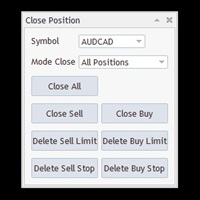
Free until the end of the year.
Customer support : https://t.me/MeToolTrading
The free version will be published at the end of 2024.
Close All With Just One Click MT4: https://www.mql5.com/en/market/product/110795 Close orders with just one click, quickly and neatly. Supported order types: Market order, limit order, stop order .
Note: This software is very fast, there is no warning every time you press the button, please use caution when using, or use it proficiently in a demo account firs

Just a panel for drawing levels. Minimal but very useful thing. This is a further development of the free version. This is the version that I use myself and it has many behavior adjustments. ---- 12 types of customized levels. Support for rectangle and line levels. If you need to prevent a level from extending, add "noext" to the end of the name level object. For any update idea please contact me here. ---- This is not an indicator, don't download the demo, it doesn't work For test see free ver

Version mt4: https://www.mql5.com/zh/market/product/109262 Version mt5: https://www.mql5.com/zh/market/product/109258 Instructions d'utilisation: https://www.mql5.com/zh/blogs/post/755183 Résumé ea: Cette ea utilise deux courtiers a et B pour le trading de couverture. Lorsque le courtier a a un ask inférieur à celui du courtier B, le courtier a achète et le courtier B vend, puis observe les profits et les pertes des deux comptes. Lorsque le bénéfice total atteint son objectif, le compte a et le

[Description] Panel Anywhere is a groundbreaking EA panel, being the first in the market to support browser operations. It addresses a pain point for all MT5 traders, offering a solution that has been lacking in the past. Additionally, the EA itself provides a comprehensive interface to meet all regular operational needs.
[Features] Browser Support: - View EA panel information from the browser, allowing you to manage your account anywhere, unrestricted by a computer or RDP. - WebEA URL: ht
FREE

The Wall Street Player (Master version). This EA tailored as a Discipline, Money and Risk Management tool is a powerful Trade Station utility designed for Forex, Cryptos, Commodities, Shares, Deriv synthetic pairs and any CFDs Market. It is designed to fit your strategy as a winner, and take your Edge of the market to the NEXT-LEVEL. The only thing to do is to get It on your chart and appreciate the possibilities and chart management abilities it has to offer for realizing that discipline and a

A utility for automatically detecting the GMT offset of your broker To use the utility, place it in the Scripts folder of the terminal data directory, enable WebRequest in the terminal settings and add the address https://www.worldtimeserver.com/ to the list of allowed ones. Run the Check GMT script on the chart with any currency pair There is only one setting in the script: site = https://www.worldtimeserver.com/ just for your convenience. Copy this address from the sc
FREE
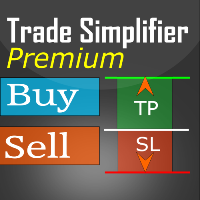
Trade simplifier premium is a trade panel that simplifies trade opening. It is simple and easy to understand, with key features to ease trading. Features include:
Order type selection Fixed lot entry from the chart user interface Easy Take profit entry field on the chart user interface Visual take profit selection and adjustment via the line that appears when you click the Take Profit button Easy Stop loss entry field in points on the chart user interface Visual Stop Loss selection and adjustm

Just a panel for drawing levels. Minimal but very useful thing. This is a reimagining of Color Levels Pro. ---- 4 types of customized levels. support for rectangle and line levels. The indicator parameters are very simple and are divided into blocks. For any update idea please contact me here. ---- Extension version " Levels tool pro " ---- don't suffer don't suffer ---- Enjoy your work!!!!!!!! ----
FREE

This script deletes all objects attached to all open charts. It's a bulk operation that can save a lot of time, avoiding the need to open the Objects List (Ctrl+B), pressing "List all", then manually selecting the objects and hitting "Delete" (for each single chart)... If you've tried "Delete all objects from chart", this script does the same thing, but to all open charts . So beware! You'll have to add all those Fibonacci retracements, trendlines, etc. back to your charts if you run this script
FREE

Smart Lot-Size Calculator And Trade Assistant for Mobile Trading Overview: This is the tool every trader in the market must have no matter if you are scalper, swing traders, day trader, or long term trader. This On-The-Go trading tool will help you stay disciplined and also stay free from daily trade management chores, Most traders face common problems like 1. Calculation of proper lot-size of a position to take controlled risk 2. Managing every trade and trailing stop-loss if trades goes in
FREE

Baby Shark Pro EA works using a series of indicators, mainly the RSI. This is an EA that uses martingale, so use with caution. But Baby Shark Pro EA gives you the ability to change the multiplier parameter, which allows it to decrease the martingale level. Thus, you determine the risk level you want. Unlike most of the other martingale, EA’s This doesn’t place random entries, rather it is riding on market movement RSI > 50. If the market moved the opposite direction after the first entry, th

This is a utility panel to assist closing of open Deals. The panel has input filters to assist one select the right trades. The tool displays the number of trades to be closed as well as profits to be realized. One click close, Filter trades to be closed by: symbol, (Filter by a particular symbol in the trade terminal). magic number (If your orders are from particular EA with unique magic numbers). whether in profit, loss or All. (P/L=all trades, profiting = trades in profit, loosing = trades
FREE

Crypto Charting for MT5 – Intégration des graphiques cryptos dans MetaTrader 5 Présentation
Crypto Charting for MT5 fournit des graphiques OHLC en temps réel via WebSocket. Il prend en charge plusieurs plateformes d’échange avec une synchronisation automatique dans MT5. Fonctionnalités Données en temps réel via WebSocket Mise à jour automatique des données historiques Synchronisation programmée après perte de connexion Compatibilité avec tous les intervalles de temps MT5 Données OHLCV complètes

Ce petit outil vous aide à définir votre gestion des risques d'un simple glissement de ligne sur le graphique. Il vous montre la taille réelle du lot calculée sur le % du compte ou le montant fixe directement sur la ligne.
Tout ce que vous avez à faire est d'activer la ligne en appuyant sur la touche "t" de votre clavier et de faire glisser la ligne jusqu'à votre point stop loss. C'est ça.
Dans les paramètres, vous pouvez définir la couleur et la largeur de la ligne et du texte, ainsi que l'es
FREE
Supercharge Your Trading with HF TradeCopier !
Are you tired of manual trade execution and missed opportunities? Take your trading efficiency to new heights with the HF TradeCopier ! This cutting-edge solution empowers traders like you to effortlessly copy transactions between different MetaTrader 4 and MetaTrader 5 accounts, saving you time and maximizing your profit potential . With lightning-fast copying speeds of under 0.5 seconds , you can seize market opportunities instantly and s

Achieve peace of mind with our EA companion! Simply set it and let it roll. Safeguard your trades on sluggish market days and holidays. Get updates on your balance and EA status every Friday evening, for example. Stay in the loop even if your terminal or VPS decides to take a break. Trading made easy – enjoy the tranquility! This EA has several functionalities
Closing of pending or open positions during pre-configured holidays. Automatic closing and reopening of pending positions during the nig
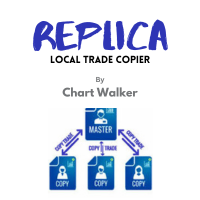
White label available. contact us for more info. dushshantharajkumar@gmail.com Replica Local Trade copier by Chart Walker
Replica, a MetaTrader 5 (MT5) local trade copier, is a powerful tool designed to streamline and automate trading processes for users within the MT5 platform. This innovative software allows traders to replicate trades from one account (master) to another (slave) in real-time, enabling efficient and synchronized trading across multiple accounts. With its user-friendly inte
FREE

Simply deletes all objects from a chart, at once.
Q: Shouldn't I remove the indicator(s) from the chart instead, if I want to get rid of those objects? A: Absolutely. There are rare cases though, when you might end up with residual objects that don't programatically get removed from your chart, due to bugs or some other reason.
Q: Why use this script, when I can press Ctrl+B, list all objects, then manually select and delete each one? A: To save time, really. Maybe you have too many unwanted o
FREE

Multi Take Profit Manager Automatically close portions of your open trades at up to three profit targets. This utility is designed for manual traders who frequently open multiple positions and want to scale out of trades automatically as profit targets are reached. Instead of manually closing positions one by one, the utility can partially close your total open position at predefined Take Profit levels, helping you lock in profits while allowing the remaining positions to continue running. Key F
Expert for setting stop loss and take profit simultaneously for all orders or positions of a currency pair Once attached to the graph, the expert panel will appear on which there are buttons for setting and a green horizontal line, if you click on the line you can move it on the graph and choose the stop loss or take profit threshold with it, move the cursor over the panel and the value will be set where you have positioned the horizontal green line, press the button for the setting you want t

Cheers, traders! In today's video, dive into the world of advanced trading with our exclusive Trade Panel. This Cyber Monday, we're offering a special deal – get access for only $27 instead of the usual $60!
In this tutorial, we explore a semi-automated trading system that empowers manual traders to seize opportunities effectively. Watch as we demonstrate using real market scenarios, showing you how to set up trades, manage risk, and maximize profits.
Key Features of the Trade Pan

Le « Panneau commercial de modèles de chandeliers » est l'outil ultime pour les traders qui négocient avec des modèles de chandeliers et qui souhaitent que le processus d'identification d'un modèle et d'exécution d'une transaction soit rapide et sans effort . Avec des options de saisie variées mais essentielles, cet outil convient aux personnes qui souhaitent automatiser le trading manuel de leurs modèles de chandeliers, ou les aider à effectuer des transactions manuellement mais plus rapid

Magnet Draw MT5 — Precise Drawing Tool with TradingView-Style Magnet Snap Revolutionize your MetaTrader 5 charting experience with Magnet Draw MT5, a free utility that brings TradingView's precision magnet snap functionality right to MT5 . Perfect for traders who demand accuracy when marking ICT concepts, Smart Money Concepts (SMC), Fair Value Gaps (FVG), and advanced technical analysis. When you're marking ICT concepts like Fair Value Gaps or Smart Money Concepts supply/demand zones, precision
FREE
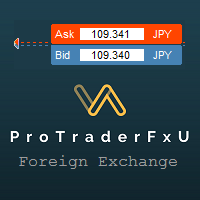
Description: - BidAskLine Indicator is very simple and easy, but each utility can be important in the probability that we will win in our trade. This utility Indicator shows lines and prices of the Bid, Ask and Spread. Input Parameters: - Visual Aspect Options : Select between 2 options with Box or Simple Style. - Parameters Bid Price : Select between show or hide line or box objects, change color, style or width line. - Parameters Ask Price : Select between show
FREE
Introducing the BlackWing Signal Provider—an advanced EA designed to enhance your trading experience by facilitating seamless communication between your MetaTrader 5 platform and Telegram channels, groups, or individual users.
Key Features:
1. Real-Time Event Notifications: Receive instant alerts on new trades, modified orders, closed positions, and deleted orders. Stay informed and make well-timed decisions.
2. Interactive Chart Snapshots: Share chart snapshots along with new trades and ord
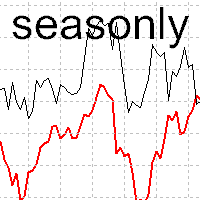
The tool for exploring seasonal patterns. It compares the chart with charts of other years and compares with the average for other years. Allows you to shift charts if necessary. Explore any year by specifying the zero point. Up to 10 charts in one tool. Works only on the daily chart ! The best for you! Enjoy your work! (It's not indicator - do not download demo it not work) for mt4 Seasonly MT4

A very usefull EA helps you control Trailing Stop and Break even point for single order
it works seperately for Buy side and Sell side
the EA displays some information useful when you load to your chart
all you need to do is to change the name of the pair you want to control TP and BEP
it works with all pairs and all types of accounts
if you have any questions you can always write to us at info@auranos.me

EquitySafe V1.0 is a powerful risk management tool designed for MetaTrader 5 . It enables traders to effectively manage their risk by setting maximum loss limits based on custom time frames. With this tool, you have the flexibility to define your own time intervals and allocate specific risk thresholds accordingly. This helps you maintain control over your trading account and minimize potential losses. By utilizing EquitySafe, you can ensure that your trading strategy aligns with your risk tole
The Trade Manager Interface is a free utility designed to simplify manual trading in MetaTrader. MT4 Version Available Manual +Free Strategy Gold Breakout Engine Please leave a review, if you like the trade manager.
It allows traders to visualize trades directly on the chart, calculate position size automatically, and manage orders with advanced features such as partial take profits, automatic breakeven, and trailing stops. For more advanced features check out: ManHedger This
FREE

Présentation du Ea CloseManager MT5, un Expert Advisor spécialisé (EA) conçu pour MetaTrader 5, destiné à simplifier et automatiser le processus de clôture des trades. Cet outil puissant bénéficie à la fois aux stratégies de trading manuelles et automatisées en offrant un contrôle précis sur les critères de sortie, ce qui le rend idéal pour les traders de différents niveaux d'expertise. Avec le Ea CloseManager MT5, les utilisateurs constatent des économies de temps significatives dans la gestion
FREE

Bonjour les amis
Aux yeux des gens, l’investissement est considéré comme une activité difficile et risquée. Mais si vous investissez en acquérant des connaissances et des compétences, le marché ne vous fera jamais de mal. L'écriture de filtres sur le marché des capitaux est l'une des actions que les professionnels entreprennent dans ce domaine pour augmenter la productivité et gagner du temps. En raison de l’activité d’un grand nombre de symboles, le volume d’informations et de données stockée

Bonjour les amis
Aux yeux des gens, l’investissement est considéré comme une activité difficile et risquée. Mais si vous investissez en acquérant des connaissances et des compétences, le marché ne vous fera jamais de mal. L'écriture de filtres sur le marché des capitaux est l'une des actions que les professionnels entreprennent dans ce domaine pour augmenter la productivité et gagner du temps. En raison de l’activité d’un grand nombre de symboles, le volume d’informations et de données stockée
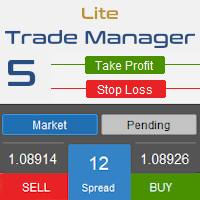
Trade Manager 5 Lite is trading panel developed with a goal to make manual trading in some (routine) task easier.
Version for Meta Trader 4 is here: Trade Manager 4 Lite . (MT4 version also works in Strategy Tester)
Main features of Trade Manager 5 Lite Trading for Forex and CFDs Support for 4 and 5 digit brokers 65 combinations to set order Set Take Profit, Stop Loss and entry level for Pending Order with lines positioned on the chart Break Even Trailing Stop Loss Multiple Orders at one c

Script to configure "TweetHelper for MT5" environment settings for "Twitter API v2 OAuth 2.0 with PKCE".
Client ID : ${CLIENT_ID} Auth Basic base64 : β string(Base64) Response Code : auth_code to be obtained in step 2 of "Connection Procedure Using OAuth2.0" Callback URI : the value set in User authentication settings "Callback URI / Redirect URL"
TweetHelper trial for MT5 https://www.mql5.com/ja/market/product/54832
TweetHelper for MT5
https://www.mql5.com/ja/market/produ
FREE

Hey Trader!
Boring with the Meta chart? Do you want to move it as you do in Profit?
Your problems are over! Now available Chart Panoramic or ChartPan for closer friends, a utility that allows you to move the chart to better visualize the most relevant points for your trade.
Recommend you to add a keyboard shortcut for quick access (Ctrl + Q - for example), because you will need to run ChartPan after symbol changing to "release" the chart again.
To add a hotkey: after downloading
FREE

Position Closer is advisor used to close all orders when the profit will cross specified value either above or below. You can close all orders with one button click.
On panel on chart you have options: Deactivate after close - If Deactivate after close is checked the advisor will disable Close above profit and Close below profit options after orders are closed either on crossing the profit or on hitting the CLOSE ALL button. Close above profit - If Close above profit is checked, the advisor wil
FREE

这款专为MetaTrader 5设计的EA(Expert Advisor),能够在加载后自动关闭所有图表,并立即从当前图表中自行移除。它适合那些希望快速清理所有图表,并避免手动关闭每个图表的用户。 功能特点: 一次性清理: 加载后立即关闭所有打开的图表。 自动移除: 执行完毕后,EA自动从当前图表中移除,无需手动操作。 快速高效: 适用于快速清理交易环境,特别适合在需要快速重置或结束交易日的情境。 使用说明: 只需将此EA添加到任何一个图表上,它将自动执行关闭所有图表的操作并自行移除。使用前,请确保已保存所有重要的图表数据和设置。 风险提示: 请谨慎使用此EA,以防不小心关闭重要图表。 适用于MetaTrader 5平台。 技术支持: 如有任何技术问题或需求,请联系我以获得帮助。
FREE

Introducing BoTutor - Simplify Candlestick Data Collection and Export! Are you tired of the hassle of manually collecting and exporting candlestick data from your charts? Look no further, because BoTutor is here to revolutionize your data mining experience . BoTutor offers a user-friendly graphical interface that is intuitive, clean, and easy to navigate. Say goodbye to complex data extraction procedures, and effortlessly gather candlestick data with just a few clicks. BoTutor lets you expo
Le MetaTrader Market offre un lieu pratique et sécurisé pour acheter des applications pour la plateforme MetaTrader. Téléchargez des versions démo gratuites de Expert Advisors et des indicateurs directement depuis votre terminal pour les tester dans le testeur de stratégie.
Testez les applications dans différents modes pour surveiller les performances et effectuez un paiement pour le produit que vous souhaitez en utilisant le système de paiement MQL5.community.

Vous manquez des opportunités de trading :
- Applications de trading gratuites
- Plus de 8 000 signaux à copier
- Actualités économiques pour explorer les marchés financiers
Inscription
Se connecter
Vous acceptez la politique du site Web et les conditions d'utilisation
Si vous n'avez pas de compte, veuillez vous inscrire