 MetaTrader 5
 专家
专家
 指标
指标
 程序库
程序库
 实用工具
实用工具
 窗口小部件
窗口小部件
 规则
规则
全新的MetaTrader 5 交易实用工具 - 65
 以下是可在MetaTrader 5中简化交易的交易程序。将鼠标悬停在一个工具上,阅读它的描述和用途。
Trade shot is a management tool. Automatically closes pending orders at X profit or Y loss. You define the $ you want to earn or lose per trade, the advantage in relation to take or stop loss is that here you define the money to be gained or lost and not based on points. Ideal for Scalp day trade strategies Your trades will easily be better managed based on what you want to win or lose, orders are closed automatically without worrying about managing money.
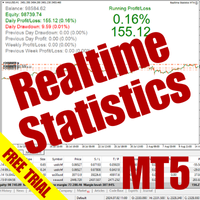
The Realtime Statistics MT5 is an innovative tool designed for traders who want to keep track of their trading performance in real-time. This MetaTrader 5 Expert Advisor (EA) is packed with customizable features that allow you to monitor crucial trading statistics directly on your chart, ensuring you always have the insights you need to make informed trading decisions. Check out the Realtime Statistics MT5 User Guide Here Try out the FREE Realtime Statistics MT5 Demo Here Key Features: Compr

A bot utility designed to streamline trade management. It offers auto lot calculation based on money, account risk, or fixed lot size, with order setup featuring draggable take profit, stop loss, and entry price to fit your plan. It supports Buy/Sell market, Buy/Sell limit, and Buy/Sell stop orders, with or without stop loss and take profit. Additional features include single-click breakeven, deleting positions/orders, and more, making trade management efficient and easy.
FREE

Make Trades in MetaTrader 5 with Profit Panel! If you are a MetaTrader 5 trader, you know how important it is to act quickly and accurately. With this in mind, we created the Profit Panel – an essential tool for negotiations What is the Profit Panel? Designed to make your daily trading easier. It offers a simplified and intuitive interface where you can open, manage and close transactions with just a few clicks. How does it work? The MT5 Trading Dashboard puts all the most important trading func

This custom indicator enhances your MetaTrader 5 trading experience by adding an intuitive crosshair tool that follows your mouse's movement across the chart. Here's what it does:
1. **Real-Time Mouse Tracking**: As you move your mouse over the chart, the indicator dynamically draws a crosshair on the exact point your cursor is hovering over. This crosshair consists of two lines—a horizontal and a vertical line—that intersect at the current mouse position.
2. **Precise Data Reference**: The c
FREE

Overview Custom Logic for Trading MT5 Mini is the free version that designed to execute trades based on custom indicator signals, with robust position management features with break-even settings. This script allows traders to implement their strategies with high precision and flexibility, enhancing their trading efficiency and profitability. Input Parameters Indicator Settings indicator_name : Name of the custom indicator to be used for generating signals. buy_signal : Signal value indicating a
FREE

This MT5 Utility is designed to simplify the process of managing multiple trades. If you have several open positions, it can be time-consuming to close each one manually. With this tool, you can easily close all profit trades, losing trades, or just the trades that are linked to the chart you're currently viewing. It saves you time and effort by allowing you to manage your trades with just a few clicks, making your trading experience smoother and more efficient. Whether you're focusing on profit
FREE

Zone Trader is a professional semi-automated trading assistant designed to help manual traders execute precise grid strategies with built-in risk management. Instead of manually calculating lot sizes and placing individual pending orders, Zone Trader allows you to visually define your grid directly on the chart using drag-and-drop lines. With a single click, the EA calculates the risk, splits the volume across your specified layers, and places the necessary orders to fill the zone between your S

This is an EA that supports simple order closing on MT5. EA Close MT5 (Homemade ) - EA closes orders when profit >= x$ - EA closes orders when loss >= -x$ - EA closes orders when Equity >= x$ - EA closes orders when Equity <= x$ - EA closes orders for all currency pairs or pairs using EA If you have any questions, please contact me: https://t.me/EAForexFree_Channel

Unlock the Power of Automated Trading with Human Intelligence and Advanced Technical Analysis in GOLD (XAUUSD)! Are you ready to take your trading to the next level? Introducing our cutting-edge trading bot, designed for MetaTrader 5 (MT5) users, that seamlessly integrates human intelligence with sophisticated technical analysis to deliver consistent and reliable trading signals in GOLD (XAUUSD) directly to your account. Why Choose Our Trading Bot? Automated Precision : Say goodbye to missed op

提升您的手动交易:使用 Trade Manager Assistant 实现精准、快速和自动化风险管理 获取完整的设置说明,并使用提供的免费演示版探索交易经理助手的功能。更多详情,请参阅链接 https://www.mql5.com/en/blogs/post/758625 。 手动交易需要敏锐的分析和快速的决策,但执行错误、不一致的风险以及交易参数的混乱可能会使您损失利润并增加不必要的压力。 推出交易经理助理——您的必备副驾驶,旨在简化您的手动交易工作流程,确保您的图表上的精确度、控制力和自动化效率。 告别因执行缓慢或计算错误而导致的交易亏损。交易经理助手 (Trade Manager Assistant) 助您以专业人士的速度和精准度进行交易,让您专注于寻找交易机会,而由其处理关键管理事务。它不仅仅是一个助手;更是您通往更自信、更可控、更可能盈利的手动交易之路。 贸易经理助理提供了一套全面的工具,可通过直观的图表面板访问。 轻松的风险管理: 自动交易手数计算 :根据您预设的风险百分比(例如,账户余额的 1%),即时计算正确的交易手数。确保每笔交易的风险保持一致,消除计

水印 MT4 版本: https://www.mql5.com/en/market/product/120783 MT5 版本: https://www.mql5.com/en/market/product/120784
Logo MT4 版本: https://www.mql5.com/en/market/product/121289 MT5 版本: https://www.mql5.com/en/market/product/121290
“水印”脚本旨在通过在图表背景上直接显示关键信息来增强您的交易图表。该脚本提供了一种清晰且不显眼的方式来跟踪关键细节,例如当前交易对、时间范围以及各种时间指标。
功能:
交易对显示:
该脚本会自动检测并在图表上显示当前交易对(例如 EUR/USD、BTC/USD)。这可确保交易者始终了解他们正在分析的资产,从而降低基于错误货币对做出决策的风险。
时间范围显示:
脚本显示当前图表时间范围(例如,1 分钟、1 小时、1 天)。这有助于交易者了解他们正在查看的具体时间范围,无论是用于剥头皮交易、日内交易还是长期分析。
时间指标:
G
FREE

徽标 MT4 版本: https://www.mql5.com/en/market/product/121289 MT5 版本: https://www.mql5.com/en/market/product/121290
水印 MT4 版本: https://www.mql5.com/en/market/product/120783 MT5 版本: https://www.mql5.com/en/market/product/120784
“Logo”脚本旨在在 MetaTrader 4 (MT4) 的交易图表上显示自定义徽标或图像作为背景。此脚本允许交易者使用徽标或任何其他所需图像来个性化他们的图表。
工作原理:
图像准备: 首先选择您想要在图表上显示为徽标的图像。 使用任何图像编辑软件将图像转换为位图文件格式 (.bmp)。 保存图像: 转换完成后,将 .bmp 图像文件保存到 MT4 安装目录中的以下目录:
\MQL4\Images\
(通常位于 Program Files 文件夹下的 MetaTrader 4 文件夹中。)
脚本配置:
在 MetaEditor
FREE

Universal EA — гибкий торговец для тех, кто ценит контроль Основные возможности Сигналы на основе структуры цены :
Торгует по бычьим и медвежьим импульсам с настраиваемой строгостью фильтрации. Интеллектуальный фильтр тренда :
Определяет направление и силу тренда в процентах. Возможность торговать только по тренду или в любом режиме . Двойной траллинг-стоп :
— Базовый трал — по ATR с динамическим множителем.
— Дополнительный трал на выбор: по свечам, фракталам, Parabolic SAR, скользящей

Proteção contra volatilidade durante eventos de notícias
Movimentos bruscos de mercado são comuns durante a divulgação de notícias econômicas. Esses eventos impactam significativamente as operações de negociação, volatilidade inesperada e podem resultar em perdas.
O Impacto das Notícias no Mercado
1. Volatilidade inesperada: notícias econômicas podem causar flutuações graves de preços, potencialmente levando a perdas. 2. Imprevisibilidade: A incerteza em torno do impacto das notícias pode in

Enhance Your Trading with the Support and Resistance Alert! Ready to take your trading to the next level? Introducing the Support and Resistance Alert—the ultimate tool to precisely identify market turning points! Key Features: Dynamic Support and Resistance Lines: The indicator automatically draws support and resistance levels based on local lows and highs, giving you clear guidance on where the market is likely to reverse. Real-Time Alerts: Stay ahead of the market with customizable alerts. G
FREE

Introducing our advanced Fast Trades Manager for MT5 Designed to seamlessly copy trades and provide comprehensive trade statistics. Link to MT4 version: Fast Trades Manager for MT4 Key features include: Fast Trade Copying: Efficiently copy trades from one broker to another, ensuring your strategies are implemented across different platforms. MT4 support: Fast copying between different terminal version, you copy trades from MT4 to MT5 or the opposite from MT5 to MT4 easier. Symbol Copying with

SL Maestro - Forex Expert Advisor SL Maestro - Forex Expert Advisor with Advanced Stop-Loss Features Introducing SL Maestro , the ultimate Forex Expert Advisor (EA) designed to enhance your trading strategy by adding stop-losses to existing trades with precision and flexibility. SL Maestro is not just limited to simple pips-based stop-losses; it incorporates a variety of advanced techniques to ensure optimal protection for your trades. Key Features: Pips-Based Stop-Loss : Easily set a stop-loss
FREE

This MetaTrader 5 (MT5) indicator script is designed to create a visual book representation of the market order book, displaying buy and sell orders directly on the chart. The indicator uses the following features: Customizable Width and Colors : The width of the visual book can be adjusted, and different colors can be set for buy and sell orders. Market Book Data Handling : It retrieves the current market order book data for the symbol and visualizes this data as rectangles overlaid on the char

This Utility is designed for price action strategies, trading flags and retests, such as Guerrilla Trading and similar strategies It allows to: place pending orders for retests (on the Retest line or x PIPs away from the retest line) place orders for flag formations calculate lotsizes based on account size, currency pair and risk percentage split trades and place multiple trades if lot size exceeds max lot size given by broker manage trades with a trailing SL/TP behind the most recent highs/lows

对冲助手 - 对冲助手是一个直观的智能交易系统(EA),旨在简化对冲操作。此EA支持两种对冲策略:简单对冲和双重对冲。有关这些策略的更多详细信息,请参阅我们YouTube频道上提供的说明视频(附上链接和图片)。 功能: 回测: 由于订单是通过面板上的按钮手动执行的,因此无法进行回测,这需要交易者的直接干预。 按钮: EA拥有三个主要按钮,用于开立买入或卖出订单,以及关闭所有订单。此外,还会在图表窗口中显示有用信息,以帮助交易者进行操作。首次执行后,EA将自动管理订单,直到订单关闭。按钮上方信息的颜色可在设置中进行调整。 配置数据: EA Name - EA名称; Lot - 操作中使用的手数; Lots_Martingale - 用于增加挂单手数的倍增器; Distance - 定义挂单对冲距离的参数; Close Money - 定义EA在首次操作中盈利时关闭订单的金额; Close Money Variable - 启用根据已开订单数量可变地关闭盈利订单; Close Money 2 - 当对冲操作中有两个已开订单时关闭盈利订单; Close Money 3 - 当对冲操作中有三
额外时间栏 / Extra Time Bar
MT4 version 是一种旨在增强您的交易的工具,它允许您在图表中添加个性化的时间栏。 使用此工具,您不再仅限于服务器时间 - 您可以设置图表以显示您选择的任何时区, 例如您的当地时间、格林威治标准时间或任何其他时间。
额外时间栏的功能: 1. 时区自定义: 选择适合您交易需求的时区并将其直接显示在图表上以提高精度。
2. 双时间跟踪: 在同一图表上使用两个不同的时间设置轻松监控市场动向,从而实现更详细的分析。
3. 灵活调整: 您可以通过按下并拖动鼠标中键查看带有服务器时间的特定蜡烛时间。
4. 流畅工作并与各种显示器兼容: 此工具旨在在不同的屏幕分辨率和比例级别上流畅工作。
5. 可见性选项: 选择“仅显示鼠标蜡烛时间”选项,隐藏附加时间栏,同时仍显示十字准线蜡烛时间。这样,您就可以实时查看鼠标下特定蜡烛的时间,非常适合喜欢简洁图表的交易者。
6. 个性化: 自定义时间栏的文本和背景颜色,以适合您的视觉偏好。
我们希望您发现此工具对您的交易活动有益。欢迎分享您的想法、评论或建议。
记得给此工具评分,祝您有美好的一

Hola Traders. By popular demand from my fellow traders, I am excited to announce the release of my newly developed tool for placing pending order grids. Many of you have already benefited from this tool, and several have requested a version for MT5. Now, it is available for everyone! This automatic grid trading placement tool is convenient, easy to use, and fast. It also includes quick action buttons for closing profits, losses, and pending orders. No matter how many pending orders you have, jus

Introduction to SWARM CALCULATOR The SWARM CALCULATOR is a revolutionary tool designed for traders who prioritize effective risk management and optimized trading strategies. With its advanced features and intuitive interface, the SWARM CALCULATOR enhances your trading experience, allowing you to make informed and precise decisions. Key Features: Customized Risk Management: Automatic Position Size Calculation: Automatically determine the optimal position size based on the percentage of risk you a

Hola Traders. By popular demand from my fellow traders, I am excited to announce the release of my newly developed tool for placing pending order grids. Many of you have already benefited from this tool, and several have requested a version for MT5. Now, it is available for everyone! This automatic grid trading placement tool is convenient, easy to use, and fast. It also includes quick action buttons for closing profits, losses, and pending orders. No matter how many pending orders you have, jus
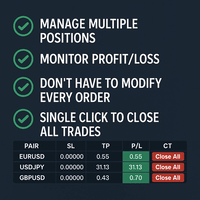
Tired of manually adjusting stop-loss and take-profit levels for multiple positions across different pairs? The Manage Multiple Positions Expert Advisor is your solution. MT4 Version - https://www.mql5.com/en/market/product/120916/ This powerful tool streamlines your trading experience by allowing you to manage multiple positions on a single pair with ease. Modify stop-loss and take-profit levels for all open positions on a specific pair with a single click. Plus, the EA provides clear visibili

IAMFX offers the ultimate solution to make trading easier and more flexible on IAMFX Web using IAMFX Agent .
With our exclusive IAMFX-Agent and IAMFX-Center, you can effortlessly manage your trading anytime, anywhere through web and mobile interfaces. Fully compatible with both web and mobile environments, IAMFX allows real-time multi-account management and monitoring with a simple installation. IAMFX Benefits Manage multiple MT5 accounts Easy orders with market, stop and limited Manage orde
FREE

DRS Semi Automated: Fair Value Gap Trading Inspired by the DRS strategy made by SMT FX. To learn more, visit their website.
Key Features:
1. Fair Value Gap Detection: Identifies bullish and bearish Fair Value Gaps on the 5-minute timeframe. 2. Customizable Trading Sessions: Trade London, New York, or both sessions with adjustable start times. 3. Risk Management: Set risk percentage and choose between equity-based or fixed balance risk calculation. 4. Bias Selection: Manually select bullish or

BreakEvan Utility Is a simple tool in a panel with this utilities: This utility will draw a Golden Line in the chart applied showing the breakeven price, considering all the positions opened for that specific symbol.
Also the information panel shows: Balance Breakeven Price for that chart Force Breakeven (for that symbol) as ON/OFF Force Breakeven Global (takes into account all trades opened) as ON/OFF Total Lots opened for Symbol Total Lots opened Global
And two buttons: Force Breakeven: Whe

多品种一键开仓与平仓的操盘面板 点击 开仓(OPEN) 按钮,则为选择的品种开仓。 点击 平仓(CLOSE) 按钮,则为选择的品种平仓。 开仓手数就是用户输入的数,正数开多单,负数开空单。 点击 平仓(CLOSE) 按钮,平掉的是整个单子,而不是部分平仓,所以平仓与后面输入的手数无关。 把参数Magic设置为0,则可以用本EA来帮助你同时平掉多个手工单。 把参数Magic设置为其他EA的magic,则可用用本EA来同时平掉其他EA的多个单子。 一键开三角对冲单。 交易品种可以定制: 从市场窗口(Market Watch),或者用户输入.
参数设置: Magic - 本EA的Magic Number MaxLots - 最大手数设置参数,如果用户在操盘面板上输入的手数大于这个设定参数,则以这个设置参数为开仓手数。 StopLoss - 止损点数,以Point计算(即报价最后一位)。 TakePofit - 止盈点数,以Point计算(即报价最后一位)。 File Name- 保存图形界面GUI的文件名,如果为空,EA将自动使用文件名,类似于 "MTP-账号.品
This utility EA closes any buy or sell order when it reaches the desired profit value, or when the stop gain is activated. Closes orders opened manually or by other robots. Very effective for protecting or guaranteeing gains in rapid price movements. It works on any period and any asset available on MT5.
Trailing Start: Example, if the price moves 70 pips in favor, it activates the stop gain. Traling Stop: or Traling Step: If the price moves by the amount defined above the Trailing Start it w
FREE
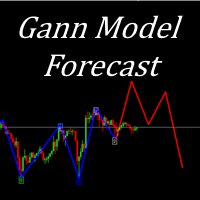
I present to your attention a powerful utility for predicting the future movement of an asset based on W.D. Ganna’s law of vibration. This utility analyzes the selected market model and provides codes for future possible market movement patterns. If you enter the selected code into the appropriate box, you will receive a forecast of the potential market movement. The utility has the ability to display several potential forecast models. The forecast is not yet tied to time and price and gives th

Program Features 1. Calculation of Margin Call and Liquidation Prices Monitoring all open positions: The program continuously analyzes all open positions on the trading account. Determining critical price levels: Margin Call Price: The price at which additional funds must be deposited to keep positions open. If this does not occur, liquidation follows. Liquidation Price: The price at which positions are automatically closed by the broker to prevent further losses. 2. Display of Prices on the Ch
FREE

This utilities can constantly monitors and handle the equity/ balance account to prevent drawdowns and protect your account. This Utilities can handle manually order and automatically order by other Expert Advisors. If the conditions are reached, the open position will be close/ all close (depending your setting).
How to use :
attach this utilities on new chart (same pair) you need to handle make sure magic number is same with other EA you need to handle entry magic number '0' if you need han

Symbol Drawdown Protector is a utility tool used to manage your desired Max Daily Drawdown only on a specific trading symbol. It's like a %-based stop loss, but it's functioning as a revenge protector tool too.
In the era of prop firms and challenges, it's highly important to be aware of daily drawdown limits. It's an effective EA that is simple to use for Equity Drawdown Management and prevention of revenge trading. Input parameters: Daily % Drawdown - Here you set the Maximum Daily Dra
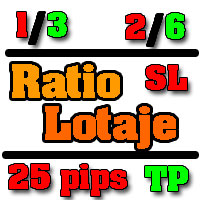
Utilidad de uso informativo la cual ayudará a gestionar el riesgo de los trades con la ayuda visual de los datos proporcionados. el usuario se encargará de ubicar sus SL y TP manual acorde al lotaje. Asesor experto desarrollado para MT5 con el objetivo de ingresar ratios de utilidad y % de riesgo, adicional los Pips de SL para el cálculo del lotaje para dicho riesgo. Estos se calculan sobre el balance actual. El usuario tomaría como dato ingresar el lotaje que se calculó y arrastrar el S
FREE

概述 使用统计仪表板来跟踪、分析和提升您的交易表现。查看关键统计数据的多种周期,包括每日、每周、每月和自定义周期。通过交互式折线图轻松识别表现最佳和最差的交易工具。 EA 不在策略测试器中运行。联系我们以获取免费试用。 显示的统计数据: 利润 - 利润百分比 & 总净利润($) 交易 - 总交易数 & 胜率 统计数据 - 利润因子 & 恢复因子 胜率 % 回撤 - 资金回撤 % & 余额回撤 % 经纪人费用 - 总佣金 & 总隔夜利息 总交易手数 & 平均交易时长 初始余额 & 当前余额 主要功能 详细的利润和性能指标 实时数据分析 每日摘要报告 月度日历视图 按特定算法(魔法编号)过滤 实时数据分析 访问实时交易数据 :随时掌握最新的市场动态和您的交易表现。 基于实时市场分析做出明智决策 :利用最新数据进行快速准确的交易决策。 每日摘要报告 保持每日绩效摘要更新 :通过详细的日终报告,确保您的活动与目标一致。 全面的指标 :跟踪关键绩效指标,例如总交易数、胜率、利润因子等,以更好地了解您的交易行为和结果。 按特定算法过滤 通过魔法编号过滤交易 :分离并评估不同交易算法或策略的表现。

描述: VPS Health Check EA 是一款 MetaTrader 5 实用程序,旨在监控与经纪商的连接并及时提供有关连接状态的通知。此工具可确保您立即获悉任何连接问题,从而帮助维持交易活动的稳定性和可靠性。 特征: 连接检查模式: 选择检查每根新蜡烛的连接或一天中的特定时间的连接。 可自定义的时间: 设置计划连接检查的精确小时和分钟(24 小时格式)。 实时通知: 通过 MetaTrader 5 应用程序接收有关连接状态的即时通知。 信息显示: 直接在图表上查看最后的通知时间和消息,以便于参考。 输入: 模式: 选择连接检查的模式 Check_On_Each_Candle - 当图表上出现新蜡烛时将触发通知。 Check_At_Particular_Time- 默认选项,将在指定的经纪商时间(默认为 14:00)每天检查。 检查时间: 设置定期检查的时间(24 小时制)。 检查分钟: 设置定期检查的分钟数。 使用说明: 将 EA 附加到图表: 将 VPS 健康检查 EA 添加到 MetaTrader 5 中的任何图表。 如果您使用加密货币进行交易并且需要周末的 V
FREE

请耐心等待机器人,因为响应时间可能只有几秒钟。它会响应。确保按下发送,然后等待。这是一个适用于 MT5 和 MQL5 的简单聊天 GPT 机器人。在评论中,在输入中添加您的 API 密钥,并将其添加到 Expert Advisor 选项卡中的 Web 请求中:
在 MQL5 和 MT5 上与 AI 聊天。提示必须包含 MQL5 或 MT5,否则它将不会响应。它仅在 MT5 和 MQL5 上进行训练。请注意,它仅在实时图表中工作,而不是在回测中工作。在输入中添加您的 API 密钥,并将其添加到 Expert Advisor 选项卡中的 Web 请求中:
MT4 版本: https://www.mql5.com/en/market/product/118576
此聊天机器人是一种旨在帮助用户更有效地与 Meta Trader 5 (MT5) 和 MQL5 聊天的工具。它基于名为 GPT-3.5 的强大 AI 模型,该模型能够理解和生成类似人类的文本响应。
它的工作原理如下:
与机器人互动:您可以通过输入与 MT5(MetaTrader 5)和 MQL5(MetaQuotes L

Trade on Bybit with MT5/MT4 EAs and indicators! GRat_BybitImport is a tool for manual and automated trading , including ANY available EA, ANY cryptocurrency on one the most popular crypto exchanges Bybit 24/7. Features 1. ALL Bybit instruments are available. 2. Import(automatic copying) to the specified Bybit currency all trades (made manually or by an EA) from an MT5 account (including demo) by the specified symbol and/or magic number. 3. Import(automatic copying) to the specified By

Risk Oracle - Expert Advisor Description Risk Oracle is a sophisticated yet user-friendly Expert Advisor (EA) designed for risk management and trade execution. This utility tool is tailored to assist traders in executing orders at optimal prices while managing risk efficiently, without the need to manually calculate volumes and other parameters. By automating these critical aspects, Risk Oracle simplifies the trading process and allows traders to focus on strategy and market analysis. All Produc

Zone Guardian is an advanced Expert Advisor (EA) designed to automate trade management. This EA manages trades within specified risk parameters using automatic lot calculation and multi-layered trade activation. It supports up to 5 layers within the entry zone, each with customizable risk percentages. Visual aids on the chart display entry zones, stop loss (SL), and take profits (TP), ensuring easy level adjustments. The EA adapts to market conditions by closing trades at each TP and moving SLs

Experience the ultimate trendline auto-trading solution! Our expert advisor/utility allows you to effortlessly place one or more trendlines from different timeframes - it places a trade in the breakout direction. 1. AUTO TRADING / MANUAL TRADING Trendscout can place orders for you automatically. You have to enable “Auto trading” and also check the “Enable live trading” box at the parameter window. When price crosses a trend lines for the first time two massages are sent to your mobile phon

Q市价做空,W市价做多,E市价全部平仓。 持仓最大数量为1,即:禁止加仓。 ea的输入为手数,止损和最大滑点,不支持设置止盈。 专为短线吃一个小波段设计。 无论下单还是止损都会有提示声。 Q W E sell buy close
The Q key is short, the W key is long, and the E key is closed. The maximum number of positions is 1, i.e., it is forbidden to add positions. The EA's inputs are lots, stop loss and maximum slippage, and take profit is not supported. Designed for short-term swing trader. Play sound whenever position open or stoploss.
FREE

This indicator is for " Replaying charts " and is designed for Metatrader 5 , which can be used in all different time frames.
Some of the most important advantages of the indicator are: Switching between time frames: The most important advantage is that, for example, you are working in the time frame M15, when you change your time frame to a higher or lower time frame, the place that you had been doesn't change, and you can easily see your position and candles in other time frames without any

交易顾问:掌握图表
专业交易者的终极专家顾问 (EA) 助手
版本 MT4 版本 | MT5 版本 | 博客
v.3.0 - Telegram Bot 集成
注意:MT4 版本比 MT5 版本更轻量
交易顾问:掌握图表
交易顾问是一款先进的交易助手,旨在通过集成关键市场分析工具和交易者的无缝功能来增强交易策略。以下是交易顾问成为交易者强大资产的概述:
主要功能和优势
1. 供需区:交易顾问帮助用户识别关键的供需区,确保在市场中更具战略性的进入和退出点。
2. 智能货币概念:此功能使交易者能够更好地了解市场趋势和结构,清晰地识别看涨、看跌和盘整阶段。
3. 公允价值差距检测:交易顾问定位公允价值差距,帮助交易者发现潜在的市场不平衡,以获得最佳的进入和退出机会。
4. 枢轴点计算:自动计算枢轴点,帮助交易者准确预测潜在的市场逆转和延续。
5. 每周高低点跟踪:监控每周高低水平,更容易识别重要的价格水平并了解近期市场行为。
6. 成交量概况分析:Trade Advisor 包括成交量概况分析,帮助用户了解最高交易量发生的位置,并支持更准确的市场评估。
7. 支撑

SmartSetup Bot Is an advanced trading tool that combines the flexibility of manual configurations with the power of semi-automated features. It automatically generates graphical objects, displaying critical zones such as support and resistance levels, stop loss and take profit areas, and other essential indicators. SmartSetup Bot provides clear and precise visualization of your trading parameters, facilitating informed decision-making. This bot is designed for traders who value manual control bu
FREE

The Telegram Blue Chili Alerter is still in full development. Many more options are still being programmed. Signals for trades will be added next. I am also happy to respond to customer requests. The only thing you need to do is create a Telegram bot and enter the bot token and chat ID in the presets. If you have any questions or want to know which features are still to come, just get in touch with me. I will be happy to help you and answer your questions as quickly as possible. Quick guide:
1:

这是一个辅助ea,在电脑或者vps上开启后,可以方便的在手机上下单,自动设置止损止盈,特别适合超短线和剥头皮的快速止盈,让你在手机上就可以方便的设置损赢。这个ea只有两个参数,TP就是你想要设置的止盈数字,比如xauusd当前价格是2450.32,设置止盈100,当buy后价格达到2451.32的时候即可以止盈。 SL就是你想要设置的止盈数字,比如xauusd当前价格是2450.32,设置止损100,当buy后价格达到2449.32的时候即可以止损。这是一个很方便的工具,可以使您在使用mt5手机软件操作的时候,更方便快捷的交易,而不需要点开下单界面然后再输入止盈止损或者是下单后再去手动设置止盈止损,快人一步就是金钱。

Trader Protector: Professional Risk Manager for MetaTrader 5 Safeguard your trading account and optimize profits with Trader Protector - an advanced risk management tool for MetaTrader 5. Key Features: Multi-level Risk Control: Daily risk limit Monthly risk limit Risk per trade Trailing stop for daily profit Flexible Settings: Customizable risk percentages Choice of order execution modes Maximum lot size restriction Excessive Loss Prevention: Limits on losing positions (daily, weekly, monthly) A

MQL Tool "Ofir Email to Telegram": Never Miss a Trading Alert Again! Tired of missing important alerts from your indicators and Expert Advisors (EAs)? Ofir Email to Telegram is the solution you've been waiting for! This revolutionary MQL tool automatically forwards all email alerts from your indicators and EAs directly to your Telegram account. Never again will you miss a trading opportunity or important notification! Here are just a few of the benefits of Ofir Email to Telegram: Quick and easy
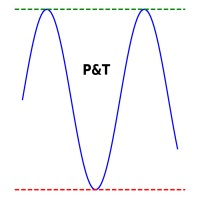
It is used to automatically detect and draw horizontal lines on a chart that represent price peaks and troughs based on analysis of historical price data.
The script allows the user to select the number of recent candles to analyze, the minimum gap between high and low, and the minimum number of candles needed to recognize a high or low. It is a useful tool for traders who want to automatically detect and visualize important support and resistance levels on a chart, making it easier to make in

Trade Utility Pro is a bot utility designed to help you manage trades more easily, quickly, and accurately. This utility features a control panel interface and supports MetaTrader 5 exclusively. This utility does not link to any account information or external sources, ensuring safety. Main Features: Open Trade Support: Lot size calculation Fixed Lot: Custom input lot required Money Risk Lot: Automatically calculated based on stop loss and money risk Account % Risk Lot: Automatically calculated
FREE
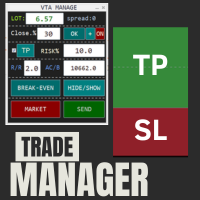
This is a trade manager which is designed to simplify your trading experience and allow you to enter any type of trade with the set risk management within seconds. This trade manager has two modes. (1) The Market order which opens instant orders and the pending orders which consists of buy stop order, buy limit orders, sell stop orders, sell limit order, all these trades can be achieved by moving your stop loss and entry to the desired point and the givn trade will be opened. You do not need to
By :ForextraderEanow Green Mower 10.0
This EA is Famous Grid Strategy that open grid of trades with the same size (not martingale) and make PROFIT even when the Forex price moves in the WRONG Direction
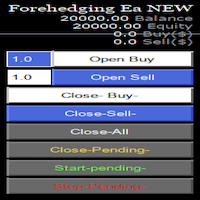
Semi Automatic Ea(MT5). Buy or Sell or Let it Trade . Either Buy or Sell Manually with the panel. Second option: Press Auto with one of the 4 options. Plug and play mode. This Panel can trade with very good result. As a Beginner trader as you ,if you want to be part of the 5% that can make it just give a chance and see for your self. 1:500-1000 leverage, lower then that rise the balance times 2' Recommend: Auto Trading choose one option from below. $5000. false/true $8000. false/true $250

## Version 2.50
I created this EA with the intention of making it free for everyone to use. It serves as a tool to assist in trading with money management, entering order lots according to a percentage of the account balance, and automatically setting TP/SL based on high/low prices.
In Version 2.50, The Auto TP/SL feature adjusts from the Line In (entry point), and Auto price in this version only shifts the entry line to the current price. Input settings: Ato update SL/TP Line >>> In version
FREE
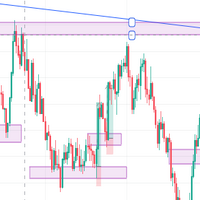
IMPORTANT NOTE THIS EA IS NOT FULLY AUTOMATED, IT ONLY TAKES POSITIONS IN ZONES YOU DEFINE IT ASSISTS YOU. SO YOU NEED TO WATCH THE CHART CLOSELY THE MAIN POINT OF THIS EA IS TO FORCE THE TRADER TO RESPECT ENTRY RULES <<CONFIRMATION IS THE KEY>>. SO THE TRADER WILL ONLY LOOK FOR ZONES THE EA WILL LOOK FOR CONFIRMATION CANDLES AND ENTER IF A CONFIRMATION IS FOUND FOR EXAMPLE: If price is in a Bullish zone. Rule, look for buys. If Bullish Candlestick Pattern or any other bullish candle pattern s

To manually open buy and sell at the same moment, with a certain StopLoss Distance, and earn from news movements. You have a button, that says 'Ready' or 'Wait'; to open the pair of hedging trades click once on the button at 'Ready' and wait for it to open; then wait for the market movement due to the news or any other reason to close one of the trades, once the earnings are large enough: manually close the trade that is left.

剩余 10 份,价格为 49.55 美元 下一个价格为 65.77 美元 Big Market Trader 是终极 AI 交易辅助工具,可帮助您领先市场。它采用最佳技术设计,具有高频率响应率,可及时交易。
它配备了动态 AI 自动化,我们将会看到。我们拥有先进的风险管理系统。股票止损期权、追踪止损系统、时间止损和价差技术被世界各地的交易者使用。它适用于自营公司交易者、传统交易者、高资本和低资本交易者等等。
它下达各种交易订单,即:
买单、卖单、买入止损订单、卖出止损订单、买入限价订单和卖出限价订单。这台 AI 机器有许多独特的功能。另外,它旨在适合所有类型的交易者,无论是剥头皮交易者、日内交易者和波段交易者。 Meta Trader 4 version 主要特点:
动态 AI 自动化
高频率响应率
挂单执行 移动通知设置预测价格 市价单执行
风险管理系统
股票止损选项
追踪止损系统
时间止损技术
价差技术
轻松交易分析
友好的 GUI
使交易者能够使用平均真实波动率指标来确定最佳止损和获利点
好消息!您现在可以在 Telegram 上创建自己的社区,

EA Auto Martingale MT5介绍 Auto Martingale 是一个专家顾问(EA),它帮助您轻松地从您的手动交易中创建美元成本平均法(DCA)交易。通过高级设置,EA Auto Martingale 允许您以自己的方式创建完美的马丁格尔策略,有效地优化利润并管理风险。 Auto Martingale的主要功能: Magic Number :默认值为0。此值将自动基于您的第一个手动交易。 Maximum Deviation / Slippage :限制最大偏差/滑点以保护您的交易。 Validate Available Order Margin :在执行新交易之前验证可用的保证金。 Indicator Input :Auto Martingale 使用参数为 period=3 和 shift=2 的SMA指标来确定当价格对您不利时的入场点,然后显示出价格回升的迹象。如果您想在价格低于200点时进行DCA,可以将SMA Period调整为1,SMA Shift调整为0。 Buy/Sell Setting :当价格下跌/上涨超过一定点数时设置一个额外的买入/卖出订单。

TimeToClose The "TimeToClose" indicator is an essential tool for traders who need to monitor the remaining time before a candle closes. This indicator displays the remaining time directly on the BID line, providing a clear and precise reference during real-time trading. Key Features: Displays the remaining time for the current candle to close. Direct integration on the BID line for better visualization. Simple and user-friendly configuration. Ideal for all types of traders, from beginners to pro
FREE

Telegram Informer A simple and reliable utility for monitoring your account. To make it work, you just need to add the following commands to your telegram bot: show_info - Show account information buy_sl_del - Delete Stop Loss for Buy position buy_tp_del - Delete Take Profit for Buy position sell_sl_del - Delete Stop Loss for Sell position sell_tp_del - Delete Take Profit for Sell position all_sl_del - Delete all Stop Loss all_tp_del - Delete all Take Profit breakeven - Convert to breake

This EA get all the opened postions on the current symbol and add SL and TP And also MoveSl to perfect value. Principle Small SL according to current bid or ask. Ex: If current SL is too big compared to the configured SL, move it. But never move a position SL Higher
The EA also go through all positions and activate trailing stops, so that you never lose any winning position.
FREE

DYJ Mathematical model trader 是一个允许指示器交易的系统分析软件, 它能直接分析出指示器交易的总体利润和最大浮动亏损。 并画出漂亮的绩效方图和曲线图。 这样您能比较指示器在每个图表周期的不同绩效, 方便您快速应对市场趋势变化, 优化出最佳交易方案. 它需要一个改良指标信号源软件,参见截图1 当前这些信号源指标包含: WPR , MACD , STOCHASTIC , RSI , SMTMA 您能通过DYJ Mathematical model trader软件一次运行DYJ 信号源软件和底层指标软件。 如果您需要自动按照信号源开仓和关仓,请下载实用软件 DYJ follow Me 或者更好的具有博弈策略的 DYJ Game Device 如果您严格按照模型同步,那么最终结果的总利润是和模型总利润一致或者接近的。 因为有一些点差,手续费,库存费、平台服务器延迟,滑点、VPS的网络速度等会产生一些小误差! 但是只要大趋势次数很多,并且趋势维持时间足够长,小趋势和震荡次数很少 ,是足以覆盖以上这点误差的! 不过,在整个过程中,这您需要具有良好的心态和自

The wait is over, the AI for Traders has arrived!
The Elite Market AI is an Expert Advisor powered by one of the most advanced generative AI models available today. It processes the price and indicator data displayed on the screen, providing traders with valuable insights into the current market situation. This analysis can be crucial for making informed buy or sell decisions, assisting in trading strategy, and enhancing the accuracy of operations.
Configurations Country Code Description: Def

AIP – MT4/MT5 To Telegram 1 Main features of MT4/MT5 EA To Telegram: Send all types of orders (Open Order/Close Order/Modify Order/Pending Order/Delete Order) Close and Modify Order with replies to the corresponding Open Order Support sending to both private, public channels and group, topic group Support sending to multiple channels simultaneously Send Chart Screenshots Manage all symbols with a single EA on one terminal Automatic loading of templates, logos, and screenshots Support sen
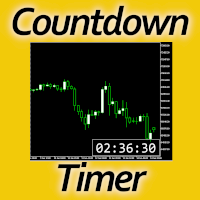
Timing can make the difference between a winning and a losing trade. Therefore, a bar countdown display is a must-have tool for any trader. Knowing exactly how much time is left, before the current bar will close, certainly helps decision-making in real time. Technical detail: This indicator uses the MQL5 function "OnTimer", ensuring the accurate measure of each passing second, rather than relying on the flow of incoming tick information from the server. Most other countdown indicators for MetaT
FREE

Ofir blue is the first full trading application for Telegram. It is proposed in 2 versions : OfirBlueLite (without trading) and OfirBluePro (with trading). The Pro version is still in beta (available on request).
To access Ofir Blue Lite, go to Telegram and open the bot @OfirBlueLite. All demos, tutorials and docs are available in Telegram.
Join the Telegram group @OfirBlueUserGroup to get updated information and support.
Features: Dashboard ️ Account summary ️» Profit of the day ️» Eq
FREE

Revolutionize Your Trading with Auto SLTPTS Expert Advisor .
Take your trading to the next level with this powerful, professional-grade Expert Advisor designed for serious traders who demand excellence in risk management and profit optimization.
Key Features :
️ Advanced Risk Management Suite : - Customizable Stop Loss protection - Smart Take Profit targeting - Dynamic Trailing Stop technology - Innovative Break Even system
Professional Trading Tools : - Intelligent Break Even trig
MetaTrader市场是一个简单方便的网站,在这里开发者可以出售自己的交易应用程序。
我们将帮助您发布您的产品,并向您解释如何为市场准备您的产品描述。市场上所有的应用程序都是加密保护并且只能在买家的电脑上运行。非法拷贝是不可能的。
