 MetaTrader 5
 Experts
 지표
지표
 라이브러리
라이브러리
 유틸리티
유틸리티
 위젯
위젯
 규칙
규칙
MetaTrader 5용 새 트레이딩 유틸리티 - 69
 다음은 MetaTrader 5의 거래를 단순화하는 거래 프로그램입니다. 유틸리티의 설명과 목적을 읽으려면 유틸리티 위에 마우스를 놓으십시오.
Introducing our Trailing Stop Tool, a powerful solution designed to enhance your trading strategy by trailing your trades based on a selected number of candles. This tool provides an advanced feature that allows you to dynamically adjust your stop loss level as the market moves in your favor, aiming to lock in profits while minimizing potential losses. With the Trailing Stop Tool, you have the flexibility to choose the number of candles you want the tool to trail. Whether you prefer a conservat

Phoenix MT5 Telegram Notifier is a trading utility that integrates with both MetaTrader5 and Telegram. The utility publishes all your trades as signals in your channels or groups. This allows you to track in real time what is happening with your account via Telegram.
Notifications for :
Opened order Closed order Modified order
Parameters :
Telegram Bot Token - create a bot on Telegram and get a token Telegram Chat Id - input your Telegram group/channel Id Notify for opened order - notifies wh

Phoenix MT5 Discord Notifier is a trading utility that integrates with both MetaTrader5 and Discord. The utility publishes all your trades as signals in your channels or groups. This allows you to track in real time what is happening with your account via Discord .
Notifications for :
Opened order Closed order Modified order
Parameters :
Discord Webhook - Discord webhook which will be used for receiving the info
Discord Bot name - Bot name in Discord server/channel Notify for opened order - no
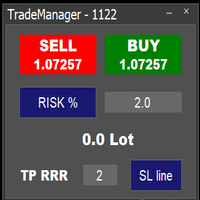
Easy to use trade manager/lotsize calculator. You can chose if you want to risk exact percentage of your account or exact amount of money. You can chose your risk to reward based on stoploss. Then you click on SL line and you can move where exactly you want to have stoploss. When you click on buy or sell, manager will calculate lotsize for you and opens trade. :) :)

Don't want to risk or loose your personal trading account or prop trading firm account because of a simple Margin Call or exceeded Loss Limit?
Then this Utility Expert Advisor is the solution for you! This Expert Advisor monitors your account Equity or Balance or even both! If the Equity and/ or Balance fall under your defined stop limits, the EA closes all of your positions and keeps you so on track.
Options and Variables: Monitored Values: Choose which values should get monitored Equity: if

TradeSnap은 BUY/SELL 주문이 실행될 때 화면을 자동으로 캡처하고 저장합니다.
차트에 설정만 하면 추가 작업 없이 자동으로 저장됩니다.
해도의 선, 화살표 등도 이미지에 그대로 저장됩니다.
이미지 크기는 10000x10000 픽셀이 될 수 있으므로 가격 변동 내역을 보여주는 가로 이미지를 저장할 수 있습니다.
매개변수 정보
--이벤트 매개변수--
매직 넘버(0=ALL): EA가 있는 경우 머직 넘버를 설정합니다.
항목: true: 공개 실행 시 캡처.
종료: true: 종료 실행 시 캡처.
--캡처 정보--
이미지 너비, 이미지 높이: 이미지 크기 x/y(픽셀 단위). 최대:10000px
--메시지 정보--
텍스트 색상, 텍스트 크기, 텍스트 위치, 표시 초: 메시지 표시를 변경하려면 설정을 변경하십시오.
이미지 필터: deta filder/MQL5/Files/OshiraseSnap/
NONE: 필요한 경우 오래된 이미지를 삭제하십시오.
이 제품에
FREE
거래 계산기를 사용하면 거래를 열기 전에 거래의 매개 변수를 계산하고 마진, 거래량 및 위험의 값을 얻을 수 있으므로 가능한 손실 및 이익 측면에서 거래를 상당히 정확하게 평가할 수 있습니다. 또한 현재 상품, 이익 통화, 전환율, 기준 통화, 자기자본 크기, 포지션 볼륨, 퍼센트 위험, 손절매 및 이익실현 크기(포인트, 돈 및 백분율), 손절매 크기 비율에 대한 계산 방법을 표시합니다. 이익을 얻으십시오. 거래 계산기는 두 가지 모드로 작동할 수 있습니다. 그 중 하나는 주어진 거래량에 따라 거래당 위험을 백분율로 계산하는 것입니다. 다른 하나는 사용 가능한 자금의 백분율로 주어진 위험에 따라 거래량을 계산하는 것입니다. 마우스로 차트 주위를 이동할 수 있는 해당 수평선을 표시하여 포지션 개시 지점, 손절매 및 이익 실현의 특정 조건에서 계획된 거래 값의 변화를 시각적으로 모니터링할 수 있습니다. 따라서 차트에서 원하는 위치로 선을 이동하면 거래 매개변수가 실시간으로 계산되고 표

Introducing KML Grid: Maximize Your Trading Potential with the Grid Strategy
KML Grid is the ultimate tool to take your trading to the next level with the Grid strategy. Designed for ambitious traders, KML Grid provides you with an innovative way to capitalize on market fluctuations and maximize your profit potential.
Empower Your Trading with the Grid Strategy: The Grid strategy is known for its ability to harness market conditions within a range. KML Grid intelligently utilizes this strateg

TradeInfo is a utility indicator which displays the most important information of the current account and position.
Displayed information: Information about the current account (Balance, Equity, Free Margin). Current spread, current drawdown (DD), planned profit, expected losses, etc. Number of open position(s), volume (LOT), profit. Today’s and yesterday’s range. Remaining time to the next candle. Last day profit information. MagicNumber filter. Comment filter.
Indicator parameters: ShowPro
FREE

Advanced harmonic filter is a reliable and smart utility that uses an author's algorithm to process continuous data and present them in the form of harmonic oscillations. The utility can identify regularities and patterns in the input data, which are then used to generate output data that is most similar to the input data. This makes it a powerful tool to use with other indicators to predict future trends and identify Elliott waves on selected intervals. The utility is most effective when us
FREE

Advanced harmonic filter is a reliable and smart utility that uses an author's algorithm to process continuous data and present them in the form of harmonic oscillations. The utility can identify regularities and patterns in the input data, which are then used to generate output data that is most similar to the input data. This makes it a powerful tool to use with other indicators to predict future trends and identify Elliott waves on selected intervals. The utility is most effective when us

Telegram Bot EA This Expert Advisor (EA) is a powerful tool that allows traders to receive Telegram notifications, manage Drawdown alerts, set up charts, and much more, all directly from the MetaTrader 5 platform.
The Expert Advisor (EA) tool, integrated with Telegram, offers extensive customizable options to enhance your trading activities. The product allows you to display the signal name in the messages for easy tracking. It further provides the feature of sending the MQL5 link, either with

Use Day Trading Tracker to keep a record of your earnings across accounts. This indicator will show a dashboard in the Meta Trader chart to show for the profit or loss money in your account. It’s easy to see just how much money you’re making matched betting with the Forex Trading Profit Tracker. Key features: Track your profit over time Check out your stats. Track expected profits against actual profits. Export account history to Excel. MT4 version: https://www.mql5.com/en/market/product/39113
FREE

This script allows you to visualize the risk of your account based on the open orders you have. * Low risk is between 0 and 10% of handicap * Medium risk is between 11% and 30% of handicap * High risk is more than 31% of handicap
The script displays the spread of the current pair, the total of open positions, showing the lotage for both directions (buy, sell) as well as the number of buy and sell operations.
FREE

Position Calculator calculates how many lots to trade based on: Entry and stop-loss levels Risk tolerance Account size (balance, equity, or even your savings account) Account currency Currency exchange rates - The main tab of the panel provides the primary control over the EA's functions and serves to output the most important calculation results: the position size, risk, reward, and risk-to-reward ratio. - The risk tab can help you assess current and potential risk and reward profile. Using a s
FREE

Exaado Capital care If you've been searching for ways to manage Drawdown control, Drawdown Control, Balance protection, or Daily Drawdown Limit related to trading with Prop Firms, FTMO, My Forex Fund, or Funded accounts, then you've come to the right place. Additionally, if you're looking to safeguard your trading account, we can help. Do you struggle with managing your drawdown while trading funded accounts? Our EA is designed specifically for those in your position. Many prop firms have a "Tra
FREE

Breaking TrendLine This Forex Expert Advisor is a semi-automated trading system that utilizes trend lines and support/resistance levels to execute buy and sell orders in the foreign exchange market. The system automatically places stop-loss and take-profit orders based on predefined parameters set by the user. The Expert Advisor operates on an algorithmic approach to trading, allowing for precise and timely execution of trades without the need for human intervention. This system provides traders

*Display all text information you need on your charts.*
This will help you on displaying text on the chart, to note everything , for example: strategy.
* BUY SIGNAL
- rule 1 - rule 2 - rule 3 - etc * SELL SIGNAL
- rule 1 - rule 2 - rule 3 - etc
This will remind you to follow the discipline and trading strategy set by you.
The Discipline to Follow Rules is the Mark of a Top Trader
Safety first, then profit will come.
FREE
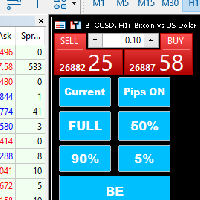
Introducing our MT5 Expert Advisor (EA) with advanced functionality to optimize your trading strategy: Current/All Button: Choose between closing trades on the current chart or all running trades across multiple charts. Enjoy flexibility in managing your positions with a single click. Pips Display Toggle: Easily view or hide your running pips and total pips. Stay informed about your trade progress with real-time updates. Full Close Button: Close all active trades swiftly and efficiently. Streaml

FX28 Trader Dashboard 소개 - 귀하의 궁극적인 트레이드 매니저 FX28 Trader Dashboard는 외환 거래를 새로운 차원으로 끌어올릴 수 있는 포괄적이고 직관적인 트레이드 매니저로 귀하의 거래 경험의 전체 잠재력을 발휘합니다. 귀하가 경험이 풍부한 트레이더이든, 금융 여정을 시작한 지 얼마 안 된 초보자이든, 이 강력한 도구는 귀하의 거래 활동을 효율적으로 정리하고 의사 결정 과정을 향상시키기 위해 개발되었습니다. 주요 특징: 사용자 친화적 인터페이스: FX28 Trader Dashboard는 모든 수준의 트레이더에게 적합한 사용자 친화적 인터페이스를 자랑합니다. 다양한 기능과 도구를 쉽게 탐색하여 몇 번의 클릭으로 거래를 완전히 통제할 수 있습니다. 실시간 시장 데이터: 실시간 시장 데이터 피드를 통해 통화 쌍, 트렌드 및 시장 변동에 대한 최신 정보를 얻어 자신감 있게 거래를 실행하세요. 고급 트레이드 분석: FX28 Trader Dashboard를 사

화면 공간을 더 필요로 하는 트레이더를 위한 숨김 스케일 도구 사용 방법 "T"를 눌러 시간 스케일을 숨기고 "P"를 눌러 가격 스케일을 숨길 수 있습니다. 해당 버튼을 클릭하고 새로운 키를 키보드에서 입력하여 이러한 키를 사용자 정의할 수 있습니다. 두 스케일을 동시에 숨기려면 두 옵션에 동일한 키를 할당할 수 있습니다. 스케일을 다시 표시하려면 해당 키를 다시 누르면 됩니다. 도구를 만든 이유 우리는 Sweet VWAP 지표를 사용하는 트레이더들이 더 많은 화면 공간을 가질 수 있도록 '숨김 스케일' 도구를 만들었습니다. 목표는 화면 공간 제한에 직면하는 모든 트레이더들에게 더 편안하고 생산적인 작업 환경을 제공하는 것입니다. 이 도구는 가격 움직임을 관찰하는 것이 주요 작업인 price action을 사용하는 트레이더들에게 특히 유용합니다. 우리의 도구를 사용하면 스케일을 숨기려면 한 번의 키 입력만으로 충분합니다. 이렇게 하면 트레이더는 시장 분석에 집중할 수 있습니다. 키
FREE

손쉬운 거래 관리를 위한 궁극의 솔루션인 MQL5 유틸리티 버튼을 소개합니다! 클릭 한 번으로 모든 오픈 포지션을 즉시 청산할 수 있어 거래 경험이 그 어느 때보다 원활하고 효율적입니다.
이 혁신적인 도구는 단순성을 염두에 두고 설계되어 모든 수준의 거래자가 쉽게 사용할 수 있도록 합니다. 노련한 전문가이든 초보자이든 MQL5 유틸리티 버튼은 번거롭지 않고 쉽게 거래를 관리할 수 있는 방법을 제공합니다. 이 버튼은 모든 오픈 포지션을 청산하는 프로세스를 단순화할 뿐만 아니라 귀중한 시간을 절약해 줍니다. 더 이상 각 위치를 하나씩 수동으로 닫을 필요가 없습니다 - MQL5 유틸리티 버튼은 단 몇 초 만에 모든 작업을 수행합니다. 그래서 왜 기다려? 오늘 MQL5 유틸리티 버튼을 다운로드하고 거래를 한 단계 끌어올리십시오. 간단하고 효율적이며 바로 사용할 수 있습니다 - 거래 관리 프로세스를 간소화하려는 거래자에게 완벽한 도구입니다.
FREE

The E.A listens for keyboard events and performs specific actions based on the keys that are pressed. When the "C" key is pressed, the script iterates through all open positions and closes them. When the "D" key is pressed, the script iterates through all pending orders and deletes them. This E.A could be useful for traders who want to quickly close all open positions or delete all pending orders with a single keystroke. and specially in times of strong news. if you are SCALPER facing many Prof

product video: https://vimeo.com/824742776?share=copy Trade Assistant, Trade Manager, Trade Panel for MetaTrader 5 with the following functions:
- Display the remaining candle time and the current time of day
- Open long and short positions without SL and TP at the current market price
- Display of the current ask, bid and spread
- Open long and short positions with predefined lot size, SL and TP at the current market price
- Quick selection of the lot size (freely selectable lot sizes)
-
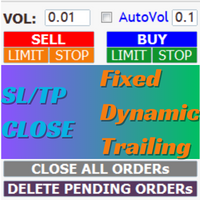
AIP – TradeManagement The main functions of Ea TradeManagement 1. GUI o Interact with running EAs o GUI for placing orders o Closing orders by Ticket o Closing orders by MagicNumber o Closing all orders o Delete Pending orders 2. General management: o Management based on Symbol, manually orders , orders from the EA, and orders from other EAs o User-friendly trade interface with the ability to drag and drop SL,TP,Entry o Support backtest
3. Stoploss man

[ MT4 Version ] [ Discord Version ] [ Pro: Telegram + Discord ] Post your trades to Telegram automatically — and keep every signal UPDATED: this is the only sender that EDITS the original message when you modify SL/TP or close the trade. Your followers always see the real state of every trade, and your channel stays clean and professional. Built for signal providers, VIP channel owners and traders who share their trading. WHY THIS ONE ️ EDITS THE ORIGINAL SIGNAL
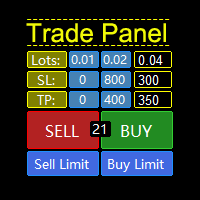
MQL5 Trading Panel SL TP — это мощный инструмент, призванный помочь трейдерам эффективно управлять своими позициями на платформе MetaTrader 5. Эта торговая панель предоставляет простой в использовании интерфейс для установки уровней Stop Loss (SL) и Take Profit (TP) для открытых позиций. MQL5 Trading Panel SL TP обладает широкими возможностями настройки и может быть адаптирована к конкретным потребностям отдельных трейдеров. Панель можно изменять в размере, перемещать и настраивать с помощью ра

Instead of sticking to the Charts,let's use OneKey.
Welcome to our new product - OneKey ! This is a great product written in MQL5, a streamlined version of the ALL IN ONE Keylevel product with the only feature removed being Algo trading. Other features of the product are kept intact and not affected. OneKey integrates many notable functions, including trend determination and Kelevel drawing, detecting Engulfing candle signals, Pinbar, Sideway breakout patterns, BOS, CHOCH, along with profession

--- StudentK Strategy EA --- 1. Various strategies available 2. Private channel for discussion 3. Keep going improvements for opportunities
4. Adapt StudentK's Indicators for advanced usage
5. ** Price must be increased from time to time (old 1-year members will get discount) **
--- Context --- StudentK is not indicated as a master or K Sir for knowledgeable person who claims for winning all the time. (But lots of traders should know the fact that it is rarely truth, especially in fluctuated p
다중 기호 차트의 아무 곳이나 더블 클릭하여 가격 알림을 설정하고 터미널 알림 또는 푸시 알림에서 알림을 받습니다.
1. 차트에 EA 유틸리티 추가
2. <- 왼쪽 또는 -> 오른쪽 화살표 키로 차트 탐색
3. 차트의 아무 곳이나 두 번 클릭하면 선이 추가됩니다. 이 선을 드래그하여 원하는 가격을 설정하면 짜잔, 알림이 설정됩니다! 가격이 라인에 도달하면 유틸리티 설정에 따라 터미널 또는 푸시 알림으로 알려줍니다. 이 경고는 터미널을 다시 시작해도 계속 작동합니다.
4. 여러 종목을 계속 탐색하고 알림을 받고자 하는 많은 차트에 라인을 계속 추가합니다.
5. 새로 시작하려는 경우 D를 눌러 설정한 모든 알림을 삭제합니다.
6. 수평선을 삭제하면 경고가 비활성화됩니다. -- 다중 기호 차트의 아무 곳이나 더블 클릭하여 가격 알림을 설정하고 터미널 알림 또는 푸시 알림에서 알림을 받습니다.
1. 차트에 EA 유틸리티 추가
2. <- 왼쪽 또는 -> 오른쪽 화살표 키로 차트
Because of the variety of strategies that traders and investors have developed over time, quantified, statistics-based strategies over time stand out. Statistical strategies are not based on technical analysis or similar patterns, as some might expect, but on the approach of using recurring patterns in the market, caused, for example, by liquidity effects, on the basis of a period-based entry and exit.
The Quantifier Expert Advisor therefore offers the possibility to implement exactly these sa

[ MT4 Version ] [ Telegram Version ] [ Pro: Telegram + Discord ] Post your trades to Discord automatically via webhook — no bot setup, no permissions: paste ONE URL and you are live in 60 seconds . And keep every signal UPDATED: the original message is edited when you modify SL/TP or close the trade. Built for signal providers, trading communities and prop-firm teams living on Discord. WHY THIS ONE WEBHOOK-BASED — no bot to create, no tokens, no permissions. Disc

It Will Close Your All Trade in Half of second no matter you open 100 plus trade open it will close all trade half of second .
it good work for 1 -5 min scalping this Ea have many function see the pic i uploaded there .
ea that have function close all trade , close all lossing trade , close all profit trade . also have lot system where you can put your expected lot and buy sell button and it can close 100 trade in 1 second
Индикатора группирует исторические и актуальные данные по наименованиям инструментов. Индикатор работает с любыми инструментами. Сортировка по наименованию инструмента и прибыли, убытку. Движение средств (ввод / вывод), прибыльность за последние две недели. Информация сведена в таблицы с возможностью настройки формата таблиц. В одном окне информация по всем инструментам с которыми вы когда - либо работ работали.


Tick Database — export of tick database from MT5 terminal to MT4. The utility provides access to the tick database in real time. This is necessary to generate synthetic charts in the MT4 terminal, which initially does not provide for loading a tick database. For example, you can organize permanent access to the tick database for the Seconds Chart utility. If the opening time of the current candle in the terminals is different, then you need to specify the time offset in hours. Example We open M1
FREE

1. What is this Many of the EA's on the market have cheats inside to optimize its money curve, which results in the buyer wasting money and effort and buying a junk EA . This tool is an effective tool for detecting whether an EA is cheating by allowing the data to be panned to the left for 28 years. 2. How to use a. Load it and it will generate a new symbol, usually it will be named with a suffix. For example, EURUSD --> EURUSD_28year. b. If your want to test one EA, you should open The time fr

The application works as a service. It sends the report to the e-mail address you enter in your Meta Trade program.
Prepares H1 analysis reports every hour.
Prepares and sends D1 analysis reports after 00:00 at night.
Meta Trader analyzes all symbols loaded from the watch screen.
Below is a report for H1. I have added 2-3 symbols in the market watch as an example.
You have an assistant who does these analyzes for you every hour and sends you an e-mail. All the analysis is now done for yo

El EA Boton pone botones de Buy y Sell en la pantalla Ideal para usuarios que habren muchas ordenes y diferentes pares
9 botones buy desde 0.01 al 0.09 y 9 botones sell de 0.01 al 0.09 9 botones buy desde 0.1 al 0.9 y 9 botones sell de 0.1 al 0.9 Boton Close buy y sell Boton Close buy positivos y Boton Sell positivos Boton Close buy negativos y Boton Sell negativos un boton close all y botones buy de 1, 5 y 10 y botones de sell 1,5, 10

This utility is a stop loss assistant simply make a trade as you desire, ether a buy or a sell. Manually set your own stop loss as you desire the higher the timeline the lower the stop loss.
When the Algorithm Trading or Auto Trading is enabled the stop loss will follow the market price. Stop/disable the Algorithm Trading or Auto Trading.
This is a simple stop loss tailing utility use at own risk or pleasure.

거래 관리자는 위험을 자동으로 계산하는 동시에 거래를 빠르게 시작하고 종료하는 데 도움을 줍니다. 과잉 거래, 복수 거래 및 감정 거래를 방지하는 데 도움이 되는 기능이 포함되어 있습니다. 거래를 자동으로 관리할 수 있으며 계정 성과 지표를 그래프로 시각화할 수 있습니다. 이러한 기능은 이 패널을 모든 수동 거래자에게 이상적으로 만들고 MetaTrader 5 플랫폼을 향상시키는 데 도움이 됩니다. 다중 언어 지원. MT4 버전 | 사용자 가이드 + 데모 트레이드 매니저는 전략 테스터에서 작동하지 않습니다. 데모를 보려면 사용자 가이드로 이동하세요. 위기 관리 % 또는 $를 기준으로 위험 자동 조정 고정 로트 크기 또는 거래량과 핍을 기반으로 한 자동 로트 크기 계산을 사용하는 옵션 RR, Pips 또는 Price를 사용한 손익분기점 손실 설정 추적 중지 손실 설정 목표 달성 시 모든 거래를 자동으로 마감하는 최대 일일 손실률(%)입니다. 과도한 손실로부터 계정을 보호하고 과도한

이 도구는 지정되거나 자동으로 계산된 시차가 있는 원본 시간 척도를 차트 하단에 추가합니다.
이 편리한 도구를 사용하면 차트의 가독성을 높이고 자신이나 국가에 익숙한 시간 형식으로 차트를 표시하여 정신적 스트레스를 줄일 수 있습니다.
시차를 계산할 필요가 없더라도 기본 시간 척도를 Local_Time으로 바꾸면 차트의 가독성을 높일 수 있습니다.
Local_Time은 "DD.MM hh:mm", "DD MMM hh:mm", "MM-DD hh:mm", "MM/DD hh:mm", "DD hh:mm", " hh:mm"을 사용하며 다른 국가의 사람들이 사용할 수 있도록 설계되었습니다.
유연한 매개변수 설정을 사용하면 기본 시간 척도 삭제, 시차 자동 또는 수동 계산, 일광 절약 시간 조정, 척도 간 간격 조정 등 필요에 맞게 Local_Time을 사용자 정의할 수 있습니다.
Local_Time 아래에 서브 윈도우가 생성되면 빨간색 바가 나타나며, 이를 클릭하면 하단으로 이동할 수 있
FREE

Msg2Slack은 MT4/MT5 텍스트 상자에서 Slack으로 메시지를 보내는 도구입니다. 텍스트 상자 오른쪽에 있는 버튼을 한 번만 클릭하면 슬랙 채널에 텍스트와 차트 이미지를 쉽게 보낼 수 있습니다. 차트에 선, 마크, 댓글 등을 그려도 이미지가 올라갑니다.
자신에게 메시지를 보내든 그룹에 메시지를 보내든 이 간단하면서도 강력한 도구를 사용하면 차트 이미지를 캡처하고 즉시 메시지를 보내는 것이 매우 쉽습니다.
Msg2Slack 도구가 차트 하단에 표시됩니다. 메시지를 입력하고 우측의 버튼을 클릭하기만 하면 메시지 또는 이미지가 포함된 메시지를 게시할 수 있습니다.
유용성의 수준은 사람마다 다르지만 커뮤니케이션에 Slack을 사용하는 사람은 누구나 차트 이미지를 즉시 보낼 수 있는 Msg2Slack의 기능을 활용할 수 있습니다.
Slack API TOKEN을 가져와 이 도구의 매개변수로 설정합니다.
전략 테스터를 사용하여 작동하는지 확인할 수도 있습니다.
FREE

PropAngel EA is a manager EA to help you to pass proprietary firm challenges and evaluations and to keep your funded accounts. PropAngel EA makes sure you do not breach daily drawdown limit which gives you change to continue trading the account and recover from the drawdown. PropAngel EA makes sure that at the moment you have reached your challenge, evaluation or scaling target all trading will be immediately stopped. This is done to prevent account falling away from the target. PropAngel EA giv
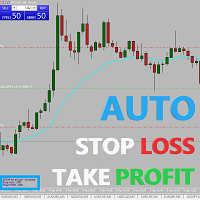
Easy and simple Automatic Stop Loss and Take Profit manager.
For all pairs, indexes etc. Works with all instruments.
All types of orders. All charts.
Users inputs:
- take profit in pp
- stop loss in pp
- font name,size and color
- corner for place settings info
Save & Load settings option.
Fast, simple and reliable trade assistant.
A "MUST HAVE" for all traders.
Check out other tools provided by our team!

Easy and simple tool which close all trades in defined point of time. It can also close all open trades when opened positions reach defined target profit or stop loss.
For all pairs, indexes etc. Works with all instruments.
All types of orders. All charts.
Users inputs:
- close time (hour,min,sec)
- take profit (in users currency)
- stop loss (in users currency)
Save & Load settings option.
Fast, simple and reliable.
Check out other tools provided by our team!
FREE
This indicator shows both GMT time and your broker's time on the chart.
Simply attach the indicator to a chart, and you will see the GMT time and your broker's time displayed in the top left corner, as shown in the screenshot. By using this indicator, you can always stay informed about your broker's time, which is especially useful during daylight saving changes.
You won't have to worry about whether your broker follows the US or EU schedule, as the indicator automatically adjusts to reflect any
FREE

TrendFollowing is an multi-currency scanner that just indicates where to buy/sell: Abilities: Opens up the chart automatically with and arrow indicating where to take action. Send the signal to a telegram channel, see @fx_signal_com channel to get the idea. Configuration: No need to configure "Market Watch". Open a chart and attach the scanner to it. Trading Rules: Use only buystop/sellstop orders above/below arrow on the chart. Delete the pending order if price retraces below/above the moving
FREE

TrendFollowing is an multi-currency scanner that just indicates where to buy/sell: Abilities: Opens up the chart automatically with and arrow indicating where to take action. Send the signal to a telegram channel, see @fx_signal_com channel to get the idea. Configuration: Configure "Market Watch" with all the symbol you like to trade. Open a chart and attach the scanner to it. Trading Rules: Use only buystop/sellstop orders above/below arrow on the chart Delete the pending order if price retrac
Este script permite abrir operaciones de forma rápida con un loteo automático basado en el "equity".
También permite habilitar/deshabilitar la colocación de SL y TP al hacer clic en un botón. Si se habilita el SL o el TP, también se tiene la posibilidad de establecer el riesgo que se desea tomar en pips.
* Se recomienda ocultar los botones de compra y venta originales.
FREE
Trading assistant that offers advanced management of your trades with optimization features. It automatically calculates the risk per trade, makes it easy to set up new orders, and offers advanced management tools such as automatic trade closing in 5 different ways. It also has other useful features that will improve your control and decision making. And best of all, you can use it in the strategy tester to perfect your tactics before trading live!
Our trading assistant is a trading tool that

Here is a powerful trading tool that will allow you to trade manually or automatically in any market, but is especially useful in markets with high volatility and liquidity.
This system has two EAs (Expert Advisors): one for Buy and one for Sell, which work independently. The operation is based on the hedging strategy and the increase in lots based on the Fibonacci sequence, which will allow you to always add the two previous lots: 1, 2, 3, 5, 8, 13...
You decide how you want to trade: you ca
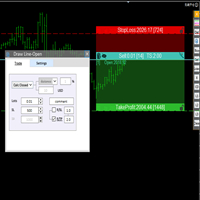
交易者的最佳伙伴! 基本使用设置 基本: 支持语言的选择切换(目前支持中文和英文) 自动识别语言 划线交易
支持英文中文自动选择,自动识别.
1.划线交易 ( 支持拖拉,支持多个订单线 ) 2.手数管理: 两种手数计算模式 ①资金的风险比例,例如设置风险百分比为1的时候,1万美金可交易1手. 计算手数 = 资金(净值或者余额或者剩余保证金) * RISK /10000 ②按亏损金额计算,本设置需要配合止损设置, 计算手数 = ( 当订单被初始下单设置的止损所止损的时候所亏损金额 计算得到的手数,小于最低手数会等于最小手数) ; 3.盈亏比等设置,
设置部分 1. 自动吸附最近高低点 2.高低点偏移 3.自动选择订单习惯 4.SL TP设置方式 5.语言设置

Bot to attach to any different chart than the one using to get the orders and send them to telegram Inputs: Telegram Bot Token, Telegram Chat ID Sends Open Price, Order Type, Lots, Take Profit and Stop Loss instantly after the trade is executed. Easy to SetUp and to use My other Bot for XAUUSD and USDCHF: https://www.mql5.com/en/market/product/94001 Just remember to go to Tolls->Options->ExpertAdvisors->Allow Web Request for listed URL: https://api.telegram.org/

이 도구는 귀하의 위치에 정류장을 배치합니다
Metatrade Strategy Tester로 빠르게 테스트하십시오. 긴 위치의 경우 마지막 바닥에 중지됩니다. 또는 짧은 위치의 경우 마지막 상단에 중지됩니다.
또한 이 도구는 오픈 포지션의 후행을 관리합니다. 항상 마지막 고점 또는 마지막 형성된 저점에 스톱을 놓으십시오.
고점과 저점을 만들기 위해 이 링크에서 다운로드할 수 있는 무료 지표인 "지지 및 저항선"을 사용합니다. metatrade 5에 대한 무료 고점 및 저점 지표 다운로드
이 도구는 삽입된 자산의 모든 열린 위치의 정지점을 이동합니다. i doguneun gwihaui wichie jeonglyujang-eul baechihabnida
Metatrade Strategy Testerlo ppaleuge teseuteuhasibsio. gin wichiui gyeong-u majimag badag-e jungjidoebnida. ttoneun jjalb-eun w

대부분의 트레이딩 EA를 연중무휴로 실행하기 위해 VPS를 사용하지만 이러한 터미널이 정상적으로 작동하는지 어떻게 모니터링할 수 있을까요?
업데이트로 인해 충돌이 발생하거나 종료되면 어떻게 하나요? 이에 대한 알림은 어떻게 받습니까?
이것이 바로 하트비트 모니터링의 역할입니다.
모든 단말기와 VPS에 대해 연중무휴 24시간 모니터링을 제공합니다.
그렇다면 무엇이 필요할까요? 전문 모니터링 서비스인 Cronitor의 무료 사용자 계정입니다.
2. 이 도구는 VPS의 차트에서 실행됩니다. MT5 또는 연결 문제가 발생하면 메일로 알림을 받게 됩니다(더 많은 알림 방법 사용 가능).
우리는 이 기술 솔루션을 사용하여 중요한 백엔드 인프라를 모니터링하므로 안정적이고 유용한 것으로 입증되었습니다.
파트너 블로그 : Daniel Stein에서 전체 튜토리얼 을 읽어보시기 바랍니다.
원하시는 경우 노데핑 서비스 (유료)를 이용하실 수도 있습니다.
모닝 브리핑여기 mql5와 텔레그램
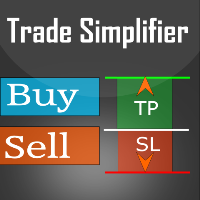
Trade simplifier is a trade panel that simplifies trade opening. It is simple and easy to understand, with key features to ease trading. Features include:
Order type selection Fixed lot entry from the chart user interface Easy Take profit entry field on the chart user interface Visual take profit selection and adjustment via the line that appears when you click the Take Profit button Easy Stop loss entry field in points on the chart user interface Visual Stop Loss selection and adjustment via
FREE

All in one Multipurpose Telegram Trade Management , Manage and Copy Trades on the go From Telegram Pro Version MT5: www.mql5.com/en/market/product/95742 Pro Version MT4: www.mql5.com/en/market/product/85691
Execute Trades on mobile with fast execution When away from desktop MT5, or scalping the market with mobile device, or needed to copy trades from telegram groups while away, or doing some other activities, Telegram EA Manager is an effective tool to perform any trade operation with swift
FREE

Copy trades with ease using the MetaTrader5 trade copier - the quickest and easiest way to copy transactions between different MetaTrader 5 accounts! This innovative tool allows you to locally copy trades in any direction and quantity, giving you full control over your investments.
Attention!
You need to download the Trade Copier Slave mq5 file as well to run this EA. Download it from here https://www.mql5.com/en/market/product/96541
Designed to work on both Windows PC and Windows VPS, this
FREE
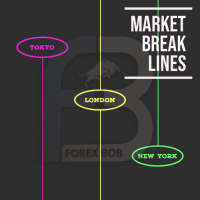
Market Break Lines is an utility tool to create a partition line at market openings/closings of Tokyo/London/NewYork sessions. This will help you to compare the market movements, volatility variations between the different markets.
Inputs: Inputs are simple to feed the time of Tokyo/London/NewYork sessions as per your broker server time Change Color and width of partition lines You can enable or disable any line (Hide/Show).
Please don't forget to support by giving handsome reviews/rating MT
FREE

Copy trades with ease using the MetaTrader5 trade copier - the quickest and easiest way to copy transactions between different MetaTrader 5 accounts! This innovative tool allows you to locally copy trades in any direction and quantity, giving you full control over your investments. Designed to work on both Windows PC and Windows VPS, this program is versatile and adaptable to your trading preferences. Whether you prefer to work from your desktop or a virtual private server, the MetaTrader5 trade

IMPORTANT: Blocks&Levels Alerts MT5 indicador.
Gives you the ability to easy draw Blocks and Levels (support and resistance) using key shortcuts and Alerts when price touch them. Please use it and give me feedback!! It really helps! Thank you very much! DESCRIPTION:
Blocks&Levels Indicator, has useful key shortcuts for draw Levels, Blocks Zones, change chart Time Frames, Select or Deselect all drew objects. SETUP: Just install the Indicator on the Chart
Open and navigate Indicator properties
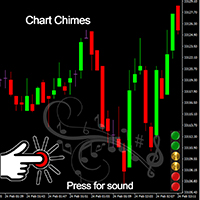
Wir stellen den Chart Chimes vor - den MT4/MT5-Indikator, der den Handel zu einer Klangsymphonie macht! Sind Sie es leid, den ganzen Tag auf Charts zu starren? Brauchen Sie einen kleinen Muntermacher, um Ihre Stimmung beim Handeln hochzuhalten? Nun, Chart Chimes hat Sie abgedeckt!
Mit Chart Chimes hören Sie jedes Mal, wenn Sie diese Taste drücken, einen lustigen Ton, der ein Lächeln auf Ihr Gesicht zaubert und Ihren Schritt zum Hüpfen bringt. Stellen Sie sich vor, Sie handeln mit dem Klang ein
FREE

Blind Broker System 의 유일한 목적은 거래 계획을 숨기고 중개인에게 보이지 않게 만드는 것입니다. 당신이 정말로 그를 "맹인"으로 만들고 그가 당신의 손절매 수준, 이익 수준, 거래량에 대해 미리 알지 못하는지 확인하고 싶다면 이 거래 로봇을 사용하십시오.
Mr.에게 특별한 감사를 드립니다. 이 프로젝트의 시작과 아이디어에 대한 Henryk Kardas. MQL에서 제공하는 무료 데모로는 이 EA의 기능을 테스트할 수 없습니다. 실제 테스트를 위해 실제 DEMO VERSION을 다운로드하십시오.
데모 버전 링크 https://www.mql5.com/en/market/product/94192
Blind Broker System 은 주문을 관리하는 대체 시스템입니다. 어떤 의미에서는 Meta Trader Terminal 내부의 시스템과 동일합니다.
차이점은 Blind Broker System 을 통해 제출된 모든 주문은 브로커의 서버에 기록되지 않고 프로그램

"Terminator Trades " EA robot, built on the powerful MQ5 code, is designed to simplify the process of closing your positions and pending orders. You can adjust if you want close all the trades or by specific symbols. With just a single click on a button, you can efficiently manage your current positions, ensuring that you never miss an opportunity to terminate a trade. Close Trades , Delete Pending Orders with Terminator Trades.
FREE

All in one Multipurpose Telegram Trade Management , Manage and Copy Trades on the go From Telegram Pro Version MT4: www.mql5.com/en/market/product/85691
Execute Trades on mobile with fast execution When away from desktop MT5, or scalping the market with mobile device, or needed to copy trades from telegram groups while away, or doing some other activities, Telegram EA Manager is an effective tool to perform any trade operation with swift execution. In other words, Our Telegram Trade Manag

ขอบคุณ แรงบันดาลใจ จากโค้ชแพม ที่ทำให้เริ่มทำ Close all ตัวนี้ และขอขอบคุณทุกคนที่ให้ความรู็มาโดยตลอด ไม่ว่าจะทางตรงทางอ้อม ขอบคุณทุกคนที่ให้ความรู้เพื่อนร่วมเทรด ทั้งนี้เพื่อให้นักเทรดทุกคนได้มีเครื่องมือในการควบคุมการปิดการซื้อขาย จึงขอพัฒนาโปรแกรม close all version 5 ได้ใช้ทุกคน Close all and update profit Version 1.00 (MT5) Full version Give you free
For MT4 Click https://www.mql5.com/en/market/product/79252
Fix TPSL calculate
Program function
Tab 1 Close order function and show br
FREE

Introducing the "Auto Timed Close Operations", a useful utility for MetaTrader 5 traders! This utility has been developed to help traders of all levels automatically close their open positions at the exact moment they desire. With the "Auto Timed Close Operations", you gain the required control over your trades and can avoid unwanted surprises at the end of the day or at any other predefined time. We know how important it is to protect your profits and limit your losses, and that's exactly what
This EA will set breakeven or breakeven-plus for your trades, whether you have manually or automatically set stop loss or not. If your broker charges commissions per trade, you need to set breakeven plus, not just breakeven, in order to cover up those charges and properly let your trades run at zero risk. Inputs:
In the inputs section , set BEPoffsetPips to 0, to use it as a "breakeven" EA. Or set BEPoffsetPips to any amount of pips you want, to use it as a "breakeven-plus" EA. "OnProf

Customize your charts with this simple utility. Choose in the 24 pre-built color sets, or use your own colors, save them to re-use them later. You can also add a text label on your chart.
--- Chart Colors-- Color Set : 24 prebuilt color sets (select "Custom" to use colors below) Background color Foreground color Grid color Chart Up color Chart Down color Candle Bull color Candle Bear color Line color Volumes color --- Label--- Text Label : Type the text you want to appear on the chart Label P
FREE
MetaTrader 플랫폼 어플리케이션 스토어에서 MetaTrader 마켓에서 트레이딩 로봇을 구매하는 방법에 대해 알아 보십시오.
MQL5.community 결제 시스템은 페이팔, 은행 카드 및 인기 결제 시스템을 통한 거래를 지원합니다. 더 나은 고객 경험을 위해 구입하시기 전에 거래 로봇을 테스트하시는 것을 권장합니다.
