 MetaTrader 5
 エキスパート
 インディケータ
 ライブラリ
ライブラリ
 ユーティリティ
 ウィジェット
 ルール
ルール
YouTubeにあるマーケットチュートリアルビデオをご覧ください
ロボットや指標を購入する
仮想ホスティングで
EAを実行
EAを実行
ロボットや指標を購入前にテストする
マーケットで収入を得る
販売のためにプロダクトをプレゼンテーションする方法
MetaTrader 5のためのエキスパートアドバイザーとインディケータ - 107
 自動売買ロボットとインジケータを使用して、外国為替取引の収益性を高めます。 自動売買ロボットを使用すると、取引の開始と終了を自動化でき、インジケータは市場の行動をより正確に予測するのに役立ちます。
このページには、MetaTrader5アプリケーションのカタログが掲載されています。
自動売買ロボットとインジケータを使用して、外国為替取引の収益性を高めます。 自動売買ロボットを使用すると、取引の開始と終了を自動化でき、インジケータは市場の行動をより正確に予測するのに役立ちます。
このページには、MetaTrader5アプリケーションのカタログが掲載されています。 
Smart Entry — Precision Entry Signal Indicator Stop guessing your entries. Get clear, filtered Buy/Sell arrows only when it matters. What It Does Smart Entry is a MetaTrader 5 indicator that spots high-probability trend reversal points and marks them with simple green (Buy) and red (Sell) arrows directly on your chart. Every signal passes through a 3-layer filter before it appears: Reversal Detection — identifies the moment short-term price direction shifts Trend Confirmation — only signals that

TrueStrength Oscillator v1.00 Visual representation Thick blue line: The main TSI, which tracks market momentum. Thick red line: The signal line, which follows the main line closely to identify crossovers. Thin blue bars: Histogram bars extending from the zero line to the main blue line. Dotted gray line: The zero level, providing a clear reference for trend reversals. Operational advantages Fixed scale: The range remains constant between -0.000001 and +0.000001 for consistent reading. No repain

Trade Analyzer & SL TP Optimizer MetaTrader 5 用 実トレード分析・Stop Loss / Take Profit 最適化ツール Trade Analyzer & SL TP Optimizer は、実際の取引履歴を詳しく分析するための MetaTrader 5 ツールです。 通常の取引履歴では、エントリー価格、決済価格、最終的な損益を確認できます。 このツールではさらに、各エントリー後に価格が実際にどのように動いたのかを分析し、取引中に何が起きていたのかを確認できます。 裁量トレードだけでなく、Expert Advisor による取引も分析できます。 Magic Number を使用して、複数の戦略を個別に分析することも可能です。 主な分析項目 Trade Analyzer & SL TP Optimizer では、以下のような情報を分析できます。 エントリー後の実際の価格推移 ポジションに対して最大でどれだけ不利に動いたか ポジションに対して最大でどれだけ有利に動いたか 決済効率 利用できた値動きと実際の利益の比較 利益として確保できなか
FREE

IT IS NOT FOR YOU.IT IS A POWERFUL EA WHICH HAVE TO CONTROL BY INPUT. R YOU THE PERFECT PERSON?
Hybrid Lorentzian Gold ML EA v3.0 – Intelligent Adaptive Trading for XAUUSD Next‑Gen Machine Learning Core
A Lorentzian KNN classifier analyzes 5 normalized features (RSI, WaveTrend, CCI, ADX, RSI) in real time, detecting subtle market patterns that ordinary strategies miss. Multi‑Timeframe Confirmation
20‑EMA filters on Current, H1, and H4 timeframes form a majority‑voting system that filters out
FREE
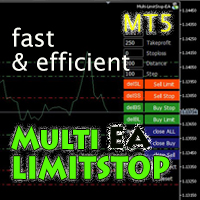
Multi LimitStop EA ( MT5 )
This EA is designed for automatic placing of pending orders (sell limit, buy limit, sell stop, buy stop) including Stop Loss & Take Profit levels (editable) with only one button click.
This EA can make order multi pending level / pending orders grid. So, with this EA placing pending orders will be faster , accurate and efficient .
Main Purposes Automation Pending orders grid style trading. Automation of the process of placing the Pending Orders: fast accurate effic

Gold Director is a fully automated expert advisor that includes several trading systems. Each trading system has its own entry point with hidden stop-loss/take-profit based on indicators, and fixed points. This trading robot works by detecting trends generated by the ADX indicator with various settings. This EA can be used on all currency pairs and all timeframes, but is specifically designed for the 1-hour timeframe for gold.
Main Features: No Grid. No Averaging. No Martingale. Settin

EA 100% automated for XAUUSD – Captures NY impulse with dynamic trailing. 4years backtest, Total Net Profit ≈ 222%, DD Max ≈ 7%, WR ≈ 51%, PF ≈ 2. Profitability, discipline and emotional control.
Most traders lose money. Not because of bad analysis, they mostly lose because they fail to follow their own plan. Smart traders limit the impact of their emotions on their results. You too can improve your results by letting Kingsley handle analysis, entries, and trade management.
What Kingsley EA do
FREE

# The Knowledge and Theory of the Normal Distribution Chart Indicator in the Gold MT5 Trading Platform In the complex environment of the financial market, especially in the gold MT5 trading platform, traders need to rely on various tools to analyze market dynamics, among which the normal distribution chart indicator plays a crucial role. The normal distribution, also known as the Gaussian distribution, is a fundamental and key probability distribution in statistics. In the gold market, the norma
FREE

ZenBasket is a fully automated mean-reversion Expert Advisor for MetaTrader 5. Instead of chasing breakouts, it waits for the price to stretch to the edge of its short-term range and trades the pull back to the mean — patiently, in both directions, on a set of carefully selected currency pairs.
How it trades
The advisor identifies quiet, ranging conditions on a higher timeframe and fades the extremes of a price channel, using a dual-oscillator confirmation to enter only when the move looks ex
FREE

VWAP WAVE [Riz] - MT5 Indicator Advanced VWAP Divergence Detection System
VWAP Wave is a professional-grade Volume Weighted Average Price indicator with built-in divergence detection system. It identifies high-probability reversal and continuation signals by analyzing price-VWAP relationships across multiple timeframes.
FREE

エントリー前にリスクを計画し、決済済み取引をチャート上で確認できます。Edgemory Trader OS は、MetaTrader 5 用の無料オフライン・リスク計算、ポジションサイズ計画、取引日誌、CSV/JSON エクスポートツールです。登録、トークン、DLL、WebRequest、外部サーバーは不要で、導入後すぐに動作します。
決定論的なプランナーは、口座残高、リスク率、エントリー、ストップロス、テイクプロフィット、ティックサイズと価値、ブローカーのロット制限を使用します。銘柄仕様に合ったポジションサイズとリスクリワード比を表示します。価格水準を推測せず、注文も送信しません。
パネルの主な内容: - 決済済み取引数と勝率 - 利用可能な手数料とスワップを含む純損益 - プロフィットファクターと1取引あたりの平均結果 - 最大実現ドローダウン - 最良・最悪の決済済み取引 - 手数料とスワップの合計コスト - 入力した計画、リスク率、ロット、リスクリワード比 - 最終エクスポート時刻とローカル状態
CSV と JSON は自動更新され、Export Now でも作成できます
FREE

これは、異なるブローカーやアカウントの異なるタイプが異なるスプレッド値(ビッドとアスク価格の差)を持つことができることは秘密ではありません。 このような状況では、同じExpert Advisorが完全に異なる結果で取引されます。 シンボルの広がりが大きいほど、あなたが得る利益は少なく、ブローカーがあなたから得る利益は多くなります。 したがって、スプレッドを測定することは、特にスキャルピング、真夜中と日中の戦略のために、ブローカーと口座の種類を選択するために非常に重要
無限大からシンプルだが信頼性の高い指標は、あなたが任意のブローカーで任意のシンボルの広がりを追跡するのに役立ちます!
ちょうどあらゆる図表に散布図の表示器を取付けて下さい(M1-H1は推薦されます)。 スプレッドメーターは、最大の最小スプレッドと平均スプレッドの変更を追跡し、記憶します。
チャートの下部にある散布計インジケーターのヒストグラムは、リアルタイムで履歴を蓄積します。 したがって、インジケータを常に使用することが重要です。 VPSまたは永続的なインターネット接続を持つコンピュータをお勧めします。
FREE
Tick Chart Monitor with countdown tick volume and easy to change tick size without going back to main chart. This work with Tick Chart Generator , which are available for download from the MQL5 Market: Tick chart generator: https://www.mql5.com/en/market/product/79763 NOTE: Custom symbols on MT5 are not directly tradable. This is by Metatrader5 design. If you want to place trades directly on the custom symbol generated by this product, you will either need a trade panel that offers this functi
FREE
このインジケーターは有名なフラクタルインジケーターに基づいていますが、多くのカスタマイズ と柔軟性があり、
これは、トレンドの反転を特定し、潜在的な利益を最大化するための強力なツールです。
高度な機能とユーザーフレンドリーなインターフェイスを備えた、あらゆるレベルのトレーダーにとって究極の選択肢です。 MT4 バージョン : Ultimate Fractals MT4 特徴 :
カスタマイズ可能なフラクタル キャンドルの数。 反転ライン。 カスタマイズ可能な設定。 ユーザーフレンドリーなインターフェイス。 主なパラメータ: 左側のキャンドル - フラクタルを形成する左側のバーの数。 Candle On Right - フラクタルの右側のバーの数。
市場の不確実性によって行動を妨げないようにしてください。 「究極のフラクタル」インジケーターでトレーディング ゲームをレベルアップさせましょう。
このツールを利用して自信を持って意思決定を行い、財務目標を達成する成功したトレーダーの仲間入りをしましょう。 特定の「Ultimate Fractals MT5」インジケーターの独自の機
FREE

XAU Keltner Expansion H4 Expert Advisor for MetaTrader 5 — Gold / XAUUSD focus
Version: 1.00 What it is XAU Keltner Expansion H4 is an Expert Advisor for gold on the H4 chart. Channel expansion trend participation for gold H4. Built for structured automated participation — not grid , not martingale . Evaluate on your broker and risk profile before any live use. This product is a technical system . Exact thresholds and entry equations remain internal product design and are not published here. Ad
FREE
This auxiliary indicator displays time left before closing on the current timeframe with continuous update . It also shows the last trade price and variation from a previous day close in percentage and points. This indicator is pretty handy for daytraders and scalpers who want to precisely monitor closing and opening of candles.
Indicator parameters Show in shifted end - Default: False. Display time and values on screen. If True, Displays only time to close aside last candle. Distance from the
FREE

The Prospector Scalper EA is a fully automated Expert Advisor that scalps during high volatility periods using a hybrid lot multiplication algorithm. The EA trades using market orders and hides its decision making from the broker. This EA will work on any pair but works best on EURUSD and USDJPY on the M5 timeframe. A VPS is advisable when trading this system. Check the comments for back test results and optimized settings. Please note: I have made the decision to give this EA away and many more
FREE

InnerPulse EA: A Blend of Precision and Scalability Overview:
InnerPulse EA is a sophisticated Expert Advisor tailored for traders seeking precision and adaptability. Built around the Harami candlestick pattern (both Bullish and Bearish), this EA integrates additional filters such as Moving Average (MA), Stochastic, and RSI to validate market trends and enhance trade accuracy. Key Features: Pattern Recognition:
Detects Bullish and Bearish Harami patterns, ensuring high-probability entries by v
FREE

TrendBite v1.5 - プロフェッショナルトレンド追跡インジケーター 開発者: 8aLt4 バージョン: 1.5 プラットフォーム: MetaTrader 5
概要 TrendBite v1.5 は、市場のトレンドの変化を検知し、投資家に明確な売買シグナルを提供するために設計された、高度なテクニカル分析インジケーターです。ボリンジャーバンドのアルゴリズムに基づいて、トレンドの転換を正確に捉えるこのツールは、初心者にも経験豊富なトレーダーにも最適です。
主な機能 トレンドの検知 自動トレンド分析:市場の上昇トレンドと下降トレンドを瞬時に検出 ボリンジャーバンドベース:信頼性の高い数学的モデルに基づく計算システム 視覚的な明瞭さ:緑(上昇)と黄色(下降)のヒストグラムバーでトレンド状況を明確に表示 売買シグナル 緑色の矢印(↑):買い機会を示します 赤色の矢印(↓):売り機会を示します 明確な視覚化:トレンドラインにより、ポジションの方向を簡単に追跡できます ヒストグラム表示:トレンドの強さを視覚的に評価可能 警告システム 音声警告:新しいシグナルが発生すると自動
FREE
MT5 ATRボラティリティ・ヒストグラム – テクニカルなボラティリティ分析 このインジケーターは、ファストATRとスローATRの差を計算し、ヒストグラムとして表示します。これにより、市場のボラティリティ変化をリアルタイムで視覚的に把握できます。 計算式
ボラティリティ差 = ファストATR - スローATR 解釈 正の値(緑色のバー)はボラティリティの上昇を示し、ブレイクアウトのモメンタムを確認できます。 負の値(赤色のバー)はボラティリティの低下を示し、レンジ相場やモメンタムの低下を示唆します。 活用例 価格のブレイクアウト時にボラティリティが増加しているかを確認し、エントリー判断に活用する。 モメンタムの変化が緑色のバーとともに現れる場合、反転シグナルの信頼性を高める。 価格が新高値や新安値を付けても、ボラティリティに対応する増加が見られない場合、ダイバージェンスを検出する。 ローソク足パターンやプライスアクションと組み合わせて、強いボラティリティの裏付けがあるパターンのみを選択する。 推奨併用ツール
本インジケーターは「ローソク足パターン認識」ツールと併用できます:
h
FREE

Google SheetExporter — MT5 ↔ Google Sheets Google SheetExporter automatically exports your full MetaTrader 5 deal history to Google Sheets and keeps it synchronized. Every few minutes, your complete trading history appears in your own spreadsheet: every deal, every position matched from entry to exit, every EA identified by name. WHAT IT DOES • Exports the complete deal history (default: 10 years back) — not just open positions • Re-syncs automatically on a timer (default every 5 minutes), start
FREE

MSX Heikin Ashi Advanced Overview MSX Heikin Ashi Advanced is a MetaTrader 5 indicator designed to provide a smoothed visual representation of price movement using a modified Heikin Ashi calculation. The indicator applies Heikin Ashi calculations to user-selected price sources and displays color-based candles that may assist with trend observation and market structure analysis. Features • Modified Heikin Ashi candle calculation • Real-time candle updates • Multiple applied price options • Color
FREE

I’m sharing this EA here for free to support the trading community. I hope it’s helpful, and don’t hesitate to reach out if you have any questions or feedback!
Description Very robust and powerful Expert Advisor, which allows trading in or against the trend because of its 4 components. It is based on a very reliable trading strategy and gives you all ou need to be succesful in trading.
How is The Holy Hunter useful to you? A complete and reliable trading strategy. Easy to understand and trad
FREE
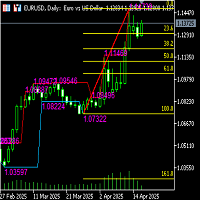
Functional description of automatic Fibonacci line indicator (including high and low channel lines) Indicator name Automatic Fibonacci retracement line + high and low channel auxiliary
Functional introduction This indicator combines the automatically identified high and low points of the band, automatically draws the Fibonacci retracement/extension line, and draws the highest and lowest price channel lines of the current analysis interval to provide traders with clearer support/resistance refe
FREE

What Is Market Imbalance? Market Imbalance, also known as "IPA" or Improper Price Action, is when price moves so quick in one direction with no orders on the other side of the market to mitigate the price movement. We all know Big Banks, or "Smart Money", can move the market by placing huge orders which in turn can move price significantly. They can do this because Big Banks are the top 10 Forex traders in the world . But unfortunately, the Big Banks cannot leave these orders in drawdown and mu

Overview EMA Scalper is a technical indicator designed for the MetaTrader 5 platform. This tool helps traders identify potential trading signals based on the crossover between price and an Exponential Moving Average (EMA), combined with a dynamic price channel. The indicator is suitable for scalpers or day traders and works across various timeframes and financial instruments. How It Works The indicator's logic is based on two main components: EMA Crossover: The core signal is generated when the
FREE

過去チャートを再生し、特定の時間ポイントに瞬時にフォーカス移動可能です。
作成したフォーカスラインにチャートを移動させることで、重要な時間ポイントの観察や分析を効率的に行えます。
もし気に入っていただけたら、「Chart Auto Flow Focus Edition」もご検討下さい: https://www.mql5.com/ja/market/product/154905
高速移動でのチャート検索、低速移動でのシミュレーション、複数チャートのMTF同一時刻での同期でMTF分析も楽にできます。 特徴 注目時間ポイントに瞬時にフォーカス移動可能 自動再生でチャートの挙動、流れの把握やパターンサーチが可能
再生仕様 再生方向:過去 → 未来 移動バー数:1バーずつ進行 再生速度:固定 再生中の一時停止 / 再開可能 ENDボタンでプログラム終了 操作方法 Crt FocusLine:フォーカスラインを作成 Position:表示位置を右端・中央・左端に切替 Focus:作成したフォーカスラインにチャートを瞬時に移動 Pause / Restart:再生の一時停止 / 再開 END
FREE

Main: Not martingale, not a grid; Working on all symbols;
Signals: There is a good rational algorithm. Work of two indicators: Stochastic and OsMA (you can set a separate Timeframe for each indicator)
Stop Loss/Take Profit: There is a good money management system (there are several type for trailing stop loss); There is virtual levels of Stop Loss / Take Profit; There is smart lot (percent by risk) or fix lot
Important: EA can work on closed candles, and on current candles; Quickly opti
FREE

Overview Simple Trade Panel EA is a clean, lightweight trade assistant designed for manual traders who want fast and visual order placement directly from the chart.
No more fiddling with order windows – place Market and Pending orders, adjust Stop Loss & Take Profit using draggable horizontal lines, and instantly see your risk/reward ratio, point distance, and dollar value.
The panel features a modern “dirty pastel” color scheme that perfectly fits light chart themes, and can be hidden with
FREE

Pare de lutar contra o terminal. Comece a operar com precisão cirúrgica. O Profit Station Pro não é apenas um painel; é uma reformulação completa da experiência de trading no MetaTrader 5. Desenvolvido para traders que exigem agilidade, este utilitário transforma o gráfico em um Cockpit Operacional , eliminando a necessidade de boletas complexas e cálculos manuais lentos. Seja você um Scalper ou Day Trader, o Profit Station oferece as ferramentas que faltavam para sua consistência. Funcion
FREE

本EAは、RSIとトレンドフィルターを組み合わせたシンプルなスキャルピング戦略です。 主にロンドン時間およびニューヨーク時間にエントリーし、相場の流れに沿ったトレードを行います。過度なリスクを取らず、安定したパフォーマンスを重視した設計となっています。 特徴
・低ドローダウンを重視した設計
・シンプルで再現性のあるロジック
・短期売買(スキャルピング)に対応
・リスク設定の変更が可能
・特定の時間帯に絞った効率的なエントリー ロジック概要
RSIによる過熱感の判断と、移動平均によるトレンド方向の確認を組み合わせています。トレンド方向に沿った押し目・戻りのポイントを狙い、短期で利益確定を行う構造です。 バックテスト結果(参考)
・プロフィットファクター:約1.29
・最大ドローダウン:約0.46%
・総取引回数:3800回以上 ※上記は特定条件でのテスト結果であり、将来の利益を保証するものではありません。 推奨設定
・通貨ペア:EURUSD
・時間足:M5
・リスク:0.1%(デフォルト設定) 注意事項
・ブローカーの仕様(スプレッド、約定力、ストップレベル等)によっ
FREE

RiskCalculatorOrders - Professional Risk Management EA RiskCalculatorOrders is an Expert Advisor designed to provide traders with a seamless and efficient way to manage risk and execute trades directly from the MetaTrader 5 chart. Key Features Dynamic Risk Calculation: Automatically calculates the optimal lot size based on your predefined risk percentage (of your account balance) and the distance to your Stop Loss level. Visual Control Panel: Intuitive, user-friendly interface overlaid on the ch
FREE

この無料ツールが気に入っていただけましたら、ぜひ5つ星の評価をお願いします!本当にありがとうございます :) 「リスク管理アシスタント」エキスパートアドバイザーコレクションは、様々な市場環境においてリスクを効果的に管理することで、取引戦略を強化するために設計された包括的なツールスイートです。このコレクションは、平均化、スイッチング、ヘッジの3つの主要コンポーネントで構成されており、それぞれが異なる取引シナリオに合わせて独自のメリットを提供します。
このEAは、市場で標準的なリスク管理戦略を発展させたものです。
https://www.mql5.com/en/blogs/post/756961
1. 「平均化アシスタント」EA: MT4: https://www.mql5.com/en/market/product/115468 MT5: https://www.mql5.com/en/market/product/115469 2. 「スイッチングアシスタント」EA: MT4: https://www.mql5.com/en/market/product/115478 MT5:
FREE
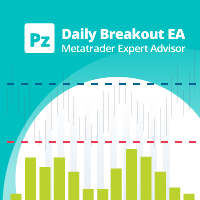
This EA trades daily breakouts placing bidirectional pending orders using the last day's trading range -or using market orders, as desired-, provided these price levels have not been yet tested. It offers many trading behaviors and flexible position management settings, plus a martingale and inverse martingale mode. [ Installation Guide | Update Guide | Troubleshooting | FAQ | All Products | Get Help ] Easy to use and supervise Customizable break-even, SL, TP and trailing-stop Works for ECN
FREE

RSI AutoTrader Pro – Smart Multi-Symbol ATR Engine Introduction RSI AutoTrader Pro is not another simple RSI bot — it’s a complete, intelligent trading system built for multi-symbol automation and dynamic risk control .
Attach it to any chart , and it automatically scans every symbol in your Market Watch , identifies RSI signals, manages trades with ATR-based stop levels , and optimizes each position size according to your selected risk percentage . It’s more than an indicator
FREE

特定の取引セッションのみを表示するカスタムシンボルを作成するMT5ユーティリティで、夜間データ(Globex)と取引時間外の価格動向をフィルタリングします。Regular Trading Hours (RTH)またはカスタム時間帯に厳密に基づいたチャートを構築できます。 機能: サービスとして実行: 一度設定すれば後は忘れられます。サービスはMT5と共に自動的に起動し、バックグラウンドで実行されます。ソースチャートを開いたままにしたり、インジケーターをアタッチする必要はありません。
真のデータフィルタリング: 低ボリュームの夜間データを除去し、ギャップ、ボリュームノード、セッションの高値/安値をより明確に表示します。 自動化されたワークフロー: M1履歴を自動的にダウンロードし、カスタムシンボルを作成し、リアルタイムでライブティックをルーティングします。 スマートタイムルーティング: 標準的なイントラデイセッション(例:09:30–16:00)および深夜をまたぐセッション(例:London/Asiaのオーバーラップまたは暗号通貨セッション)を完全サポート。 パフォーマ
FREE

Auto BreakEven Lite is a simple and reliable Expert Advisor for MetaTrader 5 that automatically moves the Stop Loss to BreakEven when a trade reaches a defined profit level.
This tool helps traders protect their positions and eliminate risk once the trade moves into profit.
The EA works with all asset classes including Forex, indices, metals, crypto and CFDs.
Once attached to a chart, the EA monitors open positions and automatically moves the Stop Loss to BreakEven plus an optional offset.
FREE

The Evolution of Trend X EA Years of meticulously trading gold and mastering its every nuance inspired me to transform my proven strategies into an automated solution. A chance meeting with a like-minded programmer, equally passionate about the markets, sparked the creation of Trend X EA. What began as casual conversations about trading quickly evolved into a powerful partnership. Together, we combined my deep understanding of gold’s unique behavior with cutting-edge machine learning, leading to
FREE

ATX Volt Pulse — Trend-Pullback Expert Advisor for the US Tech 100 (M15)
OVERVIEW
ATX Volt Pulse is a trend-pullback Expert Advisor engineered for the US Tech 100 index (listed as USTEC, US100 or NAS100 depending on your broker) on the M15 timeframe. It is built on a premise that professional discretionary traders have relied on for decades: the highest-probability entries in a trending market are not at the breakout, but on the controlled pullback that follows — the moment price pauses, retr
FREE

Simple Risk Manager Lot Size Calculator FREE - Money Management Tool
Enter your Risk % per trade and Stop Loss in pips - the indicator calculates the correct Lot Size based on your account balance. Displays Balance, Risk in $ and recommended Lot.
Essential for proper money management and consistent trading.
FREE, No DLL, Lightweight.
FEATURES: Calculates Lot Size automatically from Balance and Risk % Shows Risk amount in $ Input SL in pips and Risk % Works on Forex, Gold, Crypto, In
FREE

For Demo, Competition and Real Account. Valid until 20/12/2025 Combined with artificial intelligence. Build your EA, so you can build your strategy with available indicators and tools. Build EA Simple does not have any set strategy, but with it you can use a combination of indicators and use them as signals or filters and build your strategy!
Indicators available: Price Action Fast Moving Average Slow Moving Average Adaptive Moving Average Triple Exponential Moving Average Relative Strength Ind
FREE

This Expert trades macd crosses , using ADX and AC. Designed for 4hr EURUSD trading but able to trade major pairs. Code is designed for speedy metatrader optimisation using open price testing as ea uses open prices on indicators used. EA identifies trends with specific momentum and exits using the ADX or stop loss. Please optimise using out of sample data. preset at 0.1 lots best to start with 0.01 lots.
FREE

The indicator takes the last closed bar from three timeframes (daily, weekly, monthly) and draws Fibonacci levels based on the high and low prices of that bar. Depending on the opening and closing prices, the high and low are reversed. That is, if the candle is bullish, the low price is used as the starting price; otherwise, the high price is used. There's a second drawing option. Two opposing Fibonacci levels are drawn, each colored differently. Coincident levels and levels within the 0-100 ra
FREE
Fibonacci Timing Indicator by Quant Atlas Creator: https://www.quant-atlas.com/ Fibonacci Timing Indicator is a clean signal based trading tool designed to identify potential turning points through a timing sequence framework inspired by Fibonacci spacing. The indicator studies price behavior across selected historical reference points and looks for repeated directional pressure. When the sequence reaches completion, it plots a clear signal directly on the chart. Signal Display • Green upward t
FREE

Three Anchors On One Chart Most volume weighted average lines restart once a day. This one draws three at the same time: one anchored to the current trading session, one to the day, one to the week. Their spread tells you something a single line cannot. When the session line sits far under the weekly one, the week has been trading higher than today is; when all three sit together, the market has spent the week in one place. Why The Session Anchor Is Not Midnight The session line starts where the
FREE

Introducing the ZigZag Profile — a powerful tool designed to identify high-probability pivot zones where price action frequently reverses. This indicator analyzes historical price data to pinpoint key areas where price has pivoted multiple times, providing traders with actionable insights into potential support and resistance levels. The ZigZal Profile indicator continuously scans for zones where price has reversed direction the most, highlighting these critical areas on your chart. By focusing
FREE

Gold Killer Mhw is an Intraday Multi-Timeframe EA designed for Gold/XAUUSD on MetaTrader 5, using a single-entry style without duplicate entries for the same setup, direction and risk classification, with no Martingale or Grid. The strategy has been developed and tested across five years of historical Gold market data and features 16 chart pattern setups with automated entry, Stop Loss, Break Even, exit management, risk protection and high-impact USD news protection.
EA INFORMATION
Platform:

ParabolicMove 無料版 ️ 重要: この無料版は、 USDJPY ペアおよび H1 (1時間足)タイムフレーム専用に制限されています。 トレードとは未来を予測することではなく、「スマートマネー」が足跡を残す高確率なパターンを特定することにあります。ParabolicMoveは、強力なインパルス的な動き(パラボリックラン)とその後の押し目・戻り局面で発生する高品質なエントリーを検出するために設計された、プロ仕様のテクニカル分析ツールです。 「ブラックボックス」的なインジケーターとは異なり、ParabolicMove Proは純粋なプライスアクション構造に基づいて機能し、現在の市場環境を定義するためにスイングハイ(戻り高値)とスイングロー(押し安値)を特定します。 仕組み インジケーターのロジックは、主に3つのフェーズに分かれています。 インパルス(衝動) : 価格の速度が平均的なボラティリティを超える「パラボリック」な動きを特定します。 リトレースメント(調整) : トレンドを無効化するような深すぎる、または速すぎる調整ではないかを監視します。 エグゼキューション(執行)
FREE

The EA is an advanced Expert Advisor (EA) designed for automated trading on the MetaTrader platform—exclusively optimized for the EURUSD market. Developed by Dafit Kris Biantoro, this free version streamlines the trading process by removing candlestick pattern recognition inputs while still delivering essential trading functions and robust risk management. Key Features Market Specific: Tailored for the EURUSD market. Risk Management: Easily configure lot size, take profit, and stop loss to mana
FREE

Trading Workspace Themes by Soecke is a free chart customization script for MetaTrader 5. Choose from eight color themes and apply your preferred appearance to the current chart or all open charts.
Included themes
DEEP_SPACE, MIDNIGHT_BLUE, VOLCANIC_AMBER, POLAR_DARK, SOFT_LITE, COASTLINE, AMETHYST_SOFT and SAKURA_MIST.
Each theme defines colors for the chart background, foreground, grid, bullish and bearish candles, bar outlines, chart line, price lines, stop levels and volume bars.
Feature
FREE

Price Range Measure MQL5 Price Range Measure MQL5 is a visual measurement tool for MetaTrader 5. Measure price movements directly on your chart and display the signed price difference and percentage change between two points. Create and keep multiple ranges on the same chart to compare different market movements. Each range uses time and price coordinates, with adjustable endpoints
FREE

ATS Indicator - Market Structure (BOS / CHoCH) and Order Blocks A clean reading of market structure for MetaTrader 5. The indicator marks every swing high and low, labels each break as a continuation (BOS) or a change of character (CHoCH), and draws the order block the move started from, until price mitigates it. What makes it different History equals live. A swing is confirmed only when the candles on both sides of it are closed, and the same rule is used on the history and in real time. What y
FREE

A Range Detector Indicator is a technical analysis tool designed to automatically identify when the market is not trending and is instead moving inside a sideways consolidation structure (range) . In professional trading systems, it is less about drawing boxes and more about classifying market state : trend vs range. To understand it properly, you need to see it as a market regime detector , not just a support/resistance tool. 1. What a “range” actually means (core concept) A market is consid
FREE
Wealth gained hastily will dwindle, but whoever gathers little by little will increase it.
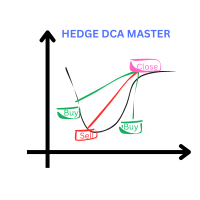
This Expert is using DCA and Hedging Strategy. Live Account with startlot 0.04 : Hedge DCA Master HighRisk x4
Live Account with Middle Risk and recovery from loss other EA : https://www.mql5.com/en/signals/2289704
www.myfxbook. com/portfolio/hedge-dca-master/11230507 delete space before com I cut the loss and change the demo to Gold m15 because more happening on gold pair
The Key point: Use my cu
FREE

PINBAR SCANNER PRO with TREND and RSI + CCI OSCILLATORS filter This indicator has been designed to automatically and constantly scan entire market to find high probability pinbar formations, so you can just wait for the perfect trading opportunity come to you automatically.
PINBAR is the strongest candle reversal pattern known in technical analysis. It shows excellent areas to determine potential entries and exits with opportunity to use excellent risk and reward ratios. It includes an RSI and
FREE

Kalman Forecast Helper is an advanced MQL5 Expert Advisor component designed to generate adaptive market forecasts, trend predictions, and trading signals for FX and other financial time series. Powered by a proprietary Kalman filtering engine, the helper continuously analyzes incoming market data and delivers actionable forecast information that can be integrated directly into Expert Advisors, indicators, or quantitative trading systems. After each update, the helper provides: Multi-horizon for
FREE

Lion Tech — For Traders Who Prefer Logic Over Hype This isn’t a holy grail, and it doesn’t promise perfect charts. If you’re chasing flawless equity curves, this probably isn’t for you. But if you value well-defined strategy, risk control, and real-world performance—Lion Tech might be what you're after.
Installation Note Once you’ve purchased Lion Tech, send a screenshot via private message to receive the installation manual.
How Lion Tech Works Lion Tech is designed specifically for USDJPY on
FREE

NEXA Donchian Pro MetaTrader 5 エキスパートアドバイザー – ユーザーガイド 1. 製品概要 NEXA Donchian Pro は、ドンチャンチャネルのブレイクアウト戦略を基盤とし、MACDによる方向確認およびATRによるボラティリティフィルターを組み合わせた自動売買システムです。 本製品は、MetaTrader 5 プラットフォーム用のコンパイル済み EX5 ファイルとして提供されます。 本エキスパートアドバイザーは、トレンド相場におけるブレイクアウト条件を検出し、確定足に基づいて自動的に取引を実行するよう設計されています。 本製品は利益を保証するものではありません。金融市場での取引にはリスクが伴い、損失が発生する可能性があります。 2. 主な機能 ドンチャンチャネルによるブレイクアウトエントリー MACDによる方向確認フィルター ATRによる通常ボラティリティフィルター ADXに基づく自動トレンド判定 フラクタル構造に基づく部分決済 ブレイクイーブン自動移動機能 トレーリングストップ機能 1日の損失制限機能 最大ドローダウン保護 連続損失後のクールダ
FREE
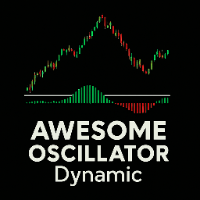
Awesome Oscillator Dynamic Technical indicator that displays, via a histogram, the difference between two simple moving averages (SMA 5 and SMA 34) applied to the median price. Bar colors change automatically to show market momentum: green for bullish, red for bearish. Quick reading: Green above zero → bullish momentum Red below zero → bearish momentum Zero crossover → possible trend change Compatible with any asset and timeframe, no setup required. Uses standard terminal data and appears in a
FREE

RBM Volume Ultimate RBM Volume Ultimate is an indicator for MetaTrader 5 that combines buyer and seller financial volume, cumulative delta, daily VWAP and automatic detection of absorption and exhaustion in a single panel. The purpose of the indicator is to give traders a clearer view of buying and selling flow in real time. The histogram separates financial volume between buyers and sellers on a bar by bar basis, making it easier to identify moments when pressure shifts from one side of the ma
FREE

Pinpoint Level is the indicator for Day Traders and Scalpers. Developed to deliver precision when entering or exiting trades without the need for manual configuration. Just drag it onto the chart and it will instantly map the most critical price zones for the current session. Ideal for Forex, Indices, and Cryptocurrencies, it automatically calculates the previous day's range and projects exact Fibonacci-based Support and Resistance expansions, keeping your chart clean and your focus on what mat
FREE

This indicator marks the 50% mark of each candle. It will help you make profitable scalping trades. If the next candle opens above the 50% mark of the previous candle, you should open a BUY position, and if the next candle opens below the 50% mark of the previous candle, you should open a SELL position. This strategy is very profitable. To make the most of it, keep an eye on the candle contexts on the left. Good luck!
FREE

Вилка Нео v5, разрабатывалась для торговой системы "Оракул", но постепенно дополнялась, например - углами Ганна и другими опциями... Можно создавать графические объекты с заданным цветом, стилем и толщиной, такие как: прямоугольники с заливкой и без, отрезки трендлиний и нестандартный инструмент - "вилка Нео" в виде трезубца, так же есть возможность интерактивно настраивать цветовую палитру прямо с графика, настраивать видимость объектов для разных ТФ, толщину и стили...
Панель переключается кл
FREE

O OM Water Mark é um indicador de marca d´agua único e com vai muito além de uma simples marca d´agua, nele vc vê além das informações do Ativo e timeframe, conta com um timer do candle, além de volume em tempo real. Você nunca viu nada igual. Principais recursos
- Marca d’água central com o nome do ativo + timeframe (ex.: “EURUSD H1”). - Timer do candle: mostra, abaixo do texto principal, o tempo restante para fechar a vela atual (contagem regressiva). - Atualização automática a cada 1 segund
FREE

Infinity Predictor MA
Infinity Predictor MA is a next‑generation forecasting indicator that transforms the traditional Moving Average into a powerful predictive tool. Unlike standard MAs that only smooth past data, this indicator projects the moving average line up to 40 bars into the future, giving traders a unique perspective on potential market direction.
The engine behind Infinity Predictor MA combines multiple advanced regression models to capture both smooth trends and sudden market shi
FREE
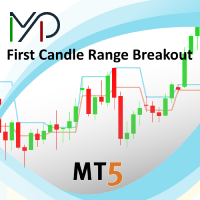
This creative simple indicator will provide a precise framework for market sentiment within technical analysis of different timeframes. For instance, for traders like me that uses "Mark Fisher" strategy regularly, this is a perfect indicator for having an insight to markets from short term to long term point of view, using Break points of candles' lows and highs and perfect to combine with "Price Action" . For more options and modifications you can also edit the low timeframe candles withi
FREE

MQL5ブログ: https://www.mql5.com/en/blogs/post/765148 MT4版: https://www.mql5.com/en/market/product/154458 MT5版: https://www.mql5.com/en/market/product/154459
期間限定無料
Telegram注文 [tambangEA] は、より速く、よりクリーンで、よりコントロールされた取引ワークフローを求めるトレーダーのために開発された、プロフェッショナルなセミマニュアル取引アシスタントです。
この製品は、既に独自の市場分析を行っており、取引の実行、管理、監視をより効率的に行う方法を必要としているトレーダー向けに設計されています。硬直的なブラックボックス戦略を押し付けるのではなく、取引判断を効率的な行動へと導く、実用的なチャートダッシュボードを提供します。
プレミアムなビジュアルレイアウト、クイックアクセスボタン、ライントリガー機能、シンボルチェンジャー、リアルタイム取引統計、そしてTelegram連携機能を備えたTelegram Orde
FREE
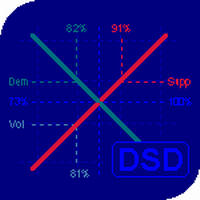
The balance of supply and demand is a simple and effective market analysis method. The supply and demand diagram can show you in advance, even before the trend reversal, where the supply ends and the demand is already emerging, where the demand ends and the supply is emerging, while substantially increasing the probability of making a deal in the right direction and with a high profit factor.
Indicator signals The indicator uses the price/volume values to generate signals: ED – excess demand. E

VWAP Sigma Bands 3DV is designed for intraday traders and scalpers who want a cleaner statistical view of price in relation to volume and session equilibrium. The indicator combines the VWAP — Volume Weighted Average Price — with 1σ, 2σ and 3σ standard deviation bands , allowing traders to identify key areas of balance, extension, potential reversal and trend validation. Unlike bands based only on moving averages, sigma bands provide a statistical reference of how far price has moved away from
FREE

TickAll - Automated Trading Robot "Please test it in the EURUSD 15-minute timeframe" Introduction: TickAll is an automated trading robot designed to assist both novice traders and professional traders in the Forex market. Utilizing advanced algorithms and up-to-date market analysis, TickAll helps you make the best trading decisions.
Our trading robot stands out from the rest due to its unique feature - the ability to sometimes incur losses yet ultimately generate profits. Unlike
FREE
MetaTraderマーケットは自動売買ロボットとテクニカル指標を販売するための最もいい場所です。
魅力的なデザインと説明を備えたMetaTraderプラットフォーム用アプリを開発するだけでいいのです。マーケットでプロダクトをパブリッシュして何百万ものMetaTraderユーザーに提供する方法をご覧ください。

取引の機会を逃しています。
- 無料取引アプリ
- 8千を超えるシグナルをコピー
- 金融ニュースで金融マーケットを探索