 MetaTrader 5
 专家
专家
 指标
指标
 程序库
程序库
 实用工具
实用工具
 窗口小部件
窗口小部件
 规则
规则
适用于MetaTrader 5的EA交易和指标 - 114
 使用EA交易和指标,使外汇交易获得更多盈利。EA交易可使您自动开启和关闭交易,而指标将帮助您更准确地预测市场行为。
该页面提供MetaTrader 5应用程序的目录。
使用EA交易和指标,使外汇交易获得更多盈利。EA交易可使您自动开启和关闭交易,而指标将帮助您更准确地预测市场行为。
该页面提供MetaTrader 5应用程序的目录。 
Aurora Gold EA – Expert Advisor Description Aurora Gold EA is an automated trading system designed for the XAUUSD (Gold) market, focusing on stable risk management and consistent execution. This Expert Advisor automatically opens Buy and Sell positions based on predefined trading conditions and applies a dynamic auto lot calculation of 1% equity per trade. Key Features Automatic Buy & Sell Execution
Trades are opened automatically without manual intervention once market conditions are met. Aut
The KT 4 Time Frame Trend is an invaluable forex indicator for traders seeking to identify the trend direction across 4-time frames accurately. This innovative indicator allows users to simultaneously observe and analyze price trends across four different timeframes. Whether you're a beginner or an experienced trader, this tool offers an enhanced understanding of trend dynamics, leading to improved trading strategies on your trading platform. The capability to concurrently monitor multiple timef

GoldPulsePro v6.8 — EA Giao Dịch Vàng (XAUUSD) Khung H1 Giới thiệu GoldPulsePro là Chuyên gia tư vấn chuyên biệt cho cặp XAUUSD (Vàng/USD), áp dụng chiến lược đột phá kết hợp quản lý vốn theo % rủi ro, bảo vệ hòa vốn (hòa vốn) và động dừng. Phiên bản này chạy trên khung thời gian H1, kiểm tra chiến lược cốt lõi toàn bộ nguyên nguyên, chọn tốc độ giao dịch dày hơn so với phiên bản H4. Tính năng Chiến lược đột phá khung H1 trên XAUUSD, kiểm tra giai đoạn 2020–2025 (bao gồm các thời điểm biến động

Bubbles — order flow bubbles + CVD
Tick-level order flow made visible: every trade becomes a bubble, cumulative delta reads in a separate window. Short description Bubbles plots real order flow directly on the chart: one bubble per trade, size scaled to volume, colour set by the aggressor side. A sub-window tracks session cumulative delta, exposing divergence and absorption as they build. Full description Bubbles reads the native tick stream ( TICK_FLAG_BUY / TICK_FLAG_SELL , volume_real ) a

Protect your capital and lock in profits automatically with Account Guard Pro . This indispensable account management Expert Advisor ensures strict adherence to your daily risk limits. Set a maximum daily loss and a daily profit target—once either is reached, Guardian Pro instantly closes all open positions and pending orders, and halts all trading activity until the start of the next day. Its integrated visual dashboard provides a clear, real-time view of your daily P/L and current status. A cr

Fintech Grid is a MetaTrader 5 Expert Advisor that combines a hedging grid with basket closing based on weighted average price, enhanced with an equity protection system designed for long-term sustainability. The EA manages BUY and SELL cycles independently. Each side can build its own basket of positions and close all trades of that side when price reaches a defined target calculated from the basket’s weighted average entry price. This version also includes an Equity Guard module that can close

Trade Assistant MT5 — Trade Manager for Prop Firms
Trade Manager for MT5 that calculates position size, manages risk, visualises your trade setup in real time and protects your account with built-in daily loss and trade limits — everything you need to trade with consistency and pass your prop firm challenge.
> Trade Tab — Position Sizing & Execution
**Automatic lot calculation** Enter your risk as a percentage of account balance or as a fixed dollar amount and the panel instantly calculates t

The Best 1 Star rated Seconds Chart - Check the reviews that don't update the stars MT5 stops at the 1-minute chart. Advanced Seconds Chart MT5 goes below it, building real sub-minute OHLC candlesticks directly inside MT5 with full access to every indicator and drawing tool you already use. No plugins. No external feeds. Attach it to a chart and go. This product is now free. Download it, use it, and message me if anything does not work as described. I respond to every message and fix genuine iss

Adaptive trend indicator with 6 selectable trading styles, built-in multi-timeframe (massive update to v3!)
Confluence Edge is a trend-following indicator for MetaTrader 5 built around one idea: a signal is only as good as the context around it. Instead of a single fixed moving average, it lets you choose how the trend engine behaves, confirms every reading against a higher timeframe and against intraday/weekly price levels, and scores its own confidence — all from one chart, one indicator ins

Woodie CCI System
The Woodie CCI System is a complete, standalone trading framework that eliminates chart noise and guesswork. Built on Ken Wood’s methodology, it combines the fast Turbo CCI (6), slow CCI (14), dynamic histogram trend colors, and key horizontal levels into a single optimized indicator.
Core Trader Questions Answered
What is the current trend? Answered by the automated histogram. The color shifts only after the signal stays on one side of the zero-line for 6 consecutive bars,

This utility provides the ability to use hot keys in manual trading instantly responding to the current market situation. You can assign hot keys to open/close positions by their type, open/close all positions on the current chart and remove all orders on the current chart. You can also assign hot keys for five predefined trade volumes and switch between them if necessary with no need to change the volume manually from time to time. It is also possible to set the auto calculation of a trade volu

Forex Daily Scalping EA is a professional scalping advisor for daily work on the FOREX currency market. In trading, along with experience, traders usually come to understand that the levels of accumulation of stop orders, price and time play a significant role in the market.
- Recommend ECN broker with LOW SPREAD: IC Market , Exness, NordFX , FXPRIMUS , Alpari , FXTM
PARAMETERS: PRICE - the price distance to be covered in the allotted time period; TIME - time allotted in seconds; HL_PERIOD - n

Risk Manager Custom Version for MetaTrader 5
Risk Manager is a professional risk-control utility for MT5. It does not open trades by itself and does not generate trading signals. The tool is designed to monitor already opened positions and help the trader control risk, position size, stop loss, take profit, and trading restrictions.
Main features:
Individual Max Lot for selected symbols — set a separate maximum lot for up to 5 instruments. For example: EURUSD = 1.2 lot, XAGUSD = 0.1 lot. All

Naked Forex Tweezer Pro Indicator Tweezer Pro Indicator is a pattern recognition indicator for Forex, Stocks, Indices, Futures, Commodities and Cryptos.
The standard Tweezer is a two bar pattern. Our enhanced version is a multi-bar pattern. We filter the patterns for you so that you only get the best and most effective patterns and ignore the noise.
The Tweezer pattern is a simple and effective pattern to trade.
The strategy that comes with the Tweezer is based on price action.
The Twe

Main: Not martingale, not a grid, working on all symbols; a good rational algorithm; Work of two indicators: RSI (from older timeframe - it works as a signal filter) and RSI (from junior timeframe - it works as a signal) ; There is a good money management system (there are several type for trailing stop loss); EA can work on closed candles, and on current candles; Quickly optimized (the work is maximally accelerated). Current sets after optimization are in comments.
If you want to do optimizati

StatArb Fader Pro — XAUUSDm M5 Expert Advisor Fade the extremes. Not the trend. StatArb Fader Pro is a statistical-arbitrage mean-reversion Expert Advisor built exclusively for XAUUSDm (Gold) on the M5 timeframe . Instead of chasing breakouts, it fades stretched price extremes when the market is in a range-bound regime — one isolated position at a time, with strict ATR-based risk control on every trade. Key Features Bollinger Band Extreme Fade — 20-period / 3.5-deviation bands detect stretched p
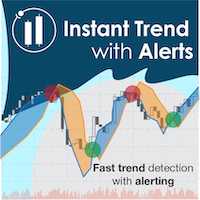
Catch major price movements, early in the trend. Alerts you to enter at the likely beginning of a trend, and if it's incorrect, quickly alerts you to exit to limit any loss. Designed to capture large, profitable price movements, with early entrance to maximize your returns. As shown in screenshots, typical behavior is several quick entrance/exists with small loss , and then capture of a large trend with high profits . The Instantaneous Trend indicator is a lag-reduced method to detect price t

这是一个特殊的程序,给你的每个仓位提供额外的保护。 Symbol Filter :品种过滤,默认选择当前图表上的品种,或者选择所有的品种。 Magic Filter :魔术号过滤,你可以指定魔术号,默认 0 表示处理所有的订单。 TakeProfit Point :设置盈利点数。 0 为不使用此功能。 StopLoss Point :设置止损点数 。 0 为不使用此功能。 Trailing Stop Point :跟踪止损点数。 0 为不使用此功能。 测试说明: 程序在测试时会自动在当前品种下一手多单,用户可以根据测试情况,反复调整初始资金和参数,即可了解程序运行效果。 温馨提示: 如何购买、安装、 更新 建议在模拟账户中进行充分测试,调整参数,熟悉程序运行机制,确保在实盘交易中万无一失。 如有问题,欢迎在评论区留言,我会即时解答。也可以私下与我联系。 Position Protect mt4 : https://www.mql5.com/en/market/product/134757 Position Protect mt5 : https://www.mql5.com/e

Fair Value Gap (FVG) Indicator: Master the ICT Method in Forex Trading
What Traders Are Saying: " Transformed my trading approach with its precise gap spotting ..." – J. Doe " The alert feature is a lifesaver, never miss a trading opportunity.. ." – Alex P. " A crucial tool for anyone following the ICT methodologies in Forex. .." – Samantha R. Unlock the secrets of price movement in the Forex market with the revolutionary Fair Value Gap (FVG) Indicator. Designed for precision and ease of use,

Footprint Engine Pro is a professional-grade technical analysis tool that provides an "X-ray vision" look inside a standard candlestick. It is designed to reveal hidden market dynamics and track liquidity activity with accuracy and precision.
Three Visualization Modes Bid/Ask (Classic): A comprehensive two-sided profile displaying exact Bid and Ask volumes at each price level, revealing the direct battle between buyers and sellers. Delta (Net Aggression): A focused one-sided profile highlighti

Four strategies. Four machine-learning gates. One router that decides which one to trust. Built for gold on the 15-minute chart, MetaEngine C4 does not hunt for a single perfect setup. It runs four independent strategies in parallel, scores every signal through its own trained gate, and only route the highest-confidence candidate to the market. Protection is permanently enabled. It cannot be switched off. (Gates trained on tick-derived XAUUSD M15 history, 2003–2026)
We recommend testing for a

EmotionLock Psychology Manager EA — The Most Important Trading Tool You Will Ever Install A revolutionary guardrail for 95% of traders. This expert will save you from the market, from your emotions, and from yourself. Not because it finds entries. Not because it predicts the market. Because it solves the one problem that has silently destroyed more trading accounts than bad strategy ever will. You. How many times have you watched a winner turn into a loser because you moved your TP, or simply fo

Tired of manually sorting through dozens of currency pairs, cryptocurrencies, or stocks trying to find the current market action? VolatilityScan does it for you – automatically, quickly, and clearly. The indicator scans all instruments from your Market Watch on the selected timeframe and ranks them by average volatility. Only the top most dynamic assets are displayed on the screen, with precise percentage figures. - You set the analysis period (number of candles) and timeframe (M1, M5, H1,

TradersParadiseView: Institutional Liquidity & Trend Logic TradersParadiseView is a professional-grade momentum and supply/demand indicator designed to identify high-probability "Smart Money" entries. Unlike standard lagging indicators, this tool focuses on Institutional Trap Zones and Market Volatility Confluence to provide precise entries with minimal drawdown. Developed for the modern trader, it translates complex price action into simple, actionable visual zones and signals. How it Works Tra

NexusXAUPro is an automated Expert Advisor designed specifically for XAUUSD trading on MetaTrader 5. The system combines multiple market conditions to identify potential trading opportunities, including trend direction, trend strength, volatility, Bollinger Band context, pullback behavior, price location, candle confirmation, probability analysis, and risk management . NexusXAUPro is designed to avoid relying on a single indicator. Instead, it evaluates several conditions before allowing a trade
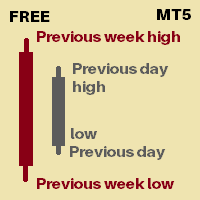
Its an indicator that will show you
Previous day high Previous day low Previous week high Previous week low You can set how many days of history you would like to see for previous day high low and previous week high low Currently 30 days of PDH/L will be marked 4 weeks of PWH/L will be marked You can change it from indicator settings. Dates are shown at marking lines to identify which date does that marking belongs to.
Thank you :) Always open to feedback and criticism if it helps me provide yo

LUSHA Gold EA (MT5) LUSHA Gold EA is a fully automated Expert Advisor developed specifically for the Gold (XAUUSD) market. It is designed to identify high-probability trading opportunities while maintaining disciplined risk management and efficient trade execution. Instead of relying on simple signal generation, the EA uses a proprietary decision-making engine that adapts to changing market conditions. Key Features Fully automated trading (No manual intervention required) Optimized for XAUUSD (G
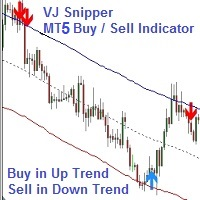
VJ Sniper - MT5 Buy / Sell Indicator: This Indicator is as simple as Buy in Up Trend & Sell in Down Trend. There are Support / Resistance Graphic levels for choosing the best Entries. Background: Any in-built indicator of MT5 does not work as stand alone such as Stochastic, CCI or DeMarker etc. But combination of them with trend projection work & give the best results for Trading entries. So this Indicator is blended to give the best

GoldPulse AI Professional Gold Trading Expert Advisor GoldPulse AI is an advanced Expert Advisor designed specifically for trading XAUUSD with a precision-based algorithm that combines M5 execution with H4 market analysis. The system identifies high-probability trading opportunities by filtering market noise and following the dominant higher-timeframe trend. Trades are executed only during selected market hours, helping to avoid unfavorable trading conditions and improve overall efficiency. Key

Launch PROMO: --> for a limited time Download the setfile here . This MT5 expert advisor allows you to trade a specific scalping pattern in a fully automated way. The chart patter catches trend reversals above or below a specified Moving Average and uses different filters to increase the win rate.
It works on all Brokers and on all the Symbols, be it forex, indices, commodities, cryptocurrencies etc.
It DOES NOT USE: Martingale, Grid trading and Hedging.
The idea behind this EA is to catch tr

Keep your MetaTrader 5 charts alive, updated, and always in sync — automatically.
The MT5 Auto Refresh Utility is a smart, zero-lag chart updater designed for traders who want real-time accuracy across every open chart. Whether you use complex dashboards, multi-timeframe systems, or long-running analysis setups, this utility ensures your charts stay active and refreshed without manual clicks or chart reloading. Why You’ll Love It Automatic Chart Refresh
Refreshes your MT5 chart at a fixed int

Iantiai Daily London Breakout Iantiai Daily London Breakout is a MetaTrader 5 Expert Advisor for automated previous-day and London range breakouts. Both strategies can be enabled independently and may trade at the same time. The EA does not use martingale, grid or recovery logic. Use the EA on an M1 chart. All configured session times refer to the broker's MetaTrader 5 server time. Backest NAS100 Strategy Daily breakout: Places optional Buy Stop and Sell Stop orders at the high and low of the c

Market Structure CHoCH/BOS Indicator for MT5 Overview
The Market Structure CHoCH/BOS (Fractal) indicator identifies key shifts in market direction based on fractal-based structural analysis. It automatically detects Change of Character (CHoCH) and Break of Structure (BOS) signals, two essential concepts in modern price action and Smart Money trading. How It Works
The indicator analyzes swing highs and lows using a fractal algorithm defined by the Length parameter. When price crosses a previous

Long&Short Cointegration Analyzer An advanced tool for traders looking to profit from cointegration. Analyzes any asset pair for Long&Short strategies. What does the Long&Short Cointegration Analyzer do? Identifies cointegrated pairs that revert to the mean, ideal for profitable trades. Provides a detailed panel with statistical data for confident decisions. Works with any currency pair, on any timeframe.
Find buying and selling opportunities based on cointegration. Minimize risks with a relia

Xau Precision EA – 专为黄金 (XAUUSD) 设计的专业趋势跟踪策略 Xau Precision EA 是一款强大且精准的交易系统,专为黄金 (XAUUSD) 市场量身打造。该智能交易系统 (EA) 采用经过验证的 ATR(平均真实波幅)波动率逻辑,能够有效过滤市场噪音,为您提供清晰、可执行的交易信号。 为什么选择 Xau Precision EA? 针对黄金优化:默认参数经过精心设置,旨在应对黄金市场的高波动性。 收盘价逻辑:本 EA 仅在K线收盘时执行交易,避免了由短期市场波动引起的虚假信号。 卓越的趋势跟踪:系统通过跟踪价格走势捕捉重要的市场行情,并在趋势反转时自动平仓。 安全简单:采用纯 MQL5 代码编写,无需任何外部 DLL。 建议设置: 交易品种:XAUUSD(黄金) 时间周期:M5(5分钟) 账户类型:建议使用 ECN 或零点差 (Zero Spread) 账户。 输入参数: ATR Period:调整波动率计算的灵敏度(默认:10)。 Supertrend Factor:用于过滤市场噪音的乘数(默认:3.0)。 Fixed Lot Size:可自定

Reverse TradeCopier for Followers can copy trades from an account that is running Reverse TradeCopier Source . Features: Copies trades from one source (master) account to multiple following (slave) accounts. Allows investor (read only) password for source (master) account. There are no complicated settings and input parameters, everything is easy. Works with different brokers. Works with different quotes symbols (EURUSD_FX, eurusd_m, etc.). Can copy orders from 4-digit quotes platform to 5-dig
The Display N Bars utility is a simple tool designed to help identify candles.
If a trader tries to share knowledge with a colleague but it is difficult to pinpoint exactly the desired candle, just say the corresponding candle number.
The candle count is reset every day.
Seeking to offer a good customization the inputs are:
Display type -> Display only odd, only odd, or both candles?
Direction -> Horizontal or Vertical?
Display multiples of: (display frequency) -> Display all number
FREE

50-Indicator Command Center: The Ultimate Algorithmic EdgeProduct Overview The 50-Indicator Command Center is a professional-grade trading dashboard designed for traders who demand a comprehensive view of the market without the clutter of 50 different charts. This "All-in-One" engine processes 50 high-probability technical indicators in real-time, delivering a unified Voting Score that tells you exactly who is in control: the Bulls or the Bears. Gone are the days of manual analysis. Whether you

Studio Gold – EA Studio Strategy for XAUUSD M15, with Manual Prop-Firm Protective Inputs & Spread Filter Studio Gold is a clean, no-frills Expert Advisor built exclusively for XAUUSD (Gold) on the 15-minute timeframe , powered by an EA Studio -generated trading logic. It gives you a straightforward set of manual inputs so you can enforce your own daily loss limit, daily profit target, maximum static drawdown, and maximum spread — exactly the way your prop firm demands. No hidden modes, no a
The Trade Lines EA is an auxiliary Expert Advisor for automated trading based on levels. The EA opens deals at the specified lines when the price crosses them on the chart - the lines are active, they can and must be moved for the EA to operate with the greatest efficiency. The EA also includes the averaging, trailing stop and take profit setting functions. For the EA to work, it is necessary to select the required number of lines and the type of lines for the EA to trade. It is possible to enab

ScalperPro — The Honest Scalper Most EAs promise huge profits. ScalperPro promises something different: not losing your money , while generating thousands of trades per year. This is built specifically for traders who use broker rebate programs (cashback, loyalty points, IB rebates). The strategy stays near breakeven on its own — and your rebate income becomes pure profit.
Launch Price: $30 → $49
Why ScalperPro is Different No martingale, no grid, no averaging — every trade has a hard stop los

Visual Risk Manager Pro — Advanced Risk & ATM Management Take your trading to the next level with the most intuitive execution tool for MetaTrader 5. Visual Risk Manager Pro allows you to manage risk visually, eliminating manual calculations and automatically protecting your profits with a professional-grade ATM (Advanced Trade Management) system. Key Features: Automatic Lot Calculation: Just define your risk in USD and move the lines on the chart; the EA instantly calculates the exact lot size.

注意:此免費版本只可使用到2026/09/30
交易最怕的不是虧損,而是「方向不明」
為什麼很多交易者會被掃出場?因為他們只看單一時框。本指標透過 AI 降噪技術,將 H1 的穩健與 M15 的靈敏結合,為您打造一個自動化的趨勢過濾網。
「讓數據說話,讓 AI 帶路,您只需負責收穫成果。」本指標在商品行情圖表中顯示H1(圓點)與M15(箭頭)兩個時間段的趨勢方向,其他時間段的計算結果會顯示於下方的曲線圖中。行情的走向、震盪、強度、交易量等請參考Stochastic, MACD, RSI等指標,指標可精準地判斷波段的方向與合適的進出場時機。
指標特色如下:
1. AI 多重時框(MTF)動態演算
本指標搭載 AI 趨勢過濾算法,自動同步 H1 (長期趨勢監測) 與 M15 (精準進場導航)。AI 會自動過濾掉已知趨勢方向中不具備獲利空間的微小波動,確保你始終站在大趨勢的正確一邊並且減少盤整時的心理壓力。
H1 圓點: 您的導航雷達,鎖定大波段方向。
M15 箭頭: 您的開火按鈕,精準捕捉發動瞬間。
2. 雙週期行情圖,一眼看出方向與
FREE

Overview This Expert Advisor (EA) targets high-probability, short-term scalping opportunities by analyzing minute-based market activity (tick momentum), indecision boxes , and breakout/momentum behavior —optionally aligned with trend and session filters. Version 2.0 replaces second-based TPS with a minute (M1) window model that’s Open Prices Only compatible and more stable to optimize. Additional entry modes ( Breakout Close and Retest Entry ) help capture moves that classic momentum filters ma
FREE
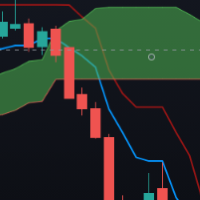
Follow the trend with the Advanced Ichimoku EA. Built upon the famous Ichimoku breakout strategy but with plenty of customization's. This EA will only trades on the candle opening if the following basic rules are met:
BUY RULES: Tenkan is greater than Senkou Span A Tenkan is greater or equal to Kijun Price is greater than Tenkan Kijun is greater than Senkou Span B
SELL RULES:
Tenkan is less than Senkou Span A Tenkan is less or equal to Kijun Price is less than Tenkan Kijun is

The Candle Countdown Timer for MetaTrader 4 (also available for MT5) is a vital indicator designed to help you manage your trading time effectively. It keeps you updated about market open and close times by displaying the remaining time before the current candle closes and a new one forms. This powerful tool enables you to make well-informed trading decisions. Key Features: Asia Range: Comes with an option to extend the range. Broker Time, New York, London Time: Displays the current broker time
FREE

I’m sharing this EA here for free to support the trading community. I hope it’s helpful, and don’t hesitate to reach out if you have any questions or feedback!
Requirements
Trading pairs all trending Pairs especially USDJPY
Timeframe M1 to H6
Minimum deposit $ 100 Leverage 1:200 Brokers Hedging Pro or ECN Account
Key Features: 1. Risk Management: Counter Triple MA prioritizes the protection of your capital with its sophisticated risk management system. It calculates risk as a percentage of yo
FREE

Live signals : C OMING SOON NEW VERSION UPGRADED Default settings are best for two(2) digit broker , BEST BROKER eightcap (2 digits), icmarket(2 digits ) Account type: low spread account only like 3-10 spread
ONLY for two (2) digit broker set file for personal account live trading : aggressive set for live trading max dd 30%
ONLY for three (3) digit broker set file for personal account live trading : waiting
Advanced Neural Network-Based Expert Advisor (MT5) Built for Prop Firms

简介 不重绘入场信号的趋势指标 显示精确的价格反转指标。是可以添加到任何图表中的交易武器。 反转信号有高度准确性,适合在5分钟进行剥头皮交易,或在30分钟波段交易。买入和卖出箭头在图表上显示为进入信号,但在K线结束后形成带有警报的确认选项。 很多交易者在该指标的帮助下,第一个交易周内改善了交易结果。 优点
不重新绘制仪表板箭头 显示最后一个K线的剩余时间,节省盯盘时间。 显示超级趋势线作为入场点止损价格。 仅适用于台式机MT5 适合剥头皮 适合波段交易 仪表板箭头输入警报 仪表板箭头信号严格警告“蜡烛图收盘关闭” 移动警报、桌面警报、电子邮件警报 显示任意时间时间周期的箭头 适用于任何Mt5货币对 适合新手和专家交易员 关于我们 欲了解更多我们产品信息,请 点击这里

Channel Studio — you draw it, the EA trades it Two tools in one: a full vector markup editor that lives on the chart, and a semi-automatic expert advisor that trades what you have drawn. You do not tune parameters and you do not hand your account to a black box. You mark up the chart exactly the way you already do it by eye, and the EA takes over only the execution: it waits for the touch, opens the trade, trails the stop along your curve and reverses according to a rule you described in advance

HMR Detector EA 重要提示: 此EA无法在策略测试器中进行评估,因为回测环境无法模拟实时的真实高保证金要求(HMR)事件或经纪商端意外的保证金变化。HMR Detector 依赖于直接从经纪商服务器读取实时保证金状况。因此,应在模拟或真实交易账户上评估其保护功能。 概述: HMR Detector EA 是一款专为 MetaTrader 5 设计的风险保护专家顾问(EA)。其主要目标是实时持续监控经纪商施加的保证金要求。它能检测到经纪商突然增加未平仓合约所需保证金的情况,这通常发生在重大新闻事件、市场波动、周末或经纪商更改杠杆时。该EA可识别这些异常的保证金增加,并在账户面临过度保证金压力之前自动采取保护措施。 该EA通过将 MetaTrader 终端计算的保证金与经纪商服务器当前实际冻结的保证金进行比较来工作。如果实际保证金要求超过预期保证金一个预定义的阈值(例如 1.5 倍),该EA就会确认存在 HMR 状况并激活其保护机制。 主要功能: 实时保证金监控: 持续监控账户保证金使用情况,每秒使用标准的 MetaTrader 功能更新计算。信息清晰地显示在图表仪表板上。

MT5 to MT5 Trade Copier – Fast and Reliable Trade Copying Solution The MT5 Trade Copier is a powerful tool designed to copy trades seamlessly between MetaTrader 5 accounts with minimal latency and high accuracy. Built for speed, flexibility, and ease of use, the copier works across different brokers, even when symbols use different prefixes or suffixes. This Expert Advisor is suitable for professional traders, signal providers, fund managers, and traders who manage multiple accounts. Key Featur

1. UnbalanceEurUsdAud2智能交易系统原理: 三币对冲非平衡套利是在三角套利的基础上的拓展与延续。三角套利作为一种比较常见的套利方式,不少投资人在外汇交易中都有用到过。三角套利是基于交叉汇率实现的,它是三角套利的基础,所谓交叉汇率,是指用一种非美元的货币表示另一种非美元货币的价格。如某个外汇市场上AUDUSD =0.65472,EURAUD =1.76735,EURUSD =1.08575,当AUDUSD×EURAUD≠EURUSD时,这就为三角套利提供了可能。 然而,严格的三角套利由于点差、滑点、隔夜利息、手续费等原因,并不能获利。如果在以上的三个货币对上增加不平衡系数,打破这种对称性,便有了获利的可能性。 如:同时下单1、sellA手eurusd,2、sellB手usdjpy,3、buy C手eurjpy,4、A、B、C系数通过计算获得。 如果Ask_AUD_USD * Ask_EUR_AUD - Bid_EUR_USD < - 400, 同时交易三个订单 Ask_AUD_USD 、 Ask_EUR_AUD 、 Bid_EUR_USD; 如果 Bid_AUD_US
FREE

Kito MTF Pivot Matrix is a clean multi-timeframe pivot indicator for MetaTrader 5. It calculates important support, resistance and central pivot levels from completed price periods and projects them onto the current chart.
The indicator supports several established pivot approaches, allowing traders to compare levels without loading separate tools.
MAIN FEATURES - Standard floor pivots - Fibonacci pivots - Camarilla pivots, including optional R4 and S4 - DeMark pivots - Woodie pivots - Close-
FREE

Market Sessionsync** is a cutting-edge trading session indicator designed to enhance your trading experience by visually breaking down the market's daily rhythm. With a compact window overlaid on your chart, this indicator provides a split-second understanding of the current trading session through: Basic setup: Set Difference between your local time and your broker time , set DST(Daylight Saving Time) ON or OFF , set timescale sync you want to use (Local, Broker, CET) - A vertical time marker
FREE
The selective pin bar is designed to identify reversals. To use the selective pin bar effectively, traders typically look for Strong Rejection: The tail of the pin bar should extend significantly beyond the surrounding price action. It indicates that there was a sharp rejection of higher or lower prices during the trading period. A strong rejection suggests that the market sentiment may be changing.
FREE

Nomad Trade Panel is a trade panel for MetaTrader 5 that works out the lot size from your stop loss and the risk you choose, then sends the order from the chart. It is for manual traders who decide the risk first and want to see what will be sent before they click.
It is a manual tool. It never opens, changes or closes anything by itself: every action starts with your click, a level you drag, or the close-all key (Ctrl+Shift+F, pressed twice).
To start: attach it to a chart, check the stop lo
FREE

The Consolidation Detector is a precision-engineered Expert Advisor designed to identify periods of low-volatility market activity. By scanning a user-defined lookback period, this tool automatically detects price consolidation and highlights structural zones on your chart. It is an essential asset for traders utilizing Smart Money Concepts (SMC) who need to visually identify potential breakout or liquidity zones with accuracy.
FREE

FastCopy CP Pro - Advanced Local Trade Copier Before purchasing, we highly recommend testing the core engine performance, broker compatibility, and execution speed using our free version (fully functional, limited to 10 trades):
Download FastCopy CP Free Version Here FastCopy CP Pro is a highly optimized, 100% offline local trade copier designed specifically for MetaTrader 5. Engineered for traders on prop firms, and retail traders managing multiple accounts, it utilizes a sophisticated binary f

The robot opens positions from Tops and Bottoms
Perform trend reversal operations.
It has 3 levels of top and bottom measurement.
Trader can open and close position on 3 strength signals.
The expert also allows you to configure the maximum loss to move along with the price (moving stop).
Know our products
Edson Cavalca Junior Systems Analyst
WARNINGS
The buyer declares himself capable of: We do not provide any trading or risk management advice, ideal configurations, promise of
FREE
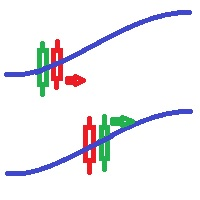
Bollinger bands out/in strategy A strategy created by Joe Ross, and very useful for finding trades when the market is overloaded. Indicator You don't need to find where there are entries on the chart, this indicator shows them for you. The entrance The trade is confirmed when the price closes outside the bollinger bands on a candle and the candle after the price closes inside the bands. comment I want to improve this indicator, so you can help me sending me your reviews and comments, thanks :).
FREE
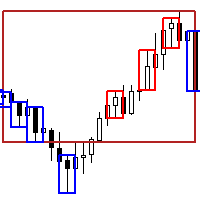
Next Arrival : Flip or Die Trading Arena. Flip a trading account: https://flipordie.com/chapter-1-thirteen-doublings-double-a-trading-account/
The Expert Advisor for this Indicator can be found here: https://www.mql5.com/en/market/product/116472 Introducing the Rejection Candle MT5 Indicator, a robust tool designed to revolutionize your trading experience on the MetaTrader 5 platform. Built to pinpoint potential reversals with precision, this indicator offers unparalleled insights into market
FREE
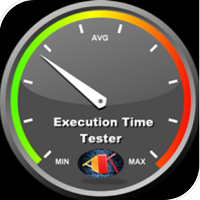
This Expert Advisor measures the broker execution time in milliseconds. Every 10 seconds (Refresh Seconds) , the EA opens a buy stop order far away from current price (1.5 x Ask), then modifies the (price, stop loss and take profit) of the created order by 5 pips then deletes it immediately.
Inputs Refresh Seconds: Number of seconds for each re-test, default 10 seconds.
Display Last: Last Execution time Min: Fastest execution time Max: Slowest Maximum execution time Avg: Average exec

Guardian Equity EA for MetaTrader 5 Guardian Equity EA is an Expert Advisor designed to automatically manage the closure of all open positions when predefined profit or drawdown levels are reached. It operates in real-time and is compatible with any broker or trading instrument supported by MetaTrader 5. Main Features Continuous monitoring of account balance and equity. Automatic closing of all trades if the maximum drawdown level is reached. Automatic closing if the configured profit target is

No grid! No martingale! No manual configuration or adjustment needed! Every trade is protected by stop loss. You can find metatrader4 version here: https://www.mql5.com/de/market/product/18571# This Expert Advisor only trades for a short time frame at night, during the ending of the New York session. It uses low volatility moments in EURUSD and enters trades based on indicators. It then manages those trades with dynamic stop losses and take profits also based on indicators. Please find a signal

SizeInPips Indicator – Visualize Candle Size with Ease!
Unlock the power of price action analysis with the SizeInPips Indicator ! This simple yet powerful tool is designed for traders who want to quickly measure and visualize the size of each candle (bar) in pips, helping you make informed trading decisions with confidence. Whether you're a beginner or an experienced trader, SizeInPips is the perfect addition to your MetaTrader 5 toolkit.
What Does It Do? The SizeInPips Indicator calculates
FREE

XAU Fib Pullback H1 Expert Advisor for MetaTrader 5 — Gold / XAUUSD focus
Version: 1.00 What it is XAU Fib Pullback H1 is an Expert Advisor for gold on the H1 chart. Fibonacci-style pullback continuation for gold H1. Built for structured automated participation — not grid , not martingale . Evaluate on your broker and risk profile before any live use. This product is a technical system . Exact thresholds and entry equations remain internal product design and are not published here. Advantages G
FREE

Close All and Orders Close All and Orders by SRBT is a manual trading utility for MetaTrader 5. Its compact chart panel provides three buttons for closing positions and deleting pending orders across the current trading account. Use it to manage exits from one chart, close positions with positive floating profit, or remove pending orders without closing existing positions. Three buttons, three actions CLOSE ALL (pos + orders) — Requests closure of all open positions, then requests deletion of al
FREE

TMA EA by Achira Meegasthanna TMA EA by Achira Meegasthanna is an automated Expert Advisor based on a Triangular Moving Average (TMA) band concept . The EA analyzes price movement relative to dynamically calculated upper and lower TMA bands and uses candle confirmation to identify potential reversal signals. The system can automatically open Buy and Sell positions and close positions in the opposite direction when a new signal is detected. Main Settings TMA Band Analysis The EA calculates a T
FREE

Fan's Price Action Panel Professional 中文功能详情 一、概述 FAN PA Pro 是一款集成多周期迷你K线、趋势强度评分、关键位预警的专业交易辅助指标,帮助交易者快速判断市场结构,筛选高概率交易机会。 二、核心功能 模块 功能说明 多周期迷你K线 在主图右上角同时显示三个自定义周期的迷你K线图(默认M15/H1/H4),无需切换图表即可纵览多周期价格结构 趋势判断系统 基于21/55/144三条EMA均线,自动识别趋势方向:强多、弱多、震荡、弱空、强空 趋势强度评分 综合斜率、均线间距、价格偏离和ATR,输出0-100的量化评分,绿色(≥80)至红色(≤19)分级显示 关键位叠加 自动标注前高前低、日内高低、周内高低,价格接近关键位时自动扣分并显示“阻近”/“撑近”预警 当前图表叠加 在主图上绘制相同参数的均线、趋势标签和强度评分,保持多周期分析一致性 周期倒计时 显示每个周期的K线剩余时间,最后10秒闪烁红色提醒 三、趋势评分对照表 分数范围 颜色 含义 80–100 深绿 强多,趋势明确向上 60–79 黄绿 弱多,偏多震荡 40–59 灰色
FREE
MetaTrader市场是一个简单方便的网站,在这里开发者可以出售自己的交易应用程序。
我们将帮助您发布您的产品,并向您解释如何为市场准备您的产品描述。市场上所有的应用程序都是加密保护并且只能在买家的电脑上运行。非法拷贝是不可能的。
