 MetaTrader 5
 专家
专家
 指标
指标
 程序库
程序库
 实用工具
实用工具
 窗口小部件
窗口小部件
 规则
规则
全新的MetaTrader 4 交易实用工具 - 33
 以下是可在MetaTrader 4中简化外汇交易的交易程序。将鼠标悬停在下面列表中的工具上,阅读它的描述和用途。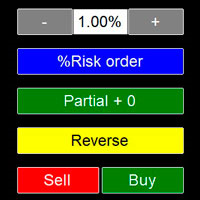
Ok, let's go :) Never again open a trade exceeding your risk with this ea. Settings: Corner Boton: Here you can chose where to place the panel. Position X Position Y: Both are to fine the position Width buttons: Here you can chose the width of the buttons. Heigt buttons: To chose the high of the buttons. Font Size: Changes the font size. Border color: to change the border color of the buttons. Reverse color: to change color of the Reverse button. Partial color: to change color of the Partial but

Super simple and powerful with full feature Trade Panel manager
This is the finest trade tool for your metatrader4, the best option for your daily trading activity with full powerfull inside.
Input parameters:
Magic Number : Define your magic number. Entry Comments : Define your entry comments.
Main Dashboard Features:
Buy & Sell button: Protected with confirmation pop-up before entry deliver to the system, incase miss press the button. Pending order (Limit & Stop) with check option: press

PRODUCT description:
Market Data Logger PRO is a utility tool specially created for the sole purpose of logging your Broker's market data to a text file. With this tool, you will be able to record and export metrics from your MT4 Broker such as the "MT4 Market Watch Time", "Bid Price", "Ask Price", "High Price", "Low Price" and various measures of "Spread". This tool may be of interest to traders, data scientists wanting to capture and analyze market data, entrepreneurs, archival purposes,

手动交易面板 EA MT4 是您可以找到的最简单易用的 MT4 交易面板。它的所有选项和功能都集中在一个表面上,无需打开额外的窗户或面板。它是一个订单管理、风险计算器、部分关闭和帐户保护实用程序,都在一个极其方便的界面中使用!
通过使用 手动交易面板 EA MT4 ,您可以比传统的手动交易方法更快、更准确地进行多次交易,这让您有更多时间和更清晰的头脑专注于您的交易决策。
账户保护是我们的首要任务,因此 手动交易面板 EA MT4 也是一个很好的账户保护实用程序,它可以在账户止盈或止损后关闭所有未平仓交易、删除所有挂单并关闭所有附加有任何 EA 的终端图表已达到亏损净额。这在盈利情况下非常方便,当您的资产低于您想要的止损水平时,可以避免您的交易账户进一步亏损。 提示: 您可以在您的模拟账户中下载并试用 手动交易面板 EA MT4 模拟版: 这里 将下载的免费演示文件粘贴到您的 MT4 >> 文件 >> 打开数据文件夹 >> MQL4 >> 专家文件夹并重新启动您的终端。 免费演示版本每次可在 4 小时内发挥全部功能,仅限演示帐户。 要重置试用期,请转至 MT4 >> 工具 >>

News Scalping Executor is an utility which helps to trade high impact and huge volatility news .
This utility helps to create two opposite orders with risk management and profit protection. It moves automatically stop loss level to avoid losses as much as possible by using many different algorithms. It helps to avoid trading the news if spread suddenly becomes very huge. It can lock profit by moving stop loss or partially closing of orders.
To be profitable with this type of trading you shou

News Scalping Executor Pro is an utility which helps to trade high impact and huge volatility news .
This utility helps to create two opposite orders with risk management and profit protection. It moves automatically stop loss level to avoid losses as much as possible by using many different algorithms. It helps to avoid trading the news if spread suddenly becomes very huge. It can lock profit by moving stop loss or partially closing of orders.
To be profitable with this type of trading you

PRODUCT description:
Market Data Logger is a utility tool specially created for the sole purpose of logging your Broker's market data to a text file. With this tool, you will be able to record and export metrics from your MT4 Broker such as the "MT4 Market Watch Time", "Bid Price", "Ask Price", "High Price", "Low Price" and various measures of "Spread". This tool may be of interest to traders, data scientists wanting to capture and analyze market data, entrepreneurs, archival purposes, hobbyi
FREE

The smart EA Copy trade for VPS / PC
Designed for MT4, it easy it super fast, it full of features, for the tutorials you can see on the uploaded photo
Parameter input: Select timer setting: select between milisecond / second timer (some broker will conflict on milisecond). Select role: select the role as master or client, but leave it default you can change later on the dashboard. Master key: input the key, ensure the key are same between master and client, you can set more than master in one

This TraderMaster EA is super helpful for professional trader.
Input Parameter Section: 1) Allow trader to set different line style, such as color, width; 2) Apply our chart style, if set false, it will not change the chart style; 3) Select different panel mode 3.a) Simple Mode, for trader immediately place a market order, pending order, delete and close orders; 3.b) Draw Line Mode, for price action traders who want to trade for trend and reverse in his trading plan; 3.c) Advanced Mode, includ

功能 勾选需要显示的内容,(当前版本包括当前K线倒计时,市场信息)并显示到图表右下角。
显示格式参数 fontsize 字体大小
c 颜色 font 字体类型
自定义显示的内容 参数 Symbol candle time left SPREAD DIGITS STOPLEVEL LOTSIZE LOTSIZE TICKSIZE SWAPLONG SWAPSHORT STARTING EXPIRATION TRADEALLOWED MINLOT LOTSTEP MAXLOT SWAPTYPE PROFITCALCMODE MARGINCALCMODE MARGININIT MARGINMAINTENANCE MARGINHEDGED MARGINREQUIRED FREEZELEVEL CLOSEBY_ALLOWED
FREE

We use Price Action and Japanese Candlesticks at important price zones and standard times to open positions and use Risk/Reward: 1/2 - 0.2%/trade. Recommended symbol: EURUSD, GBPUSD, AUDUSD, USDCAD, USDJPY, GBPJPY, EURJPY. Contact me: Gmail: fifund.cuscare@gmail.com, Facebook , Twitter , Instagram . Product: Metatrader4 , Metatrader5 . Broker references: Exness , ICMarket , FBS .
FREE

The Expert Advisor is designed for quick and easy one-click trading to close market and pending orders in all pairs . there is one click button to close all market pending orders and one click button to close all pending orders . in the settings you have an options to adjust the corner and the width and front type and front color and front size . it is an easy EA that help you to delete pending orders and close market orders .

This utility is specifically designed for No Nonsense Forex traders. What it does:- Let traders add or remove symbols to trade Editable boxes in panel for updating inputs Automatically applies money management to the trades Places all orders with a single click How it calculates:- Two trades are opened per symbol By default max risk per trade is 1% By default total risk is 6% which can changed in inputs tab(recommended to keep it 6 or below) On addition of symbols the total risk will be divide

This utility is a graphical shell for other Expert Advisors that do not have their own graphical shell or whose graphical shell you do not like. Just run the utility on a free chart of any currency pair, specify in the input parameters the "Magic Number" of the advisor to which you want to connect the utility, and a graphical shell will appear on the graph, containing information about the traded currency pairs, current positions and trading results of your advisor.
If you like this utility, ta
FREE

POPITPROS V2 MUTLTI ORDER SCALPING SYSTEM FOR MT4
The legendary scalper is on the market!. Great For Scalping. PopitPros allows you to open multiple positions at the same price as well as close multiple positions at the same price. It allows you to setting multiple Trailing Stop Loss at the same price and has Breakeven feature as well. The setting is very simple. Set the value number of orders that you would like to open/trade and also the lot size. Keep in mind don't over leverage your accoun

Auto SL and TP is a simple program that add StopLoss and TakeProfit automatically, so you don't need to worry about it anymore. Trailing Stops also included. The program checks at any time if StopLoss and TakeProfit are set correctly!!! You can enter your values via the input parameter. This is for those who trades based on fundamentals specially like expecting big moves on the market and doing manual trading, this is for you.
Input-Settings Auto SL = (x)pips Auto TP = (x)pips Use Trailing

Open Risk Profit shows your current risk or possible profit of all open positions. Total open risk is your loss if all positions run into the stop loss.
Total open profit is your profit if all positions reach your take profit.
Total float is your current profit or loss of all positions. The program also breaks down the information into the individual symbols. For example, you can monitor how much is your current profit and your potential risk in EURUSD, no matter how many individual posi
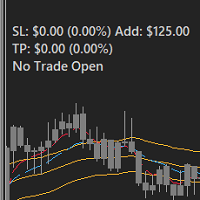
FEATURES: -Current total SL & TP -Allowed Risk per Trade -Maximum Daily Loss Alert -SL level to matc Risk per Trade
Input: MoneyOrPercent >> True=MoneyRisk, False=PercentRisk Money Risk per trade >> Fixed $$ per trade Percent of Account Balance per trade >> Fixed % of Account Balance per trade Max losing trades per day >> Max daily loss limit Font Type SL TP Label Positions SL TP Font Type and Size

此筛选器可让您识别在选定时间段(时间范围)内超出通常超买(增长百分比)或超卖(下降百分比)的资产。 市场受法律支配,买得便宜,卖得贵,但如果没有自动扫描仪,您将很难识别比平时更超买或超卖的货币/股票,例如,在本周内,或当前小时或月份。 仪器可能有几十个或几百个,有时只是物理上可能没有时间手动分析所有东西,这些问题可以使用 Screener 轻松解决 筛选器可以做什么 扫描仪可用于任何 TF 扫描仪适用于货币、股票、加密货币、商品、指数和其他工具 识别资产的逻辑是通用的,因为它基于市场的基本规律 在筛选器的帮助下,您可以根据不同的策略进行工作,最常见的一种是 Pump 和 Dump 揭示每种工具的平均值 - SoftimoTrade Screener 不仅可以确定所选 TF 上资产的超买和超卖情况,还可以计算所选时间段内价格变化的平均值。 此外,所有当前增长率或下降率高于平常的工具都被标为红色,之后可以单独打开所选工具并进行更详细的分析。 使用筛选器的策略变体 对于超买资产↓表,我们正在寻找当前超买指数高于平常的资产,转到图表,更详细地分析资产,如果我们看到一个有趣的切入点,则沿着趋势

工作逻辑
止损实用程序是一个简单但非常方便的指标,显示离止损水平还剩多少点 /
它的好处在于,许多交易者在追求利润时故意高估交易风险,最大限度地使用可用保证金,对于这种情况,知道经纪人可以在哪里强行平仓非常重要。
只需将指标放在图表上,根据买入或卖出的未平仓头寸,您将在图表上看到此交易价格的边界标记。
在您开仓之前,该线在图表上不可见。 推荐机器人黄牛 - https://www.mql5.com/en/market/product/77108
变量
字体大小 - 标签中的字体大小
边缘缩进 - 从边缘缩进
线条颜色 - 线条颜色
文字颜色 - 文字颜色 如果您喜欢该指标,请留下您对该产品的评论和评分。我将不胜感激!谢谢! 也看看我的其他产品,你会发现很多对交易有用的!
FREE

MetaTrader 实用程序 MTI(主要交易信息)——显示交易者的基本交易信息,即: 平均和当前点差大小 空头和多头头寸的掉期大小 1 个交易手的 1 个点的成本 止损水平大小(放置挂单的最小距离) 当前(红色)结束的时间和下一个(灰色)交易时段开始的时间 当前交易时段结束前的时间显示为红色,下一个时段开始前的时间显示为灰色。颜色可以在指标属性中独立调整。 推荐机器人黄牛 - https://www.mql5.com/en/market/product/77108
显示通过以下方式执行: 欧洲交易时段(欧盟旗帜) 美国交易时段(美国国旗) 大洋洲交易时段(澳大利亚国旗) 亚洲交易时段(日本国旗) 了解交易时段的结束时间和变化非常重要,因为在交易时段结束时,许多交易者固定头寸,这可能导致趋势变化,从而导致头寸反转。 变量
开启时间 – 当前交易时段的颜色选择 休息时间 – 选择时间的颜色,直到下一个会话开始 平均点差 – 计算平均点差所涉及的最后报价的数量。 交换数字 – 显示交换大小时小数点后的位数

This is a very simple yet useful tool to close positions with different conditions and methods. You can use panel buttons to close positions or set multiple rules to close all positions. Panel has two main tab, Active Order and Pending Orders:
Active Tab:
You can set profit or loss target to close all positions.
You can set equity target to close all positions,
You can set a special time to close all positions. Moreover, by panel buttons you can close only buy/sell positions or only negative/pos
FREE
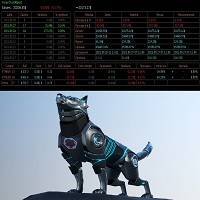
Советник основан на максимально быстром закрытие сделок от заданных параметров.Это можно так сказать разрульватель просадок.. У него встроено 3 окошка на панели.с полным мониторингом вашего терминала по всем парам. вы можите оценивать свои ситуации по разным парам. всегда можите любую ситуацию закрыть в ручную простым нажатием на экране по кнопке..
При наведении курсора мыши на ниже перечисленные столбцы, осуществляется подсветка поля: Бай профит Селл профит Прибыль Закрыть только "+" Закрыть

EasyTradePad – MetaTrader 4 交易面板 EasyTradePad 是一款用于手动和半自动交易的工具。该面板可帮助您快速管理订单和持仓,并可一键计算风险管理参数。 面板功能: 按预设的风险比例(% 或账户货币)开仓和平仓 设置止损(SL)和止盈(TP):以点数、百分比或金额表示 自动计算风险回报比(Risk-to-Reward Ratio) 将止损移动至无损位置(保本) 部分平仓 移动止损(Trailing Stop):按点数或K线影线 加仓与均价操作 修改已开仓订单的参数 额外功能: 金字塔加仓
随着价格朝向预设止盈方向运行,分批加仓。每次新加仓可设置减少风险。加仓次数可灵活设置。 均价操作
在图表上手动选择加仓位置,最终按平均价格平仓。 无损转移
当价格达到设定的利润距离后,止损自动移动到开仓价。考虑点差和掉期。 移动止损
支持两种模式: 按点数(可设置启动点数、距离和步长) 按K线影线(可选时间周期) 核心设计理念: 简单易懂的下单方式 高效直观的操作界面 实盘交易中的稳定性与可靠性 您可通过产品页面提供的 演示版本 体验全部功能。
更多信息和支持

MT4 的 Expert Advisor 风险管理器是一个非常重要的程序,我认为对每个交易者来说都是必要的程序。
使用此 EA 交易,您将能够控制您交易账户中的风险。风险和利润控制可以以货币形式和百分比形式进行。
要让智能交易系统工作,只需将其附加到货币对图表并以存款货币或当前余额的百分比设置可接受的风险值。
顾问功能 [Instruction for Risk Manager parameters]
该风险经理将帮助您控制风险:
- 交易 - 每天 - 一个星期 - 一个月
你也可以控制
1) 交易时允许的最大手数 2) 每天最大订单数 3) 每天最大利润 4) 设置 Equity 的获利了结
不仅如此,如果您在设置中指定自动设置,顾问还可以为您设置默认的止损和止盈。
顾问会在每个事件中附上警报,并向您解释删除订单的原因。比如你开了,你开了第6个订单,按照你的规则你每天只允许开5个订单,顾问会立即删除6个并说明原因。
例如,您开仓的手数比您最初向自己指示的手数大,顾问将删除订单并解释原因。例如,您每天赚取 5%,根据规则,您今天不应再交易,因为您为自己设定了这

该脚本旨在评估各种窗口函数中的权重。基于这些窗口函数构建的指标可以在 https://www.mql5.com/ru/market/product/72160 下载 输入参数: iPeriod – 指标周期。 iPeriod >= 2 iCenter 是窗口函数中心所在的参考索引。默认情况下,此参数为 0 - 窗口中心与指标中心重合。当 1 <= iCenter <= iPeriod 时,窗口函数的中心将移动,因此指标的某些特征将发生变化。在图 1 中,您可以看到中心的选择如何影响窗口功能和指标的显示。此参数可以以 0.5 为增量进行更改。 Histogram width - 直方图的宽度。 Histogram color - 直方图的颜色。 Show duration - 显示持续时间。 Screenshot - 启用此选项时,图片将保存在 Files 文件夹中。 一些窗口函数使用附加参数 - ParameterA 和 ParameterB。它们会影响窗口权重。正因为如此,指标的特性发生了变化。该表显示了窗口函数和更改参数的限制(如果使用它们)。 Window
Parameter
FREE

该面板具有每个初学者都可以处理的最直观的界面。
在 SLp 列中 - 您需要以点子为单位指定 SL 大小。如果该值变为灰色,同时 Bay / Sell 按钮也处于非活动状态,则您指定的 SL 值小于经纪商设置之前允许的值。
在 TP% 列中 - 您以帐户余额的百分比表示 TP。在设置中,您可以根据此指标的计算方式选择净值、余额或可用保证金。
在 R% 栏中,您可以设置交易的风险值。
插入按钮。 - 允许您立即使用设置的值打开订单,如果禁用,则您可以直接在图表上预设交易参数。
在顶部,您可以通过单击左上角的减号来最小化图表上的面板。
还可以通过调整面板名称下方的 + 和 - 按钮来增加或减少面板本身的大小。
如果您还想开挂单和转移到BU,追踪止损,保存开单的各种设置,支持各种技术的定单,那么考虑一个功能更强大的EasyTradePad面板,您可以在我的产品中找到它。
EA 按时打开和关闭新订单。它可用于通过创建任务列表来实现任何复杂性的交易场景。 完成任务有两种选择 任务在指定的日期和时间执行 - 它执行一次并从列表中删除。 任务在指定的星期几和时间重复执行 - 重复的任务不会从列表中删除。 面板设置 Symbol - 选择交易功能的交易品种。 Time - 交易函数执行的日期和时间。输入格式:日期和时间“yyyy.mm.dd hh:mi:ss”或时间“hh:mi:ss”。 Trade - 贸易功能列表。 Lot - 交易量。 Price - 挂单的开盘价。 Stop Loss - 以点为单位设置止损订单的距离。 0 - 禁用。 Take Profit - 以点为单位放置止盈订单的距离。 0 - 禁用。 Repeat - 按星期几重复。 Add - 添加到列表中。 交易功能: Buy, Buy Stop, Buy Limit, Sell, Sell Stop, Sell Limit. 关闭功能 Close Buy - 关闭所有买入交易。 Close Sell - 关闭所有卖出交易。 Close Buy/Sell -
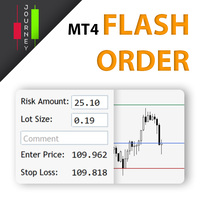
Trading has never been easier! Let's check this out! MT5 version: https://www.mql5.com/en/market/product/72120 The story: How I boost up my trading speed without any "Invalid SL or TP" error
NOW ALL YOU NEED TO DO IS Drag the lines Press Open Order button Enjoy! With this tool, you will no longer have to enter prices manually, which can cause many mistakes and you could miss the trade! From the board, we have: Risk Amount : the risk you want to apply for your trade Risk Unit : USD : If sele

A simple Utility Trading Tool for calculating your profits automatically.
once your orders are active, it calculates your profit or loss in pips value and displays it at the bottom right corner of the screen.
ADVANTAGES - shows order movement graphically - Helps you calculate profit and loss percentages per trade in each asset. - Shows progress of each trade - Easy trading - Helps you meet daily profit targets - Professional trading
FREE

The indicator shows support and resistance levels as horizontal lines. It shows the highs and lows of former days, weeks and month in every chart.
How to work with support and resistance levels show the EA Limit Scalper and the Universal Moving Average Expert Advisor (UniMA EA) .
When the tip of the coursor is on a line (mouseover) it shows the real value of the level and which high or low is shown, see explanation below.
The indicator must be installed like an expert advisor ! To se
FREE

Stop and Reverse Martingale EA is an expert advisor that integrates the following inputs within it: Start lot size Lot multiplier Take profit distance in points Take profit distance in points *this input is a stop loss, is misspelled within the code of the EA Magic number A and B Start cycle with round number The distance of round number Daily maximum orders per cycle and close all Daily loss (maximum orders per cycle when this last order hit the stop loss the EA close all orders in the same m
FREE

多功能交易工具:手数计算器、网格订单、风险回报比、交易管理、供需区、价格行为分析等 演示版 | 用户手册 交易助手 不能在策略测试器中运行:您可以下载 演示版 来测试此 实用工具 。 如有任何问题 /改进想法/发现错误 ,请 联系我 如需MT5版本,请点击 此处
简化、加速并自动化您的交易 流程 。通过此 仪表板 扩展标准终端功能。 交易面板 适用于任何交易品种:外汇、股票、指数、加密货币等。
1. 开立新交易 :手数/风险/风险回报比计算:手动交易的风险管理 手数计算器(基于风险规模计算交易量) 风险计算器(基于手数计算风险金额) 风险回报比 网格订单: + 动态间距选项和分割手数选项 订单激活触发器,+ 买入止损限价/卖出止损限价:MT4也可用 虚拟止损,虚拟止盈(隐藏止损,隐藏止盈:经纪商不可见) 智能止损/入场价位:如果K线收盘价超越此价位(避免错误触发) 隐藏订单(虚拟订单) 计划订单:即使市场休市也可下单(周末计划器) 附加多级止盈(多重获利了结) OCO订单(一单取消另一单),具有不同ID 交易可视化 + 图表上调整 以买入价(Bid)设置的止损/入场价位:避
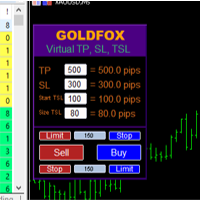
外匯專家顧問(實用程序)“虛擬止損、追踪止損”允許您設置虛擬(隱藏)止損和追踪止損。 同時,不使用標準止損和追踪止損單。 因此,當顧問開啟交易時,您的經紀商和 Meta Trader 終端不會看到或設置止損或追踪止損,但顧問將控制您指定的 TP SL TSL 參數並在圖表上繪製相應的線條。 ...當工具的價格達到這些水平之一時,交易就會結束。 請小心,如果 Meta Trader 和經紀商服務器之間沒有連接,或者您的賬戶沒有遠程託管服務,顧問將無法執行其功能,因此您的交易將不受虛擬止損的保護。 許多交易者需要並且正在尋找虛擬止損功能進行交易! 描述 - 很多。 它顯示在顧問的菜單中。 默認是0.01! - 止損、追踪起始、追踪規模(點或點)。 它位於圖表上的 EA 面板上。 經紀商的點值、小數位數等可能會有所不同...因此,為了正確輸入止損,我們建議您首先在經紀商的模擬賬戶上檢查並選擇適當的值或待定訂單。 例如,您必須選擇值 1 ...、15、150 或 1500、15000 ... 無法在測試器中打開交易。

Account Info Manager (AIM) 是一种实用程序,旨在查看有关交易账户顾问工作结果的信息。 该实用程序可以按订单的魔法或评论对订单进行分组,从而可以单独分析在账户上交易的每个“EA 交易”的工作结果。 使用此实用程序,您可以查看有关顾问打开的订单数量、获胜订单百分比、利润值、利润系数、平均订单大小、最大回撤值(回撤由余额决定)、最佳和最差订单等信息 . 您还可以分别查看顾问对每个货币对的工作结果。 所有信息都可以保存到 .csv 文件中,该文件可以在 Excel 中打开以进行进一步处理。该实用程序具有简单直观的界面。
注意力! 该实用程序在策略测试器中不起作用。 在使用该实用程序之前,我建议您观看教程视频。
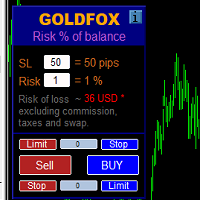
自動計算交易手數,同時考慮止損(以點為單位)和賬戶餘額的風險百分比。 “EA 交易”面板位於圖表左上角。在顧問面板上,您可以選擇以點為單位的止損大小和余額中的風險百分比。您可以為掛單設置與當前價格的偏差(以點為單位)。紅色表示觸發止損時您可以損失的存款貨幣金額,該金額不包括佣金、掉期和稅金。
建議將此顧問用於主要外匯貨幣對,XAUUSD(黃金)、BTCUSD、ETHUSD!對於其他儀器,考慮到計算的特殊性,可能會出現錯誤!對於大多數外匯工具,我們建議使用點後 5 位數字的帳戶。
描述
- 損失風險。存款貨幣的風險金額在顧問的信息面板上以紅色表示。此值將對應於未結訂單(或掛單),前提是該工具的保證金足以應對此風險,並且您已在 SL 字段中正確指定點數大小(SL 大小不得小於經紀人允許的一種)!
- 止損(點或點)。經紀商可能在點值、小數位數等方面有所不同......因此,為了正確輸入止損,我們建議您首先在經紀商的模擬賬戶或掛單上檢查並選擇合適的值.例如,您必須選擇值 1 ..., 15, 150 或 1500, 15000 ...
- 錯誤。計算中允許出現錯誤,

如果你象这个项目一样,就有5个饥饿审查。 这一指标在重新配置时间时得出了一包元。
可以结束和: 可在图表的任何角落上定位; 多时限; 你可以把它赶出一个指标窗口,把它拖进“MT5 navigator”。 当屋顶有10秒钟时,不同颜色。 习惯色彩色图,以便更好地融入图表。
FREE
显示当前市场信息,每秒更新一次。 点差大小; 掉期大小:针对空头和多头仓位; 可选显示当前时间; 多功能工具 :66+ 功能,包括此工具 | 如有疑问请联系我 | MT5版本 在指标设置中,您可以配置: 字体大小; 文本颜色; 选择位置:图表的左/右角; 开启/关闭当前时间显示(您计算机的本地时间); 程序文件应放在“ Indicators ”目录中。 多功能工具 :66+ 功能,包括此工具 | 如有疑问请联系我 | MT5版本 多功能工具 :66+ 功能,包括此工具 | 如有疑问请联系我 | MT5版本 多功能工具 :66+ 功能,包括此工具 | 如有疑问请联系我 | MT5版本 多功能工具 :66+ 功能,包括此工具 | 如有疑问请联系我 | MT5版本
//-----------
FREE

Time saving and fast execution Whether you’re traveling or sleeping, always know that Telegram To Mt4 performs the trades for you. In other words, Our Telegram MT4 Signal Trader will analyze the trading signals you receive on your selected Telegram channels and execute them to your Telegram to MT4 account. Reduce The Risk
Telegram To Mt4 defines the whole experience of copying signals from Telegram signal copier to mt4 platforms. Users not only can follow all instructions from the signa

FXTHORA SEMI-AUTOMATED FOREX TRADING ROBOT - ADVANCED SEMI-AUTOMATED TRADING ASSISTANT FOR ALL CONDITIONS.
It's a semi-automated Forex trading assistant that helps the trader buy or sell the market, based on the trader's initial analysis, and identification of the market direction or trend. This system requires help from the trader to actually identify the direction of the market. After the direction of the market or trend has been determined by the trader, the robot trades the market in the d
FREE

让交易更清晰可见。 你是否曾在 MT4 策略测试器或图表上的信号可视化中分析过交易?
如果答案是“是”,那么你一定知道那些交易线几乎看不清。
解决方案就是实用工具 “Visible Deals” 。
“Visible Deals” 可以让你的交易线变得更粗,甚至可以更改颜色。
只需将 “Visible Deals” 拖放到图表上,并调整新的线条格式即可。 Make the deal visible. Have you ever analyzed the deals in the MT4 Strategy Tester or Signal Visualization on Chart? If the answer is "Yes", then you know how sightless trade lines are. The solution is the utility "Visible Deals". The utility "Visible Deals" allow you to make trade lines wider or even change color. Just
FREE

VSAsGradient это утилита предназначена компенсировать ограниченные возможности оформления рабочей области терминала МТ4. Позволяет задать цвет окон графика (индикатора) в виде цветового градиента, установить классические обои или фотографию любимой девушки, семьи. Предварительных настроек, которые имеют значение только две: Set Gradients- выбераем насколько настройки будут индивидуальны. Default Set- только для данного типа инструмента. Individual Set- инструмент+ период графика. Hide Panel- сво

What is a tool ? Used for monitoring profit by magic number, From parameter magic number and profit target. The tool will automatically close orders to the same magic number. When your profits meet the target set. How to use Place the tool on any pair any timeframe and set input your parameter. Pair : Any Timeframe : Any Input Parameter Magic Number (0 for manual order) Meaning : Input your magic number here, Set 0 for manual order. Summary profit of this magic number ($) Meaning :
FREE

Posh Sessions is indicator which displays sessions in broker time or your local time. You can set up to 5 sessions, assign name, start time, end time and color of each session. There is session's range to help you make a chart analysis.
Settings for a session: Show: To show or not the session on chart Title: The title/name of the session Timezone: Select between broker or local time to implement the session's period Start time: The session start time End time: The session end time Colo
FREE

News Filter EA that send you a Push notification to your MT4 phone APP and TURN OFF MT4 Automatically Before News. This EA doesn't work in backtest From 1.7 version the EA have Close all trades before news functions added.
You only need to allow that url in MT4 options: To see the url and how to add it to MT4, visit this post:
https://www.mql5.com/en/blogs/post/754402
When Metatrader is turned off, it saves the status of all the charts, indicators and Expert Advisors that you have in them

DLT (Display Local Time) is an INDICATOR which displays local time using GMT timezone that can be easily switched. Support non standard timezones eg. -3:30, +4:45 Useful when you trade in your local market hours, or to evaluate candles in different time zone. This is for MT4 version. For MT5 version click here: https://www.mql5.com/en/market/product/71656 There is very useful info for candle: Range, Upperwick, Body, Lowerwick. You can get this when custom crosshair is enabled. Sessions will

这是一个专门用于平仓的面板。 在交易当中,我们时常会有把当前订单全部平仓,或者分门别类平仓的需求。 但是有时候订单的种类,订单的数量,订单的杂乱都让我们短时间内难以理清。 而交易机会又是转瞬即逝的,仅仅几秒钟的时间,就有可能出现不一定的结果。 所以我们需要一个专门用于平仓的小工具。 可以一键平仓多头,空头,不同种类的多头,空头。以及精准的减仓需求。 本面板主要有3个区域: 针对当前载入品种整体平仓的区域。 针对全部持仓品种整体平仓的区域。 针对当前载入品种按照百分比平仓的区域。 上面3点前面2点还好理解,第3点按照百分比平仓,可以理解为“减仓”的操作。 因为绝大部分时候,行情走势并不是非黑即白,加仓减仓要灵活的运用起来。
Auto SLTP Maker MT4 is an assistant for all those who forget to set Stop Loss and Take Profit in deal parameters, or trade on a very fast market and fail to place them in time. This tool automatically tracks trades without Stop Loss and Take Profit and checks what level should be set in accordance with the settings. Input Parameters: Set Take Profit: True is On. Take Profit points: Number Point. Set Stop Loss: True is On. Stop Loss points: Number Point.
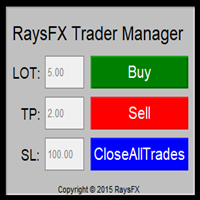
Questa utility di base non agisce in automatico, ma supporterà il trader, ti aiuterà nella gestione dei lotti tramite:
possibilità di impostare la size possibilità di impostare TP e SL (in pip) Consiglio: Questo EA ti aiuterà nella gestione dei tuoi ordini ed è ottimo abbinarlo a delgi indicatori (trovate nel nostro store molti indicatori utili, fra cui il RaysFX Strategy )

Show the account information on the chart, change the color automatically depending on the background, it adjusts to each chart and is updated every time the price moves a tick, that's why it is an expert advisor even if it is used as an indicator. Cannot change size.
You can see my other products here: https://www.mql5.com/en/users/joaquinmetayer/seller
FREE

Close All Pendings is a simple script that, when thrown on the graph, closes all pending orders that are open, ONLY pending orders, orders already open will not be closed, no matter in which pair it is thrown ... it will close all. It has no inputs, just throw it on the chart and it will run.
You can see more of my products here: https://www.mql5.com/en/users/joaquinmetayer/seller
FREE

Let us increase your profit and decrease your loss. One of the most important part of trading is choosing correct lot size. With this expert you needn’t to calculate your lot size because it’ll pick the best lot size automatically based on your trading performance, initial deposit, reward to risk ratio and your psychological risk acceptance. By using this expert, you protect your account against margin call and makes it to have minimum loss and minimum drawdown on each position which makes your

Simple buy and sell buttons to execute orders instant with automatically stop loss and take profit levels.
Stop loss and Take profit- levels can be changed in settings. Free version, only for US30- market.
Feel free to send direct message for improvements or other ideas..
---------------------- Payed version comming soon (for all markets/ timeframes).
FREE

" Trader Evolution " - A utility designed for traders who use wave and technical analysis in their work. One tab of the utility is capable of money management and opening orders, and the other can help in making Elliott wave and technical analysis.
Manual (Be sure to read before purchasing) | Version for MT5
Advantages
1. Trading in a few clicks. Immediate and pending orders are available in the panel
2. Money management. The program automatically selects the appropriate lot size
3. Simplifies

This tool will perform Trailing stop loss and Break even management for orders. Helps you limit or reduce the time spend watching orders on the screen, especially when you need to go to sleep. Just add this EA to 1 chart, you can manage all pairs. You can filter orders by comment, magic number, symbol, and order ticket number. When Breakeven it can add shift/offset pips (to cover the commission...).
You can try in strategy tester before purchase. The EA will add Buy and Sell alternately, so yo

What is a tool ? Used for monitoring profit summary in your portfolio, by setting profit target. The tool will automatically close all open orders. When the profits meet the target set. How to use Place the tool on any currency pair, any timeframe and set profit target. Easy... Currency Pair : Any Timeframe : Any Input Parameter Summary profit for auto close all orders ($) Meaning : Input your profit target here. Visit my products Target Profit Magic Target Profit All The Profit Tracker Currenc
FREE

This Expert Advisor must be placed on a second graph; placing on a second chart it will automatically modify your orders placed without StopLoss and TakeProfit. Editable parameter; updates will be available shortly to improve its efficiency. It only has two editable entries in its parameter: (Stoploss and Takeprofit). A trailing stop function will soon be added to it.

What is a tool ? Tracking your profit from the present - the past 30 days, Presented profit summary and movement is greater or less than 0 only. notice : must select show all history at account history tab. How to use Place the tool on any currency pair, any timeframe and set magic number to track your profits. Currency Pair : Any Timeframe : Any Input Parameter Track from Magic number (Manual order set 0) Meaning : Input the magic number to tracking the profit from present - the past 3
FREE

Description: - BidAskLine Indicator is very simple and easy, but each utility can be important in the probability that we will win in our trade. This utility Indicator shows lines and prices of the Bid, Ask and Spread. Input Parameters: - Visual Aspect Options : Select between 2 options with Box or Simple Style. - Parameters Bid Price : Select between show or hide line or box objects, change color, style or width line. - Parameters Ask Price : Select between show or hide line or
FREE

A Boleta Profit é a solução completa e ideal de controle de ordens visualmente pelo gráfico.
Com a Boleta Profit você pode:
- Criar estratégias - Definir ordens OCO - Definir lotes por estratégia - Definir gain / take profit em ticks por estratégia - Definir gain / take profit em moeda base da conta por estratégia - Definir gain / take profit em percentual do saldo da conta por estratégia - Definir loss / stop loss em ticks por estratégia - Definir loss / stop loss em moeda base da conta por

Possibilities: Provides the opening of an order with a specified% risk of the deposit Automatic calculation of lot and other parameters of a trade for a given% risk, StopLoss and TakeProfit levels Transaction support. You can accompany an order opened by another robot. It is possible to transfer the order to breakeven and carry out a step trailing profit Graphic information panel, can be converted into a minimalistic look. Displays information about the current spread, swap, deposit load, profit

Investment Castle Panel — Your Trades, At a Glance
The Panel puts the numbers that matter right on your chart: floating profit and loss, drawdown and more — for manual trades and for any Expert Advisor. A clean, movable dashboard so you always know exactly where you stand.
What it does for you Live P/L on the chart: floating profit/loss for the current symbol, for both buy and sell orders, in your base currency and in pips. Max drawdown at a glance: keep an eye on risk without digging through
FREE

You can always keep the market variation under control by setting the time frame you prefer.
Once applied to a chart, such as EUR/USD or SP500, we can choose different parameters for our utility. The parameters that can be set are:
back_periods_1 back_periods_2 years_back align
by default these parameters are set to 30, 120, 0, left.
THE FIRST TWO PARAMETERS(1, 2): Allow you to set the two time periods that refer to the chart, so if we have set the parameters as default, that is 30 and 120

#1 Copy Signals from Signals Copier Telegram to MT4 & Never miss a trade again Time saving and fast execution Whether you’re traveling or sleeping, always know that Telegram To Mt4 performs the trades for you. In other words, Our Telegram MT4 Signal Trader will analyze the trading signals you receive on your selected Telegram channels and execute them to your Telegram to MT4 account. Reduce The Risk Telegram To Mt4 defines the whole experience of copying signals from Telegram signal copi
FREE

This tool will allow you to export MetaTrader indicators data (Buffers) for any financial instrument present in your MetaTrader 4. You can download multiple Symbols and Timeframes in the same csv file. Also, you can schedule the frequency of download (every minute, 5 minutes, 60 minutes, etc.). No need to open a lot of charts in order to get the last data, the tool will download the data directly. The CSV File will be stored in the folder: \MQL4\Files . MetaTrader 5 version : https://www.
FREE
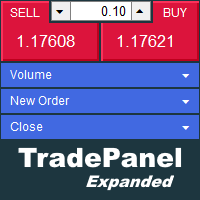
The trade panel supports discretionary traders in trading. Panel Description The windows can be opened and closed and moved. Expert Advisor Input Magic: - Unique ID, is necessary if you use several Expert Advisors (EA) One Click Trading Button The buttons work in a similar way to "One Click Trading" in Metatrader.
The values in the volume edit can be set individually for each instrument and remain saved even after changing charts or restarting Metatrader.
Caution! Check which volume is set befo

This is a utility that helps you close market orders and pending orders (optional), using keyboard shortcuts. For me, it's more convenient and faster than clicking a button on the chart. You can set: Keyboard Shortcut Hotkey: You can change and use most of the keys on the keyboard.
Key combination (Ctrl, Shift) also available in case you want to use (Note that not all combinations work). Magic Number Symbol: All Symbol, or Current Chart Symbol, or Select Symbol List Close Pending order

Evon is a great way of utility and performing well in the forex markets and giving us an unpredictable profits.Evon works on a different strategy of comparison model and it also helps us predict the market movement and takes the perfect entry and exit of the market. default settings EURUSD CHART AUTO LOT:ENABLE AUTO LOT:0.001 PAIRS TO COMPARE:EURJPY PAIRS TO COMPARE:USDJPY

Size Calculator allow you to calculate the size you need for your position giving two parametres: the number of pips risked and the money risked, for example if you want to risk 20 USD on 200 pips, then you will need to input 200 in the case reserved for pips and 20 in the case reserved for risk, the size will appear in left top carner of the chart in your metatrader 4 platform, Size Calculator support the following symbols : EURUSD GBPUSD AUDUSD NZDUSD GOLD WTI EURJPY GBPJPY USDJPY AUDJPY C

If you can not create a background image for yourself (photo size and format must be changed), let me know. I make your photo for free. Otherwise, you can read the help file . A tool for chart management You can change the background image You can change the background color Change the color of the candles Volume colors, line charts and everything else You can also enable and disable some items Read the help file for more information
Settings:
Save Changes After Remove Tool
Back Ground Photo
FREE
学习如何在MetaTrader AppStore上购买EA交易,MetaTrader平台的应用程序商店。
MQL5.community支付系统支持通过PayPay、银行卡和热门付款系统进行交易。为更好的客户体验我们强烈建议您在购买前测试EA交易。
