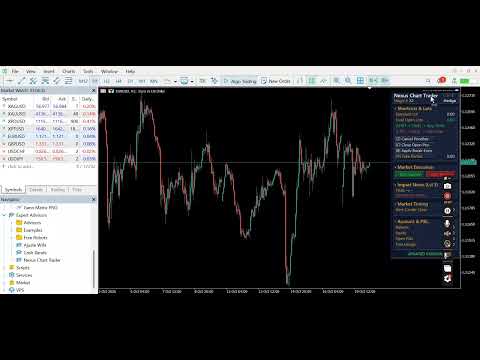
Nexus Chart Trader Advanced
- Yardımcı programlar
- Sürüm: 4.38
- Etkinleştirmeler: 5

<p><strong>Nexus Chart Trader</strong> is an institutional-grade manual trading and risk management utility designed for active discretionary traders, scalpers, and execution managers who demand absolute speed, precision, and real-time risk visibility on MetaTrader 5.</p>
<p>Built entirely in 100% native MQL5 without slow external dependencies or heavy DLLs, Nexus Chart Trader guarantees sub-millisecond execution response times, multi-asset compatibility (Forex, Indices, Commodities, and Cryptocurrencies), and intelligent account type adaptation.</p>
<hr>
<h2>🌟 Key Features & Essential Advantages</h2>
<ul>
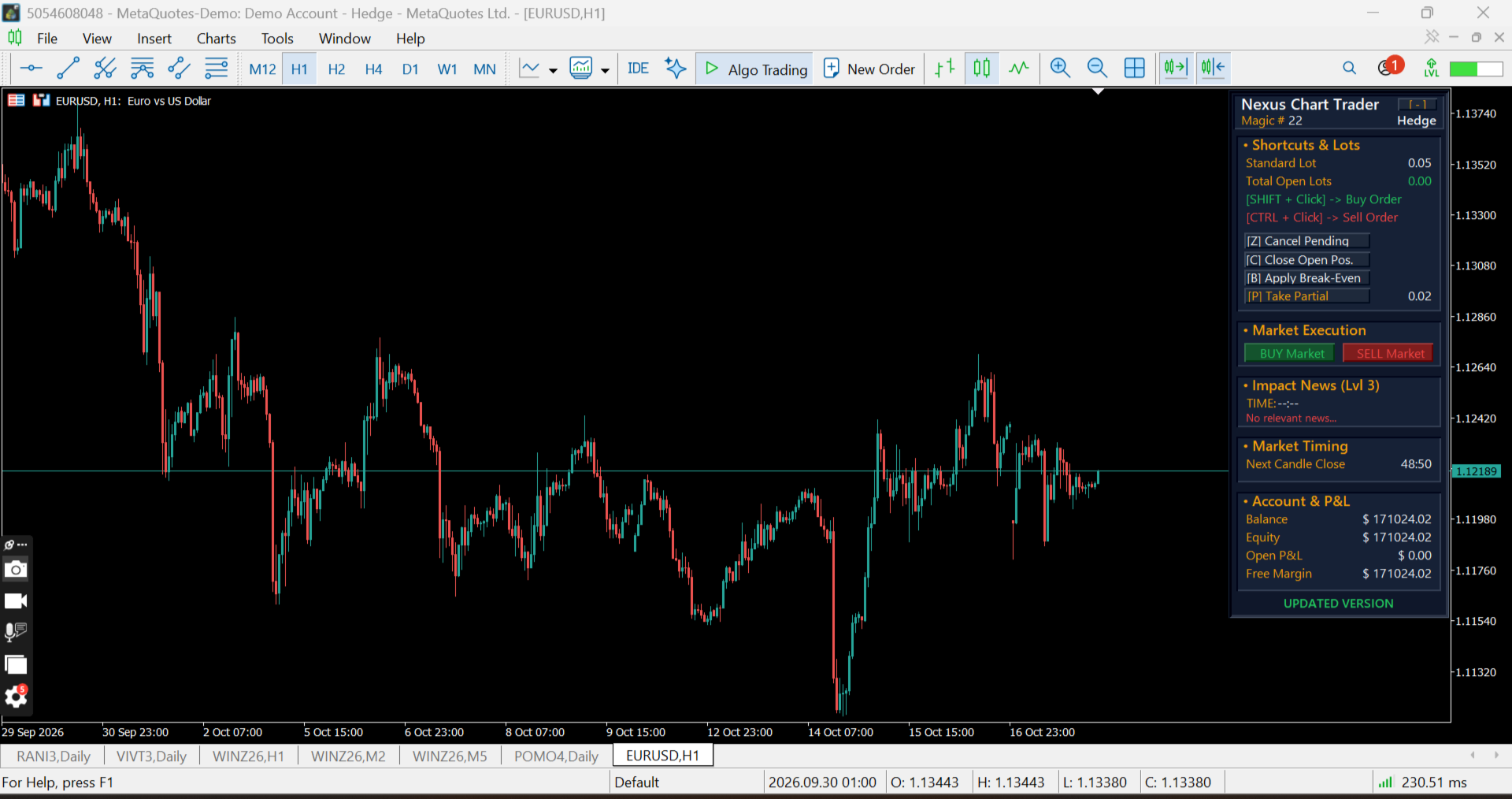
<li><strong>Interactive Hotkeys and On-Chart Mouse Orders:</strong> Place Limit or Stop Buy and Sell orders directly on the chart using customizable modifier keys (Shift, Ctrl, or direct Click).</li>
<li><strong>Ghost Order Preview & Financial Risk Overlay:</strong> Hover over any price level to preview exact order entries, Stop Loss, and Take Profit levels with automated monetary risk/reward calculations in your account currency.</li>
<li><strong>Automatic Account Mode Detection:</strong> Automatically detects whether your broker account operates in <strong>Hedge</strong> or <strong>Netting</strong> mode, seamlessly adapting execution logic.</li>
<li><strong>Weighted Average Price Lines (Hedge Mode):</strong> Automatically calculates and plots dynamic weighted average lines when scaling into multiple positions on the same symbol.</li>
<li><strong>Smart Break-Even Engine:</strong> Instantly moves Stop Losses to a weighted break-even price plus your custom offset points with a single hotkey.</li>
<li><strong>Universal Partial Close:</strong> Scale out of active trades gradually and efficiently across both Netting and Hedge environments.</li>
<li><strong>Emergency Controls:</strong> Instant keyboard shortcuts to cancel all pending orders or close all open positions immediately during high volatility events.</li>
<li><strong>Integrated Economic Calendar:</strong> Built-in tracker displaying upcoming high-impact financial news events, release schedules, and headlines directly on the panel.</li>
<li><strong>Candle Close Countdown:</strong> Real-time timer showing the exact time remaining before the current bar closes across any timeframe.</li>
<li><strong>Customizable Modern Dark UI:</strong> Fully draggable panel featuring a collapsable <code>[-]</code> mode and comprehensive color customization options.</li>
</ul>
<hr>
<h2>⚙️ Input Parameters Guide</h2>
<h3>Mouse Shortcuts (Orders)</h3>
<ul>
<li><code>InpBuyModifier</code> — Modifier key to place a Buy order (<code>SHIFT</code>, <code>CTRL</code>, or <code>CLICK</code>).</li>
<li><code>InpSellModifier</code> — Modifier key to place a Sell order (<code>SHIFT</code>, <code>CTRL</code>, or <code>CLICK</code>).</li>
</ul>
<h3>Keyboard Shortcuts (Actions)</h3>
<ul>
<li><code>InpKeyCancelPending</code> — Hotkey to cancel all active pending orders (Default: <code>Z</code>).</li>
<li><code>InpKeyCloseAll</code> — Hotkey to close all open positions on the current symbol (Default: <code>C</code>).</li>
</ul>
<h3>Risk & Lot Management</h3>
<ul>
<li><code>InpLotSize</code> — Default lot size for standard order execution.</li>
<li><code>InpParcialLots</code> — Lot volume to close when executing partial profits.</li>
<li><code>InpStopLossPips</code> — Default Stop Loss distance (Pips for Forex / Points for Indices).</li>
<li><code>InpTakeProfitPips</code> — Default Take Profit distance (Pips for Forex / Points for Indices).</li>
<li><code>InpBEPoints</code> — Added distance above/below entry when applying Break-Even.</li>
<li><code>InpIsForexMode</code> — <code>true</code> for Forex pip calculation, <code>false</code> for direct points (Indices, Cryptos, Equities).</li>
<li><code>InpSlippage</code> — Maximum allowed slippage in points.</li>
<li><code>InpMagicNumber</code> — Unique EA Magic Number for order tracking.</li>
</ul>
<h3>Calendar & Layout Settings</h3>
<ul>
<li><code>InpNewsLevel</code> — Minimum importance level for calendar alerts (Level 1, 2, or 3).</li>
<li><code>InpPanelAlign</code> — Initial panel alignment when launching on the chart (Left or Right side).</li>
<li><code>InpColorBackground / InpColorCardBg / ...</code> — Full color customization palette for dark mode styling.</li>
</ul>
<hr>
<h2>📌 Important Note on Chart Setup</h2>
<p><strong>⚠️ Enable Object Descriptions:</strong> To ensure that all price labels, risk values, and ghost order details (SL/TP projections and weighted average lines) render clearly on the chart, make sure the <strong>"Show object descriptions"</strong> option is enabled in your MetaTrader 5 chart properties:</p>
<ul>
<li>Right-click on your chart ➔ Select <strong>Properties (F8)</strong> ➔ Go to the <strong>Show</strong> tab ➔ Check <strong>"Show object descriptions"</strong>.</li>
</ul>
<hr>
<h2>💻 Specifications & Requirements</h2>
<ul>
<li><strong>Platform:</strong> MetaTrader 5 (MT5)</li>
<li><strong>Account Types:</strong> Hedge & Netting (Auto-detected)</li>
<li><strong>Supported Instruments:</strong> Forex, Stock Indices, Commodities, Energies, and Cryptocurrencies</li>
<li><strong>DLL Requirements:</strong> None (100% Native MQL5)</li>
</ul>
<hr>
<h2>❓ Frequently Asked Questions (FAQ)</h2>
<p><strong>Q: Does Nexus Chart Trader run automated strategies?</strong><br>
A: No, Nexus Chart Trader is a professional manual trading and risk control utility designed to assist discretionary traders with ultra-fast execution and precise on-chart risk management.</p>
<p><strong>Q: Will it work on index futures like US30, DAX, or B3 Mini-Index (WIN)?</strong><br>
A: Yes! Simply set <code>InpIsForexMode = false</code> in the input parameters, and the utility will automatically switch from Forex pips to direct contract point calculations.</p>