GTM EA Bot Studio Drag and Drop EA Builder

GTM EA Bot Studio
MetaTrader 5 için sürükle-bırak Expert Advisor oluşturucu · v1.42

GTM EA Bot Studio, MetaTrader 5 içinde çalışan bir robot oluşturucudur. Kendi Expert Advisor'ınızı grafik üzerindeki bir çalışma alanına renkli blokları sürükleyerek oluşturur, ardından aynı grafikte test eder ve canlı çalıştırırsınız. Kod yok, MetaEditor yok, derleme yok.

Kullanım kılavuzu: adım adım tam kılavuz (İngilizce ve Sinhala dilinde PDF) blog yazımda:

Nasıl çalışır - üç adım

  1. Oluşturun. Bir WHEN bloğu sürükleyin (örneğin "WHEN a new candle opens"), filtreler ekleyin, "EMA 9 crosses above EMA 21" gibi bir koşul içeren bir IF ve bir BUY veya SELL ekleyin. Yeni bir değer yazmak için herhangi bir sayıya tıklayın.
  2. Test edin. Test düğmesine basın: bot geçmiş mumlar üzerinde çalışır ve her işlem grafiğe çizilir - giriş oku, yeşil hedef bölgesi, kırmızı stop bölgesi ve sonuç. Kart; işlemleri, kazanma oranını, profit factor'ü, net sonucu ve en derin düşüşü gösterir.
  3. Çalıştırın. Run live düğmesine basın: bot o grafikte herhangi bir EA gibi işlem yapar, yeniden başlatmadan sonra da çalışmaya devam eder ve canlı bir kart tam olarak ne yaptığını gösterir.

Neler sunuyor

9 grupta 68 blok Olaylar, filtreler, mantık, 11 indikatör (MA, RSI, MACD, Stochastic, Bollinger, ATR, CCI, ADX, Parabolic SAR, Momentum, Williams %R), mum formasyonları, fiyat ve matematik, piyasa ve bekleyen emirler, işlem yönetimi, güvenlik limitleri, değişkenler ve uyarılar. Bir arama kutusu herhangi bir bloğu adıyla bulur.
Her indikatör için ayrı zaman dilimi Tek bir botta H1 trendini M5 girişleriyle birleştirin. Bir WHEN bloğu herhangi bir zaman diliminde mum başına bir kez, belirli bir saatte, her tikte, başlangıçta veya bir işlem kapandığında çalışabilir.
Gerçeği söyleyen hızlı test Mum başına spread, boşlukların boşluk fiyatından doldurulması, breakeven / trailing / kısmi kapanışların mum içinde kontrol edilmesi, her mumun en kötü noktasında ölçülen drawdown ve lot başına komisyon.
Rise / Fall tarzı tik botları Son hane çift / tek / üstünde / altında, art arda yükselen veya düşen tik serileri ve "CLOSE trades after n ticks" - hazır bir Rise / Fall şablonuyla birlikte.
Canlı kart B / S işaretleri ve kapanan her işlemin kârını gösteren bir tik grafiği, fare tekerleğiyle yakınlaştırma, önceki tiklere bakmak için sürükleme, bakiye / equity büyüme sekmesi ve botun kendi sonucu.
Grafikte SL / TP kutuları Her açık işlemin kendi kutusu vardır. Kırmızı kutu ilk stop loss seviyesinde kalır; turuncu bir çizgi breakeven veya trailing'in stopu nereye taşıdığını gösterir. Kapanan işlemlerin kutuları gösterilebilir veya gizlenebilir.
Yerleşik güvenlik Stop loss'a göre Risk % ile lot hesaplama, günlük zarar / kâr durdurma, günlük maksimum işlem sayısı, equity stop, en büyük lot. Her BUY / SELL sembolün en küçük lotuyla başlar.
Kaydetme, paylaşma, Strategy Tester Botları bir kütüphaneye kaydedin, açık veya kilitli olarak paylaşın (diğerleri test edip çalıştırabilir ancak kurallarınızı asla göremez) ve kayıtlı herhangi bir botu MT5 Strategy Tester'da test edin.
7 hazır şablon MA cross + RSI, RSI reversal, session breakout, Bollinger bounce, MACD trend, Stochastic pullback ve Rise / Fall ticks - öğrenmek ve değiştirmek için başlangıç noktaları.
Diller ve isteğe bağlı bir AI yardımcısı Varsayılan dil İngilizcedir. Kendi AI anahtarınızla Studio tüm arayüzünü sizin dilinize çevirir ve bir yardım sohbetinde soruları yanıtlar - yalnızca siz istediğinizde. Modeli bir listeden seçin veya anahtardan otomatik olarak bulunmasını sağlayın.

Neler yapmaz

  • Robot oluşturmak için bir araçtır, hazır bir para kazanma stratejisi değildir. Sonuçlar oluşturduğunuz kurallara, sembole, brokera ve piyasaya bağlıdır.
  • Hızlı test, mumlardan oluşturulan hızlı bir rehberdir. Kesin rakamlar için MT5 Strategy Tester'ı kullanın.
  • MT5 işlemleri sabit ödemeli sözleşmeler değildir: bir tik botu, fiyatın ne kadar hareket ettiğinin lot ile çarpımına göre kazanır veya kaybeder.
  • AI yardımcısı kendi API anahtarınızı gerektirir ve isteğe bağlıdır.

Başlarken

  1. GTM EA Bot Studio'yu bir grafiğe ekleyin ve Algo Trading'i açın.
  2. Library'den bir şablon açın veya ilk WHEN bloğunuzu sürükleyin.
  3. Test'e basın, ayarlayın, yeniden test edin. Bir demo hesapta deneyin, ardından Run live'a basın.

68 bloğun tamamı

When WHEN a new [timeframe] candle opens, ON every price tick, AT hh:mm every day, WHEN the bot starts, WHEN a trade of this bot closes
Filters ONLY between hh:mm and hh:mm, ONLY on Mon-Fri / Mon-Thu / Tue-Thu / Mon-Sat / every day, ONLY if spread <= n pips, ONLY if open trades < n, ONLY if trades today < n, ONLY if n candles passed since the last trade, ONLY if no BUY / SELL / trade is open, ONLY IF (any question)
Logic IF ..., IF ... ELSE ..., a > < >= <= = b, a crosses above / below b, AND, OR, NOT, candle [n] is bullish / bearish / a doji, bullish engulfing, bearish engulfing, hammer, shooting star, inside bar, outside bar at [n], value is rising / falling for n candles, a BUY / SELL / trade is open, time is between hh:mm and hh:mm, last digit of the price is even / odd / over / under / equal to n, the last n ticks all went up / down
Indicators Moving average (SMA, EMA, SMMA, LWMA; close, open, high, low, median, typical), RSI, MACD (main, signal, histogram), Stochastic (%K, %D), Bollinger Bands (upper, middle, lower), ATR, CCI, ADX (ADX, +DI, -DI), Parabolic SAR, Momentum, Williams %R, highest high / lowest low of n candles
Price & math a number you type, close / open / high / low of candle [n], Bid, Ask, spread (pips), n pips, a + - x / b, candle body, range, upper wick, lower wick, balance, equity, open profit, today's profit, last trade profit, open trades, hour, minute, day of week, variable, last digit of Bid / Ask
Trade BUY / SELL - lots or risk %, SL none / pips / x ATR, TP none / pips / x R / x ATR, BUY LIMIT, SELL LIMIT, BUY STOP, SELL STOP - distance, lots, SL, TP, expiry, CLOSE all / BUY / SELL / profitable / losing trades, DELETE all pending orders
Manage BREAKEVEN at n pips / R profit, lock n pips, TRAIL the stop n pips / x ATR behind, after n pips profit, TAKE n % off at n R profit, CLOSE trades older than n candles, CLOSE trades after n ticks
Safety STOP the day at loss n % or profit n % (close trades / keep trades), MAX n trades per day, STOP the bot if equity falls n % below the start, MAX lot size n
Tools SET variable to value, CHANGE variable by value, ALERT text (popup / popup + phone / sound only), NOTE text (written to the Experts log), STOP new trades for today

Girdiler

Bot file to run in the Strategy Tester Kayıtlı bir botun dosya adı. Boş = aşağıdaki şablon.
Template used when no bot file is given 7 şablondan biri.
Points in one pip 0 = otomatik.
Max slippage (points) Bir emir için kabul edilen en büyük fiyat değişimi.
Commission per 1 lot Hızlı test tarafından kullanılır (açılış + kapanış).
Sounds Arayüz ve işlem sesleri.
AI API key İsteğe bağlı - yardım sohbeti ve çeviri.
AI model Otomatik, listeden bir model veya Custom.
Custom model name Custom seçildiğinde kullanılır.
AI API address Boş = anahtardan veya modelden bulunur.

Kullanım kılavuzu: adım adım tam kılavuz (İngilizce ve Sinhala dilinde PDF) blog yazımda:

Kaldıraçlı ürünlerle işlem yapmak yüksek düzeyde risk içerir. Geçmiş ve test sonuçları gelecekteki sonuçları garanti etmez. Her botu önce bir demo hesapta deneyin.

Önerilen ürünler
Risk Panel - Click to Trade Risk Panel - Click to Trade is a manual trade execution utility for MetaTrader 5. It provides a chart-based interface for preparing and placing buy and sell orders with risk-based position sizing. Features Adjustable risk percentage based on account equity. ATR-based stop-loss calculation. Take-profit calculation using a configurable risk-to-reward ratio. Buy and Sell trade controls. Order placement through a dedicated trade button. Spread limit and trade deviation se
AI QUANT SYSTEM EA — Institutional Neural Engine (v52.0) Fully Automatic Trading EA Please Note:- First that this is an EXPERT ADVISOR, not a Utility. However, due to certain restrictions, I have to publish this  EXPERT ADVISOR  under the Utilities category.  We are  Provided  including a FREE OpenAI API key with this product, so you do not need to purchase AI API KEYS one separately, With Lifetime FREE Upgardes in Future. The AI Quant System EA is a next-generation, high-frequency quantitative
DD Guardian Bot — User Guide Requirements MetaTrader 5 (any broker) A Telegram account Step 1 — Create your Telegram Bot Open Telegram and search for @BotFather Send /newbot and follow the prompts to set a name and username BotFather will reply with a Bot Token — copy and save it Send any message to your new bot (e.g. /start ) so it can detect your Chat ID Open the following URL in a browser to find your Chat ID: https://api.telegram.org/bot&lt ;YOUR_TOKEN>/getUpdates Look for "chat":{"id": 12
TradesManger
Ali Abdalrasool Ai-sayyd Sobai
Ultimate Manager is the ultimate Expert Advisor (EA) for MetaTrader5, empowering traders with seamless control over every aspect of their trades. This powerful tool manages lot sizes, stop losses, trailing stops, trade durations, and trailing activation thresholds with precision. Featuring intuitive buttons, you can execute two trades simultaneously, close all positions, close buys only, close sells only, or close profitable trades in an instant. Designed for efficiency and risk management, Ulti
Smart Bulk Order Closer
Muhammad Hassan Muhammad Ahmad Atiyah
Smart Bulk Order Closer MT5 Script – PnL-Based Trade Closer Overview Smart Bulk Order Closer is a script for MetaTrader 5 that closes open positions based on their current floating profit or loss in account currency. The script executes once per attachment and only closes trades that meet the user-defined PnL conditions. It does not run in the background, does not modify Stop Loss or Take Profit, and does not open trades. Core Functionality The script evaluates each position individually and ap
Smart SL Scalp Assistant - Semi-automatic risk management trade panel for prop firm challenges (MT5) Place the SL line and the lot size is calculated from your balance and risk %. Enter with one click and never lose more than you planned. A fast trade panel for scalping and day trading - every trading decision stays with you. For prop firm challenges (FTMO, Fintokei, FundedNext and others) - Prop monitor (display only, on by default): the STATUS panel shows today's loss and the overall loss
Account Guard Daily Limit   is the free version of Account Guard. It watches the whole account and enforces two rules: a daily loss limit and a maximum drawdown. It opens no trades of its own. It works for manual trades and for any EA on the account. The panel shows the state, the day result against the limit, and how much room is left above the drawdown floor. The two rules Daily loss limit   in percent of the initial balance. When it is hit, every position and pending order is closed. Any trad
FREE
Quick Order Closer
Danny Giovanni Romero Lozano
Demo Version Here : https://www.mql5.com/en/market/product/170598 The fastest on the entire platform, try it with 50 open trades or more This Expert Advisor provides a fast and intuitive way to manage and close open trading positions directly from the chart using a clean button-based interface. With a single click, traders can instantly close positions based on different conditions, improving execution speed and overall trade management efficiency. Key Features Close all open positions instant
Risk Controller Expert Advisor, hesabınızdaki ticaret danışmanlarınızın toplam riskini kontrol etmenizi sağlayan bir programdır. Bu program ile tüm danışmanlar için hesapta izin verilecek maksimum riski kontrol edebilirsiniz. Örneğin, maksimum düşüşün %30'u riskini belirlersiniz, yani hisse senedi alım satım robotlarınız %30'luk riski aşarsa, Risk Kontrolörü tüm danışman pozisyonlarını kapatacak ve ayrıca tüm açık çizelgeleri kapatarak, danışmanlar daha fazla çalışmaktan. Uzman Danışman, ortala
Introducing the "Auto Timed Close Operations", a useful utility for MetaTrader 5 traders! This utility has been developed to help traders of all levels automatically close their open positions at the exact moment they desire. With the "Auto Timed Close Operations", you gain the required control over your trades and can avoid unwanted surprises at the end of the day or at any other predefined time. We know how important it is to protect your profits and limit your losses, and that's exactly what
GS trade report
Aleksander Gladkov
5 (1)
3 in 1 : Report + monitoring + sending messages (Telegram, ...) to optimize trading and use of advisors. Monitoring: Panel on the chart Sending messages to Telegram Sending messages to Email Sending Notifications Sending pop-up messages Sound notifications when the established Profit/Loss levels are exceeded Monitoring is activated by pressing the Start button. Profit for the period by currency pairs, hours and Magic number for the current account. Forms four tables: by symbols, by magic number
Introducing the Precision Data Extractor: EMA , an MQL5 utility crafted for traders, analysts and quants who need accurate historical data to build robust datasets. This tool lets you selectively pull historical price and indicator data— Exponential Moving Average ( EMA )—from multiple applied prices , timeframes , and periods , then stores it in a CSV format, making it easy to feed into machine learning models, trading algorithms, or in-depth market analyses . Compatible with Forex, Stocks, and
Operative Management Pro – Advanced Trading Utility Operative Management Pro is a smart visual tool for traders who want to analyze and simulate their trades before placing them on the market. This panel displays in real-time the most important parameters of the current symbol: Current price and minimum lot size Required margin Spread cost in USD and pips Take Profit and Stop Loss value in USD Automatic risk and reward calculation With just a click on the chart, you can simulate BUY or SELL t
OrderManager 'ı Tanıtıyoruz: MT5 için Devrim Niteliğinde Bir Yardımcı Program Yepyeni Order Manager yardımcı programı ile MetaTrader 5 için işlemlerinizi bir profesyonel gibi yönetin. Basitlik ve kullanım kolaylığı göz önünde bulundurularak tasarlanmış olan Order Manager, her işlemle ilişkilendirilen riski kolayca tanımlamanıza ve görselleştirmenize olanak tanır, böylece bilinçli kararlar alabilir ve ticaret stratejinizi optimize edebilirsiniz. OrderManager hakkında daha fazla bilgi için lütfen
A script for quick reversing positions and/or orders. If you need to reverse a position with the same volume, open an opposite position of a different volume or change the type of existing orders (for example, Buy Limit -> Sell Limit, Buy Stop -> Sell Limit, etc.) with the same or different take profit/stop loss, this script will make all the routine for you! Allow AutoTrading before running the script. Usage: Run the script on a chart. Input Parameters: Language of messages displayed (EN, RU, D
Introducing the  Precision Data Extractor: SMMA , an MQL5 utility crafted for traders, analysts and quants who need accurate historical data to build robust datasets. This tool lets you selectively pull historical price and indicator data—  Smoothed Moving Average  ( SMMA )—from  multiple applied prices, timeframes, and  periods , then stores it in a  CSV  format, making it easy to feed into  machine learning models, trading algorithms , or  in-depth market analyses . Compatible with  Forex ,  S
This indicator sends a message (notification), an email, and plays a custom sound when a Limit (Buy/Sell) or Limit Stop (Buy/Sell) or Take Profit, Stop Loss, Stop Out is executed. A user can change the sound file name, and select if they receive notifications/emails. It runs as an indicator, and only one indicator is locked (used) by a user account/login. Parameters soundFile - sound file Save your file at the terminal folder, for example: " C:\Program Files\MetaTrader 5\Sounds\Order Executed.
Tek grafik. Tam kontrol. Nesneleri, renkleri ve ayarları her grafikte ayrı ayrı yönetmek için zaman kaybetmeyin. Chart Sync Manager ile tüm MetaTrader grafiklerinizi yalnızca tek bir panel ve birkaç kısayolla anında eşitleyebilir, kopyalayabilir ve kontrol edebilirsiniz. Bir kez çizin, her yerde güncellensin. Grafikleri tek tıkla açın ve kapatın. Sembole göre nesne yönetimiyle çalışma alanınızı düzenli tutun. Spread göstergesi, geri sayım sayaçları ve mum kapanış uyarılarıyla önemli ayrıntıları


EQUITY DRAWDOWN MONITOR   This is a simple mt5 advisor that monitors the drawdon levels Features: Easy to use Useful for money managers How to Use  Load the EA once a single chart Type the maximum drawdown desired in inputs Leave the EA alone and never close that chart The EA monitors all trades and magic numbers in your account. Input Parameter Drawdown Percent:   Maximum drawdown in percentage terms allowable in the account. When the drawdown level is surpassed, the EA will close all trades
Chart Connect
Eliel Do Rosario Batista
This EA does not perform trading operations.       It's a       auxiliary visual tool       for graphics synchronization. The “there are no trading operations” error in the validator is expected and intentional. CHARTCONNECT – Chart Synchronizer (Version 1.19) Connect all your charts to the same symbol with just one click. What is CHARTCONNECT? ChartConnect   is a lightweight and efficient tool designed to   automatically synchronize the ticker symbol   of all open charts in MetaTrader 5
ProBridger
Marius Ovidiu Sunzuiana
How Traders and Analysts Can Use the Data Export Bridge to Improve Their Analytics The MQL Data Export Bridge unlocks a new level of analytical power by transforming MetaTrader into a real‑time data provider for any external research environment. Here are the most impactful ways different users can apply the bridge to enhance their trading performance. Build Predictive Models with Machine Learning Who benefits: Quantitative traders, data scientists, algorithm developers How it helps: Export t
It is a utility that posts customized messages on Telegram based on account trading activity. Once the utility is on the chart, with each new position opened from the same chart symbol the utility is added, a customized message will be sent to the Telegram group defined in the input parameters. The utility will post to the Telegram group if a new position is opened and if it is the same symbol as the chart the utility is running on. If you are using an Expert Advisor for Buy and Sell and want to
RR Gestion
Wilson Eduardo Loor Arguello
Mutlak hassasiyet, hız ve görsel kontrolle işlem yapın. RR Gestion V4.0, TradingView'in akıcı, görsel sipariş verme deneyimini doğrudan MT5 grafiklerinize taşımak için tasarlanmış, MetaTrader 5 için nihai Risk-Ödül (Risk-to-Reward) yardımcı panelidir. TEMEL ÖZELLİKLER: Tamamen Görsel Sürükle ve Bırak Arayüzü: Etkileşimli Risk (Kırmızı) ve Ödül (Yeşil) kutuları doğrudan grafiğinizde. Giriş, Stop Loss (SL) veya Take Profit (TP) çizgilerini sürüklediğinizde lot boyutu gerçek zamanlı olarak otoma
The utility is designed to send signals from MT4 to Telegram. It has several unique features, allowing not only the sending of trade signals but also the following functionalities: Send messages directly from the terminal to Telegram Send emojis along with custom text Send text and images from Telegram All of these features enable users to manage a signal channel while focusing on trading and finding quality signals. Customizable Signal Messages You can fully customize the signal message: Specif
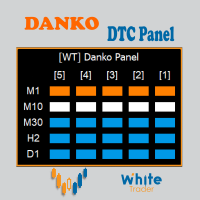
Do not buy before seeing the Danko Trend Color product, as this panel is a way to view a summary of this indicator on various timeframes. The Danko DTC Panel utility allows you to look at the trend in up to 5 timeframes. When clicking on the timeframe texts, a new window will open with the indicator plotted on the screen so you can see the complete chart. The width of the panel, with the amount of candles you want to see, is customizable, see the images below. Ao clicar nos textos dos timeframe
Stale Pending Order Sweeper
AL MOOSAWI ABDULLAH JAFFER BAQER
FORGOTTEN PENDING ORDERS ARE TRADES YOU NEVER MEANT TO TAKE - THIS UTILITY CLEARS THEM AWAY Stale Pending Order Sweeper is an order-housekeeping utility for MetaTrader 5. It never opens a trade and never touches an open position. It watches the limit, stop and stop-limit orders you choose and deletes the ones that have gone stale: too old, too far from the current price, still waiting when the Friday cutoff arrives, or left behind with no open position of their own. Try it free before you decide
Hesabınızdaki her Uzman Danışmanın gerçekte ne kazandığını görün. Halberd Portfolio Monitor hesap geçmişini magic number'a göre ayırır ve her strateji için işlem sayısını, kazanma oranını, kâr faktörünü, net sonucu, düşüşü, açık pozisyonları ve bir sağlık durumunu gösterir. Yalnızca okur, asla işlem yapmaz. Bir hesapta birden fazla Uzman Danışman çalıştığında MetaTrader hepsi için tek bir bakiye gösterir. Sessizce kaybeden bir strateji, kazanan bir stratejinin arkasına saklanabilir. Halberd Port
Trailing Stop Fast  Trailing Stop Fast EA locks trade profit once trade moves in profit by certain points(eg 100 points) by moving the Stop Loss in direction of trade. There are three inputs in EA to be provided by user to EA  TrailingStart  this input used as activator when trade moved 100 points towards profit, this EA will start shifting your stop loss towards profit. TrailingStop  input defines what should be the distance of stop loss from current market price once TrailingStart activated
BalanceGuard
Chukwuemeka Kingsley Anyanwu
Take full control of your trading with the BalanceGuard Expert Advisor. This smart risk-management tool continuously tracks your account equity and activates a protective stop once your predefined drawdown limit is reached—so you never risk more than you’re comfortable with. Featuring adjustable drawdown settings and a clean, intuitive dashboard that displays essential account statistics, BalanceGuard empowers you to trade confidently while protecting your capital.
Forex Unlimited Aracını Keşfedin – MT4 veya MT5 için Nihai Pozisyon Yöneticiniz Ticareti bir üst seviyeye çıkarmaya hazır mısınız? Forex Unlimited Aracımız ile riski manuel olarak hesaplamaya veya sermaye tahsisatınızı sorgulamaya artık gerek yok. Hem MetaTrader 4 hem de MetaTrader 5 için iki versiyonu bulunan kullanımı kolay gelişmiş bir pozisyon yöneticisi geliştirdik. Lütfen satın alırken MT4 veya MT5 işlem platformunuza uygun doğru sürümü seçtiğinizden emin olun, böylece aracın tüm özellikle
Bu ürünün alıcıları ayrıca şunları da satın alıyor
Trade Assistant MT5
Evgeniy Kravchenko
4.43 (216)
It helps to calculate the risk per trade, the easy installation of a new order, order management with partial closing functions, trailing stop of 7 types and other useful functions. Additional materials and instructions Installation instructions - Application instructions Line function -   shows on the chart the Opening line, Stop Loss, Take Profit. With this function it is easy to set a new order and see its additional characteristics before opening.   Risk management  - The risk calculation
Farmed Hedge Yield Farming | All Markets (Manual - Hybrid - Semi/Automated EA) VERIFIED TRADING RESULTS - Farmed Hedge Yield Axi Copy:  https://www.mql5.com/en/signals/2356376 - Farmed Hedge Yield Exn Copy:   https://www.mql5.com/en/signals/2356404 - Farmed Hedge Yield V Copy:  https://www.mql5.com/en/signals/2357156 IMPORTANT NOTICE: FarmedHedge is a MANUAL-FOCUSED TRADING UTILITY ,not a fully automated EA. Results shown on this Signal include manual trades and overall strategic management.
Telegram to MT5 Multi-Channel Copier   , Telegram ve Discord kanallarınızdaki alım-satım sinyallerini doğrudan MetaTrader 5'e otomatik kopyalar. Bot yok, tarayıcı uzantısı yok, elle kopyalama yok. Sinyal Telegram'a veya Discord'a düşer ve EA birkaç saniye içinde terminalinizde işlemi açar. Ve bir kanalı kopyalamadan önce, yerleşik backtester o kanalın hesabınızda ne yapmış olacağını gösterir. Ürün iki bileşenden oluşur: Telegram kanallarınızı dinleyen bir Windows uygulaması ve sinyalleri MT5 ter
EA Overfitter
Stephen J Martret
5 (4)
That backtest looks great. But will it still be making money tomorrow, next week, next month? EA Overfitter re-runs your EA on 100 price histories it has never seen. One score tells you if the edge is real. A backtest tells you what an EA did on one price history — the one that happened to occur. What you cannot tell from it is how much of that result was the strategy and how much was the particular path. EA Overfitter answers that. It builds up to 100 synthetic price histories your EA has n
TradePanel MT5
Alfiya Fazylova
4.89 (174)
Trade Panel, çok işlevli bir ticaret asistanıdır. Uygulama, manuel ticaret için 50'den fazla ticaret fonksiyonu içerir ve çoğu ticaret görevini otomatikleştirmeyi mümkün kılar. Uygulama talimatları: https://www.mql5.com/en/blogs/post/756482 Demo hesabı için uygulamanın deneme sürümü: https://www.mql5.com/en/blogs/post/750865 Uygulamayı nasıl kurulur: https://www.mql5.com/en/blogs/post/756239 Uygulamayı görsel modda nasıl test edilir: https://www.mql5.com/en/blogs/post/770277 Uygulamayı VPS MetaT
News Trade EA MT5
Konstantin Kulikov
4.55 (11)
Birkaç yıldır kullandığım çok yararlı bir robotu tanıtıyorum. Hem yarı otomatik hem de tam otomatik modlarda kullanılabilir. >>> Chat <<< Program, ekonomik takvim haberlerinde esnek ticaret ayarlarını içeriyor. Stratejiler test cihazında kontrol edilemez. Sadece gerçek bir iş. Ayarların en son arşivini indirin: https://www.mql5.com/en/blogs/post/747929 Sinyal izleme: https://www.mql5.com/en/signals/author/test-standart Bu bilirkişi için kendi ayarlar setinizi oluştururken, blogdaki tüm paramet
Power Candles Strategy Scanner: Kendini Optimize Eden Çoklu Sembol Kurulum Bulucu Her kıpırtıda öten bir tarayıcı, size onu görmezden gelmeyi öğretir. Hareketli tek bir mum kapanışı, peş peşe uyarılar ve gerçekten işlem yaptığınız o tek kurulum gürültünün içinde kaybolur. Power Candles Strategy Scanner , kendini optimize eden Power Candles motorunu Market Watch'unuzdaki her sembolde çalıştırır ve yalnızca kendi filtrelerinizden geçen durumlar için uyarır: son kapanan mumun gücü, kurulumun ödül/r
================================================================================ POC BREAKOUT - V20.72. Full Professional Grade Toolkit ================================================================================ POC Breakout is a full MetaTrader 5 trading dashboard for discretionary traders who want breakout signals, Point of Control (POC) context, volume profiles, order flow, market structure, news, alerts, and advanced trade planning in one professional workspace. Attached directly to you
Sonraki Güncelleme — Sürüm 2.52 Çok Yakında! [YENİ] Piyasa Analizinizi ve İşlem Sürecinizi Geliştirmek İçin Tasarlanmış 4 Büyük Yeni Özelliğe Hazır Olun İşlem ihtiyaçlarınızı karşılamak üzere tasarlanmış 4 yeni özellikle piyasa analizini bir üst seviyeye taşıyoruz. İşte yeni özellikler: TRADE OVERVIEW DASHBOARD CONFLUENCE AT ZONE STRONG & WEAK HIGH/LOW OTE 1. TRADE OVERVIEW DASHBOARD Piyasanın genel görünümünü daha kolay anlamanıza yardımcı olan, işlem kararlarınızı desteklemek için rehberlik s
Strategy Builder offers an incredible amount of functionality. It combines a trade panel with configurable automation (covert indicators into an EA), real-time statistics (profit & draw down) plus automatic optimization of SL, TP/exit, trading hours, indicator inputs. Multiple indicators can be combined into an single alert/trade signal and can include custom indicators, even if just have ex4 file or purchased from Market. The system is easily configured via a CONFIG button and associated pop-u
EA Auditor
Stephen J Martret
5 (7)
EA Auditor is an independent analysis tool for traders evaluating Expert Advisors and trading signals on MetaTrader 5. It audits backtest reports, reviews posted developer signals, and cross-verifies the two against each other to help traders assess strategies before committing capital. The MQL5 market offers a wide range of Expert Advisors from many developers, with varying approaches, quality, and transparency. EA Auditor provides a consistent, data-driven framework for reviewing them, answer
The product will copy all telegram signal to MT5 ( which you are member) , also it can work as remote copier.  Easy to set up, copy order instant, can work with almost signal formats, image signal,  s upport to translate other language to English Work with all type of channel or group, even channel have "Restrict Saving Content", work with  multi channel, multi MT5 Work as remote copier: with signal have ticket number, it will copy exactly via ticket number. Support to backtest signal. How to s
Dealer's Panel No signal decides anything here — a hand does. One click, and the panel calculates what's underneath: lot size from risk, target from a 30-step balance ladder that remembers exactly how far an account has climbed. Toggle between market and pending without touching an input field. Set a stop, and the take-profit can write itself — a fixed share of the balance, translated into price with no arithmetic left for the trader to get wrong. One trade live at a time; it won't let a seco
RETAILBERG FOOTPRINT CHART PRO — Order-Flow Workspace for MetaTrader 5 Version 7.00  |  Professional System  |  31 tools  |  One chart A full 150-page illustrated User Manual is included. Please read the full manual to understand this feature packed footprint chart elements and ui. https://www.mql5.com/en/blogs/post/777982 DEMO / STRATEGY TESTER — PLEASE READ FIRST
Elliott Wave Helper
Siarhei Vashchylka
4.93 (14)
Elliott Wave Helper is a panel for constructing wave analysis. Manual (Be sure to read before purchasing) | Version for MT4 Advantages 1. Constructing wave analysis and wave structure in a few clicks 2. Availability of all wave analysis patterns, including triangles and combinations 3. All nine wave display styles, including a special circle font 4. Change colors and display styles of wave groups directly from the chart 5. Binding all elements to a set timeframe or timeframes 6. A template syste
REVDEN AI Desk: Trading'inizi Kendi Yapay Zekanızla Tek Bir Sohbetten Yönetin, REVDEN'in Piyasa Bağlamıyla Trading'inizi tek bir sohbetten yönettiğinizi düşünün. REVDEN AI Desk bunu MetaTrader 5'e getiriyor: kendi yapay zekanıza piyasayı nasıl okuduğunu sorarsınız, o da işlem yaptığınız semboller hakkında REVDEN'in tam bağlamından, yani durumlarından, risk görünümlerinden ve yaklaşan açıklamalardan yanıt verir. Önerileri giriş, stop, hedef ve riskle gelir; uygun olanları siz onaylarsınız. Kurall
The product will copy all  Discord  signal   to MT5   ( which you are member  ) , also it can work as remote copier.  Easy to set up. Work with almost signal formats, support to translate other language to English Work with multi channel, multi MT5. Work with Image signal. Copy order instant, auto detect symbol. Work as remote copier: with signal have ticket number, it will copy exactly via ticket number. How to setup and guide: Let read all details about setup and download Discord To MetaTrader
YuClusters
Yury Kulikov
4.93 (43)
Attention: You can view the program operation in the free version  YuClusters DEMO .  YuClusters is a professional market analysis system. The trader has unique opportunities to analyze the flow of orders, trade volumes, price movements using various charts, profiles, indicators, and graphical objects. YuClusters operates on data based on Time&Sales or ticks information, depending on what is available in the quotes of a financial instrument. YuClusters allows you to build graphs by combining da
Premium Trade Manager - İçine Koç Yerleştirilmiş İşlem Paneli Premium Trade Manager , grafiğinizin içine bir trading koçu yerleştirir; altında tam bir yürütme motoru çalışır. İşlemi her zamanki gibi kurun, ardından yapay zeka trading koçunuz Max, o kurulumu tam olarak okusun ve canlı hesabınıza göre taahhüt etmeden önce size net bir değerlendirme sunsun: stop disiplinli bir yaklaşıma uyuyor mu, risk büyüklüğü makul mü, yüksek etkili bir haber dakikalar sonra mı geliyor, prop firm limitinize yakl
Trade Indicator Assistant   is a powerful MT5 utility designed to turn indicators into automated trading systems. Its main feature is the ability to automatically detect an indicator’s   BUY and SELL signal buffers , without requiring you to know the buffer numbers, search through indicator settings, or modify the indicator source code. Bonus Indicator:   After purchasing Trade Indicator Assistant, contact me to receive   Trade Signal Pro   completely free as a bonus indicator. [Download Demo V
The Patch It never opens a trade. It walks behind the ones that did. Every open position, every pending order — checked twice a second for the one thing that's easy to forget: a stop, a target. Found bare, it doesn't ask. It writes the missing number in, measured in points from wherever the position began, and moves on to the next. No strategy, no opinion on direction. Just the quiet assumption that nothing should ever sit on the market unprotected — not because someone decided it shouldn't,
Auto DCA EA
Truong Giang Hoang
5 (1)
All new interface and function Add telegram notify (you have to get Telegram bot API and chat ID). With this ea, you can earn 10-40% even more profit/month! 1. This EA is used to automatically take profit or DCA your orders on MT5 according to the parameters you set. You can enter first order on your phone or MT5 terminal on your computer and it automatically take profit or DCA your orders. 2. Enter buy/sell limit-stop price * Buy limit price/ Sell limit price/ Buy stop price/ Sell stop price:
Floor Watch
Syed Tauqeer Hussain Shah
Floor Watch One number, watched every thirty seconds: how far equity has fallen since the day began — or since its highest point, if it's told to trail the peak instead of the open. Cross the line and it doesn't argue. Every open position closes, every pending order vanishes, and anything that slips through afterward gets shut the moment it appears. Not asked. Removed. The floor holds until the clock turns 5 AM Pakistan time — then, and only then, does the day start over. One rule. No except
One button. One trade. MT5 Trading Deck is a hotkey trading panel for MetaTrader 5 that turns the platform into a keyboard-driven execution cockpit. Stop loss, take profit and lot size are pre-calculated for every key; the moment you press, a market order is live on the broker. A complete technical user manual is attached in the product Comments section. It documents every input parameter, the full hotkey map, the recommended Stream Deck XL layout, and the advanced workflows for Pre-Limit orders
FUTURES ORDERFLOW FOOTPRINT CHART Professional OrderFlow EA for MetaTrader 5 Version 1.01| Professional tool for real traders | Institutional-Grade Visualization STRATEGY TESTER USERS - PLEASE SELECT EVERY REAL TICK WHEN TESTING AND YOU HAVE DOWNLOADED HISTORICAL DATA. IF YOU SEE A WAITING SCREEN AND IT IS NOT DOWNLOADING, IT MEANS YOU HAVE LOW HISTORICAL DATA. TRY 1 MIN AND 5 MIN FIRST ON 1 DAY DATA. ONE DAY DATA SHOULD BE THE NEWEST AND MOST CURRENT DATE. PLEASE WAIT UNTIL THE MARKET HAS ROL
EASY Insight AIO – Akıllı ve zahmetsiz yatırım için hepsi bir arada çözüm Genel Bakış Tüm piyasayı — Forex, Altın, Kripto, Endeksler ve hatta Hisseler — saniyeler içinde, manuel grafik incelemesi, gösterge kurulumu ya da karmaşık ayarlar olmadan analiz edebildiğinizi hayal edin. EASY Insight AIO , yapay zekâ destekli yatırım için nihai, kullanıma hazır dışa aktarma aracınızdır. Tüm piyasanın kapsamlı bir anlık görüntüsünü tek bir temiz CSV dosyasında sunar; bu dosya ChatGPT, Claude, Gemini, Pe
Bir kez satın alın. Şu anda sunulan ve gelecekte yayımlayacağım tüm MT4 ve MT5 göstergelerimi ek ücret ödemeden edinin. Satın aldıktan sonra edinme talimatları için benimle iletişime geçin. Her 10 satın alımdan sonra fiyatın 50$ artırılarak en fazla 999$ olması planlanmaktadır. Ödeme sırasında Market’te görünen fiyat geçerlidir. Güvendiğiniz göstergeyi kullanmaya devam edin. Çevresindeki işleri otomatikleştirin. Sizin sinyaliniz. Sizin kurallarınız. Sizin işlem yürütmeniz. Güvendiğiniz bir MT5
Ultimate Extractor - Professional Trading Analytics for MT5 *****this is the local HTML version of Ultimate Extractor. !!!!!it is not compatible with Cloud!!!! For the online version please reach out to me directly****** Ultimate EA manager also now available when you use cloud pro and above for free!! Ultimate Extractor transforms your MetaTrader 5 trading history into actionable insights with comprehensive analytics, interactive charts, and real-time performance tracking. What It Does Automa
Master Your Trading Discipline   Stop losing your hard-earned gains to overtrading and emotional decisions. The Discipline Tool is your ultimate trading assistant, ensuring strict risk management in real-time. Key Protection Features: Advanced Drawdown Defense : Automatically halts trading if your daily drawdown exceeds a preset threshold (percentage or dollar amount). Real-Time Equity Lock : Safeguard profits by referencing peak equity, ensuring drawdown stays within control. Hard Profit Target
Titan Machinist - Your Professional Management System for MetaTrader                                                                                                                                 Transform Your Trading with Automated Position Management Tired of having to manually manage every single trade? Titan Machinist is the ultimate solution to automate your trade management, allowing you to trade like a true professional. Suitable for any trading technique: one s
Yazarın diğer ürünleri
GTM FVG and Order Block Zones
Gayan Indika Honnanthara Acharige
GTM FVG and Order Block Zones , bir MetaTrader 5 grafiğine fair value gap (FVG) ve order block'ları bölge olarak çizer; bunlarla birlikte BOS / CHoCH işaretlerini ve mevcut hareketin güçlü ve zayıf tepe ile dibini gösterir. Küçük bir panel trendi, fiyatın üstündeki ve altındaki en yakın bölgeyi ve fiyatın şu anda içinde bulunduğu bölgeyi gösterir. Grafik okumak için ücretsiz bir araçtır. İşlem yapmaz ve alış ya da satış sinyali vermez.          Bölgeler yalnızca kapanmış mumlarda bulunur Bir bö
FREE
Candle Timer Countdown and Spread
Gayan Indika Honnanthara Acharige
GTM Candle Timer , mevcut mumun kapanmasına ne kadar süre kaldığını gösterir. Süre, aracı kurumunuzun sunucu saatine göre sayılır ve grafikte istediğiniz yere sürükleyebileceğiniz küçük bir panelde görünür. Gösterdiği her şey, giriş parametreleri penceresini açmadan doğrudan panelden açılıp kapatılabilir. Ücretsizdir, ücretli bir "tam sürümü" yoktur ve tüm uyarı türleri — açılır pencere, ses ve telefona anlık bildirim — dahildir.          Neden bir mum zamanlayıcısı daha? Mum zamanlayıcısı yoru
FREE
GTM Sessions , Sidney, Tokyo, Londra ve New York seanslarını ve ICT killzone'larını, aracı kurumunuzun sunucu saatine göre grafiğinize çizer. GMT farkı girmeniz gerekmez, yaz saati de sizin yerinize hesaplanır. Küçük bir panel, şu anda hangi seansın açık olduğunu, bir sonrakinin ne zaman açılacağını ve bugünkü aralığın ortalamaya göre nasıl olduğunu gösterir. Her şey doğrudan panelden açılıp kapatılabilir. Ücretsizdir, ücretli bir "tam sürümü" yoktur ve tüm uyarı türleri (açılır pencere, ses ve
FREE
Trading Journal and Analytics
Gayan Indika Honnanthara Acharige
5 (1)
GTM Journal , MetaTrader 5 terminalinizde zaten bulunan işlem geçmişinden bir işlem günlüğü oluşturur. Kapanmış her pozisyon, işlem geçmişinizden yeniden oluşturulur: giriş, çıkış, işlem açılırken ayarlanan zarar durdur, o zarar durdurun sonunda nerede olduğu, ve işlem açıkken ulaşılan en yüksek ve en düşük fiyat. Her şey, grafikte istediğiniz yere sürükleyebileceğiniz tek bir panelin içindeki on bir sayfada gösterilir. Elle hiçbir şey girmeniz gerekmez. İşlem yapmaz. Pozisyon açmaz, hiçbir şeyi
Multiple Moving Average Signal Panel
Gayan Indika Honnanthara Acharige
Tek grafikte sekiz hareketli ortalama, seçtiğiniz ikisi her kesiştiğinde bir BUY veya SELL oku ve girdi penceresini açmadan bunların hepsini değiştiren bir kontrol paneli. Çoğu hareketli ortalama aracı size iki çizgi ve sabit bir kural verir. Bu araç sekiz çizgi verir, sinyali hangi ikisinin oluşturacağına sizin karar vermenizi sağlar ve fikrinizi grafikten değiştirmenize izin verir — periyot, yöntem, renk, kalınlık, kesik çizgi deseni, ok şekli, ok boyutu ve bir kesişimin sayılmadan önce ne kad
FREE
GTM Panel Pro , MetaTrader 5 için manuel bir işlem yöneticisidir. Tek bir grafikte dört ayrı işlem grubu (A, B, C, D) ve dört bekleyen emir yuvası (L1 - L4) yönetmenizi sağlar; her birinin kendi lotu, stopu, hedefi, başabaşı, takip eden stopu ve sihirli numarası vardır. CLOSE tuşuna basın, yalnızca işaret ettiğiniz grup etkilenir. 2.53 sürümü; kendi API anahtarınızı kullanan isteğe bağlı bir yapay zekâ asistanı, Telegram sesli mesajları, 14 dilde HELP kutusu, giriş kontrol listesi, fiyat alarmla
Trade manager gtm
Gayan Indika Honnanthara Acharige
GTM Panel , MetaTrader 5 için manuel bir işlem panelidir. Sinyal üretmez ve kendi başına tek bir işlem bile açmaz. Neyi ne zaman işlem yapacağınıza siz karar verirsiniz — panel işlemi açar, korur, takip eder ve on yerine tek dokunuşla kapatır. Çoğu panelin sonradan düşünülen bir ayrıntı olarak gördüğü bir şeyin etrafında kurulmuştur: bekleyen emirler . Piyasa kapsamının yanında dört bağımsız limit yuvası bulunur; her birinin kendi rengi, kendi fiyatı, kendi lotu, kendi SL ve TP'si ve grafikte ke
GTM Chart Image , kendi resminizi mumların arkasına ve kendi logonuzu bir MetaTrader 5 grafiğinin istediğiniz yerine koyar. Her grafiğe kendine ait bir görünüm vermek, grafikleri stratejiye veya hesaba göre ayırmak ya da paylaştığınız grafiklere adınızı veya markanızı filigran olarak eklemek için kullanabilirsiniz. İçinde hazır resim yoktur: her resmi siz sağlarsınız. İşlem yapmaz ve fiyat okumaz. Grafiğe yalnızca iki resim çizer.          Önemli: resimler BMP dosyası olmalıdır MetaTrader resim
GTM Bot Maker No Code EA Builder
Gayan Indika Honnanthara Acharige
GTM Bot Maker, hazır bloklardan doğrudan grafik üzerinde bir Uzman Danışman (Expert Advisor) oluşturur. Bir giriş seçin, filtreleri açın, çıkışları ve riski ayarlayın, sonucu geçmiş mumlarda önizleyin — sonra EA'yı açın. MQL5 yok, kod editörü yok, derleme yok. Her şey panelden, /komutlarla veya fikrinizi kendi anahtarınızla bir yapay zekâya anlatarak canlı olarak değiştirilir.   NASIL ÇALIŞIR — ÜÇ ADIM 1. Oluştur — BUILDER'ı açın. 4 giriş türünden birini seçin,
GTM AI Trade Core AI Trading Assistant EA
Gayan Indika Honnanthara Acharige
GTM AI Trade Core — MetaTrader 5 içindeki yapay zekâ işlem asistanınız GTM AI Trade Core, MT5 için tam ekran bir çoklu sembol işlem asistanıdır . Herhangi bir piyasadan 30 sembole kadar izler, her sembol için kendi giriş modelinize göre işlem açar, bunları başabaş ve trailing stop ile yönetir, hesabı bir Account Guard ile korur — ve tüm bunları bir yapay zekâyla konuşarak , panelde veya Telegram üzerinden (yazı veya ses) kurmanızı ve yönetmenizi sağlar. SIMULATOR modunda başlar (sanal bakiyeyle
GTM Prop Firm Risk Manager
Gayan Indika Honnanthara Acharige
GTM Prop Guard , bir prop firma hesabını izler; böylece hiçbir kural yanlışlıkla çiğnenmez. Bugün daha ne kadar kaybedebileceğinizi gösterir, işlemden önce en büyük güvenli lotu hesaplar, hesabın başarısız olacağı fiyatı grafiğe çizer ve bir limit yaklaştığında devreye girer: uyarır, sonra yeni işlemleri kapatır, sonra her şeyi kapatıp kilitler. Tek bir grafikten tüm hesabı izler - her sembol, her EA ve telefondan açılan işlemler dahil.          Her işlemden önce, işlem sırasında ve sonra koruma
Trade Manager and Journal
Gayan Indika Honnanthara Acharige
GTM Trade Manager v3 is a manual trade panel for MetaTrader 5. You decide when to buy and sell. The panel opens the trades with your settings, then looks after every one of them: partial closes at TP1 and TP2, break-even, trailing, and a clean chart that shows exactly where each trade stands. It also sees every open trade on the account , including trades you open from your phone, another PC or another EA. All your closed trades go into a history with replay, a data analyzer and a journal. This
Filtrele:
Değerlendirme yok
Değerlendirmeye yanıt