GTM EA Bot Studio Drag and Drop EA Builder

GTM EA Bot Studio
Costruttore drag-and-drop di Expert Advisor per MetaTrader 5 · v1.42

GTM EA Bot Studio è un costruttore di robot integrato in MetaTrader 5. Crei il tuo Expert Advisor trascinando blocchi colorati su un'area di lavoro sul grafico, poi lo testi su quel grafico e lo avvii dal vivo. Niente codice, niente MetaEditor, nessuna compilazione.

Guida utente: la guida completa passo dopo passo (PDF in inglese e singalese) si trova nel mio post sul blog:

Come funziona - tre passaggi

  1. Costruisci. Trascina un blocco WHEN (ad esempio "WHEN a new candle opens"), aggiungi dei filtri, un IF con una condizione come "EMA 9 crosses above EMA 21" e un BUY o SELL. Fai clic su qualsiasi numero per digitare un nuovo valore.
  2. Testa. Premi Test: il bot viene eseguito sulle candele passate e ogni operazione viene disegnata sul grafico - freccia di ingresso, zona verde del target, zona rossa dello stop e risultato. La scheda mostra operazioni, percentuale di successo, profit factor, risultato netto e il drawdown massimo.
  3. Avvia. Premi Run live: il bot opera su quel grafico come qualsiasi EA, continua a funzionare dopo un riavvio e una scheda live mostra esattamente cosa sta facendo.

Cosa ottieni

68 blocchi in 9 gruppi Eventi, filtri, logica, 11 indicatori (MA, RSI, MACD, Stochastic, Bollinger, ATR, CCI, ADX, Parabolic SAR, Momentum, Williams %R), pattern di candele, prezzo e calcoli, ordini a mercato e pendenti, gestione delle operazioni, limiti di sicurezza, variabili e avvisi. Una casella di ricerca trova qualsiasi blocco per nome.
Un timeframe dedicato per ogni indicatore Combina il trend in H1 con ingressi in M5 in un unico bot. Un blocco WHEN può essere eseguito una volta per candela di qualsiasi timeframe, a un orario stabilito, a ogni tick, all'avvio o alla chiusura di un'operazione.
Un test rapido che dice la verità Spread per candela, gap eseguiti al prezzo del gap, breakeven / trailing / chiusure parziali verificati all'interno della candela, drawdown misurato nel punto peggiore di ogni candela e commissione per lotto.
Bot a tick in stile Rise / Fall Ultima cifra pari / dispari / sopra / sotto, sequenze di tick in rialzo o in ribasso e "CLOSE trades after n ticks" - con un template Rise / Fall pronto all'uso.
Scheda live Un grafico a tick con segni B / S e il profitto di ogni operazione chiusa, zoom con la rotellina del mouse, trascinamento per rivedere i tick precedenti, una scheda di crescita di saldo / equity e il risultato del bot.
Riquadri SL / TP sul grafico Ogni operazione aperta ha il suo riquadro. Il riquadro rosso resta sullo stop loss iniziale; una linea arancione mostra dove il breakeven o il trailing hanno spostato lo stop. I riquadri delle operazioni chiuse possono essere mostrati o nascosti.
Sicurezza integrata Dimensionamento Risk % in base allo stop loss, stop su perdita / profitto giornaliero, numero massimo di operazioni al giorno, stop sull'equity, lotto massimo. Ogni BUY / SELL parte dal lotto minimo del simbolo.
Salva, condividi, Strategy Tester Salva i bot in una libreria, condividili in forma aperta o bloccata (gli altri possono testarli ed eseguirli ma non vedono mai le tue regole) e testa qualsiasi bot salvato nello Strategy Tester di MT5.
7 template pronti MA cross + RSI, RSI reversal, session breakout, Bollinger bounce, MACD trend, Stochastic pullback e Rise / Fall ticks - punti di partenza da cui imparare e da modificare.
Lingue e un assistente AI opzionale Inglese per impostazione predefinita. Con la tua chiave AI lo Studio traduce l'intera interfaccia nella tua lingua e risponde alle domande in una chat di assistenza - solo quando lo chiedi. Scegli il modello da un elenco o lascia che venga individuato dalla chiave.

Cosa non fa

  • È uno strumento per costruire robot, non una strategia pronta per fare soldi. I risultati dipendono dalle regole che costruisci, dal simbolo, dal broker e dal mercato.
  • Il test rapido è una guida veloce basata sulle candele. Per numeri esatti usa lo Strategy Tester di MT5.
  • Le operazioni su MT5 non sono contratti a pagamento fisso: un bot a tick vince o perde in base a quanto si è mosso il prezzo, moltiplicato per il lotto.
  • L'assistente AI richiede la tua chiave API ed è opzionale.

Per iniziare

  1. Collega GTM EA Bot Studio a un grafico e attiva Algo Trading.
  2. Apri un template dalla Library oppure trascina il tuo primo blocco WHEN.
  3. Premi Test, modifica, testa di nuovo. Provalo su un conto demo, poi premi Run live.

Tutti i 68 blocchi

When WHEN a new [timeframe] candle opens, ON every price tick, AT hh:mm every day, WHEN the bot starts, WHEN a trade of this bot closes
Filters ONLY between hh:mm and hh:mm, ONLY on Mon-Fri / Mon-Thu / Tue-Thu / Mon-Sat / every day, ONLY if spread <= n pips, ONLY if open trades < n, ONLY if trades today < n, ONLY if n candles passed since the last trade, ONLY if no BUY / SELL / trade is open, ONLY IF (any question)
Logic IF ..., IF ... ELSE ..., a > < >= <= = b, a crosses above / below b, AND, OR, NOT, candle [n] is bullish / bearish / a doji, bullish engulfing, bearish engulfing, hammer, shooting star, inside bar, outside bar at [n], value is rising / falling for n candles, a BUY / SELL / trade is open, time is between hh:mm and hh:mm, last digit of the price is even / odd / over / under / equal to n, the last n ticks all went up / down
Indicators Moving average (SMA, EMA, SMMA, LWMA; close, open, high, low, median, typical), RSI, MACD (main, signal, histogram), Stochastic (%K, %D), Bollinger Bands (upper, middle, lower), ATR, CCI, ADX (ADX, +DI, -DI), Parabolic SAR, Momentum, Williams %R, highest high / lowest low of n candles
Price & math a number you type, close / open / high / low of candle [n], Bid, Ask, spread (pips), n pips, a + - x / b, candle body, range, upper wick, lower wick, balance, equity, open profit, today's profit, last trade profit, open trades, hour, minute, day of week, variable, last digit of Bid / Ask
Trade BUY / SELL - lots or risk %, SL none / pips / x ATR, TP none / pips / x R / x ATR, BUY LIMIT, SELL LIMIT, BUY STOP, SELL STOP - distance, lots, SL, TP, expiry, CLOSE all / BUY / SELL / profitable / losing trades, DELETE all pending orders
Manage BREAKEVEN at n pips / R profit, lock n pips, TRAIL the stop n pips / x ATR behind, after n pips profit, TAKE n % off at n R profit, CLOSE trades older than n candles, CLOSE trades after n ticks
Safety STOP the day at loss n % or profit n % (close trades / keep trades), MAX n trades per day, STOP the bot if equity falls n % below the start, MAX lot size n
Tools SET variable to value, CHANGE variable by value, ALERT text (popup / popup + phone / sound only), NOTE text (written to the Experts log), STOP new trades for today

Parametri di input

Bot file to run in the Strategy Tester Nome file di un bot salvato. Vuoto = il template qui sotto.
Template used when no bot file is given Uno dei 7 template.
Points in one pip 0 = automatico.
Max slippage (points) Massima variazione di prezzo accettata per un ordine.
Commission per 1 lot Usata dal test rapido (apertura + chiusura).
Sounds Suoni dell'interfaccia e delle operazioni.
AI API key Opzionale - chat di assistenza e traduzione.
AI model Automatico, un modello dall'elenco oppure Custom.
Custom model name Usato quando è selezionato Custom.
AI API address Vuoto = individuato dalla chiave o dal modello.

Guida utente: la guida completa passo dopo passo (PDF in inglese e singalese) si trova nel mio post sul blog:

Il trading di prodotti a leva comporta un elevato livello di rischio. I risultati passati e quelli dei test non garantiscono risultati futuri. Prova ogni bot prima su un conto demo.

Prodotti consigliati
Risk Panel - Click to Trade Risk Panel - Click to Trade is a manual trade execution utility for MetaTrader 5. It provides a chart-based interface for preparing and placing buy and sell orders with risk-based position sizing. Features Adjustable risk percentage based on account equity. ATR-based stop-loss calculation. Take-profit calculation using a configurable risk-to-reward ratio. Buy and Sell trade controls. Order placement through a dedicated trade button. Spread limit and trade deviation se

AI QUANT SYSTEM EA — Institutional Neural Engine (v52.0) Fully Automatic Trading EA Please Note:- First that this is an EXPERT ADVISOR, not a Utility. However, due to certain restrictions, I have to publish this  EXPERT ADVISOR  under the Utilities category.  We are  Provided  including a FREE OpenAI API key with this product, so you do not need to purchase AI API KEYS one separately, With Lifetime FREE Upgardes in Future. The AI Quant System EA is a next-generation, high-frequency quantitative
DD Guardian Bot — User Guide Requirements MetaTrader 5 (any broker) A Telegram account Step 1 — Create your Telegram Bot Open Telegram and search for @BotFather Send /newbot and follow the prompts to set a name and username BotFather will reply with a Bot Token — copy and save it Send any message to your new bot (e.g. /start ) so it can detect your Chat ID Open the following URL in a browser to find your Chat ID: https://api.telegram.org/bot&lt ;YOUR_TOKEN>/getUpdates Look for "chat":{"id": 12
TradesManger
Ali Abdalrasool Ai-sayyd Sobai
Ultimate Manager is the ultimate Expert Advisor (EA) for MetaTrader5, empowering traders with seamless control over every aspect of their trades. This powerful tool manages lot sizes, stop losses, trailing stops, trade durations, and trailing activation thresholds with precision. Featuring intuitive buttons, you can execute two trades simultaneously, close all positions, close buys only, close sells only, or close profitable trades in an instant. Designed for efficiency and risk management, Ulti
Smart Bulk Order Closer
Muhammad Hassan Muhammad Ahmad Atiyah
Smart Bulk Order Closer MT5 Script – PnL-Based Trade Closer Overview Smart Bulk Order Closer is a script for MetaTrader 5 that closes open positions based on their current floating profit or loss in account currency. The script executes once per attachment and only closes trades that meet the user-defined PnL conditions. It does not run in the background, does not modify Stop Loss or Take Profit, and does not open trades. Core Functionality The script evaluates each position individually and ap
Smart SL Scalp Assistant - Semi-automatic risk management trade panel for prop firm challenges (MT5) Place the SL line and the lot size is calculated from your balance and risk %. Enter with one click and never lose more than you planned. A fast trade panel for scalping and day trading - every trading decision stays with you. For prop firm challenges (FTMO, Fintokei, FundedNext and others) - Prop monitor (display only, on by default): the STATUS panel shows today's loss and the overall loss
Account Guard Daily Limit   is the free version of Account Guard. It watches the whole account and enforces two rules: a daily loss limit and a maximum drawdown. It opens no trades of its own. It works for manual trades and for any EA on the account. The panel shows the state, the day result against the limit, and how much room is left above the drawdown floor. The two rules Daily loss limit   in percent of the initial balance. When it is hit, every position and pending order is closed. Any trad
FREE
Quick Order Closer
Danny Giovanni Romero Lozano
Demo Version Here : https://www.mql5.com/en/market/product/170598 The fastest on the entire platform, try it with 50 open trades or more This Expert Advisor provides a fast and intuitive way to manage and close open trading positions directly from the chart using a clean button-based interface. With a single click, traders can instantly close positions based on different conditions, improving execution speed and overall trade management efficiency. Key Features Close all open positions instant
Risk Controller Expert Advisor, un programma che ti consente di controllare il rischio totale dei tuoi consulenti di trading sul tuo conto. Con questo programma, puoi controllare il rischio massimo che sarà consentito sul conto per tutti i consulenti. Ad esempio, imposti il rischio del 30% del drawdown massimo, il che significa che se i tuoi robot di trading azionario superano il rischio del 30%, il Risk Controller chiuderà tutte le posizioni dei consulenti e può anche chiudere tutti i grafici
Introducing the "Auto Timed Close Operations", a useful utility for MetaTrader 5 traders! This utility has been developed to help traders of all levels automatically close their open positions at the exact moment they desire. With the "Auto Timed Close Operations", you gain the required control over your trades and can avoid unwanted surprises at the end of the day or at any other predefined time. We know how important it is to protect your profits and limit your losses, and that's exactly what
GS trade report
Aleksander Gladkov
5 (1)
3 in 1 : Report + monitoring + sending messages (Telegram, ...) to optimize trading and use of advisors. Monitoring: Panel on the chart Sending messages to Telegram Sending messages to Email Sending Notifications Sending pop-up messages Sound notifications when the established Profit/Loss levels are exceeded Monitoring is activated by pressing the Start button. Profit for the period by currency pairs, hours and Magic number for the current account. Forms four tables: by symbols, by magic number
Introducing the Precision Data Extractor: EMA , an MQL5 utility crafted for traders, analysts and quants who need accurate historical data to build robust datasets. This tool lets you selectively pull historical price and indicator data— Exponential Moving Average ( EMA )—from multiple applied prices , timeframes , and periods , then stores it in a CSV format, making it easy to feed into machine learning models, trading algorithms, or in-depth market analyses . Compatible with Forex, Stocks, and
Operational Management MT5
Leonardo Gabriel Caceres
Operative Management Pro – Advanced Trading Utility Operative Management Pro is a smart visual tool for traders who want to analyze and simulate their trades before placing them on the market. This panel displays in real-time the most important parameters of the current symbol: Current price and minimum lot size Required margin Spread cost in USD and pips Take Profit and Stop Loss value in USD Automatic risk and reward calculation With just a click on the chart, you can simulate BUY or SELL t
OrderManager MT5
Lukas Roth
4.83 (30)
Presentazione del   OrderManager : un rivoluzionario strumento per MT5 Gestisci le tue operazioni come un professionista con il nuovissimo utility Order Manager per MetaTrader 5. Progettato pensando alla semplicità e alla facilità d'uso, Order Manager ti permette di definire e visualizzare senza sforzo il rischio associato a ogni operazione, consentendoti di prendere decisioni informate e ottimizzare la tua strategia di trading. Per ulteriori informazioni sull'OrderManager, si prega di consultar
ReverseTune
Konstantin Chernov
A script for quick reversing positions and/or orders. If you need to reverse a position with the same volume, open an opposite position of a different volume or change the type of existing orders (for example, Buy Limit -> Sell Limit, Buy Stop -> Sell Limit, etc.) with the same or different take profit/stop loss, this script will make all the routine for you! Allow AutoTrading before running the script. Usage: Run the script on a chart. Input Parameters: Language of messages displayed (EN, RU, D
Introducing the  Precision Data Extractor: SMMA , an MQL5 utility crafted for traders, analysts and quants who need accurate historical data to build robust datasets. This tool lets you selectively pull historical price and indicator data—  Smoothed Moving Average  ( SMMA )—from  multiple applied prices, timeframes, and  periods , then stores it in a  CSV  format, making it easy to feed into  machine learning models, trading algorithms , or  in-depth market analyses . Compatible with  Forex ,  S
This indicator sends a message (notification), an email, and plays a custom sound when a Limit (Buy/Sell) or Limit Stop (Buy/Sell) or Take Profit, Stop Loss, Stop Out is executed. A user can change the sound file name, and select if they receive notifications/emails. It runs as an indicator, and only one indicator is locked (used) by a user account/login. Parameters soundFile - sound file Save your file at the terminal folder, for example: " C:\Program Files\MetaTrader 5\Sounds\Order Executed.
Un grafico. Controllo totale. Smetti di perdere tempo a gestire oggetti, colori e impostazioni su ogni grafico separatamente. Con Chart Sync Manager puoi sincronizzare, copiare e controllare all'istante tutti i tuoi grafici MetaTrader, usando un solo pannello e pochi tasti di scelta rapida. Disegna una volta, aggiorna ovunque. Apri e chiudi i grafici con un solo clic. Mantieni ordinato il tuo spazio di lavoro con la gestione degli oggetti per simbolo. E non perdere nessun dettaglio importante gr
EQUITY DRAWDOWN MONITOR   This is a simple mt5 advisor that monitors the drawdon levels Features: Easy to use Useful for money managers How to Use  Load the EA once a single chart Type the maximum drawdown desired in inputs Leave the EA alone and never close that chart The EA monitors all trades and magic numbers in your account. Input Parameter Drawdown Percent:   Maximum drawdown in percentage terms allowable in the account. When the drawdown level is surpassed, the EA will close all trades
Chart Connect
Eliel Do Rosario Batista
This EA does not perform trading operations.       It's a       auxiliary visual tool       for graphics synchronization. The “there are no trading operations” error in the validator is expected and intentional. CHARTCONNECT – Chart Synchronizer (Version 1.19) Connect all your charts to the same symbol with just one click. What is CHARTCONNECT? ChartConnect   is a lightweight and efficient tool designed to   automatically synchronize the ticker symbol   of all open charts in MetaTrader 5
ProBridger
Marius Ovidiu Sunzuiana
How Traders and Analysts Can Use the Data Export Bridge to Improve Their Analytics The MQL Data Export Bridge unlocks a new level of analytical power by transforming MetaTrader into a real‑time data provider for any external research environment. Here are the most impactful ways different users can apply the bridge to enhance their trading performance. Build Predictive Models with Machine Learning Who benefits: Quantitative traders, data scientists, algorithm developers How it helps: Export t
Signals for Telegram
Elidio Xavier Guimaraes
It is a utility that posts customized messages on Telegram based on account trading activity. Once the utility is on the chart, with each new position opened from the same chart symbol the utility is added, a customized message will be sent to the Telegram group defined in the input parameters. The utility will post to the Telegram group if a new position is opened and if it is the same symbol as the chart the utility is running on. If you are using an Expert Advisor for Buy and Sell and want to
RR Gestion
Wilson Eduardo Loor Arguello
Fai trading con precisione assoluta, velocità e controllo visivo. RR Gestion V4.0 è il pannello utility Risk-to-Reward definitivo per MetaTrader 5, progettato per portare l'esperienza fluida e visiva di inserimento ordini di TradingView direttamente sui tuoi grafici MT5. CARATTERISTICHE PRINCIPALI: Interfaccia Visiva Drag & Drop: Box interattivi di Rischio (Rosso) e Rendimento (Verde). Trascina le linee di Ingresso, Stop Loss (SL) o Take Profit (TP) e il dimensionamento del lotto si ricalcola
MT5 for Telegram Signals
Sergey Batudayev
5 (10)
The utility is designed to send signals from MT4 to Telegram. It has several unique features, allowing not only the sending of trade signals but also the following functionalities: Send messages directly from the terminal to Telegram Send emojis along with custom text Send text and images from Telegram All of these features enable users to manage a signal channel while focusing on trading and finding quality signals. Customizable Signal Messages You can fully customize the signal message: Specif
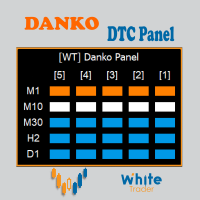
Danko DTC Panel
Ricardo Almeida Branco
Do not buy before seeing the Danko Trend Color product, as this panel is a way to view a summary of this indicator on various timeframes. The Danko DTC Panel utility allows you to look at the trend in up to 5 timeframes. When clicking on the timeframe texts, a new window will open with the indicator plotted on the screen so you can see the complete chart. The width of the panel, with the amount of candles you want to see, is customizable, see the images below. Ao clicar nos textos dos timeframe
Stale Pending Order Sweeper
AL MOOSAWI ABDULLAH JAFFER BAQER
FORGOTTEN PENDING ORDERS ARE TRADES YOU NEVER MEANT TO TAKE - THIS UTILITY CLEARS THEM AWAY Stale Pending Order Sweeper is an order-housekeeping utility for MetaTrader 5. It never opens a trade and never touches an open position. It watches the limit, stop and stop-limit orders you choose and deletes the ones that have gone stale: too old, too far from the current price, still waiting when the Friday cutoff arrives, or left behind with no open position of their own. Try it free before you decide
Scoprite quanto guadagna davvero ogni Expert Advisor del vostro conto. Halberd Portfolio Monitor divide lo storico del conto per magic number e mostra per ogni strategia operazioni, percentuale di successo, fattore di profitto, risultato netto, drawdown, posizioni aperte e uno stato di salute. Legge soltanto i dati e non opera mai. Quando più Expert Advisor lavorano sullo stesso conto, MetaTrader mostra un unico saldo per tutti. Una strategia che perde in silenzio può nascondersi dietro una che
Trailing Stop Fast  Trailing Stop Fast EA locks trade profit once trade moves in profit by certain points(eg 100 points) by moving the Stop Loss in direction of trade. There are three inputs in EA to be provided by user to EA  TrailingStart  this input used as activator when trade moved 100 points towards profit, this EA will start shifting your stop loss towards profit. TrailingStop  input defines what should be the distance of stop loss from current market price once TrailingStart activated
BalanceGuard
Chukwuemeka Kingsley Anyanwu
Take full control of your trading with the BalanceGuard Expert Advisor. This smart risk-management tool continuously tracks your account equity and activates a protective stop once your predefined drawdown limit is reached—so you never risk more than you’re comfortable with. Featuring adjustable drawdown settings and a clean, intuitive dashboard that displays essential account statistics, BalanceGuard empowers you to trade confidently while protecting your capital.
Scopri lo Strumento Forex Unlimited – Il Tuo Gestore di Posizioni Definitivo per MT4 o MT5 Sei pronto a portare il tuo trading al livello successivo? Con il nostro Strumento Forex Unlimited, non dovrai mai più calcolare manualmente il rischio o dubitare della tua allocazione di capitale. Abbiamo sviluppato uno strumento avanzato e facile da usare per la gestione delle posizioni, disponibile in due versioni : una per MetaTrader 4 e una per MetaTrader 5 . Assicurati di selezionare la versione corr
Gli utenti di questo prodotto hanno anche acquistato
Trade Assistant MT5
Evgeniy Kravchenko
4.43 (216)
It helps to calculate the risk per trade, the easy installation of a new order, order management with partial closing functions, trailing stop of 7 types and other useful functions. Additional materials and instructions Installation instructions - Application instructions Line function -   shows on the chart the Opening line, Stop Loss, Take Profit. With this function it is easy to set a new order and see its additional characteristics before opening.   Risk management  - The risk calculation
FarmedHedge Pair Trading Dashboard
Tanapisit Tepawarapruek
5 (7)
Farmed Hedge Yield Farming | All Markets (Manual - Hybrid - Semi/Automated EA) VERIFIED TRADING RESULTS - Farmed Hedge Yield Axi Copy:  https://www.mql5.com/en/signals/2356376 - Farmed Hedge Yield Exn Copy:   https://www.mql5.com/en/signals/2356404 - Farmed Hedge Yield V Copy:  https://www.mql5.com/en/signals/2357156 IMPORTANT NOTICE: FarmedHedge is a MANUAL-FOCUSED TRADING UTILITY ,not a fully automated EA. Results shown on this Signal include manual trades and overall strategic management.
Telegram to MT5 MultiChannel Copier
Sergio Marquez Uroz
4.71 (24)
Telegram to MT5 Multi-Channel Copier   copia automaticamente i segnali di trading dai tuoi canali Telegram e Discord direttamente su MetaTrader 5. Niente bot, niente estensioni del browser, niente copia manuale. Il segnale arriva su Telegram o Discord e l'EA apre l'operazione nel tuo terminale in pochi secondi. E prima di copiare un canale, il backtester integrato ti mostra cosa avrebbe fatto quel canale sul tuo conto. Il prodotto include due componenti: un'applicazione Windows che ascolta i tuo
EA Overfitter
Stephen J Martret
5 (4)
That backtest looks great. But will it still be making money tomorrow, next week, next month? EA Overfitter re-runs your EA on 100 price histories it has never seen. One score tells you if the edge is real. A backtest tells you what an EA did on one price history — the one that happened to occur. What you cannot tell from it is how much of that result was the strategy and how much was the particular path. EA Overfitter answers that. It builds up to 100 synthetic price histories your EA has n
TradePanel MT5
Alfiya Fazylova
4.89 (174)
Trade Panel è un assistente commerciale multifunzionale. L'applicazione contiene più di 50 funzioni di trading per il trading manuale e permette di automatizzare la maggior parte delle attività commerciali. Istruzioni per l'applicazione: https://www.mql5.com/it/blogs/post/762331 Versione di prova dell'applicazione per un conto demo: https://www.mql5.com/it/blogs/post/762419 Come installare l'applicazione: https://www.mql5.com/it/blogs/post/762362 Come testare l'applicazione in modalità visuale:
News Trade EA MT5
Konstantin Kulikov
4.55 (11)
Presento un utile robot che io stesso utilizzo da diversi anni. Questo robot può essere utilizzato sia in modalità semiautomatica che completamente automatica. >>> Chat <<< Il programma contiene le impostazioni flessibili per fare trading sulle notizie del calendario economico. Non può essere verificato nel tester delle strategie. Soltanto il vero lavoro. Scarica l'ultimo archivio di impostazioni: https://www.mql5.com/en/blogs/post/747929 Monitoraggio dei segnali: https://www.mql5.com/en/signa
Power Candles Strategy Scanner: ricerca di setup multi-simbolo che si ottimizza da sola Uno scanner che suona a ogni minimo movimento ti abitua a ignorarlo. Una chiusura di candela movimentata, un avviso dopo l'altro, e l'unico setup su cui operi davvero affoga nel rumore. Power Candles Strategy Scanner esegue il motore auto-ottimizzante di Power Candles su ogni simbolo del tuo Market Watch e ti avvisa solo di ciò che supera i tuoi filtri: la forza dell'ultima candela chiusa, il rapporto rendime
================================================================================ POC BREAKOUT - V20.72. Full Professional Grade Toolkit ================================================================================ POC Breakout is a full MetaTrader 5 trading dashboard for discretionary traders who want breakout signals, Point of Control (POC) context, volume profiles, order flow, market structure, news, alerts, and advanced trade planning in one professional workspace. Attached directly to you
Prossimo aggiornamento — Versione 2.52 in arrivo! [NOVITÀ] Preparati a 4 nuove funzionalità principali progettate per migliorare la tua analisi di mercato e il tuo flusso di lavoro nel trading Portiamo l’analisi di mercato a un livello superiore con 4 nuove funzionalità progettate per soddisfare le tue esigenze di trading. Ecco le novità: 1. TRADE OVERVIEW DASHBOARD 2. CONFLUENCE AT ZONE 3. STRONG & WEAK HIGH/LOW 4. OTE 1. TRADE OVERVIEW DASHBOARD Una dashboard che ti aiuta a comprendere più fa
Strategy Builder offers an incredible amount of functionality. It combines a trade panel with configurable automation (covert indicators into an EA), real-time statistics (profit & draw down) plus automatic optimization of SL, TP/exit, trading hours, indicator inputs. Multiple indicators can be combined into an single alert/trade signal and can include custom indicators, even if just have ex4 file or purchased from Market. The system is easily configured via a CONFIG button and associated pop-u
EA Auditor
Stephen J Martret
5 (7)
EA Auditor is an independent analysis tool for traders evaluating Expert Advisors and trading signals on MetaTrader 5. It audits backtest reports, reviews posted developer signals, and cross-verifies the two against each other to help traders assess strategies before committing capital. The MQL5 market offers a wide range of Expert Advisors from many developers, with varying approaches, quality, and transparency. EA Auditor provides a consistent, data-driven framework for reviewing them, answer
The product will copy all telegram signal to MT5 ( which you are member) , also it can work as remote copier.  Easy to set up, copy order instant, can work with almost signal formats, image signal,  s upport to translate other language to English Work with all type of channel or group, even channel have "Restrict Saving Content", work with  multi channel, multi MT5 Work as remote copier: with signal have ticket number, it will copy exactly via ticket number. Support to backtest signal. How to s
Dealer Panel
Mian Rameez Ali
Dealer's Panel No signal decides anything here — a hand does. One click, and the panel calculates what's underneath: lot size from risk, target from a 30-step balance ladder that remembers exactly how far an account has climbed. Toggle between market and pending without touching an input field. Set a stop, and the take-profit can write itself — a fixed share of the balance, translated into price with no arithmetic left for the trader to get wrong. One trade live at a time; it won't let a seco
RETAILBERG FOOTPRINT CHART PRO — Order-Flow Workspace for MetaTrader 5 Version 7.00  |  Professional System  |  31 tools  |  One chart A full 150-page illustrated User Manual is included. Please read the full manual to understand this feature packed footprint chart elements and ui. https://www.mql5.com/en/blogs/post/777982 DEMO / STRATEGY TESTER — PLEASE READ FIRST
Elliott Wave Helper
Siarhei Vashchylka
4.93 (14)
Elliott Wave Helper is a panel for constructing wave analysis. Manual (Be sure to read before purchasing) | Version for MT4 Advantages 1. Constructing wave analysis and wave structure in a few clicks 2. Availability of all wave analysis patterns, including triangles and combinations 3. All nine wave display styles, including a special circle font 4. Change colors and display styles of wave groups directly from the chart 5. Binding all elements to a set timeframe or timeframes 6. A template syste
REVDEN AI Desk: gestisci il tuo trading da un'unica conversazione con la tua IA, sul contesto di mercato di REVDEN Immagina di gestire il tuo trading da un'unica conversazione. REVDEN AI Desk la porta in MetaTrader 5: chiedi alla tua IA come legge il mercato, e lei risponde dal contesto completo di REVDEN sui simboli che operi, con il loro stato, il loro quadro di rischio e le pubblicazioni in arrivo. Le sue proposte arrivano con ingresso, stop, target e rischio, e tu approvi quelle che ti convi
The product will copy all  Discord  signal   to MT5   ( which you are member  ) , also it can work as remote copier.  Easy to set up. Work with almost signal formats, support to translate other language to English Work with multi channel, multi MT5. Work with Image signal. Copy order instant, auto detect symbol. Work as remote copier: with signal have ticket number, it will copy exactly via ticket number. How to setup and guide: Let read all details about setup and download Discord To MetaTrader
YuClusters
Yury Kulikov
4.93 (43)
Attention: You can view the program operation in the free version  YuClusters DEMO .  YuClusters is a professional market analysis system. The trader has unique opportunities to analyze the flow of orders, trade volumes, price movements using various charts, profiles, indicators, and graphical objects. YuClusters operates on data based on Time&Sales or ticks information, depending on what is available in the quotes of a financial instrument. YuClusters allows you to build graphs by combining da
Premium Trade Manager - Il pannello di trading con un coach integrato Premium Trade Manager porta un coach di trading direttamente nel tuo grafico, con un motore di esecuzione completo al di sotto. Imposta il trade come fai sempre, poi lascia che Max, il tuo coach di trading IA, legga esattamente quel setup rispetto al tuo conto live e ti dia un verdetto chiaro prima che tu confermi: lo stop rispetta un approccio disciplinato, il rischio è ragionevole, c'è un evento ad alto impatto tra pochi min
Trade Indicator Assistant   is a powerful MT5 utility designed to turn indicators into automated trading systems. Its main feature is the ability to automatically detect an indicator’s   BUY and SELL signal buffers , without requiring you to know the buffer numbers, search through indicator settings, or modify the indicator source code. Bonus Indicator:   After purchasing Trade Indicator Assistant, contact me to receive   Trade Signal Pro   completely free as a bonus indicator. [Download Demo V
The Patch
Mian Rameez Ali
The Patch It never opens a trade. It walks behind the ones that did. Every open position, every pending order — checked twice a second for the one thing that's easy to forget: a stop, a target. Found bare, it doesn't ask. It writes the missing number in, measured in points from wherever the position began, and moves on to the next. No strategy, no opinion on direction. Just the quiet assumption that nothing should ever sit on the market unprotected — not because someone decided it shouldn't,
Auto DCA EA
Truong Giang Hoang
5 (1)
All new interface and function Add telegram notify (you have to get Telegram bot API and chat ID). With this ea, you can earn 10-40% even more profit/month! 1. This EA is used to automatically take profit or DCA your orders on MT5 according to the parameters you set. You can enter first order on your phone or MT5 terminal on your computer and it automatically take profit or DCA your orders. 2. Enter buy/sell limit-stop price * Buy limit price/ Sell limit price/ Buy stop price/ Sell stop price:
Floor Watch
Syed Tauqeer Hussain Shah
Floor Watch One number, watched every thirty seconds: how far equity has fallen since the day began — or since its highest point, if it's told to trail the peak instead of the open. Cross the line and it doesn't argue. Every open position closes, every pending order vanishes, and anything that slips through afterward gets shut the moment it appears. Not asked. Removed. The floor holds until the clock turns 5 AM Pakistan time — then, and only then, does the day start over. One rule. No except
MT5 Trading Deck
Manuel Michiels
5 (2)
One button. One trade. MT5 Trading Deck is a hotkey trading panel for MetaTrader 5 that turns the platform into a keyboard-driven execution cockpit. Stop loss, take profit and lot size are pre-calculated for every key; the moment you press, a market order is live on the broker. A complete technical user manual is attached in the product Comments section. It documents every input parameter, the full hotkey map, the recommended Stream Deck XL layout, and the advanced workflows for Pre-Limit orders
FUTURES ORDERFLOW FOOTPRINT CHART Professional OrderFlow EA for MetaTrader 5 Version 1.01| Professional tool for real traders | Institutional-Grade Visualization STRATEGY TESTER USERS - PLEASE SELECT EVERY REAL TICK WHEN TESTING AND YOU HAVE DOWNLOADED HISTORICAL DATA. IF YOU SEE A WAITING SCREEN AND IT IS NOT DOWNLOADING, IT MEANS YOU HAVE LOW HISTORICAL DATA. TRY 1 MIN AND 5 MIN FIRST ON 1 DAY DATA. ONE DAY DATA SHOULD BE THE NEWEST AND MOST CURRENT DATE. PLEASE WAIT UNTIL THE MARKET HAS ROL
EasyInsight AIO MT5
Alain Verleyen
4.92 (12)
EASY Insight AIO – La soluzione all-in-one per un trading intelligente e senza sforzo Panoramica Immagina di poter analizzare l’intero mercato — Forex, Oro, Cripto, Indici e persino Azioni — in pochi secondi, senza dover controllare manualmente i grafici, installare indicatori o affrontare configurazioni complicate. EASY Insight AIO è il tuo strumento definitivo di esportazione per il trading alimentato dall’IA, pronto all’uso. Offre una panoramica completa del mercato in un unico file CSV pul
Un solo acquisto. Tutti i miei indicatori per MT4 e MT5, disponibili oggi e pubblicati in futuro, senza costi aggiuntivi. Dopo l’acquisto, contattami per sapere come riceverli. È previsto un aumento di 50$ ogni 10 acquisti, fino a 999$. Si applica il prezzo del Market al momento del pagamento. Mantieni l’indicatore di cui ti fidi. Automatizza il lavoro che lo circonda. Il tuo segnale. Le tue regole. La tua esecuzione. Hai già un indicatore MT5 su cui fai affidamento, ma devi ancora sorvegliare
Ultimate Extractor
Clifton Creath
5 (7)
Ultimate Extractor - Professional Trading Analytics for MT5 *****this is the local HTML version of Ultimate Extractor. !!!!!it is not compatible with Cloud!!!! For the online version please reach out to me directly****** Ultimate EA manager also now available when you use cloud pro and above for free!! Ultimate Extractor transforms your MetaTrader 5 trading history into actionable insights with comprehensive analytics, interactive charts, and real-time performance tracking. What It Does Automa
Master Your Trading Discipline   Stop losing your hard-earned gains to overtrading and emotional decisions. The Discipline Tool is your ultimate trading assistant, ensuring strict risk management in real-time. Key Protection Features: Advanced Drawdown Defense : Automatically halts trading if your daily drawdown exceeds a preset threshold (percentage or dollar amount). Real-Time Equity Lock : Safeguard profits by referencing peak equity, ensuring drawdown stays within control. Hard Profit Target
Titan Machinist - Your Professional Management System for MetaTrader                                                                                                                                 Transform Your Trading with Automated Position Management Tired of having to manually manage every single trade? Titan Machinist is the ultimate solution to automate your trade management, allowing you to trade like a true professional. Suitable for any trading technique: one s
Altri dall’autore
GTM FVG and Order Block Zones
Gayan Indika Honnanthara Acharige
GTM FVG and Order Block Zones disegna su un grafico MetaTrader 5 i fair value gap (FVG) e gli order block come zone, insieme ai segni BOS / CHoCH e al massimo e minimo forte e debole del movimento in corso. Un piccolo pannello mostra il trend, la zona più vicina sopra e sotto il prezzo e la zona in cui si trova il prezzo adesso. È uno strumento gratuito per leggere il grafico. Non fa trading e non dà segnali di acquisto o vendita.          Le zone si trovano solo su candele chiuse Una zona appa
FREE
Candle Timer Countdown and Spread
Gayan Indika Honnanthara Acharige
GTM Candle Timer mostra quanto tempo manca alla chiusura della candela corrente, calcolato sull' orario del server del tuo broker, in un piccolo pannello che puoi trascinare ovunque sul grafico. Tutto ciò che mostra può essere attivato e disattivato direttamente dal pannello, senza aprire la finestra dei parametri di input. È gratuito, non ha una "versione completa" a pagamento, e tutti i tipi di avviso — popup, suono e notifica push sul telefono — sono inclusi.          Perché un altro timer de
FREE
GTM Sessions disegna sul grafico le sessioni di Sydney, Tokyo, Londra e New York e le killzone ICT, sull' orario del server del tuo broker. Non devi inserire alcuno scostamento GMT, e l'ora legale viene gestita al posto tuo. Un piccolo pannello mostra quale sessione è aperta adesso, quando apre la prossima e come il range di oggi si confronta con la media. Tutto si attiva e disattiva direttamente dal pannello. È gratuito, non ha una "versione completa" a pagamento, e tutti i tipi di avviso (popu
FREE
Trading Journal and Analytics
Gayan Indika Honnanthara Acharige
5 (1)
GTM Journal crea un diario di trading dallo storico delle operazioni già presente nel tuo terminale MetaTrader 5. Ogni posizione chiusa viene ricostruita dallo storico delle transazioni: entrata, uscita, lo stop loss impostato all'apertura dell'operazione, dove si trovava quello stop loss alla fine, e il prezzo più alto e più basso raggiunti mentre l'operazione era aperta. Tutto è mostrato su undici pagine in un pannello che puoi trascinare ovunque sul grafico. Non serve inserire nulla a mano. N
Multiple Moving Average Signal Panel
Gayan Indika Honnanthara Acharige
Otto medie mobili su un unico grafico, una freccia BUY o SELL ogni volta che le due che scegli si incrociano, e un pannello di controllo che cambia tutto senza aprire la finestra dei parametri. La maggior parte degli strumenti a medie mobili ti dà due linee e una regola fissa. Questo ti dà otto linee, ti lascia decidere quali due generano il segnale e ti permette di cambiare idea dal grafico — periodo, metodo, colore, spessore, tipo di tratteggio, forma della freccia, dimensione della freccia e
FREE
Manual trade and group management
Gayan Indika Honnanthara Acharige
GTM Panel Pro è un gestore di operazioni manuale per MetaTrader 5. Permette di gestire quattro gruppi di operazioni separati (A, B, C, D) e quattro slot di ordini pendenti (L1 a L4) su un solo grafico, ognuno con il proprio lotto, stop, obiettivo, breakeven, trailing stop e numero magico. Premete CLOSE e viene toccato solo il gruppo a cui puntate. La versione 2.53 aggiunge un assistente IA opzionale che usa la vostra chiave API, le note vocali di Telegram, una casella HELP in 14 lingue, una chec
Trade manager gtm
Gayan Indika Honnanthara Acharige
GTM Panel è un pannello di trading manuale per MetaTrader 5. Non genera segnali e non apre nemmeno un'operazione da solo. Sei tu a decidere cosa e quando operare — il pannello la piazza, la protegge, la segue e la chiude con un clic invece di dieci. È costruito attorno a qualcosa che la maggior parte dei pannelli tratta come un ripensamento: gli ordini pendenti . Quattro slot limit indipendenti si trovano accanto all'ambito di mercato, ognuno con il proprio colore, il proprio prezzo, i propri lo
Background Image and Logo for MT5 chart
Gayan Indika Honnanthara Acharige
GTM Chart Image mette la tua immagine dietro le candele e il tuo logo in qualsiasi punto di un grafico MetaTrader 5. Usalo per dare a ogni grafico un aspetto proprio, per distinguere i grafici per strategia o conto, o per aggiungere il tuo nome o marchio come filigrana sui grafici che condividi. Non ci sono immagini incluse: ogni immagine la fornisci tu. Non fa trading e non legge i prezzi. Disegna soltanto due immagini sul grafico.          Importante: le immagini devono essere file BMP MetaTr
GTM Bot Maker No Code EA Builder
Gayan Indika Honnanthara Acharige
GTM Bot Maker costruisce un Expert Advisor a partire da blocchi pronti, direttamente sul grafico. Scegli un ingresso, attiva i filtri, imposta le uscite e il rischio, visualizza il risultato sulle candele passate — poi accendi l'EA. Niente MQL5, niente editor di codice, niente compilazione. Tutto si modifica dal vivo dal pannello, con i /comandi o descrivendo l'idea a un'IA con la tua chiave.   COME FUNZIONA — TRE PASSI 1. Costruisci — apri BUILDER. Scegli uno
GTM AI Trade Core AI Trading Assistant EA
Gayan Indika Honnanthara Acharige
GTM AI Trade Core — il tuo assistente di trading IA dentro MetaTrader 5 GTM AI Trade Core è un assistente di trading multi-simbolo a schermo intero per MT5. Monitora fino a 30 simboli di qualsiasi mercato, apre operazioni secondo il tuo modello di ingresso per ciascun simbolo , le gestisce con break-even e trailing stop, protegge il conto con un Account Guard — e ti permette di costruire e controllare tutto parlando con un'IA , sul pannello o da Telegram (testo o voce). Parte in modalità SIMULA
GTM Prop Firm Risk Manager
Gayan Indika Honnanthara Acharige
GTM Prop Guard sorveglia un conto di prop firm perché nessuna regola venga mai infranta per errore. Mostra quanto puoi ancora perdere oggi, calcola il lotto sicuro più grande prima di aprire, disegna il prezzo a cui il conto fallirebbe e interviene quando un limite si avvicina: avvisa, poi chiude i nuovi trade, poi chiude tutto e blocca. Sorveglia l'intero conto - ogni simbolo, ogni EA e i trade aperti dal telefono - da un solo grafico.          Protezione prima, durante e dopo ogni trade La ma
Trade Manager and Journal
Gayan Indika Honnanthara Acharige
GTM Trade Manager v3 is a manual trade panel for MetaTrader 5. You decide when to buy and sell. The panel opens the trades with your settings, then looks after every one of them: partial closes at TP1 and TP2, break-even, trailing, and a clean chart that shows exactly where each trade stands. It also sees every open trade on the account , including trades you open from your phone, another PC or another EA. All your closed trades go into a history with replay, a data analyzer and a journal. This
Filtro:
Nessuna recensione
Rispondi alla recensione