GTM EA Bot Studio Drag and Drop EA Builder

GTM EA Bot Studio
MetaTrader 5용 드래그 앤 드롭 엑스퍼트 어드바이저 빌더 · v1.42

GTM EA Bot Studio는 MetaTrader 5 안에서 작동하는 로봇 빌더입니다. 차트 위의 작업 공간에 색깔 블록을 끌어다 놓아 나만의 엑스퍼트 어드바이저를 만들고, 그 차트에서 테스트한 뒤 실거래로 실행합니다. 코드도, MetaEditor도, 컴파일도 필요 없습니다.

사용자 가이드: 단계별 전체 가이드(영어 및 싱할라어 PDF)는 제 블로그 글에 있습니다:

사용 방법 - 3단계

  1. 만들기. WHEN 블록(예: "WHEN a new candle opens")을 끌어다 놓고, 필터를 추가한 뒤, "EMA 9 crosses above EMA 21" 같은 질문이 담긴 IF와 BUY 또는 SELL을 추가합니다. 아무 숫자나 클릭하면 새 값을 입력할 수 있습니다.
  2. 테스트. Test를 누르면 봇이 과거 캔들에서 실행되고 모든 거래가 차트에 표시됩니다 - 진입 화살표, 녹색 목표 구간, 빨간색 손절 구간과 결과. 카드에는 거래 수, 승률, 프로핏 팩터, 순손익, 최대 낙폭이 표시됩니다.
  3. 실행. Run live를 누르면 봇이 일반 EA처럼 해당 차트에서 거래하고, 재시작 후에도 계속 실행되며, 라이브 카드에 봇이 무엇을 하고 있는지 정확히 표시됩니다.

주요 기능

9개 그룹, 68개 블록 이벤트, 필터, 로직, 11개 지표(MA, RSI, MACD, Stochastic, Bollinger, ATR, CCI, ADX, Parabolic SAR, Momentum, Williams %R), 캔들 패턴, 가격 및 수식, 시장가 주문 및 대기 주문, 거래 관리, 안전 한도, 변수 및 알림. 검색창에서 이름으로 모든 블록을 찾을 수 있습니다.
지표마다 개별 타임프레임 하나의 봇에서 H1 추세와 M5 진입을 함께 사용할 수 있습니다. WHEN 블록은 임의 타임프레임의 캔들마다 한 번, 지정된 시각, 매 틱, 시작 시 또는 거래가 청산될 때 실행할 수 있습니다.
정직한 결과를 보여주는 빠른 테스트 캔들별 스프레드, 갭은 갭 가격으로 체결, 본전 이동 / 트레일링 / 부분 청산은 캔들 내부에서 확인, 낙폭은 각 캔들의 최악 지점에서 측정, 로트당 수수료 반영.
Rise / Fall 방식 틱 봇 마지막 자릿수 짝수 / 홀수 / 초과 / 미만, 상승 또는 하락 틱의 연속, 그리고 "CLOSE trades after n ticks" - 바로 쓸 수 있는 Rise / Fall 템플릿 포함.
라이브 카드 B / S 표시와 청산된 각 거래의 손익이 표시되는 틱 차트, 마우스 휠 확대/축소, 드래그로 이전 틱 되돌아보기, 잔고 / 에퀴티 성장 탭, 그리고 봇 자체의 성과.
차트 위 SL / TP 박스 모든 보유 거래에 박스가 표시됩니다. 빨간색 박스는 최초 손절가에 고정되며, 주황색 선은 본전 이동 또는 트레일링으로 손절가가 이동한 위치를 보여줍니다. 청산된 거래의 박스는 표시하거나 숨길 수 있습니다.
내장된 안전 기능 손절가 기준 Risk % 포지션 사이징, 일일 손실 / 수익 정지, 일일 최대 거래 수, 에퀴티 정지, 최대 로트. 모든 BUY / SELL은 해당 심볼의 최소 로트로 시작합니다.
저장, 공유, Strategy Tester 봇을 라이브러리에 저장하고, 공개 또는 잠금 상태로 공유하며(다른 사람은 테스트와 실행은 할 수 있지만 규칙은 볼 수 없습니다), 저장된 봇을 MT5 Strategy Tester에서 테스트할 수 있습니다.
7개의 기본 템플릿 MA cross + RSI, RSI reversal, session breakout, Bollinger bounce, MACD trend, Stochastic pullback, Rise / Fall ticks - 배우고 수정할 수 있는 출발점입니다.
다국어 지원과 선택형 AI 도우미 기본 언어는 영어입니다. 본인의 AI 키가 있으면 Studio가 전체 인터페이스를 사용자의 언어로 번역하고 도움말 채팅에서 질문에 답합니다 - 요청할 때만. 목록에서 모델을 선택하거나 키를 통해 자동으로 찾게 할 수 있습니다.

할 수 없는 것

  • 이것은 로봇을 만드는 도구이며, 바로 수익을 내는 완성된 전략이 아닙니다. 결과는 직접 만든 규칙, 심볼, 브로커, 시장에 따라 달라집니다.
  • 빠른 테스트는 캔들 데이터로 만든 빠른 참고용입니다. 정확한 수치는 MT5 Strategy Tester를 사용하세요.
  • MT5 거래는 고정 지급형 계약이 아닙니다. 틱 봇의 손익은 가격이 움직인 폭에 로트를 곱한 값으로 결정됩니다.
  • AI 도우미는 본인의 API 키가 필요하며 선택 사항입니다.

시작하기

  1. GTM EA Bot Studio를 차트에 적용하고 Algo Trading을 켭니다.
  2. Library에서 템플릿을 열거나 첫 WHEN 블록을 끌어다 놓습니다.
  3. Test를 누르고, 조정한 뒤 다시 테스트합니다. 데모 계좌에서 먼저 사용해 본 다음 Run live를 누르세요.

전체 68개 블록

When WHEN a new [timeframe] candle opens, ON every price tick, AT hh:mm every day, WHEN the bot starts, WHEN a trade of this bot closes
Filters ONLY between hh:mm and hh:mm, ONLY on Mon-Fri / Mon-Thu / Tue-Thu / Mon-Sat / every day, ONLY if spread <= n pips, ONLY if open trades < n, ONLY if trades today < n, ONLY if n candles passed since the last trade, ONLY if no BUY / SELL / trade is open, ONLY IF (any question)
Logic IF ..., IF ... ELSE ..., a > < >= <= = b, a crosses above / below b, AND, OR, NOT, candle [n] is bullish / bearish / a doji, bullish engulfing, bearish engulfing, hammer, shooting star, inside bar, outside bar at [n], value is rising / falling for n candles, a BUY / SELL / trade is open, time is between hh:mm and hh:mm, last digit of the price is even / odd / over / under / equal to n, the last n ticks all went up / down
Indicators Moving average (SMA, EMA, SMMA, LWMA; close, open, high, low, median, typical), RSI, MACD (main, signal, histogram), Stochastic (%K, %D), Bollinger Bands (upper, middle, lower), ATR, CCI, ADX (ADX, +DI, -DI), Parabolic SAR, Momentum, Williams %R, highest high / lowest low of n candles
Price & math a number you type, close / open / high / low of candle [n], Bid, Ask, spread (pips), n pips, a + - x / b, candle body, range, upper wick, lower wick, balance, equity, open profit, today's profit, last trade profit, open trades, hour, minute, day of week, variable, last digit of Bid / Ask
Trade BUY / SELL - lots or risk %, SL none / pips / x ATR, TP none / pips / x R / x ATR, BUY LIMIT, SELL LIMIT, BUY STOP, SELL STOP - distance, lots, SL, TP, expiry, CLOSE all / BUY / SELL / profitable / losing trades, DELETE all pending orders
Manage BREAKEVEN at n pips / R profit, lock n pips, TRAIL the stop n pips / x ATR behind, after n pips profit, TAKE n % off at n R profit, CLOSE trades older than n candles, CLOSE trades after n ticks
Safety STOP the day at loss n % or profit n % (close trades / keep trades), MAX n trades per day, STOP the bot if equity falls n % below the start, MAX lot size n
Tools SET variable to value, CHANGE variable by value, ALERT text (popup / popup + phone / sound only), NOTE text (written to the Experts log), STOP new trades for today

입력 파라미터

Bot file to run in the Strategy Tester 저장된 봇의 파일 이름. 비워 둠 = 아래 템플릿.
Template used when no bot file is given 7개 템플릿 중 하나.
Points in one pip 0 = 자동.
Max slippage (points) 주문에 허용되는 최대 가격 변동.
Commission per 1 lot 빠른 테스트에서 사용(진입 + 청산).
Sounds 인터페이스 및 거래 사운드.
AI API key 선택 사항 - 도움말 채팅 및 번역.
AI model 자동, 목록의 모델 또는 Custom.
Custom model name Custom 선택 시 사용.
AI API address 비워 둠 = 키 또는 모델에서 자동 검색.

사용자 가이드: 단계별 전체 가이드(영어 및 싱할라어 PDF)는 제 블로그 글에 있습니다:

레버리지 상품 거래에는 높은 수준의 위험이 따릅니다. 과거 결과와 테스트 결과는 미래의 결과를 보장하지 않습니다. 모든 봇은 먼저 데모 계좌에서 사용해 보세요.

추천 제품
Risk Panel - Click to Trade Risk Panel - Click to Trade is a manual trade execution utility for MetaTrader 5. It provides a chart-based interface for preparing and placing buy and sell orders with risk-based position sizing. Features Adjustable risk percentage based on account equity. ATR-based stop-loss calculation. Take-profit calculation using a configurable risk-to-reward ratio. Buy and Sell trade controls. Order placement through a dedicated trade button. Spread limit and trade deviation se
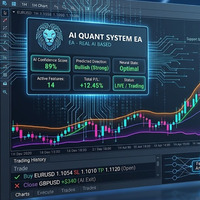
AI QUANT SYSTEM EA — Institutional Neural Engine (v52.0) Fully Automatic Trading EA Please Note:- First that this is an EXPERT ADVISOR, not a Utility. However, due to certain restrictions, I have to publish this  EXPERT ADVISOR  under the Utilities category.  We are  Provided  including a FREE OpenAI API key with this product, so you do not need to purchase AI API KEYS one separately, With Lifetime FREE Upgardes in Future. The AI Quant System EA is a next-generation, high-frequency quantitative
DD Guardian Bot — User Guide Requirements MetaTrader 5 (any broker) A Telegram account Step 1 — Create your Telegram Bot Open Telegram and search for @BotFather Send /newbot and follow the prompts to set a name and username BotFather will reply with a Bot Token — copy and save it Send any message to your new bot (e.g. /start ) so it can detect your Chat ID Open the following URL in a browser to find your Chat ID: https://api.telegram.org/bot&lt ;YOUR_TOKEN>/getUpdates Look for "chat":{"id": 12
TradesManger
Ali Abdalrasool Ai-sayyd Sobai
Ultimate Manager is the ultimate Expert Advisor (EA) for MetaTrader5, empowering traders with seamless control over every aspect of their trades. This powerful tool manages lot sizes, stop losses, trailing stops, trade durations, and trailing activation thresholds with precision. Featuring intuitive buttons, you can execute two trades simultaneously, close all positions, close buys only, close sells only, or close profitable trades in an instant. Designed for efficiency and risk management, Ulti
Smart Bulk Order Closer
Muhammad Hassan Muhammad Ahmad Atiyah
Smart Bulk Order Closer MT5 Script – PnL-Based Trade Closer Overview Smart Bulk Order Closer is a script for MetaTrader 5 that closes open positions based on their current floating profit or loss in account currency. The script executes once per attachment and only closes trades that meet the user-defined PnL conditions. It does not run in the background, does not modify Stop Loss or Take Profit, and does not open trades. Core Functionality The script evaluates each position individually and ap
Smart SL Scalp Assistant - Semi-automatic risk management trade panel for prop firm challenges (MT5) Place the SL line and the lot size is calculated from your balance and risk %. Enter with one click and never lose more than you planned. A fast trade panel for scalping and day trading - every trading decision stays with you. For prop firm challenges (FTMO, Fintokei, FundedNext and others) - Prop monitor (display only, on by default): the STATUS panel shows today's loss and the overall loss
Account Guard Daily Limit   is the free version of Account Guard. It watches the whole account and enforces two rules: a daily loss limit and a maximum drawdown. It opens no trades of its own. It works for manual trades and for any EA on the account. The panel shows the state, the day result against the limit, and how much room is left above the drawdown floor. The two rules Daily loss limit   in percent of the initial balance. When it is hit, every position and pending order is closed. Any trad
FREE
Quick Order Closer
Danny Giovanni Romero Lozano
Demo Version Here : https://www.mql5.com/en/market/product/170598 The fastest on the entire platform, try it with 50 open trades or more This Expert Advisor provides a fast and intuitive way to manage and close open trading positions directly from the chart using a clean button-based interface. With a single click, traders can instantly close positions based on different conditions, improving execution speed and overall trade management efficiency. Key Features Close all open positions instant
Risk Controller Expert Advisor는 귀하의 계정에 있는 거래 고문의 전체 위험을 제어할 수 있는 프로그램입니다. 이 프로그램을 사용하면 모든 고문의 계정에 허용되는 최대 위험을 제어할 수 있습니다. 예를 들어, 최대 손실액의 30% 위험을 설정했습니다. 즉, 주식 거래 로봇이 30% 위험을 초과하면 위험 관리자가 고문의 모든 위치를 닫고 열려 있는 모든 차트를 닫을 수 있으므로 방지할 수 있습니다. 고문은 더 이상 일하지 않습니다. 전문가 고문은 평균적인 로봇을 마틴게일과 교환하고 불가항력 또는 기타 예상치 못한 상황에서 로봇의 최대 손실을 제한하려는 경우 "편안한 수면"에 필요합니다. 시장 반전. Советник Risk Controller, очень важная и по моему мнению необходимая программа для каждого трейдера который торгует роботами. 제어는 계정의 최대 손실에 해당하는 제한
Introducing the "Auto Timed Close Operations", a useful utility for MetaTrader 5 traders! This utility has been developed to help traders of all levels automatically close their open positions at the exact moment they desire. With the "Auto Timed Close Operations", you gain the required control over your trades and can avoid unwanted surprises at the end of the day or at any other predefined time. We know how important it is to protect your profits and limit your losses, and that's exactly what
GS trade report
Aleksander Gladkov
5 (1)
3 in 1 : Report + monitoring + sending messages (Telegram, ...) to optimize trading and use of advisors. Monitoring: Panel on the chart Sending messages to Telegram Sending messages to Email Sending Notifications Sending pop-up messages Sound notifications when the established Profit/Loss levels are exceeded Monitoring is activated by pressing the Start button. Profit for the period by currency pairs, hours and Magic number for the current account. Forms four tables: by symbols, by magic number
Introducing the Precision Data Extractor: EMA , an MQL5 utility crafted for traders, analysts and quants who need accurate historical data to build robust datasets. This tool lets you selectively pull historical price and indicator data— Exponential Moving Average ( EMA )—from multiple applied prices , timeframes , and periods , then stores it in a CSV format, making it easy to feed into machine learning models, trading algorithms, or in-depth market analyses . Compatible with Forex, Stocks, and
Operative Management Pro – Advanced Trading Utility Operative Management Pro is a smart visual tool for traders who want to analyze and simulate their trades before placing them on the market. This panel displays in real-time the most important parameters of the current symbol: Current price and minimum lot size Required margin Spread cost in USD and pips Take Profit and Stop Loss value in USD Automatic risk and reward calculation With just a click on the chart, you can simulate BUY or SELL t
OrderManager MT5
Lukas Roth
4.83 (30)
OrderManager   소개: MT5용 혁신적인 유틸리티 MetaTrader 5용 새로운 Order Manager 유틸리티를 통해 전문가처럼 거래를 관리하세요. 단순성과 사용 편의성을 염두에 두고 설계된 Order Manager는 각 거래와 관련된 위험을 쉽게 정의하고 시각화할 수 있습니다. 이를 통해 보다 효과적인 결정을 내리고 거래 전략을 최적화할 수 있습니다. OrderManager에 대한 자세한 정보는 매뉴얼을 참조하십시오. [ 매뉴얼 ] [ MT4 버전 ] [ 텔레그램 채널 ]  New: [ Telegram To MT5 ] 주요 특징: 위험 관리: 거래의 위험을 빠르고 쉽게 정의하여 더 나은 결정을 내리고 거래 성능을 향상시킵니다. 시각적 표현: 열린 포지션을 명확하고 간결하게 이해하기 위해 거래와 관련된 위험을 그래픽으로 볼 수 있습니다. 주문 수정: 몇 번의 클릭만으로 주문을 쉽게 수정하거나 닫아, 거래 과정을 간소화하고 소중한 시간을 절약합니다. 손끝의 뉴스: 한
ReverseTune
Konstantin Chernov
A script for quick reversing positions and/or orders. If you need to reverse a position with the same volume, open an opposite position of a different volume or change the type of existing orders (for example, Buy Limit -> Sell Limit, Buy Stop -> Sell Limit, etc.) with the same or different take profit/stop loss, this script will make all the routine for you! Allow AutoTrading before running the script. Usage: Run the script on a chart. Input Parameters: Language of messages displayed (EN, RU, D
Introducing the  Precision Data Extractor: SMMA , an MQL5 utility crafted for traders, analysts and quants who need accurate historical data to build robust datasets. This tool lets you selectively pull historical price and indicator data—  Smoothed Moving Average  ( SMMA )—from  multiple applied prices, timeframes, and  periods , then stores it in a  CSV  format, making it easy to feed into  machine learning models, trading algorithms , or  in-depth market analyses . Compatible with  Forex ,  S
This indicator sends a message (notification), an email, and plays a custom sound when a Limit (Buy/Sell) or Limit Stop (Buy/Sell) or Take Profit, Stop Loss, Stop Out is executed. A user can change the sound file name, and select if they receive notifications/emails. It runs as an indicator, and only one indicator is locked (used) by a user account/login. Parameters soundFile - sound file Save your file at the terminal folder, for example: " C:\Program Files\MetaTrader 5\Sounds\Order Executed.
하나의 차트로 완벽한 제어. 차트마다 오브젝트, 색상, 설정을 따로 관리하느라 시간을 낭비하지 마세요. Chart Sync Manager를 사용하면 하나의 패널과 몇 가지 단축키만으로 모든 MetaTrader 차트를 즉시 동기화, 복사, 제어할 수 있습니다. 한 번 그리면 모든 곳에서 업데이트됩니다. 클릭 한 번으로 차트를 열고 닫으세요. 심볼별 오브젝트 관리로 작업 공간을 깔끔하게 유지하세요. 스프레드 표시, 카운트다운 타이머, 캔들 마감 알림으로 중요한 정보를 놓치지 마세요. 시간을 절약하고, 실수를 줄이고, 더 똑똑하게 거래하세요. Chart Sync Manager Installation & Inputs Guide MT4 버전  https://www.mql5.com/en/market/product/148491 MT5 버전  https://www.mql5.com/en/market/product/148492 주요 기능:   오브젝트 - 오브젝트를 한 번만 그리면 다른 차트에 실시간
EQUITY DRAWDOWN MONITOR   This is a simple mt5 advisor that monitors the drawdon levels Features: Easy to use Useful for money managers How to Use  Load the EA once a single chart Type the maximum drawdown desired in inputs Leave the EA alone and never close that chart The EA monitors all trades and magic numbers in your account. Input Parameter Drawdown Percent:   Maximum drawdown in percentage terms allowable in the account. When the drawdown level is surpassed, the EA will close all trades
Chart Connect
Eliel Do Rosario Batista
This EA does not perform trading operations.       It's a       auxiliary visual tool       for graphics synchronization. The “there are no trading operations” error in the validator is expected and intentional. CHARTCONNECT – Chart Synchronizer (Version 1.19) Connect all your charts to the same symbol with just one click. What is CHARTCONNECT? ChartConnect   is a lightweight and efficient tool designed to   automatically synchronize the ticker symbol   of all open charts in MetaTrader 5
ProBridger
Marius Ovidiu Sunzuiana
How Traders and Analysts Can Use the Data Export Bridge to Improve Their Analytics The MQL Data Export Bridge unlocks a new level of analytical power by transforming MetaTrader into a real‑time data provider for any external research environment. Here are the most impactful ways different users can apply the bridge to enhance their trading performance. Build Predictive Models with Machine Learning Who benefits: Quantitative traders, data scientists, algorithm developers How it helps: Export t
Signals for Telegram
Elidio Xavier Guimaraes
It is a utility that posts customized messages on Telegram based on account trading activity. Once the utility is on the chart, with each new position opened from the same chart symbol the utility is added, a customized message will be sent to the Telegram group defined in the input parameters. The utility will post to the Telegram group if a new position is opened and if it is the same symbol as the chart the utility is running on. If you are using an Expert Advisor for Buy and Sell and want to
RR Gestion
Wilson Eduardo Loor Arguello
절대적인 정밀도, 속도 및 시각적 제어로 거래하세요. RR Gestion V4.0은 TradingView의 시각적이고 부드러운 주문 방식을 MT5 차트로 직접 가져오도록 설계된 최고의 MetaTrader 5용 Risk-to-Reward 유틸리티 패널입니다. 주요 기능: 완전한 시각적 Drag & Drop 인터페이스: 차트에 대화형 위험(빨간색) 및 보상(초록색) 상자가 표시됩니다. 진입, Stop Loss(SL) 또는 Take Profit(TP) 선을 드래그하면 위험 매개변수에 따라 로트 크기가 실시간으로 재계산됩니다. 이동 및 최소화 가능한 패널: 헤더를 드래그하여 이동합니다. _ 버튼을 클릭하면 본문이 숨겨지고 "Quick Trade" 행만 표시됩니다. 스마트 BUY/SELL 전환: 롱/숏 시나리오를 매끄럽게 전환합니다. ️ 패널 컨트롤 및 매개변수: 주문 유형: 스마트 유효성 검사가 포함된 Market(시장가), Stop, Limit 주문. 위험 크기 모드: $(고정
The utility is designed to send signals from MT4 to Telegram. It has several unique features, allowing not only the sending of trade signals but also the following functionalities: Send messages directly from the terminal to Telegram Send emojis along with custom text Send text and images from Telegram All of these features enable users to manage a signal channel while focusing on trading and finding quality signals. Customizable Signal Messages You can fully customize the signal message: Specif
Danko DTC Panel
Ricardo Almeida Branco
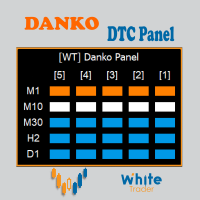
Do not buy before seeing the Danko Trend Color product, as this panel is a way to view a summary of this indicator on various timeframes. The Danko DTC Panel utility allows you to look at the trend in up to 5 timeframes. When clicking on the timeframe texts, a new window will open with the indicator plotted on the screen so you can see the complete chart. The width of the panel, with the amount of candles you want to see, is customizable, see the images below. Ao clicar nos textos dos timeframe
Stale Pending Order Sweeper
AL MOOSAWI ABDULLAH JAFFER BAQER
FORGOTTEN PENDING ORDERS ARE TRADES YOU NEVER MEANT TO TAKE - THIS UTILITY CLEARS THEM AWAY Stale Pending Order Sweeper is an order-housekeeping utility for MetaTrader 5. It never opens a trade and never touches an open position. It watches the limit, stop and stop-limit orders you choose and deletes the ones that have gone stale: too old, too far from the current price, still waiting when the Friday cutoff arrives, or left behind with no open position of their own. Try it free before you decide
계좌의 각 전문가 어드바이저가 실제로 얼마를 버는지 알 수 있습니다. Halberd Portfolio Monitor는 계좌 이력을 매직 넘버별로 나누어, 전략마다 거래 수, 승률, 수익 팩터, 순손익, 드로다운, 보유 포지션과 상태를 보여 줍니다. 읽기만 하며 거래는 하지 않습니다. 한 계좌에서 여러 EA를 함께 운용하면 MetaTrader에는 전체 잔고 하나만 표시됩니다. 조용히 손실을 내는 전략이 수익을 내는 전략 뒤에 숨을 수 있습니다. Halberd Portfolio Monitor는 계좌 이력을 읽어 EA마다 한 줄씩 보여 주므로, 어떤 EA가 계좌를 떠받치고 어떤 EA가 무너지기 시작했는지 알 수 있습니다. 이 프로그램은 주문을 내거나 수정하거나 청산하지 않습니다. 사용자 본인 계좌의 이력과 보유 포지션을 읽기만 합니다. 데이터는 터미널 밖으로 나가지 않습니다. 전략별로 표시하는 항목 거래 수, 승률, 수익 팩터. 순손익, 최대 드로다운, 그 전략의 최고점 대비 현재 드로다
Trailing Stop Fast  Trailing Stop Fast EA locks trade profit once trade moves in profit by certain points(eg 100 points) by moving the Stop Loss in direction of trade. There are three inputs in EA to be provided by user to EA  TrailingStart  this input used as activator when trade moved 100 points towards profit, this EA will start shifting your stop loss towards profit. TrailingStop  input defines what should be the distance of stop loss from current market price once TrailingStart activated
BalanceGuard
Chukwuemeka Kingsley Anyanwu
Take full control of your trading with the BalanceGuard Expert Advisor. This smart risk-management tool continuously tracks your account equity and activates a protective stop once your predefined drawdown limit is reached—so you never risk more than you’re comfortable with. Featuring adjustable drawdown settings and a clean, intuitive dashboard that displays essential account statistics, BalanceGuard empowers you to trade confidently while protecting your capital.
Forex Unlimited 도구를 만나보세요 – MT4 또는 MT5를 위한 궁극적인 포지션 관리 도구 거래를 다음 단계로 끌어올릴 준비가 되셨나요? Forex Unlimited 도구를 사용하면 더 이상 위험을 수동으로 계산하거나 자본 할당을 고민할 필요가 없습니다. 우리는 두 가지 버전 의 고급 포지션 관리 도구를 개발했습니다: 하나는 MetaTrader 4 용, 다른 하나는 MetaTrader 5 용입니다. 구매 시, MT4 또는 MT5 중 귀하의 거래 플랫폼에 맞는 적절한 버전을 선택하여 도구의 모든 기능을 최대한 활용할 수 있도록 확인해 주십시오. Forex Unlimited 도구의 강력한 기능: 주문 완벽 제어 세 가지 주문 유형 중 선택하세요: 리미트 주문 , 스톱 주문 , 또는 시장 실행 . 리미트 주문 : 현재 시장 가격 아래에서 주문을 설정하세요. 스톱 주문 : 미리 설정된 가격에 주문을 활성화합니다. 시장 실행 : 현재 시장 가격으로 즉시 실행합니다. 유연한 자
이 제품의 구매자들이 또한 구매함
Trade Assistant MT5
Evgeniy Kravchenko
4.43 (216)
거래당 위험 계산, 라인을 사용한 손쉬운 신규 주문, 부분 청산 기능을 통한 주문 관리, 7가지 유형의 트레일링 스탑 및 기타 유용한 기능을 제공합니다. 추가 자료 및 지침 설치 지침   -   애플리케이션 지침   라인 기능       - 차트에 개시선, 손절매, 차익실현을 표시합니다. 이 기능을 사용하면 새로운 주문을 쉽게 하고 개봉 전에 추가 특성을 볼 수 있습니다. 위기 관리       -       위험 계산 기능은 설정된 위험과 손절매 주문의 크기를 고려하여 새 주문의 볼륨을 계산합니다. 이를 통해 손절매 크기를 설정하고 동시에 설정된 위험을 존중할 수 있습니다. 로트 계산 버튼 - 위험 계산을 활성화/비활성화합니다. 필요한 위험 값은 위험 필드에 0에서 100 사이의 백분율 또는 예금 통화로 설정됩니다. 설정 탭에서 위험 계산 옵션을 선택합니다. $ 통화, % 잔액, % 지분, % 자유 마진, % 사용자 정의, % AB 이전 일, % AB 이전 주, % AB 이전
Farmed Hedge Yield Farming | All Markets (Manual - Hybrid - Semi/Automated EA) VERIFIED TRADING RESULTS - Farmed Hedge Yield Axi Copy:  https://www.mql5.com/en/signals/2356376 - Farmed Hedge Yield Exn Copy:   https://www.mql5.com/en/signals/2356404 - Farmed Hedge Yield V Copy:  https://www.mql5.com/en/signals/2357156 IMPORTANT NOTICE: FarmedHedge is a MANUAL-FOCUSED TRADING UTILITY ,not a fully automated EA. Results shown on this Signal include manual trades and overall strategic management.
Telegram to MT5 Multi-Channel Copier   는 Telegram 및 Discord 채널의 트레이딩 시그널을 MetaTrader 5로 자동 복사합니다. 봇도, 브라우저 확장도, 수동 복사도 필요 없습니다. Telegram이나 Discord에 시그널이 도착하면 EA가 몇 초 안에 터미널에서 주문을 실행합니다. 그리고 채널을 복사하기 전에, 내장 백테스터가 그 채널이 내 계좌에서 어떤 결과를 냈을지 보여줍니다. 제품은 두 가지 구성 요소로 이루어집니다: Telegram 채널을 수신하는 Windows 애플리케이션과, MT5 터미널에서 시그널을 실행하는 본 EA입니다. MT4 버전도 제공됩니다   여기 . 구매 전에 사용해 보세요:   애플리케이션은 무료로 다운로드할 수 있습니다. 본인의 채널을 연결하고 각 시그널이 어떻게 읽히는지 확인하세요. Backtest 탭과 실제 거래에는 구매하거나 임대한 EA가 필요합니다. 이 페이지의 무료 데모는 전략 테스터에서만 실행되며
EA Overfitter
Stephen J Martret
5 (4)
That backtest looks great. But will it still be making money tomorrow, next week, next month? EA Overfitter re-runs your EA on 100 price histories it has never seen. One score tells you if the edge is real. A backtest tells you what an EA did on one price history — the one that happened to occur. What you cannot tell from it is how much of that result was the strategy and how much was the particular path. EA Overfitter answers that. It builds up to 100 synthetic price histories your EA has n
TradePanel MT5
Alfiya Fazylova
4.89 (174)
Trade Panel은 다기능 거래 도우미입니다. 이 애플리케이션에는 50개 이상의 수동 거래 기능이 포함되어 있으며 대부분의 거래 작업을 자동화할 수 있습니다. 앱 사용 설명서: https://www.mql5.com/en/blogs/post/756482 데모 계정용 앱 체험판: https://www.mql5.com/en/blogs/post/750865 앱 설치 방법: https://www.mql5.com/en/blogs/post/756239 시각 모드에서 앱 테스트 방법: https://www.mql5.com/en/blogs/post/770277 VPS MetaTrader에 앱 설치 방법: https://www.mql5.com/en/blogs/post/770190 거래. 한 번의 클릭으로 거래를 수행할 수 있습니다: 리스크 자동 계산과 함께 예약 주문 및 포지션 열기. 한 번의 클릭으로 여러 주문 및 포지션 열기. 주문 그리드 열기. 예약 주문 및 포지션을 그룹별로 닫기. 포지션
News Trade EA MT5
Konstantin Kulikov
4.55 (11)
제가 몇 년 동안 사용하고 있는 유용한 로봇을 소개드립니다. 반자동뿐만 아니라 자동 모드로도 사용할 수 있습니다. >>> Chat <<< 본 프로그램에는 경제 캘린더의 뉴스별로 유연한 거래 설정이 포함되어 있습니다. 전략 테스터에서 확인할 수 없습니다. 진짜 작업뿐입니다. 최신 설정 아카이브 다운로드: https://www.mql5.com/en/blogs/post/747929 신호 모니터링: https://www.mql5.com/en/signals/author/test-standart 이 전문가를 위해 고유 설정 세트를 만들 때 블로그의 모든 매개변수에 대한 설명을 참조하십시오: https://www.mql5.com/en/blogs/post/748545 . 기본 설정 설명 작업은 한 차트에서 GBP(GBPUSD, EURGBP, GBPJPY, GBPCAD, GBPAUD, GBPCHF)와 쌍으로 이루어집니다. GBP는 가장 변동성이 큰 통화로서 거래 수행 시 거래를 성공적으로
Power Candles Strategy Scanner: 스스로 최적화하는 멀티 심볼 셋업 파인더 작은 움직임마다 울리는 스캐너는 결국 무시하게 됩니다. 분주한 캔들 마감 한 번에 알림이 연달아 쏟아지고, 정작 실제로 거래하는 단 하나의 셋업은 소음에 묻혀 버립니다. Power Candles Strategy Scanner 는 스스로 최적화하는 Power Candles 엔진을 Market Watch의 모든 심볼에서 실행하고, 당신이 직접 정한 필터를 통과한 것만 알려줍니다. 기준은 마지막 확정 캔들의 강도, 셋업의 손익비, 실시간 스프레드, 그리고 당신이 거래하는 자산군입니다. 심볼이 리스트에 들어오면 스캐너가 당신을 부릅니다. 필터로 걸러낸 것은 모두 조용히 남아 있고, 같은 캔들 마감에서 나온 모든 신호는 하나의 메시지로 도착합니다. 구매 전에 패널과 모든 필터를 확인하세요. 스크린샷, 전체 기능 투어, Power Candles와 함께 쓰는 워크플로: stein.investment
================================================================================ POC BREAKOUT - V20.72. Full Professional Grade Toolkit ================================================================================ POC Breakout is a full MetaTrader 5 trading dashboard for discretionary traders who want breakout signals, Point of Control (POC) context, volume profiles, order flow, market structure, news, alerts, and advanced trade planning in one professional workspace. Attached directly to you
다음 업데이트 — 버전 2.52 곧 출시! [신규] 시장 분석 및 트레이딩 워크플로를 향상시키기 위해 설계된 4가지 주요 신규 기능을 기대해 주세요. 트레이딩 요구 사항을 충족하도록 설계된 4가지 새로운 기능으로 시장 분석을 한 단계 더 발전시킵니다. 다음 기능을 소개합니다: 1. TRADE OVERVIEW DASHBOARD 2. CONFLUENCE AT ZONE 3. STRONG & WEAK HIGH/LOW 4. OTE 1. TRADE OVERVIEW DASHBOARD 시장 전체 상황을 더 쉽게 파악할 수 있도록 도와주는 대시보드입니다. 트레이딩 의사결정을 지원하는 가이드를 제공하며, 하나의 화면에서 시장을 분석하고 체계적으로 트레이딩을 계획할 수 있도록 도와줍니다. 멀티 타임프레임 시장 개요 (Multi-Timeframe Market Overview) 시장 방향과 가격 구조를 더욱 명확하게 파악 시장 상황을 빠르게 확인 체계적인 시장 분석 및 진입 계획을 위한 가이드 2. CO
Strategy Builder offers an incredible amount of functionality. It combines a trade panel with configurable automation (covert indicators into an EA), real-time statistics (profit & draw down) plus automatic optimization of SL, TP/exit, trading hours, indicator inputs. Multiple indicators can be combined into an single alert/trade signal and can include custom indicators, even if just have ex4 file or purchased from Market. The system is easily configured via a CONFIG button and associated pop-u
EA Auditor
Stephen J Martret
5 (7)
EA Auditor is an independent analysis tool for traders evaluating Expert Advisors and trading signals on MetaTrader 5. It audits backtest reports, reviews posted developer signals, and cross-verifies the two against each other to help traders assess strategies before committing capital. The MQL5 market offers a wide range of Expert Advisors from many developers, with varying approaches, quality, and transparency. EA Auditor provides a consistent, data-driven framework for reviewing them, answer
The product will copy all telegram signal to MT5 ( which you are member) , also it can work as remote copier.  Easy to set up, copy order instant, can work with almost signal formats, image signal,  s upport to translate other language to English Work with all type of channel or group, even channel have "Restrict Saving Content", work with  multi channel, multi MT5 Work as remote copier: with signal have ticket number, it will copy exactly via ticket number. Support to backtest signal. How to s
Dealer's Panel No signal decides anything here — a hand does. One click, and the panel calculates what's underneath: lot size from risk, target from a 30-step balance ladder that remembers exactly how far an account has climbed. Toggle between market and pending without touching an input field. Set a stop, and the take-profit can write itself — a fixed share of the balance, translated into price with no arithmetic left for the trader to get wrong. One trade live at a time; it won't let a seco
RETAILBERG FOOTPRINT CHART PRO — Order-Flow Workspace for MetaTrader 5 Version 7.00  |  Professional System  |  31 tools  |  One chart A full 150-page illustrated User Manual is included. Please read the full manual to understand this feature packed footprint chart elements and ui. https://www.mql5.com/en/blogs/post/777982 DEMO / STRATEGY TESTER — PLEASE READ FIRST
Elliott Wave Helper
Siarhei Vashchylka
4.93 (14)
Elliott Wave Helper is a panel for constructing wave analysis. Manual (Be sure to read before purchasing) | Version for MT4 Advantages 1. Constructing wave analysis and wave structure in a few clicks 2. Availability of all wave analysis patterns, including triangles and combinations 3. All nine wave display styles, including a special circle font 4. Change colors and display styles of wave groups directly from the chart 5. Binding all elements to a set timeframe or timeframes 6. A template syste
REVDEN AI Desk: REVDEN의 시장 컨텍스트 위에서, 당신만의 AI와 나누는 하나의 대화로 트레이딩을 운영하세요 하나의 대화로 트레이딩을 운영한다고 상상해 보세요. REVDEN AI Desk 는 이를 MetaTrader 5로 가져옵니다. 당신만의 AI에게 시장을 어떻게 읽는지 물으면, AI는 당신이 거래하는 종목에 대한 REVDEN의 전체 컨텍스트, 즉 각 종목의 상태와 리스크 현황, 예정된 발표를 바탕으로 답합니다. AI의 제안은 진입, 스톱, 타겟, 리스크를 갖추고 도착하며, 맞는 제안을 당신이 승인합니다. 규칙도 같은 방식으로 바뀝니다. 무엇을 바꿀지 적으면 AI가 새 룰북의 초안을 작성하고, 받아들일지 버릴지는 당신이 정합니다. 대화를 둘러싸고 시장 전체가 하나의 화면에 펼쳐집니다. 데스크와 설정 가이드를 확인하세요. 모든 화면, 모든 설정, 그리고 당신만의 AI와 함께하는 첫 단계: stein.investments/products/revden-ai-desk 당신
The product will copy all  Discord  signal   to MT5   ( which you are member  ) , also it can work as remote copier.  Easy to set up. Work with almost signal formats, support to translate other language to English Work with multi channel, multi MT5. Work with Image signal. Copy order instant, auto detect symbol. Work as remote copier: with signal have ticket number, it will copy exactly via ticket number. How to setup and guide: Let read all details about setup and download Discord To MetaTrader
YuClusters
Yury Kulikov
4.93 (43)
Attention: You can view the program operation in the free version  YuClusters DEMO .  YuClusters is a professional market analysis system. The trader has unique opportunities to analyze the flow of orders, trade volumes, price movements using various charts, profiles, indicators, and graphical objects. YuClusters operates on data based on Time&Sales or ticks information, depending on what is available in the quotes of a financial instrument. YuClusters allows you to build graphs by combining da
Premium Trade Manager - 코치가 내장된 트레이딩 패널 Premium Trade Manager 는 차트 안에 트레이딩 코치를 심어놓은 도구입니다. 주문을 확정하기 전에, AI 트레이딩 코치 Max가 설정된 거래를 직접 읽고 명확한 판단을 내려줍니다. 스톱이 규율 있는 접근 방식에 맞는지, 리스크 크기가 합리적인지, 고영향 뉴스 이벤트가 몇 분 후에 있는지, 프롭 펌 한도에 근접했는지. 그 아래에는 완전한 실행 엔진이 있습니다. 원클릭 리스크 기반 진입, 차트에서 드래그로 세우고 거래가 진행되는 동안에도 계속 움직일 수 있는 플랜, 최대 4단계 분할 익절, 7가지 트레일링 방식, 실시간 프롭 펌 컴플라이언스, 뉴스 가드, 그리고 자체 비용을 평가하는 스프레드까지. 결정은 당신이 내립니다. Max가 두 번째 시선으로 확인합니다. 패널이 그 이후의 모든 것을 처리합니다. 구매 전에 직접 체험해 보세요. 브라우저에서 라이브 패널을 직접 클릭해볼 수 있습니다. 구매 전에 실제
Trade Indicator Assistant   is a powerful MT5 utility designed to turn indicators into automated trading systems. Its main feature is the ability to automatically detect an indicator’s   BUY and SELL signal buffers , without requiring you to know the buffer numbers, search through indicator settings, or modify the indicator source code. Bonus Indicator:   After purchasing Trade Indicator Assistant, contact me to receive   Trade Signal Pro   completely free as a bonus indicator. [Download Demo V
The Patch
Mian Rameez Ali
The Patch It never opens a trade. It walks behind the ones that did. Every open position, every pending order — checked twice a second for the one thing that's easy to forget: a stop, a target. Found bare, it doesn't ask. It writes the missing number in, measured in points from wherever the position began, and moves on to the next. No strategy, no opinion on direction. Just the quiet assumption that nothing should ever sit on the market unprotected — not because someone decided it shouldn't,
Auto DCA EA
Truong Giang Hoang
5 (1)
All new interface and function Add telegram notify (you have to get Telegram bot API and chat ID). With this ea, you can earn 10-40% even more profit/month! 1. This EA is used to automatically take profit or DCA your orders on MT5 according to the parameters you set. You can enter first order on your phone or MT5 terminal on your computer and it automatically take profit or DCA your orders. 2. Enter buy/sell limit-stop price * Buy limit price/ Sell limit price/ Buy stop price/ Sell stop price:
Floor Watch
Syed Tauqeer Hussain Shah
Floor Watch One number, watched every thirty seconds: how far equity has fallen since the day began — or since its highest point, if it's told to trail the peak instead of the open. Cross the line and it doesn't argue. Every open position closes, every pending order vanishes, and anything that slips through afterward gets shut the moment it appears. Not asked. Removed. The floor holds until the clock turns 5 AM Pakistan time — then, and only then, does the day start over. One rule. No except
MT5 Trading Deck
Manuel Michiels
5 (2)
One button. One trade. MT5 Trading Deck is a hotkey trading panel for MetaTrader 5 that turns the platform into a keyboard-driven execution cockpit. Stop loss, take profit and lot size are pre-calculated for every key; the moment you press, a market order is live on the broker. A complete technical user manual is attached in the product Comments section. It documents every input parameter, the full hotkey map, the recommended Stream Deck XL layout, and the advanced workflows for Pre-Limit orders
FUTURES ORDERFLOW FOOTPRINT CHART Professional OrderFlow EA for MetaTrader 5 Version 1.01| Professional tool for real traders | Institutional-Grade Visualization STRATEGY TESTER USERS - PLEASE SELECT EVERY REAL TICK WHEN TESTING AND YOU HAVE DOWNLOADED HISTORICAL DATA. IF YOU SEE A WAITING SCREEN AND IT IS NOT DOWNLOADING, IT MEANS YOU HAVE LOW HISTORICAL DATA. TRY 1 MIN AND 5 MIN FIRST ON 1 DAY DATA. ONE DAY DATA SHOULD BE THE NEWEST AND MOST CURRENT DATE. PLEASE WAIT UNTIL THE MARKET HAS ROL
EasyInsight AIO MT5
Alain Verleyen
4.92 (12)
EASY Insight AIO – 스마트하고 손쉬운 트레이딩을 위한 올인원 솔루션 개요 외환, 금, 암호화폐, 지수, 심지어 주식까지 — 전 시장을 몇 초 만에, 수동 차트 확인이나 복잡한 설치, 인디케이터 설정 없이 스캔할 수 있다고 상상해 보세요. EASY Insight AIO 는 AI 기반 트레이딩을 위한 궁극의 플러그 앤 플레이(Plug & Play) 데이터 내보내기 도구입니다. 단 하나의 깔끔한 CSV 파일로 전체 시장 스냅샷을 제공하며, ChatGPT, Claude, Gemini, Perplexity 등 다양한 AI 플랫폼에서 즉시 분석할 수 있습니다. 창 전환, 복잡함, 차트 오버레이는 더 이상 필요 없습니다. 자동으로 내보내지는 순수하고 구조화된 데이터 인사이트만으로, 반복적인 차트 감시 대신 데이터 기반의 스마트한 의사결정에 집중할 수 있습니다. 왜 EASY Insight AIO인가요? 진정한 올인원 • 별도의 설정, 인디케이터 설치, 차트 오버레이가 필요 없습
한 번 구매하면 현재 제공 중이거나 앞으로 출시할 제 모든 MT4 및 MT5 지표를 추가 비용 없이 받을 수 있습니다. 구매 후 수령 방법을 안내받으려면 저에게 연락해 주세요. 10회 구매마다 가격을 50$씩 인상하여 최대 999$ 까지 올릴 예정입니다. 결제 시점의 Market 가격이 적용됩니다. 신뢰하는 지표는 그대로 사용하고, 관련 작업을 자동화하세요. 당신의 신호. 당신의 규칙. 당신의 거래 실행. 신뢰하는 MT5 지표가 있지만 여전히 차트를 지켜보고, 신호를 기다리고, 랏을 계산하고, 주문을 넣고, 각 포지션을 직접 관리하고 계신가요? Stratiora Signal Engine MT5는 이러한 단계를 연결합니다. 호환되는 매수·매도 버퍼 신호를 진입, 거래량 계산, Stop Loss, Take Profit, 필터, 포지션 관리 및 계좌 보호까지 이어지는 자동화 과정으로 전환할 수 있습니다. 지표나 거래 아이디어를 바꿀 때마다 별도의 EA를 의뢰하는 대신, 하나의 유연한 엔


Ultimate Extractor
Clifton Creath
5 (7)
Ultimate Extractor - Professional Trading Analytics for MT5 *****this is the local HTML version of Ultimate Extractor. !!!!!it is not compatible with Cloud!!!! For the online version please reach out to me directly****** Ultimate EA manager also now available when you use cloud pro and above for free!! Ultimate Extractor transforms your MetaTrader 5 trading history into actionable insights with comprehensive analytics, interactive charts, and real-time performance tracking. What It Does Automa
Master Your Trading Discipline   Stop losing your hard-earned gains to overtrading and emotional decisions. The Discipline Tool is your ultimate trading assistant, ensuring strict risk management in real-time. Key Protection Features: Advanced Drawdown Defense : Automatically halts trading if your daily drawdown exceeds a preset threshold (percentage or dollar amount). Real-Time Equity Lock : Safeguard profits by referencing peak equity, ensuring drawdown stays within control. Hard Profit Target
Titan Machinist - Your Professional Management System for MetaTrader                                                                                                                                 Transform Your Trading with Automated Position Management Tired of having to manually manage every single trade? Titan Machinist is the ultimate solution to automate your trade management, allowing you to trade like a true professional. Suitable for any trading technique: one s
제작자의 제품 더 보기
GTM FVG and Order Block Zones
Gayan Indika Honnanthara Acharige
GTM FVG and Order Block Zones 는 MetaTrader 5 차트에 공정가치갭(FVG)과 오더블록을 구역으로 그리고, BOS / CHoCH 표시와 현재 움직임의 강한·약한 고점과 저점도 함께 표시합니다. 작은 패널에는 추세, 가격 위아래에서 가장 가까운 구역, 그리고 가격이 지금 들어가 있는 구역이 표시됩니다. 차트 분석을 위한 무료 도구입니다. 매매를 하지 않으며 매수나 매도 신호를 주지 않습니다.          구역은 마감된 캔들에서만 찾습니다 구역은 그것을 확인하는 캔들이 마감될 때 나타납니다. 그 뒤에는 움직이지 않고 기록에서 사라지지도 않으며, 돌파될 때만 끝납니다. FVG 측정 방식처럼 구역을 찾는 방법에 영향을 주는 설정을 바꿀 때만 구역이 다시 계산됩니다.          공정가치갭 공정가치갭은 캔들 세 개로 이루어진 형태로, 첫 번째와 세 번째 캔들이 겹치지 않아 가운데 캔들이 지나간 빈틈이 남습니다. 측정 방법은 두 가지입니다: Wicks (
FREE
Candle Timer Countdown and Spread
Gayan Indika Honnanthara Acharige
GTM Candle Timer 는 현재 캔들이 마감되기까지 남은 시간을 보여 줍니다. 시간은 브로커의 서버 시간 기준으로 계산되며, 차트 어디로든 드래그할 수 있는 작은 패널에 표시됩니다. 표시되는 모든 항목은 입력 설정 창을 열지 않고 패널에서 바로 켜고 끌 수 있습니다. 무료이며 유료 "정식 버전"이 없고, 팝업, 소리, 휴대폰 푸시 알림 등 모든 알림 유형이 포함되어 있습니다.          왜 또 하나의 캔들 타이머인가요? 캔들 타이머 리뷰에서 가장 흔한 불만은 늘 같습니다. 색상을 바꿀 수 없거나 흰색 차트에서 보이지 않는다, 타이머를 옮길 수 없다, 서버 시간 대신 컴퓨터 시계를 사용한다, 틱이 들어오지 않으면 멈춘다, 차트 밖으로 벗어난다, 알림이 없거나 유료 버전에서만 제공된다. GTM Candle Timer는 이 모든 문제를 하나하나 해결하기 위해 만들어졌습니다.          표시되는 내용 차트 자체 타임프레임의 큰 카운트다운 과 캔들이 진행될수록 채워지는 진
FREE
GTM Sessions Killzones and Session Alerts
Gayan Indika Honnanthara Acharige
GTM Sessions 는 시드니, 도쿄, 런던, 뉴욕 세션과 ICT 킬존(killzones)을 브로커의 서버 시간 기준으로 차트에 그려 줍니다. GMT 오프셋을 직접 입력할 필요가 없고, 서머타임도 자동으로 처리됩니다. 작은 패널에는 지금 열려 있는 세션, 다음 세션이 열리는 시점, 오늘의 변동폭이 평균과 비교해 어떤지가 표시됩니다. 모든 항목은 패널에서 바로 켜고 끌 수 있습니다. 무료이며 유료 "정식 버전"이 없고, 모든 알림 유형(팝업, 소리, 휴대폰 푸시)이 포함되어 있습니다.          왜 또 하나의 세션 인디케이터인가요? 세션 도구에서는 같은 문제가 계속 반복됩니다. 브로커의 GMT 오프셋을 직접 알아내서 입력해야 합니다. 서머타임을 무시하기 때문에 1년 중 일부 기간에는 박스가 1시간씩 어긋납니다. 런던과 뉴욕은 서로 다른 날짜에 시계를 바꾸기 때문에, 오프셋이 맞아도 몇 주는 틀립니다. 라벨이 깁니다. 수백 일치 박스 때문에 터미널이 느려집니다. 알림이 없거나
FREE
Trading Journal and Analytics
Gayan Indika Honnanthara Acharige
5 (1)
GTM Journal 은 MetaTrader 5 터미널에 이미 있는 거래 내역으로 매매 일지를 만들어 줍니다. 청산된 모든 포지션은 체결 내역을 바탕으로 다시 구성됩니다. 진입, 청산, 포지션을 열 때 설정한 손절가, 그 손절가가 최종적으로 어디에 있었는지, 그리고 포지션을 보유하는 동안 도달한 최고가와 최저가입니다. 모든 내용은 차트 어디로든 드래그할 수 있는 하나의 패널 안 11개 페이지에 표시됩니다. 손으로 입력할 것은 없습니다. 매매를 하지 않습니다. 포지션을 열지 않고, 아무것도 수정하지 않으며, 아무것도 청산하지 않고, 주문도 보내지 않습니다. 계좌 내역을 읽어 복기하기 좋게 정리할 뿐입니다. 메모, 태그, 스크린샷, 설정은 사용자 컴퓨터에 파일로 저장됩니다. 인터넷으로 무언가를 보낼 수 있는 부분은 아래에 설명된 선택 기능인 AI 질문뿐이며, 그것도 사용자가 자신의 키를 추가했을 때에만 해당됩니다.          리스크를 측정하는 방법 R 배수는 거래 결과를 진입 시
Multiple Moving Average Signal Panel
Gayan Indika Honnanthara Acharige
한 차트에 여덟 개의 이동평균선, 지정한 두 선이 교차할 때마다 BUY 또는 SELL 화살표, 그리고 입력 창을 열지 않고도 모든 것을 바꾸는 컨트롤 패널. 대부분의 이동평균 도구는 두 개의 선과 고정된 규칙만 제공합니다. 이 도구는 여덟 개의 선을 제공하고, 어떤 두 선으로 신호를 만들지 직접 정하게 하며, 차트에서 바로 마음을 바꿀 수 있게 합니다 — 기간, 방식, 색상, 두께, 점선 패턴, 화살표 모양, 화살표 크기, 그리고 교차가 인정되기까지 얼마나 유지되어야 하는지. 모든 설정은 심볼별, 타임프레임별로 저장됩니다. M1 차트는 큰 화살표의 5/21 조합을, 같은 심볼의 H1 차트는 은은한 점의 50/200을 쓸 수 있습니다. 기간을 바꾸면 알맞은 설정이 함께 불러와집니다. 어떤 형태의 계좌 접근도 없습니다. 이것은 지표입니다. 차트에 그리고 알림을 보냅니다. 주문을 열거나 청산하거나 수정할 수 없으며, 네트워크 코드도 없습니다 — 어디로도 아무것도 전송되지 않습니다.
FREE
Manual trade and group management
Gayan Indika Honnanthara Acharige
GTM Panel Pro 는 MetaTrader 5용 수동 거래 관리 도구입니다. 하나의 차트에서 네 개의 독립된 거래 그룹(A, B, C, D)과 네 개의 대기 주문 슬롯(L1~L4)을 운영할 수 있으며, 각각 고유한 랏, 손절, 목표가, 본전, 트레일링 스탑, 매직 넘버를 가집니다. CLOSE를 누르면 현재 가리키는 그룹만 처리됩니다. 2.53 버전에는 본인 API 키를 사용하는 선택형 AI 어시스턴트, 텔레그램 음성 메시지, 14개 언어의 HELP 창, 진입 체크리스트, 가격 알림, 차트 위 자유 목표 상자, 그리고 거래에 반응하는 애니메이션 로봇이 추가되었습니다.          수동 도구입니다 - 클릭하지 않으면 아무 거래도 일어나지 않습니다. 내부에 전략이나 자동매매 로봇이 없습니다. 패널은 요청한 거래를 열고, 보호하고, 닫을 뿐입니다. AI 어시스턴트는 작업을 제안만 할 수 있으며, 거래를 열거나 닫거나 변경하는 모든 작업은 패널에서 APPLY를 누르거나 텔레그램에서
Trade manager gtm
Gayan Indika Honnanthara Acharige
GTM Panel 은 MetaTrader 5용 수동 트레이딩 패널입니다. 신호를 만들지 않으며 스스로 거래를 단 하나도 열지 않습니다. 무엇을 언제 거래할지는 당신이 정하고 — 패널은 주문을 내고, 보호하고, 따라가며, 열 번이 아닌 한 번의 클릭으로 청산합니다. 대부분의 패널이 부가 기능으로 취급하는 것을 중심으로 만들어졌습니다: 대기 주문 . 시장 범위 옆에 네 개의 독립된 지정가 슬롯이 있으며, 각각 고유한 색상, 가격, 랏, SL과 TP, 그리고 차트 위의 고유한 선을 가집니다. 다섯 개를 한 번에 볼 수 있어 어떤 주문을 편집 중인지 절대 헷갈리지 않습니다. 먼저 읽어 주세요 — 이 제품은 무엇인가 이것은 거래 관리 유틸리티 입니다. 전문가 어드바이저도, 로봇도, 신호 서비스도, 전략도 아닙니다. 어떤 진입 로직도 들어 있지 않습니다. 결과에 대해서는 아무것도 약속하지 않습니다: 관리 도구가 손실 나는 방법을 수익 나게 만들 수는 없습니다. 할 수 있는 것은 여러 포지션
Background Image and Logo for MT5 chart
Gayan Indika Honnanthara Acharige
GTM Chart Image 는 사용자의 이미지를 캔들 뒤에, 사용자의 로고를 MetaTrader 5 차트의 원하는 위치에 표시합니다. 차트마다 고유한 모습을 주거나, 전략이나 계좌별로 차트를 구분하거나, 공유하는 차트에 이름이나 브랜드를 워터마크로 넣을 때 사용할 수 있습니다. 내장된 이미지는 없습니다. 모든 이미지는 사용자가 직접 준비합니다. 매매를 하지 않으며 가격도 읽지 않습니다. 차트에 이미지 두 개를 그릴 뿐입니다.          중요: 이미지는 BMP 파일이어야 합니다 MetaTrader는 이미지를 BMP 형식으로 읽습니다. 이미지를 24비트 또는 32비트 BMP 로 저장하고 터미널의 MQL5\Files 폴더에 복사하세요(파일 → 데이터 폴더 열기 → MQL5 → Files). Windows 그림판에서는: 파일 → 다른 이름으로 저장 → BMP 그림. PNG와 JPG 파일은 직접 읽지 못하므로 먼저 BMP로 저장하세요. 32비트 BMP는 투명도를 유지하므로 배경 상자
GTM Bot Maker No Code EA Builder
Gayan Indika Honnanthara Acharige
GTM Bot Maker는 차트 위에서 바로 기성 블록으로 전문가 어드바이저(EA)를 만듭니다. 진입 방식을 고르고, 필터를 켜고, 청산과 리스크를 설정하고, 과거 캔들에서 결과를 미리 본 다음 — EA를 켜세요. MQL5도, 코드 편집기도, 컴파일도 필요 없습니다. 모든 것을 패널에서, /명령어로, 또는 본인 키를 사용하는 AI에게 아이디어를 설명하여 실시간으로 바꿀 수 있습니다.   작동 방식 — 세 단계 1. 만들기 — BUILDER를 엽니다. 4가지 진입 유형 중 하나를 고르고, 15개 필터(또는 자신의 지표) 중 원하는 것을 켜고, 청산과 리스크를 설정합니다. 또는 8개 템플릿 중 하나로 시작하세요. 2. 확인하기 — PREVIEW를 누릅니다. 과거의 모든 신호가 SL 박스, TP 박스, TP1-TP4, 진입 / 청산 화살표와 함께 차트에 그려지고, 거래 수, 승률, 프로핏 팩터, 최고·최악의 거래도 표시됩니다.
GTM AI Trade Core AI Trading Assistant EA
Gayan Indika Honnanthara Acharige
GTM AI Trade Core — MetaTrader 5 안의 AI 트레이딩 어시스턴트 GTM AI Trade Core는 MT5용 전체 화면 멀티 심볼 트레이딩 어시스턴트 입니다. 어떤 시장이든 최대 30개 심볼 을 감시하고, 심볼별 나만의 진입 모델 에 따라 거래를 열고, 본절과 트레일링 스톱으로 관리하며, Account Guard 로 계좌를 보호합니다 — 그리고 이 모든 것을 AI와 대화하며 만들고 제어할 수 있습니다. 패널에서, 또는 Telegram 에서(텍스트 또는 음성). 처음에는 SIMULATOR 모드(가상 잔고로 하는 모의 거래)로 시작하므로, LIVE로 전환하기 전에 셋업이 어떻게 작동하는지 정확히 볼 수 있습니다. 한 문장으로: 셋업을 쉬운 말로 설명하면 — "V25: H1 EMA 50 above 200, then an M5 break of structure with a fair value gap, SL 1.5 ATR, TP 3 ATR, break-even at
GTM Prop Firm Risk Manager
Gayan Indika Honnanthara Acharige
GTM Prop Guard 는 프랍펌 계좌를 지켜 실수로 규칙을 어기는 일이 없도록 합니다. 오늘 아직 잃어도 되는 금액을 보여 주고, 거래 전에 가장 큰 안전 랏을 계산하며, 계좌가 실패하는 가격을 차트에 그리고, 한도에 가까워지면 개입합니다: 경고하고, 다음에 새 거래를 청산하고, 마지막으로 모두 청산하고 잠급니다. 하나의 차트에서 계좌 전체 를 감시합니다 - 모든 심볼, 모든 EA, 휴대폰으로 낸 거래까지.          모든 거래의 전, 중, 후 보호 대부분의 가드는 한도를 넘은 뒤에야 반응합니다. GTM Prop Guard는 거래 전 부터 작동합니다: ROOM LEFT TODAY는 열린 각 손절이 아직 발생시킬 수 있는 손실을 계산하고, SAFE LOT NOW는 손절에 걸려도 계좌가 한도 안에 머무는 가장 큰 랏입니다.          오늘 남은 여유와 안전 랏 ROOM LEFT TODAY : 열린 거래의 최악의 경우를 반영한 뒤 오늘 아직 잃어도 되는 금액 - 모든 열
Trade Manager and Journal
Gayan Indika Honnanthara Acharige
GTM Trade Manager v3 is a manual trade panel for MetaTrader 5. You decide when to buy and sell. The panel opens the trades with your settings, then looks after every one of them: partial closes at TP1 and TP2, break-even, trailing, and a clean chart that shows exactly where each trade stands. It also sees every open trade on the account , including trades you open from your phone, another PC or another EA. All your closed trades go into a history with replay, a data analyzer and a journal. This
필터:
리뷰 없음
리뷰 답변