Backtest Reality Check
- Yardımcı programlar
- Sürüm: 1.0
- Etkinleştirmeler: 10

Backtest Reality Check, Strateji Sınayıcısında (Strategy Tester) kaydedilmiş bir raporu okuyup ölçer; ardından aynı uzman danışmanın hesabınızda gerçekte yaptığı işlemleri aynı ölçüm fonksiyonlarından geçirir ve iki sonucu tek tabloda yan yana yazar. Canlı işlem sayısı 30'a ulaşmadığı sürece iki taraf arasındaki ayrışmayı fark olarak adlandırmaz: sayılar ekranda görünmeye devam eder, ama panel bunların henüz fark sayılamayacağını kendisi belirtir. Hiçbir pozisyon açmaz, kapatmaz, değiştirmez ve hiçbir emir göndermez.
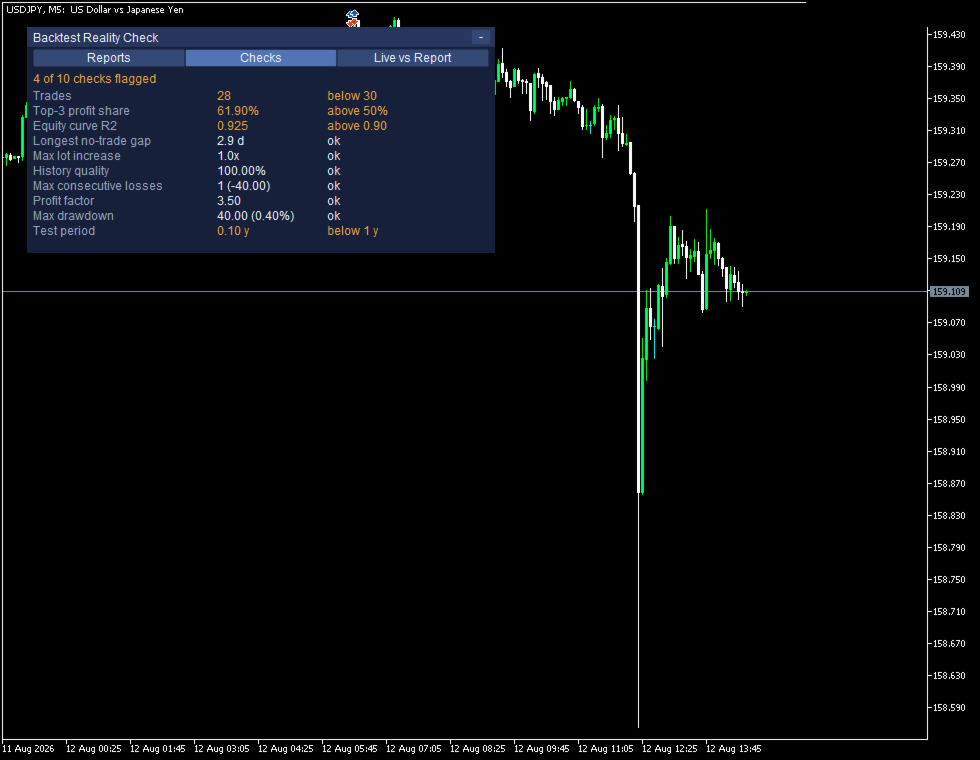
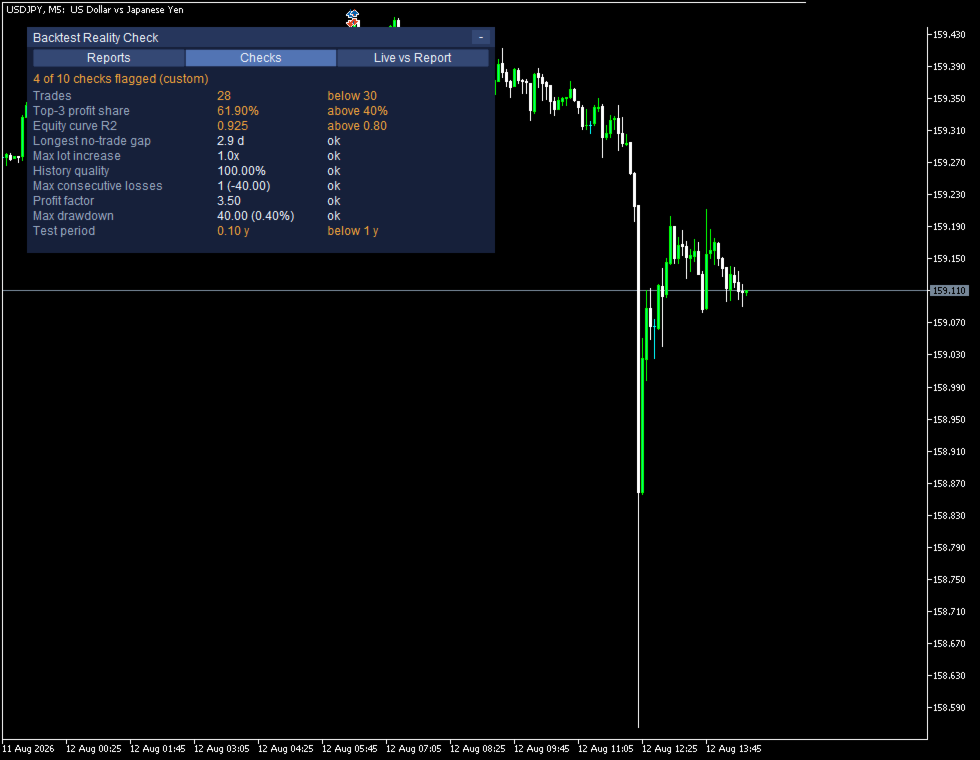
Bir satırın işaretlenmesi tek bir şey anlatır: ölçülen değer, o satırın sağında yazan sınırın dışına çıkmıştır. Aşırı optimizasyon, piyasanın değişmesi, aracı kurum farkı ve rastlantı birbirine benzer izler bıraktığı için bu araç bir uzman danışman hakkında iyi ya da kötü bir hükme varmaz; ölçtüğünü yazar, yorumlamaz.
Rapor ile hesabın yan yana okunması
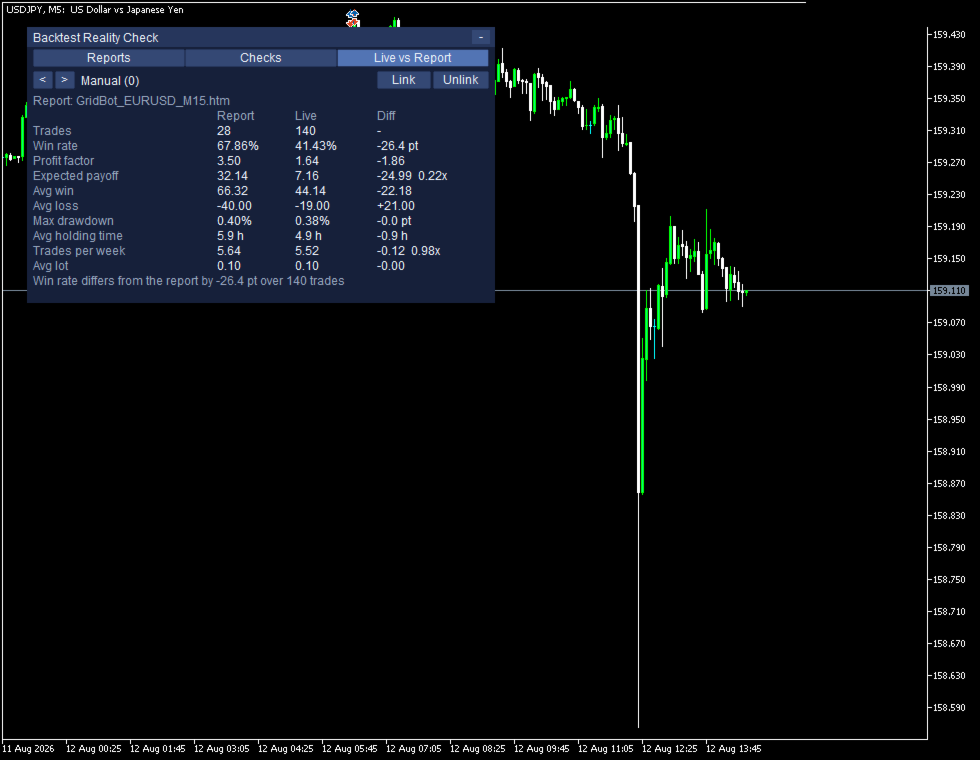
Live vs Report sekmesi, seçilen raporu ve aynı uzman danışmanın hesapta gerçekte yaptıklarını aynı tabloda gösterir.
Manual (0) Link Unlink
Report: GridBot_EURUSD_M15.htm
Report Live Diff
Trades 28 140 -
Win rate 67.86% 41.43% -26.4 pt
Profit factor 3.50 1.64 -1.86
Expected payoff 32.14 7.16 -24.99 0.22x
Avg win 66.32 44.14 -22.18
Avg loss -40.00 -19.00 +21.00
Max drawdown 0.40% 0.38% -0.0 pt
Avg holding time 5.9 h 4.9 h -0.9 h
Trades per week 5.64 5.52 -0.12 0.98x
Avg lot 0.10 0.10 -0.00
Win rate differs from the report by -26.4 pt over 140 trades
Hesaptaki işlemler önce raporun okunduğu yapının aynısına dönüştürülür, sonra raporu ölçen fonksiyonların aynısından geçirilir. Yani sağ sütunla sol sütun için iki ayrı hesaplama yazılmış değildir; iki tarafın sayılarının birbirinden ayrışması, ancak ortak fonksiyonun değiştirilmesiyle mümkün olurdu.
Trades satırında fark bilerek hesaplanmaz. Aylar süren bir testle birkaç haftalık bir canlı akışın aynı sayıda işlem içermesi beklenmez ve burada çıkarma işleminin anlamlı bir karşılığı yoktur. İki yüzde arasındaki farkı yeniden yüzde olarak yazmak başka bir büyüklüğü anlatacağı için, yüzdeyle ölçülen satırlarda fark, yüzde puanı cinsinden verilir.
Hangi uzman danışmanların ölçüleceğini araç kendisi bulur: hesap geçmişindeki sihirli sayıları (magic number) toplar ve her biri için ayrı bir satır açar; ayrıca bir tanım yapmanız gerekmez. Sihirli sayısı olmayan işlemler tek bir satırda, Manual (0) adı altında toplanır; elle açılmış bir pozisyonla sihirli sayısı ayarlanmamış bir uzman danışman dışarıdan bakıldığında birbirinden ayırt edilemez.
Veri yetmediğinde ne yazar?
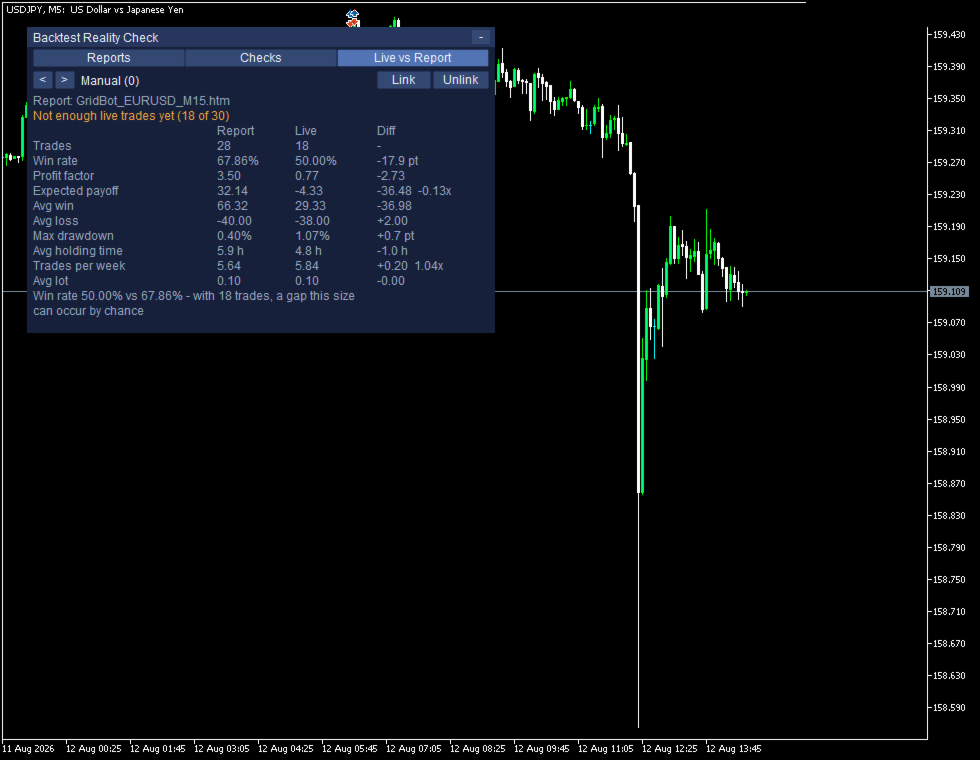
Canlı işlem sayısı 30'un altındayken Report, Live ve Diff sütunlarının üçü de gri gösterilir ve panel durumu olduğu gibi bildirir.
Not enough live trades yet (18 of 30)
Win rate 50.00% vs 67.86% - with 18 trades, a gap this size can occur by chance
Sayılar bu durumda da gizlenmez; ayrışma ekranda görünür, yalnızca fark olarak adlandırılmaz. Win rate satırındaki ayrışma ise sınır geçildi mi diye değil, rastlantıyla oluşabilir mi diye ele alınır: rapor tarafındaki orandan ve canlı işlem sayısından bir standart hata hesaplanır, bu değerin 1,96 katı kadar genişlikte bir bant çizilir ve ayrışma bandın içinde kaldığı sürece rastlantıyla oluşabilecek bir ayrışma sayılır.
Bu iki ekran da aynı raporla karşılaştırıldığı için bandı hareket ettiren tek büyüklük canlı işlem sayısıdır. İşlem sayısının az kaldığı ekranda bant, ayrışmayı kapsayacak kadar geniştir ve panel bu ayrışmanın rastlantıyla oluşabileceğini yazar; işlem sayısı arttığında bant, aynı ayrışmayı kapsamayacak kadar dardır ve panel bu ifadeyi bırakıp yalnızca ölçülen farkı bildirir.
Bir aracın "Henüz söyleyemem" diyebilmesi, bu ürünün asıl işlevidir; her an bir cevabı olan bir araç aslında hiçbir şey ölçmüyordur.
Raporu nereye kaydetmelisiniz?
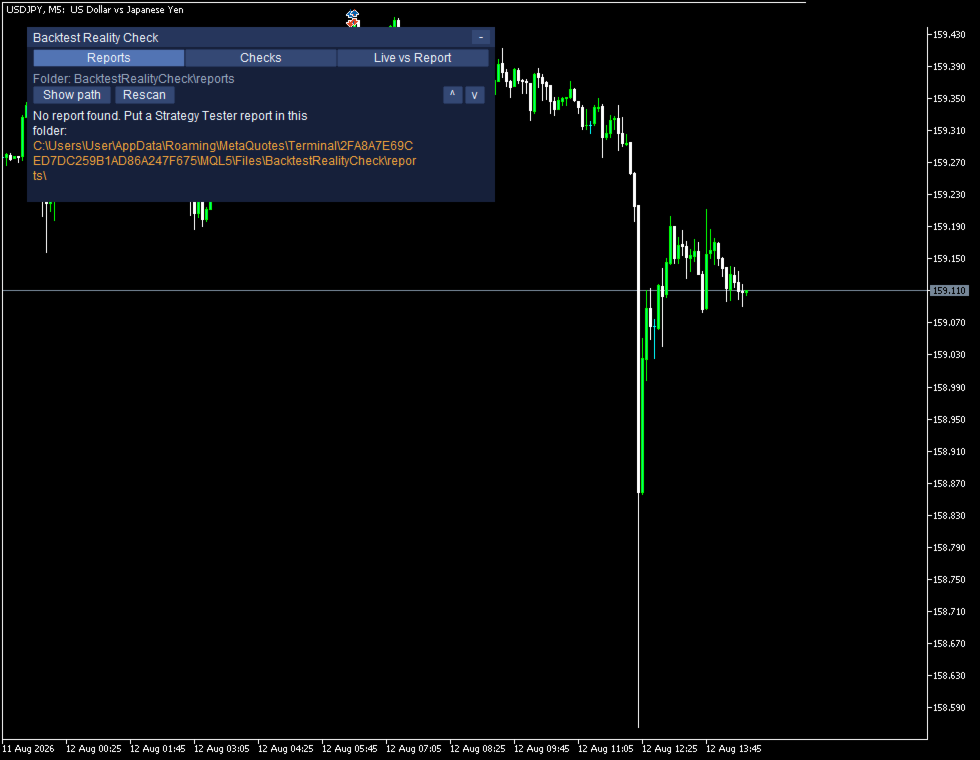
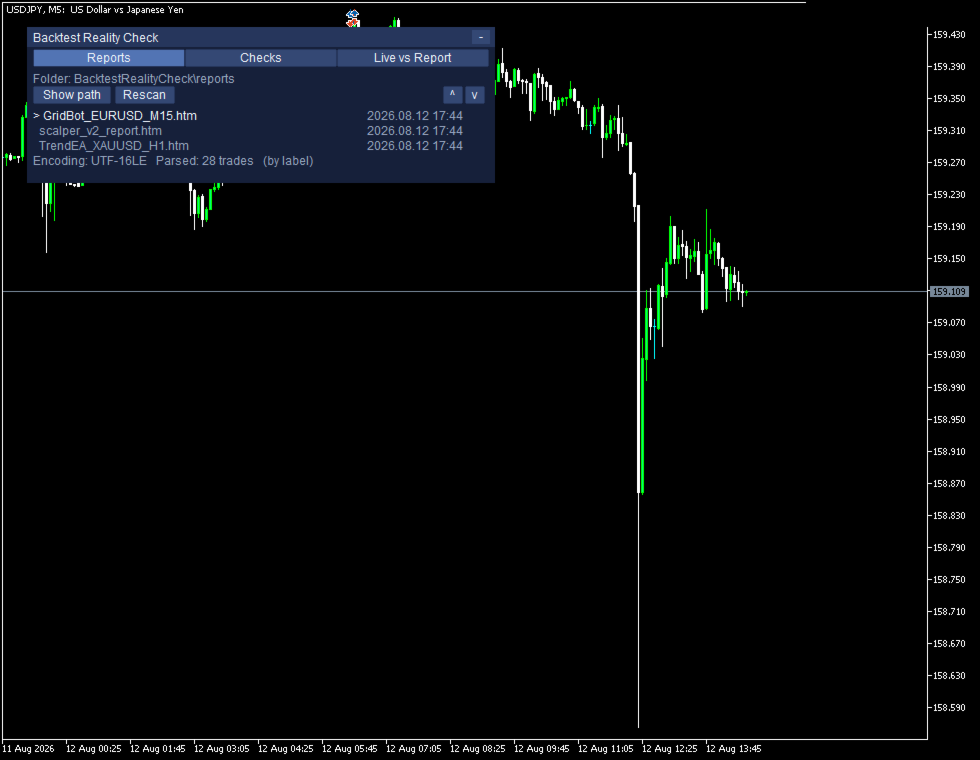
Raporu kaydederken açılan pencere HTML ve XML olmak üzere iki biçim sunar ve ikisi de varsayılan olarak seçili gelmez; HTML biçimini seçin. XML olarak kaydedilen dosya bu sürümde okunamaz, ama sessizce atlanmaz da: panel hangi dosyanın okunamadığını açıkça yazar ve raporun HTML olarak yeniden kaydedilmesi gerektiğini bildirir. Dosyalar MQL5\Files\BacktestRealityCheck\reports klasöründen okunur; klasör, araç ilk çalıştığında otomatik olarak oluşturulur. Klasör boşken panel, dosyaların konacağı tam yolu yazar.
Ne okur, dışarıya ne gönderir?
Sayılar raporun işlem dökümünden alınır, başlıklardaki etiketlerden değil; bu yüzden raporun hangi dildeki terminalde kaydedildiği sonucu değiştirmez. Dosyalar yalnızca kendi bilgisayarınızda okunur; araç hiçbir aşamada dışarıyla bağlantı kurmaz, hiçbir veriyi hiçbir yere göndermez.
Sınırlar
- Hesaba dokunmaz. Pozisyon açmaz, kapatmaz, değiştirmez; bir uzman danışmanı ne başlatır ne durdurur.
- Netleştirme hesabında pozisyonlar tek kalemde birleştirildiği için uzman danışman başına çıkan sayılar da birleşmiş görünebilir; ürün hedge hesap için yapılmıştır.
Ücretsiz deneme
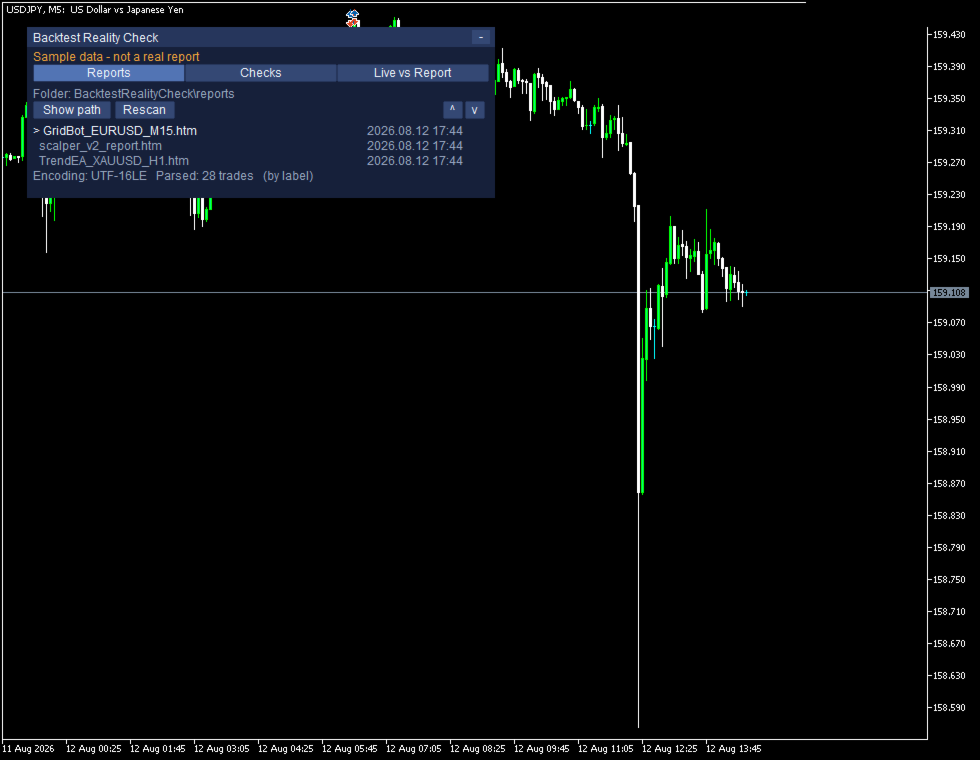
Deneme sürümü Strateji Sınayıcısının içinde çalışır. Ürüne gömülü bir örnek veri kümesi bulunduğu için ekran ilk saniyeden itibaren doludur ve şu satır ekranda sürekli görünür:
Sample data - not a real report
Aynı satır terminalin günlüğüne de yazılır; böylece üretilmiş sayıları kendi hesabınızın sayılarıyla karıştırmanız mümkün olmaz. Bu satır gerçek bir grafikte hiçbir zaman çıkmaz.
Parametreler ve çalışma ortamı
InpReportFolder InpUseCommonFolder InpRescanSeconds InpMinTradesForStats
InpFlagTopTradeShare InpFlagEquityR2 InpFlagMinTrades InpIncludeSwapCommission
InpHistoryDays InpPanelX InpPanelY InpFontSize InpShowTesterSelfDemo
Parametrelerin tamamı bu on üç maddedir ve hepsi varsayılan değerleriyle çalışır; kurmak için tek bir değeri değiştirmeniz gerekmez. Araç MetaTrader 5 üzerinde uzman danışman olarak boş bir grafiğe eklenir ve hedge hesapta çalışır. Ürün yayına hazırlanırken kodda alım satım fonksiyonu çağrısı, DLL kullanımı ve dışarıya giden istek otomatik olarak tarandı; üçünün de sayısı sıfır çıktı.
Bu araç kapanmış işlemleri okuyup sayan bir ölçüm aracıdır; bundan sonra ne olacağı hakkında hiçbir şey söylemez, hiçbir sonuç vaat etmez ve yatırım tavsiyesi niteliği taşımaz. Alım satımda zarar riski vardır; ürünü önce demo hesapta deneyin.