Backtest Reality Check
- Utilità
- Versione: 1.0
- Attivazioni: 10

Backtest Reality Check è una utility per MetaTrader 5. Legge il report del Tester di strategia e ne misura i risultati; poi applica le stesse funzioni alle operazioni che quello stesso EA ha davvero chiuso sul conto, in modo da poter leggere le due serie di numeri una accanto all'altra. Finché sul conto non si sono chiuse almeno 30 operazioni, la differenza resta a schermo ma non viene chiamata scostamento: con così poche operazioni non si può ancora dire niente, e il pannello lo scrive invece di tacere. Non apre, non chiude e non modifica posizioni; non invia e non annulla ordini. Nel codice non c'è nessuna chiamata alle funzioni di trading.
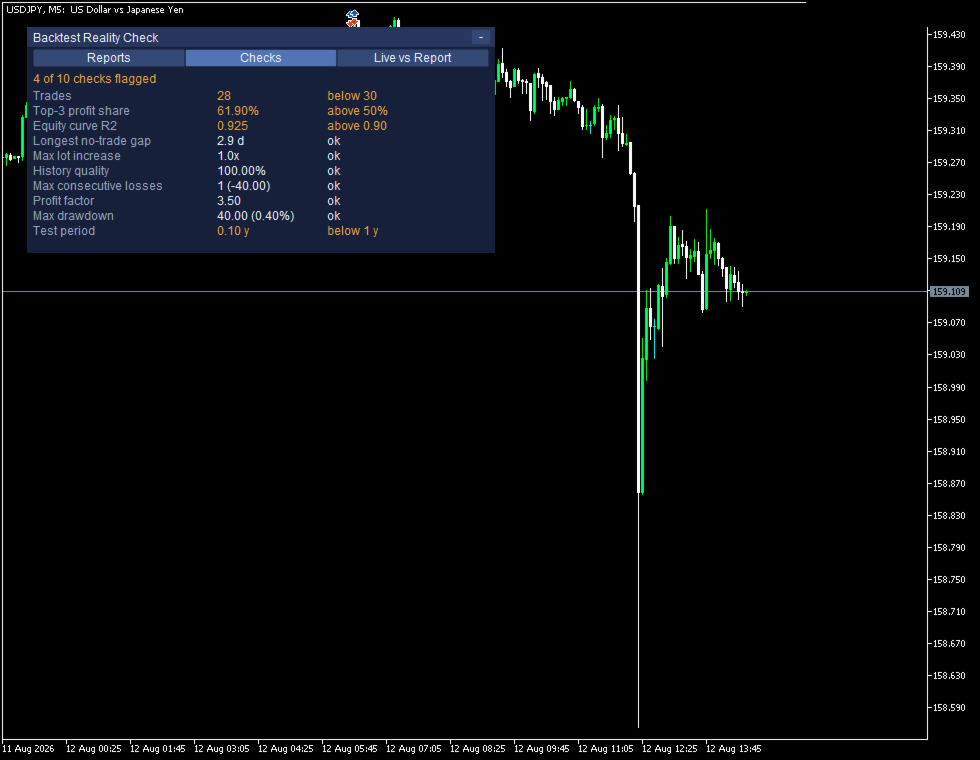
Le righe evidenziate
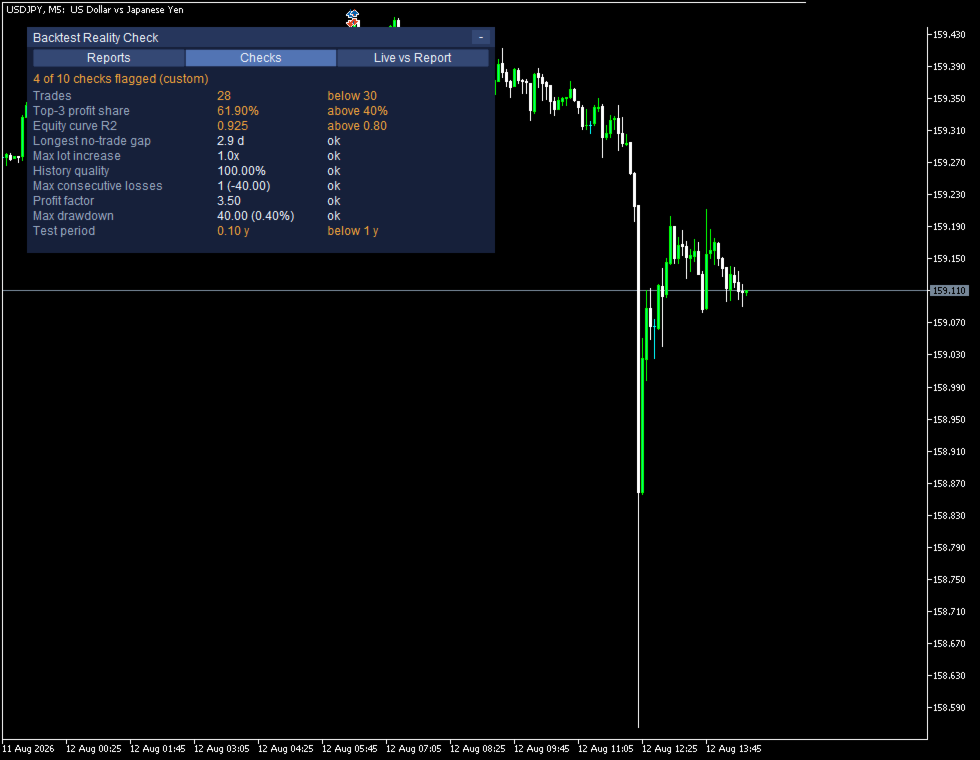
Una riga viene evidenziata per un motivo solo: quel valore ha superato la soglia indicata lì accanto. Il pannello non dice che l'EA sia buono o cattivo, e dai dati non si può ricavare perché quel numero si presenta così: l'overfitting, un cambio di fase del mercato, un broker diverso o semplicemente il caso lasciano tracce che si somigliano.
Il confronto riga per riga
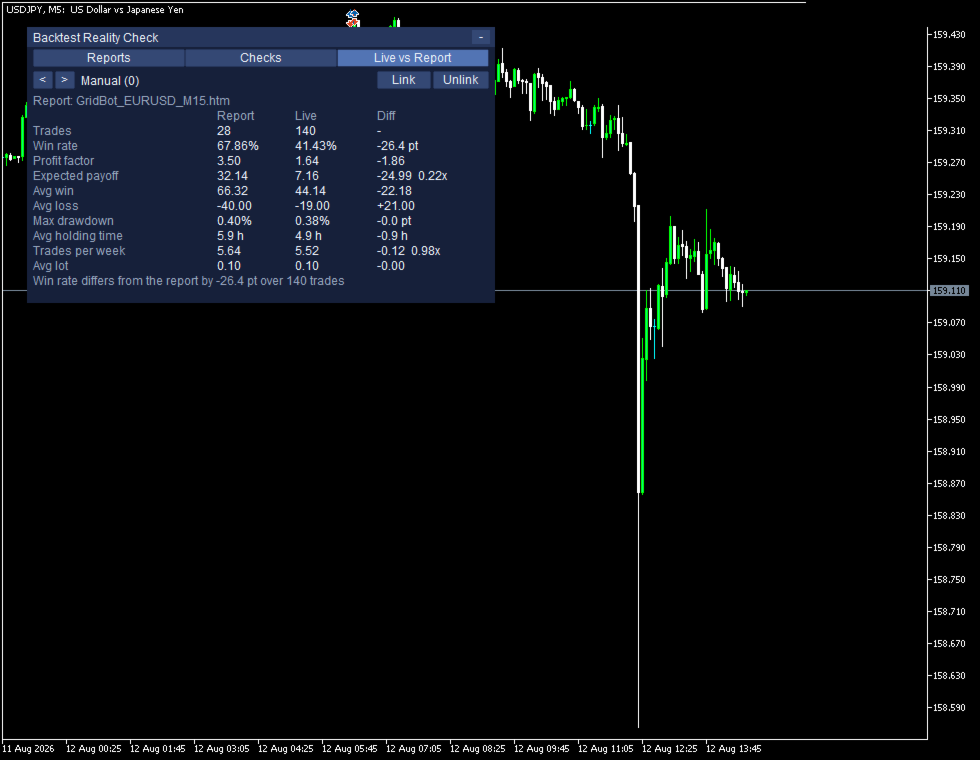
Il pannello Live vs Report affianca le due colonne e ne calcola la differenza.
Manual (0) Link Unlink
Report: GridBot_EURUSD_M15.htm
Report Live Diff
Trades 28 140 -
Win rate 67.86% 41.43% -26.4 pt
Profit factor 3.50 1.64 -1.86
Expected payoff 32.14 7.16 -24.99 0.22x
Avg win 66.32 44.14 -22.18
Avg loss -40.00 -19.00 +21.00
Max drawdown 0.40% 0.38% -0.0 pt
Avg holding time 5.9 h 4.9 h -0.9 h
Trades per week 5.64 5.52 -0.12 0.98x
Avg lot 0.10 0.10 -0.00
Win rate differs from the report by -26.4 pt over 140 trades
La colonna Live non nasce da un calcolo a parte: le operazioni del conto vengono ricostruite nella stessa struttura in cui è stato letto il report e passate alle stesse funzioni di misura. Perché le due colonne divergessero per il modo di contare, si dovrebbe riscrivere una funzione usata da tutte e due; l'ipotesi che siano calcolate in due modi diversi non si pone. La riga Trades è l'unica che resta senza differenza, e non per una dimenticanza: un test di mesi e un conto di poche settimane non hanno ragione di arrivare allo stesso numero di operazioni, quindi sottrarli non avrebbe alcun significato. Quando il confronto è fra due percentuali, la differenza è espressa in punti percentuali: scriverla con il segno di percentuale vorrebbe dire un'altra cosa. Sulle righe in cui la divisione si legge meglio della sottrazione, il pannello stampa anche il rapporto fra i due valori: dividendo la colonna Live per la colonna Report si ottiene il numero che compare subito a destra. Non c'è niente da impostare e gli EA non vanno dichiarati, perché vengono riconosciuti dai magic number presenti nello storico del conto, una riga per magic number; le operazioni prive di magic number si raccolgono nella riga Manual (0), dato che dall'esterno un ordine messo a mano e un EA per cui il magic number non è stato impostato non si distinguono.
Quando i dati non bastano
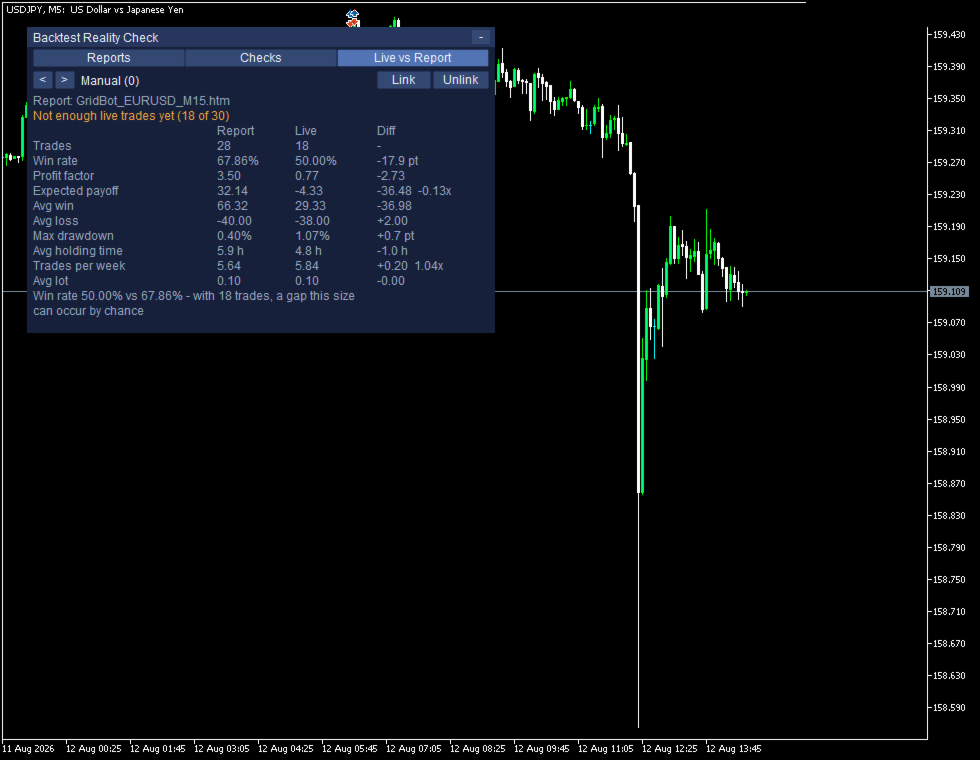
Finché le operazioni chiuse sul conto sono meno di 30, le cifre diventano grigie - le colonne Report e Live oltre a Diff - e il pannello scrive a chiare lettere che i dati non bastano.
Not enough live trades yet (18 of 30)
Win rate 50.00% vs 67.86% - with 18 trades, a gap this size can occur by chance
La differenza non viene nascosta, perché nascondere un numero è a sua volta scorretto: resta a schermo, semplicemente non viene trattata come uno scostamento. Sulla riga Win rate la domanda non è se una soglia sia superata, ma se una differenza di quelle dimensioni possa capitare per caso; dalla percentuale della colonna Report e dal numero di operazioni chiuse sul conto si ricava l'errore standard, e finché la differenza rientra in una banda di 1,96 errori standard in entrambe le direzioni il pannello la attribuisce al caso. Il calcolo si può rifare a mano confrontando le due schermate di questa pagina: entrambe misurano contro lo stesso report, quindi l'unica cosa che muove la banda è il numero di operazioni chiuse sul conto. Se le operazioni sono poche la banda risulta più larga della differenza e il pannello dice che può trattarsi del caso; se invece sono molte la banda risulta più stretta, e allora il pannello smette di dirlo e si limita a riportare la differenza. Poter dire che i dati non bastano ancora è parte del prodotto: uno strumento che ha sempre una risposta pronta non sta misurando niente.
Il salvataggio del report
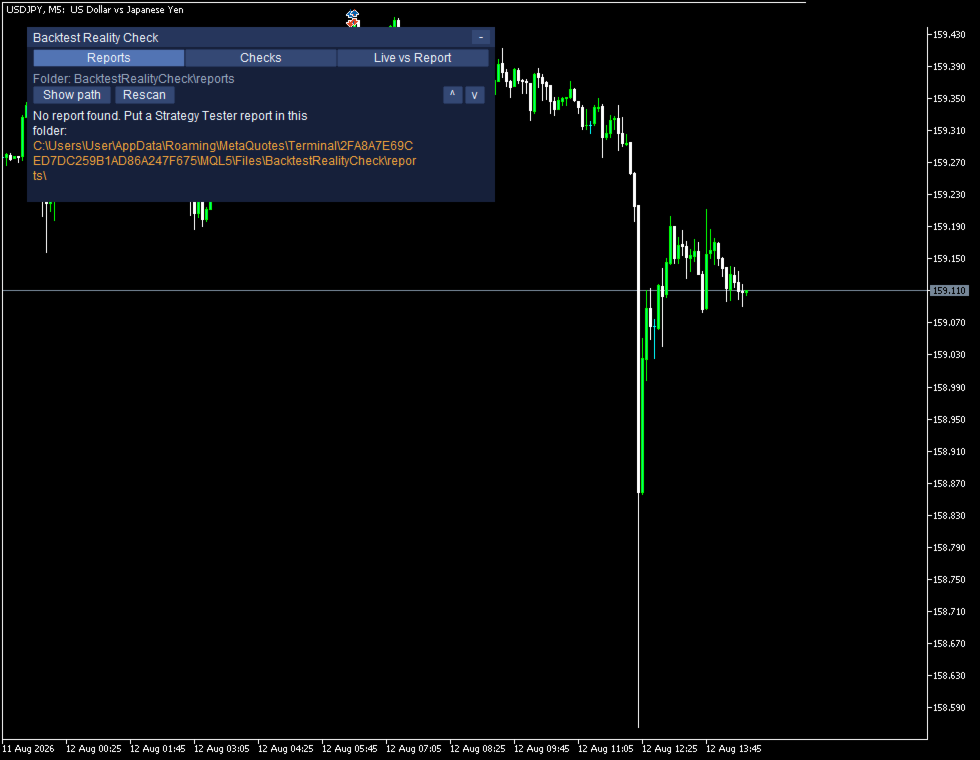
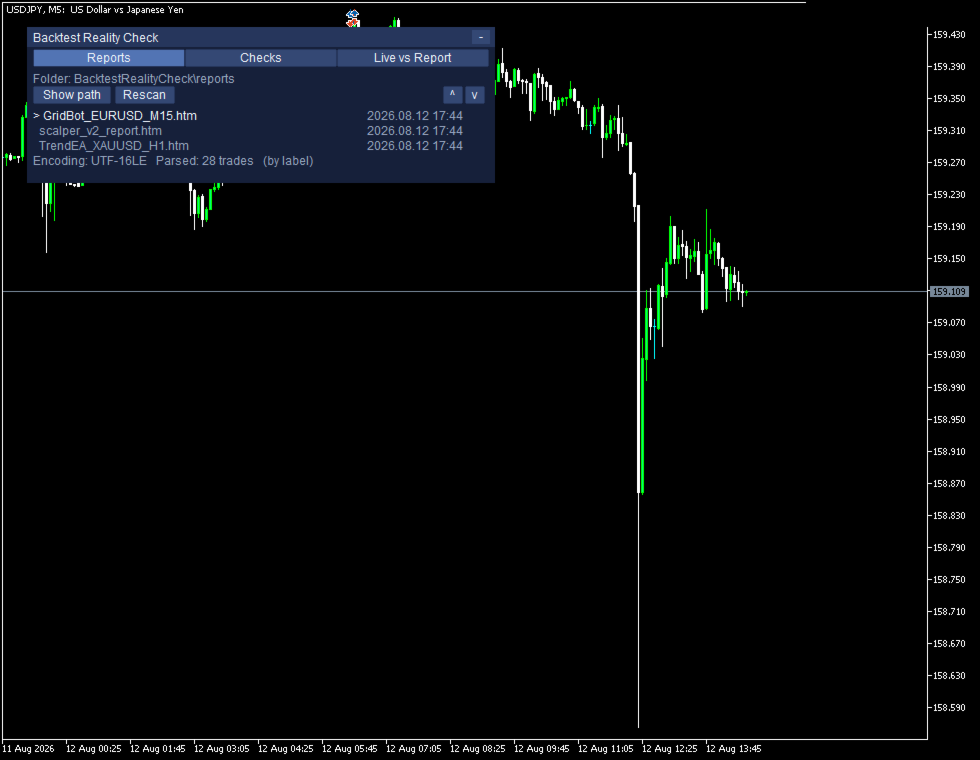
Nel Tester di strategia il report va salvato in HTML: la finestra di salvataggio propone due formati e nessuno dei due è preselezionato, quindi è il passaggio in cui ci si ferma più spesso. Un file salvato in XML qui non è leggibile, e non viene scartato in silenzio: il pannello ne mostra il nome e chiede di risalvarlo in HTML. La cartella è MQL5\Files\BacktestRealityCheck\reports, viene creata all'avvio e, quando è vuota, il pannello riporta il percorso assoluto completo in cui mettere i file.
Che cosa legge e che cosa resta sul computer
I numeri vengono presi dall'elenco delle operazioni contenuto nel report e non dalle intestazioni delle colonne, quindi un report salvato da un terminale impostato in un'altra lingua dà gli stessi numeri; lo si verifica salvando due volte lo stesso test con il terminale su due lingue diverse e facendo leggere tutti e due i file. I file vengono letti in locale, sul computer dell'utente: non c'è nessuna comunicazione verso l'esterno e nessun dato lascia la macchina.
Che cosa non fa
- Non tocca il conto: non apre, non chiude e non modifica posizioni, e non avvia né ferma nessun EA.
- È pensato per i conti hedging: su un conto netting le posizioni sullo stesso strumento confluiscono in una sola, quindi anche i numeri dei singoli EA possono risultare aggregati.
La demo gratuita
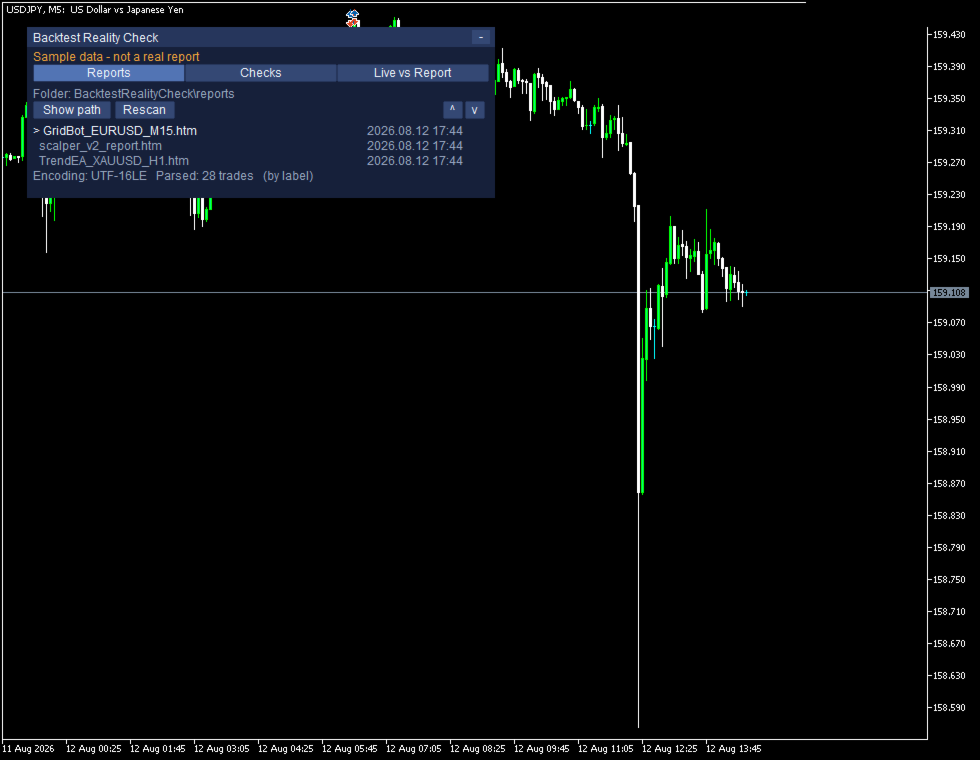
La demo funziona nel Tester di strategia e include dati di esempio già integrati, così il pannello si apre già popolato invece che vuoto.
Sample data - not a real report
Questa riga resta a schermo dall'inizio alla fine, non compare solo all'avvio per poi sparire, e la stessa riga viene scritta nel Diario del terminale: da qualunque parte si guardi, i dati di esempio non si confondono con i numeri del proprio conto. Su un grafico reale non compare mai.
Parametri e requisiti
InpReportFolder InpUseCommonFolder InpRescanSeconds InpMinTradesForStats
InpFlagTopTradeShare InpFlagEquityR2 InpFlagMinTrades InpIncludeSwapCommission
InpHistoryDays InpPanelX InpPanelY InpFontSize InpShowTesterSelfDemo
I parametri sono tredici e funzionano tutti con i valori predefiniti. Servono MetaTrader 5, un grafico dedicato su cui applicare lo strumento e un conto hedging. Prima della pubblicazione sono state eseguite verifiche automatiche: nessuna chiamata alle funzioni di trading, nessuna DLL importata e nessuna richiesta di rete.
Questo strumento legge e conta operazioni già chiuse, e non dice niente su quello che accadrà e non promette alcun risultato. Fare trading comporta il rischio di perdere denaro; conviene provare lo strumento su un conto demo prima di usarlo su un conto reale.