Trade Planner Pro
- Göstergeler
-
Martin Alejandro Bamonte
 24 yıllık trading ve 14 yıllık programlama deneyimiyle, kariyerim sürekli bir öğrenme yolculuğu oldu. Genç yaşlardan itibaren, bu tahmin edilemez evren olan piyasaları anlama fikri beni büyüledi... Teknolojinin bu karmaşıklığı faydalı ve hassas araçlara dönüştürebileceğini keşfettim.
 - Sürüm: 1.0
Now free. Plan every trade before you click, see your real risk, reward and lot
size right on the chart.
Plan the trade. See the risk. Trade with confidence.
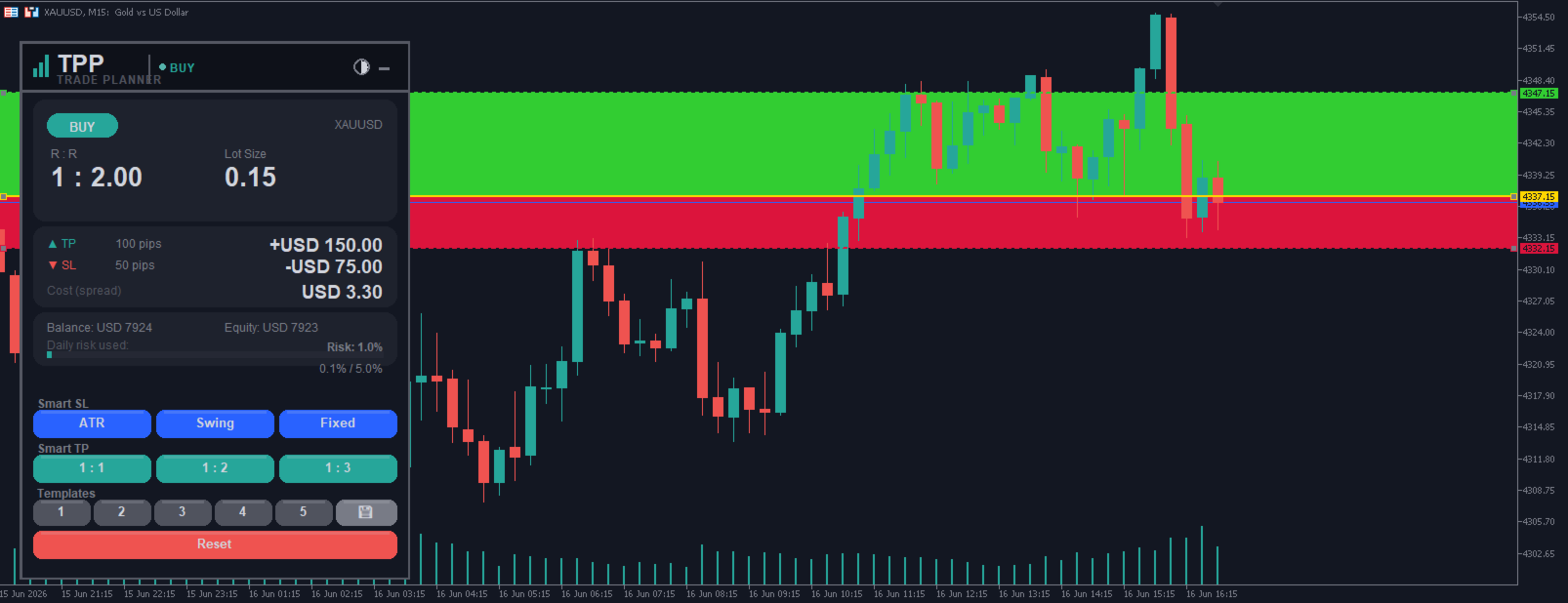
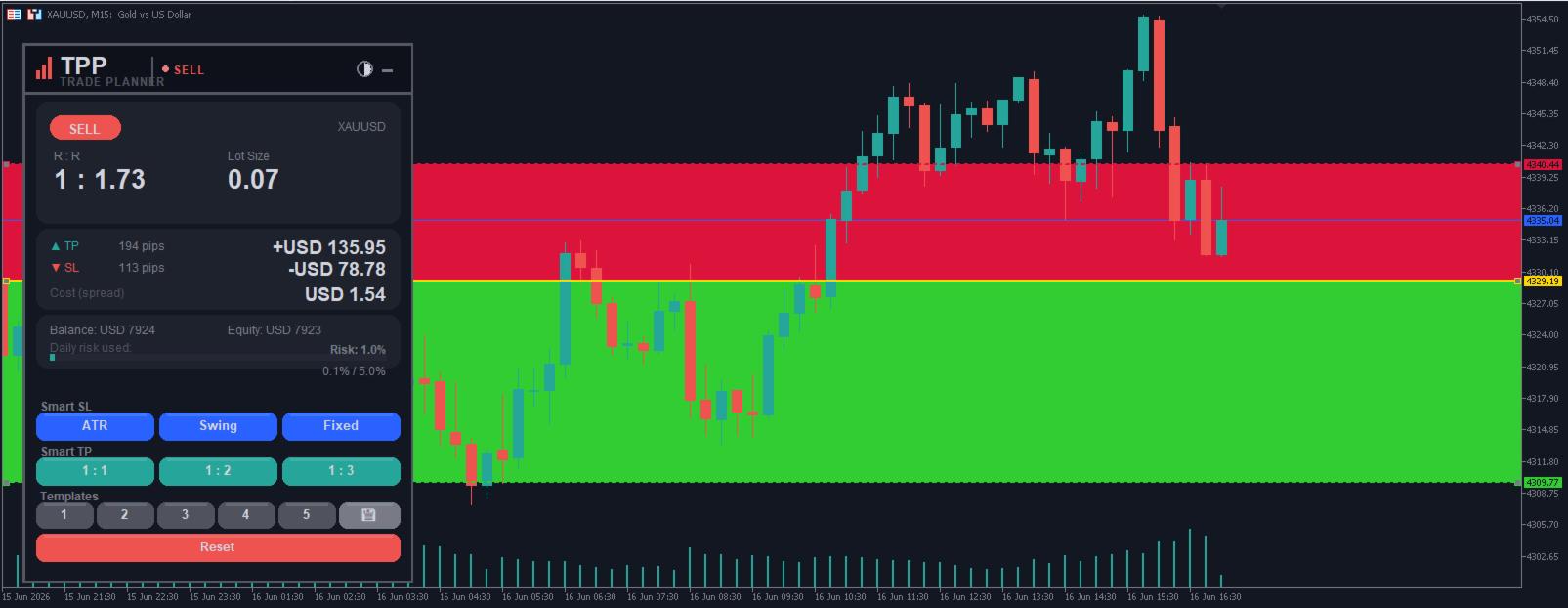
Trade Planner Pro turns any chart into a visual trade-planning workspace. Drag three lines — Entry, Stop Loss and Take Profit — and instantly see your risk/reward ratio, the exact lot size for your chosen risk %, the real money you put on the line, the spread cost, and clear warnings before you commit. No more manual lot math, no more guessing your R:R. Everything updates live as you drag the lines.
Visualization and planning tool. It does NOT open, modify or close trades — it helps you decide BEFORE you click. Works on any symbol and any timeframe.
📘 Full user manual & guide: https://www.mql5.com/es/blogs/post/771674
📘 Full user manual & guide: https://www.mql5.com/es/blogs/post/771674
────────────────────────────────
KEY FEATURES
────────────────────────────────
• Draggable Entry / SL / TP lines, right on the chart.
• Filled risk (red) and reward (green) zones — see the whole trade at a glance.
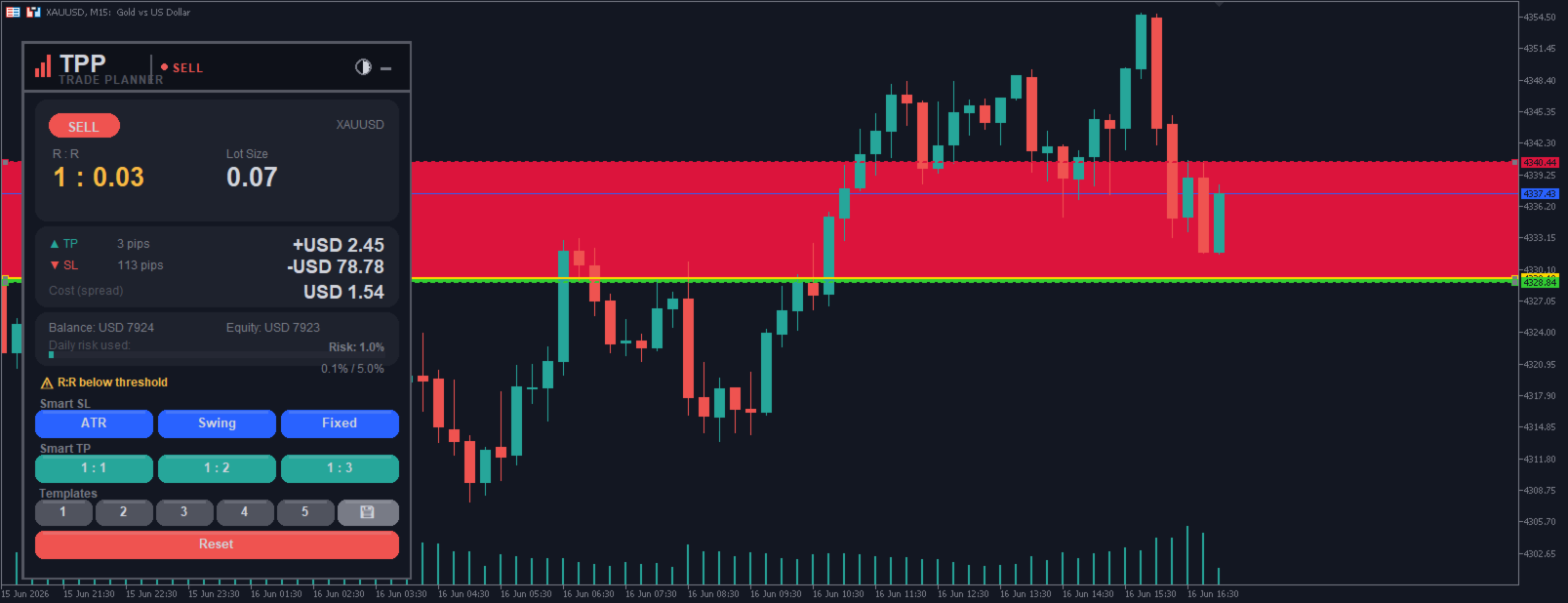
• Live R:R ratio, with a warning when it drops below your minimum.
• Automatic lot size for your chosen risk % of balance.
• Real money at risk and potential reward, in your account currency.
• Spread cost included in the numbers.
• Daily risk tracker — warns you when you exceed your max daily risk.
• Smart Stop-Loss suggestions: ATR-based, last swing high/low, or fixed pips.
• One-click Take-Profit targets: 1:1, 1:2, 1:3.
• 5 saveable trade-plan templates.
• Auto-detects direction (BUY/SELL) from where you place the Stop Loss.
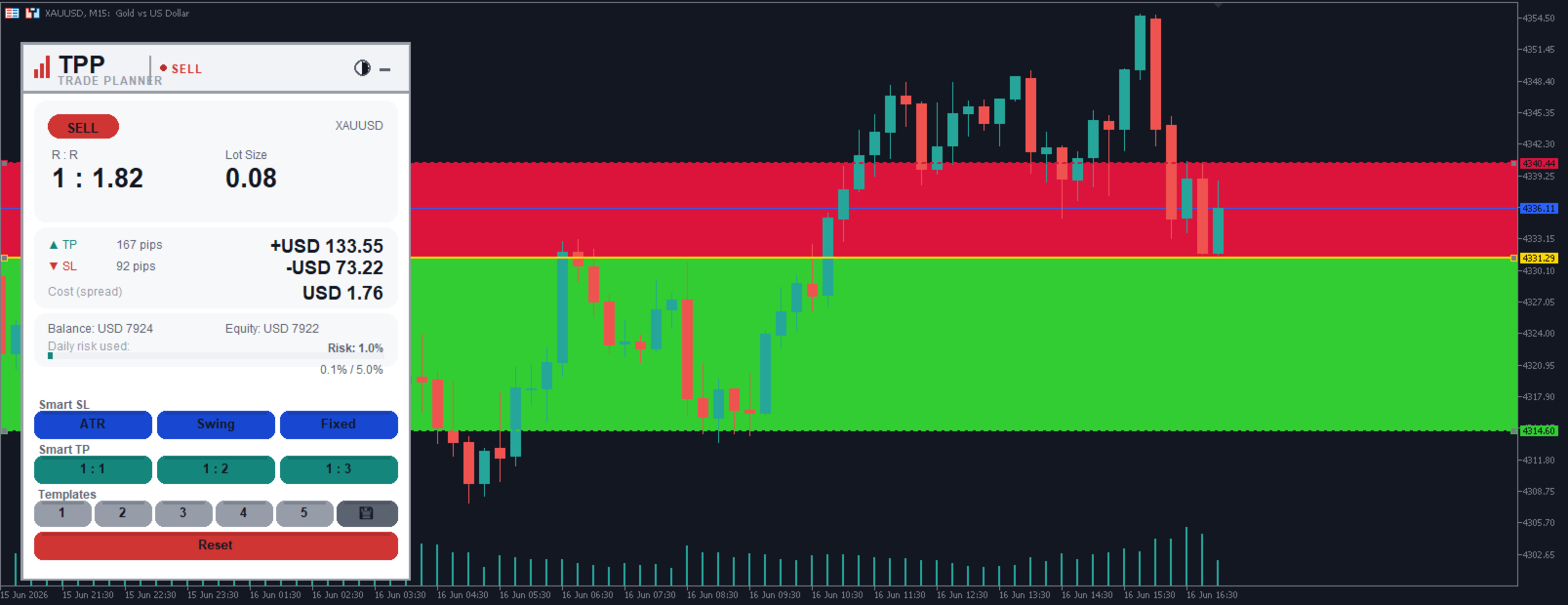
• Dark & Light themes, adjustable font, English & Spanish.
────────────────────────────────
HOW TO USE (60 seconds)
────────────────────────────────
1) Attach the indicator to a chart.
2) Drag the Stop Loss line to your stop. Below price = BUY, above price = SELL (auto-detected).
3) Drag the Take Profit line to your target (or use the 1:1 / 1:2 / 1:3 buttons).
4) Drag the Entry line if you want a price other than current.
5) Read the panel — R:R, Lot Size, money risk/reward, spread cost, warnings — adjust until the plan looks right.
6) Place the order yourself using the suggested lot size.
────────────────────────────────
SMART TOOLS
────────────────────────────────
• Smart SL — ATR (volatility), Swing (last structure), Fixed (pips). One click sets the stop; drag to fine-tune.
• Smart TP — 1:1 / 1:2 / 1:3 buttons set the take profit at that reward multiple of your risk.
• Templates — save up to 5 complete plans and recall them with one click.
────────────────────────────────
INPUTS (overview)
────────────────────────────────
Display: Theme · Language · Panel position · Refresh rate · Font scale.
Risk Management: Risk % per trade · Min R:R (warning) · Max daily risk %.
Smart Suggestions: ATR period · ATR multiplier · Swing lookback · Fixed-pips SL.
Default Positions: Default SL / TP distances.
Visual: Show zones · Risk/Reward zone colors.
Chart Style: Hide grid · Apply color scheme.
────────────────────────────────
FAQ
────────────────────────────────
• Lot size looks large/small? It is correct for your Risk % and Entry→SL distance — lower the Risk % or widen the stop.
• It does not place my trade? By design — it is a planner. Use the suggested lot to place the order yourself.
• Panel/lines gone? Click Reset, or remove and re-attach.
• Works on stocks/indices/crypto? Yes — any symbol, any timeframe.
Why I made this free: most blown accounts come from one habit, guessing the lot
size and risking too much on a single trade. Plan first and that stops. And if
you'd rather have the automated side of my work, a robot that trades for you, my
Expert Advisors are on my profile.
Free. If it saves you from one oversized trade it already paid off, and a short
review helps other traders find it.
────────────────────────────────
DISCLAIMER
────────────────────────────────
Trade Planner Pro is an analysis and planning tool. It does not provide financial advice and does not guarantee results. All trading decisions and orders are made by you. Trading carries a high level of risk.