KAB CommandPanel V33
- Yardımcı programlar
-
Wang Ze Di
 ✈️My Telegrem: @Brianzdw
🍊中文的朋友,QQ:1708175313 - Sürüm: 33.0
- Etkinleştirmeler: 5
Fast execution utility for manual traders. Drag-and-drop visual trading, split take-profits, and single-ticket management system.
Speed, Precision, and Risk Control.
KAB Trade Manager is built for traders who need to execute fast but keep risk tight. It integrates all essential tools into floating, collapsible windows.
Core Functions:
-
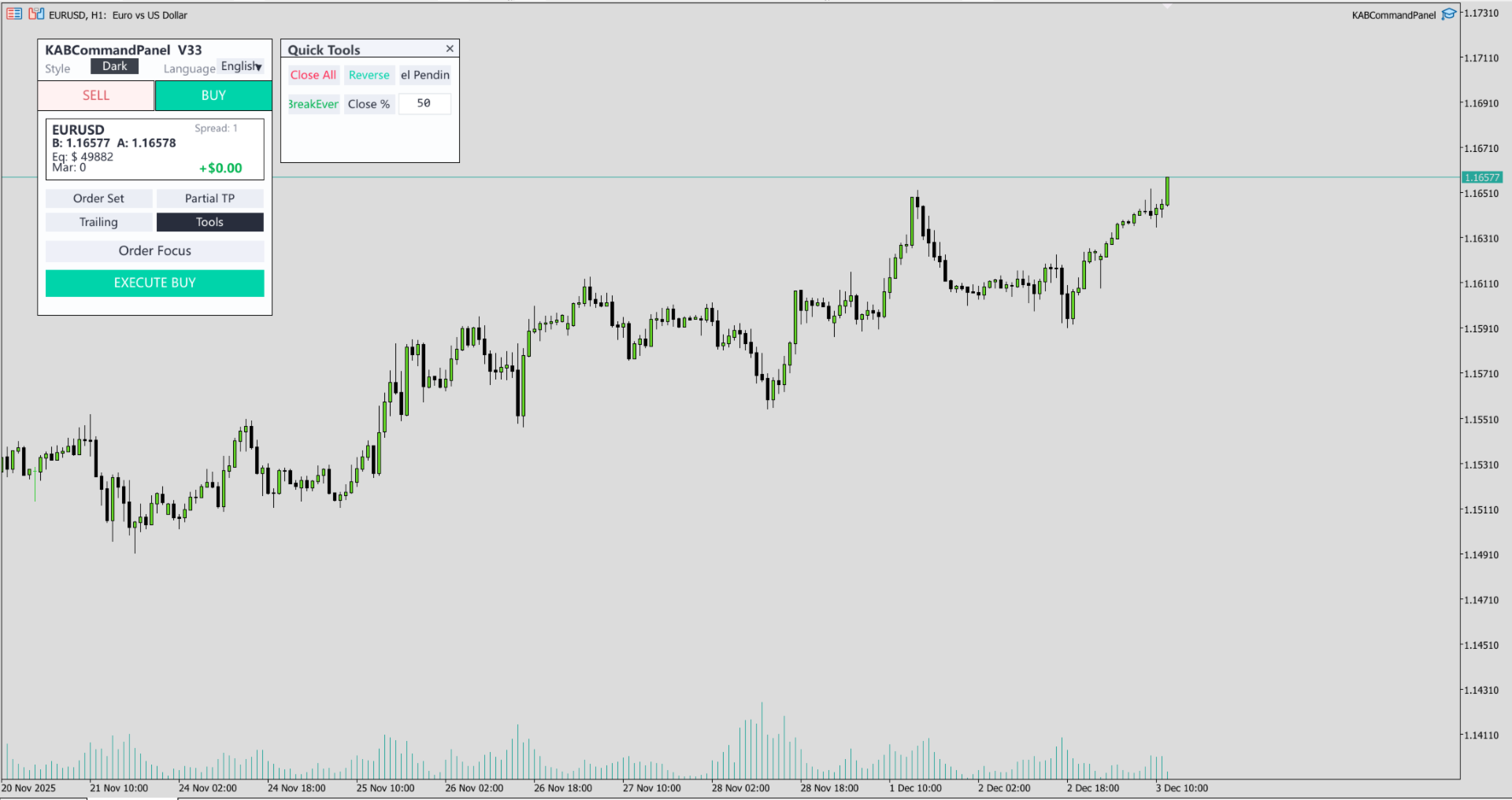
Instant Order Execution: Market and Pending orders with automatic Lot sizing based on SL distance.
-
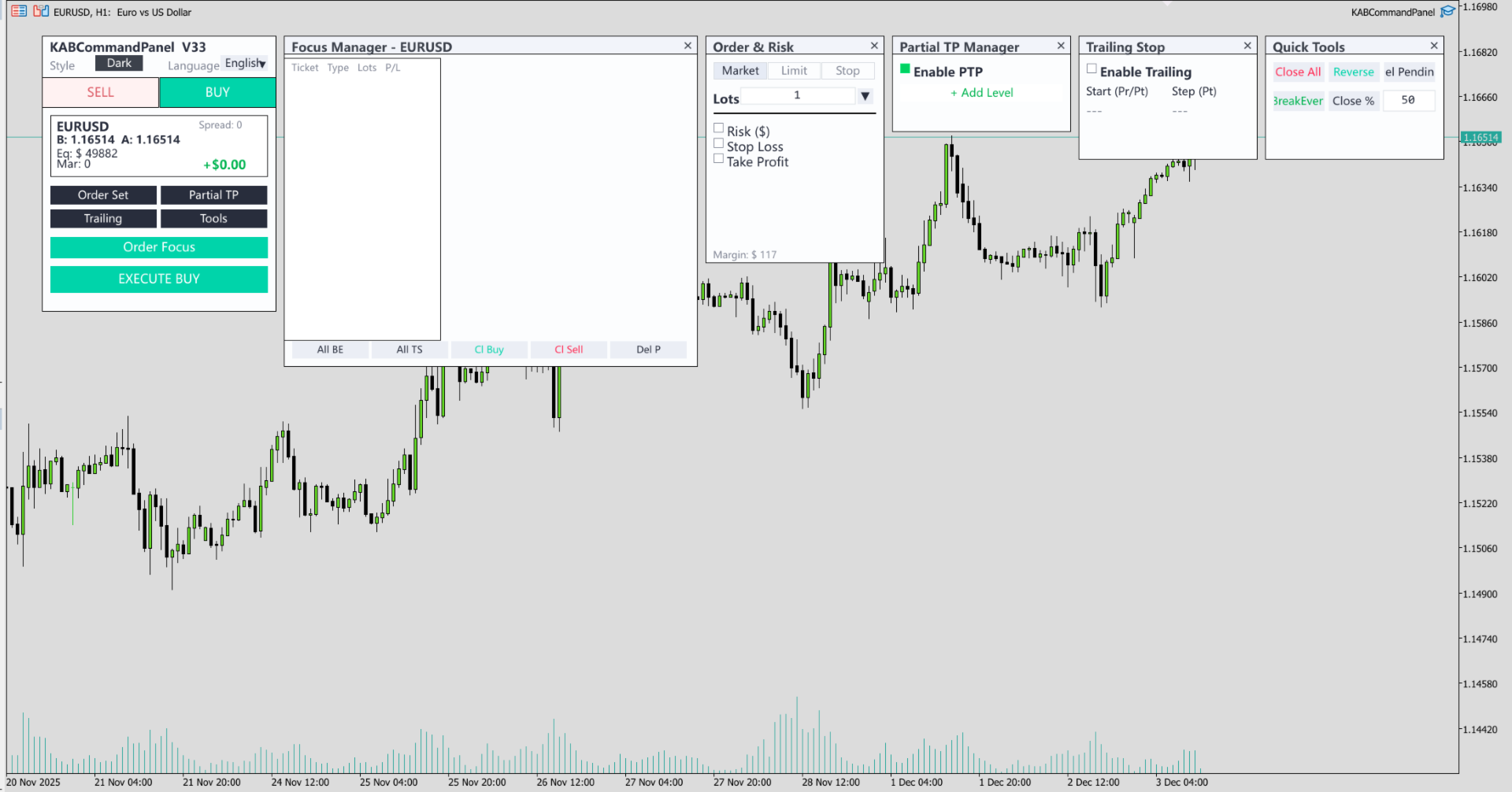
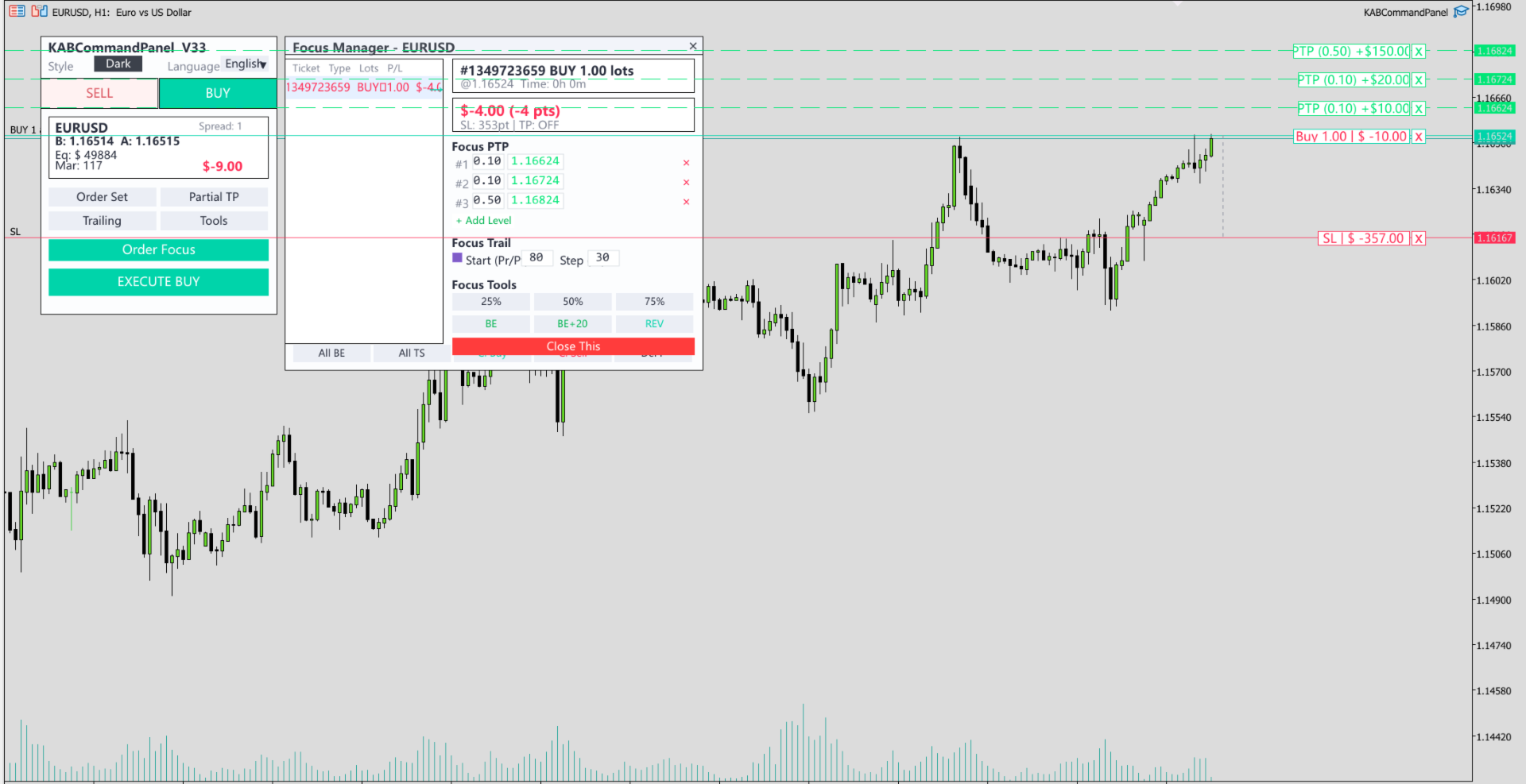
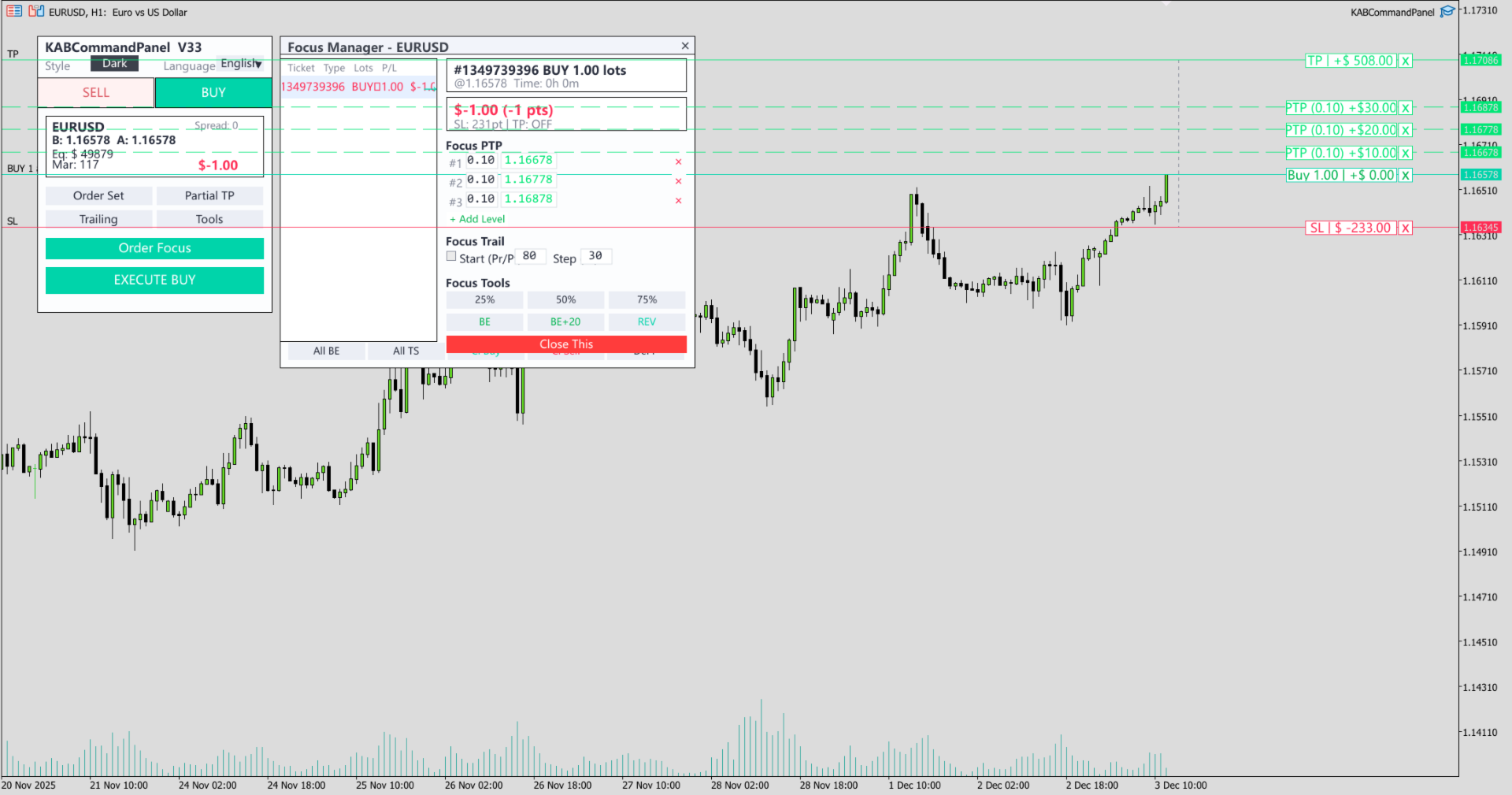
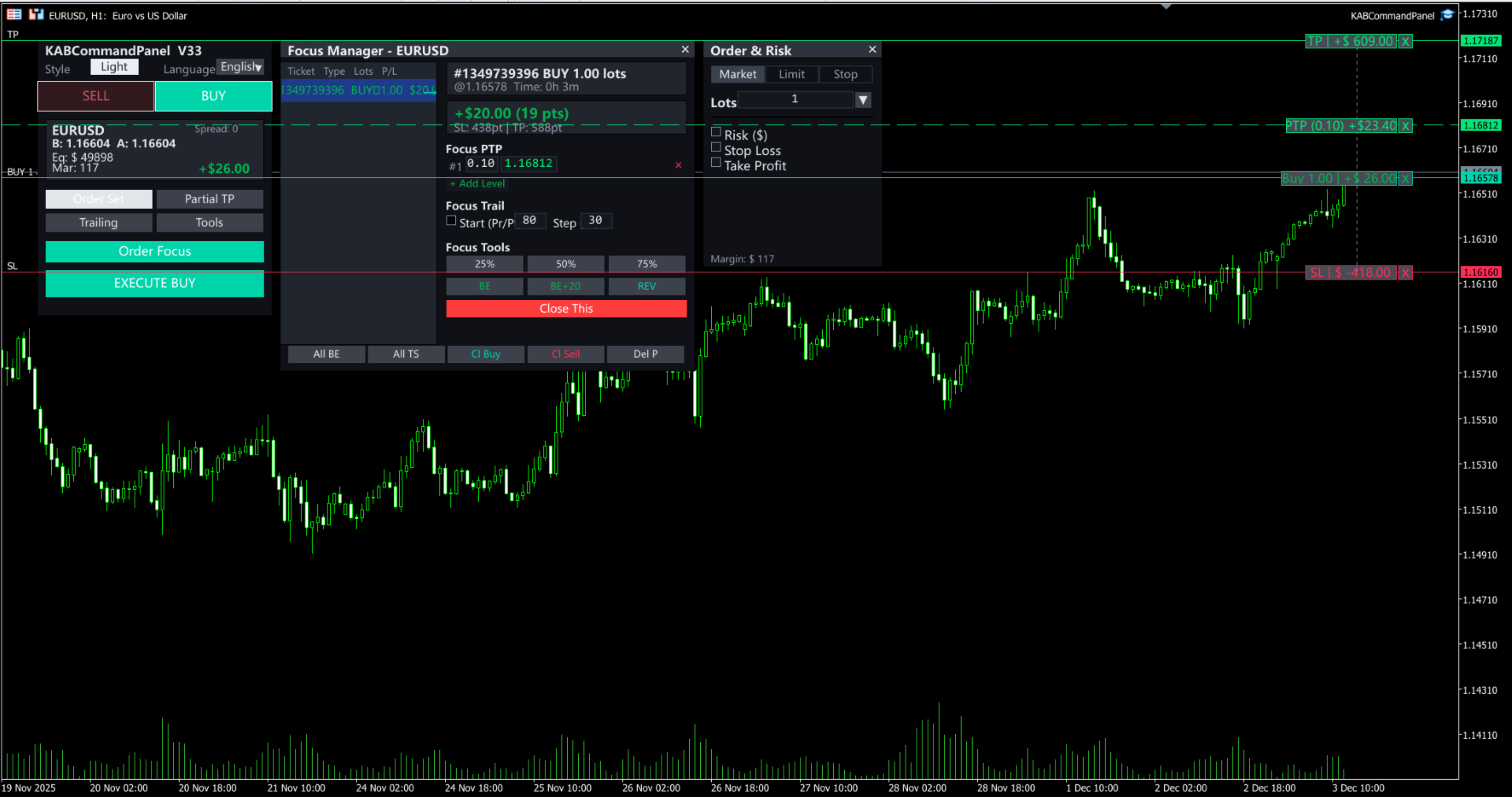
Focus Ticket Manager: A dedicated window to monitor and manage your most important active trade. View real-time P/L, distances, and modify SL/TP specifically for one ticket.
-
Grid & Basket Tools: One-click "Close All", "Close Winners", or "Reverse" positions.
-
Hidden Partial TP: Scale out of positions automatically without the broker seeing your TP levels.
-
Visual Interaction: Drag lines on the chart to modify active orders or set up pending orders.
Supported Languages: English, 中文, العربية, 日本語. Installation: Just attach to the chart and allow automated trading.
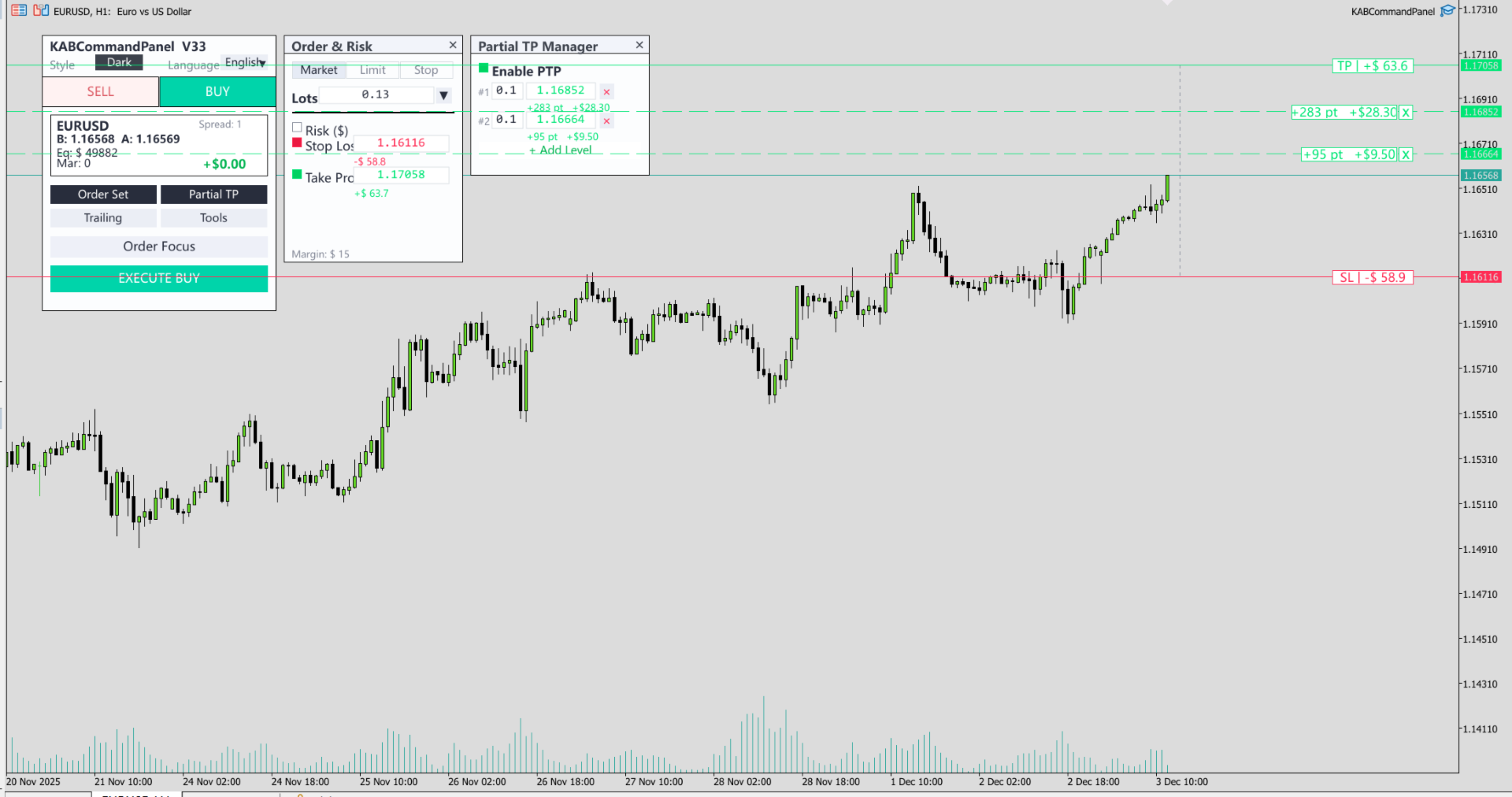
Smart Risk Calculation – Calculates the volume (lots) for new orders by considering the set risk amount and the size of the Stop Loss. It allows you to adjust the SL to any level while strictly observing your defined risk capital.
-
Risk ($) Checkbox – Enable/Disable the automatic lot calculation.
-
Defined Value – Set the necessary risk value in the "Risk" field (in deposit currency, e.g., $50).
-
Dynamic Adjustment – The panel recalculates the volume instantly as you drag the ghost SL line on the chart.
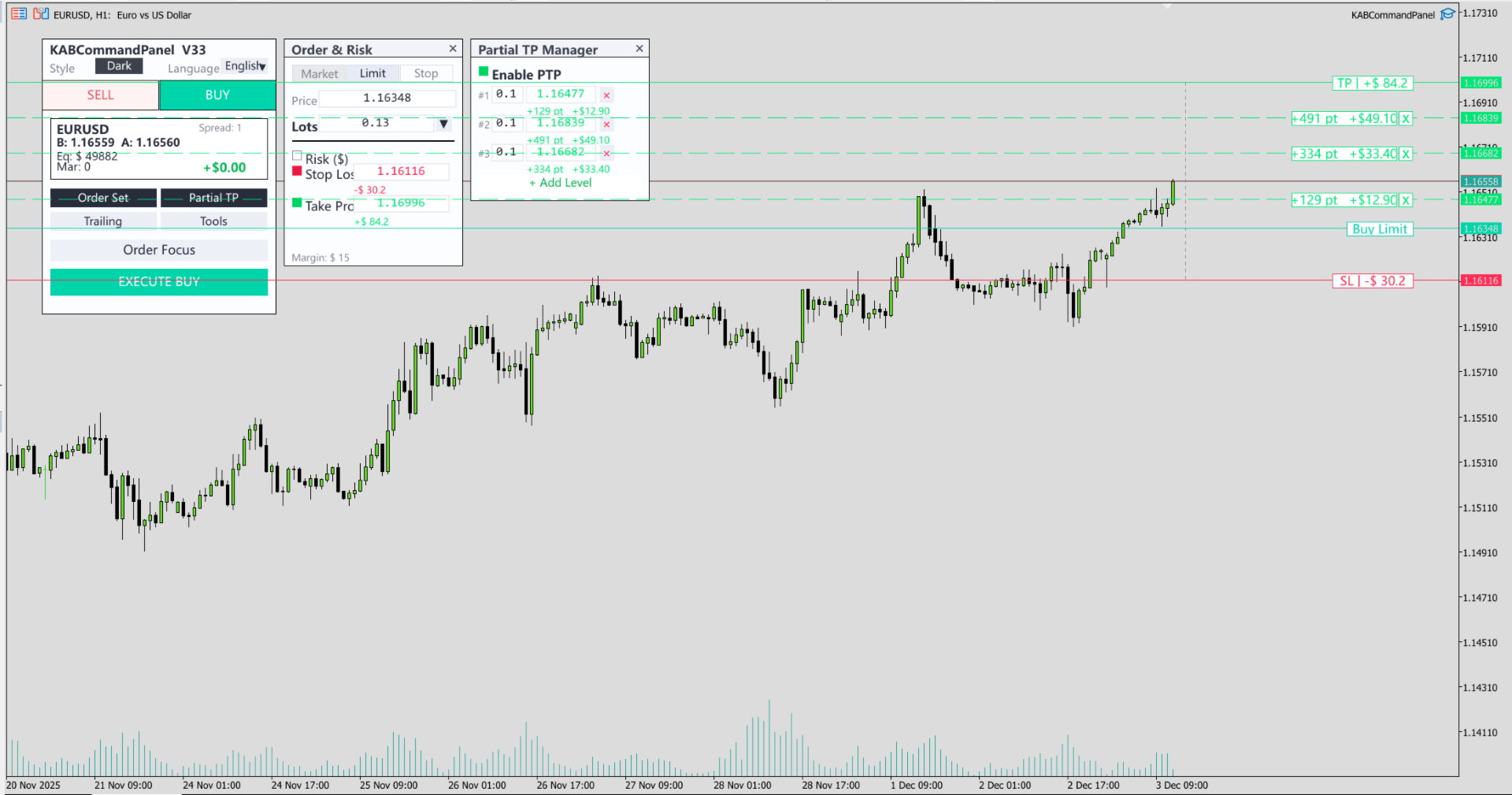
Visual Ghost Lines & Ratios – Sets the relationship between profit and loss visually through a "What You See Is What You Get" interface.
-
Ghost Lines – Before execution, dashed lines for Entry, SL, and TP appear on the chart.
-
Live Feedback – Each line displays the exact projected Profit or Loss in currency.
-
Visual RR – Instead of typing a fixed ratio (like 2:1), you simply drag the TP line until its value (e.g., +$100) is double your SL value (e.g., -$50), giving you complete visual control over your Risk:Reward ratio.
Order Focus Mode – A unique management system that allows you to "Focus" on a specific ticket within your basket of trades.
-
Focus Window – A dedicated floating window displaying duration, swap, and precise P/L for the selected ticket.
-
Isolated Actions – Perform specific actions like "Reverse", "BreakEven", "Partial Close", or "Independent Trailing Stop" on just THIS ticket, without affecting other positions on the same symbol.
Partial Take Profit (PTP) – Configure multiple hidden Take Profit levels to close percentages of your position automatically.
-
PTP Levels – Set up to 5 different price levels with specific volume amounts to close.
-
Stealth Mode – PTP levels are managed by the panel and are hidden from the broker's order book.
Support & Customization
Thank you for choosing KAB Command Center! If you have any questions during setup, or if you require specific customization for your trading strategy, please feel free to contact me anytime via Telegrem(@Brianzdw) or the Comments section. I am always happy to help and open to feature requests.