PineChart
- Yardımcı programlar
- Muhammad Minhas Qamar
- Sürüm: 1.22
- Güncellendi: 13 Mart 2026
- Etkinleştirmeler: 10
Developed by MMQ — PineChart: Run PineScript Inside MT5 With A Modern Charting Experience
An MQL5 Expert Advisor that runs Pine Script indicators and strategies directly inside MetaTrader 5. PineChart includes a full Pine Script interpreter so you can use your existing Pine Script v5/v6 source code without manually rewriting anything in MQL5.
Links [ Website | Documentation | Demo ]
NOTE: Downloading demo through MQL5 will give you limited functionality. To experience PineChart fully, download here: Demo.
Some features are intentionally left out due to unit testing. Updates are made every week so be sure to update the EA once purchased to enjoy latest features.
How It Works
- Copy your Pine Script source code into a .txt file
- Place it in MetaTrader 5's MQL5/Files/ directory
- Attach PineChart to any chart, enter the filename in Indicators/Strategy — done
For multiple indicators, use comma-separated filenames. For strategies, use the Strategy input. Strategies execute real orders via MQL5's CTrade.
What's Supported
609 out of 701 Pine Script v5/v6 API functions (~79%), with new functions added every week.
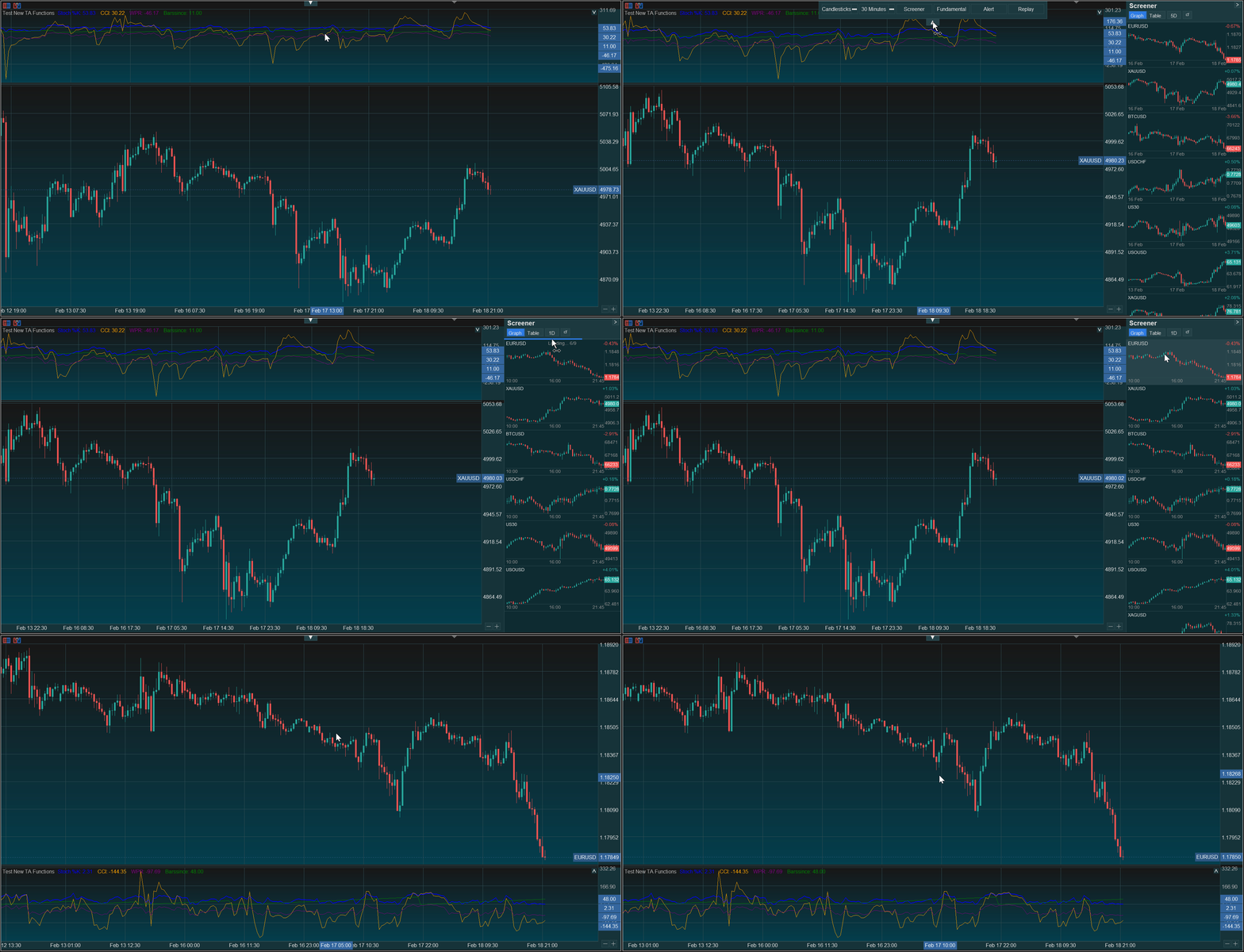
- 69+ technical analysis functions: SMA, EMA, RSI, MACD, Bollinger Bands, VWAP, Volume Indicators, SuperTrend, Parabolic SAR, DMI, CCI, ATR, Williams %R, Linear Regression, Pivot Points, and more
- 47+ array functions, 17 string functions, 14 input types
- Drawing objects: line, label, box, hline with styled rendering
- Tables with 9 screen positions and auto-sized cells
- User-defined types with fields, methods, chained access, and copy
- User-defined functions with default/named arguments and var persistence
- All control flow: if/else, for, while, switch, var/varip, ternary
- Multi-indicator support: run N indicators simultaneously with isolated state
- Multi-timeframe data via request.security() (cross-symbol, HTF alignment)
- Strategy execution: entry, close, exit, cancel mapped to MQL5 CTrade
- Plot styles: line, histogram, columns, circles, cross with per-bar colors
- Logging: errors, info mapped to Print()
Chart Features
- Drawing Tools: Fibonacci, Trendlines, Shapes, Text etc
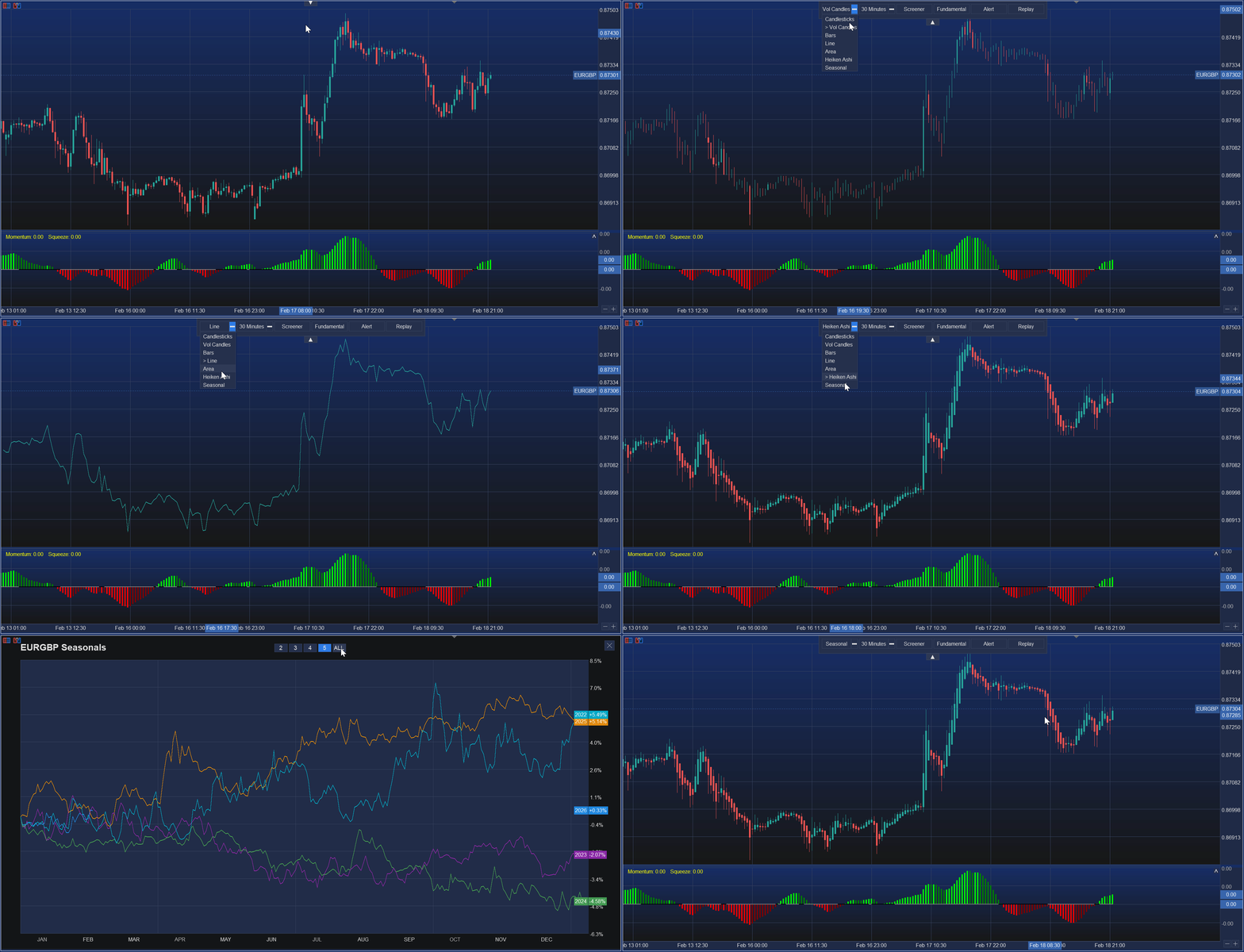
- Chart types: Candlestick, OHLC, Line, Area, Volume, Heiken Ashi
- Pan, scroll, zoom, crosshair, grid, dark gradient themes
- Multi-pane layout with draggable dividers for indicator sub-panes
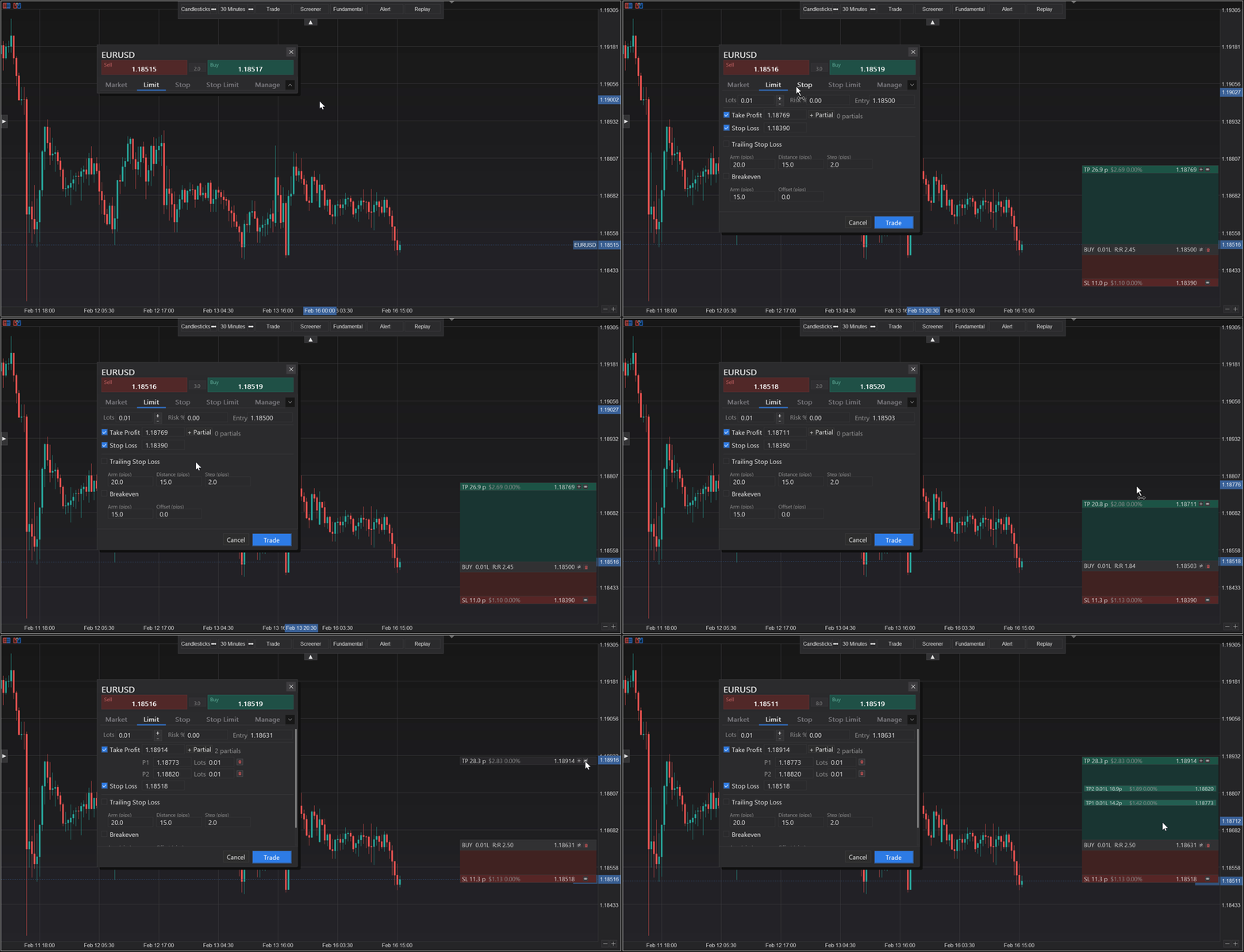
- Interactive trade panel: Market, Limit, Stop, Stop Limit, Manage tabs
- On-chart TP/SL drag, partial close levels, breakeven, trailing stop
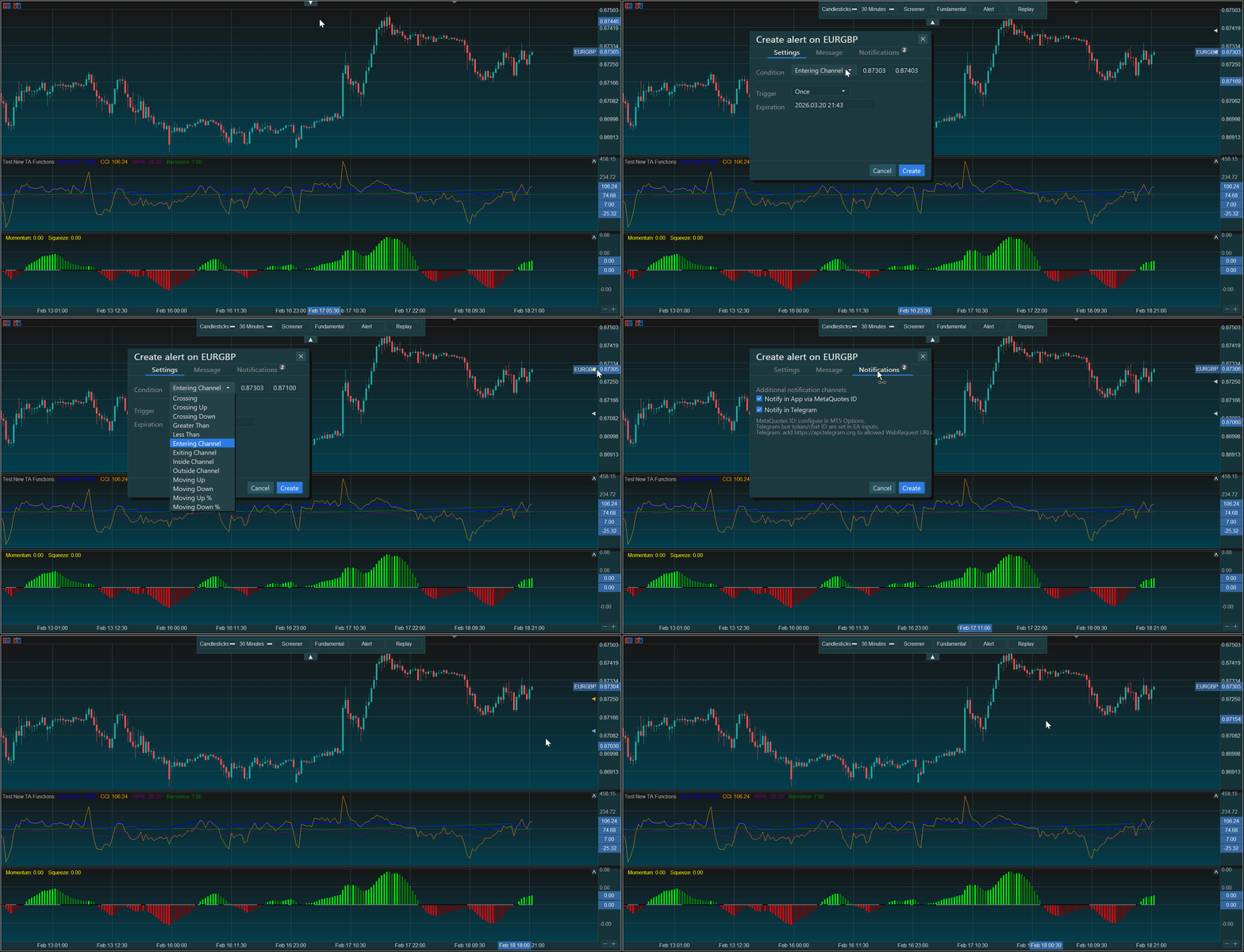
- Alert engine with Telegram and MetaQuotes push notifications
- Mini-chart screener panel from Market Watch symbols
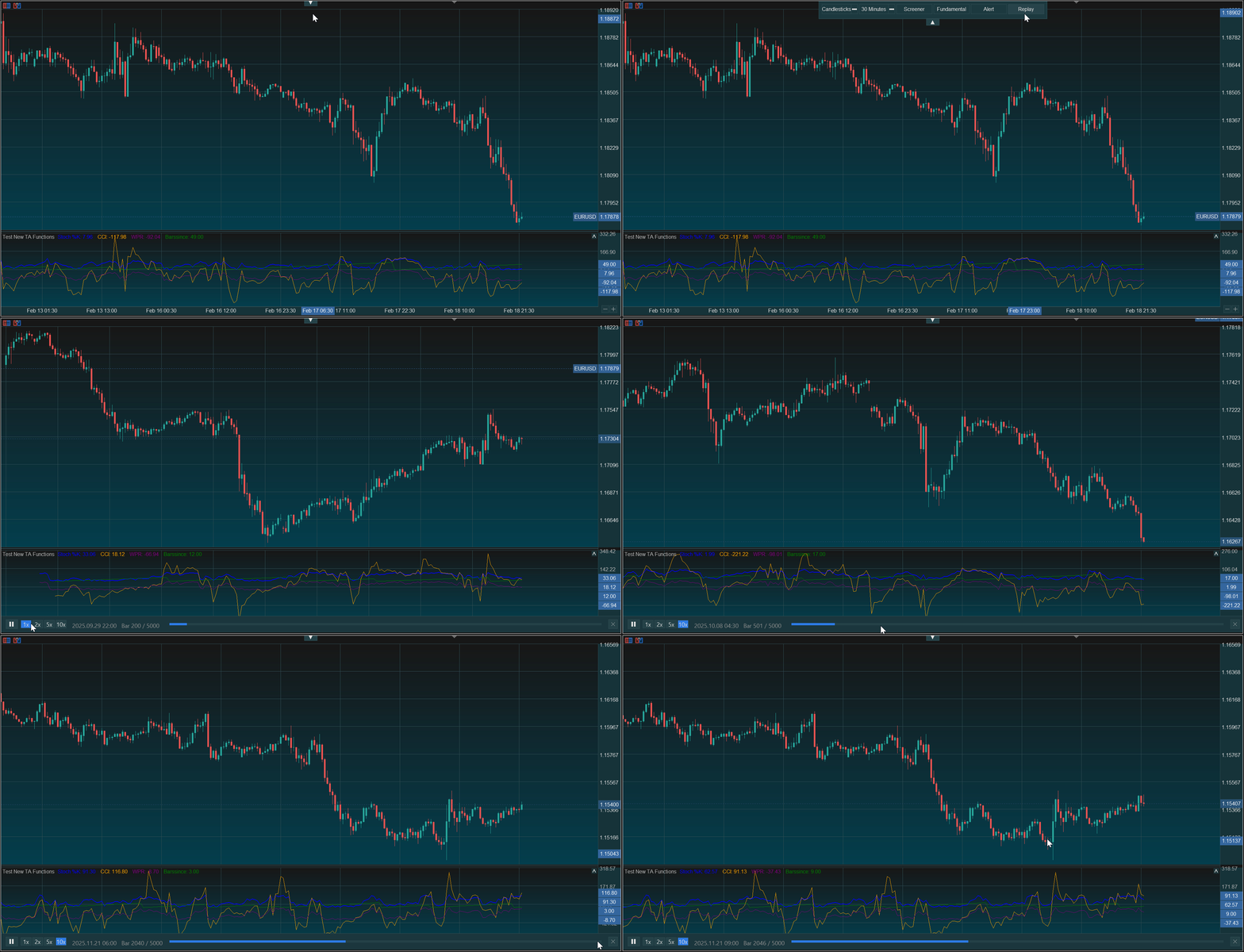
- Bar replay mode with play/pause and speed control
- Seasonal overlay and COT fundamentals overlay
| Parameter | Default | Description |
|---|---|---|
| InpIndicators | PineScript.txt | Comma-separated Pine Script indicator filenames to load from MQL5/Files/ |
| InpStrategy | (empty) | Optional Pine Script strategy filename for live trading or backtesting |
| InpMaxBars | 5000 | Maximum history bars to calculate. Higher values use more memory |
| InpChartGradient | true | Use gradient background blending ChartColor1 and ChartColor2 |
| InpChartColor1 | 23,23,23 | Primary chart background color |
| InpChartColor2 | 35,35,40 | Secondary chart color used for gradient blending |
| InpCrosshairGrid | false | Show crosshair guide lines on chart |
| InpShowAskLine | false | Show ask price line and label on the price axis |
| InpShowSymbolTitle | true | Show symbol name beside the bid label on the price axis |
| InpTelegramBotToken | (empty) | Telegram bot token for sending alert notifications |
| InpTelegramChatId | (empty) | Telegram chat ID for receiving alert notifications |
| InpEnablePineDebug | false | Enable Pine Script debug logging in the Experts tab |
Run Pine Script in MetaTrader 5 With a Modern Charting Experience — Developed by MMQ