 MetaTrader 5
 Uzmanlar
 Göstergeler
 Kütüphaneler
 Yardımcı programlar
 Widget'lar
 Kurallar
YouTube'dan Mağaza ile ilgili öğretici videoları izleyin
Bir alım-satım robotu veya gösterge nasıl satın alınır?
Uzman Danışmanınızı
sanal sunucuda çalıştırın
sanal sunucuda çalıştırın
Satın almadan önce göstergeyi/alım-satım robotunu test edin
Mağazada kazanç sağlamak ister misiniz?
Satış için bir ürün nasıl sunulur?
MetaTrader 5 için ücretsiz alım-satım yardımcı programları - 20
 Aşağıda MetaTrader 5'te işlem yapmayı kolaylaştıran alım-satım programları bulunmaktadır. Açıklamasını ve amacını okumak için aşağıdaki listeden ürünün üzerine gelin.
Your signals in Telegram, your trades in MetaTrader 5.**
Phoenix Telegram Copier reads trade signals from your Telegram channel or group and opens them on your account. It understands the usual signal layout: side, symbol, entry, stop loss and one or more take profits. Every take profit becomes its own position, so you can bank part of a trade early and let the rest run.
**How it works** 1. Create a Telegram bot (with @BotFather) and add it to your channel or group. 2. Put the bot token and t
FREE

PropBlaster Stats shows the key statistics of your MT5 account directly on the chart. It reads your trade history and never opens, closes or changes a trade.
Key figures
- Today, this week, this month or all history with one click - Net profit, trades, win rate, profit factor - Average win and loss, expectancy per trade - Maximum drawdown in money and percent - Best and worst day - Commission, swap and fees included
Good to know
- Filter by magic number and symbols (inputs) - Works on hedgin
FREE

EquityGuardEA v2.00 は「Equity監視+資金管理+マルチEA成績表示」を行うツールです。 プロップファームで複数のEAのポートフォリオを運用する際に必要となる以下の機能を持っています。 任意のチャートを一つ使って、通常のEAと同じように使用します。 利用例はスクリーンショットをご覧ください。
*購入後レビューを投稿していただいた方には本ツールの上位機能版をお送りします。上位機能版では1.EAのチャートを閉じるのではなく、アルゴトレーディングをオフにする、2.ニュースフィルターの機能が提供されます。
1. 資金管理(Equity Guard)機能 パラメーター 内容 InitialBalance 損益率計算の基準となる初期資金 Target_Equity_Percent 目標利益率(%)。到達で発動 MaxDD_Percent 最大ドローダウン率(%)。残高比で到達すると発動 DailyDD_Percent 日次ドローダウン率(%)。当日始値Equity比で到達すると発動
2. EA停止機能 Magic1〜3 (監視対象のEA、最大3つ)について、同一シンボル
FREE

Manual Trade and Risk Manager Pro MT5 is an MT5 manual Trade Manager and Prop Firm Risk Manager for discretionary traders who need disciplined account risk control. Use it as an MT5 risk management tool and manual trading panel MT5 when you trade your own strategy, a prop firm challenge, an evaluation account, or a funded account. It combines MT5 position size calculation, drawdown protection MT5 monitors, and a trade execution panel MT5 so you can size, check limits, then execute manually. This
FREE

XauG0D Assistant – Smart Trading Panel for XAUUSD (MT5) XauG0D Assistant is a powerful and modern trading panel designed for MetaTrader 5, built specifically for XAUUSD traders who want speed, precision, and full control. It transforms your chart into a complete trading command center, combining manual execution with smart automation. This EA allows you to execute trades instantly, manage risk efficiently, and monitor your performance in real-time — all from a sleek and intuitive interface. Key
FREE

gives you the power to close every open chart window at once — no matter the symbol, timeframe, number of indicators, Expert Advisors, or objects on them. When you attach it, a confirmation dialog appears. Only after you explicitly grant permission does the script shut down all charts, leaving you on the clean gray screen with Market Watch still fully available. From there you can rebuild your layout from scratch exactly the way you want it. Ideal for: Quickly clearing a cluttered multi-chart wo
FREE

One bad hour can erase a month of discipline. Two stop-outs. A bigger lot “to get it back.” A stop moved “just this once.” You didn’t need better analysis. You needed something that said no. I personally use Iron Dome and I have passed Fundednext and Fundingpips Challange accounts. I believe it will save my life since I am bad at psychologically. Iron Dome is that voice, set in advance, enforced automatically. A risk manager and trade panel for MetaTrader 5. No signals. No auto-trading. You make
FREE

Symbol Spec Auditor, bir sembolün sözleşme spesifikasyonunun pozisyon büyüklüğünü ve işlem maliyetini belirleyen kısmını grafikte tek bir panelde toplar: puan değeri, spread maliyeti, teminat, swap, emir gerçekleştirme kuralları ve işlem seansları. Ham spesifikasyon değerleri hesap para biriminde 1,00 lot başına paraya çevrilir ve lot büyüklüğü kodunu sessizce bozan broker ayarları uyarı olarak listelenir. Tek bir düğme aynı denetimi Piyasa Gözlemi'ndeki her sembol için bir CSV dosyasına aktarır
FREE

Utility Description: Auto TP & SL Manager for XAUUSD Overview The Auto TP & SL Utility is an automated Expert Advisor (EA) designed specifically for MetaTrader 5 (MT5). Its primary function is to monitor your open positions in real-time and automatically apply Stop Loss (SL) and Take Profit (TP) levels if they are missing. This is particularly crucial for volatile assets like XAUUSD (Gold), where price swings occur rapidly. Key Features Instant Protection: Automatically detects any manual or EA-
FREE

Nova Hourly Map PRO Discover when your market has historically been most active. Nova Hourly Map PRO turns completed H1 candles into an interactive 24-hour dashboard, helping you compare volatility, directional tendencies and typical hourly ranges before planning your trading session. Attach it to any chart timeframe. The indicator automatically analyses H1 history for that symbol. Key features Colour-coded hourly volatility map. Ranked hours to identify historically active periods. Bullish, bea
FREE
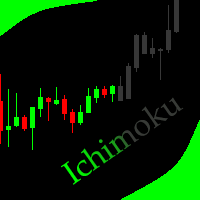
This indicator allows to hide Ichimoku Kinko Hyo (on all MT5 timeframes) from a date define by the user, with a vertical line (Alone) or a panel (with "Hidden Candles"). Indicator Inputs: Tenkan-sen Kijun-sen Senkou Span B Information on "Ichimoku Kinko Hyo" indicator is available here: https://www.metatrader4.com/en/trading-platform/help/analytics/tech_indicators/ichimoku ************************************************************* Hey traders!! Give me your feeds! We are a community here
FREE

Copy trades between MetaTrader 5 terminals on the same computer, with no DLLs and no internet relay. How it works In Master mode the utility writes a snapshot of its open positions (ticket, symbol, direction, volume, SL, TP, magic) to a channel file in the shared Common\Files folder. The file is written under a temporary name, replaced in one step and closed with a checksum line, so a receiver never reads a half written file. In Slave mode it reads the snapshot on a timer, opens copies of new ma
FREE

Elsna Alert (MT5 EA) is a lightweight Expert Advisor that monitors your trading account in real time and alerts you whenever a trade is opened or closed . It uses MetaTrader 5’s built-in OnTradeTransaction event to instantly detect any new executed deals—manual or automated—and plays a custom sound for each event.
You can choose whether it tracks all symbols or only the chart’s symbol . Key features: Instant audio alert when a trade opens or closes. Works with both manual and EA-driven trades. O
FREE

is a clean, display-only dashboard that turns your Market Watch into a focused position-sizing table. It shows each symbol alongside two calculated lot values: The lot size that uses a chosen percentage of your account balance as margin The maximum lot size supported by your full balance No orders are placed, modified, or closed. Click any symbol to open its chart. The table runs in full-window mode with optional color-gradient row backgrounds that cycle through multiple palettes. Benefits Insta
FREE

Trade Launch, manuel olarak işlem açarken hıza ve kontrole değer veren yatırımcılar için tasarlanmış sezgisel bir işlem panelidir. Doğrudan grafik üzerinde görüntülenir ve tüm ana emir parametrelerini tek bir pencerede yönetmenize olanak tanır. Ana Özellikler: Anında Emir Gönderimi: Tek bir düğmeye basarak Al ve Sat pozisyonları açın. Düğme adları, geçerli Ask ve Bid fiyatlarını dinamik olarak görüntüler. Dahili Risk Yönetimi: Lot hacmi, ayrıca Stop Loss (SL) ve Take Profit (TP) değerlerini
FREE

SL Locker — Stop-Loss Discipline for MetaTrader 5 Your stop-loss is supposed to protect the trade. SL Locker is designed to stop that protection from being weakened after it has been established. SL Locker is a MetaTrader 5 risk-discipline Expert Advisor built around one focused principle: a protective stop may move in a safer direction — but it should not be casually moved back into a less protective one. Once SL Locker has recorded a valid Stop Loss for a position, it monitors that position a
FREE

Smart Trading Dashboard for MetaTrader 5 Smart Trading Dashboard is a professional multilingual control panel that consolidates all key trading elements into a single convenient interface. No more switching between tabs—all important data and tools are now right in front of you! KEY FEATURES All Data at a Glance Account: Balance, Equity, Margin Level, Free Margin Instrument: Bid, Ask, Spread in points Open Positions: Number of Buy/Sell, Volume in lots, Profit per symbol Total Profit: O
FREE

Optimization Robustness Map reads the results of a Strategy Tester optimization and shows whether the best pass sits on a plateau, where nearby inputs give similar results, or on a lone spike that a small change destroys. It draws a heat map of any two inputs, compares every pass with its neighbours, shows how each input moves the result and, when a forward period was tested, how well the back test predicted it. Everything is written to one HTML page. How To Use In the Strategy Tester, after an
FREE

Monte Carlo Risk Simulator shows how much worse a backtest could have gone with the same trades in a different order, and what more or less risk per trade does to its growth and drawdown. It reads saved Strategy Tester reports or the history of your account, runs thousands of simulations and writes one HTML page. How To Use Backtests: in the Strategy Tester, right click on the Backtest tab > Report > save it as HTML into MQL5\Files\RiskSimulator (File > Open Data Folder). Account: set "Trades to
FREE

Trade History to Excel turns saved Strategy Tester reports, or the trading history of your account, into a real Excel workbook (.xlsx). Every report goes into the same file: one summary row per report, every closed trade with its entry and exit price, every deal, and the results of each day and month with the balance. Dates are Excel dates, numbers are numbers, the header row is frozen and every sheet has filters, so you can sort, filter, build pivot tables and charts right away. How To Use Back
FREE

Description Smart SL/TP Modifier Pro is a professional utility designed to help traders easily manage Stop Loss (SL) and Take Profit (TP) levels directly from their MetaTrader 5 chart.
It provides interactive on-chart control lines and intuitive buttons for quick modification of all active orders with just one click. This tool is especially useful for traders who manage multiple positions manually but want to ensure consistent and fast SL/TP adjustment. Main Features Modify all open trades
FREE

AE-DeletePendingOrders is a professional script for MetaTrader 5 designed to quickly and securely delete all pending orders on a trading account. The script provides full control over the deletion process thanks to a flexible filtering system and reliable error handling mechanisms.
Main features The script automatically deletes all types of pending orders: BUY LIMIT, SELL LIMIT, BUY STOP and SELL STOP. An intelligent retry system has been implemented in case of temporary communication errors wi
FREE

PositionsLimiter EA: Enforcing Trade Discipline with Position Limits The PositionsLimiter EA is a powerful risk management tool designed to help traders control the number of open positions at any given time. By allowing traders to set a maximum limit on simultaneous trades, this EA ensures that no additional trades exceed the specified threshold. If a trader or another automated system attempts to open a new position beyond the set limit, the EA will automatically close the excess trade, ensur
FREE
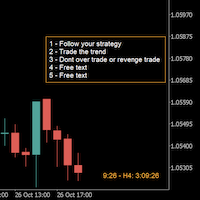
A good trader is a trader that respect his plan and keep the head cool. This indicator allow to display up to 5 lines of text for the things you always to see.
Congifuration 5 lines of text Text font, color, size Frame on/off, color, style, size Position of the text anchored Corners or anywhere on the screen Any questions or comments, send me a direct message here https://www.mql5.com/en/users/mvonline
FREE

QuantView Analytics Pro is An on-chart graphical dashboard that tracks, aggregates, and analyzes your trading history. Calculate Profit Factors, Average Win/Loss, and long/short directional bias splits for every Symbol and Magic Number in your portfolio. Elevate Your Trading Forensics with QuantView Analytics Master You are currently using the free version of QuantView Analytics Pro. If you are a serious algorithmic developer or quantitative trader, it is time to upgrade your risk management wi
FREE
Introduction to Order Risk Management EA ORM EA is specially designed for fast and accurate market order execution to be used with our Price Action and Econometric Trading strategies listed below. ORM EA is fully automatic and ORM EA is also very easy to use. ORM EA is totally free of charge. You can also use this robust order execution feature of this ORM EA for any other your own trading strategy.
Trading Strategy Guide Order Risk Management EA provides the guide for the risk management for y
FREE

It's demo version of Auto StopLoss Defender , you can buy on page - https://www.mql5.com/ru/market/product/33106 or extended version of the program is Auto StopLoss Premium , you can set stoploss and takeprofit - https://www.mql5.com/ru/market/product/33111
Demo restrictions: Stop-loss 0.10% for new order.
While you are trading, Auto StopLoss Defender doing all the routine work. "Must have" for scalping. Best way to save account balance in case of force majeure.(Internet connection loss
FREE

Candle Timer displays a real-time countdown to the next candle close, directly on your chart. Perfect for traders who need precise timing for entries, exits, or news events — without constantly watching the clock. FEATURES
• Millisecond precision countdown (100ms refresh via EventSetMillisecondTimer)
• Works on all timeframes: M1 through Monthly
• Colour warning system — timer changes colour as the candle nears close → Orange
FREE

(Kripto Para Tabloları)
Binance Future'daki tüm sembolleri özel sembollere kaydeder.
Binance Future'daki sembollere "F" önekini ekler.
Binance Future'daki sembollerin takip edilebileceği alt yapıyı oluşturur.
Araçlar menüsü >> Seçenekler >> Uzman Danışmanlar'dan WebRequest'e izin vermeli ve URL'yi eklemelisiniz: https://fapi.binance.com
komut dosyasına çift tıklamanız yeterlidir.
Tüm listeye saniyeler içinde sahipsiniz.
https://www.mql5.com/en/market/product/68694 linkteki ürüne bakın
FREE

SWDM Position Manager EA
The SWDM Position Manager EA is a MetaTrader 5 Expert Advisor for automatically managing matching positions on the current chart symbol. It can manage already open positions as well as newly opened positions, as long as they match the configured position filters. It is not a classic entry-signal robot and does not open trades by itself in the default workflow. The EA is designed to protect and manage manual trades or positions opened by other tools using internal risk m
FREE

The Ultimate Trade Management Tool for Manual Traders Trade faster. Manage smarter. Stay in control. You decide when to enter the market . Shadow Scalper Assistant takes care of everything after that . Designed for MetaTrader 5, this powerful Trade Assistant helps manual traders execute trades quickly, protect profits automatically, and manage positions with confidence—without relying on automated trading strategies. Whether you're a scalper, day trader, or swing trader, Shadow Scalper Assistant
FREE

News Guard Manager watches every robot on your account and protects them around high impact economic news. -- THE PROBLEM -- You run several Expert Advisors. Each one manages its own trades, but none of them knows what the others are doing, and none of them knows that NFP is in twelve minutes. One news spike can undo a week of careful work across all of them at once. -- WHAT THIS UTILITY DOES -- ONE PANEL FOR THE WHOLE ACCOUNT Every robot running on the account is listed with its magic n
FREE

TMU Copier – Copy Receiver Utility for MetaTrader 5 TMU Copier is a professional Copy Receiver Utility for MetaTrader 5 that works exclusively with Trade Manager Ultimate – Risk, Alarms & CopyTrade (Master Utility) . It receives and executes trades published by one or more Master Utilities running on the same Windows computer or VPS , providing fast local synchronization, flexible lot scaling, symbol mapping, and advanced copy controls. This is NOT a standalone utility. It does not generate tra
FREE

Automatically protect you positions with Raba BreakEven and Trailing StopLoss EA. Functionalities: Automatic break even. Automatic trailing stoploss
I you have any doubt you can leave it in comments and I will anwer it asap. If you found this tool helpful for you, a comment and a good rating will be appreciated. Also any proposal will be taken into account for future versions.
FREE

Trading Co-Pilot for MetaTrader 5 Advanced Position Management for Manual Traders Trading Co-Pilot is a professional trade management assistant designed for traders who open positions manually and want precise, automated control over risk and profit handling. It does not open trades. It manages them intelligently. You focus on entries. The Co-Pilot protects and optimizes the exit. How It Works Once you open a manual position, Trading Co-Pilot automatically: • Applies Stop Loss
• Sets Take Profit
FREE

Market Scanner EA – Smart Multi-Asset Trading Scanner Market Scanner EA is a powerful, real-time decision-support trading tool designed for serious traders who want clarity bias before entering any trade. This EA scans multiple instruments simultaneously and delivers clear directional bias, momentum strength, and session-based performance — all in one clean dashboard. No noise. No guesswork. Just actionable market insight . MY OTHER EA and INDICATOR TREND BASED (MULTI SYMBOL) Solo Le
FREE

Basket Close – Your Smart Trading Assistant for the Perfect Exit!
The Basket Close EA is the ideal solution for traders who want to efficiently manage their open positions. This simple Expert Advisor allows you to close all open positions simultaneously based on a predefined profit or loss target.
Automated Risk Management – Closes all positions as soon as a specific profit or loss (in percentage of the account balance) is reached.
Efficient Trade Control – No more manual monitoring or
FREE

1 yıllık kiralama ile ayda sadece $1.67 karşılığında tam erişim elde edin. Bu, Trading Statistics, Auto Reports, Price Alerts ve Trade Notifications özelliklerini tek bir modern Telegram izleme sistemi içinde birleştiren profesyonel çok işlevli bir yardımcı araçtır. Araç, Telegram kanalınız üzerinden /menu komutuyla uzaktan kontrolü destekler. Trade Reports gönderebilir, açık pozisyonları görüntüleyebilir, aktif Price Alerts oluşturabilir, silebilir ve yönetebilirsiniz; tüm bunları MetaTrader 5
FREE

Convenient tool for measuring the number of points between the prices directly on the chart. Displays in the measurement between points in percentage, points (financial) and time (bars ). Compatible with all graphical timeframes. When fixed on the chart is displayed in all timeframes. Press Ctrl, click the first point, move the mouse and will now display the measurement. Click again and fix. Very fast tool that does not occupy much space. Input Parameters Line Color Line Style Text Color Text Si
FREE

QuickExecEA – The Manual Trading Panel by ML Trading QuickExecEA is a professional, freely draggable trading panel for MetaTrader 5, designed to execute manual trades quickly, precisely and with minimal effort directly from the chart.
Features:
Entry, Stop Loss and Take Profit are placed as interactive lines directly on the chart and can be repositioned via drag & drop.
All values synchronize automatically with the panel in real time. The EA automatically detects the order type: Market Order, B
FREE

Drawdown Dashboard Lite 適合希望隨時掌握帳戶風險狀態的 MT5 使用者。
工具掛到任意圖表後,會每秒自動更新帳戶資料,讓使用者可以快速查看目前資金狀況與回撤程度,而不需要另外計算。
主要顯示內容包括:
Balance:目前帳戶已實現資金餘額 Equity:Balance 加上目前所有未平倉浮動損益後的實際帳戶權益 Floating P/L:目前全部持倉的總浮動盈虧 Current Drawdown:目前 Equity 低於 Balance 的金額與百分比 Session Peak Equity:自工具啟動後曾出現過的最高 Equity Session Max Drawdown:自工具啟動後,從最高 Equity 回落所出現的最大回撤 Positions:目前帳戶中的持倉總數
例如:
Balance: 10,000 USD Equity: 9,820 USD Floating P/L: -180 USD Current DD: 180 (1.80%) Session
FREE

Tracking positions using trailing on the Parabolic SAR indicator. It is necessary to allow automated trading in the terminal settings. In testing mode, the utility opens Buy or Sell positions on the first ticks, which allows you to visually observe the given logic, changing the utility parameters. In real mode, the utility does not open positions. Discuss the complexities of Forex trading here: chat "Age of Expert Advisors" . Parameters Select_Magic - selection of magic numbers. Positions with
FREE

InnovaDash Smart Sync, MetaTrader terminalinizi doğrudan InnovaDash Analytics kontrol panelinize bağlamak için tasarlanmış resmi veri bağlayıcısıdır.
Profesyonel yatırımcılar için oluşturulan bu hafif yardımcı program, arka planda sessizce çalışarak canlı varlık (equity) güncellemelerinizi, açık pozisyonlarınızı ve geçmiş alım satım verilerinizi otomatik olarak InnovaDash'e aktarır.
Neden InnovaDash?
InnovaDash, ham alım satım verilerinizi ticaret performansınızı artırmak için eyleme dönüştü
FREE

Notifiche istantanee Slack. Imposta i livelli di prezzo direttamente sul grafico e ricevi un messaggio quando il prezzo li attraversa. Aggiungere un livello richiede solo un clic. Puoi trascinare la linea con il mouse per impostare con precisione il livello di prezzo desiderato. Pannello di controllo conveniente:
tutte le allerte attive sono visualizzate in una lista i livelli possono essere modificati trascinando la linea le allerte non necessarie possono essere eliminate con un clic o tutte i
FREE

️ Instant Close All Charts – MT5 Utility Script One-Click Solution to Instantly Close Every Chart Window in MetaTrader 5 Managing too many open chart windows in MetaTrader 5 can slow down your platform, clutter your workspace, and reduce productivity. Instant Close All Charts is a lightweight, ultra-fast MT5 utility script designed to close all open chart windows with a single click — clean, safe, and efficient. Download MT5 EA Products Whether you're a trader working with dozens of charts or
FREE

Capital SL Defender is a free position manager for MetaTrader 5. It does not open trades. You open them, and Capital SL Defender protects them: it gives every trade a stop loss and take profit, moves the stop to break-even once the trade is in profit, locks in part of the profit as the trade grows, limits how many trades you can open in a day, and shows it all on a black and orange panel on the chart. It runs on its own, with no outside service. For profit locks by % of TP, the TP runner, trail
FREE
Expert Advisor that tracks assets listed in the Market Watch window by checking which assets are needled (crossing the 3, 8, and 20 moving averages) or are close to crossing. It does not track when there is no crossing of the averages. The EA allows you to choose the timeframe for analyzing the crossings. There is no maximum limit for assets or EAs running simultaneously, but a very large number can lead to system slowdown and freezing. Users should be mindful of their device's capabilities. Th
FREE

Demo Version Notice This is the demo version of Aurum.
Some features may be limited in order to allow users to test the interface and core functionality before purchasing the full version. Aurum – Professional Trading Panel for MT5 Aurum is a professional trading panel for MetaTrader 5 designed to provide fast execution, precise risk control, and a clean visual workflow directly on the chart. Built for discretionary traders who value clarity, efficiency, and full control over their positions. Vi
FREE

Free Renko Brick Engine with EMA Overlay No Offline Charts
Builds a Renko brick series directly from live price inside a normal MT5 chart — no offline chart, no history conversion, no external plugin. Bricks are constructed with independent open, high, low and close, and EMA 20/50 are computed on the bricks themselves rather than on time based candles. Every brick is logged so you can verify exactly what the engine built. WHAT IT DOES Constructs Renko bricks in-memory from live tick data, plu
FREE

Pro 10:00 Powell Strategy [NQ ES] by Ash_TheTrader
This indicator is just for who wanna trade base on Powell 10AM/PM method and its not a bigdeal holygrail strategy ! Its just a hands-Free tools for users . Does it works or not ? You should test it !
This indicator is specifically designed for Nasdaq (NQ) and S&P500 (ES) traders to capitalize on the massive liquidity sweeps that happen right at the New York 10:00 AM (and PM) opening hours. It automatically detects the true opening price,
FREE

Quick Close Pro by one click: * Close Buy positions * Close Sell positions * Close Win positions * Close All positions * Close All pending orders * Close All by Mobile: Select true to close all positions quicky from your Mobile by closing any position on Mobile. To close all positions by one click from your Telegram, please refer Master Close . Join my channel here for more useful EAs. Thank you!
FREE

MT5 History Checker Can you trust the historical data behind your MT5 backtest? MT5 History Checker is a diagnostic utility designed to identify missing periods and coverage problems in the historical data supplied by your MetaTrader 5 broker. Select the symbol and date range you want to examine and run the checker. The utility analyses the available history and provides a clear PASS, WARNING or FAIL result. What it checks Historical tick-hour coverage M1 historical-data coverage Missing periods
FREE

VisualRiskTool VisualRiskTool is a professional trade execution panel and risk management utility designed for MetaTrader. It streamlines the process of opening and managing positions by automating complex lot size calculations and providing a visual interface for setting stop-loss and take-profit levels directly on the chart. Core Functionality: Precision Risk Management The primary goal of VisualRiskTool is to eliminate manual calculation errors. By defining a fixed risk percentage (e.g., 0.5%
FREE

Mini Trader Nestor Glob – Manual Trading Panel for MT5 Follow me on social media and learn how to trade gold. Mini Trader Nestor Glob is a professional manual trading tool for MetaTrader 5 , designed to speed up and simplify trade execution and position management, especially for Gold (XAUUSD) trading. This product is not an automated trading robot .
All trades are executed only through user interaction using on-chart buttons. Main Features Manual trading panel with BUY / SELL / CLOSE buttons Au
FREE

this is a Demo version of product. its limit of 3 trade at a time. when you buy full version try to click here https://www.mql5.com/en/market/product/170629
The Core Philosophy: Ultra-Fast Execution In the world of scalping, milliseconds matter. This configuration utilizes a Fixed Lot Size strategy combined with lightning-fast keyboard triggers to ensure you never miss a price level. CandleWise Trade Logic This feature restricts trade frequency to prevent "over-trading" during volatile
FREE

` Emergency Webhook Alert ` is an MT5 Expert Advisor for trade event notifications. It monitors position opening, closing, stop loss, take profit, partial close, and reversal events, then sends trade events through a notification relay server to WeChat and Telegram. The EA includes an on-chart panel, supports English and Chinese UI, and is designed for real-time status, pairing status, and pending event monitoring.
Want more than event alerts? Emergency Webhook Alert forwards your trade eve
FREE

PositionRelay TV Slave Subscriber, PositionRelay bulutundaki TradingView webhook sinyallerini MetaTrader 5 takipçi hesaplarınıza yansıtır. Sanal TradingView kaynak hesabını (MT5 master değil) yoklar ve TV_ bilet yorumlarıyla açma, kapatma ve değiştirme işlemlerini kopyalar.
Tamamlayıcı ürünler: MT5 master→slave kopya işlem için PositionRelay Master Publisher ve PositionRelay Slave Subscriber. Ürün hattı başına ayrı bir slave EA kullanın — master ve TV kaynaklarını aynı slave'de eşzamanlı çalışt
FREE

WAP TP Stealth EA – Intelligent Basket Management for Precision Exits WAP TP Stealth EA is a specialized trade management expert advisor designed for traders who rely on basket strategies, recovery systems, and multi-position workflows. Instead of closing trades individually, the EA dynamically calculates the Weighted Average Price (WAP) of all open positions and executes a coordinated closure once your defined profit target is reached. This approach enables efficient drawdown management, smooth
FREE

ENGLISH DESCRIPTION (MQL5 Standard Optimized) Product Name: TWolf Receiver MultiStation V2.29B (MT5) [Subtitle: Zero Orphan Code | Auto-Retry Engine | Emergency Equity Protector] TWolf Receiver MultiStation V2.29B is an elite Client-Side Execution Bridge . It is explicitly designed to function as a "Receiver Station" for signals broadcasted via the official Astracodewolf Bridge Channel . Important: This EA does not generate trading signals independently. It is a high-speed execution protocol tha
FREE

Fundamental Bias Dashboard for MetaTrader 5 Overview MacroEdge Pro is a comprehensive fundamental analysis panel that surfaces macro data, institutional positioning, and session timing in a single clean dashboard — directly on your chart. Designed for discretionary traders who need economic context without switching between tabs, terminals, or external tools. Rather than displaying raw numbers, MacroEdge Pro interprets them: beats vs misses, consecutive streaks, COT trend direction, kill zone ti
FREE

Z TradeInfo — торговая панель с виртуальными TP/SL и линией безубытка Z TradeInfo — удобная торговая панель для однонаправленной торговли, которая совмещает контроль позиций, быструю торговлю одной кнопкой и наглядное управление рисками прямо на графике. Информационная панель Баланс и прибыль дня (рассчитывается по истории сделок за текущий день, включая комиссию и своп); Текущий спред и цена символа (цена окрашивается в зелёный/красный в зависимости от направления движения); Настраиваемые цвета
FREE

Zone Eraser MT5 – Forex Persian Trading’den Grafiğinizi Tek Tıkla Temizleyin! Grafiğiniz gereksiz nesnelerle mi dolu?
İşlem geçmişi çizgilerini, teknik analiz araçlarını ve şekilleri tek tek silmekten yoruldunuz mu? Zone Eraser MT5 , grafik yönetiminizi kolaylaştırmak ve işlem ortamınızı daha düzenli hale getirmek için tasarlanmış mükemmel bir script’tir. Artık manuel silme işlemlerine vakit kaybetmeyin – hız, verimlilik ve hassasiyetin keyfini çıkarın! Zone Eraser MT5 Neden Tercih Edil
FREE

This utility clones the chart it is running on. It opens the same chart with the same graphical objects, set of indicators (saving the parameters) and the rest of the elements. In essence, it performs a deep copying of the original chart, transferring the template to the opened chart. The symbol and the timeframe of the original chart are also saved.
FREE

Ghost Trail Pro is an intelligent Expert Advisor for MetaTrader 5 that manages the complete lifecycle of a gold (XAUUSD) trade. From detecting the setup and alerting your phone, to opening the trade, protecting profits and closing positions in stages, Ghost Trail Pro does the heavy lifting so you don't have to.
Built for gold traders and scalpers who want disciplined trade management, partial closes and profit protection, whether you are at your screen or away from it. Let it enter automaticall
FREE

NoBreach Daily Guard enforces one rule, the one that ends most prop-firm challenges: the daily loss limit. Set it as a percent or in account currency. If breached, the EA closes every position and locks trading until the daily reset at server rollover. It protects the whole account — every symbol, every position, manual or automated.
- Daily loss limit in % or currency - Close-all + trading lock until next trading day - Reset anchored to broker server time - On-chart dashboard
FREE

BRE Behavioural Replay - Trade Psychology Analyzer
This is an analytics and awareness tool. It does not place, modify, or block trades.
It scans your local MetaTrader 5 deal history for revenge-trading patterns (a loss followed quickly by a larger re-entry) and shows a simple on-chart summary: - Trades scanned - Revenge entries flagged - Estimated cost of those patterns
Designed to run alongside your existing risk management EA. It shows you the why and the cost, complementing tools that alr
FREE

Sam's Automatic SL-TP System
Take your gold trading to the next level with Sam's Automatic SLTP System! This Expert Advisor (EA) is designed to simplify your trading by automatically applying your predefined Stop Loss (SL) and Take Profit (TP) levels to every trade you place on gold (XAUUSD) – effortlessly and without manual intervention. No more worrying about setting SL and TP for each trade! Once you configure your desired SL and TP values in the EA’s settings, the system takes care of the
FREE

Prodesk Panel Pro – Professional Manual Trading Panel for MetaTrader 5
Set stop loss and take profit with the mouse cursor. The same goes for pending orders. Just set where the order will open by moving the mouse to the right position.
Prodesk Panel Pro is the complete and unlimited version of Prodesk Panel, designed for traders who want more speed, control, and precision when executing manual trades on MetaTrader 5. With a modern visual interface directly on the chart, Prodesk Panel Pro allo
FREE

Candle Timer - Indicador de Contagem Regressiva O Candle Timer é um indicador para MetaTrader 5 que exibe um contador regressivo mostrando o tempo restante até o fechamento do candle atual. O indicador é altamente personalizável e permite ajustar sua aparência e posicionamento na tela. Funcionalidades Principais Contagem regressiva em tempo real do candle atual Suporte a todos os timeframes (M1, M5, M15, M30, H1, H4, D1, W1, MN) Atualização automática a cada segundo Posicionamento d
FREE

Please visit = https://www.mql5.com/en/market/product/186048 for slave EA
MT4 Version = https://www.mql5.com/en/market/product/186079
Free Demo Version = https://c.mql5.com/6/1033/COPYTRADE_BIN7D.zip
User Manual : download here
Best EA Trade Copier for MT5. EA Trade Copier is a powerful and reliable trade copying solution that transfers trades from one Master account to multiple Slave accounts in real time. Whether you manage multiple trading accounts, investor accounts, VPS terminals,
FREE
MetaTrader Mağazası, MetaTrader platformu için uygulama satın almak adına rahat ve güvenli bir ortam sunar. Strateji Sınayıcıda test etmek için Uzman Danışmanların ve göstergelerin ücretsiz demo sürümlerini doğrudan terminalinizden indirin.
Performanslarını izlemek için uygulamaları farklı modlarda test edin ve MQL5.community Ödeme Sistemini kullanarak istediğiniz ürün için ödeme yapın.

Alım-satım fırsatlarını kaçırıyorsunuz:
- Ücretsiz alım-satım uygulamaları
- İşlem kopyalama için 8.000'den fazla sinyal
- Finansal piyasaları keşfetmek için ekonomik haberler
Kayıt
Giriş yap
Web sitesi politikasını ve kullanım şartlarını kabul edersiniz
Hesabınız yoksa, lütfen kaydolun