 MetaTrader 5
 Experts
 지표
지표
 라이브러리
라이브러리
 유틸리티
유틸리티
 위젯
위젯
 규칙
규칙
MetaTrader 5용 무료 트레이딩 유틸리티 - 20
 다음은 MetaTrader 5의 거래를 단순화하는 거래 프로그램입니다. 유틸리티의 설명과 목적을 읽으려면 유틸리티 위에 마우스를 놓으십시오.
QuickClose EA: Manage Trades Quickly and Efficiently QuickClose EA is a tool designed to help traders manage orders on the current chart easily and quickly. It provides full control over your trading status with clear feedback. Key Features of QuickClose EA: User-Friendly Control Panel: Clearly displays essential information such as the current symbol name, total profit/loss for Buy and Sell positions, and open lot sizes, giving you an immediate overview of your trading status. Precise Lot Size
FREE
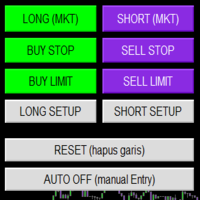
Smart Trade Panel
Trading Assistant is a powerful and elegant one-click trading panel for MetaTrader 5 — designed for professional traders who value speed, precision, and clarity.
Whether you scalp XAUUSD, swing trade indices, or run tight risk management, this tool gives you complete control with a clean visual layout, automatic ATR-based setups, and adaptive risk calculation.
️ Main Features One-Click Execution
Instant Buy/Sell Market Orders with pre-defined SL/TP
Supports Buy Stop
FREE

A script for quick reversing positions and/or orders. If you need to reverse a position with the same volume, open an opposite position of a different volume, this script will save you from routine! Allow AutoTrading before running the script. Instructions: Run the script on the chart. This script is a limited version of the market product https://www.mql5.com/en/market/product/638 and allows reversing only positions. Input parameters are not required. Parameters such as changing the type of exi
FREE

LKLK Smart Panel — The Professional One-Click Trading Panel for Manual Scalpers
Take full control of your discretionary trading with a fast, elegant, and fully customizable control panel built directly on your chart. LKLK Smart Panel was designed for traders who execute manually and need speed, clarity, and real-time performance feedback — without ever leaving the chart.
WHY LKLK SMART PANEL?
Manual scalping and discretionary trading demand split-second execution. Switching between menus, ty
FREE

EquityGuardEA v2.00 は「Equity監視+資金管理+マルチEA成績表示」を行うツールです。 プロップファームで複数のEAのポートフォリオを運用する際に必要となる以下の機能を持っています。 任意のチャートを一つ使って、通常のEAと同じように使用します。 利用例はスクリーンショットをご覧ください。
*購入後レビューを投稿していただいた方には本ツールの上位機能版をお送りします。上位機能版では1.EAのチャートを閉じるのではなく、アルゴトレーディングをオフにする、2.ニュースフィルターの機能が提供されます。
1. 資金管理(Equity Guard)機能 パラメーター 内容 InitialBalance 損益率計算の基準となる初期資金 Target_Equity_Percent 目標利益率(%)。到達で発動 MaxDD_Percent 最大ドローダウン率(%)。残高比で到達すると発動 DailyDD_Percent 日次ドローダウン率(%)。当日始値Equity比で到達すると発動
2. EA停止機能 Magic1〜3 (監視対象のEA、最大3つ)について、同一シンボル
FREE

gives you the power to close every open chart window at once — no matter the symbol, timeframe, number of indicators, Expert Advisors, or objects on them. When you attach it, a confirmation dialog appears. Only after you explicitly grant permission does the script shut down all charts, leaving you on the clean gray screen with Market Watch still fully available. From there you can rebuild your layout from scratch exactly the way you want it. Ideal for: Quickly clearing a cluttered multi-chart wo
FREE

Symbol Spec Auditor는 심볼의 계약 사양 중 포지션 크기와 거래 비용을 결정하는 부분을 차트 위 하나의 패널에 모아 보여줍니다: 포인트 가치, 스프레드 비용, 증거금, 스왑, 실행 규칙, 거래 세션. 원시 사양 값은 계좌 통화 기준 1.00 랏당 금액으로 환산되며, 랏 크기 계산 코드를 소리 없이 망가뜨리는 브로커 설정은 경고로 나열됩니다. 버튼 하나로 시장 감시의 모든 심볼에 대해 같은 점검 결과를 CSV 파일로 내보냅니다. 이 프로그램은 점검 도구입니다. 주문을 내지 않고, DLL과 WebRequest를 사용하지 않으며, 사용자가 요청한 CSV 내보내기 외에는 어떤 파일도 쓰지 않습니다. 만든 이유: 한 브로커에서 잘 동작하던 코드가 다음 브로커에서는 아무도 확인하지 않은 사양 세부 사항 때문에 오작동하는 일이 흔합니다. 계약 크기가 100온스가 아닌 1온스인 금, 잔고와 틱 가치가 센트 단위인 센트 계좌, 가까운 손절(스탑로스)을 거부하는 스탑 레벨, 포인트와 다
FREE

Utility Description: Auto TP & SL Manager for XAUUSD Overview The Auto TP & SL Utility is an automated Expert Advisor (EA) designed specifically for MetaTrader 5 (MT5). Its primary function is to monitor your open positions in real-time and automatically apply Stop Loss (SL) and Take Profit (TP) levels if they are missing. This is particularly crucial for volatile assets like XAUUSD (Gold), where price swings occur rapidly. Key Features Instant Protection: Automatically detects any manual or EA-
FREE

Nova Hourly Map PRO Discover when your market has historically been most active. Nova Hourly Map PRO turns completed H1 candles into an interactive 24-hour dashboard, helping you compare volatility, directional tendencies and typical hourly ranges before planning your trading session. Attach it to any chart timeframe. The indicator automatically analyses H1 history for that symbol. Key features Colour-coded hourly volatility map. Ranked hours to identify historically active periods. Bullish, bea
FREE
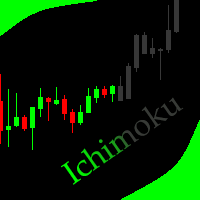
This indicator allows to hide Ichimoku Kinko Hyo (on all MT5 timeframes) from a date define by the user, with a vertical line (Alone) or a panel (with "Hidden Candles"). Indicator Inputs: Tenkan-sen Kijun-sen Senkou Span B Information on "Ichimoku Kinko Hyo" indicator is available here: https://www.metatrader4.com/en/trading-platform/help/analytics/tech_indicators/ichimoku ************************************************************* Hey traders!! Give me your feeds! We are a community here
FREE

Price Aler t can help you send notifications to your personal Telegram when the price crosses a preset value. Additionally, you can check your MT4/5 account info anytime from your Telegram by simple command: /check. Get more free useful EAs here !
HOW TO SET UP? * Get inputs for EA: - Telegram Bot Token: Create a Telegram bot by @BotFather , and save your Bot Token. Find your bot by username & press "start". - Telegram User ID: Use your User ID by chatting with @ userinfobot * Setup
FREE

SL Locker — Stop-Loss Discipline for MetaTrader 5 Your stop-loss is supposed to protect the trade. SL Locker is designed to stop that protection from being weakened after it has been established. SL Locker is a MetaTrader 5 risk-discipline Expert Advisor built around one focused principle: a protective stop may move in a safer direction — but it should not be casually moved back into a less protective one. Once SL Locker has recorded a valid Stop Loss for a position, it monitors that position a
FREE

Smart Trading Dashboard for MetaTrader 5 Smart Trading Dashboard is a professional multilingual control panel that consolidates all key trading elements into a single convenient interface. No more switching between tabs—all important data and tools are now right in front of you! KEY FEATURES All Data at a Glance Account: Balance, Equity, Margin Level, Free Margin Instrument: Bid, Ask, Spread in points Open Positions: Number of Buy/Sell, Volume in lots, Profit per symbol Total Profit: O
FREE

Trading Statistics Dashboard — Day / Week / Month / Year P&L, Drawdown & Session Timeline A clean, real-time statistics panel for MetaTrader 5 that gives you a complete overview of your account performance without opening the Account History tab. Runs in its own indicator sub-window (does not overlay your chart), split into two side-by-side panels: a Day/Week/Month/Year performance table and a live account/position summary. Key Features Performance Table (Today / Yesterday / N past days / Week /
FREE
Introduction to Order Risk Management EA ORM EA is specially designed for fast and accurate market order execution to be used with our Price Action and Econometric Trading strategies listed below. ORM EA is fully automatic and ORM EA is also very easy to use. ORM EA is totally free of charge. You can also use this robust order execution feature of this ORM EA for any other your own trading strategy.
Trading Strategy Guide Order Risk Management EA provides the guide for the risk management for y
FREE

Emergency Close All is a one-click panic exit utility for MetaTrader 5 — designed for traders who need to exit the market instantly during volatile events, news shocks, or unexpected price moves. Drop it on any chart alongside your existing EA or manual strategy. It runs independently and never interferes with other scripts or advisors. Features: Big Panic Button — A large, high-visibility close button directly on the chart. One click (or two with confirmation enabled) closes all matchi
FREE

Monte Carlo Risk Simulator shows how much worse a backtest could have gone with the same trades in a different order, and what more or less risk per trade does to its growth and drawdown. It reads saved Strategy Tester reports or the history of your account, runs thousands of simulations and writes one HTML page. How To Use Backtests: in the Strategy Tester, right click on the Backtest tab > Report > save it as HTML into MQL5\Files\RiskSimulator (File > Open Data Folder). Account: set "Trades to
FREE
Ultimate Chart Navigator - Instant Symbol Switcher for MetaTrader 5 Love it? Hate it? Let me know in a review! Feature requests and ideas for new tools are highly appreciated. :) Try "The AUDCAD Trader":
https://www.mql5.com/en/market/product/151841 Tired of Wasting Time Switching Charts? Save time and supercharge your trading workflow with the Ultimate Chart Navigator—the professional-grade tool that puts instant symbol switching at your fingertips.
Perfect for forex traders, commodity
FREE

Description Smart SL/TP Modifier Pro is a professional utility designed to help traders easily manage Stop Loss (SL) and Take Profit (TP) levels directly from their MetaTrader 5 chart.
It provides interactive on-chart control lines and intuitive buttons for quick modification of all active orders with just one click. This tool is especially useful for traders who manage multiple positions manually but want to ensure consistent and fast SL/TP adjustment. Main Features Modify all open trades
FREE
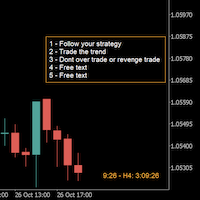
A good trader is a trader that respect his plan and keep the head cool. This indicator allow to display up to 5 lines of text for the things you always to see.
Congifuration 5 lines of text Text font, color, size Frame on/off, color, style, size Position of the text anchored Corners or anywhere on the screen Any questions or comments, send me a direct message here https://www.mql5.com/en/users/mvonline
FREE

Axilgo Pip Piper CoPilot Elevate your trading game with the Axilgo Pip Piper CoPilot, the first in our revolutionary Pip Piper Series. This all-inclusive toolset is meticulously crafted for serious traders, focusing on key areas such as Risk Management, Trade Management, Prop Firm Rule Compliance, and Advanced Account Management . With CoPilot, you’re not just investing in a tool—you’re gaining a strategic partner in the intricate world of trading. Important Notice: To ensure you receive the fu
FREE

QuantView Analytics Pro is An on-chart graphical dashboard that tracks, aggregates, and analyzes your trading history. Calculate Profit Factors, Average Win/Loss, and long/short directional bias splits for every Symbol and Magic Number in your portfolio. Elevate Your Trading Forensics with QuantView Analytics Master You are currently using the free version of QuantView Analytics Pro. If you are a serious algorithmic developer or quantitative trader, it is time to upgrade your risk management wi
FREE

The Ultimate Trade Management Tool for Manual Traders Trade faster. Manage smarter. Stay in control. You decide when to enter the market . Shadow Scalper Assistant takes care of everything after that . Designed for MetaTrader 5, this powerful Trade Assistant helps manual traders execute trades quickly, protect profits automatically, and manage positions with confidence—without relying on automated trading strategies. Whether you're a scalper, day trader, or swing trader, Shadow Scalper Assistant
FREE

(암호화폐 차트)
Binance Future의 모든 기호를 사용자 지정 기호에 저장합니다.
Binance Future의 기호에 "F" 접두사를 추가합니다.
Binance Future의 기호를 따를 수 있는 인프라를 만듭니다.
도구 메뉴 >> 옵션 >> Expert Advisors에서 WebRequest를 허용하고 URL을 추가해야 합니다. https://fapi.binance.com
스크립트를 두 번 클릭하기만 하면 됩니다.
몇 초 만에 전체 목록을 볼 수 있습니다.
링크에서 제품을 참조하십시오 https://www.mql5.com/en/market/product/68694 설치 및 추가 지원을 위해 주저하지 말고 저희에게 연락하십시오. 설치 및 추가 지원을 위해 주저하지 말고 저희에게 연락하십시오.
FREE

SWDM Position Manager EA
The SWDM Position Manager EA is a MetaTrader 5 Expert Advisor for automatically managing matching positions on the current chart symbol. It can manage already open positions as well as newly opened positions, as long as they match the configured position filters. It is not a classic entry-signal robot and does not open trades by itself in the default workflow. The EA is designed to protect and manage manual trades or positions opened by other tools using internal risk m
FREE

Tired of manually closing dozens of charts or managing multiple positions one by one?
With Close All Pro, you can clear your workspace in a flash—saving time, reducing clutter, and streamlining your trading workflow. Love it? Hate it? Let me know in a review! Feature requests and ideas for new tools are highly appreciated. :) Try "The AUDCAD Trader":
https://www.mql5.com/en/market/product/151841 ️ ALWAYS TEST THIS EA ON A DEMO ACCOUNT BEFORE USING IT LIVE! Description: Close All Pro is desi
FREE

Automatically protect you positions with Raba BreakEven and Trailing StopLoss EA. Functionalities: Automatic break even. Automatic trailing stoploss
I you have any doubt you can leave it in comments and I will anwer it asap. If you found this tool helpful for you, a comment and a good rating will be appreciated. Also any proposal will be taken into account for future versions.
FREE

Trading Co-Pilot for MetaTrader 5 Advanced Position Management for Manual Traders Trading Co-Pilot is a professional trade management assistant designed for traders who open positions manually and want precise, automated control over risk and profit handling. It does not open trades. It manages them intelligently. You focus on entries. The Co-Pilot protects and optimizes the exit. How It Works Once you open a manual position, Trading Co-Pilot automatically: • Applies Stop Loss
• Sets Take Profit
FREE

SPECIAL ANNOUNCEMENT: Get the Ultimate Trading Suite! Before you grab this utility, did you know? The LogicLadder Visual Trade Planner is so powerful that it serves as the core visual execution engine for my flagship MT5 trading systems! If you are looking for a massive, all-in-one trading dashboard, advanced trade management, or strict prop-firm guardrails, you can get this exact visual planner already included inside my premium and free full-suite EAs: Pro LTS TradeDashboard MT5 (Paid
FREE

Basket Close – Your Smart Trading Assistant for the Perfect Exit!
The Basket Close EA is the ideal solution for traders who want to efficiently manage their open positions. This simple Expert Advisor allows you to close all open positions simultaneously based on a predefined profit or loss target.
Automated Risk Management – Closes all positions as soon as a specific profit or loss (in percentage of the account balance) is reached.
Efficient Trade Control – No more manual monitoring or
FREE

QuickExecEA – The Manual Trading Panel by ML Trading QuickExecEA is a professional, freely draggable trading panel for MetaTrader 5, designed to execute manual trades quickly, precisely and with minimal effort directly from the chart.
Features:
Entry, Stop Loss and Take Profit are placed as interactive lines directly on the chart and can be repositioned via drag & drop.
All values synchronize automatically with the panel in real time. The EA automatically detects the order type: Market Order, B
FREE

Tracking positions using trailing on the Parabolic SAR indicator. It is necessary to allow automated trading in the terminal settings. In testing mode, the utility opens Buy or Sell positions on the first ticks, which allows you to visually observe the given logic, changing the utility parameters. In real mode, the utility does not open positions. Discuss the complexities of Forex trading here: chat "Age of Expert Advisors" . Parameters Select_Magic - selection of magic numbers. Positions with
FREE

Special Offer: The first 100 downloads are completely FREE! After that, the price will increase to $30. ️ 1. POSITION SIZING Sizing_Method: Choose the lot calculation method (SIZING_LOTS for manual, SIZING_PCT_EQUITY for risk percentage, SIZING_FIXED_CASH for fixed USD risk). Sizing_ManualLots: Fixed lot size (Active when SIZING_LOTS is selected). Sizing_RiskPercent: Risk per trade as a percentage of account equity. Sizing_RiskCash: Fixed risk amount per trade in USD. 2. TARGETS & STOP LO
FREE

InnovaDash Smart Sync는 MetaTrader 터미널을 InnovaDash Analytics 대시보드에 직접 연결하도록 설계된 공식 데이터 커넥터입니다.
전문 트레이더를 위해 제작된 이 가벼운 유틸리티는 백그라운드에서 조용히 실행되며 실시간 평가금액(Equity) 업데이트, 미결제 약정 및 과거 거래 데이터를 InnovaDash로 자동 푸시합니다.
왜 InnovaDash인가?
InnovaDash는 원시 거래 데이터를 실행 가능한 인사이트로 변환하여 거래 성과를 향상시켜 주는 프리미엄 클라우드 기반 퀀트 분석 제품군입니다.
데이 트레이더, 스윙 트레이더, 펀드 매니저 등 누구에게나 InnovaDash는 손실을 줄이고 거래 성과를 개선하는 데 도움을 줍니다.
Innova AI 에이전트 무엇이 잘못되었는지 추측하지 마세요. 귀하의 거래 내역과 직접 대화하십시오. AI에게 "주로 요일 중 언제 돈을 잃나요?", "내가 뇌동매매(복수 거래)를 하고 있나요?" 또는
FREE

즉시 Slack 알림. 차트에서 직접 가격 레벨을 설정하고 가격이 이를 돌파하면 메시지를 받으세요. 레벨 추가는 한 번의 클릭으로 가능합니다. 마우스로 라인을 드래그하여 원하는 가격 레벨을 정확하게 설정할 수 있습니다. 편리한 제어 패널: 모든 활성 알림이 목록에 표시됩니다
라인을 드래그하여 레벨을 수정할 수 있습니다
불필요한 알림은 한 번의 클릭으로 삭제하거나 "Clear All Alerts"를 사용해 모두 한 번에 제거할 수 있습니다
알림은 트리거된 후 자동으로 제거됩니다
차트에서 알림 라인을 숨기는 옵션
사용자 지정 알림 텍스트 지원 (예: crossed, reached, touched)
Dark/Light 모드 지원 작동 방식: Add Alert를 클릭
차트에 가격 레벨 라인이 표시됩니다
원하는 가격 레벨로 이동합니다
가격이 해당 레벨을 돌파하면 - Slack에서 메시지를 받게 됩니다 간편한 설정: Slack에서 새로운 App을 생성하고 Incoming Webhook을 설정한
FREE
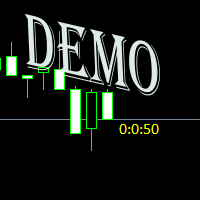
Простая утилита показывающая время до формирования свечи. Может быть очень полезна, если вход в сделку завязан на начале/завершении свечи. Демо версия работает на валюте EURUSD Входные параметры FontColor - Цвет текста. FontSize - Размер текста. FontName - Шрифт текста. TimeOnly - Указывать только время, без дополнительного текста. TypeOfDrawing - Тип отображения информации Важно : возможна задержка в 1 сек.
FREE

️ Instant Close All Charts – MT5 Utility Script One-Click Solution to Instantly Close Every Chart Window in MetaTrader 5 Managing too many open chart windows in MetaTrader 5 can slow down your platform, clutter your workspace, and reduce productivity. Instant Close All Charts is a lightweight, ultra-fast MT5 utility script designed to close all open chart windows with a single click — clean, safe, and efficient. Download MT5 EA Products Whether you're a trader working with dozens of charts or
FREE

This utility clones the chart it is running on. It opens the same chart with the same graphical objects, set of indicators (saving the parameters) and the rest of the elements. In essence, it performs a deep copying of the original chart, transferring the template to the opened chart. The symbol and the timeframe of the original chart are also saved.
FREE

Demo Version Notice This is the demo version of Aurum.
Some features may be limited in order to allow users to test the interface and core functionality before purchasing the full version. Aurum – Professional Trading Panel for MT5 Aurum is a professional trading panel for MetaTrader 5 designed to provide fast execution, precise risk control, and a clean visual workflow directly on the chart. Built for discretionary traders who value clarity, efficiency, and full control over their positions. Vi
FREE

Pro 10:00 Powell Strategy [NQ ES] by Ash_TheTrader
This indicator is just for who wanna trade base on Powell 10AM/PM method and its not a bigdeal holygrail strategy ! Its just a hands-Free tools for users . Does it works or not ? You should test it !
This indicator is specifically designed for Nasdaq (NQ) and S&P500 (ES) traders to capitalize on the massive liquidity sweeps that happen right at the New York 10:00 AM (and PM) opening hours. It automatically detects the true opening price,
FREE

️ FWS Storm Watch — Economic News Radar & Storm Warning System Never get blindsided by news again. Storm Watch monitors the MT5 Economic Calendar in real time, filters upcoming events by currency and impact level, calculates a weather-style severity rating, and alerts you before high-impact releases. All from a compact on-chart panel with a stunning browser-based web dashboard. Part of the Forex Weather Station suite. Uses MT5's built-in calendar. What It Shows Severity Rating — Weather-styl
FREE

this is a Demo version of product. its limit of 3 trade at a time. when you buy full version try to click here https://www.mql5.com/en/market/product/170629
The Core Philosophy: Ultra-Fast Execution In the world of scalping, milliseconds matter. This configuration utilizes a Fixed Lot Size strategy combined with lightning-fast keyboard triggers to ensure you never miss a price level. CandleWise Trade Logic This feature restricts trade frequency to prevent "over-trading" during volatile
FREE

Price Alert EA for MT5 – Intuitive On-Chart Alert System The CFN Price Alerts EA for MetaTrader 5 is a professional, easy-to-use tool designed to simplify price monitoring and trading decisions. It allows traders to set customizable price level alerts directly from their charts—no more manual setup through MetaTrader's native alert system. With a clean, interactive panel, you can quickly add, manage, and remove alerts. Alerts are visually displayed on the chart and saved between sessions, pr
FREE

` Emergency Webhook Alert ` is an MT5 Expert Advisor for trade event notifications. It monitors position opening, closing, stop loss, take profit, partial close, and reversal events, then sends trade events through a notification relay server to WeChat and Telegram. The EA includes an on-chart panel, supports English and Chinese UI, and is designed for real-time status, pairing status, and pending event monitoring.
Want more than event alerts? Emergency Webhook Alert forwards your trade eve
FREE

WAP TP Stealth EA – Intelligent Basket Management for Precision Exits WAP TP Stealth EA is a specialized trade management expert advisor designed for traders who rely on basket strategies, recovery systems, and multi-position workflows. Instead of closing trades individually, the EA dynamically calculates the Weighted Average Price (WAP) of all open positions and executes a coordinated closure once your defined profit target is reached. This approach enables efficient drawdown management, smooth
FREE

FUNDING EA는 오늘부로 완전히 구식이 되었으며, PROP FIRM SAVER EA는 그 기반 위에 구축되어 더 나은 기능을 제공합니다. 우리는 이 EA를 무료로 배포하여 새 버전이 실시간으로 어떻게 작동하는지 보여드립니다. 프로프 펌 챌린지를 구매하고 손실로 끝나는 것에 지치셨습니까? FUNDING EA가 그 상황을 바꿔 드립니다. 이 EA는 챌린지를 성공적으로 통과할 수 있을 뿐만 아니라, 통과하지 못할 경우 환불도 보장합니다.
FUNDING EA와 함께라면 추가 비용 걱정 없이 원하는 만큼 챌린지를 시도할 수 있습니다. 어떻게 작동하나요? FUNDING EA는 고급 헤징 전략을 사용합니다. 챌린지를 성공적으로 통과하거나, 실패할 경우 비용을 보전해 줍니다.
즉, 첫 시도에서 실패하더라도 새로운 챌린지를 위해 다시 지불할 필요가 없습니다. 간단히 하기 위해, 이 EA는 단일 단계 챌린지에서 사용하는 것을 권장합니다. FUNDING EA를 사용하려면 두 개의 계정이 필요합니다
FREE

Fundamental Bias Dashboard for MetaTrader 5 Overview MacroEdge Pro is a comprehensive fundamental analysis panel that surfaces macro data, institutional positioning, and session timing in a single clean dashboard — directly on your chart. Designed for discretionary traders who need economic context without switching between tabs, terminals, or external tools. Rather than displaying raw numbers, MacroEdge Pro interprets them: beats vs misses, consecutive streaks, COT trend direction, kill zone ti
FREE

Ghost Trail Pro is an intelligent Expert Advisor for MetaTrader 5 that manages the complete lifecycle of a gold (XAUUSD) trade. From detecting the setup and alerting your phone, to opening the trade, protecting profits and closing positions in stages, Ghost Trail Pro does the heavy lifting so you don't have to.
Built for gold traders and scalpers who want disciplined trade management, partial closes and profit protection, whether you are at your screen or away from it. Let it enter automaticall
FREE

NoBreach Daily Guard enforces one rule, the one that ends most prop-firm challenges: the daily loss limit. Set it as a percent or in account currency. If breached, the EA closes every position and locks trading until the daily reset at server rollover. It protects the whole account — every symbol, every position, manual or automated.
- Daily loss limit in % or currency - Close-all + trading lock until next trading day - Reset anchored to broker server time - On-chart dashboard
FREE

BRE Behavioural Replay - Trade Psychology Analyzer
This is an analytics and awareness tool. It does not place, modify, or block trades.
It scans your local MetaTrader 5 deal history for revenge-trading patterns (a loss followed quickly by a larger re-entry) and shows a simple on-chart summary: - Trades scanned - Revenge entries flagged - Estimated cost of those patterns
Designed to run alongside your existing risk management EA. It shows you the why and the cost, complementing tools that alr
FREE

Sam's Automatic SL-TP System
Take your gold trading to the next level with Sam's Automatic SLTP System! This Expert Advisor (EA) is designed to simplify your trading by automatically applying your predefined Stop Loss (SL) and Take Profit (TP) levels to every trade you place on gold (XAUUSD) – effortlessly and without manual intervention. No more worrying about setting SL and TP for each trade! Once you configure your desired SL and TP values in the EA’s settings, the system takes care of the
FREE

Prodesk Panel Pro – Professional Manual Trading Panel for MetaTrader 5
Set stop loss and take profit with the mouse cursor. The same goes for pending orders. Just set where the order will open by moving the mouse to the right position.
Prodesk Panel Pro is the complete and unlimited version of Prodesk Panel, designed for traders who want more speed, control, and precision when executing manual trades on MetaTrader 5. With a modern visual interface directly on the chart, Prodesk Panel Pro allo
FREE

Candle Timer - Indicador de Contagem Regressiva O Candle Timer é um indicador para MetaTrader 5 que exibe um contador regressivo mostrando o tempo restante até o fechamento do candle atual. O indicador é altamente personalizável e permite ajustar sua aparência e posicionamento na tela. Funcionalidades Principais Contagem regressiva em tempo real do candle atual Suporte a todos os timeframes (M1, M5, M15, M30, H1, H4, D1, W1, MN) Atualização automática a cada segundo Posicionamento d
FREE

Please visit = https://www.mql5.com/en/market/product/186048 for slave EA
MT4 Version = https://www.mql5.com/en/market/product/186079
Free Demo Version = https://c.mql5.com/6/1033/COPYTRADE_BIN7D.zip
User Manual : download here
Best EA Trade Copier for MT5. EA Trade Copier is a powerful and reliable trade copying solution that transfers trades from one Master account to multiple Slave accounts in real time. Whether you manage multiple trading accounts, investor accounts, VPS terminals,
FREE

ChronoTrader.mq5 — 시간 기반 자동 거래 관리 EA ChronoTrader 는 설정된 시간에 따라 보유 중인 거래를 자동으로 관리하는 MetaTrader 5 전용의 가볍고 강력한 전문가용 어드바이저(EA)입니다. 매일 일정 시간에 포지션을 정리하고, 필요 시 조건을 충족하면 자동으로 재진입할 수 있도록 설계되었습니다. 주요 기능 정해진 시간에 자동으로 포지션 정리
로컬 시간 기준으로 사용자가 설정한 시간에 모든 거래를 자동으로 청산합니다. 일일 전략 마감 또는 뉴스 발표 전에 리스크를 줄이려는 트레이더에게 적합합니다. 조건부 자동 재진입 기능
이전에 청산된 거래는 시장 가격이 초기 진입가로 되돌아올 경우에만 자동으로 재진입합니다. 전략 일관성을 유지하면서 불필요한 진입을 방지합니다. ️ 차트 위 실시간 조작 패널
시각적인 GUI(그래픽 사용자 인터페이스) 패널을 통해 코드 편집 없이 종료 시간, 재진입 시간, 자동 재진입 여부를 쉽게 조정할
FREE

Precision Risk Manager and Multi-Order Controller for MT5 — Version 2 This utility provides risk-based lot size calculation, one-click order execution, and batch trade modification from a single collapsible panel. It is designed for manual traders who manage multiple entries on the same symbol. Features Lot Size Calculator: Enter a risk percentage and stop-loss price, then click Calculate Lot Size to receive the exact lot size for that risk amount. Order Execution: Click Buy or Sell to execute
FREE

Advanced History Collector Panel for MT5 The Advanced History Collector Panel is a professional-grade account analysis and visualization indicator for MetaTrader 5 (MT5). It bridges the gap between raw trading logs and actionable insights by transforming execution data into interactive charts and comprehensive tables. Key Features: Comprehensive Data Metrics : Track daily/weekly profit and loss, long/short ratios, total volume, and deposit/withdrawal history. Dynamic Visualizations : Toggle betw
FREE

Limit Order Trailing Et — is a utility for trailing limit orders (Buy Limit and Sell Limit) in MetaTrader 5.
It automatically adjusts limit order prices following the market while maintaining a defined offset, allowing entries on pullbacks after price movement.
This tool is designed for working with limit orders in MT5 and can be used in both manual trading and semi-automated trading systems.
Unlike stop orders, limit orders are designed for price retracements (pullbacks) rather than brea
FREE

Proton Account Dashboard MT5
OVERVIEW Proton Account Dashboard MT5 is a utility for MetaTrader 5 that displays real-time account information on the chart. The dashboard shows key account metrics without requiring navigation to the account settings menu. This tool is designed for traders who want immediate visibility of account status while maintaining focus on price action.
PRIMARY FUNCTION The utility displays critical account metrics in a dedicated panel attached to the chart. All values up
FREE

프로프 펌 및 개인 리스크 관리 규칙은 대개 특정 드로다운 지표(대부분 고정된 시간에 재설정되는 일일 한도)를 기준으로 수립되는데, 거래 중에는 해당 한도에 비해 현재 상황이 정확히 어느 정도인지 파악하기 어려울 수 있습니다.
Phoenix Drawdown Meter는 변동 드로다운이나 사상 최대 드로다운이 아닌, 거래일 시작 시점(자정 재설정)의 계좌 잔액 대비 드로다운 비율을 추적하므로, 화면에 표시되는 수치는 대부분의 일일 리스크 규칙에서 실제로 사용하는 측정 기준과 일치합니다.
리스크 가시성을 유지하는 방식
- 자정 잔액을 기준으로 한 일일 드로다운 비율의 실시간 게이지
- 사용자 지정 가능한 세 가지 임계값(녹색/노란색/빨간색)으로 개인 위험 한도 설정
- 바늘 움직임이 부드럽게 처리되어 티크마다 수치가 급격하게 변동하지 않음
- 드로다운이 빨간색 구간에 진입할 때 알림 제공(사용자 지정 가능한 쿨다운 시간 적용)
피닉스 드로다운 미터를 사용하여
FREE

Order Book, known also as Market Book, market depth, Level 2, - is a dynamically updated table with current volumes of orders to buy and to sell specific financial instument at price levels near Bid and Ask. MetaTrader 5 provides the means for receiving market book from your broker, but in real time only, without access to its history. This expert adviser OrderBook History Playback allows you to playback the market book events on the history using files, created by OrderBook Recorder . The exper
FREE

Omega Gold Risk Guard Plan your gold trades, calculate position size and manage execution from one chart panel. Omega Gold Risk Guard is a manual trading utility for MetaTrader 5, designed for XAUUSD traders who want a clear view of their planned risk before placing an order. It brings position sizing, selectable targets, execution controls and daily trading limits into one interface. You choose the direction and the setup. The utility handles the calculations and checks your configured limits b
FREE

Use Day Trading Tracker to keep a record of your earnings across accounts. This indicator will show a dashboard in the Meta Trader chart to show for the profit or loss money in your account. It’s easy to see just how much money you’re making matched betting with the Forex Trading Profit Tracker. Key features: Track your profit over time Check out your stats. Track expected profits against actual profits. Export account history to Excel. MT4 version: https://www.mql5.com/en/market/product/39113
FREE

Detailed Trade Statistics EA (Multi-Symbol + Magic Number Analyzer) Professional Trade Monitoring Tool for MT5 Traders Take full control of your trading performance with this powerful utility EA that provides real-time, detailed trade statistics directly on your chart. This EA is specially designed for traders running multiple EAs, strategies, or manual trades , helping you track everything in one clean dashboard. What This EA Does The Detailed Trade Statistics EA automatically scans yo
FREE

설치 전에 확인하십시오: 이 도구가 하지 않는 것. 이 부분을 먼저 읽으십시오. 아래 항목 중 하나가 찾으시는 기능이라면 이 도구는 맞지 않으며, 차트에 올리기 전에 아는 것이 낫습니다.
- 가상 스탑이나 숨김 스탑은 절대 없습니다. 모든 스탑은 브로커 서버에 실제로 등록되는 스탑이며, 브로커와 프랍 회사 모두에게 보입니다. 어느 쪽에도 아무것도 숨기지 않는 것이 설계 원칙입니다. - 차트당 하나의 심볼. 무료 버전은 부착된 차트의 심볼만 거래합니다. 여유 한도 예측도 이 패널이 이 심볼에서 수행하는 거래만을 대상으로 합니다. 여러 심볼을 동시에 거래하신다면 예측이 계좌 전체를 볼 수 없습니다. 이는 단일 차트 도구의 실제 기능 한계이지, 꺼 놓은 기능이 아닙니다. - 스트래티지 테스터 거래 불가. 클릭 패널은 테스터에서 의미 있게 클릭할 수 없습니다. 패널이 그려지기는 하지만 그것이 전부입니다. - Risk Sentinel 또는 Prop Guardian과 같은 차트에서 사용할
FREE

TRAILINATOR is a unique Solution to use different Trailing-Stop Variants and change your settings via Remotecontrol. You configure your Trailing-Stop for a specified Symbol only once. This setting will be used for all your Positions of the same Symbol. Currently we support these different Trailing-Stops: Standard : works like you use in Metatrader Terminal, starts trailing if your profit is greater than trailing stop Start after points : trailing stop will start after your defined points in p
FREE
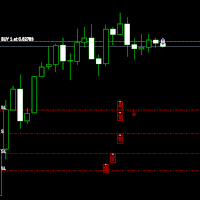
Move StopLoss - 사용 방법 사용 방법 드래그 앤 드롭 스크립트를 클릭한 후 차트로 드래그하여 새로운 StopLoss 레벨을 설정합니다. 원하는 가격 수준에서 스크립트를 놓습니다. 확인 팝업 스크립트를 놓으면 확인 창이 나타납니다. 변경되는 포지션 수와 정확한 StopLoss 가격이 표시됩니다. "예"를 클릭하면 진행되고, "아니요"를 클릭하면 취소됩니다. 자동 StopLoss 업데이트 확인하면, 현재 차트의 모든 열린 포지션에 대해 StopLoss가 업데이트됩니다. StopLoss가 없는 포지션에는 자동으로 추가됩니다. 배치 검증 매수(BUY) 거래의 StopLoss는 진입 가격 이하 여야 합니다. 매도(SELL) 거래의 StopLoss는 진입 가격 이상 이어야 합니다. StopLoss 배치가 잘못되면 오류 메시지가 표시되며 작업이 취소됩니다. 완료 메시지 몇 개의 포지션이 성공적으로 업데이트되었는지 확인하는 최종 메시지가 표시됩니다. 보
FREE

Manual trading panel for MetaTrader 5. This tool enables you to open a trade in a single step. You can set the risk and levels directly on the chart and the position size will be calculated automatically. The tool does the following: You simply drag the stop-loss (SL), entry, and take-profit (TP) lines directly onto the chart. The position size is then calculated automatically, based on the specified risk as a percentage of the deposit or in the account currency. If necessary, you can specify a
FREE

UMNi-NTFY MT5 Telegram Notification System UMNi-NTFY is a lightweight Telegram notification tool for MetaTrader. It monitors trading activity and delivers fast, structured alerts directly to your phone — keeping you connected to your system without watching charts. KEY FEATURES Trade Open alerts (Entry, SL, TP) Trade Close alerts (P&L outcome) Session summaries System Online / Offline status Clean, structured message format Works with all symbols and timeframes Compatible
FREE

All-in-One MT5 Trading Panel EA Take full control of your trades directly from the chart using this intuitive and efficient MetaTrader 5 Expert Advisor. Built for precision, speed, and simplicity, this EA provides a fully integrated trading panel to manage your positions without navigating multiple menus. Key Features Instant Order Execution
Place trades instantly with six predefined buttons: BUY 0.5 – Open a buy position with 0.5 lot BUY 1.0 – Open a buy position with 1.0 lot BUY 2.0 – Open a
FREE
MetaTrader 플랫폼 어플리케이션 스토어에서 MetaTrader 마켓에서 트레이딩 로봇을 구매하는 방법에 대해 알아 보십시오.
MQL5.community 결제 시스템은 페이팔, 은행 카드 및 인기 결제 시스템을 통한 거래를 지원합니다. 더 나은 고객 경험을 위해 구입하시기 전에 거래 로봇을 테스트하시는 것을 권장합니다.
