Demetra WeekClock Hour x Weekday Atlas

  • Утилиты
  • Francesca Draoli
    Francesca Draoli
    Under the name DEMETRA, I develop software for MetaTrader 5. On this profile I publish indicators, utilities and expert advisors. I handle the code, the tests and the updates myself.
  • Версия: 1.53
  • Обновлено: 11 ноября 2026
  • Активации: 10

A map of every hour of every weekday: how often that hour closed up, its average return, and whether that tendency still held in later weeks. Any symbol from your terminal. It never trades on live charts.

Main features

  • One cell per weekday and hour. Colour shows how often that hour closed up over the lookback you set. Hover a cell for the up share, the average return, and whether the same direction kept showing up in later weeks. Only closed bars are counted. A cell stays blank until there are enough samples.
  • Live strip: today's range so far against what is typical by this hour of this weekday, described in plain words (quiet, normal or expanded). The comparison follows each weekday's own rhythm, so a quiet Asian morning or a short Sunday open is not called quiet just because it is early.
  • Any symbol: pick a market group and a symbol; the chart symbol does not change. A symbol the Lab adds to Market Watch is hidden again when you pick another one and when you remove the Lab.
  • Export the grid to a CSV file in MQL5\Files.
  • It rebuilds on a schedule you set, and once more after a restart as soon as the terminal is connected and the history is complete.
  • Hours are your broker's server time plus an optional shift. Sunday has its own row (many brokers open the week with a short Sunday-evening session). Saturday fills only for symbols that trade at weekends. When US and European clocks differ for a short stretch of the year, European session hours can appear one column earlier or later.
  • Tooltips on every button, header and row. On a chart too small for the full grid, the panel folds itself to a title bar. No account data on screen.
  • Out-of-range inputs are refused with one clear message. No DLL, no web requests. English UI. (The Strategy Tester demo opens one validator trade.)

Trading involves risk of loss. WeekClock describes how each hour of the week behaved on past prices; it gives no trading signals and no guarantee of results. Past statistics do not predict future ones.

Рекомендуем также
Smart Risk Manager
Abderrahmane Benali
5 (1)
Smart Risk Manager – Master Your Trades with Precision and Confidence Take complete control of your manual trading with Smart Risk Manager , a professional all-in-one trade and risk management Expert Advisor for MetaTrader 5 . Designed for traders who value speed, precision, and capital protection, it simplifies every step of trade execution while ensuring your risk remains under control. Whether you trade Forex, Gold, Indices, or Cryptocurrencies , Smart Risk Manager helps you execute trades w
Spread Costs указывает размер убытка от спреда, а Swap Benefits - объем прибыли по ночным позициям. Spread Costs особенно важен для краткосрочных трейдеров, особенно скальперов, а Swap Benefits - важный индикатор для долгосрочных трейдеров. Так как спреды и свопы в платформе MetaTrader 5 указываются в пунктах, необходимо конвертировать их в валюту счета. Утилита отображает Spread Costs и Swap Benefits всех форекс-пар (включая золото XAU и серебро XAG) на разных типах счетов (USD, EUR и т.д.). Вс
Atlas Trade Desk MT5 Atlas Trade Desk MT5 is a visual trade panel, risk manager and lot calculator for manual MetaTrader 5 traders. Plan market and pending orders directly on the chart, calculate position size from your selected risk, adjust Entry, Stop Loss and Take Profit visually, and manage open positions from one clean dashboard. The tool is built for discretionary traders who want faster order preparation, clearer risk control and safer position management without switching between multipl
Apex StopLoss Manager
Muhammad Hassan Muhammad Ahmad Atiyah
Apex StopLoss Manager Скрипт MT5 – Управление Stop Loss Описание Apex StopLoss Manager — это скрипт для MetaTrader 5, обеспечивающий точный контроль за поведением Stop Loss на существующих открытых позициях . Скрипт выполняется один раз при запуске и управляется только через настройки пользователя. Он не использует автоматическую торговую логику, не открывает сделки и не генерирует сигналы. Функциональность Регулировка Breakeven Скрипт может перемещать Stop Loss на расчетный уровень безубыточн
Вы ставите стоп, панель сама считает объём. Risk Lock Trade Panel — панель ручной торговли для MetaTrader 5, которая рассчитывает объём каждого ордера из выбранного риска, отправляет его с уже прикреплённым стопом и управляет позицией из того же окна. Она не открывает сделки сама, не даёт советов и не присылает сигналов. Риск задаётся в процентах от баланса или средств, либо фиксированной суммой; расстояние до стопа — в пунктах, или нажмите Show line и потяните линию стопа на графике. При каждо
Haven MT5 to Telegram 2.0 — публикация сделок MT5 в Telegram Haven MT5 to Telegram — утилита для автоматической публикации торговых событий MetaTrader 5 в Telegram. Она отслеживает открытие и закрытие позиций, изменения Stop Loss и Take Profit, частичные закрытия и события отложенных ордеров. Сообщения могут дополняться скриншотами графика, Trade ID и результатом сделки. Инструкция   |   Другие мои продукты ->  ЗДЕСЬ . Что нового в Haven MT5 to Telegram  2.0 Версия V2 получила новый интерфейс и
Trade Desk
Mostafa Saad Saeed Shawara
Trade Desk — это торговая панель и менеджер сделок для MetaTrader. Спланируйте вход на графике, рассчитайте объём калькулятором лота и управляйте открытыми позициями с одной панели: стоп-лосс, несколько целей, безубыток и трейлинг-стоп. Дополнительные инструкции: Пробная версия для демо-счетов — Trade Desk для MetaTrader 4 Большинство инструментов на графике помогают только открыть сделку. После исполнения нужен менеджер позиций. Trade Desk совмещает обе задачи на одном графике. Соберите уровни
Эта утилита открывает ордера, когда свеча касается линии тренда, установленной вручную, как если бы это был более четко сформулированный отложенный ордер.  Его можно использовать для любого актива: при открытии ордера он удаляет линию, которой он коснулся, и создает стрелку. В данном случае он используется для операций разворота цены: он открывает ордер на продажу, когда бычья свеча касается линии снизу вверх, и открывает ордер на покупку, когда медвежья свеча касается линии сверху вниз.  Вы м
FREE
Martingale panel MT5
Mohammadbagher Ramezan Akbari
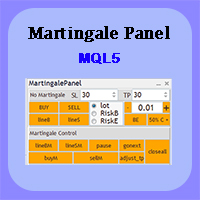
In this article, we would like to introduce the trade panel product with the Martingale panel. This panel is made in such a way that it can meet the needs of traders to a great extent. This trade panel actually consists of two trade panels at the same time, with the first one you can take positions with certain profit and loss limits, and with the second one, you can have positions with profit limits but without loss limits. When positions lose, a new position will be added based on the settings
RM Trade Manager
Mohammadreza Mahdi Mavaddat
RM Trade Manager — торговая панель для ручных трейдеров: вход по риску, разделённые ордера, трейлинг-стоп и план риска прямо на вашем графике. Когда торговать, решаете вы. RM Trade Manager берёт на себя расчёты и рутину: рассчитывает объём по стоп-лоссу и риску, отправляет разделённые ордера с собственными тейк-профитами, передвигает стопы, удерживает вас в пределах дневного лимита убытка и в стороне от важных новостей. Почему трейдеры его используют Точный риск в каждой сделке : риск в % от бал
Trade Control Panel
Jerry Jilun Anak Liban
Trade Control Panel Function Normal One Click Function Close All Close All Profit Close All Loss Close All Pending Order Close All Sell Close All Buy Advance One Click Function 1.  Close Partial Lot Sell by Percent It will help you partial close for all open position by desire percent you wanted. No longer partial close one by one for every open position Manual input for desire percent 2. Close Partial Lot Buy by Percent It will help you partial close for all open position by desire percent
Лучший менеджер сделок для MT5 — торговая панель, калькулятор размера позиции и управление рисками. Top Trade Manager — это полноценный менеджер сделок для MetaTrader 5 : торговая панель, калькулятор размера позиции и менеджер рисков в одном. Перетащите точку входа, стоп-лосс и тейк-профит на график, и размер лота, риск и потенциальная прибыль будут рассчитаны мгновенно. Затем управляйте сделкой с помощью частичного закрытия , точки безубыточности , трейлинг-стопа и скрытого стоп-лосса и тейк-п
RiskFrame Trade Manager для MetaTrader 5 Разместите торговый план так, чтобы он подстраивался под график. Рассчитайте объём от риска, проверьте план перед отправкой и сопровождайте позицию из того же рабочего пространства. RiskFrame — это утилита для ручного планирования, исполнения и сопровождения сделок в MetaTrader 5. В основе её рабочего процесса лежит гибкий визуальный торговый план: его можно перемещать, изменять по горизонтали и вертикали, разворачивать и размещать вокруг анализируемой о
Smart Basket Manager
Tamer Mohamed Montaser Mohamed Tawfik Moussa
Smart Basket Manager Overview Smart Basket Manager is a trade management utility for MetaTrader 5. It is designed for traders who open several positions on a symbol and want to manage them together as one basket. It does not open trades and does not generate entry signals. It manages positions that already exist, according to the rules below. What it does Basket profit protection. When the combined profit of the managed positions reaches a start level, the utility locks a percentage of the highe
Trade Anomalo Telegram Report Trade Anomalo Telegram Report is a professional administrative utility designed for MetaTrader 5 that aggregates daily trading performance across multiple symbols and delivers a comprehensive summary report directly to your private Telegram channel, group, or a dedicated Forum Topic. Whether you run single-asset robots, multi-chart Expert Advisors, or manual strategies, this tool scans closed deal history, compiles net profits (including swaps and commissions), eval
Auto Equity Protector & Profit Locker EA Не теряйте свои деньги — защитите свой депозит прямо сейчас. Обзор Auto Equity Protector & Profit Locker EA — это высокоэффективная утилита, созданная для автоматического управления рисками на вашем счете MetaTrader 5. Торгуете ли вы вручную, запускаете несколько советников или управляете счетом в проп-компании, этот советник гарантирует защиту вашего баланса и средств от глубоких просадок и вовремя фиксирует плавающую прибыль. Вместо управления Stop Loss
SignalX Prop Challenge Tracker MT5
Ahmed Ismail Muhammad Ismail Al Talhat
What this is Evaluation accounts are scored on rules, not on feelings, and the rules are unforgiving in one direction: a profit target is a goal, but a daily loss limit or a maximum drawdown is a hard stop. This tracker keeps all three numbers on the chart at once, measured from the starting balance you enter, so the distance between where the account is and where it is allowed to go is always visible. What it does Tracks profit-target progress, worst daily loss and worst total loss against the
GAM Risk Manager Professional Risk Management & Multi-Entry Trade Planning for MetaTrader 5 GAM Risk Manager is a professional MetaTrader 5 utility designed to help traders plan, calculate, structure, and execute risk-managed trades from one interactive environment. Instead of manually calculating position sizes, distributed entry levels, average entry price, total risk exposure, Stop Loss, and multiple Take Profit targets, GAM Risk Manager brings the complete structure together directly on the
Индикатор Форекс "INFO Spread Swap Display" для MT5. Отличный вспомогательный инструмент для торговли. - Индикатор INFO Spread Swap Display отображает текущий спред и свопы (длинные/короткие позиции) валютной пары, к которой он подключен. - Положительный своп отображается зеленым цветом, отрицательный — красным. - Также отображается баланс счета, капитал, маржа и время закрытия свечи. - Перетаскивайте индикатор в любое место на графике (см. видео): дважды щелкните заголовок, затем щелкните в ве
Lot Sizer & Dynamic Risk Management Panel for MT5 Take full control of your trading risk with Lot Sizer & Dynamic Risk Management Panel —an essential, high-speed execution utility designed for discretionary traders, prop firm account evaluators, and scalp/intraday traders. Calculating position size manually during fast-moving market sessions (London/New York opens or news releases) leads to execution delays and costly sizing errors. This interactive panel automates your risk management directly
ONE PANEL. COMPLETE CONTROL OF YOUR MT5 TRADING. Plan → Calculate Risk → Price Alert   →   Execute → Protect → Copy   →  Notification ( Telegram/Pushover/ntfy/webhook ) Everything a manual MT5 trader needs in one utility Risk-based lot sizing • R:R planning • Auto BE • Trailing SL • Partial TP • Basket protection • Price alerts • Telegram/Pushover/ntfy notifications • Scheduled trades • Local Copy Trading Trade Manager Ultimate is an on-chart trading utility for discretionary traders who want
DGem Trade Manager Panel
Damien Jean Michel Gremillet
Trade Manager Panel ## Short description  Manage your manual trades with one click: automatic break-even, trailing stop, two-level partial close and risk-based lot sizing — all from a single on-chart panel. --- ## Full description Trade Manager Panel is an on-chart utility that takes care of your open trades so you can focus on the market instead of the order ticket. Drop it on any chart and it manages every position on that symbol automatically, while an interactive panel lets you size new
Backstage — Preserve the History Behind Your Strategy Decisions MT5 analysis depends on the account history still available from the terminal and broker. When older history disappears, it cannot be reconstructed later simply by choosing an earlier date. Backstage turns the closed-trade history currently available in MT5 into a persistent local CSV source. It maintains the corresponding progress state and daily backup so Castlist, Spotlight and read-only analytical tools can reuse the same histor
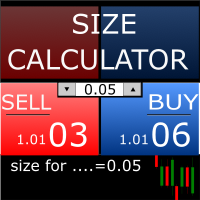
Size Calculator allow you to calculate the size you need for your position giving two parametres: the number of pips risked and the money risked, for example if you want to risk 20 USD on 200 pips, then you will need to input 200 in the case reserved for pips and 20 in the case reserved for risk, the size will appear in left top carner of the chart in your metatrader 4 platform,    Size Calculator  support the following symbols : EURUSD GBPUSD AUDUSD NZDUSD  GOLD WTI  EURJPY GBPJPY USDJPY AUDJP
AlgoDevMT5 Trade Manager Pro AlgoDevMT5 Trade Manager Pro is a professional trade management and risk control utility for MetaTrader 5. Designed for discretionary traders and funded account traders, this utility helps traders plan trades visually, calculate position size instantly, and manage risk with precision. Trade Manager Pro does not generate trading signals, open trades automatically, or provide investment advice. It is a trader-assistance utility designed to improve consistency and risk
Этот экспертный советник отслеживает все открытые позиции по всем символам в MetaTrader 5. Как только вручную устанавливается или изменяется уровень Stop Loss (SL) или Take Profit (TP) на любой позиции, советник автоматически применяет это значение ко всем другим открытым позициям , независимо от символа или типа ордера (Buy/Sell). Это обеспечивает синхронизацию уровней SL и TP по всему счёту. Идеально подходит для мобильного трейдинга с планшета или смартфона!
FREE
Partial
Pablo Filipe Soares De Almeida
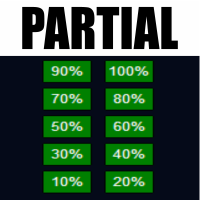
Partial Close Manager – Инструмент для регулировки торгового объёма Этот инструмент позволяет выполнять частичное закрытие открытых сделок в MetaTrader 5. Функционал Частичное закрытие: Закрывайте часть открытых сделок одним действием. Расчёт объёма: Автоматически вычисляет объём для закрытия, без ручного ввода. Поддержка нескольких ордеров: Применяет частичное закрытие ко всем ордерам по тому же символу. Перемещаемая таблица: Нажмите и удерживайте заголовок, чтобы переместить таблицу по графику
The First Orders   Утилита предназначена для того, что бы самому можно было выставить первый ордер торговли с определённым вами magic который соответствует magic вашего торгующего советника. Вы определяете направление для открытия ордера и выставляете его с помощью "The First Orders". Далее выключаете "The First Orders" и включаете своего торгующего советника, который подхватывает выставленный вами ордер и считая его своим который он выставил управляет им. Торгующий опыт помогает трейдерам лучше
Trade Signal to Telegram and Discord sends your trades automatically to a Telegram channel, group or chat, and to a Discord channel. Perfect for signal providers, trading groups, or simply to follow your own account on the phone. What is sent New trades: symbol, direction, entry price, stop loss, take profit and lot size Optional chart picture with every new trade Closed and partly closed trades with the result in pips and money Stop loss and take profit changes (for example "SL moved to break-e
Orders Executor
Claudio Aguiar De Aragao
Представляем Order Executor, вашего мощного и эффективного торгового помощника, предназначенного для беспрепятственного выполнения ордеров непосредственно из указанного пользователем текстового файла. Этот инновационный торговый инструмент оптимизирует ваш торговый процесс, предоставляя удобное и автоматизированное решение для точного и быстрого совершения сделок. Ключевая особенность: **Интеграция текстовых файлов:**    Orders Executor предназначен для легкого чтения и интерпретации приказов
С этим продуктом покупают
Trade Assistant MT5
Evgeniy Kravchenko
4.43 (216)
Помогает рассчитать риск на сделку, простая установка нового ордера с помощью линий, управление ордерами с функциями частичного закрытия, 7 типов трейлинг-стопа и другие полезные функции. Дополнительные материалы и инструкции Инструкция по установке - Инструкция к приложению Функция Линии   - отображает на графике линию открытия, стоп-лосс, тейк-профит. С помощью этой функции легко установить новый ордер и увидеть его дополнительные характеристики перед открытием. Управление риском   -   функ
Farmed Hedge Yield Farming | All Markets (Manual - Hybrid - Semi/Automated EA) VERIFIED TRADING RESULTS - Farmed Hedge Yield Axi Copy:  https://www.mql5.com/en/signals/2356376 - Farmed Hedge Yield Exn Copy:   https://www.mql5.com/en/signals/2356404 - Farmed Hedge Yield V Copy:  https://www.mql5.com/en/signals/2357156 IMPORTANT NOTICE: FarmedHedge is a MANUAL-FOCUSED TRADING UTILITY ,not a fully automated EA. Results shown on this Signal include manual trades and overall strategic management.
Добро пожаловать в Trade Manager EA — лучший инструмент для управления рисками, предназначенный для упрощения, точности и эффективности торговли. Это не просто инструмент для размещения ордеров; это комплексное решение для удобного планирования торгов, управления позициями и усиленного контроля над рисками. Независимо от того, начинающий вы трейдер, опытный специалист или скальпер, нуждающийся в быстром исполнении, Trade Manager EA адаптируется к вашим потребностям и работает с любыми активами:
Telegram to MT5 Multi-Channel Copier   автоматически копирует торговые сигналы из ваших Telegram- и Discord -каналов прямо в MetaTrader 5. Без ботов, без браузерных расширений, без ручного копирования. Сигнал приходит в Telegram или Discord — и советник открывает сделку в вашем терминале за считанные секунды. А перед тем как копировать канал, встроенный бэктестер покажет, что этот канал сделал бы на вашем счёте. Продукт состоит из двух компонентов: приложения для Windows, которое слушает ваши Te
TradePanel MT5
Alfiya Fazylova
4.88 (173)
Trade Panel — это многофункциональный торговый помощник. Приложение содержит более 50 торговых функций для ручной торговли и позволяет автоматизировать большинство торговых операций. Инструкция к приложению: https://www.mql5.com/ru/blogs/post/756476 Пробная версия приложения для демо-счета: https://www.mql5.com/ru/blogs/post/750864 Как установить приложение: https://www.mql5.com/ru/blogs/post/750096 Как тестировать приложение в визуальном режиме: https://www.mql5.com/ru/blogs/post/770274 Как уст
Local Trade Copier EA MT5
Juvenille Emperor Limited
4.94 (150)
Local Trade Copier EA MT5 — это быстрый и гибкий копировщик сделок для копирования и управления сделками между несколькими счетами MetaTrader 5 на одном компьютере с Windows или Windows VPS. Он сочетает локальную синхронизацию сделок с настройками на стороне Receiver для управления размером лота, рисками, фильтрацией сделок, сопоставлением символов, управлением сделками и защитой счета. Настройте терминалы Transmitter и Receiver примерно за 1 минуту и копируйте ручные сделки или сделки, открыты
News Trade EA MT5
Konstantin Kulikov
4.55 (11)
Представляю полезного робота, которым пользуюсь сам уже несколько лет. Может использоваться как в полуавтоматическом, так и в полностью автоматическом режиме. >>> Chat <<< Программа содержит гибкие настройки торговли на новостях экономического календаря. В тестере стратегий проверить нельзя. Только реальная работа. Скачайте последний архив настроек: https://www.mql5.com/en/blogs/post/747929 Мониторинг сигналов: https://www.mql5.com/ru/signals/author/test-standart При создании своих собственных
Exp COPYLOT CLIENT for MT5
Vladislav Andruschenko
3.97 (35)
Профессиональный копировщик сделок для MetaTrader 5 Быстрый, профессиональный и надежный копировщик сделок для MetaTrader . COPYLOT позволяет копировать сделки Forex между терминалами MT4 и MT5 с поддержкой счетов Hedge и Netting . Версия COPYLOT для MT5 поддерживает: - MT5 Hedge → MT5 Hedge - MT5 Hedge → MT5 Netting - MT5 Netting → MT5 Hedge - MT5 Netting → MT5 Netting - MT4 → MT5 Hedge - MT4 → MT5 Netting Версия MT4 Полное описание + DEMO + PDF Как купить Как установить Как получить файлы жур
Копируйте сигналы из Telegram по своим торговым правилам Telegram to MT5 Signal Trader автоматически копирует текстовые торговые сигналы из открытых и закрытых каналов и групп Telegram в MetaTrader 5. Управляйте несколькими поставщиками сигналов и счетами MT5 из одного приложения для компьютера, задавая индивидуальные параметры риска и торговли для каждого поставщика . Для копирования не нужны бот Telegram и настройка API. Просто войдите в свой аккаунт Telegram по номеру телефона или QR-коду и в
The product will copy all telegram signal to MT5 ( which you are member) , also it can work as remote copier.  Easy to set up, copy order instant, can work with almost signal formats, image signal,  s upport to translate other language to English Work with all type of channel or group, even channel have "Restrict Saving Content", work with  multi channel, multi MT5 Work as remote copier: with signal have ticket number, it will copy exactly via ticket number. Support to backtest signal. How to s
Strategy Ledger Pro
Abdullah Uygar Tuna
5 (14)
Теперь доступно на русском языке. Strategy Ledger Pro — панель анализа счёта для MetaTrader 5, работающая только на чтение. Она разделяет результаты счёта по советникам, стратегиям, символам и magic-номерам, чтобы было видно, что на самом деле вносит каждый из них. Панель доступна на 11 языках: English, Français, Deutsch, Español, Italiano, Português, Русский, Türkçe, 中文, 日本語 и 한국어. Перед загрузкой демоверсии. Маркет запускает демоверсию любого платного продукта только в тестере стратегий. Эта
================================================================================ POC BREAKOUT - V20.72. Full Professional Grade Toolkit ================================================================================ POC Breakout is a full MetaTrader 5 trading dashboard for discretionary traders who want breakout signals, Point of Control (POC) context, volume profiles, order flow, market structure, news, alerts, and advanced trade planning in one professional workspace. Attached directly to you
EA Overfitter
Stephen J Martret
5 (3)
Бэктест выглядит отлично. Но будет ли советник зарабатывать завтра, через неделю, через месяц? EA Overfitter прогоняет вашего советника по 100 историям цены, которых он никогда не видел. Одна оценка показывает, реально ли преимущество. Бэктест показывает, что советник сделал на одной истории цены — на той, которая случайно произошла. Из него невозможно понять, какая часть результата была заслугой стратегии, а какая — конкретного пути цены. EA Overfitter отвечает на этот вопрос. Он строит до 10
Power Candles Strategy Scanner: самооптимизирующийся поиск сетапов по множеству символов Сканер, который пищит на каждое шевеление, приучает вас его игнорировать. Одно оживлённое закрытие свечи, оповещение за оповещением, и тот единственный сетап, который вы действительно торгуете, тонет в шуме. Power Candles Strategy Scanner запускает самооптимизирующийся движок Power Candles на каждом символе вашего Market Watch и оповещает только о том, что прошло ваши собственные фильтры: силу последней закр
Timeless Charts
Samuel Manoel De Souza
5 (9)
Timeless Charts is an all-in-one trading utility for professional traders. It combines custom chart types such as Seconds Charts and Renko with advanced order flow analysis using Footprints , Clusters , Volume Profiles , VWAP studies, and anchored analysis tools for deeper market insight. Trading and position management are handled directly from the chart through an integrated trade management panel , while Market Replay and Virtual Accounts provide environments for practicing trading skills and
Telegram to MT5 Coppy
Sergey Batudayev
5 (10)
Telegram to MT5: Идеальное решение для копирования сигналов Упростите свою торговлю с Telegram to MT5 — современным инструментом, который копирует торговые сигналы прямо из каналов и чатов Telegram на вашу платформу MetaTrader 5, без необходимости использования DLL. Это мощное решение обеспечивает точное исполнение сигналов, широкие возможности настройки, экономит время и повышает вашу эффективность. [ Instructions and DEMO ] [ FAQ ] [ How atach logs properly ] [ Settings descrition ] Ключевые
Торговая панель для MetaTrader 5 — профессиональная торговля в один клик с графика и клавиатуры Мощная торговая панель для активного ручного трейдинга, которая позволяет открывать, сопровождать и закрывать сделки значительно быстрее и удобнее, чем стандартными средствами MetaTrader. Панель создана для тех, кто хочет получить полный контроль над позициями, ордерами, прибылью и торговыми сценариями в одном рабочем пространстве. Это не просто вспомогательная утилита. Это полноценный торговый интер
Следующее обновление — версия 2.52 уже скоро! [НОВОЕ] Приготовьтесь к 4 новым важным функциям, призванным улучшить ваш анализ рынка и торговый процесс. Мы выводим анализ рынка на новый уровень с помощью 4 новых функций, разработанных с учётом ваших потребностей в трейдинге. Представляем: 1. TRADE OVERVIEW DASHBOARD 2. CONFLUENCE AT ZONE 3. STRONG & WEAK HIGH/LOW 4. OTE 1. TRADE OVERVIEW DASHBOARD Панель, которая помогает легче понимать общую картину рынка, предоставляя рекомендации для поддержк
Telegram To MT5 Ultra
Mirel Daniel Gheonu
5 (5)
Telegram To MT5 — копировщик сигналов Превратите торговые сигналы из ваших Telegram-каналов в реальные ордера MT5 — автоматически, на любом количестве счетов, с полным контролем над риском и правилами. Telegram To MT5 связывает VIP / сигнальные каналы, на которые вы уже подписаны в Telegram, с вашим терминалом MetaTrader 5. Бесплатное приложение-компаньон для ПК читает сообщения (даже из каналов, которые не допускают ботов), а этот советник исполняет их на вашем счёте — применяя ваши настройки р
Anchor Trade Manager
Kalinskie Gilliam
5 (8)
Your EAs cannot see each other, but Anchor can. Anchor gives you one place to coordinate your EAs, manage risk, and decide when trading is allowed. It works alongside the trading bots you already use without any changes to them. The Problem One EA opens a trade. Then another starts trading. The next thing you know, you wake up to multiple grids built across your account. Each EA may be doing exactly what it was designed to do, but together they can place far more risk on your account than you in
Trade Indicator Assistant   is a powerful MT5 utility designed to turn indicators into automated trading systems. Its main feature is the ability to automatically detect an indicator’s   BUY and SELL signal buffers , without requiring you to know the buffer numbers, search through indicator settings, or modify the indicator source code. Bonus Indicator:   After purchasing Trade Indicator Assistant, contact me to receive   Trade Signal Pro   completely free as a bonus indicator. [Download Demo V
EA Auditor
Stephen J Martret
5 (7)
EA Auditor is an independent analysis tool for traders evaluating Expert Advisors and trading signals on MetaTrader 5. It audits backtest reports, reviews posted developer signals, and cross-verifies the two against each other to help traders assess strategies before committing capital. The MQL5 market offers a wide range of Expert Advisors from many developers, with varying approaches, quality, and transparency. EA Auditor provides a consistent, data-driven framework for reviewing them, answer
Trade Manager DaneTrades
Levi Dane Benjamin
4.13 (31)
Trade Manager, который поможет вам быстро входить и выходить из сделок, автоматически рассчитывая риск. Включает функции, которые помогут предотвратить чрезмерную торговлю, торговлю из мести и эмоциональную торговлю. Сделками можно управлять автоматически, а показатели эффективности счета можно визуализировать в виде графика. Эти функции делают эту панель идеальной для всех трейдеров, занимающихся ручной торговлей, и помогают улучшить платформу MetaTrader 5. Многоязычная поддержка. Версия для МТ
MT5 to Telegram Signal Provider — это простой в использовании полностью настраиваемый инструмент, который позволяет отправлять определённые сигналы в чат, канал или группу Telegram, превращая вашу учётную запись в провайдера сигналов . В отличие от большинства конкурирующих продуктов, он не использует импорт DLL. [ Демо ]   [ Руководство ] [ Версия MT4 ] [ Версия для Discord ] [ Канал в Telegram ]  New: [ Telegram To MT5 ] Настройка Доступно пошаговое руководство пользователя . Никаких знаний A
RETAILBERG FOOTPRINT CHART PRO — Order-Flow Workspace for MetaTrader 5 Version 7.00  |  Professional System  |  31 tools  |  One chart A full 150-page illustrated User Manual is included. Please read the full manual to understand this feature packed footprint chart elements and ui. https://www.mql5.com/en/blogs/post/777982 DEMO / STRATEGY TESTER — PLEASE READ FIRST
DrawDown Limiter
Haidar Lionel Haj Ali
5 (23)
DrawDown Limiter v5.0 — Расширенный контроллер защиты торгового счёта DrawDown Limiter v5.0 — это клиентский контроллер защиты торгового счёта, предназначенный для мониторинга вашей торговли и автоматической реакции при достижении настроенных лимитов риска, прибыли, новостей, расписания, ролловера или количества позиций. Он может контролировать ручные сделки, автоматические стратегии, несколько советников, отложенные ордера и открытые позиции с одного отдельного графика. Он может защищать весь т
VirtualTradePad PRO SE MT5 — профессиональный торговый центр управления для MetaTrader 5 VirtualTradePad PRO SE — это премиальная торговая панель и рабочая среда управления сделками на графике для MetaTrader 5 . Она создана для трейдеров, которым нужны более быстрое исполнение, более понятный контроль позиций, структурированное управление сделками, визуальное планирование уровней и профессиональный рабочий процесс прямо с графика. Это не просто панель BUY / SELL. PRO SE объединяет ручную торговл
Trader Evolution
Siarhei Vashchylka
5 (7)
"Trader Evolution" - Утилита, предназначенная для трейдеров, которые используют в своей работе волновой и технический анализ. Одна вкладка утилиты способна управлять капиталом и открывать ордера, а другая - помогать в построении волн Эллиотта, уровней поддержки и сопротивления, а также линий тренда. Инструкция/Мануал ( Обязательно читайте перед приобретением ) | Версия для МТ4 Преимущества 1. Торговля в несколько кликов. В панели доступны немедленные и отложенные ордера 2. Управление капиталом
Trade copier MT5
Alfiya Fazylova
4.61 (57)
Trade Copier — это профессиональная утилита, предназначенная для копирования и синхронизации сделок между торговыми счетами. Копирование происходит от счета/терминала поставщика к счету/терминалу получателя, которые установлены на одном компьютере или vps. Перед покупкой вы можете протестировать демо-версию на демо-счете. Демо-версия здесь . Полная инструкция здесь . Основной функционал и преимущества: Русифицированный интерфейс, поддержка на русском языке. Поддерживает копирование МТ5 > МТ5, МТ
AW Trade Manager
AW Trading Software Limited
AW Trade Manager - торговая панель для MetaTrader 5 с инструментом риск/прибыль на графике. Сделка планируется линиями Entry, Stop Loss и Take Profit, которые тянут мышью: плашки показывают цену, расстояние и деньги, зоны показывают прибыль и убыток, а объём считается от риска. Перед отправкой окно подтверждения показывает сделку целиком: риск, маржу и правила позиции. Инструкция и описание -> ЗДЕСЬ / Бесплатное LIVE-демо -> ЗДЕСЬ Для ведения позиции после входа в панели есть безубыток, трейлинг
Другие продукты этого автора
See every hour against its own past Session Pulse measures how each hour of the week usually behaves. It reads the symbol's H1 history on your broker and builds a weekday by hour fingerprint, Monday to Friday, hour by hour. For each hour of each weekday it stores the usual range, the usual spread and how often that hour produced a spike. Then it puts the live market next to that fingerprint. Main features 1. Weekday by hour fingerprint. Monday 09:00 and Friday 09:00 are different hours, and S
Every fair value gap on your chart shows how much of it is already filled, and how often gaps on this symbol and timeframe were filled before. Rift measures every fair value gap. Each gap carries a live fill meter, and the panel tells you what the gaps of this symbol and timeframe did in the past on your broker's own data: how often they were filled, and how long it usually took. You see at a glance which gaps are fresh, which are half used, and how far price is from the next one, in the right
Trading sessions set in each city's own clock, with daylight saving handled for you, and each session measured against the average daily range (ADR). With Meridian Sessions you enter London, New York, Tokyo and Sydney in their own city time. The indicator converts them to your broker's clock day by day, including the weeks when Europe, the United States and Australia change their clocks on different dates. For each session the panel tells you how big its range is, what share of the ADR it used
Day, week and month VWAP with sigma bands, a manual anchored VWAP you set with one click, and six automatic anchors. Every line gets a respect score measured on your own chart, so you can see which VWAPs price has actually reacted to. Fulcrum VWAP Pro draws the volume weighted average price from several starting points at once. For each line it keeps a record of how price behaved around it: the respect score, shown next to the line and in the panel. Automatic anchors with a weak record switch t
Support and resistance levels from six kinds of sources, each with a biography: how many times price tested it, how many breaks failed, the share of tests that held, and whether a break was clean or suspected. Broken levels flip role, and the strongest overlaps become confluence zones. Levels Memory collects levels from swings, higher timeframe swings, the previous day, week and month, floor pivots, Fibonacci retracements and round numbers. Levels that sit close together are merged into one lev
Is the edge of your strategy robust, or did the backtest just get lucky? Robustness Lab takes the closed trades of a strategy and puts them through a set of stress tests: Monte Carlo risk, trade order, the best trades removed, luck, extra costs, missed trades and stability over time. The answer is one clear verdict and an A to F grade, with every test shown on one panel. It reads the trades from your account history, from a Strategy Tester or trade history report saved as HTML, or from a CSV fi
How much stress and how much size can your trading take? Risk Scenario Lab takes the closed trades of a strategy and re-runs them under harder conditions: higher costs, bigger losses, smaller wins, other lot sizes and compounding. It shows where the edge breaks, the largest lot size that keeps the risk inside your own limits, and what the positions open right now would lose in a bad move, all on one panel. It reads the trades from your account history, from a Strategy Tester or trade history re
Brick Lab builds Renko, Range and Seconds charts from real ticks and shows what spread and commission cost you on every brick, session by session. It helps you choose a brick size your broker can afford. What you get - Renko, Range and Seconds charts built from real ticks inside the EA, not from M1 bars. No external generator. - The cost of one brick after spread and commission, for each trading session, with a warning when a session gets too expensive. - A suggested brick size based on normal
One question: after an economic release, did the first move hold or fade? AfterRelease takes the most recent high-impact releases on your broker's calendar and prices and shows how many times the first move held and how many times it faded a few bars later, always with the number of cases. - TODAY'S CASE: one button loads today's release that already has an actual value, and the market it moves. - Choose the market and timeframe in the inputs; the panel always says which market it analysed. -
How old is the last swing high and swing low that has not been broken yet - and what happened to past swings of the same age? ExtremeAge shows both live swings on one panel: price, time and age in bars. Below them it lists past swings from your broker's history that reached a similar age, and how many of them stayed intact or were broken soon after, always with the number of cases. - Pick any market from the panel: forex, metals, indices, energies, crypto, stocks. Broker symbol names with suff
Precision Lot gives you the lot size that keeps your real loss at the stop within your risk. Besides the stop distance it counts the live spread, the slippage you really got on your past stop-outs, and the commission. What you get - Drag the ENTRY and SL lines on the chart, or use a fixed stop or an ATR stop. - The real-cost lot next to the textbook lot, so you see the difference at a glance. - Your own costs: stop slippage and commission measured on your closed trades. Until you have history,
Know what your stop cannot protect, before you hold overnight. Session Split separates what a symbol did inside the session from what it did overnight, measures how often the night jumped past a stop, and gives a hold-or-flat reading for the coming night. It never trades on live charts. Main features Overnight vs in-session: total move and how often each part was up, over the trading days you choose. Night risk: how much of the day-to-day movement happens outside the session. Stop Leak: how ofte
Finds the past days whose first hours moved like today, draws what followed them as a fan, and checks that reading against a simple later-week test. Counts and ranges, not odds. It never trades on live charts. Main features Twins: once enough hours of today are complete, Twin Days searches the past days of your symbol for the ones whose hourly path so far is closest to today, and keeps the closest ones. How far back it looks, how many twins it keeps, and how many completed hours of today it wait
A lab with one question: after a large move, did price go further, give half of it back, or give all of it back? GiveBack looks at the past large moves of the symbol on your own broker's history and shows how many went further, how many gave half back and how many gave everything back, always with the number of cases (N). No DLL, no web requests, no trades on live charts (in the Strategy Tester only, the demo presses the panel buttons and opens one minimum-lot test trade so the automatic check c
One panel to open trades sized by risk, manage them in R and keep your account inside its limits: daily loss, drawdown, daily target, news and spread - with a clear lamp that tells you whether a new trade is allowed. Main features - Orders sized by risk % of equity or a fixed lot. The risk lot includes your broker's commission; orders whose smallest lot would risk too much are refused. A margin cap cuts lots that would use too much free margin. - Stop loss required by default; a warning (or, i
Prop Pass Replays takes your real closed trading days and replays them thousands of times under the rules of your prop firm phase. It counts how many replays reach the target and how many break the daily or maximum loss first. These are counts of your past days, not a forecast. What you get - Ready presets for common 2-step and 1-step phases, or your own rules: target, daily loss, maximum loss (static or trailing), minimum days and deadline. - Clear counts: replays passed out of the total, rep
Your closed trades, measured in R. R Ledger finds the habits that cost you money: revenge trades, trades without a stop, oversized risk, and trading outside your hours. It shows what each habit cost, and when you trade best. It never trades on live charts. Main features Every closed trade is turned into R (the money you had at risk at entry). For a trade opened without a stop, R uses the typical risk of your trades that had a stop. Trades are then split into rule-breaking and clean, so one line
Фильтр:
Нет отзывов
Ответ на отзыв