Premium Analytics
- Индикаторы
- Версия: 1.0
- Активации: 5

PremiumAnalytics - Multi-Timeframe Support/Resistance and Trend Analyst
OVERVIEW
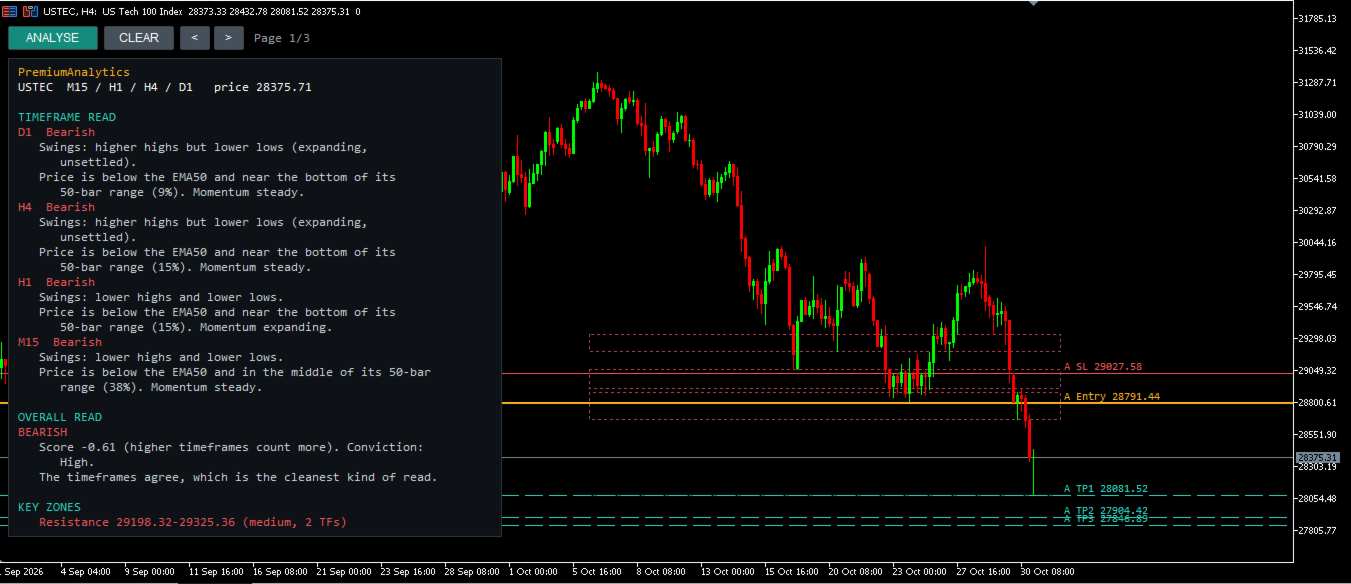
PremiumAnalytics turns the top-down chart review that many discretionary traders do by hand into a single click. Choose two to four timeframes and press ANALYSE. The indicator reads each timeframe, combines them into one weighted view, finds the price zones where several timeframes agree, and writes out trade scenarios with an entry, a stop-loss and three take-profit levels.
This is an analysis tool. It does not open, modify or close trades.
WHAT YOU GET AFTER CLICKING ANALYSE
1. Timeframe read
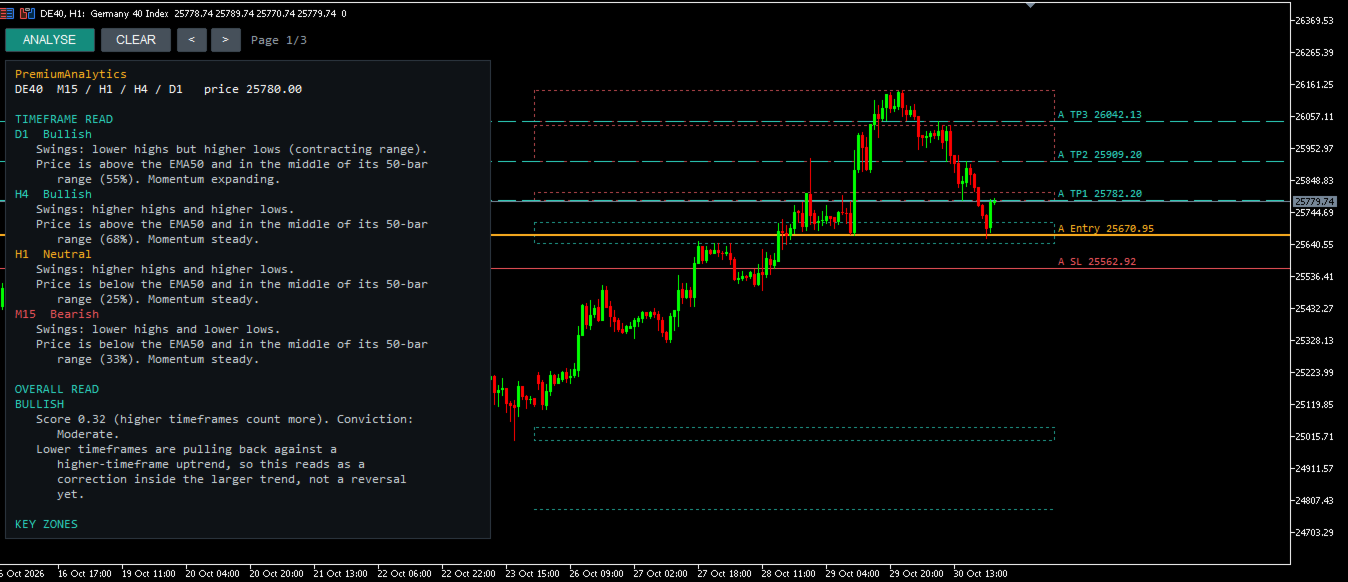
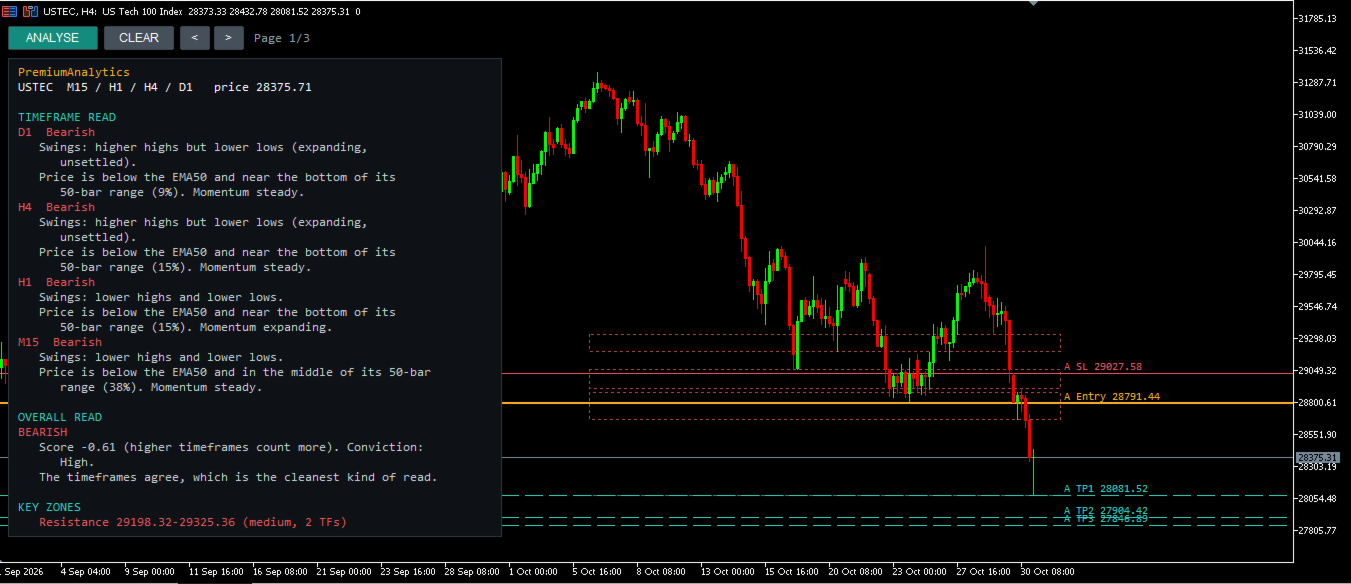
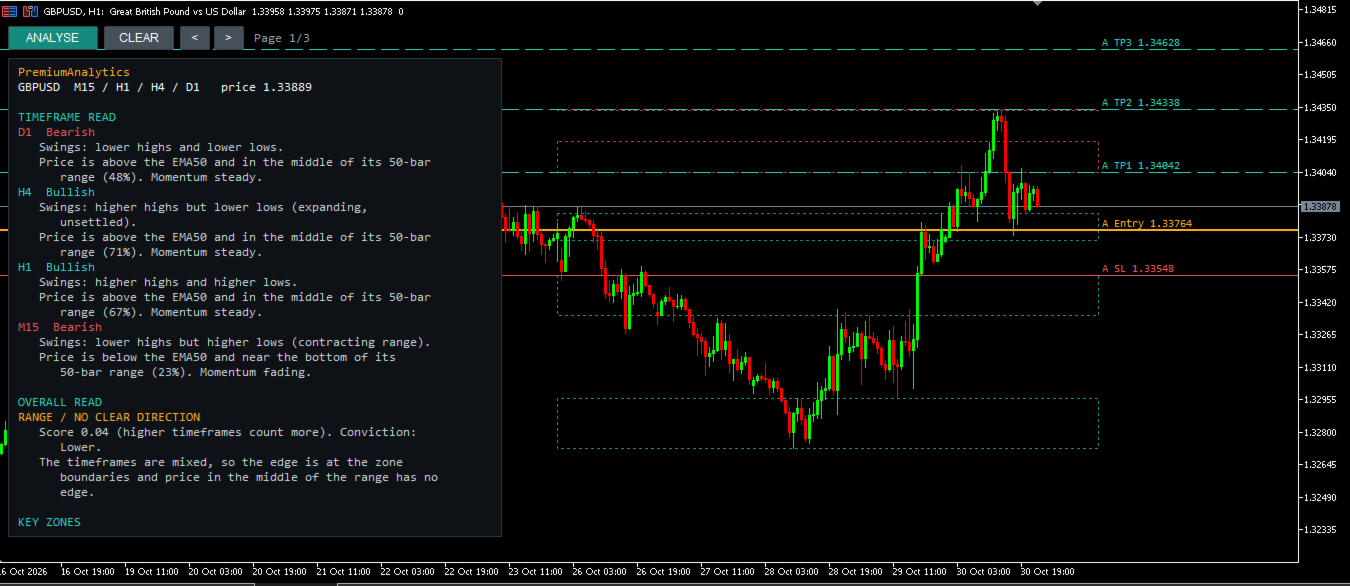
For every selected timeframe: trend bias (bullish, bearish or neutral), swing structure (higher highs and higher lows, lower highs and lower lows, expanding or contracting), price position relative to the EMA 50, where price sits inside its recent 50-bar range, and whether momentum is expanding, steady or fading.
2. Overall read
All timeframes combined into one weighted score, where higher timeframes carry more weight. It includes a conviction level and a plain-language explanation, for example a pullback inside a higher-timeframe trend, or mixed signals where the edge is at the zone boundaries.
3. Key zones
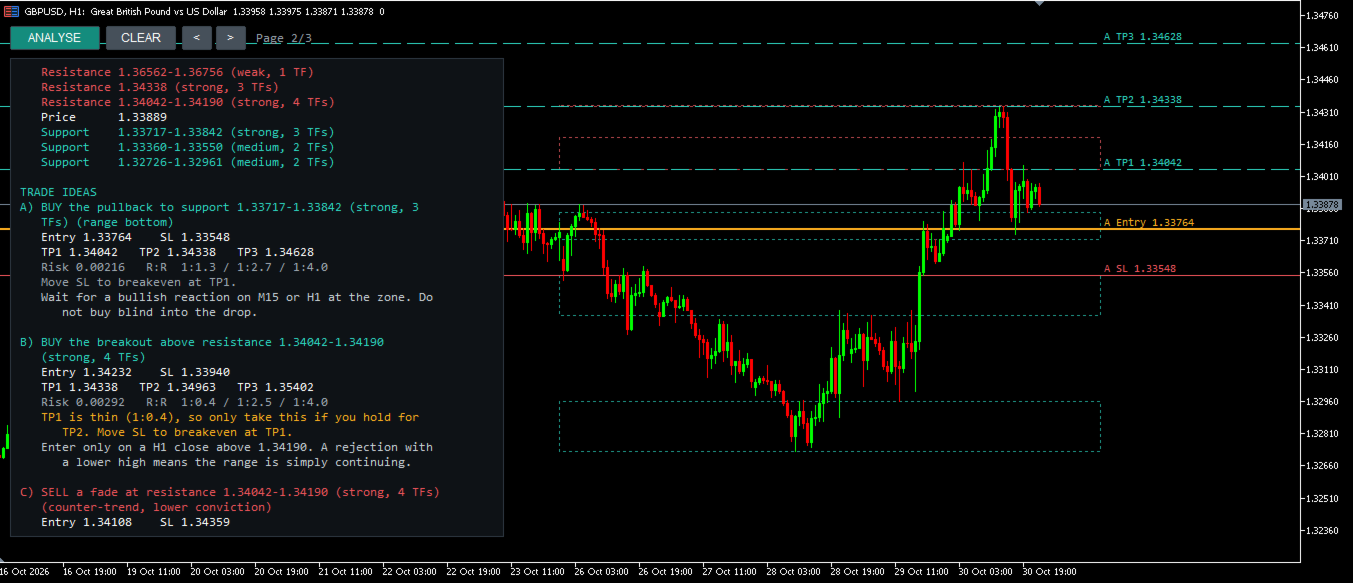
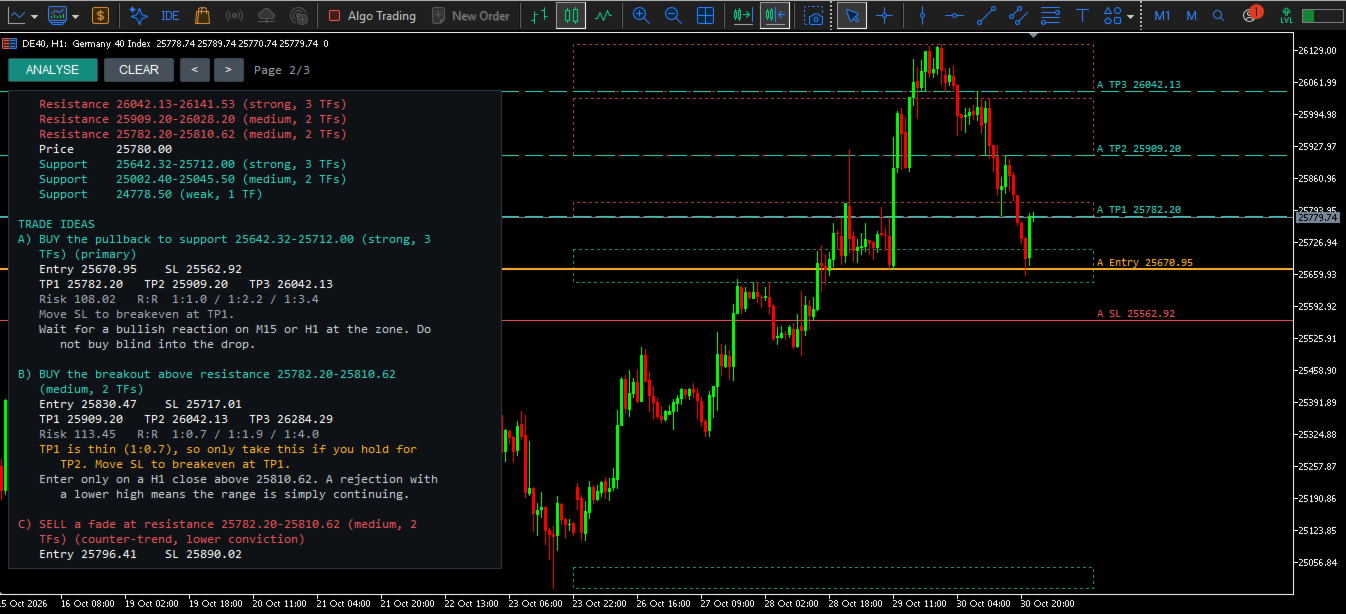
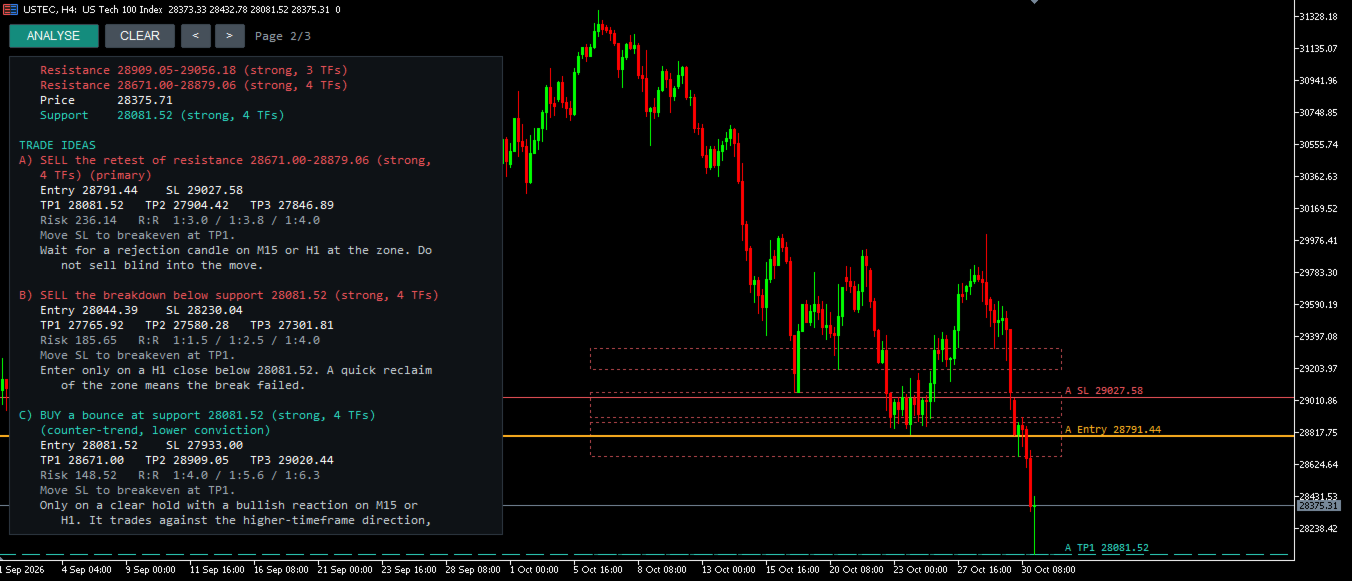
The nearest resistance and support zones, built from swing highs and lows across all selected timeframes. Each zone is graded by how many timeframes support it.
4. Trade scenarios
Up to three scenarios: a primary setup (a retest of the nearest zone in the direction of the bias), a breakout or breakdown setup, and a counter-trend setup marked as lower conviction. Each shows entry, stop-loss, TP1, TP2, TP3 and risk-to-reward. Targets use the next zones in the trade direction, with risk-multiple fallbacks where no zone exists.
5. Guidance
A note when price is between zones and a market entry has no clear edge, the level that would invalidate the idea, and a reminder to check the economic calendar.
6. Data check
A warning if the data of one timeframe ends far from the live price, which can indicate incomplete history or a mismatched feed.
ON THE CHART
Zone boxes and the entry, stop-loss and take-profit lines of the primary scenario are drawn on the chart. The report appears in a panel that adapts to the chart size, with page buttons. It can also be printed to the Experts tab.
HOW TO USE
1. Attach the indicator to any chart. In the inputs, select 2 to 4 timeframes. Set unused slots to Current.
2. Press ANALYSE. Use the < and > buttons to move through the report. Press CLEAR to remove the report and the drawn levels.
3. Press ANALYSE again whenever you want a fresh read. The result is a snapshot of the moment you click.
INPUT PARAMETERS
Timeframe 1 to 4 - timeframes to analyse. Set a slot to Current to switch it off. At least two different timeframes are required.
Pivot bars (default 5) - bars on each side needed to confirm a swing high or low.
Bars per timeframe (default 300) - history loaded for each timeframe.
Zone width ATR multiplier (default 1.5) - zone width as a multiple of the ATR(14) of the second-lowest timeframe.
Manual zone width - fixed zone width in price units. 0 means automatic.
Stop-loss buffer ATR multiplier (default 1.0) - distance beyond a zone for the stop-loss.
Bias threshold (default 0.25) - minimum weighted score required to call a direction.
Panel position, font size, lines per page, maximum characters per line, right margin - panel layout.
Draw on chart - show zones and scenario levels on the chart.
Print to log - also write the report to the Experts tab.
REQUIREMENTS AND NOTES
- Works on any symbol and timeframe. Zone width and stop buffer are based on ATR, so they adapt to instruments with different price scales.
- History must be available for every selected timeframe. If the report says there is not enough history, open that timeframe once so the terminal downloads the data, then press ANALYSE again.
- Swing points are confirmed pivots (the number of bars on each side is set by Pivot bars).
- No DLL calls, no web requests, no external connections and no advertising of any kind.
IMPORTANT
Zones, bias and scenarios are technical reference points derived from price history. They are not predictions, trading signals or guarantees of any outcome, and they are not investment advice. Trading leveraged products involves a high risk of loss. Test on a demo account first and apply your own risk management. No performance results are claimed for this product.
SUPPORT
Please use the Comments tab of this product page for questions and feedback.