Fvg Hunter indicator
- Индикаторы
- Версия: 6.13
- Обновлено: 29 сентября 2026
- Активации: 20

Fair Value Gap Detector & Close Alert for MetaTrader 5
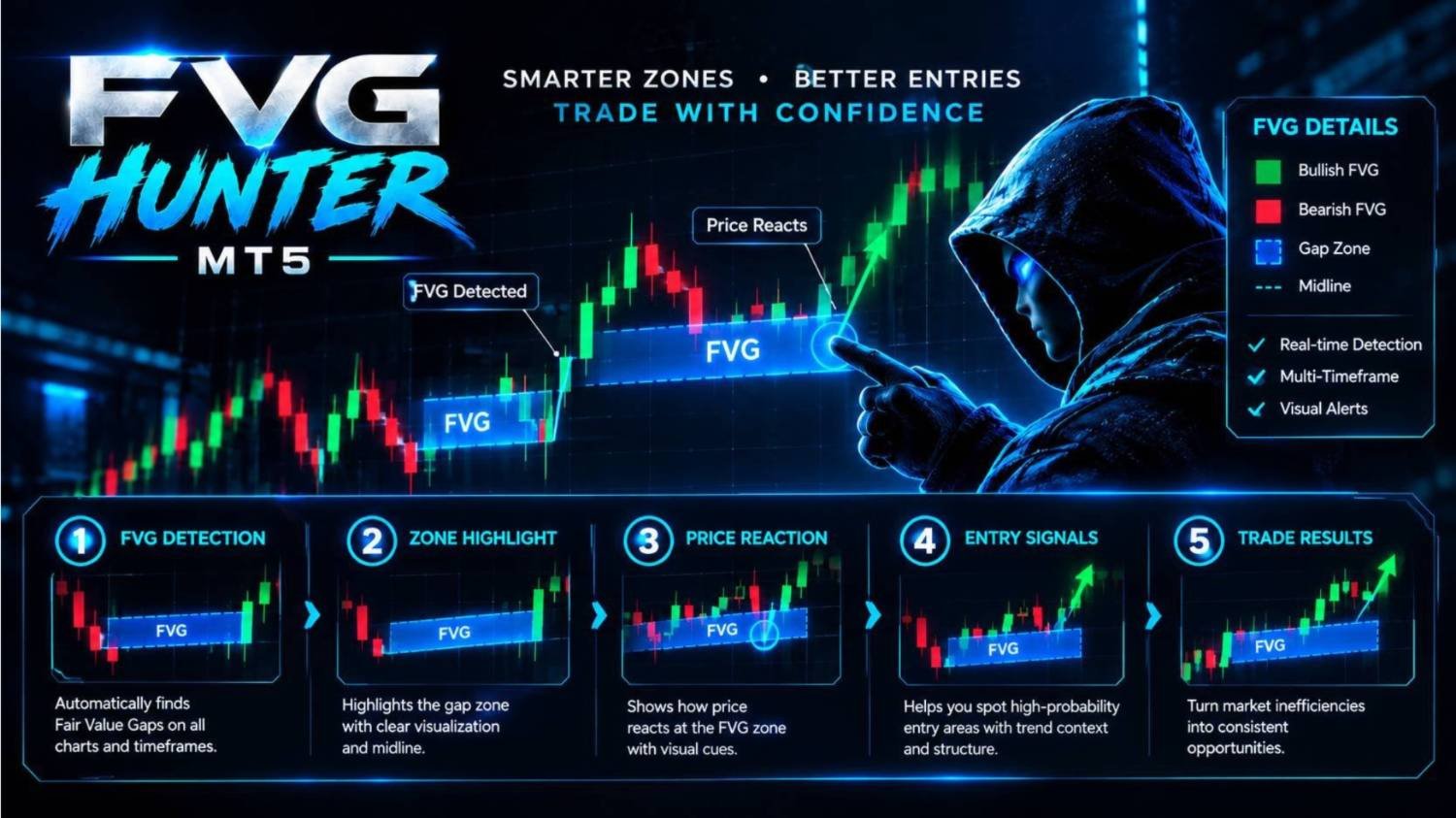
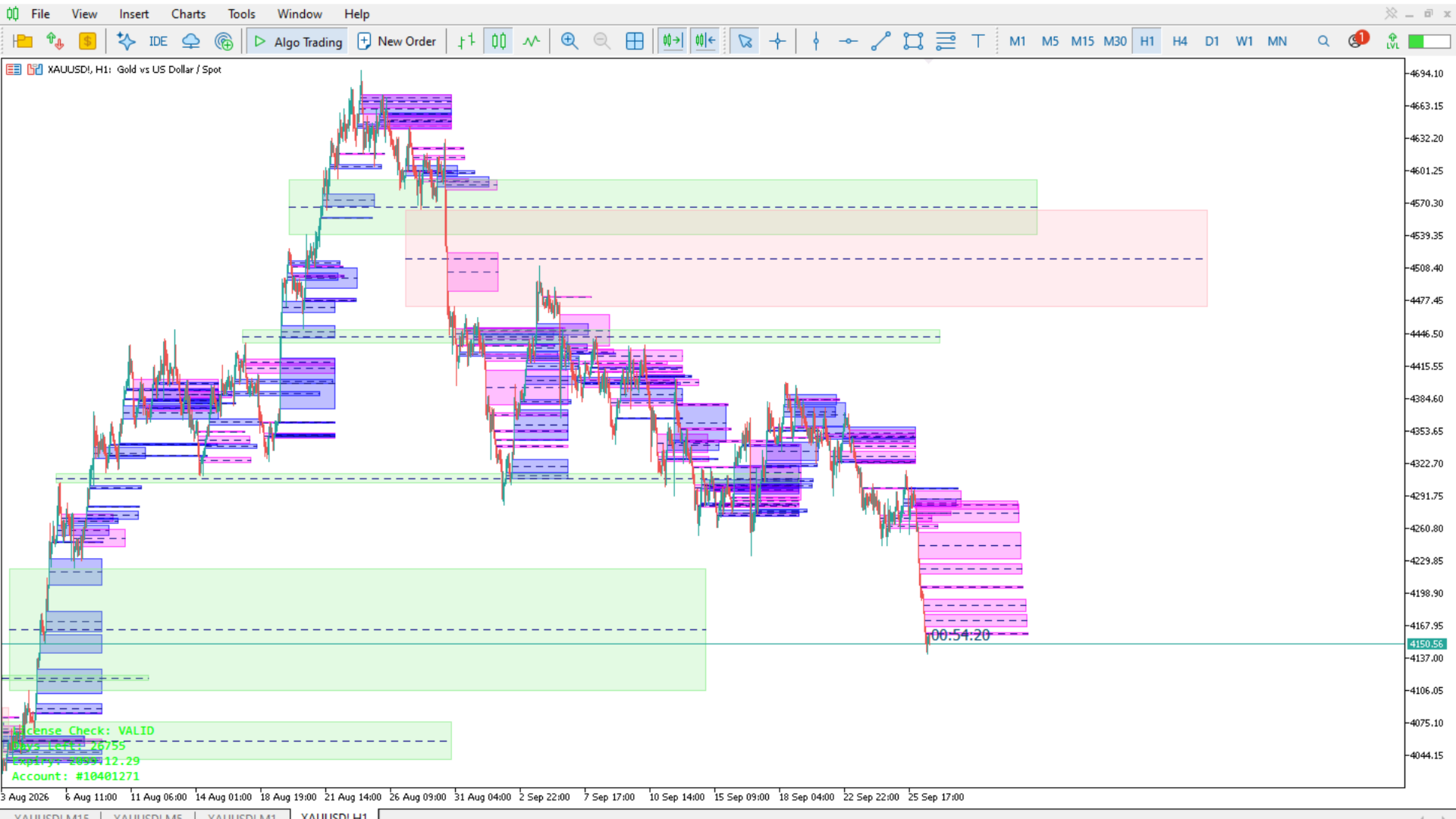
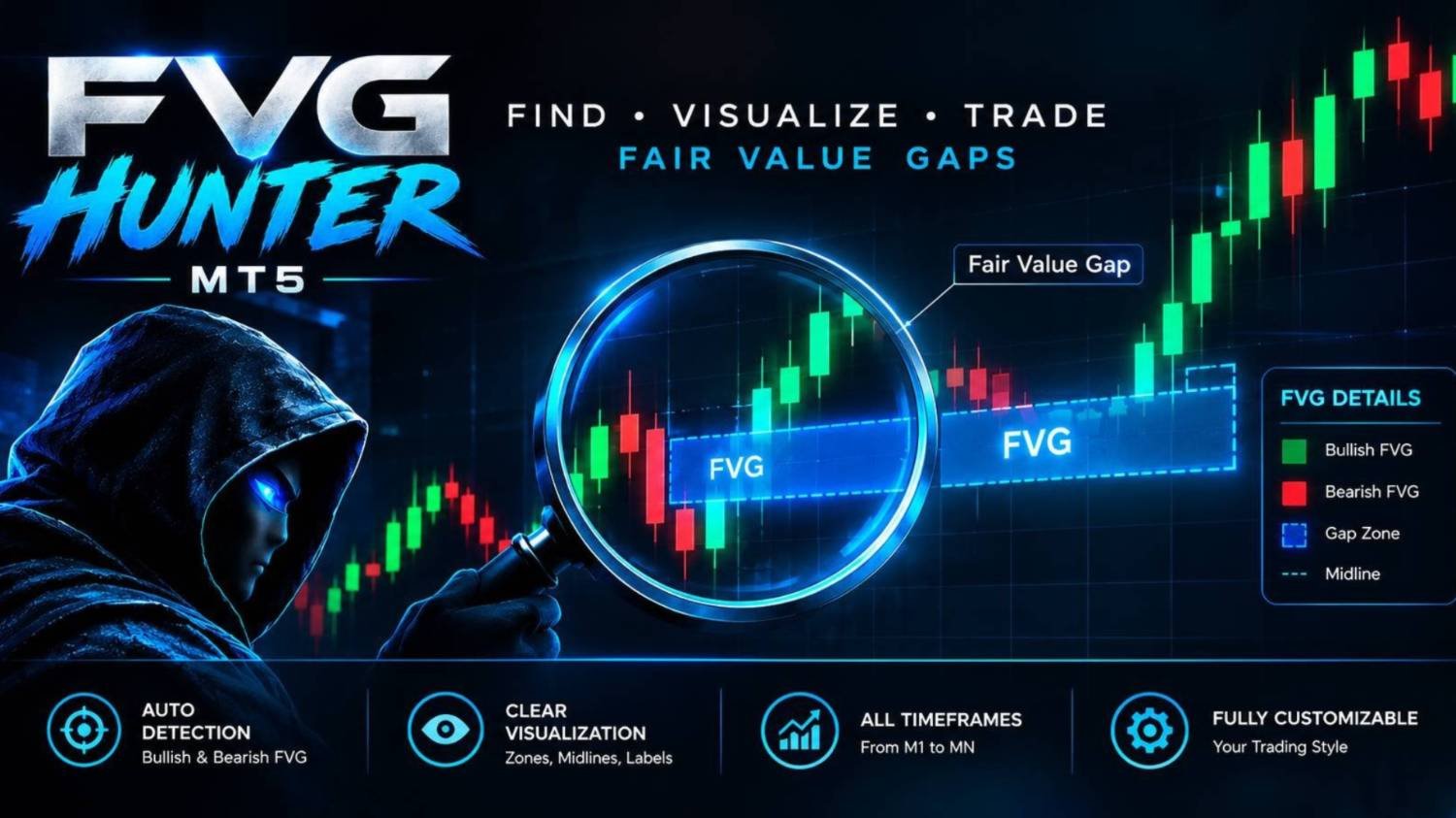
FVG HUNTER is a professional 3-Candle Fair Value Gap (FVG) detector for MetaTrader 5, designed to automatically identify, filter, visualize, and monitor bullish and bearish Fair Value Gaps directly on your chart.
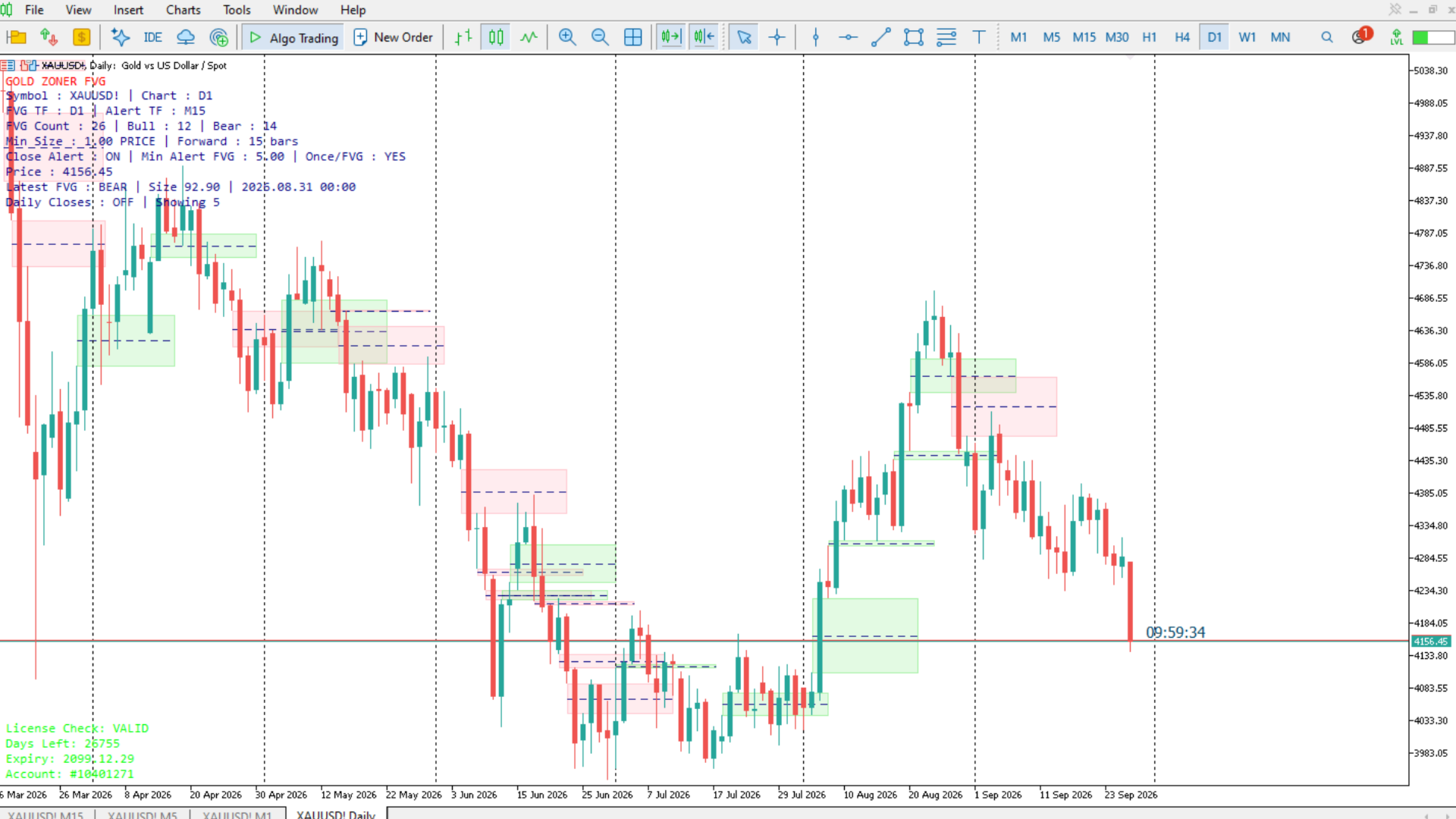
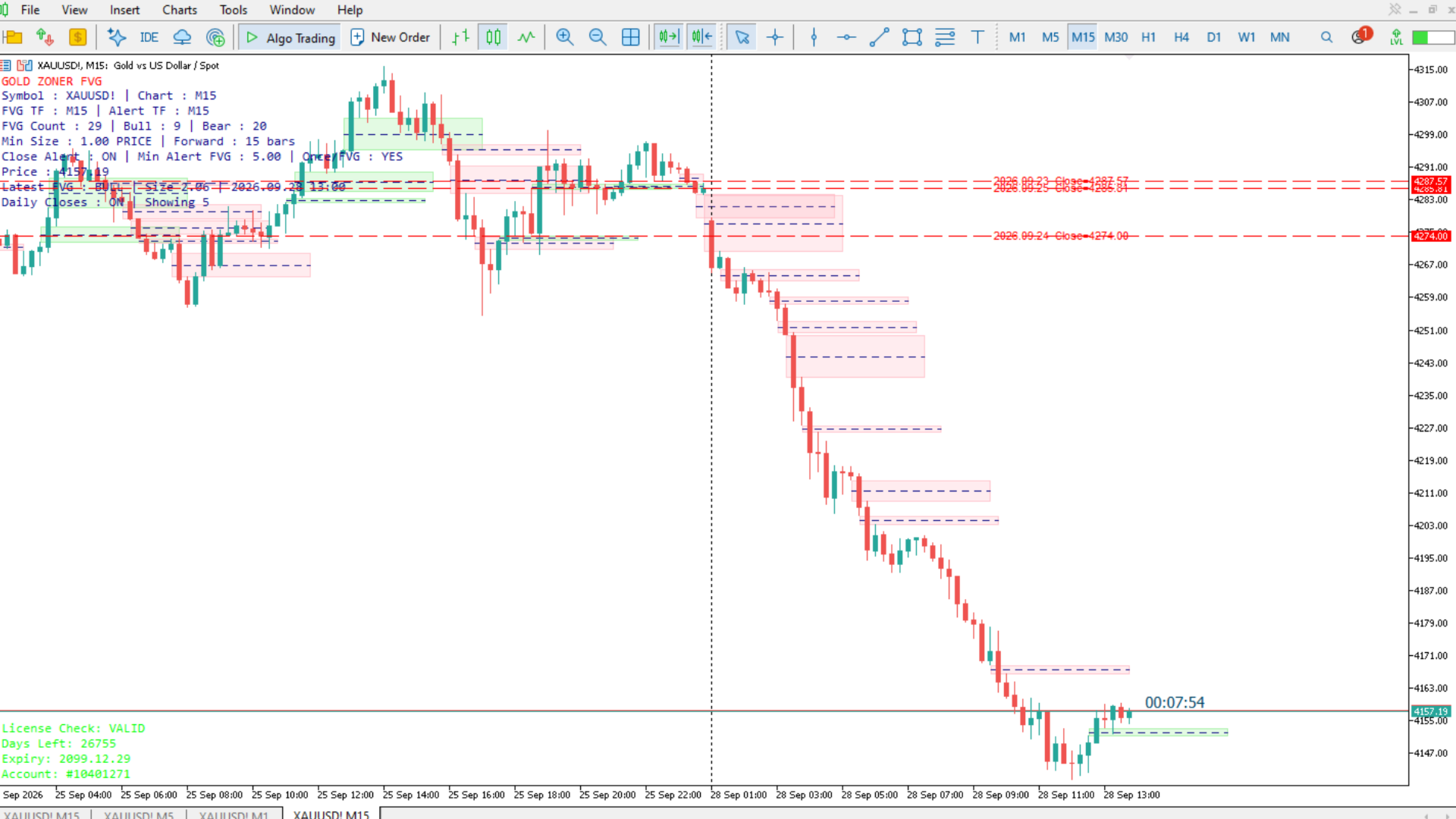
It provides a clean visual representation of FVG zones together with Center Lines, Close Alerts, Previous Daily Closes, and a live information dashboard.
🔎 What Does FVG HUNTER Do?
FVG HUNTER scans historical and newly formed candles on your selected timeframe and automatically detects:
-
Bullish Fair Value Gaps
-
Bearish Fair Value Gaps
-
FVG size based on Price, Points, or Pips
-
FVG zones extended into the future
-
FVG Center Lines
-
FVG Close-Through Alerts
-
Previous completed Daily Close levels
-
Live FVG statistics through the dashboard
The indicator works independently from the chart timeframe.
For example, you can display M15 FVGs while viewing an H1 or H4 chart.
FVG HUNTER uses a three-candle structure to identify Fair Value Gaps.
Bullish FVG
A Bullish FVG is detected when:
Candle 1 Low > Candle 3 High
The area between these two prices becomes the Bullish FVG zone.
Bearish FVG
A Bearish FVG is detected when:
Candle 1 High < Candle 3 Low
The area between these two prices becomes the Bearish FVG zone.
Only FVGs that pass the selected minimum size filter are displayed.
🎯 Main Features| Feature | Description |
|---|---|
| Multi-Timeframe Detection | Detect FVGs from your selected timeframe independently of the chart timeframe |
| Bullish / Bearish FVGs | Display either direction or both |
| Minimum Size Filter | Ignore small FVGs using Price, Points, or Pips |
| Forward Extension | Extend detected FVG zones a selected number of candles into the future |
| Transparent Zones | Customizable colors and transparency |
| Center Line | Optional dashed center line inside every FVG |
| Close Alert | Detect candles that close completely through an FVG |
| Previous Daily Closes | Display previous completed daily closing prices |
| Live Dashboard | Shows useful FVG statistics directly on the chart |
| Automatic Cleanup | Indicator objects can be automatically removed when the indicator is detached |
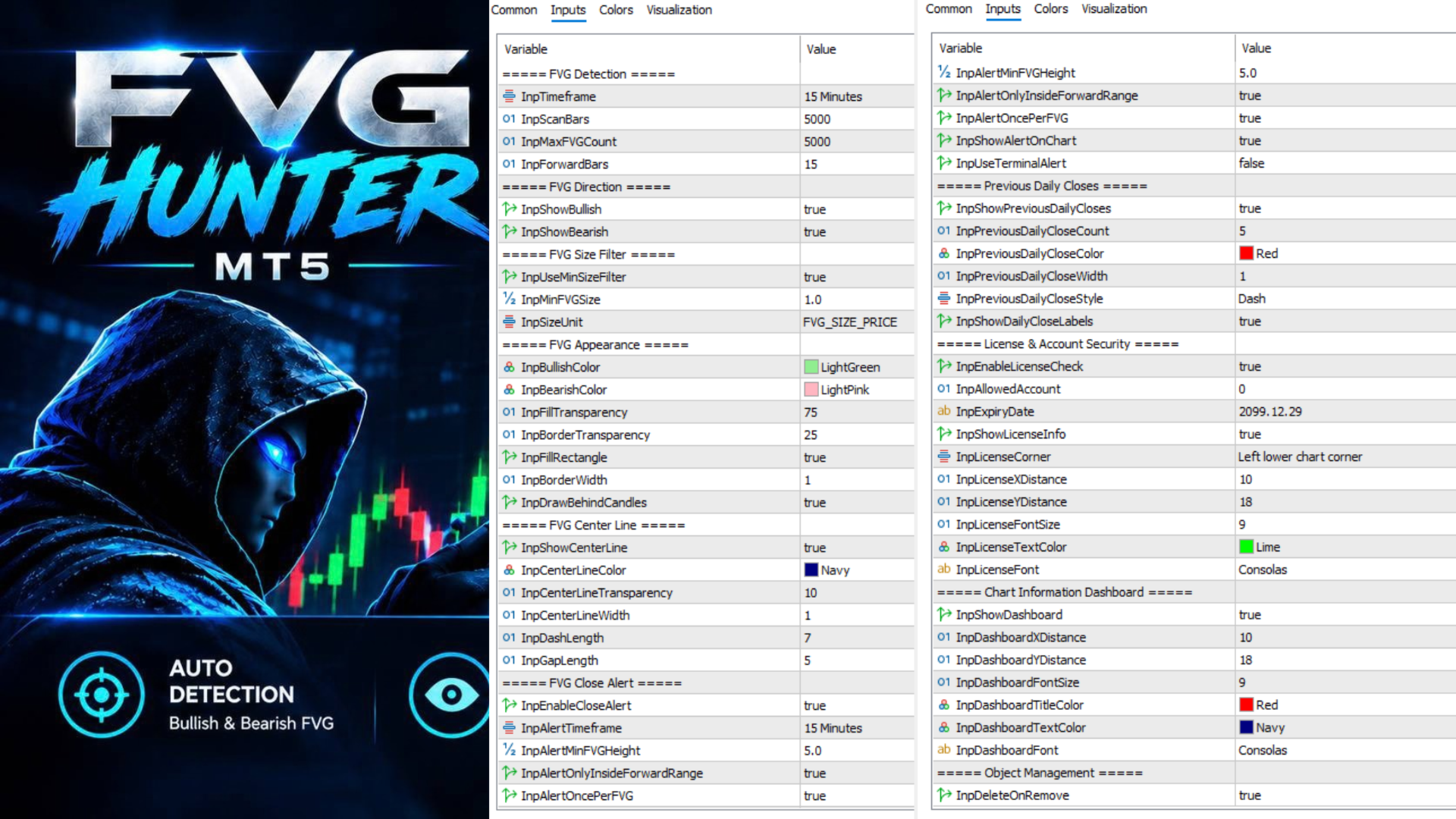
1. FVG Detection
| Input | Function |
|---|---|
| Timeframe | Timeframe used to detect FVGs |
| Scan Bars | Number of historical candles scanned |
| Max FVG Count | Maximum number of FVGs displayed |
| Forward Bars | Number of candles the FVG is extended to the right |
Example
If:
Timeframe = M15
Forward Bars = 15
each detected FVG is projected approximately 15 M15 candles into the future.
2. FVG Direction
Show Bullish
Displays Bullish FVGs.
Show Bearish
Displays Bearish FVGs.
You can enable both or use only one direction.
3. FVG Size Filter
This section allows you to remove insignificant or very small gaps.
Use Min Size Filter
Enables/disables the minimum FVG size requirement.
Min FVG Size
Defines the minimum acceptable FVG size.
Size Unit
-
Price — actual price distance
-
Points — MetaTrader points
-
Pips — pip-based measurement
This allows the same indicator to be adapted to different instruments such as Forex, Gold, Indices, and other CFDs.
🎨 4. FVG AppearanceCustomize the visual appearance of your FVG zones.
Bullish Color
Color of Bullish FVGs.
Bearish Color
Color of Bearish FVGs.
Fill Transparency
Controls the transparency of the FVG background.
Border Transparency
Controls the transparency of the FVG border.
Fill Rectangle
Enable or disable the filled FVG area.
Border Width
Controls the FVG border thickness.
Draw Behind Candles
Places FVG zones behind the candlesticks for a cleaner chart.
Every FVG can optionally display a center dashed line.
| Input | Function |
|---|---|
| Show Center Line | Enable/disable the center line |
| Center Line Color | Select line color |
| Center Line Transparency | Adjust transparency |
| Center Line Width | Set line thickness |
| Dash Length | Length of each dash |
| Gap Length | Distance between dashes |
The center line can be useful for quickly identifying the midpoint of an FVG zone.
🔔 6. FVG Close AlertOne of the key features of FVG HUNTER is its FVG Close Alert system.
The indicator monitors completed candles and can identify when price closes completely through an FVG in the opposite direction.
Bullish FVG Alert
For a Bullish FVG, the alert requires:
-
The candle to be bearish
-
The candle close to move below the bottom of the Bullish FVG
Bearish FVG Alert
For a Bearish FVG, the alert requires:
-
The candle to be bullish
-
The candle close to move above the top of the Bearish FVG
This is a close-through condition, not simply a price-touch condition.
Important Alert Settings
Enable Close Alert
Turns the alert system on/off.
Alert Timeframe
Defines the timeframe used to evaluate the closing candle.
Alert Min FVG Height
Only FVGs larger than the specified price height can generate alerts.
Alert Only Inside Forward Range
Restricts alerts to the FVG's projected forward area.
Alert Once Per FVG
Prevents repeated alerts for the same FVG event.
Show Alert On Chart
Displays the alert information directly on the chart.
Use Terminal Alert
Enables MetaTrader terminal popup/sound alert functionality.
FVG HUNTER can automatically display previous completed D1 closing prices as horizontal levels.
You can configure:
-
Number of previous daily closes
-
Line color
-
Line width
-
Line style
-
Visible date/price labels
These levels can be useful as additional market reference levels when analyzing FVG locations and price reactions.
📊 8. Chart Information DashboardThe optional dashboard provides live information about the currently displayed FVGs.
It can show useful information such as:
-
Bullish FVG count
-
Bearish FVG count
-
Latest detected FVG
-
Detection timeframe
-
FVG information
The dashboard position, font size, font, and colors are customizable.
🧹 9. Object ManagementDelete On Remove
When enabled, objects created by FVG HUNTER are automatically removed when the indicator is removed from the chart.
This helps keep your chart clean and prevents unnecessary leftover objects.
💡 Recommended WorkflowFor a simple starting setup:
FVG Timeframe: M15
Show Bullish: ON
Show Bearish: ON
Minimum Size Filter: ON
Forward Bars: 15
Center Line: ON
Close Alert: ON
Previous Daily Closes: ON
Dashboard: ON
Adjust the minimum FVG size according to the instrument and trading style.
⚠️ Important NotesFVG HUNTER is a technical analysis and visualization tool.
It identifies Fair Value Gaps according to its programmed 3-candle rules and provides visual and alert-based information.
It does not automatically execute trades and does not guarantee profitable trading results.
Always test the indicator with your preferred symbol, broker data, timeframe, and trading methodology before using it in live trading.
🚀 FVG HUNTER
Find the Gap. Watch the Zone. Catch the Close.