JP PropFirm
- Эксперты
-
Jackson Fonseca Nazare
 I'm a trader and MQ4/MQ5 programmer. I like working with robots that have a profit target and daily loss ratios. Most EAs fail because they don't have a risk-reward ratio configuration, and most traders still don't understand that to become a millionaire in forex you have to start as a billionaire
 - Версия: 1.10
- Обновлено: 11 сентября 2026
- Активации: 10
Professional Intraday Range & Breakout Engine with Multi-Tier Defensive Risk Architecture and Native Prop-Firm Shield
1. Product Overview (MQL5 Description)
JP PropFirm is an enterprise-grade automated trading system engineered specifically for intraday traders and challenge participants (Proprietary Trading Firms / Funded Accounts) who demand rigorous risk control, mathematical sizing accuracy, and structural capital preservation.
Unlike high-risk Expert Advisors that rely on Martingale, grid averaging, or unhedged exposure, JP PropFirm operates with strictly one trade per session cycle, hard server-side Stop Loss, Dynamic Take Profit, and an integrated multi-tier defensive risk governor.
Key Pillars & Competitive Edge
-
Mathematical Precision Position Sizing:
Position sizes are never guessed. The EA computes exact stop distance losses per lot in deposit currency (incorporating tick value, tick size, broker commission, and cost buffers) before placing orders.
-
Prop Firm Shield Architecture:
Built-in account-level equity sentinels actively monitor daily drawdown limits, maximum drawdown thresholds, and profit objectives with millisecond precision, keeping your accounts safe from rule breaches.
-
Adaptive Defensive Governors:
Features an automated recovery mechanism that dynamically scales down risk exposure following drawdown phases and incrementally restores baseline allocation during favorable statistical performance.
-
Smart Hybrid Entry Confirmation:
Protects entries by preventing chasing extended breakout moves, utilizing structured early breakout confirmation and pullback retest zones.
-
Dual-Engine Dynamic Trailing Ratchet:
Protects accumulated open profit via ATR volatility adjustments while incorporating an accelerated late-session profit preservation mode.
-
100% FIFO & Netting Compliant:
Engineered for global broker compatibility, with built-in awareness of symbol volume limits, netting accounts, and US-regulated FIFO environments.
-
Live Interactive Canvas Dashboard:
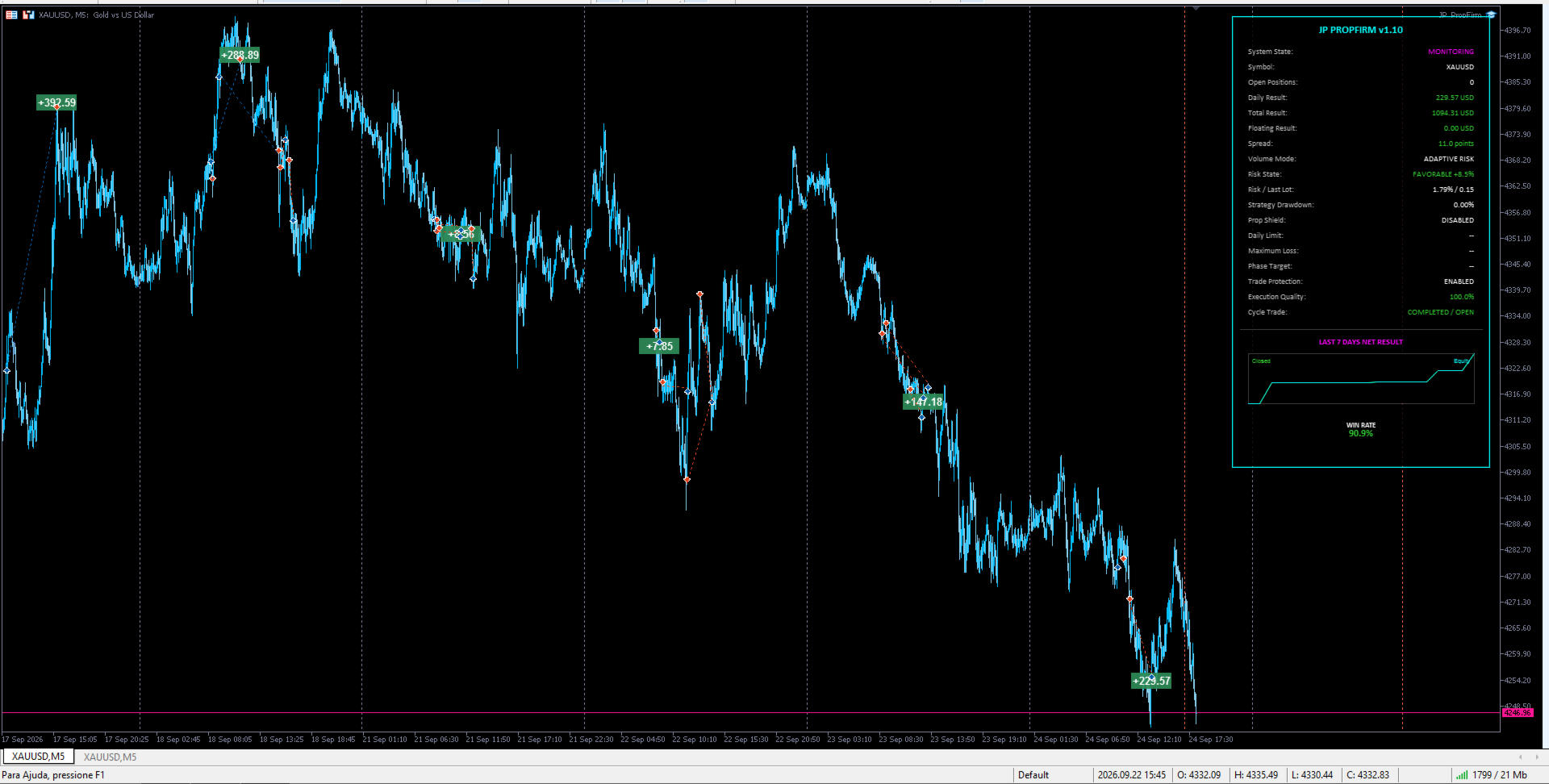
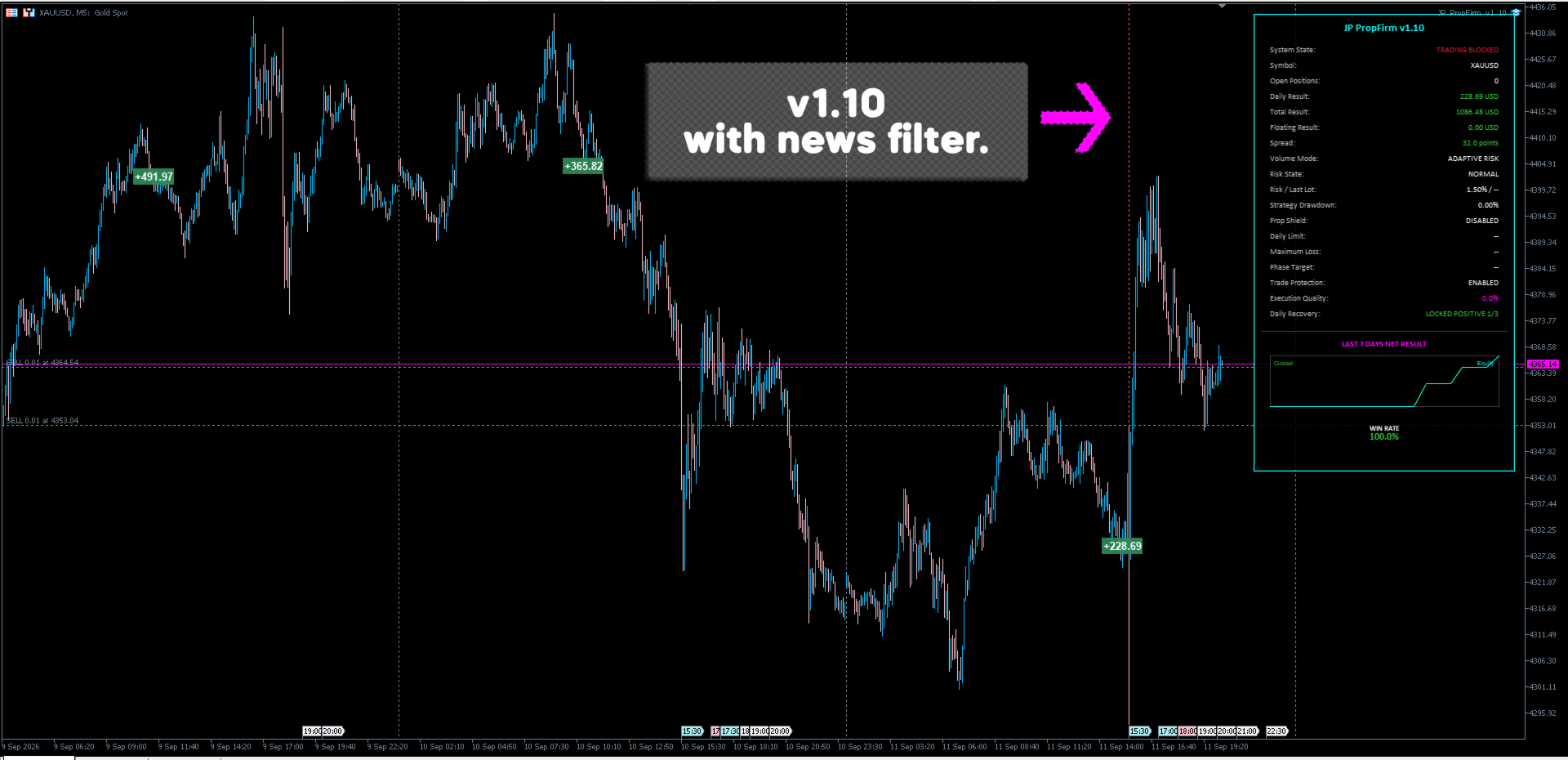
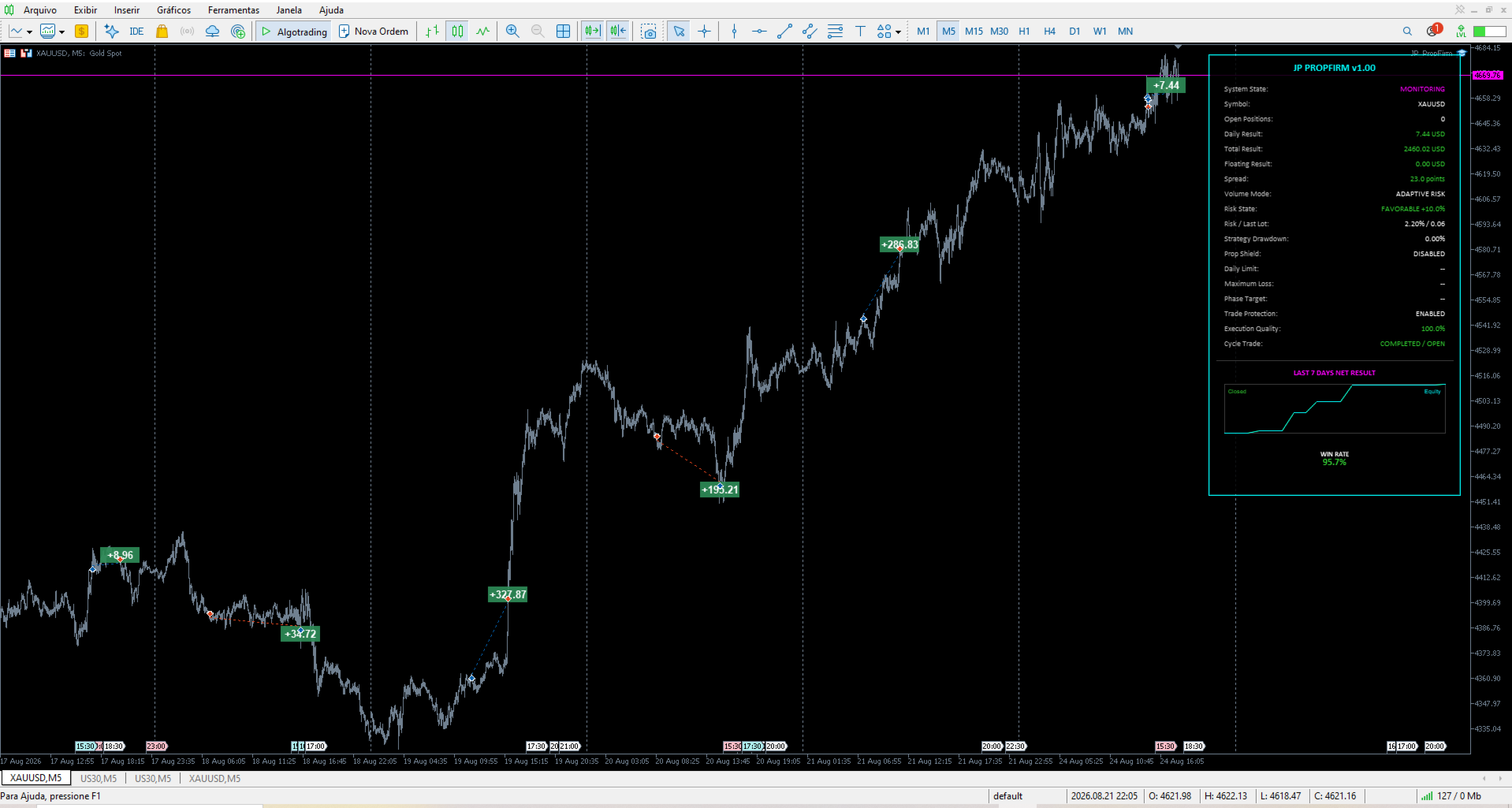
Zero-lag, sleek HUD panel rendering real-time prop-firm metrics, equity growth curve, win rate, current spread, and operational risk states directly on the chart.
2. Institutional Risk & Execution Highlights
| Feature | JP PropFirm Implementation | Standard Retail EAs |
| Exposure Type | Single Isolated Position (1 per Cycle) | Dangerous Grids / Layering |
| Stop Loss | Mandatory Server-Side SL on Every Entry | Virtual/Hidden SL or None |
| Risk Calculation | Stop-Distance & Equity Normalized | Fixed Lots / Arbitrary Sizing |
| Drawdown Defense | Automatic Multi-Trade Risk Reduction | Keeps Stacking / Risk Escalation |
| Prop Firm Limits | Real-Time Daily & Overall Hard Cap Guard | Requires Manual Intervention |
| Session Control | Rigid Intraday Timetable & Cutoff Close | Left Open Over High-Impact Swaps |
3. Parameter Manual (User Guide)
3.1 Identification
-
InpMagicNumber (Default: 26071601 )
Unique order identifier for the Expert Advisor. Allows multiple instances to run across different charts or instruments without cross-order interference.
3.2 Volume & Risk Management
-
InpVolumeMode (Default: JP_VOLUME_ADAPTIVE_RISK )
Selects the calculation mode for position sizing:
-
JP_VOLUME_FIXED : Uses the user-defined fixed lot.
-
JP_VOLUME_PERCENT_RISK : Dynamically sizes lots so that a hit on the initial Stop Loss equals a fixed percentage of current equity.
-
JP_VOLUME_ADAPTIVE_RISK : Sizing dynamically adjusts based on recent drawdowns, recovery streaks, and setup scoring.
-
-
InpLotSize (Default: 0.0 )
Volume used when InpVolumeMode is set to Fixed Lot . Set to 0.0 to automatically apply the broker's minimum contract size.
-
InpRiskPerTradePercent (Default: 0.50% )
Base account equity percentage risked per trade at the initial Stop Loss distance.
-
InpMaximumRiskPercent (Default: 0.75% )
Upper ceiling for calculated trade risk under any market condition or bonus multiplier.
-
InpMaximumLotSize (Default: 0.0 )
Hard ceiling on the maximum volume (in lots) the EA is permitted to send. Set to 0.0 to allow the maximum broker limit.
3.3 Entry Engine
-
InpUseAdvancedEntryEngine (Default: true )
Enables the Smart Hybrid Entry Engine, activating breakout structure validations, momentum confirmation filters, and no-chase retest logic.
3.4 Account Shield (Prop Firm & Evaluation Protection)
-
InpUsePropFirmShield (Default: false )
Activates the global account safety module designed to enforce challenge and funded account rules.
-
InpPropFirmPhase (Default: JP_PROP_PHASE_ONE )
Configures target calculation mode:
-
JP_PROP_PHASE_ONE : Evaluates against Phase 1 Target.
-
JP_PROP_PHASE_TWO : Evaluates against Phase 2 Target.
-
JP_PROP_PHASE_FUNDED : Live funded mode with target checks disabled.
-
-
InpPropProfileId (Default: 1 )
Internal index ID. Change this integer whenever starting a new evaluation challenge on the same account number to clear persistent history variables.
-
InpPropInitialBalance (Default: 0.0 )
Starting account balance designated for the evaluation. If set to 0.0 , the EA automatically detects the initial balance.
-
InpPropDailyLossLimitPercent (Default: 5.0% )
Firm's maximum permissible daily drawdown, calculated from daily reset equity/balance.
-
InpPropMaximumLossPercent (Default: 10.0% )
Firm's absolute maximum trailing or static account loss relative to initial balance.
-
InpPropPhase1TargetPercent (Default: 10.0% )
Target profit required to complete Evaluation Phase 1.
-
InpPropPhase2TargetPercent (Default: 5.0% )
Target profit required to complete Evaluation Phase 2 / Verification.
-
InpPropSafetyBufferPercent (Default: 0.50% )
Protective cushion deducted from the firm's hard rules. If the firm limit is 5%, trading halts at 4.5% to prevent slippage-related breaches.
-
InpPropMaximumRemainingRiskUsePercent (Default: 25.0% )
Limits the maximum fraction of remaining drawdown budget that can be committed to any single trade.
-
InpPropAutoReduceLot (Default: true )
Automatically recalculates and downsizes lot size if a trade's projected Stop Loss loss would exceed the available Prop Shield budget.
-
InpPropBlockAtTarget (Default: true )
Halts all new entries once the current phase profit target has been achieved.
-
InpPropReserveOpenPositionRisk (Default: true )
Accounts for existing open positions/orders when computing the risk budget for new entries.
-
InpPropBlockIfUnprotectedPosition (Default: true )
Prevents new orders if any open trade on the account lacks an active Stop Loss.
-
InpPropEmergencyCloseOwned (Default: true )
Instantly triggers a market liquidation of EA-owned exposure if floating equity approaches safety guard levels.
-
InpPropResetHour / InpPropResetMinute (Default: 0:00 )
Server time at which the daily prop firm drawdown threshold resets.
3.5 Session Timetable & Scheduling
-
InpSessionStartHour / InpSessionStartMinute (Default: 01:00 )
Server time marking the start of the reference structure formation period.
-
InpSessionEndHour / InpSessionEndMinute (Default: 08:00 )
Server time marking the completion of the reference structure; execution monitoring begins immediately after this timestamp.
-
InpTradingCutoffHour / InpTradingCutoffMinute (Default: 22:00 )
Daily session expiration time. No new trades will be triggered after this hour.
-
InpCloseAtTradingEnd (Default: true )
Automatically flattens open positions and cancels open pending orders upon reaching the trading cutoff hour.
3.6 Trade Management & Trailing Ratchet
-
InpProfitTargetFactor (Default: 1.0 )
Expansion factor applied to the reference range to calculate dynamic Take Profit distance.
-
InpUseSmartTrailing (Default: true )
Enables volatility-aware (ATR) dynamic trailing stop management.
-
InpUseLateSessionTrailing (Default: true )
Activates an aggressive, tighter trailing ratchet near the end of the trading day to secure intraday gains before rollover.
-
InpLateSessionTrailingHour / InpLateSessionTrailingMinute (Default: 20:00 )
Server time at which the late-session profit protection module engages.
3.7 Execution & Broker Compliance
-
InpMaximumSpreadPoints (Default: 0 )
Maximum permissible spread in points for trade execution ( 0 = filter disabled).
-
InpDeviationPoints (Default: 20 )
Maximum acceptable slippage tolerance in points for market orders.
-
InpAdjustStopsToBroker (Default: true )
Automatically adjusts SL and TP levels to respect the broker’s minimum STOPS_LEVEL and FREEZE_LEVEL .
-
InpMarginReservePercent (Default: 10.0% )
Requires an additional buffer over required margin before an entry is authorized.
3.8 Emergency Protection
-
InpEmergencyFloatingLossMoney (Default: 0.0 )
Hard monetary floating loss ceiling for EA-managed trades ( 0.0 = disabled). If floating drawdown exceeds this value, all owned positions are instantly closed.
3.9 Visuals & Heads-Up Display (HUD)
-
InpVisualMode (Default: JP_VISUAL_DISABLED )
Controls on-chart visual elements:
-
JP_VISUAL_DISABLED : Maximum execution performance.
-
JP_VISUAL_PANEL_ONLY : Displays the Neon HUD Panel.
-
JP_VISUAL_TAGS_ONLY : Displays historical P&L labels on chart deals.
-
JP_VISUAL_ALL : Displays both dashboard and deal tags.
-
-
InpPanelCorner (Default: JP_PANEL_RIGHT_UPPER )
Screen corner location for the Canvas HUD.
-
InpProfitTagLimit (Default: 30 )
Maximum number of historical deal tags displayed simultaneously.
4. Setup & Recommended Configuration
-
Terminal Prerequisites:
Ensure Algo Trading is enabled in your MetaTrader 5 toolbar and within the EA's Common tab.
-
Timeframe Calibration:
Attach the EA to an M15 or M5 chart (the system internally reads reference structures across native timeframes).
-
Prop Firm Pass Optimization:
When configuring for prop firm evaluations, set:
-
InpUsePropFirmShield = true
-
InpPropDailyLossLimitPercent & InpPropMaximumLossPercent according to your firm's rules.
-
InpPropResetHour matching your prop broker's specific daily candle reset (e.g., typically 00:00 or 17:00 NY).
-