Session Indicator Pro with FVG Detection
- Индикаторы
- Версия: 1.0

Session Indicator Pro is a MT5 session indicator designed to display forex trading sessions and Fair Value Gaps (FVGs) directly on your chart.
It helps traders clearly visualize market structure by highlighting session ranges, highs/lows, and imbalances within each session.
🔹 Key Features
-
Displays major trading sessions: Sydney, Tokyo, Frankfurt, London, New York, plus one custom session
-
Fully customizable session times and colors
-
Clean session boxes (border only, no fill) to keep charts readable
-
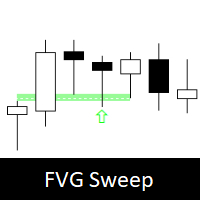
Automatic detection of Fair Value Gaps (FVGs) inside each session
🔹 Session Visualization
-
Draws session boxes showing the exact price range
-
Displays High and Low levels for each session
-
Shows percentage range directly on the chart
🔹 Fair Value Gap (FVG) Detection
-
Detects bullish and bearish FVGs automatically
-
Marks mitigated FVGs when price returns to the gap
-
Includes minimum FVG size filter (in pips)
-
Works independently for each session
🔹 Statistics Panel
Real-time dashboard showing:
-
Current session range (%)
-
10-day average range (%)
-
Session active/inactive status
🔹 Trading Use Cases
-
Session range trading (support and resistance)
-
Smart Money Concepts (SMC) strategies
-
ICT trading (FVGs, session highs/lows)
-
General price action analysis
🔹 Settings
Fully customizable inputs:
-
Enable/disable each session individually
-
Custom session start and end times
-
Session colors
-
Show/hide boxes, lines, labels, dashboard
-
FVG size filter
-
Show/hide mitigated FVGs
-
GMT offset for broker time
-
Lookback period (default 10 days)
🔹 Important Notes
-
This indicator does NOT open or manage trades
-
Designed as a visual analysis tool
-
Requires correct GMT offset configuration
-
Works on all symbols and timeframes
🔹 Additional Features
-
Lightweight and optimized performance
-
Clean chart visualization
-
Suitable for intraday and swing traders