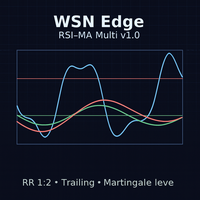
WSN Edge RSI MA Forex EA
- Эксперты
- Версия: 1.20
- Обновлено: 26 сентября 2025
- Активации: 5

🚀 MT4 EA WSN Edge RSI-MA Multi v1.1
Automate your Forex trading with a complete Expert Advisor for MetaTrader 4 (Windows).
This EA executes an automated strategy using RSI + Moving Averages (MA)—ideal for traders who want disciplined, rules-based entries/exits.
⚙️ Key Features
-
RSI + MA signals for more assertive entries
-
Risk/Reward 1:2 by default
-
Automatic Trailing Stop to lock profits
-
Light martingale (max. 2 steps) for controlled recovery
-
Daily profit target: closes all orders once the target is hit
-
Optional News Filter via WebRequest
-
Multi-symbol out of the box (e.g., AUDNZD, NZDCAD, AUDCAD — fully adjustable)
-
MT4 for Windows only
📦 What you get
-
EA file (.ex4) ready to use
-
Seller support via “Message to Seller”
🔧 Quick Install (MT4 on Windows)
-
Close MT4 (if open).
-
Copy the EA file .ex4 to:
File → Open Data Folder → MQL4 → Experts -
Restart MT4. In Navigator → Expert Advisors, drag WSN Edge RSI-MA Multi v1.0 onto a chart.
-
In the EA settings:
-
Common tab: check Allow automated trading.
-
Inputs tab: set your parameters (symbols, risk, TP/SL, etc.).
-
-
Make sure the MT4 toolbar AutoTrading button is green.
🌐 Enable the News Filter (WebRequest)
To allow the EA to read the news calendar:
-
MT4 → Tools → Options → Expert Advisors.
-
Tick “Allow WebRequest for listed URL”.
-
Click “+” and add:
https://ec.forexprostools.com/ -
Click OK and re-attach the EA (or press AutoTrading off/on).
⚠️ Important Notice
Forex is highly volatile and risky. Profits and losses can both be significant.
Buy only if this product matches your risk profile and you understand Forex volatility.
💬 Need help?
After purchase, if you have any questions about installing or configuring the EA, contact us—we’ll be happy to help.
#MT4EA #ForexRobot #MetaTrader4 #AutomatedTrading #ExpertAdvisorMT4 #ForexEA #RSI_MA_EA #TrailingStopEA #LightMartingale #ForexAutomationWindows