Measurer of Positions

An on-chart pre-trade planning panel that calculates and displays risk, lot size, and potential outcomes for three ATR-based targets (TP1 / TP2 / TP3) across ten risk-percentage profiles. It shows live spread, point or pip value, total cost (spread + commission + swap), stop-loss exposure, and the resulting dollar and percentage outcomes for each risk level. The panel is drawn entirely with chart objects, remains responsive to window size, and supports both points and pips mode.

Benefits

  • Gives a clear, side-by-side view of risk versus reward before a trade is placed.
  • Automatically sizes lots from a chosen risk percentage of account balance.
  • Accounts for spread, commission, and swap so the displayed profit and loss figures are closer to real outcomes.
  • Supports three independent ATR timeframes so targets can be set on different horizons.
  • Works on both MT4 and MT5 with the same layout and calculation logic.
  • Color-coded rows and separate header colors make the risk table and the three TP blocks easy to scan.
  • Adjustable column spacing and font scaling keep the panel readable on different chart sizes.

Limitations

  • The panel is static once drawn; it does not place, modify, or manage orders.
  • Calculations assume the current bid/ask and ATR values; they do not forecast future volatility or slippage.
  • Swap and commission inputs must be entered manually if the broker’s reported values differ from the defaults.
  • On very small chart windows the layout can still become tight even with the spacing inputs.
  • The indicator removes the price and time scales while it is attached; they return only after the indicator is removed.
  • It is a planning tool only. Final risk decisions remain with the trader.
Рекомендуем также
One Click MT4
MQL TOOLS SL
5 (3)
One Click Close MT4 is an EA which allows you close orders quickly. EA display on chart two buttons. The first button "Close All Positions" is using to close all opened orders. The second button "Close Profit Positions" is using to close only profitable orders. EA is closing orders for all available symbols, not only for chart symbol. In EA params you can set distance from upper chart frame (Y Offset) and from left chart frame (X Offset). For installation EA it is only need to copy One Click Clo
FREE
Key Features: Custom Image:   The script allows you to set any image of your choice as the chart background. The image file should be in the   .bmp   format and located in the MQL4/Images folder of your MetaTrader 4 data folder. Automatic Replacement:   If an image is already set as the chart background, the script will automatically replace it with the new image. How It Works: The script operates in the following manner: Initialization:   Upon execution, the script checks if an object named “ i

FREE
VirtualProfitLossTrailEA
Nikolaos Pantzos
4.75 (4)
Утилита управляет уровнями прибыли и убытка каждого ордера без использования стоп-лосса и тейк-профита. Утилита применяет виртуальные уровни для закрытия прибыльных и убыточных ордеров. Робот управляет ордерами, открытыми как вручную, так и другим советником. Параметры OrdersManage - ордера, которыми необходимо управлять (все ордера на всех символах или ордера на текущем графике). Stop Loss Pips - виртуальный стоп-лосс. Take Profit Pips - виртуальный тейк-профит. Trailing Stop Pips - виртуальны
FREE
Auto risk manager easy   демо версия  утилиты для контроля ордеров. Независимо от того открыты ордера в ручном режиме или советниками, при достижении заданного процента прибыли или убытка советник закроет все позиции, удалит (если надо) отложенные ордера и самостоятельно закроет окна графиков (не позволит советникам открывать новые сделки). Утилита будет особенно полезна трейдерам, торгующим советниками или в ручном режиме на нескольких валютных парах одновременно. Советник можно использовать ка
FREE
Close_All_Trades_with_TP_SL is a reliable and efficient MQL4 Expert Advisor designed to simplify and automate trade management for all open positions on your MT4 account. This EA is especially useful for traders who open multiple trades quickly or use high-frequency strategies where manual TP/SL placement becomes difficult and time-consuming. The primary purpose of the EA is to ensure that every open trade—whether Buy or Sell—always has a predefined Take Profit (TP) and Stop Loss (SL) applied. M
FREE
100% БЕСПЛАТНО — полная версия, без ограничений и регистрации. Полностью бесплатно, без ограничений. Если инструмент занял место на ваших графиках, короткий отзыв поможет нам больше всего — это 30 секунд, и именно так другие трейдеры находят этот инструмент. Если Aegis полезен вам, пожалуйста, оставьте отзыв — это очень помогает и позволяет держать утилиту бесплатной. Другие бесплатные инструменты разработчика (FXEA365): - Все наши советники и утилиты: https://www.mql5.com/en/users/app.devel
FREE
Lot by Risk
Sergey Vasilev
4.83 (24)
Торговая панель Lot by Risk предназначена для торговли вручную . Это альтернативное средство для отправки ордеров. Первая особенность панели –   удобное выставление ордеров при помощи контрольных линий. Вторая особенность – расчёт объёма сделки по заданному риску при наличии линии stop loss . Контрольные линии выставляются при помощи горячих клавиш: take profit – по умолчанию клавиша T ; price – по умолчанию клавиша P ; stop loss – по умолчанию клавиша S ; Настроить клавиши можно самостоятельн
FREE
Alerts
Maxim Polishchuk
3.5 (2)
Утилита Alerts выдает уведомления при открытии, закрытии и удалении ордеров, а также при касании ценой выбранных графических объектов на графике. Поддерживаются все графические объекты, используемые при графическом анализе. Имеет простой графический интерфейс. После запуска индикатор работает в фоновом режиме, не занимает места на графике и не потребляет ресурсы системы. Отслеживание изменения состояния ордеров. Если отслеживание изменения состояния ордеров разрешено, утилита автоматически пров
FREE
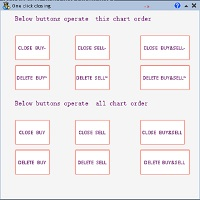
一键平仓小工具,可以针对买单、卖单和挂单进行批量操作,可以操作当前图表订单和所有订单,简单高效。 第一行第一个按钮是关闭当前图表 品种 所有买单,第二个按钮是关闭当前图表品种的所有卖单,第三个按钮是关闭当前图表 品种 的所有订单; 第二行 第一个按钮是删除当前图表 品种 所有买单挂单,第二个按钮是 删除 当前图表品种的所有卖单 挂单 ,第三个按钮是 删除 当前图表 品种 的所有 挂单 ; 第三行第一个按钮是关闭所有 品种的全部买单,第二个按钮是关闭所有 品种的全 卖单,第三个按钮是关闭所有 品种的全部订单; 第四行第一个按钮是删除所有 品种全部买单挂单 ,第二个按钮是 删除 全部品种 的全部卖单挂单 ,第三个按钮是删除 全部品种 的全部挂单 。 希望此程序能对您有用
FREE
Now free. The key Fibonacci pivot levels, drawn for you automatically every day, on any timeframe. Automatic Fibonacci Pivots calculates the daily support and resistance from the Fibonacci sequence and plots them clean on your chart: the daily pivot, S1/S2/S3 below and R1/R2/R3 above. These are the price zones where the market tends to react, bounce or break, and now you see them without drawing a single line. What it does: - Daily Fibonacci pivot levels (pivot, S1/S2/S3, R1/R2/R3), updated
FREE
StarBot Demo
Dmitry Bondarenko
StarBot Demo - данная утилита работает с открытыми ордерами Sell и Buy, закрывает частично прибыль при прохождении задаваемого уровня. Имеется три уровня частичного закрытия для ордеров Sell и Buy. Утилита также переводит Stop Loss при прохождении задаваемого уровня в безубыток. Работает на всех валютных парах и на всех периодах. Демо-версия ограничена торговлей на одной валютной паре EURUSD и ограниченным начальным лотом 0.04. Полную версию можно приобрести по ссылке: https://www.mql5.com/ru/ma
FREE
Keyboard Trading
Victor Christiaanse
5 (1)
Keyboard Trading  Open and Close orders with your keyboard. This tool allows you to open and close orders with your keyboard. As opening and closing orders with your keyboard is faster than with your mouse, this tool is very useful for Scalpers. How does it work? If you press the key "b", it will open a buy order with lot size, SL and TP as specified in the settings. If you press the key "s", it will open a sell order with lot size, SL and TP as specified in the settings. If you press the key "c
FREE
When executing an order, whether through the Metatrader ticket on a computer or the Metatrader app on a mobile device, either manual or pending, Easy Trade will automatically set the take profit and stop loss levels, as well as a limit order with its respective take profit and stop loss levels. It follows the trading strategy for market open (US30, US100, US500), but it can be applied to any market asset.
FREE
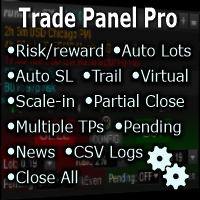
Fully functional manual trade panel with risk/reward, auto SL, lot size calculation, one-click trading, hidden (virtual) stop loss/take profit and pending orders, scale in and out of trades (partial close), news events and more. Works with all symbols not just currency pairs. Brings an incredible amount of functionality to MetaTrader for free and for both demo and live accounts. Features Lot size calculation - based on % of account to risk, fixed amount or dynamic lots Automatic take profit base
FREE
AllClosedMt4
Andrey Spiridonov
5 (1)
AllClosedMT4 - утилита выполнена по принципу эксперта. Утилита предназначена для одновременного закрытия всех открытых позиций по общему суммарному профиту (в валюте депозита) всех открытых позиций. Утилиту можно устанавливать на любой график, с любым торговым инструментом. Параметры Profit - суммарный положительный профит в валюте депозита, при котором будут закрыты все открытые позиции (прибыль); Stop - суммарный отрицательный профит в валюте депозита, при котором будут закрыты все открытые п
FREE
CleanView
Sergey Batudayev
CleanView — утилита управления графиком для MetaTrader 4 CleanView — это вспомогательная утилита для оперативного управления внешним видом и объектами графика в MetaTrader 4. Инструмент предоставляет компактную панель кнопок в левом верхнем углу графика для быстрого переключения тем, очистки объектов и управления системными элементами отображения. Функции и кнопки Clear Chart — удаляет все графические объекты на текущем графике, за исключением кнопок утилиты. Полезно для быстрой очистки графика
FREE
4 buttons for managing your trades. Close All : will close all open positions on the current chart Delete All : will delete any pending orders on the current chart SL + 1 : will move the stop loss 1 pip closer to the breakeven point on all open trades on the current chart Delete SL : will remove the stop loss for all open positions on the current chart Useful for everyone who opens multiple positions on the same asset, where fast execution is essential.
FREE
This is a Trade Manager that Manages your trade and helps any newbie to trade with ease. Trade Parameters are as follows One Click Buy and Sell One Click Buy and Sell Limit One Click Buy and Sell Stop Uses Magic Number Uses Order Comment EA has 3 tabs, First Tab shows the user's current or open trades Second Tab shows for easy trade execution Third Tab hides all information Manages Risk that will automatically close trade based on user input.
FREE
BeST_ Classic Pivot Points is an MT4 Indicator that is based on the widely known and definitely classic Pivot Point of a market prices activity. A pivot point is calculated as an average of significant prices (high,low,close) from the performance of a market in the prior trading period. If the market in the following period trades above the pivot point it is usually evaluated as a bullish sentiment, whereas trading below the pivot point is seen as bearish. A pivot point and the associated suppo
FREE
Внимание! Демо-версия работает только на EURGBP. One Click Trader - это инструмент для MetaTrader 4, который позволяет поднять вашу торговлю на новый уровень. Он позволяет открывать, управлять и закрывать сделки простым эффективным способом за один щелчок мыши. Стрелка вверх сворачивает панель OCT Стрелка вниз разворачивает панель OCT Стрелка вправо отображает следующую панель с дополнительными функциями Стрелка влево скрывает панель с дополнительными функциями Красная кнопка SELL позволяет откр
FREE
EAsyRightNow - Профессиональный торговый советник для ручной торговли с расширенным функционалом EAsyRightNow - это многофункциональный торговый советник для MetaTrader 4, предоставляющий из себя торговую Панель, с удобным пользовательским интерфейсом  и широкими возможностями управления торговыми позициями. Идеален для скальпинга, работает на всех таймфреймах.  Основные возможности  1. Режимы торговли - Одиночные ордера: Управление одной торговой позицией - Множественные ордера: Возможность
FREE
TradeBox
Aleksandr Butkov
Небольшая торговая панель облегчает задачу трейдеру по визуальной установке отложенных ордеров, рыночных,  а так же тралит и разгружает сетку ордеров.  Устанавливается как обыxный советник.    Параметры и описание:   Lot Volume: 100  - в данном поле можно установить, изменить в любой момент объем ордера   Line UP - визуальный горизонтальный уровень для отложенных ордеров BuyStop и SellLimit   Line DN - визуальный горизонтальный уровень для отложенных ордеров BuyLimit и SellStop   Delete Lines -
FREE
The DrawStopLevel  script is designed for the MetaTrader 4 (MT4) trading platform. This script allows traders to quickly and easily draw a stop-loss horizontal line on their trading chart. This script is used in conjunction with the Trade Entry Journal Utility ( https://www.mql5.com/en/market/product/ . This script can also be easily integrated into any MT4 trading strategy, allowing for quick visual representation of stop-loss levels.
FREE
Portfolio Aggregator MT4
Keni Chetankumar Gajanan -
Portfolio Aggregator - one dashboard, total clarity across all your trading accounts Portfolio Aggregator unifies account data from multiple brokers and currencies into a single, transparent dashboard, giving real-time visibility into equity, margin, P&L, and risk metrics so traders can maintain control and confidence across diversified strategies. It converts all values into a chosen base currency using live FX rates, and displays equity, balance, unrealized P&L, margin usage, and open position
FREE
PulseBar takes the guesswork out of trade management. It puts a horizontal line on your chart that you can drag anywhere. At whatever price you place it, PulseBar shows what your open positions on that symbol would make or lose if price got there. The figure is in your account currency and already includes swap and commissions. It suits Price Action traders, scalpers and day traders who want to see Take Profit targets, partial exits, risk zones and their exact breakeven without leaving the char
FREE
Buy and sell buttons
Markus Christer Ekengren
Simple buy and sell buttons to execute orders instant with automatically stop loss and take profit levels. Stop loss and Take profit- levels can be changed in settings. Free version, only for US30- market. Feel free to send direct message for improvements or other ideas.. ---------------------- Payed version comming soon (for all markets/ timeframes).
FREE
Smart Fix SLTP
Smaylle Rafael Coelho Mariano
Этот скрипт предназначен для автоматической установки уровней Stop-Loss (SL) и Take-Profit (TP) для всех открытых сделок на основе настраиваемых критериев. В отличие от традиционных скриптов, которые выполняются один раз и затем завершаются, этот скрипт непрерывно отслеживает ваши сделки и применяет SL и TP к любым новым ордерам, соответствующим заданным условиям. Он идеально подходит для трейдеров, которые хотят, чтобы их стратегия управления рисками постоянно применялась ко всем сделкам. Ключе
FREE
Free automatic fibonacci - это индикатор, который автоматически строит коррекции Фибоначчи, основываясь на количестве баров, выбранных в параметре BarsToScan. Линии Фибоначчи автоматически обновляются в реальном времени при появлении новых максимальных и минимальных значений среди выбранных баров. В настройках индикатора можно выбрать уровни, значения которых будут отображены. Также можно выбрать цвет уровней, что позволяет трейдеру прикреплять индикатор несколько раз с разными настройками и цве
FREE
You can check out comment #1 how does it work This is a very useful tool, enter the currency charts you need to open, use the symbol "/" to distinguish them, and select the periodicity /TF of the chart, press the button and they will open the charts for you in batches without you having to manually open them each! Because some EA use multiple currency pairs strategy, but do not support one chart to support all currency pairs, so I developed this tool, hope you like it, if you are satisfied with
FREE
My Trades in Pips
Bernhard Schweigert
4.84 (19)
Торговый инструмент, который вы не хотите пропустить. Индикатор отображает все сделки на графике с символом, к которому он привязан. Он отображает количество пунктов в прибыли или убытке. По выбору выводит вертикальную линию через подокна для лучшего анализа. Ознакомьтесь также с PRO-версией здесь: My Trade History PRO https://www.mql5.com/en/market/product/50206 Также добавляется информация об общем результате сделок в валюте депозита и общем количестве пунктов. Вы можете выбрать показ тольк
FREE
С этим продуктом покупают
Добро пожаловать в Trade Manager EA — лучший инструмент для управления рисками, предназначенный для упрощения, точности и эффективности торговли. Это не просто инструмент для размещения ордеров; это комплексное решение для удобного планирования торгов, управления позициями и усиленного контроля над рисками. Независимо от того, начинающий вы трейдер, опытный специалист или скальпер, нуждающийся в быстром исполнении, Trade Manager EA адаптируется к вашим потребностям и работает с любыми активами:
Exp COPYLOT CLIENT for MT4
Vladislav Andruschenko
4.69 (65)
Профессиональный копировщик сделок для MetaTrader 4 Быстрый, профессиональный и надежный копировщик сделок для MetaTrader 4 . COPYLOT позволяет копировать сделки Forex между терминалами MetaTrader 4 и MetaTrader 5 , обеспечивая гибкую синхронизацию для разных типов счетов и сценариев торговли. Версия COPYLOT MT4 поддерживает: MetaTrader 4 → MetaTrader 4 MetaTrader 5 Hedge → MetaTrader 4 MetaTrader 5 Netting → MetaTrader 4   Версия MT5 Полное описание + DEMO + PDF Как купить Как установить Как по
Local Trade Copier EA MT4
Juvenille Emperor Limited
4.96 (111)
Local Trade Copier EA MT4 — это быстрый и гибкий копировщик сделок для копирования и управления сделками между несколькими счетами MetaTrader 4 на одном компьютере с Windows или Windows VPS. Он сочетает локальную синхронизацию сделок с настройками на стороне Receiver для управления размером лота, рисками, фильтрацией сделок, сопоставлением символов, управлением сделками и защитой счета. Настройте терминалы Transmitter и Receiver примерно за 1 минуту и копируйте ручные сделки или сделки, открыты
Grid Manual MT4
Alfiya Fazylova
4.71 (17)
Grid Manual — это торговая панель для работы с сеточными стратегиями. Утилита универсальная, имеет гибкие настройки и понятный интерфейс. Работает с сеткой ордеров не только в сторону усреднения убытков, но и в сторону наращивания прибыли. Трейдеру не нужно создавать и сопровождать сетку ордеров, это сделает утилита. Достаточно открыть ордер и Grid manual автоматически создаст ему сетку ордеров и будет сопровождать его до самого закрытия. Полная инструкция и демо-версия здесь . Основные особенно
Trade Indicator Assistant is a powerful MT4 utility designed to turn indicators into automated trading systems. Its main feature is the ability to automatically detect an indicator’s   BUY and SELL signal buffers , without requiring you to know the buffer numbers, search through indicator settings, or modify the indicator source code. Bonus Indicator: After purchasing Trade Indicator Assistant, contact me to receive Trade Signal Pro completely free as a bonus indicator. [Download Demo Version]
TradePanel MT4
Alfiya Fazylova
4.84 (95)
Trade Panel — это многофункциональный торговый помощник. Приложение содержит более 50 торговых функций для ручной торговли и позволяет автоматизировать большинство торговых операций. Инструкция к приложению: https://www.mql5.com/ru/blogs/post/756476 Пробная версия приложения для демо-счета: https://www.mql5.com/ru/blogs/post/750864 Как установить приложение: https://www.mql5.com/ru/blogs/post/750096 Как тестировать приложение в визуальном режиме: https://www.mql5.com/ru/blogs/post/770274 Как уст
Trade Assistant MT4
Evgeniy Kravchenko
4.43 (197)
Помогает рассчитать риск на сделку, простая установка нового ордера с помощью линий, управление ордерами с функциями частичного закрытия, 7 типов трейлинг-стопа и другие полезные функции. Дополнительные материалы и инструкции Инструкция по установке   -   Инструкция к приложению   Функция Линии   - отображает на графике линию открытия, стоп-лосс, тейк-профит. С помощью этой функции легко установить новый ордер и увидеть его дополнительные характеристики перед открытием. Управление риском   -
Нужна поддержка? Как настроить? Есть вопросы? Спрашивайте здесь на своём языке, быстрый ответ: https://www.mql5.com/en/market/product/139089/comments Скачать рабочую пробную версию Copy Cat More (Копи Кэт Мор) — копировщик сделок (Trade Copier) MT4 — это не просто локальный копировщик сделок; это полноценная система управления рисками и исполнения (risk management and execution framework), созданная для современных торговых задач. От челленджей проп-фирм (prop firm) до управления личным портф
Trade copier MT4
Alfiya Fazylova
4.62 (37)
Trade Copier — это профессиональная утилита, предназначенная для копирования и синхронизации сделок между торговыми счетами. Копирование происходит от счета/терминала поставщика к счету/терминалу получателя, которые установлены на одном компьютере или vps. Перед покупкой вы можете протестировать демо-версию на демо-счете. Демо-версия здесь . Полная инструкция здесь . Основной функционал и преимущества: Русифицированный интерфейс, поддержка на русском языке. Поддерживает копирование МТ4 > МТ4, МТ
Forex Sentiment Trader PRO EA
Salvador Martinez Ramos
5 (2)
I have created this  MT4 Tool EA to test if it is more profitable to trade in favor of the mass sentiment of traders or it is better to go against it. Remember to authorize Myfxbook url in WebRequest options in MT4 .  Features: Market Sentiment update every 30 minutes SL TP BreakEven Trail SL Daily Target Profit Max Daily DrawDown (Useful for prop firm) Max Spread Filter Time Filter Custom Trade Comments Protection in case a pair is not read correctly from the web (Prevents improper closing or o
News Filter EA: Advanced Algo Trading Assistant News Filter EA is an advanced algo trading assistant designed to enhance your trading experience. By using the   News Filter EA , you can integrate a Forex economic news filter into your existing expert advisor, even if you do not have access to its source code. In addition to the news filter, you can also specify   trading days   and   hours   for your expert. The News Filter EA also includes   risk management   and   equity protection   features
DoIt Trade Manager - Risk Panel and EA Position Manager for MT4 Finding an entry is only half the job. Many execution mistakes happen in position sizing, partial exits, breakeven, trailing and account protection. DoIt Trade Manager puts the complete workflow on the chart. Plan the risk before entry, execute the order and apply consistent management rules to your manual trades and selected positions opened by other EAs. Full setup guide + how the free version works and where PRO starts :  https:/
The product will copy all telegram signal to MT4   ( which you are member  ) , also it can work as remote copier.  Easy to set up, copy order instant, can work with almost signal formats, image signal, s upport to translate other language to English Work with all type of channel or group, even channel have "Restrict Saving Content", work with  multi channel, multi MT5 Work as remote copier: with signal have ticket number, it will copy exactly via ticket number. Support to backtest signal. How to

Telegram to MT4 Coppy
Sergey Batudayev
4.09 (11)
Telegram to MT4: Идеальное решение для копирования сигналов Упростите свою торговлю с Telegram to MT4 — современным инструментом, который копирует торговые сигналы прямо из каналов и чатов Telegram на вашу платформу MetaTrader 4, без необходимости использования DLL. Это мощное решение обеспечивает точное исполнение сигналов, широкие возможности настройки, экономит время и повышает вашу эффективность. [ Instructions and DEMO ] [ FAQ ] [ How atach logs properly ] [ Settings descrition ] Ключевые
PZ Trade Pad Pro MT4
PZ TRADING SLU
3.67 (3)
Это визуальная торговая панель, которая помогает вам легко размещать сделки и управлять ими, избегая человеческих ошибок и повышая вашу торговую активность. Он сочетает в себе простой в использовании визуальный интерфейс с надежным подходом к управлению рисками и положением [ Руководство по установке | Руководство по обновлению | Устранение неполадок | FAQ | Все продукты ] Удивительно простой в использовании Торгуйте легко с графика Торгуйте с точным управлением рисками, без проблем Сохранение
The program is use to copy trading from MT4   to MT4 and MT5  on same Windows   PC or VPS .   Now you can easy copy trades to any MT4 account or MT5 account. Instants copy, speed smaller 0.1 seconds, easy to setup. Need run EA as Signal provider on one MT4 account, other MT4 / MT5 will run EA as Trade copier. You can download and try demo version on demo account Copi Trade MT4 demo   version   here   Copi Trade MT5 demo   version  here  
Trade Manager Pro MT4
Bryan Djoufack Nguessong
Это утилита для облегчения торговли, позволяющая в один клик или несколько кликов выполнять такие трудоемкие задачи, как управление ордерами и управление рисками. Особенности Управление рисками   Автоматически рассчитывает лоты на основе риска, указанного в % или $ в поле риска, и позволяет вам вводить ордера, просто размещая линии для SL TP и т.д., и отображает Risk Reward в реальном времени. TrueRisk включает комиссионные при расчете размера лота только на FX парах, так что вы рискуете 1%
Trading History MT4
Siarhei Vashchylka
5 (9)
Trading History - Программа для торговли и управления капиталом на истории котировок в тестере стратегий. Может работать с отложенными и немедленными ордерами, оснащена функциями трейлинг стопа, безубытка и тейкпрофита. Очень хорошо подходит для тренировок и тестирования различных стратегий. Инструкция/Мануал ( Обязательно читайте перед приобретением ) Преимущества 1. В кратчайшие сроки позволяет протестировать любую торговую стратегию 2. Отличный тренажёр для тренировок трейдинга. Можно получи
CloseIfProfitorLoss with Trailing
Vladislav Andruschenko
4.88 (32)
Close If Profit or Loss with Trailing для MetaTrader 4 — автоматическое закрытие по общей прибыли или убытку Надёжная торговая утилита для MetaTrader 4, которая автоматически закрывает позиции, когда общая прибыль или общий убыток достигает заданного уровня. Советник контролирует открытые сделки, считает плавающий результат, может использовать трейлинг прибыли и помогает закрывать позиции быстрее, чем ручная реакция трейдера. MetaTrader 4 до сих пор активно используют ручные трейдеры, скальперы
Shepherd Safety EA
AW Trading Software Limited
4.92 (13)
AW Shepherd Safety EA - советник для сопровождения открытых позиций. Первый ордер открывает трейдер с панели, дальше советник ведёт корзину сам: доливает ордера восстановления с фильтром тренда, закрывает сторону по TakeProfit, трейлингу или стопу и показывает уровни закрытия на графике. Покупки и продажи ведутся отдельно, обе стороны могут быть открыты одновременно. Ордер восстановления открывается не просто по шагу цены, а после разворота в сторону позиции по Parabolic SAR, двум MA или цвету с
Trade Assistant Pro 36 in 1
Makarii Gubaydullin
4.76 (21)
Многофункциональная утилита: калькулятор лота, сеточные ордера, индикатор Price Action, управление сделками, рассчёт R/R, и многое другое Демо веpсия  | Инструкция  | Версия для MT5 Утилита не работает в тестере стратегий: вы можете скачать   демо версию ЗДЕСЬ , чтобы протестировать продукт перед покупкой. Напишите мне  если есть вопросы / идеи по улучшению / в случае найденного бага Упроситите и сделайте вашу торговлю быстрее, при этом расширяя стандартные возможности терминала. 1. Открытие
Az OrderGun
Jose Antonio Valle Magana
AZ_OrderGun MT4 - Professional 1-Click Trading Panel AZ_OrderGun is the all-in-one panel to execute and manage your trades without wasting time setting up SL/TP. KEY FEATURES: 1. 4 INSTANT ENTRIES: Buy SLL - Buy with SL on Low of previous candle Sell SLH - Sell with SL on High of previous candle Buy SLO / Sell SLO - SL on Open of previous candle > Fully configurable % Risk 2. ADVANCED VISUAL MANAGEMENT: Draggable lines for Pending and Market orders Auto calculation of Lot Size, $ Ri
RS Trade Copier - сверхбыстрый локальный копировщик сделок с полноценным графическим интерфейсом. Хватит вбивать номера счетов вручную. Никаких 200+ непонятных параметров в настройках. Надёжный и гибкий инструмент для копирования торговых операций между несколькими терминалами MT4 и MT5. Подходит как опытным трейдерам и сигнал-сервисам, так и частным инвесторам. Позволяет синхронизировать торговлю от одного или нескольких источников к одному или нескольким приёмникам с высокой точностью и минима
Telegram to MT4 Multi-Channel Copier   автоматически копирует торговые сигналы из ваших Telegram- и Discord -каналов прямо в MetaTrader 4. Без ботов, без браузерных расширений, без ручного копирования. Сигнал приходит в Telegram или Discord — и советник открывает сделку в вашем терминале за считанные секунды. А перед тем как копировать канал, встроенный бэктестер покажет, что этот канал сделал бы на вашем счёте. Продукт состоит из двух компонентов: приложения для Windows, которое слушает ваши Te
Rhino Chart Drawing Tools предоставляет рабочий процесс рисования в стиле TradingView для MetaTrader 4. Включает 54 инструмента рисования , настраиваемую панель инструментов, Избранное, быстрое форматирование, настройки объектов, шаблоны и менеджер объектов. Руководство пользователя: Как использовать продукт Бесплатная демо-версия: Скачать демо-версию Версия для MetaTrader 5: Rhino Drawing Tools для MT5 Инструменты рисования Группа Список объектов Линии Линия тренда, луч, продолженная линия, г
MT4 к Telegram Signal Provider - это простой в использовании и полностью настраиваемый инструмент, который позволяет отправлять сигналы в Telegram, превращая ваш аккаунт в поставщика сигналов. Формат сообщений полностью настраиваем! Однако для простого использования вы также можете выбрать предопределенный шаблон и включать или отключать определенные части сообщения. [ Демо ]  [ Руководство ] [ Версия для MT5 ] [ Версия для Discord ] [ Телеграм-канал ]  New: [ Telegram To MT5 ] Настройка Шаг за
Multi Account Local Trade Copier — быстрый локальный копировщик сделок для MetaTrader: копируйте сделки между терминалами MT4/MT5 на одном компьютере или VPS с Windows, с одного мастер-счёта на несколько счетов-приёмников — на ваши собственные реальные, демо- и проп-счета, у одного брокера или у разных. Работает по событиям : мастер публикует каждую сделку в момент её совершения, а приёмник измеряет и записывает реальную задержку копирования каждой сделки — обычно 50-150 мс . Без DLL, без интерн
Equity Protect Pro: Ваш эксперт по комплексной защите счетов для спокойной торговли Если вы ищете такие функции, как защита счета, защита капитала, защита портфеля, защита мультистратегий, защита прибыли, сбор прибыли, безопасность торговли, программы контроля рисков, автоматический контроль рисков, автоматическая ликвидация, условная ликвидация, запланированная ликвидация, динамическая ликвидация, скользящий стоп-лосс, закрытие в один клик, ликвидация в один клик и восстановление в один клик,
Индикатор имеет три основных инструмента: шкалы Времени и Цены, Увеличитель (всплывающий чарт) и Пересечение. Вы можете перемещать всё это с помощью мышки и настраивать различные форматы отображения, размер и цвет каждого элемента. Увеличитель (всплывающий чарт) позволяет отображать свечи с любого таймфрейма и разным масштабом. Горячие клавиши по умолчанию:  'Q'-увеличить таймфрейм, 'A'-уменьшить таймфрейм, 'W'-уменьшить масштаб свечей, 'S'-увеличить масштаб свечей,'Z'-показать/скрыть всплываю
Automatic Trailing Stop Based on Take Profit Percentage with Profit Lock EA MT4   Lock in your profits and "let your winners run" past your 100% take profit target with this EA.  This Expert Advisor automatically adjusts your Stop Loss based on up to 4 user-defined Take Profit Target Percentages, locking in your profit.  If price pushes past your 100% take profit target, the EA will automatically trail the price by user-defined pips, so you won't miss that runaway train again.   EA Features The
Другие продукты этого автора
Traders need clear, volatility-adjusted reference levels across multiple timeframes without cluttering the chart with separate indicators or constant manual calculations. This indicator provides a single visual grid system that shows ATR-derived spacing from a chosen anchor (current open candle or last closed candle). This supports grid trading, mean-reversion setups, range identification, and multi-timeframe confluence analysis. The optional State 3 mode adds a time-based 12-hour cycle (AM/PM s
FREE
Lock multi-timeframe ATR grids to any candlestick you click. This gives a clear visual of volatility-based levels (from M1 through MN1) relative to a specific bar instead of always floating with the current price. Benefits Instant multi-TF ATR view locked to a chosen candle Color-coded grids (yellow fade) so each timeframe is easy to distinguish Optional side legend and pips labels for quick reading Fallback modes (open/closed candle or 12-hour cycle) when nothing is selected Clean, non-cluttere
FREE
is a native chart-management script. When run on a chart, it opens separate charts for the same symbol at the enabled timeframes, from M1 through MN1. By default, it opens M15, M30, H1, H4, and D1. You can enable or disable each supported timeframe to create a workspace suited to your analysis. Key Benefits One-Click Multi-Timeframe Access: Open all selected timeframes without manually creating each chart. Flexible Configuration: Enable or disable individual timeframes from M1 to MN1. Cleaner W
FREE
A Market Watch multi-timeframe ATR dashboard that turns a chart into a full-screen table showing each selected symbol’s recent volatility across multiple timeframes. It calculates ATR for the symbols visible in Market Watch, then displays the result in pips, points, or raw price units. Its practical use is volatility scanning, quickly finding instruments and timeframes that are moving enough—or quietly enough—for your trading style.                                Period that is worth using Sty
FREE
Synchronizes all open charts to the symbol of the chart this indicator is applied to. SyncAllCharts is a MetaTrader 5 indicator that lets one main chart control the trading symbol shown on all other open charts. Change the symbol on the main chart, and the other charts follow while keeping their own timeframes. It helps you review the same market across several timeframes without changing each chart manually. How to use it Attach the indicator to one chart that you want to use as the main contr
FREE
is a native chart-management script. When run on a chart, it opens separate charts for the same symbol at the enabled timeframes, from M1 through MN1. By default, it opens M15, M30, H1, H4, and D1. You can enable or disable each supported timeframe to create a workspace suited to your analysis. Key Benefits One-Click Multi-Timeframe Access: Open all selected timeframes without manually creating each chart. Flexible Configuration: Enable or disable individual timeframes from M1 to MN1. Cleaner Wo
FREE
Адаптируясь к волатильности, потенциальный риск для вознаграждения торговых позиций отображается на основе среднего истинного диапазона. Поля "Риск-вознаграждение" отображаются при нажатии кнопки "Купить или продать"! Полезность расчета ATR, радуйтесь вопросу, который не является частью сложного решения о том, когда закрывать сделку. Этот вопрос поможет вам принять решение по управлению рисками.  Технические характеристики Средний истинный диапазон - это обычно используемый индикатор, который и
FREE
gives you the power to close every open chart window at once — no matter the symbol, timeframe, number of indicators, Expert Advisors, or objects on them. When you attach it, a confirmation dialog appears. Only after you explicitly grant permission does the script shut down all charts, leaving you on the clean gray screen with Market Watch still fully available. From there you can rebuild your layout from scratch exactly the way you want it. Ideal for: Quickly clearing a cluttered multi-chart wo
FREE
Automatically cycles through every symbol in your Market Watch at a user-defined interval, letting you scan multiple pairs hands-free without manually changing charts. Benefits Hands-free multi-pair scanning with adjustable speed and optional reverse direction Reliable play/pause button that stays on-chart and can be placed in any corner with custom colors Optional large centered Symbol + Timeframe labels (stacked, with adjustable spacing) that can sit behind or in front of price Remembers its p
FREE
designed to help traders monitor the long and short swap rates of available trading instruments through a clear, organized on-chart table. Its primary purpose is to make overnight financing costs and potential swap credits easier to observe across multiple symbols without repeatedly opening individual instrument specifications. By presenting swap information in a centralized display, the application helps traders incorporate holding costs into their market analysis and trade planning. Key Benef
FREE
This EA gives traders a clean, full-window view of how large a position each Market Watch symbol can support at different percentages of account balance used as margin. It helps you quickly compare sizing options across symbols and risk levels without ever placing or modifying orders. The goal is simple position-size awareness so you can decide exposure before you trade. Benefits Shows lot size potential across Market Watch symbols at up to three different % of balance margin levels side-by-sid
FREE
This indicator builds a live correlation matrix from the symbols currently selected in Market Watch . It calculates Pearson correlation on simple returns over a user-defined lookback and displays the results in a clean, auto-sized grid. Positive correlations appear in green, negative in red, and near-zero values stay neutral. An optional automatic timeframe scanner cycles through only the timeframes you enable (M1, M5, M15, M30, H1, H4, D1, W1, MN1), updating the entire matrix at a set interval.
FREE
This EA gives traders a clean, full-window view of how large a position each Market Watch symbol can support at different percentages of account balance used as margin. It helps you quickly compare sizing options across symbols and risk levels without ever placing or modifying orders. The goal is simple position-size awareness so you can decide exposure before you trade. Benefits Shows lot size potential across Market Watch symbols at up to three different % of balance margin levels side-by-sid
FREE
motive is to turn market volatility and selected time/session reference points into a visual price grid . Instead of claiming to predict price direction, it gives the trader a structured way to judge where current price sits relative to ATR-derived or fixed-distance ranges. Potential Volatility awareness: ATR-based spacing expands and contracts with measured price volatility. Price-range context: Multiple grid levels show how far price has traveled from a reference point. Session analysis: The f
FREE
The SymbolicTimeFramingUniverse indicator for MetaTrader 4 (MT4) is designed to enhance chart navigation by displaying the current symbol and timeframe as stacked labels directly on the chart window. It provides precise alignment and customization options, including positioning in the center or corners, adjustable offsets, font styling, and layer controls for visibility (such as background placement or color flashing). This tool supports professional trading workflows by ensuring quick identific
FREE
is a visual market-monitoring indicator that displays multiple trading instruments and timeframes within a single chart window. Developed using MQL5, the indicator transforms historical price data into a structured dashboard featuring custom candlesticks or price dots. Each row represents a symbol, while each column represents a selected timeframe. This arrangement allows traders to examine recent market behavior across several instruments and timeframes without continually opening and closing c
FREE
A versatile on-chart tool displaying real-time ATR values across up to 10 timeframes (M1 to MN1) in numerical format, bypassing subwindow charts for cleaner analysis. Key features: Toggle per-timeframe visibility, decimal/pips mode, customizable multiplier (e.g., for scaled stops), font/size/color adjustments, and corner/center positioning. Ideal for volatility-based trading—compute position sizes or filters instantly without manual math. Free download; compatible with MT4 Build 600+. Enhances m
FREE
Automated Timeframe cycling with Symbols centered.  Force every timeframe onto one clock window, so the story you see on Daily is the same story you are slicing on H4, H1, and M1.  Traders usually flip timeframes and lose the span. A Daily chart shows a few weeks, then M15 shows a few hours, and the eye treats them as different markets. This indicator locks the window to N bars of the highest enabled timeframe — default 10 Daily — and maps every lower timeframe to that same stretch. You stay ins
FREE
Displays broker-provided LONG and SHORT swap values for selected instruments in a full-chart, dynamically sized table. The Swaps Monitor Table provides a simple way to view the swap rates supplied by your broker for multiple trading instruments at once. The table can display instruments from Market Watch, all available instruments, or a manually selected list , allowing traders to monitor swap costs without opening each symbol individually. The indicator automatically adjusts the table cells an
FREE
visual trade planner for MetaTrader 5. It draws multi-timeframe ATR reward and stop zones on the chart so you can judge distance and payoff before you place the trade yourself. It does not send, modify, or close orders. Motive A single ATR on the chart timeframe often hides the larger and smaller ranges a trade is actually working against. This EA stacks three take-profit slices, each from its own timeframe, period, and multiplier, then places an ATR stop and an optional fixed stop beside them.
FREE
is designed to enhance the visual representation of financial charts in MetaTrader 4 by dynamically altering the colors of various chart elements, including candlesticks, bars, line charts, and volume bars. Its primary purpose is to improve trader intuition and engagement during market analysis by introducing smooth, cyclical color transitions that can highlight momentum shifts, trends, or volatility without overwhelming the display. This functionality is particularly beneficial for traders who
FREE
is a multi-timeframe visual matrix that tracks the relative linear progression (log-return strength) of the eight major currencies — EUR, GBP, AUD, NZD, USD, CAD, CHF, and JPY — across selected timeframes in a single responsive panel. Motive Traders often struggle to quickly see which currencies are gaining or losing strength relative to one another across multiple timeframes. This indicator condenses that information into color-coded progression lines so you can immediately identify strong vers
FREE
Quote Cost Parity is  a MetaTrader 5 chart panel for forex majors and minors that share a quote currency. Pairs with the same quote have the same pip cost for a given lot. The indicator uses that correspondence directly: it calculates the cost once for the group, then shows that cost for three lot sizes. It acknowledges only these quote groups. JPY: USDJPY, EURJPY, GBPJPY, AUDJPY, NZDJPY, CADJPY, CHFJPY. Source : USDJPY. CHF: USDCHF, EURCHF, GBPCHF, AUDCHF, NZDCHF, CADCHF. Source : USDCHF. CAD:
FREE
is a multi-timeframe visual matrix that tracks the relative linear progression (log-return strength) of the eight major currencies — EUR, GBP, AUD, NZD, USD, CAD, CHF, and JPY — across selected timeframes in a single responsive panel. Motive Traders often struggle to quickly see which currencies are gaining or losing strength relative to one another across multiple timeframes. This indicator condenses that information into color-coded progression lines so you can immediately identify strong vers
FREE
is designed to simplify switching between trading instruments directly from the active chart. It allows traders to cycle through symbols listed in the broker's Market Watch using on-chart navigation buttons or keyboard arrow keys . The indicator's primary motive is to make multi-symbol market analysis faster, more convenient, and more organized by reducing the need to manually locate and open individual charts. Key Features Previous / Next Navigation: Switch between Market Watch symbols using t
FREE
is a user-friendly MetaTrader 4 indicator that creates a centralized dashboard for traders to oversee market symbols simultaneously across different timeframes, presenting price movements through simple dots or miniature candlestick charts, complemented by volume indicators to facilitate quick assessments of market trends and fluctuations. It automatically resizes grid cells according to the number of bars shown per timeframe for better use of screen space, features adjustable color schemes fo
FREE
is a panel that groups FX Major & Minor quote currencies and shows the shared pip or point cost of a trade. View that cost for three fixed lot sizes or three account-balance risk percentages. Currency Cost Constellation is a MetaTrader 4 chart panel for forex majors and minors that share a quote currency. Pairs with the same quote have the same pip cost for a given lot. The indicator uses that correspondence directly: it calculates the cost once for the group, then shows that cost for three lo
FREE
is an exit manager for trades you open yourself. It does not open positions and it does not send signals. After a manual buy or sell, it gives that trade a stop and up to six exit stages based on volatility. Three stages come from Average True Range, each with its own timeframe. Three come from completed range: daily (ADR), weekly (AWR), and monthly (AMR). Each stage can be switched on or off. Enabled stages are sorted by distance. Nearer stages trail the stop. The furthest is posted as the take
FREE
Automated Timeframe cycling with Symbols centered.  Force every timeframe onto one clock window, so the story you see on Daily is the same story you are slicing on H4, H1, and M1.  Traders usually flip timeframes and lose the span. A Daily chart shows a few weeks, then M15 shows a few hours, and the eye treats them as different markets. This indicator locks the window to N bars of the highest enabled timeframe — default 10 Daily — and maps every lower timeframe to that same stretch. You stay ins
FREE
An on-chart pre-trade planning panel that calculates and displays risk, lot size, and potential outcomes for three ATR-based targets (TP1 / TP2 / TP3) across ten risk-percentage profiles. It shows live spread, point or pip value, total cost (spread + commission + swap), stop-loss exposure, and the resulting dollar and percentage outcomes for each risk level. The panel is drawn entirely with chart objects, remains responsive to window size, and supports both points and pips mode. Benefits Gives a
FREE
Фильтр:
Нет отзывов
Ответ на отзыв