Copier4Free

The utility copies trades from the signal provider accounts (master accounts, one or multiple providers) to unlimited number of receiver accounts (slave accounts). The provider is defined by the 'provider' parameter (any combination of numbers and letters). For example, there are two providers. Run the utility in master mode on them, and set different values to the provider parameter. On the account designated for copying these signals, run two utilities in slave mode in different windows, setting the 'provider' of the first provider to one of them, and 'provider' of the second provider to the other one.

The copying can be set in the opposite direction (reversed), and also with a size (greater or less) changed by the multiplier.

The utility monitors the changes in the stop loss and take profit orders of the positions copied from a master account. All the working parameters of the utility are displayed on the screen for clarity.

The utility does not interfere with the positions on the slave accounts opened manually or automatically by other experts/utilities.

To avoid premature closure of positions of a slave account due to the spread difference with the master account, it is possible to disable copying the stop loss and take profit orders by setting the corresponding parameters to 'off'.

The utility is able to copy the trades on instruments that have prefixes/suffixes. To do that, specify them in the 'prefix' and 'suffix' parameters. In case the master and slave accounts have the same prefixes and suffixes, these parameters can be left blank.

Note! In slave mode, the copier applies the comment field to identify copied trades. Therefore, this field should not be changed by the trading server when opening traedes.  Also, you need to use identifiers (Provider number) of the same length if you use several master copiers. For example. 1, 2, 3 or 11, 13, 22.

The utility works by timer with a second delay. If failed to set the timer (for example, during the server re-load), the utility is switched to the tick mode informing of this in a comment on a symbol chart.


Parameters of the utility specified both in master and in slave modes

  • Copier mode – operation mode of the utility: master (signal provider) or slave (signal receiver)/slave2 (manual closure of orders).
  • Provider number – unique identifier of the signal provider to copy trades from (any string value consisting of numbers and letters).
  • Prefix – set the prefix of the traded instrument (if any).
  • Suffix – set the suffix of the traded instrument (if any).


Parameters of the utility specified onlyin slave mode

  • Slave number – number of the copier. Set when copying from one account to several accounts.
  • Copy with reversal – copy trades in the opposite direction (reverse): on (enabled) or off (disabled).
  • Copy stop loss – copy the stop loss of the trade from the master account: on (copy) or off (do not copy).
  • Copy take profit – copy the take profit of the trade from the master account: on (copy) or off (do not copy).
  • Slippage & Price difference (in pips) – allowed slippage (in points) and allowed price deviation.
  • Do not copy if spread - disable copying if a spread exceeds a specified value.
  • Multiply lot of copied deals by – multiplier of the copied position.
  • Show last events - inform of the last copier actions.


Parameters of the utility specified onlyin master mode

  • Do not copy deals with magic (space separated) – disable copying trades having magic numbers specified here (space separated).


Video Copier4Free
Produtos recomendados
Fast Trade Copier
Volodymyr Hrybachov
4.2 (5)
The trade copier is designed for a fast and accurate copying of orders between the MetaTrader 4 terminals. The trade copier copies trades from the Master account to the Slave account by writing information to the total file, which is located in the common directory of the MetaTrader 4 terminals. This allows the trade copier to either customize various schemes for receiving and transmitting trade signals by changing the file name. Reading and writing the copier file is performed by timer. The tra
XauUsd Net Strength
Pieter Gerhardus Van Zyl
The XauUsd Net Strength indicator is a professional-grade market strength tool designed to track and compare the relative performance of Gold (XAU) against the U.S. Dollar (USD) across a diversified basket of currency pairs. Instead of relying on a single chart, it aggregates information from multiple gold- and dollar-based pairs, applies weighting factors, and translates the results into an easy-to-read strength comparison. The indicator plots six components in a separate window: Green & Red Hi
Manual Trade Panel EA MT4
Juvenille Emperor Limited
5 (5)
O Painel Comercial Manual EA MT4 é o painel comercial mais direto e fácil de usar que você pode encontrar para o MT4. Tem todas as suas opções e funções numa só superfície, sem necessidade de abrir janelas ou painéis adicionais. É um utilitário de gerenciamento de pedidos, calculadora de risco, encerramento parcial e protetor de conta, tudo em uma interface extremamente conveniente de usar! Usando o Painel de Negociação Manual EA MT4 , você pode negociar muitas vezes mais rápido e mais preciso
Exp Swing
Vladislav Andruschenko
4.49 (57)
Ele usa o modelo de uma estratégia famosa chamada Swinger (Pendulum, Cheburashka) - colocação alternada de pedidos pendentes com lote aumentado. A estratégia consiste em colocar duas ordens pendentes opostas. Quando o preço se move em uma determinada direção, uma ordem pendente é acionada, enquanto o tamanho do lote da outra ordem é aumentado. O EA oferece três tipos de abertura de pedidos pendentes (TypeofTrade) Abertura automática após a colocação (AutoTrade de abertura instantânea) Abertura
FREE
Currency Strength Trade Panel EA MT4 é uma solução inovadora para qualquer trader iniciante ou experiente! Leva o conceito de força da moeda a um nível totalmente novo, uma vez que o combina com a ação do preço e pode ser aplicado em qualquer símbolo / par, além das 28 combinações usuais das 8 moedas principais. Isso significa que você pode negociar a força ou a fraqueza de qualquer par, incluindo todas as moedas, commodities e criptos (não índices). É um produto verdadeiramente inovador que lh
Symbol Order Close EA was developed to handle the closing and trailing of profit per symbol. The expert can also trail by dollars and the user can specify a particular magic number in case multiple experts are used on the same account. You can close by total profit on a symbol, start trailing, stop trailing and trailing step, all in a dollar value This EA is VERY handy if you are running an expert that trades multiple symbols and ends up with a floating profit. It can also be used to close man

Auto Trade Copier
Vu Trung Kien
4.76 (84)
Auto Trade Copie é projetado para copiar negociações entre multi contas/terminais MetaTrader 4 com 100% de precisão. Com esta ferramenta, você pode atuar tanto como um provedor (origem) ou um recebedor (destino). Todas as ações de negociação serão copiadas do fornecedor ao recebedor sem demora. Demo: Versão demonstração para teste pode ser baixado em: https://www.mql5.com/pt/market/product/4904 Referência: Se você precisa copiar entre diferentes locais através da Internet, por favor veja o Trad
Copier4Fee Advanced
Vladimir Tkach
4.75 (16)
The utility copies trades from the signal provider accounts (master accounts, one or multiple providers) to unlimited number of receiver accounts (slave accounts).  Attention! Y ou need to use identifiers (Provider number) of the same length if you use several master copiers. For example. 1, 2, 3 or 11, 13, 22. The copying can be set in the opposite direction. The comments with all the recently performed actions are displayed on the screen to monitor the utility actions in slave mode. To avoid p
The utility displays in a convenient form the historical trades made on the account. You can filter trades by magic or comcent, display only profitable or losing trades, and only buy or sell trades. Using this utility, you can see trade entry and exit points, stop loss and take profit levels, trade profit, magic number and comment, order ticket and order size - you only need to run the utility on the chart of the currency pair you want information on get and customize the input parameters. MT5
Direct translation of blackcat's L3 Banker Fund Flow Trend Oscillator. Get push notifications on your phone app when a signal bar has formed. Historical signals are shown with buy/sell arrow right on the main chart. Indicator uses two data calculations to check for a cross below 25% level (a signal to go long) and above 75% level (a signal to short). For any further questions  feel free to contact me directly. Including requests for product improvements.
Níveis automáticos de ponto de equilíbrio Usando   esta   ferramenta ,   v ocê pode ativar o movimento automático do SL, quando a operação atingir um lucro desejado.  Especialmente   importante   para   traders   de   curto prazo   .   A opção de deslocamento também está disponível: algum lucro pode ser protegido. Ferramenta multifuncional : 66+ recursos, incluindo esta ferramenta  |   Contate-me  se tiver alguma dúvida  |   Versão MT5 Processo de ativação da função automática de ponto de equil
Copyist MS
Aleksei Moshkin
4 (4)
Copyist MS is a simple and easy to use trade copier. It works as a single-file Expert Advisor with toggled Master and Slave operation modes. Configurations Type of work - work mode selection: Master or Slave; Copy by magic number - copy trade orders by magic number (configure in master terminal) Will not copy currency pairs - list of unwanted currency pairs to copy (configure in master terminal) Master account number - master-terminal trading account number; Selective copying currency pairs - i
Expert Advisor for MT4 Useful utility MUST have for all traders.  With 1 click button, you're able to close all your open positions. Its come with a warning pop up notification when you click to close all your trades, to avoid an accident press the button. Just press 'Yes' to confirm or 'No' to cancel it. The expert will close all your open positions no matter what pairs you currently open or directions. Just attach the expert on 1 of your chart, and you're good to go.
Symbol Manager
Taras Slobodyanik
5 (4)
Symbol Manager or Grid Manager, designed to group orders into one position (by Symbol or by Magic Number). This utility will be useful to multi-currency traders (many EAs), who can have multiple orders on several pairs. You will be able to see the total number of lots, the total profit, and set virtual stop loss and virtual take profit. To set a real TP (or SL), you must first set the virtual value, and then enter the command in this cell: "set". If you want to set real TP/SL for all orders at
Local Trade Copier EA MT4
Juvenille Emperor Limited
4.96 (104)
Experimente uma cópia de negociação excepcionalmente rápida com o Local Trade Copier EA MT4 . Com sua fácil configuração de 1 minuto, este copiador de negociações permite que você copie negociações entre vários terminais MetaTrader no mesmo computador Windows ou em um Windows VPS com velocidades de cópia ultra rápidas de menos de 0.5 segundos. Seja você um trader iniciante ou profissional, o Local Trade Copier EA MT4 oferece uma ampla gama de opções para personalizá-lo de acordo com suas necess
Exp COPYLOT CLIENT for MT4
Vladislav Andruschenko
4.69 (65)
Copiadora comercial para MetaTrader 4. Ele copia negociações, posições e pedidos em forex de qualquer conta. É uma das melhores copiadoras comerciais  MT4 - MT4, MT5 - MT4 para a versão COPYLOT MT4  (ou MT4 - MT5 MT5 - MT5 para a versão COPYLOT MT5 ). Versão MT5 Descrição completa +DEMO +PDF Como comprar Como instalar    Como obter arquivos de log    Como testar e otimizar    Todos os produtos da Expforex Versão da copiadora para o terminal MetaTrader 5 ( МТ5 - МТ5, МТ4 - МТ5 ) -  Copylot Cli
Golden Gestion TP SL
Matthias Hubert Patrick Snidaro
Auto SL/TP Manager EA – Gestion Automatique Intelligente Auto SL/TP Manager EA est un Expert Advisor conçu pour automatiser la gestion des commandes avec une efficacité maximale et une grande discrétion. Il gère automatiquement : Le Stop Loss (SL) et le Take Profit (TP) Le Profit Lock (verrouillage progressif des bénéfices) Le Trailing Stop avec plusieurs méthodes avancées L' affichage masqué du SL et du TP pour plus de discrétion (non visible par le courtisan) C'est l'outil idéal pour les
Virtual Collider Manual   is a trading assistant with a built-in panel for manual trading. It automatically moves a position opened by a trader in profit using innovative adaptive grid algorithm of averaging and adaptive pyramiding Know-how of the grid algorithm of averaging and pyramiding of the   Virtual Collider Manual   trading robot is based on fully automatic adaptation of all characteristics of dynamically build order grid and pyramid with actual price movement with no need for adjusting
Initial Stop Loss Setup : Automatically applies an initial stop loss (in points) immediately when a trade is opened. Provides peace of mind by ensuring every trade is protected against unfavorable price movements. Dynamic Trailing Stop : Adjusts the stop loss at the close of each candle based on a fixed point distance. Moves the stop loss incrementally closer to the current price, locking in profits as the market moves in your favor. Works Across All Timeframes : The EA adapts to any chart time
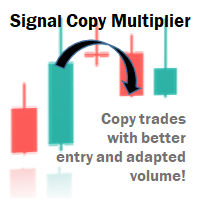
Signal Copy Multiplier automatically copies trades on the same account, for example, to get a better entry and adjusted volume on a subscribed signal. MT4-Version:  https://www.mql5.com/de/market/product/67412 MT5-Version:  https://www.mql5.com/de/market/product/67415 You have found a good signal, but the volume of the provider's trades is too small? With Signal Copy Multiplier you have the possibility to copy trades from any source (Expert Advisor, Signal, manual trades) and change the volume o
RSI Scanner
Tetyana Shcherba
Utility is designed to monitor and analyze the market conditions for all symbols of the MetaTrader 4 terminal using real-time data from the RSI indicator. Automatically detects all the pairs in your terminal, and also can filter them into groups. Gets the RSI indicator data for all timeframes and all selected pairs. Tracks up to 4 programmable signal patterns and notifies when they appear. Automatically opens a new chart for a given template when you click the desired pair in the table. Input p
Bem-vindo ao Trade Manager EA—uma ferramenta de gestão de risco criada para tornar o trading mais intuitivo, preciso e eficiente. Não é apenas uma ferramenta para executar ordens, mas uma solução abrangente para planejamento de operações, gerenciamento de posições e controle de risco. Seja você um iniciante, trader avançado ou scalper que precisa de execução rápida, o Trade Manager EA adapta-se às suas necessidades, oferecendo flexibilidade em todos os mercados, desde forex e índices até commodi
Reverse copier is a tool that will open opposite buy/sell orders from your master account. It will help you with low profit EA's that lose consistenly and turn it to wins. Feel free to ask for new functions/features and I will add it. Now it's a simple MT5 to MT4 bridge with straightforward logic of one position open/close.  How to install: https://www.mql5.com/en/market/product/141604
FREE
The Candlestick Pattern Detector is an advanced MetaTrader 4 indicator designed to identify and highlight candlestick patterns on your charts. Currently, the indicator detects one specific candlestick pattern - the pinbar, known for its significance in technical analysis and trading strategies. This tool provides traders with visual cues, making it easier to spot potential market reversals or continuations. Features: Customizable Colors: Users can customize the colors of the bullish and bearish
Three 3TP Easy Trade Pad Expert for MT4 – Download The 3TP Easy Trade Pad Expert is an advanced tool designed for capital management, risk control, and streamlined trading within the MetaTrader 4 (MT4) platform. With its functional and specialized interface, this expert advisor allows traders to effortlessly set and manage Stop Loss (SL) and Take Profit (TP) levels. In addition to simplifying trade execution, the tool provides features for defining acceptable risk, expected profit (R/R), and adv
Utilitário para pedidos automáticos e gerenciamento de riscos. Permite tirar o máximo dos lucros e limitar suas perdas. Criado por um trader praticante para traders. O utilitário é fácil de usar, funciona com qualquer ordem de mercado aberta manualmente por um trader ou com a ajuda de consultores. Pode filtrar negociações por número mágico. O utilitário pode trabalhar com qualquer número de pedidos ao mesmo tempo. Tem as seguintes funções: 1. Definir níveis de stop loss e take profit; 2. F
You can change the time period of the chart at the touch of a button. You can also change multiple charts at the touch of a button. You can also change multiple charts at the touch of a button, saving you the trouble of changing time periods. We are live-streaming the actual operation of the system. https://www.youtube.com/@ganesha_forex We do not guarantee your investment results. Investments should be made at your own risk. We sharll not be liable for any disadvantage or damage caused by th
Virtual Exchange Reserve Equity Monitor In an environment where exchanges offer increasingly high leverage ratios, it is all the more important for traders to tightly regulate their level of equity .  This software is designed to be run in the background on any virtual private server that can run Meta Trader 4/5.  It implements basic equity control functions ahead of the broker---allowing users to set their own equity trailing stop, an equity limit to lock-in a certain profit margin, and a unive
FREE
Trading panel for manual trading. Has a fairly wide functionality. Allows you to automatically calculate the order size, open both market and pending orders. It has a wide range of options for closing orders, it is possible to partially close orders, close orders after reaching a certain profit or loss, separately close profitable and unprofitable, buy and sell, as well as pending orders. The panel also contains a simple implementation of a grid of pending orders, reverse and lock functions, tr
This tool will perform Trailing stop loss and Break even management for orders. Helps you limit or reduce the time spend watching orders on the screen, especially when you need to go to sleep. Just add this EA to 1 chart, you can manage all pairs. You can filter orders by comment, magic number, symbol, and order ticket number. When Breakeven it can add shift/offset pips (to cover the commission...). You can try in strategy tester before purchase. The EA will add Buy and Sell alternately, so yo
Os compradores deste produto também adquirem
Trade Assistant MT4
Evgeniy Kravchenko
4.42 (192)
Ajuda a calcular o risco por comércio, a fácil instalação de uma nova encomenda, gestão de encomendas com funções de fecho parcial, trailing stop de 7 tipos e outras funções úteis. Materiais e instruções adicionais Instruções de instalação - Instruções para a aplicação - Versão de teste da aplicação para uma conta de demonstração Função de linha Mostra no gráfico a linha de Abertura, Stop Loss, Take Profit. Com esta função é fácil definir uma nova ordem e ver as suas características adicionais
TradePanel MT4
Alfiya Fazylova
4.84 (89)
O Trade Panel é um assistente comercial multifuncional. A aplicação contém mais de 50 funções de negociação para negociação manual e permite automatizar a maioria das operações de negociação. Atenção, a aplicação não funciona no testador de estratégia. Antes de comprar, pode testar a versão de demonstração numa conta de demonstração. Versão de demonstração aqui . Instruções completas aqui . Comércio. Permite realizar operações de negociação com um clique: Abra as ordens e posições pendentes com
Copy Cat More Trade Copier MT4 (Cópia Gato MT4) não é apenas um simples copiador local de operações; é uma estrutura completa de gestão de risco e execução, projetada para os desafios atuais do trading. Desde desafios de prop firms até a gestão de contas pessoais, adapta-se a cada situação com uma combinação de execução robusta, proteção de capital, configuração flexível e tratamento avançado das operações. O copiador funciona tanto no modo Master (emissor) quanto no modo Slave (receptor), sincr
O MT4 para Telegram Signal Provider é uma ferramenta fácil de usar e totalmente personalizável que permite o envio de sinais para o Telegram, transformando sua conta em um provedor de sinais. O formato das mensagens é totalmente personalizável! No entanto, para uso simples, você também pode optar por um modelo predefinido e habilitar ou desabilitar partes específicas da mensagem. [ Demonstração ]   [ Manual ] [ Versão MT5 ] [ Versão Discord ] [ Canal do Telegram ]  New: [ Telegram To MT5 ] Conf
Custom Alerts AIO: Monitoramento inteligente de múltiplos mercados – pronto para uso, sem configuração Visão geral Custom Alerts AIO é uma ferramenta avançada de varredura de mercado que funciona imediatamente após a instalação — sem necessidade de configurar indicadores adicionais. Inclui internamente todos os principais indicadores da Stein Investments (FX Power, FX Volume, FX Dynamic, FX Levels e IX Power), permitindo que você monitore facilmente todas as principais classes de ativos: Forex
O Risk/Reward Tool é um Expert Advisor de nível profissional projetado para revolucionar a forma como você planeja, visualiza e executa operações no MetaTrader 4. Seja você um trader discricionário que valoriza a gestão precisa de risco ou um desenvolvedor de estratégias que precisa testar configurações de trading visualmente, esta ferramenta fornece tudo o que você precisa em uma interface elegante e intuitiva. Diferente das calculadoras de posição básicas, o Risk/Reward Tool combina planejamen
News Filter EA: Advanced Algo Trading Assistant News Filter EA is an advanced algo trading assistant designed to enhance your trading experience. By using the   News Filter EA , you can integrate a Forex economic news filter into your existing expert advisor, even if you do not have access to its source code. In addition to the news filter, you can also specify   trading days   and   hours   for your expert. The News Filter EA also includes   risk management   and   equity protection   features
Copiadora->Interação de interface conveniente e rápida, os usuários podem usá-la imediatamente       ->>>> Recomendado para uso em computadores Windows ou VPS Windows Características: Configurações de negociação de cópias diversificadas e personalizadas: 1. Diferentes modos de lote podem ser definidos para diferentes fontes de sinal 2. Diferentes fontes de sinal podem ser definidas para negociação de cópias direta e reversa 3. Os sinais podem ser definidos com comentários 4. Se deve calibrar o
The product will copy all telegram signal to MT4   ( which you are member  ) , also it can work as remote copier.  Easy to set up, copy order instant, can work with almost signal formats, image signal, s upport to translate other language to English Work with all type of channel or group, even channel have "Restrict Saving Content", work with  multi channel, multi MT5 Work as remote copier: with signal have ticket number, it will copy exactly via ticket number. Support to backtest signal. How to
O Draw Agent foi projetado como uma maneira bonita e inovadora de criar e gerenciar todas as suas análises de gráficos, rabiscos, anotações e muito mais. Esta ferramenta fornece um método de desenho à mão livre, para tratar o espaço do gráfico como um quadro-negro e desenhar à mão. Esta ferramenta de desenho à mão livre permite desenhar em gráficos MT4/MT5 para marcar ou destacar eventos no gráfico. É uma ferramenta útil se você gosta   de desenhar ondas de Elliott à mão, desenhar linhas no grá
Trade Dashboard MT4
Fatemeh Ameri
4.96 (53)
Tired of complex order placement and manual calculations? Trade Dashboard is your solution. With its user-friendly interface, placing orders becomes effortless, by a single click, you can open trades, set stop loss and take profit levels, manage trade lot size, and calculate risk to reward ratios, allowing you to only focus on your strategy. Say goodbye to manual calculations and streamline your trading experience with Trade Dashboard. Download  Demo Version  right now. You can find  Details of
The News Filter
Leolouiski Gan
5 (25)
Este produto filtra todos os consultores especializados e gráficos manuais durante o horário das notícias, para que você não precise se preocupar com picos de preços repentinos que possam destruir suas configurações de negociação manuais ou negociações realizadas por outros consultores especializados. Este produto também vem com um sistema de gerenciamento de pedidos completo que pode lidar com suas posições abertas e ordens pendentes antes do lançamento de qualquer notícia. Depois de comprar o
If you need an advisor on any arrow indicator signals - this utility will definitely help you.  You will be able, with the help of this utility to form an unlimited number of EAs on YOUR signals , with your set of settings, with your copyright and complete source code . You will be able to use the resulting EAs unlimitedly , including adding them to the Market and other resources. Free simple version of the generation script to help you understand how it works - here What does the utility do? 
X2 Copy MT4
Liubov' Shkandrii
Descubra a Cópia Instantânea de Negociações com o revolucionário X2 Copy MT4. Com apenas 10 segundos de configuração, você terá uma ferramenta poderosa para sincronizar negociações entre terminais MetaTrader em um único computador Windows ou VPS com uma velocidade sem precedentes - menos de 0,1 segundos. Se você está gerenciando múltiplas contas, seguindo sinais ou escalando sua estratégia, o X2 Copy MT4 se adapta ao seu fluxo de trabalho com precisão e controle incomparáveis. Pare de esperar —
Take a Break
Eric Emmrich
5 (31)
The most advanced news filter on MQL market - free demo available Take a Break has transformed from a basic news filter into a comprehensive account protection solution. It seamlessly pauses any other Expert Advisors during news events or based on your custom filters, all while safeguarding your EA settings - restoring them automatically when trading resumes for complete peace of mind. Typical use cases: A single news filter for all your EAs. Stop trading during news/high volatility (+ close all
News Dashboard MT4
Taras Slobodyanik
4.5 (8)
Este painel exibe notícias atuais de três fontes: do site ForexFactory.com (calendário FFC), do site Investing.com e do Calendário Econômico de mql5.com. Você pode classificar as notícias por impacto e por país e exibi-las no gráfico com um clique. Ao manter pressionada a tecla 'Ctrl', você pode selecionar várias 'moedas' ou 'impactos' diferentes para classificar. Além disso, este utilitário mostra não apenas a previsão, mas também os valores reais após aparecerem no site. Você pode definir uma
Averaging Helper
Sergey Batudayev
5 (2)
Auxiliar de Média - Este tipo de instrumento auxiliar de negociação ajudará você a calcular a média de suas posições anteriormente não lucrativas usando duas técnicas: média padrão hedge com posterior abertura de posições conforme a tendência O utilitário tem a capacidade   de classificar várias posições abertas em diferentes direções ao mesmo tempo, tanto para compra quanto para venda. Por exemplo, você abriu uma posição para venda e a segunda para compra, e ambas não são lucrativas, ou uma est
With this Expert Advisor, you can seamlessly integrate various channel, arrow, and reversal indicators. It offers the flexibility to use all popular channel trading strategies, while also providing powerful tools to customize your trading conditions and risk management system.   The Expert Advisor opens orders when the price crosses the channel boundaries. Multiple crossing conditions are available for customization: Price touches boundary on re-entry into the channel Price touches boundary on
Trading History MT4
Siarhei Vashchylka
5 (9)
Trading History - A program for trading and money management on the history of quotes in stratagy tester. It can work with pending and immediate orders, and is equipped with trailing stop, breakeven and take profit functions. Very good for training and testing different strategies. Manual (Be sure to read before purchasing) Advantages 1. Allows you to test any trading strategy in the shortest possible time 2. An excellent simulator for trading training. You can gain months of trading experience
VirtualTradePad mt4 Extra
Vladislav Andruschenko
4.86 (58)
Painel de negociação para negociação em 1 clique.  Trabalhando com posições e pedidos!  Negociar a partir do gráfico ou do teclado. Usando nosso painel de negociação, você pode negociar com um clique no gráfico e realizar operações de negociação 30 vezes mais rápido do que o controle MetaTrader padrão. Cálculos automáticos de parâmetros e funções que tornam a vida mais fácil para um trader e ajudam-no a conduzir suas atividades de trading com muito mais rapidez e conveniência. Dicas gráficas e i
This is a simple utility which will put Automatic Stop Loss and Take Profit. It also has Trailing Stop Loss and Break Even features. The input value of the Stop Loss and Take Profit is in Pips. Whenever you open a trade it will put stop loss and take profit in pips automatically. *If you need a more practical stop loss and take profit for your trades then you may like this ATR based stop loss utility,  Here! Inputs: 1. SL and Trailing SL - This is the Stop Loss value in Pips. Also used as Traili
DESCRIPTION: The EA is a trade manager for managing manual or other trades by EA. It can place Stoploss, Takeprofit, Trailing, and Martingale/Average all open positions. Make sure to just place 1 type of open orders for each symbols   (Examples: 1 Buy or 1 Sell). The EA will not open the initial trades, but can be backtested to see how it works. FEATURES: Multicurrency or Single Pair Mode. Placing Stoploss / Takeprofit. Auto Martingale / Average Positions. Trailing for All Open Positions (Singl
Veja instantaneamente o seu histórico de negociações fechadas por dia e semana, as suas negociações abertas atuais e a exposição forex num gráfico! Utilize o mapa de calor para identificar operações lucrativas e onde está o seu drawdown atual dentro do seu portfólio de negociação. Botões de fecho rápido Utilize os botões de fecho rápido para fechar todas as operações num único símbolo, fechar operações individuais por completo ou obter lucros ou perdas parciais com o clique de um botão. Chega
Fast Trade MT4
Alexey Valeev
4.8 (5)
This trading panel has been developed for fast and comfortable operation of the financial markets. It is equipped with the necessary functions for manual and semi-automated trading. Due to the presence of the order trailing feature, trailing stop and automatic closure by equity, profit, time. You can use it to automate your trading system. All you have to do is open a position and set the parameters for maintenance, everything else will be handled by the EA. If you want to limit your losses, set
Negocie o suporte e a resistência ou as zonas de oferta e procura automaticamente depois de identificar as áreas-chave nas quais pretende negociar. Este EA permite-lhe desenhar zonas de compra e venda com um único clique e, em seguida, colocá-las exatamente onde espera que o preço mude. O EA monitoriza então estas zonas e realizará automaticamente negociações com base na ação de preço que especificar para as zonas. Assim que a negociação inicial for realizada, o EA obterá lucro na zona oposta q
This EA is fully automated , it is built based on  the method of catching the pop-up Alert event and Open Market Orders (BUY/SELL) . Download trial version here:  https://www.mql5.com/en/blogs/post/751340 ***NOTE:   It is recommended to remove the available filter settings, only install the filter for your indicator. Parameters of the EA: -------- <EA Settings> -------- Magic Number:   The identifying (magic) number of the currently selected order. Allow Open trade:   Enable/ Disable Open Trade
Remote Trade Copier   is an advanced tool designed for efficiently copying trades between accounts in both   local   and   remote   modes. It allows for lightning-fast order replication from a master account to a slave account. In local mode, trades are copied instantly, while in remote mode, the copying process takes a second.  In new version, in remote mode , the copy operation can be performed with a delay of milliseconds or zero . After purchase, ask how to activate it MT4 Version (Only Loc
Trade Copier Pro
Vu Trung Kien
4.57 (14)
Trade Copier Pro é uma ferramenta poderosa para copiar remotamente comércio entre multi-contas em diferentes locais mais internet. Esta é uma solução ideal para provedor de sinais, que querem compartilhar seu comércio com os outros no mundo todo em suas próprias regras. Um provedor pode copiar comércios de multi-receptores e um receptor pode obter comércio de multi-fornecedores também. Provedor e receptor pode gerenciar sua lista de parceiros com potência sistema de gestão de banco de dados buil
Seconds Chart — uma ferramenta exclusiva para criar gráficos de segundos no MetaTrader 4 . Com o Seconds Chart , você pode criar gráficos com períodos definidos em segundos, proporcionando flexibilidade e precisão ideais para análise, indisponíveis em gráficos padrão de minutos ou horas. Por exemplo, o período S15 indica um gráfico com velas de 15 segundos. Você pode usar quaisquer indicadores, Expert Advisors e scripts com a mesma facilidade dos gráficos padrão. Diferente das ferramentas padrão
Trade Manager MT4 DaneTrades
Levi Dane Benjamin
4.09 (11)
Trade Manager para ajudá-lo a entrar e sair rapidamente de negociações enquanto calcula automaticamente seu risco. Incluindo recursos para ajudar a evitar negociações excessivas, negociações de vingança e negociações emocionais. As negociações podem ser gerenciadas automaticamente e as métricas de desempenho da conta podem ser visualizadas em um gráfico. Esses recursos tornam este painel ideal para todos os traders manuais e ajudam a aprimorar a plataforma MetaTrader 4. Suporte multilíngue. Vers
Mais do autor
Copier4Fee Advanced
Vladimir Tkach
4.75 (16)
The utility copies trades from the signal provider accounts (master accounts, one or multiple providers) to unlimited number of receiver accounts (slave accounts).  Attention! Y ou need to use identifiers (Provider number) of the same length if you use several master copiers. For example. 1, 2, 3 or 11, 13, 22. The copying can be set in the opposite direction. The comments with all the recently performed actions are displayed on the screen to monitor the utility actions in slave mode. To avoid p
LossLess Neuron
Vladimir Tkach
4 (7)
The Expert Advisor receives signals from an artificial neural network that uses the RSI indicator. Trades are closed by the opposite signals. Presence of a signal is checked at the closing of the bar. The EA also has the following functions: changing a position volume in proportion to the change in balance (function for the tester); transfer of unprofitable trades into breakeven; Parameters Start with lot - initial position volume increased in proportion to the balance change; Lotsize by balanc
FREE
The indicator analyzes the change in the minimum and maximum prices of the previous bars fixing the entrance of the big players. If the change (delta) increases, a signal is displayed on the graph in the form of an arrow. At the same time, virtual trade on history is carried out. In the free version, virtual trade is performed without refills in case of a repeat of the signal. The results of virtual trading in the form of losses / losses, profitability, drawdown and transaction lines are display
FREE
The utility searches the price history looking for the pattern similar to the one within a specified interval. The length of a pattern and a specified interval is the same and set in bars. Similarity is estimated by comparing the bars' body colors, size and shadows. The subsequent price movement is displayed as lines for all detected patterns. The color of the lines defines the degree of similarity. The movement length is set as a number of bars. Search for patterns and visualization are perform
FREE
Plot results
Vladimir Tkach
4 (4)
The indicator displays on a chart trading results. You can configure the color and font of displayed results, as well as filter trades based on the magic number. If multiple trades were closed within one bar of the current timeframe, the result is summed and output in one value. Utility parameters Plot profit in - the format of output results: wither in deposit currency taking onto account commission and swap, or in points. Start from - start processing data at the specified time. Plot last dea
FREE
Plot Spread
Vladimir Tkach
The indicator reads the current spread and displays it on the chart. The maximum value, the minimum value, the value at the time of opening the bar and the maximum value divided by 10 are displayed separately.  The indicator does not remember these values so the data will be lost if there is a change in the timeframe. The indicator is useful for analyzing market volatility, comparing the spread between brokers and different types of accounts. By default: Red line - maximum spread; Green bar -
FREE
The indicator displays the trading statistics of the analyzed Market signal on the chart. Signal transaction data is presented in an excel (csv) file and can be taken from the Signal>Trading history ( Export to CSV:  History ). The copied file must be saved to the directory MT4>File>Open Data Folder>MQL4>Files.  Available color management and font output.  If the currency names are different on the Signal and User accounts, use the Prefix and Suffix parameters. Utility options Prefix at Signal -
FREE
Levels Work
Vladimir Tkach
This EA trades support/resistance levels which were placed by a trader (Trend Line from toolbar). The direction of a trade is set graphically by arrows: ↑ - buy; ↓ - sell; - buy or sell in case of crossing support/resistance level. The level is off if inconsistent directions were set, like: ↑↓, ↑, or ↓. If the price is lower than a level it is a resistance level. And opposite is true for support level. There are a few methods available for levels defining, for testing with visualization as
The Expert Advisor trades the signals from an artificial neural network. Network with one hidden layer. Presence of a signal is checked at the closing of the specified period, which significantly increases the optimization and testing speed. It differs from the previous version by a number of additional features: works with pending orders; subsequent trades are opened with a lot increased by the specified step; moves the trade to breakeven a specified time after it was opened; closes trades at t
The Expert Advisor trades the signals from an artificial neural network with one hidden layer. Presence of a signal is checked at the closing of the specified period. MAIN PARAMETERS Net option - setting the order grid. When placing a market (not pending, Pending order offset=0 ) order according to a signal, the grid order is set. The following direction are available: follow the trend , against the treand and both directions . The number of placed orders is taken from the ...maximum deals with
This utility searches the history for price patterns, which are similar to those present in the intervals selected by trader (there are several intervals, see the screenshot). The length of the pattern and selected intervals is the same and is given by the number of bars. The similarity is estimated by comparing the colors of bar bodies, sizes of bars' bodies and wicks. For all identified patterns, further movement of the price is visualized as lines. The color of lines determines the degree of
Follow Move
Vladimir Tkach
The Expert Advisor opens a trade in the direction of the previous price movement or in the opposite direction (selectable). The previous direction is determined based on the chosen time interval. The interval can be set to trading session hours and thus to check the theory that the price is inactive after session close. Multiple trades can be open at a time depending on input parameters. The Expert Advisor trails the stop loss order, and is provided with multiple breakeven and trade closing func
Trend Chaser
Vladimir Tkach
The Expert Advisor opens a trade in the specified direction at the specified time. If the price moves in the profit direction, additional trades are opened after a preset step. Trade are closed by a Stop Loss or upon reaching a target profit. The Expert Advisor trails the stop loss order, and is provided with multiple breakeven and trade closing functions (See the description of the parameters). Test and optimize the EA in the Tester using M1 open prices. The EA parameters can be controlled via
The indicator calculates the number of times the price crossed the levels and bounced off the levels in history. The levels are defined by horizontal lines (Horizontal lines element from the Toolbar). In the free version, the levels are set manually. To calculate the number of crosses and rebounds, the indicator uses the specified tolerance to touching a level. This tolerance is sensitive to the timeframe of the bars. For example: for M5 use a tolerance about 10 pips, for М30 - 30 pips, for D1 -
The indicator calculates the historic price statistics: the number of intersections of a level and the number of rollbacks. The levels are set as horizontal lines (the 'Horizontal lines' element on the Toolbar) manually, are are drawn automatically by the indicator with the specified step. Only strong levels are drawn in the automated mode. There are two options for the automated mode: 1. Strong levels of intersection and support/resistance; 2. Strong support/resistance levels. The indicator use
The indicator analyzes the change in the minimum and maximum prices of the previous bars fixing the entrance of the big players. If the change (delta) increases, a signal is displayed on the graph in the form of an arrow. At the same time, virtual trade on history is carried out. In case of a repeat of the signal, the positions are increased (refilling). Thus the lot of positions can differ. The results of virtual trading in the form of losses / losses, profitability, drawdown and transaction li
Lucky Shot
Vladimir Tkach
The cut release of Top Signals Strategy EA for less price. With default parameters EA works in Assian session and scalps market. EA opens trades by RSI indicator signals in a specified time interval. In the case of a repetition of the signal opens a unidirectional transaction. The number of transactions per day can be limited. Revolves trades on the opposite signal. Displays information on trade and its results. Also you can set virtual stop loss and take profit. Telegram channel for discation p
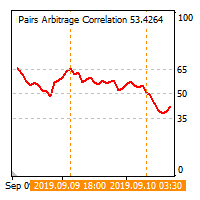
The cross-correlation indicator calculates the relationship between the specified pairs for the previous period. Automatically selects the instruments with the highest and the lowest correlation, and then simulates trading on the selected pairs on the same test period. Then indicator displays the pairs that have shown the best trading results. Visualizes the PAC (Pairs Arbitrage Correlation) criterion for the pairs selected by the trader. The signal to open trades is set by the PAC levels. When
PAC man
Vladimir Tkach
EA trades pairs selected by correlation criterion. The choice is made in such a way that there are pairs with negative and neutral correlation to the main pair. The PAC indicator is used to automate the selection of pairs  https://www.mql5.com/en/market/product/41985 Expert is multycurrency, thus it is no use to test it in the MT4 terminal. So, watch for real signal and joing to telegram channel. After setting the pairs, the expert Advisor simulates trading for the previous period with visualiz
Junior PAC man
Vladimir Tkach
Simplified release of PACman EA. Expert is multycurrency, thus it is no use to test it in the MT4 terminal. So, watch for real signal and joing to telegram channel. After setting the pairs, the expert Advisor simulates trading for the previous period with visualization of the results. The user can interactively change the signal levels and observe their impact on the simulation result. In this way, you can select the optimal level values. By manually moving the vertical boundary lines to the ri
Dublicator
Vladimir Tkach
Simple and fast trade duplicator that copies trades on the same account with the reverse function. The reverse can be used for locking. You can choose to duplicate transactions for the current or all instruments.  Parameters Duplicate in reverse - the direction of duplication; Duplicate symbol - duplicate the selected tool; Manual lot size - hand size of the volume; Do not duplicate if spread > - do not duplicate a trade if the current spread is larger; List of magic to be duplicated - filte
Indicator shows the price history. The history is read for vertical lines and output for the main line. Those lines are the time cursors. You can use the indicator to analyze the price cycle over time, thereby predicting its movement. The duration of the forecast and the number of time cursors can be set in the indicator parameters. Additionally, you can link the main line to a new bar. Lines can be moved manually. Analyze the cyclical nature of the market using this indicator. Indicator para
What If
Vladimir Tkach
This expert Advisor uses the saved trading history to repeat trades in the strategy tester. Meanwhile you can set other values for take profit, stop loss, and closing time. Thus, you can check how the results of trading with other parameters would look like. The best set of parameters can be obtained using the strategy optimizer in the MT4 terminal. In addition, you can find out how the results of trading would be affected by the later opening of trades when the price went to the loss side. You
Filtro:
Martin Strachota
360
Martin Strachota 2023.01.07 16:18 
 

O usuário não deixou nenhum comentário para sua avaliação

Erwin Ronnie Merino Obando
167
Erwin Ronnie Merino Obando 2023.01.04 18:45 
 

O usuário não deixou nenhum comentário para sua avaliação

Al Farhan Saeed Abdullah
746
Al Farhan Saeed Abdullah 2022.11.14 08:43 
 

O usuário não deixou nenhum comentário para sua avaliação

futurebusiness789
103
futurebusiness789 2022.09.18 19:45 
 

O usuário não deixou nenhum comentário para sua avaliação

Vladimir Tkach
23673
Resposta do desenvolvedor Vladimir Tkach 2022.09.19 19:03
5 activations limit is set by this market. I can't change it to only 1.
Have a look at the description: Utilities Vladimir Tkach Version: 6.2 Updated: 21 April 2021 Activations: 5
Muhammad Hasnain
588
Muhammad Hasnain 2022.09.13 15:39 
 

O usuário não deixou nenhum comentário para sua avaliação

Vladimir Tkach
23673
Resposta do desenvolvedor Vladimir Tkach 2022.09.13 16:12
There is no option for mt5
noiseofrain
106
noiseofrain 2022.08.05 14:10 
 

O usuário não deixou nenhum comentário para sua avaliação

Vladimir Tkach
23673
Resposta do desenvolvedor Vladimir Tkach 2022.08.05 15:27
Это есть в платной версии. Можно размер задать пропорционально балансу, а можно мультипликатор сделать меньше единицы.
Aleksei Platonov
133
Aleksei Platonov 2022.05.10 08:23 
 

O usuário não deixou nenhum comentário para sua avaliação

Vladimir Tkach
23673
Resposta do desenvolvedor Vladimir Tkach 2022.05.10 10:21
Спасибо за отзыв. Эта опция есть в платном копировщике.
Vitalii Vilnyi
157
Vitalii Vilnyi 2022.04.15 14:02 
 

O usuário não deixou nenhum comentário para sua avaliação

Vladimir Tkach
23673
Resposta do desenvolvedor Vladimir Tkach 2022.04.15 14:51
В платной версии есть такая функция и много других.
lil vip
18
lil vip 2022.03.14 02:17 
 

O usuário não deixou nenhum comentário para sua avaliação

СанСаныч Фоменко
7885
СанСаныч Фоменко 2022.02.18 16:04 
 

O usuário não deixou nenhum comentário para sua avaliação

abeefx
14
abeefx 2022.02.09 10:19 
 

O usuário não deixou nenhum comentário para sua avaliação

Al Rizqi
38
Al Rizqi 2022.02.02 10:21 
 

O usuário não deixou nenhum comentário para sua avaliação

Nivin Swing Trader
169
Nivin Swing Trader 2022.01.27 20:14 
 

O usuário não deixou nenhum comentário para sua avaliação

Dmitrii Rudzon
118
Dmitrii Rudzon 2022.01.25 06:52 
 

O usuário não deixou nenhum comentário para sua avaliação

FXHEET
24
FXHEET 2021.10.02 08:18 
 

O usuário não deixou nenhum comentário para sua avaliação

Vladimir Tkach
23673
Resposta do desenvolvedor Vladimir Tkach 2021.10.02 19:36
You are not allowed to advertise any products. Complain about violation was written.
It is weekends. Wait until market will be opened and try egaine.
Harryy
154
Harryy 2021.10.01 18:45 
 

O usuário não deixou nenhum comentário para sua avaliação

Ardiwan Okta Firgiyanto
258
Ardiwan Okta Firgiyanto 2021.09.24 13:17 
 

O usuário não deixou nenhum comentário para sua avaliação

Uladzimir Kuzuyok
133
Uladzimir Kuzuyok 2021.09.21 09:54 
 

O usuário não deixou nenhum comentário para sua avaliação

Vladimir Tkach
23673
Resposta do desenvolvedor Vladimir Tkach 2021.09.21 11:14
Есть такой параметр
Slippage & Price difference (in pips) – допустимая величина проскальзывания (в пунктах) и допустимая разница в цене.
Mikhail Bystrov
121
Mikhail Bystrov 2021.09.11 10:35 
 

O usuário não deixou nenhum comentário para sua avaliação

Vladimir Tkach
23673
Resposta do desenvolvedor Vladimir Tkach 2021.09.11 11:06
На компьютере получателе открываете терминал и подключаетесь к мастер счету через пароль инвестора. Запускаете на нем копировщих в режиме master. Потом запускаете другой терминал там же и открываете на нем счет с паролем трейдера. Запускаете на нем копировщика в режиме slave.
Do Tran Tien
164
Do Tran Tien 2021.08.20 03:47 
 

O usuário não deixou nenhum comentário para sua avaliação

Responder ao comentário