Midas AI Trade Coach

Midas AI Trade Coach

Review your closed MT5 trades with a statistical map and optional AI explanations. The utility reads account history and displays its findings on your chart. It never places, changes or closes orders, including in the Strategy Tester.

Your History, Eight Views

Explore results by UTC hour block, weekday, session, symbol, direction, holding time, trade size, and whether a trade followed a win or loss. Filter by look-back period, symbol and magic number, including manual trades only.

Cells with enough observations are assessed using 2,000 bootstrap resamples. Edge, leak and noise labels describe this historical sample. They do not establish a future trading advantage. Cells overlap, multiple comparisons can produce misleading patterns, and small samples deserve caution.

Optional AI Review

Read my map requests a plain-language summary and reflection questions. Ask lets you submit a short question about the calculated map.

The local map works without an AI key. AI requests need internet access, a compatible provider account and your own API key. Provider charges are separate from the product purchase.

The client supports Anthropic Messages and OpenAI-compatible chat APIs. Choose a provider and a currently available model. Custom HTTPS endpoints are supported, including DigitalOcean agents.

DigitalOcean agents choose their model in the agent configuration; leave the model input blank for those endpoints. Other providers normally require an explicit model ID. Compatibility and model availability depend on the provider.

The Models button lists models where the provider supports that API; agent endpoints do not offer this list.

Data and Limits

When you click an AI action, the selected provider receives aggregate map statistics, grouping labels and your question. The product does not include your account number, account name, broker name or individual trade prices in the generated map payload. Avoid typing personal information into the question box. Your provider's own data policies apply.

A local numeric filter removes sentences containing figures outside the permitted map values. This is not a complete factual or semantic check: AI can still misinterpret context or give an incorrect explanation. Compare every answer with the map.

This is historical research, not a forecast or trade recommendation.

Setup

  1. Attach the utility from Expert Advisors to a chart with sufficient space for the panel.
  2. Load the account history you want to review and set your filters.
  3. Verify your broker's historical clock convention. Auto is an estimate; select the appropriate New York DST, European DST, fixed-offset or UTC option when needed. Session buckets use fixed UTC hours.
  4. For AI, select the provider, enter your own key and model where required, and set a custom base URL if applicable.
  5. In Tools > Options > Expert Advisors, enable WebRequest for your provider's host. Then click Read my map or type a question and click Ask.

Inputs

  • Look back: Number of days of closed trades, default 180; supported range 1 to 3650.
  • Only this symbol: Empty includes all symbols.
  • Magic number: -1 includes all; 0 selects manual trades; another value selects that identifier.
  • Minimum trades: Observations required before a cell is tested, default 12; minimum 2.
  • Provider: AI API format and service selection.
  • API key: Your provider credential; no key is supplied with this product.
  • Model: Explicit model ID, except for DigitalOcean agent endpoints.
  • Base URL: HTTPS API base for a custom compatible provider, including its API path.
  • Effort: Provider-dependent reasoning setting; unsupported services may ignore it.
  • Timeout: Request timeout in seconds, default 120; supported range 1 to 300.
  • Historical broker clock: Auto estimate, New York DST, European DST, fixed offset, or UTC.
  • Fixed offset: Hours from UTC for the fixed-clock option.
  • Panel X and Y: Chart position.
  • Panel width: Default 900 pixels; minimum input 620.
  • Font size: Default 9; supported range 7 to 24.

Practical Notes

  • The map depends on the closed-deal history available in the terminal. Fully closed positions are reconstructed with partial closes and attributed commission, swap and fees. Incomplete position histories can be excluded. Check the broker's records when reviewing unusual deal types or accounting adjustments.
  • Questions are limited to 63 characters by the chart control.
  • WebRequest is unavailable in the Strategy Tester, so AI features require an attached chart. No sample trades are generated for validation.
  • Requests run only when you click an AI action. A provider or network error may require a manual retry; the software does not silently retry a billable request.

Produtos recomendados
Risk Basket Planner
Mohamed Qosyairy Bin Shamsuddin
Risk Basket Planner Risk Basket Planner é uma utilidade de planejamento manual de risco para MetaTrader 5. Ela ajuda o trader a planejar várias entradas, definir um Stop Loss técnico e calcular o lote e o risco real de cada camada antes da execução manual. Principais recursos Planejamento de 1 a 5 camadas de entrada . Direção BUY ou SELL . Risco definido como percentual do equity da conta . Preços L1-L5 podem ser digitados ou arrastados no gráfico. Um Stop Loss técnico comum para a cesta. Modo A
FREE
Turn your trading history into a clean journal you can open in Excel or Google Sheets. How it works Click the button on the chart or let the utility export every day at a set time. Each closed position becomes one row: symbol, direction, volume, entry and exit time and price, SL, TP, pips, duration, profit, swap, commission and net result. A second summary file lists win rate, profit factor, average win and loss, largest win and loss and maximum consecutive losses. Key features One row per posit
FREE
Multiple Order Manager
Ameerul Afiq Bin Abd Halim
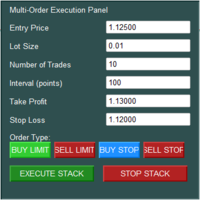
The Multi-Order Execution is an Expert Advisor for MetaTrader 5, designed to simplify the placement of multiple pending orders through a convenient on-chart control panel. The EA supports four pending order types: Buy Limit, Sell Limit, Buy Stop, and Sell Stop. Traders can configure the entry price, lot size, number of orders, price interval, take-profit (TP), and stop-loss (SL) directly from the chart. The EA automatically calculates each order's entry price based on the selected order type and
Xiao Dan Kuai Pao is a fast and clean one-click order panel for MetaTrader 5. Open and manage your trades instantly, with Stop Loss and Take Profit placed automatically — no more typing TP distances by hand. Key features: - One-click buttons: BUY, SELL, CLOSE, BREAK EVEN - Custom Stop Loss and Take Profit (in points) — set any distance you want - Flexible risk/reward — combine SL and TP freely to build any ratio, such as 1:1, 1:2, 1:3, 1:4 or 1:5 - Real-time price display (Bid) - Bar countdown t
TradingX Hotkeys
Johannes Stephanus Lombard
Inputs Available Lotsizes Partial Close % You can change lotsizes as you require On an open chart click once to select chart to be able to use hotkeys on specific chart. All Pairs can be used with this expert We created this expert to be able to still trade C300 with a 0.06 Lotsize If you enter a 0.6 lot and close 0.90% you can trade with 0.06 Lot Keys to be used: B -Buy S -Sell C -Close Profitable D -Breakeven (Note if stoploss is set it won't break even) P -Partial close X -Close all
Neuron News Risk Manager MT5 Neuron News Risk Manager MT5 é uma central de proteção contra notícias econômicas, gerenciamento de risco e controle remoto via Telegram para MetaTrader 5. A ferramenta monitora o Calendário Econômico do MT5 e exibe no painel a próxima notícia, moeda, horário, importância, impacto e tempo restante. O usuário pode filtrar eventos de importância Low, Medium e High e visualizar linhas de notícias diretamente no gráfico. Um dos principais recursos é o Global Algo Trading
Title : Trade Assistant Manager MT5 Trade Assistant Manager — See your risk before you click Visual Risk Manager is a MetaTrader 5 chart utility for discretionary traders who want a clear, visual way to size positions . Place your Entry, Stop Loss, and Take Profit directly on the chart. The panel shows the lot size, the money at risk, the profit target in money, and the reward-to-risk ratio — updated as you move the lines. What you gain   Faster decisions   : - Automatically calculate the volum
FREE
VRD Insight shows the results of each EA on your MT5 account separately, grouped by magic number, on one chart panel. What it does for you See which EA adds to the account and which costs you: one row per magic number with closed result, floating result and open positions. Track account maximum drawdown from the running peak of the balance curve. Spot an EA that has gone quiet: a cadence strip per EA (active, quiet, dark) with time since its last trade. Check the terminal itself: health dots for
FREE
Session panel
Timo Mario Hoffmann
Session Panel for MT5 Session Panel is a free MT5 indicator that gives you a fast and convenient live overview of the major trading sessions directly from the chart. Monitor Tokyo, London, and New York session times, see which session is currently active, track countdowns to the next session, and view session overlap information in one compact dashboard. Built for traders who want better market timing, clearer session awareness, and a cleaner chart workflow in live market conditions. Session Pan
FREE
Two steps
ROMAN BOROVLEV
Discover the world of trading with “Two Steps”! Are you a beginner dreaming of financial independence? Or an experienced trader looking for a tool to optimize your strategy? “Two Steps” is the program designed especially for you! We know the market never stands still. It’s constantly moving, offering countless opportunities to make a profit. And it’s precisely this dynamic that we leveraged when creating “Two Steps”. What makes “Two Steps” unique? Simplicity and intuitiveness. Forget about comp
StatsBoard — Account P&L Statistics Board StatsBoard is a lightweight MT5 indicator that turns your entire trading history into a clear, on-chart statistics dashboard. No equity curve, no clutter — just the numbers that matter, organized by day, week, month, quarter, year, symbol, magic number, and comment. **Key Features** - **10 built-in tabs**: Summary, Day, Week, Month, Quarter, Year, Symbol, Magic, Comment, Account - **Full P&L breakdown per period**: lots, min/max lots, trade count, ne
Multi trades update
Abdelaziz Omar Abdelaziz Nader
Core Features: Profit Target Control: Automatically closes all open positions once a defined total profit value is reached. Drawdown Protection: Monitors total floating losses and closes all trades if the loss exceeds a set percentage of the account balance. Trading Halt on Target: Automatically stops further trading once a desired percentage profit of account balance is achieved. Dynamic SL/ TP Adjustment: Optionally adjusts Take Profit and Stop Loss for all open trades to pr
FREE
- Statistics and monitoring of account - Sending screenshot  to TG   and push notification to the phone : bot report by schedule and by pressing the button; notifications of the drawdown (in % or currency) of a symbol and/or account by schedule; - Closing the position of the symbol by pressing its current profit/loss My bot's token is written in the "Bot token (0=off)" parameter . To work it, you need to find it in search of TG called " GR_BOT_MT5_TO_TG_bot " and send a message "/start" .  After
TradeRazor: One-Click Trade Execution Panel It calculates your risk before every trade, places market and pending orders in one click, and manages open positions with partial closing, breakeven, and close-all functions with one click. Order Execution One-Click Execution Place market Buy or Sell orders instantly. Lot size, stop loss, and take profit are all pre-set before you click. Preset Buttons Four customizable lot size, stop loss, and take profit presets each, ready in one click. Universal
O KS Hotkey Trading Panel Pro é um Expert Advisor para MetaTrader 5 que oferece uma negociação rápida por teclado, bem como um painel interativo no gráfico. Principais Recursos Negociação por teclas de atalho — Ações com uma única tecla para: Compra/Venda a Mercado Compra Limitada/Venda Limitada Compra Stop/Venda Stop Fechar todas as posições Fechar apenas as compras/Fechar apenas as vendas Apagar todas as ordens pendentes Aumentar/Diminuir o tamanho do lote (Seta para cima/Seta para ba
Veja o risco correlacionado escondido em todas as suas operações abertas — ao vivo no gráfico, com um limite de exposição e alertas claros. VISÃO GERAL Muitos traders dimensionam cada operação com cuidado, mas ainda assim assumem mais risco do que pretendiam, porque várias posições abertas dependem da mesma moeda ou se movem juntas. Comprar EURUSD e GBPUSD ao mesmo tempo é, em grande parte, uma única operação em USD. Um "hedge" em um par com correlação negativa pode se anular e apenas somar sp
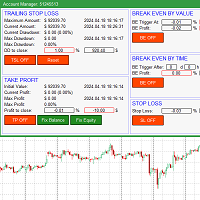
The account manager has a set of functions necessary for trading, which take into account the results of the entire account in total, and not for each individual open position: Trailing stop loss. Take profit. Break-even on the amount of profit. Breakeven by time. Stop Loss Typically, each of these options can be applied to each individual trade. As a result, the total profit on the account may continue to increase, and individual positions will be closed. This does not allow you to get the maxi
AI QUANT SYSTEM EA — Institutional Neural Engine (v52.0) Fully Automatic Trading EA Please Note:- First that this is an EXPERT ADVISOR, not a Utility. However, due to certain restrictions, I have to publish this  EXPERT ADVISOR  under the Utilities category.  We are  Provided  including a FREE OpenAI API key with this product, so you do not need to purchase AI API KEYS one separately, With Lifetime FREE Upgardes in Future. The AI Quant System EA is a next-generation, high-frequency quantitative
Trade Slippage Calculator
Priyanshu Dayasagar Chaudhari
Slippage Calculator for MT5 — User Guide Overview The Slippage Calculator is an MT5 script designed to analyze the execution quality of your trades. It scans your trading history and calculates: Total slippage Average slippage per trade Entry slippage Exit slippage Estimated money lost due to slippage This tool is especially useful for: Scalpers High-frequency EAs Gold (XAUUSD) traders News traders Low take-profit systems Broker execution testing Why This Tool is Useful 1. Detect Bad Broker Exec
O Telegram Signal Bridge liga O SEU bot do Telegram ao SEU terminal MetaTrader 5. Os sinais publicados nos seus canais ou grupos são lidos, interpretados e negociados com o risco, os filtros e os limites que escolher. Nada é enviado ao programador e nada corre em servidores de terceiros: o EA fala apenas com o Telegram e, se o ativar, com o serviço de IA da sua própria conta. OS SEUS CANAIS, AS SUAS REGRAS Crie um bot com o BotFather oficial, cole o token e adicione o bot aos seus canais ou grup
RealCost Auditor MT5 is an execution-cost monitor for MetaTrader 5. It does not open, close, or modify trades. It watches the chart symbol, samples live spread, records executed deals, estimates signed slippage when the terminal exposes the requested price, and saves a local CSV audit file. Many backtests use spread, slippage, commission, and swap assumptions that are cleaner than real trading conditions. This utility gives you broker and account data from your own terminal before you trust a s
Set your limits before emotions take over. RiskGuard by Cold Execution is a risk-management utility for MetaTrader 5 that helps you follow your trading rules. Configure daily loss limits and profit giveback protection to help control overtrading and enforce a break when your limits are reached. Main features Two-level daily loss limits: set separate Level 1 and Level 2 thresholds. Level 1 provides a configurable trading break. The Level 2 daily loss lock remains active until the next day in the
Position Limit Monitor: Efficient Control of Your Trading Operations Have you ever worried about having too many open trades simultaneously? Would you like precise control over the maximum number of positions in your account? Position Limit Monitor is the solution you need. Main Features: • Real-time monitoring: Constantly supervises the number of open positions in your account. • Customizable limit: Easily set the maximum number of positions you want to keep open. • Automatic closure: When the
Noetrix Guard
Julien Jeremy Rodrigue Gazagnaire
Noetrix Guard ## Risco da conta e controles de proteção em um único painel MT5 Noetrix Guard reúne monitoramento de risco, limites de negociação configuráveis e ações de proteção em uma interface nativa do MetaTrader 5. Foi criado para traders discricionários, portfólios automatizados e contas de avaliação que precisam visualizar o risco com clareza sem alterar a estratégia de negociação. Anexe o Guard a apenas um gráfico para monitorar toda a conta. O painel mostra saldo, patrimônio, margem
FREE
Rectangle line Trade Execution Assistant Rectangle Line Trade Assistant EA  Semi-Automated Trading Assistant       IMPORTANT :   On the main/purchased program a user can click on the Rectangle line and move/ drag it around the chart, by double clicking on it. Please keep in mind that this option is not available on demo version, due to some restrictions/limitations of Strategy Tester, some Object related operations are not available in the Strategy Tester. But, it will not prevent you from Test
One Click Trade Manager MT5 Key Features One Click Buy & Sell Close All Orders Close Profit Orders Close Loss Orders Break Even One Click Trailing Stop Live Balance Display Live Equity Display Live Profit Display Spread Display Fast Order Execution Easy-to-Use Trading Panel Supports All MT5 Brokers Optimized for Gold, Forex, Indices, and Crypto Benefits Faster trade execution Better risk management Simple and professional interface Perfect for scalpers, intraday traders, and swing traders Save t
ZETEC Prop Manager — Proteção de risco para prop firms no MetaTrader 5 Proteção de perda diária, drawdown máximo e meta de lucro para challenges e contas funded. A maioria dos challenges termina por quebra de regra, não por má estratégia. O ZETEC Prop Manager monitora o equity da sua conta MT5 em tempo real e aplica os limites que você configurar: perda diária, perda total, nível de aviso e meta de lucro. Ao romper, fecha todas as posições e ordens pendentes e bloqueia novas entradas até ficar f
One Click Trade Manager Panel – fast manual trading utility for MetaTrader 5 One Click Trade Manager is a compact on-chart control panel that lets you open, manage and close trades with a single click. It does not trade automatically: every order is placed only when you press a button, so you stay in full control. MAIN FEATURES • One-click BUY and SELL with preset Stop Loss and Take Profit • Adjustable lot size directly on the panel (+ / - buttons) • Optional Risk % mode: lot size is calculat
FREE
AKCAP Hotkey Tool
AK Capital Markets Limited
5 (3)
Special offer for the next 10 copies Are you tired of manually navigating through menus and inputting data every time you want to execute a trade or open an order on Meta Trader? Our hotkey tool is here to make your life easier and boost your trading efficiency. Our tool is natively coded for lightning-fast performance and comes loaded with all the features you could possibly want. From pending orders and OCO orders to trailing and multiple buckets, it has everything a scalper could need. And
Your account, protected. Whatever is trading on it. Phoenix Palladium Guard does not trade. It watches your whole account and steps in when a limit you set is reached: it closes all positions, deletes pending orders and keeps new trades out until the limit resets. It works for every EA on the account, EAs from any developer, and your own manual trades. **Why an account guard?** Every EA calculates its risk as if it had the whole account to itself. Run four at once with similar settings and yo
FREE
Os compradores deste produto também adquirem
Trade Assistant MT5
Evgeniy Kravchenko
4.43 (216)
Ajuda a calcular o risco por comércio, a fácil instalação de uma nova encomenda, gestão de encomendas com funções de fecho parcial, trailing stop de 7 tipos e outras funções úteis. Materiais e instruções adicionais Instruções de instalação   -   Instruções para a aplicação   Função de linha Mostra no gráfico a linha de Abertura, Stop Loss, Take Profit. Com esta função é fácil definir uma nova ordem e ver as suas características adicionais antes da abertura.   Gestão de risco A função de cálcul
Bem-vindo ao Trade Manager EA—uma ferramenta de gestão de risco criada para tornar o trading mais intuitivo, preciso e eficiente. Não é apenas uma ferramenta para executar ordens, mas uma solução abrangente para planejamento de operações, gerenciamento de posições e controle de risco. Seja você um iniciante, trader avançado ou scalper que precisa de execução rápida, o Trade Manager EA adapta-se às suas necessidades, oferecendo flexibilidade em todos os mercados, desde forex e índices até commodi
Local Trade Copier EA MT5
Juvenille Emperor Limited
4.94 (149)
Local Trade Copier EA MT5 é um copiador de operações rápido e flexível para copiar e gerenciar operações entre várias contas MetaTrader 5 no mesmo computador Windows ou Windows VPS. Ele combina a sincronização local de operações com controles no lado do Receiver para tamanho de lote, gerenciamento de risco, filtragem de operações, mapeamento de símbolos, gerenciamento de operações e proteção da conta. Configure seus terminais Transmitter e Receiver em aproximadamente 1 minuto e copie operações
O Telegram to MT5 Multi-Channel Copier copia automaticamente os sinais de trading dos seus canais de Telegram e Discord diretamente para o MetaTrader 5. Sem bots, sem extensões de navegador, sem copiar à mão. O sinal chega ao Telegram ou ao Discord e o EA abre a operação no seu terminal em poucos segundos. E antes de copiar um canal, o backtester integrado mostra o que esse canal teria feito na sua conta. O produto inclui dois componentes: um aplicativo de Windows que escuta os seus canais de Te
TradePanel MT5
Alfiya Fazylova
4.88 (170)
Trade Panel é um assistente de negociação multifuncional. O aplicativo contém mais de 50 funções de negociação para trading manual e permite automatizar a maioria das tarefas de negociação. Instruções para o aplicativo: https://www.mql5.com/pt/blogs/post/762435 Versão de teste do aplicativo para conta demo: https://www.mql5.com/pt/blogs/post/762547 Como instalar o aplicativo: https://www.mql5.com/pt/blogs/post/762548 Como testar o aplicativo no modo visual: https://www.mql5.com/pt/blogs/post/770
Copie sinais do Telegram com suas próprias regras de negociação Telegram to MT5 Signal Trader copia automaticamente sinais de negociação em texto de canais e grupos públicos e privados do Telegram para o MetaTrader 5. Gerencie vários provedores e contas MT5 em um único aplicativo para desktop, com configurações individuais de risco e de negociação para cada provedor . Você não precisa de um bot do Telegram nem configurar uma API para copiar sinais. Basta entrar com sua própria conta do Telegram
================================================================================ POC BREAKOUT - V20.72. Full Professional Grade Toolkit ================================================================================ POC Breakout is a full MetaTrader 5 trading dashboard for discretionary traders who want breakout signals, Point of Control (POC) context, volume profiles, order flow, market structure, news, alerts, and advanced trade planning in one professional workspace. Attached directly to you
News Trade EA MT5
Konstantin Kulikov
4.55 (11)
Apresento um robô útil que eu mesmo uso há vários anos. Pode ser usado nos modos semiautomático e totalmente automático. >>> Chat <<< O programa contém configurações flexíveis para negociação nas notícias do calendário econômico. Não pode ser verificado no testador de estratégia. Somente trabalho real. Nas configurações do terminal, você precisa adicionar o site de notícias à lista de URLs permitidos. Clique em Serviço > Opções > Conselheiros. Marque com V a caixa "Permitir WebRequest para os
Dealer's Panel No signal decides anything here — a hand does. One click, and the panel calculates what's underneath: lot size from risk, target from a 30-step balance ladder that remembers exactly how far an account has climbed. Toggle between market and pending without touching an input field. Set a stop, and the take-profit can write itself — a fixed share of the balance, translated into price with no arithmetic left for the trader to get wrong. One trade live at a time; it won't let a seco
Farmed Hedge Yield Farming | All Markets (Manual - Hybrid - Semi/Automated EA) VERIFIED TRADING RESULTS - Farmed Hedge Yield Axi Copy:  https://www.mql5.com/en/signals/2356376 - Farmed Hedge Yield Exn Copy:   https://www.mql5.com/en/signals/2356404 - Farmed Hedge Yield V Copy:  https://www.mql5.com/en/signals/2357156 IMPORTANT NOTICE: FarmedHedge is a MANUAL-FOCUSED TRADING UTILITY ,not a fully automated EA. Results shown on this Signal include manual trades and overall strategic management.
MT5 to Telegram Signal Provider é uma utilidade fácil de usar e totalmente personalizável que permite o envio de sinais especificados para o chat, canal ou grupo do Telegram, tornando sua conta um fornecedor de sinais . Ao contrário da maioria dos produtos concorrentes, ele não usa importações de DLL. [ Demonstração ] [ Manual ] [ Versão MT4 ] [ Versão Discord ] [ Canal do Telegram ]  New: [ Telegram To MT5 ] Configuração Um guia do usuário passo a passo está disponível. Não é necessário conhec
Próxima Atualização — Versão 2.52 em Breve! [NOVO] Prepare-se para 4 Grandes Novos Recursos Projetados para Aprimorar sua Análise de Mercado e seu Fluxo de Trabalho de Trading Estamos levando a análise de mercado a um novo nível com 4 novos recursos desenvolvidos para atender às suas necessidades de trading. Apresentamos: 1. TRADE OVERVIEW DASHBOARD 2. CONFLUENCE AT ZONE 3. STRONG & WEAK HIGH/LOW 4. OTE 1. TRADE OVERVIEW DASHBOARD Um painel que ajuda você a compreender mais facilmente o panoram
VirtualTradePad PRO SE MT5 — centro profissional de controle de trading para MetaTrader 5 VirtualTradePad PRO SE é um painel de trading premium baseado no gráfico e um ambiente de gerenciamento de operações para MetaTrader 5 . Ele foi desenvolvido para traders que desejam execução mais rápida, controle de posições mais claro, gerenciamento de trades estruturado, planejamento visual de níveis e um fluxo de trabalho profissional diretamente no gráfico. Não é apenas um painel de COMPRA / VENDA. O P
RETAILBERG FOOTPRINT CHART PRO — Order-Flow Workspace for MetaTrader 5 Version 7.00  |  Professional System  |  31 tools  |  One chart A full 150-page illustrated User Manual is included. Please read the full manual to understand this feature packed footprint chart elements and ui. https://www.mql5.com/en/blogs/post/777982 DEMO / STRATEGY TESTER — PLEASE READ FIRST
Exp COPYLOT CLIENT for MT5
Vladislav Andruschenko
3.97 (35)
Copiador profissional de operações para MetaTrader 5 Um copiador de operações rápido, profissional e confiável para MetaTrader . COPYLOT permite copiar operações de Forex entre terminais MT4 e MT5 com suporte para contas Hedge e Netting . A versão MT5 do COPYLOT oferece suporte a: - MT5 Hedge → MT5 Hedge - MT5 Hedge → MT5 Netting - MT5 Netting → MT5 Hedge - MT5 Netting → MT5 Netting - MT4 → MT5 Hedge - MT4 → MT5 Netting Versão MT4 Descrição completa + DEMO + PDF Como comprar Como instalar Como
Grid Manual MT5
Alfiya Fazylova
4.73 (22)
"Grid Manual" é um painel comercial para trabalhar com uma grade de ordens. O utilitário é universal, possui configurações flexíveis e uma interface intuitiva. Ele trabalha com uma grade de ordens não apenas na direção da média das perdas, mas também na direção do aumento dos lucros. O trader não precisa criar e manter uma grade de ordens, tudo será feito pelo ""Grid Manual". Basta abrir um orden e o "Grid manual" criará automaticamente uma grade de ordens para ele e trabalhará com ele até que s
Anchor Trade Manager
Kalinskie Gilliam
5 (9)
Your EAs cannot see each other, but Anchor can. Anchor gives you one place to coordinate your EAs, manage risk, and decide when trading is allowed. It works alongside the trading bots you already use without any changes to them. The Problem One EA opens a trade. Then another starts trading. The next thing you know, you wake up to multiple grids built across your account. Each EA may be doing exactly what it was designed to do, but together they can place far more risk on your account than you in
The Patch
Mian Rameez Ali
The Patch It never opens a trade. It walks behind the ones that did. Every open position, every pending order — checked twice a second for the one thing that's easy to forget: a stop, a target. Found bare, it doesn't ask. It writes the missing number in, measured in points from wherever the position began, and moves on to the next. No strategy, no opinion on direction. Just the quiet assumption that nothing should ever sit on the market unprotected — not because someone decided it shouldn't,
RS Trade Copier - o local trade copier ultrarrápido com uma interface gráfica verdadeira . Pare de digitar números de conta manualmente. Chega daquela lista enorme de 200+ parâmetros de entrada incompreensíveis. Uma ferramenta confiável e flexível para cópia de operações comerciais entre múltiplos terminais MT5 e MT4. Atende tanto traders experientes e serviços de sinais quanto investidores individuais. Permite sincronizar negociações de um ou múltiplos Provedores para um ou múltiplos Clientes c
Power Candles Strategy Scanner - Localizador de configurações multissímbolo com auto-otimização O Power Candles Strategy Scanner utiliza o mesmo motor de auto-otimização que alimenta o indicador Power Candles — em todos os símbolos da sua lista de observação, lado a lado. Um painel indica-lhe quais os símbolos que são estatisticamente negociáveis neste momento, qual a estratégia vencedora para cada um, o par ideal de Stop Loss / Take Profit, e avisa-o assim que um novo sinal é emitido. Esta ferr
Trader Evolution
Siarhei Vashchylka
5 (7)
" Trader Evolution " - A utility designed for traders who use wave and technical analysis in their work. One tab of the utility is capable of money management and opening orders, and the other can help in making Elliott wave and technical analysis. Manual (Be sure to read before purchasing) | Version for MT4 Advantages 1. Trading in a few clicks. Immediate and pending orders are available in the panel 2. Money management. The program automatically selects the appropriate lot size 3. Simplifies
YuClusters
Yury Kulikov
4.93 (43)
Atenção: A versão demo para revisão e teste está aqui . YuClusters é um sistema profissional de análise de mercado. O trader tem oportunidades únicas para analisar o fluxo de pedidos, volumes de negociação, movimentos de preços usando vários gráficos, perfis, indicadores e objetos gráficos. O YuClusters opera com base em dados de Tempos e Negócios ou informações de ticks, dependendo do que está disponível nas cotações de um instrumento financeiro. O YuClusters permite que você crie gráficos com
Prop Guardian Risk Manager MT5 – Drawdown, Risk & Hedge Protection for Prop Firm and Managed Accounts Prop Guardian Risk Manager is a professional risk-control utility for MetaTrader 5, designed for prop firm traders, money managers and anyone who wants strict account-level risk protection. It does not generate trading signals, strategy entries or trading decisions. Instead, it runs in the background, monitors your account risk and can automatically block new exposure, close managed positions or
The product will copy all telegram signal to MT5 ( which you are member) , also it can work as remote copier.  Easy to set up, copy order instant, can work with almost signal formats, image signal,  s upport to translate other language to English Work with all type of channel or group, even channel have "Restrict Saving Content", work with  multi channel, multi MT5 Work as remote copier: with signal have ticket number, it will copy exactly via ticket number. Support to backtest signal. How to s
Floor Watch
Syed Tauqeer Hussain Shah
Floor Watch One number, watched every thirty seconds: how far equity has fallen since the day began — or since its highest point, if it's told to trail the peak instead of the open. Cross the line and it doesn't argue. Every open position closes, every pending order vanishes, and anything that slips through afterward gets shut the moment it appears. Not asked. Removed. The floor holds until the clock turns 5 AM Pakistan time — then, and only then, does the day start over. One rule. No except
EA Auditor
Stephen J Martret
5 (6)
EA Auditor is an independent analysis tool for traders evaluating Expert Advisors and trading signals on MetaTrader 5. It audits backtest reports, reviews posted developer signals, and cross-verifies the two against each other to help traders assess strategies before committing capital. The MQL5 market offers a wide range of Expert Advisors from many developers, with varying approaches, quality, and transparency. EA Auditor provides a consistent, data-driven framework for reviewing them, answer
Telegram to MT5 Coppy
Sergey Batudayev
5 (10)
Telegram para MT5:   A solução definitiva para cópia de sinais Simplifique suas negociações com o Telegram para MT5, a ferramenta moderna que copia sinais de negociação diretamente dos canais e chats do Telegram para a sua plataforma MetaTrader 5, sem a necessidade de DLLs. Esta solução poderosa garante execução precisa dos sinais, amplas opções de personalização, economiza tempo e aumenta sua eficiência. [ Instructions and DEMO ] Principais características Integração direta da API do Telegram A
Trade Manager DashPlus
Henry Lyubomir Wallace
4.85 (13)
DashPlus é uma ferramenta avançada de gerenciamento de operações projetada para melhorar a eficiência e a eficácia das suas transações na plataforma MetaTrader 5. Ela oferece um conjunto completo de funcionalidades, incluindo cálculo de risco, gestão de ordens, sistemas de grade avançados, ferramentas baseadas em gráficos e análise de desempenho. Principais Funcionalidades 1. Grade de Recuperação Implementa um sistema de grade flexível e de média para gerenciar operações em condições adversas de
Trade Copier Ultimate
Janitha Sandaruwan Amaradasa Wickramasingha Arachchilage
5 (5)
Trade Copier Ultimate - Telegram to MT5 Signal Copier Trade Copier Ultimate automatically copies Telegram trading signals into MetaTrader 5. The EA can read signal messages, detect the symbol, order type, entry price, Stop Loss, Take Profit levels and selected update commands, then execute or manage the trade in MT5 using your lot and risk settings. It is more than a basic Telegram to MT5 copier. TCU also supports Bot API and user-account Bridge workflows, Discord signal routing, local MT5 to MT
Uma única compra. Todos os meus indicadores e robôs de negociação (EAs) para MT4 e MT5, atuais e futuros, sem custo adicional. Após a compra, entre em contato comigo para saber como recebê-los. Está previsto aumentar o preço em 50$ a cada 10 compras, até 999$. Vale o preço do Market no momento do pagamento. Mantenha o indicador em que você confia. Automatize o trabalho ao redor dele. Seu sinal. Suas regras. Sua execução. Você já tem um indicador MT5 em que confia, mas ainda precisa acompanhar o
Mais do autor
Midas Volume Profile
Timothy Teye Asigbey
Midas Volume Profile shows where volume traded in each day or week, drawn as a histogram at the start of the session, with the levels profile traders use, and the session and anchored VWAPs that go with them. All volume is tick volume from a lower timeframe; VWAP from tick volume is not exchange VWAP. Profiles A volume histogram for each session, with the value area highlighted. POC (point of control): the price row with the most volume, drawn across the session. Value area high and low (VAH and
Your watchlist in one grid, drawn over a chart: a row per symbol, the trend on each timeframe you choose, how much of its average daily range today has used, its correlation to the chart's symbol, and the strength of its two currencies. Everything in it is a state, not a signal, and every column says which rule produced it. The columns Trend on each timeframe (M15, H1, H4, D1 and W1 by default, up to six): Up when the last closed bar is above its EMA and the EMA is higher than it was a few bars
Midas Key Levels
Timothy Teye Asigbey
Midas Key Levels draws the levels most traders mark by hand every morning, and follows each one until price takes it. The levels Previous day, week and month high and low (PDH/PDL, PWH/PWL, PMH/PML), labelled with the day, week or month they come from. The day, week and month opens (DO, WO, MO), as dashed reference lines for their period. The Asia, London and New York sessions as boxes, with their high and low as levels when the session ends. Equal highs and equal lows : two confirmed swing poin
Midas Trade Copier
Timothy Teye Asigbey
Trade one account and have the same trades follow on your other accounts, across brokers: for example from your broker's MetaTrader 5 to a prop firm's MetaTrader 5 on the same computer. Midas Trade Copier runs inside the terminals: no server, no internet, no account passwords shared. How it works Attach it in Master mode to a chart on the account you trade, and in Receiver mode on each account that should copy, each in its own terminal. Use the same channel name; use different channel names for
Midas EventLens
Timothy Teye Asigbey
Midas EventLens is an economic-event research desk for MetaTrader 5. Select past releases from the terminal's built-in economic calendar, or import your own UTC event list, and inspect the surrounding one-minute candles from your broker. Compare reactions and replay a window one minute at a time. This indicator never opens, changes or closes trades. Study past reactions Choose a currency and event name, a start date, a symbol and an importance filter. Exact event-name matches take priority; a pa
Filtro:
Sem comentários
Responder ao comentário