StatsBoard MT5
- Utilitários
- Versão: 1.5
- Ativações: 5

StatsBoard — Account P&L Statistics Board
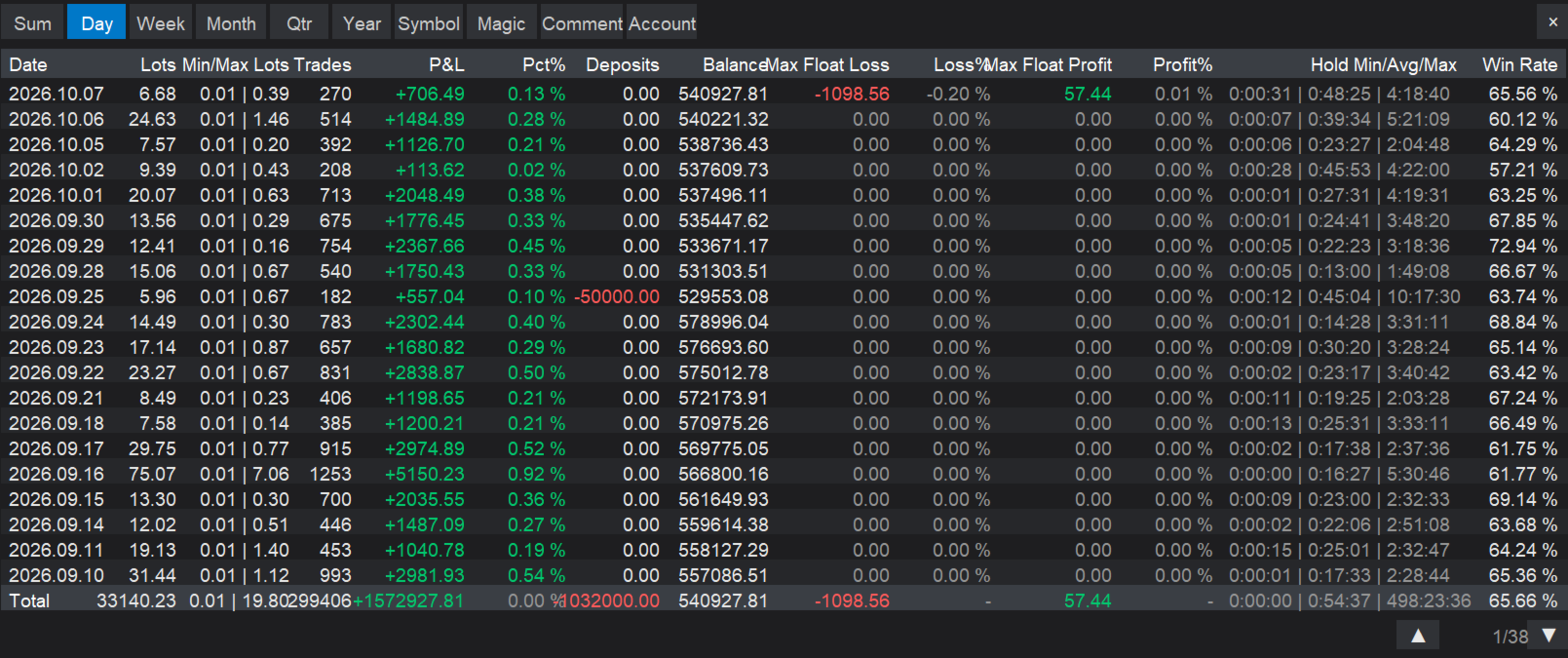
StatsBoard is a lightweight MT5 indicator that turns your entire trading history into a clear, on-chart statistics dashboard. No equity curve, no clutter — just the numbers that matter, organized by day, week, month, quarter, year, symbol, magic number, and comment.
**Key Features**
- **10 built-in tabs**: Summary, Day, Week, Month, Quarter, Year, Symbol, Magic, Comment, Account
- **Full P&L breakdown per period**: lots, min/max lots, trade count, net P&L, return %, deposits, balance
- **Risk metrics**: max floating loss/profit per day (tracked live and saved), win rate, profit factor, max drawdown, best/worst trade
- **Group analysis**: break down performance by symbol, magic number, or comment, with sortable P&L column and P&L distribution bars
- **Account overview**: balance, equity, floating P&L, margin levels, deposits/withdrawals, symbol specifications (spread, min/max lot, margin per lot, stop level)
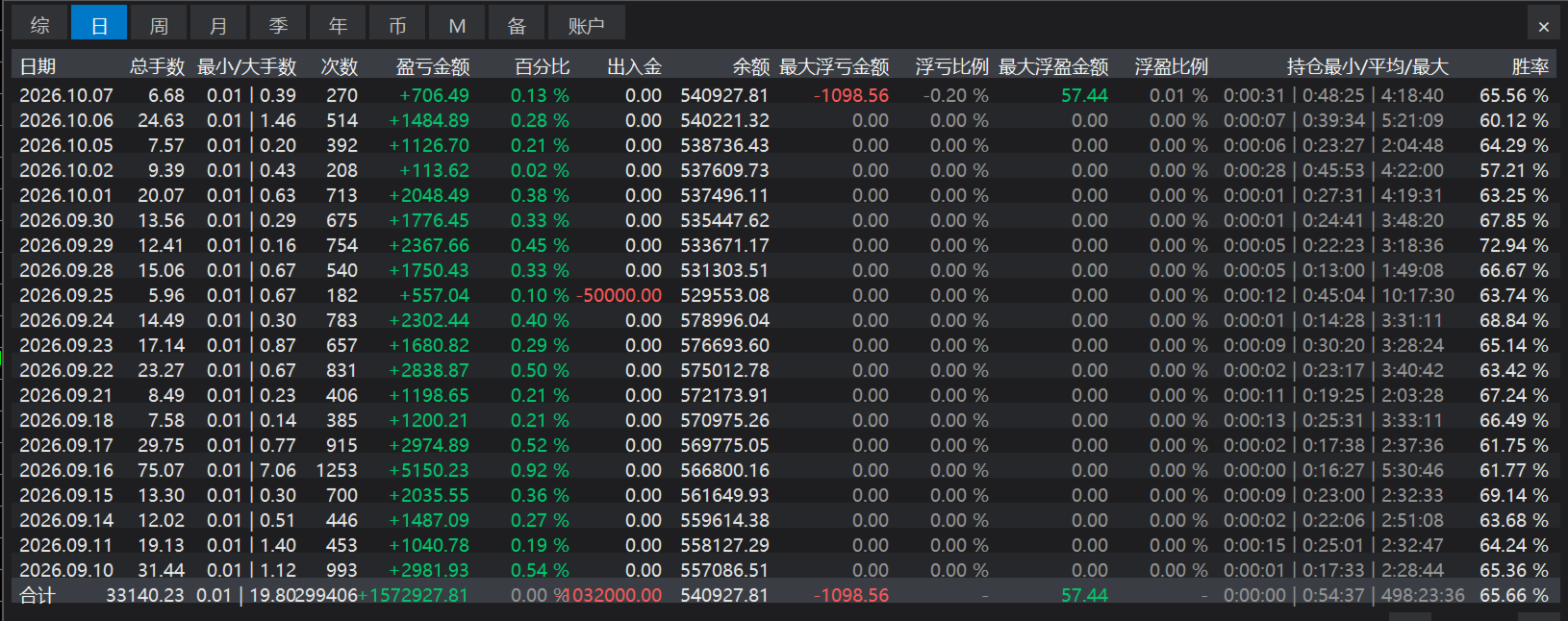
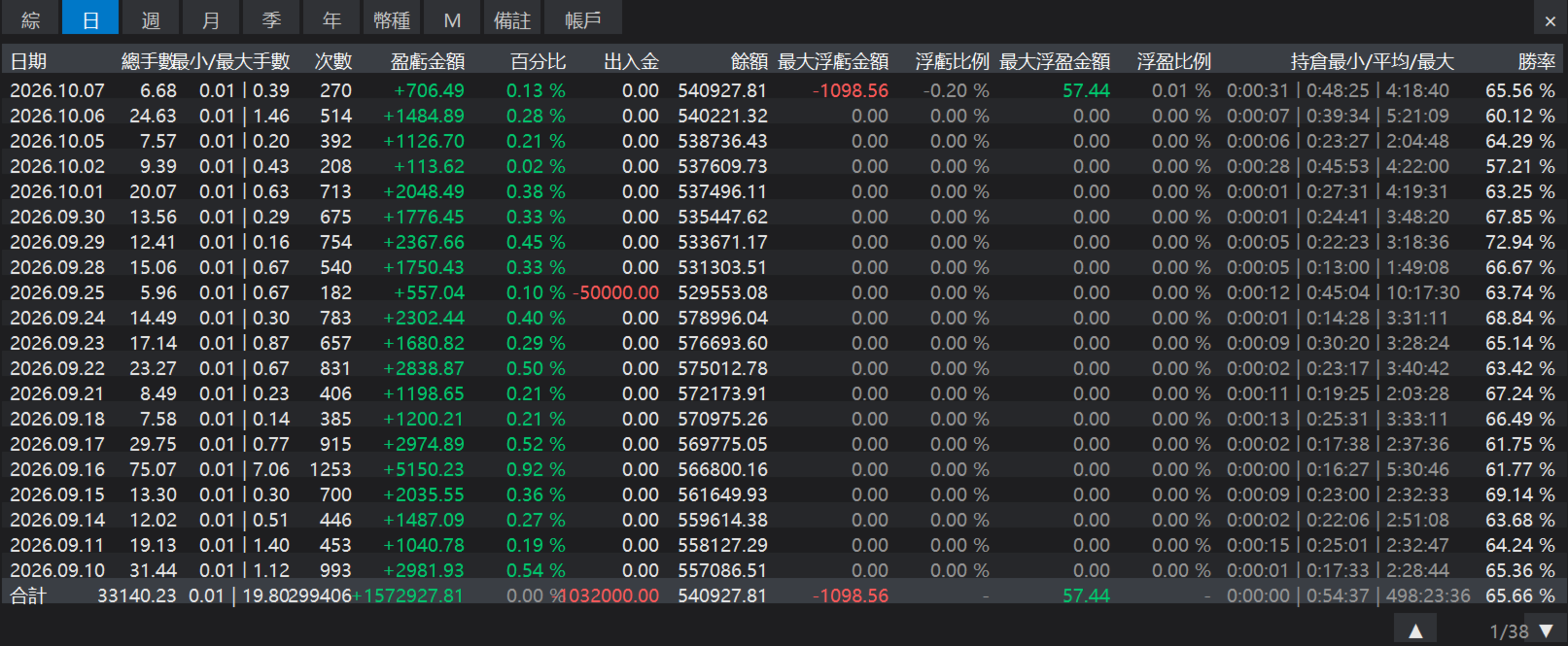
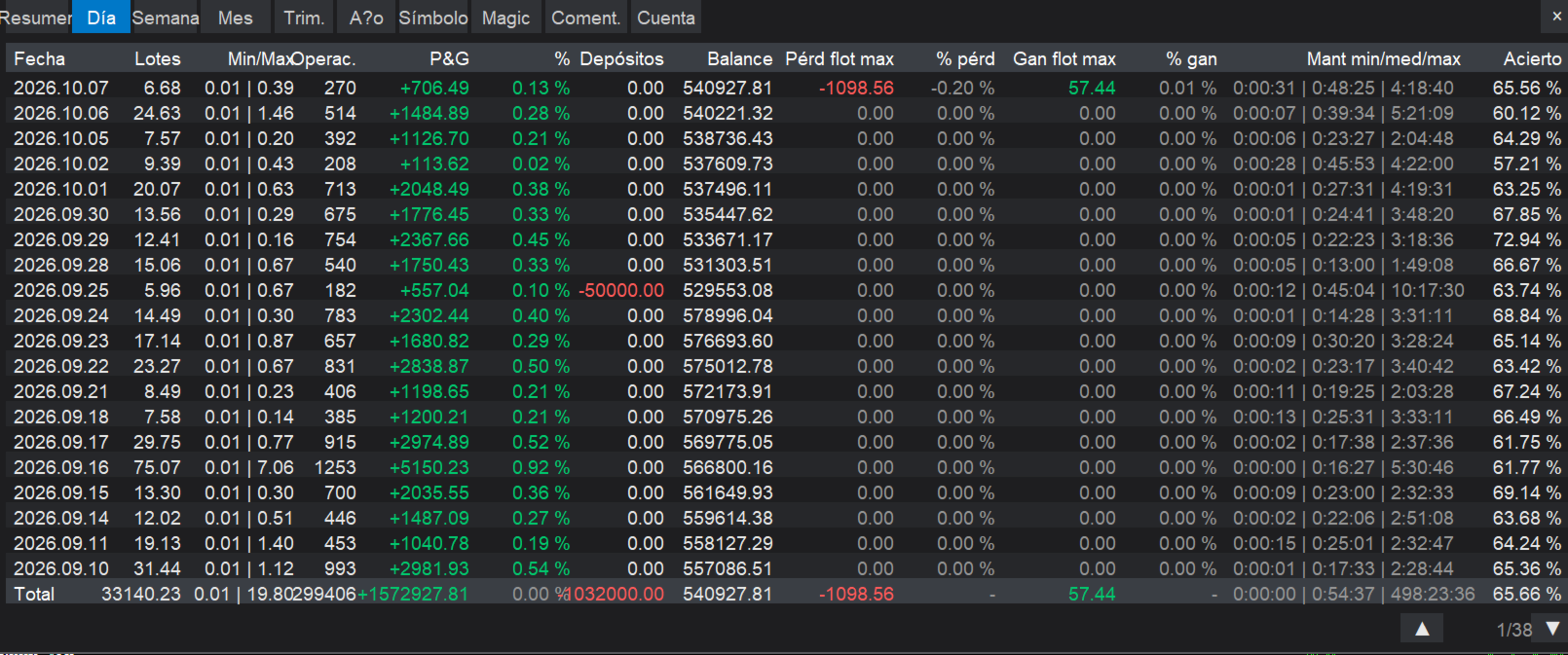
- **4 interface languages**: Simplified Chinese, English, Traditional Chinese, Español (via input parameter dropdown)
- **Zero dependencies**: drawn with native chart objects only — no external libraries required
- **Paging, sorting, hide/show button** for a clean chart
**Inputs**
- Language — interface language (dropdown: 简体中文 / English / 繁體中文 / Español)
- Panel X/Y offset — panel position on the chart
- Font size — default 14
- Rows per page — default 20
- Panel background — panel color
**How to Use**
1. Copy `StatsBoard.ex5` (or `.mq5`) into `MQL4/Indicators` and restart MT5 (or refresh the Navigator).
2. Drag StatsBoard onto any chart. The panel appears in the top-left corner.
3. Switch tabs to view statistics by period or grouping. Click the P&L column header to sort, use ▲▼ to turn pages, click × to hide the panel (a "Show Stats" button remains).
4. Change the interface language from the indicator inputs at any time.
**Notes**
- Daily max floating profit/loss is recorded only while the indicator is running. Periods when the indicator was not attached show 0 — historical floating P&L cannot be reconstructed by MT5.
- The indicator reads closed-trade history from the account; make sure the MT5 history tab covers the period you want to analyze.