Midas AI Trade Coach

Midas AI Trade Coach

Review your closed MT5 trades with a statistical map and optional AI explanations. The utility reads account history and displays its findings on your chart. It never places, changes or closes orders, including in the Strategy Tester.

Your History, Eight Views

Explore results by UTC hour block, weekday, session, symbol, direction, holding time, trade size, and whether a trade followed a win or loss. Filter by look-back period, symbol and magic number, including manual trades only.

Cells with enough observations are assessed using 2,000 bootstrap resamples. Edge, leak and noise labels describe this historical sample. They do not establish a future trading advantage. Cells overlap, multiple comparisons can produce misleading patterns, and small samples deserve caution.

Optional AI Review

Read my map requests a plain-language summary and reflection questions. Ask lets you submit a short question about the calculated map.

The local map works without an AI key. AI requests need internet access, a compatible provider account and your own API key. Provider charges are separate from the product purchase.

The client supports Anthropic Messages and OpenAI-compatible chat APIs. Choose a provider and a currently available model. Custom HTTPS endpoints are supported, including DigitalOcean agents.

DigitalOcean agents choose their model in the agent configuration; leave the model input blank for those endpoints. Other providers normally require an explicit model ID. Compatibility and model availability depend on the provider.

The Models button lists models where the provider supports that API; agent endpoints do not offer this list.

Data and Limits

When you click an AI action, the selected provider receives aggregate map statistics, grouping labels and your question. The product does not include your account number, account name, broker name or individual trade prices in the generated map payload. Avoid typing personal information into the question box. Your provider's own data policies apply.

A local numeric filter removes sentences containing figures outside the permitted map values. This is not a complete factual or semantic check: AI can still misinterpret context or give an incorrect explanation. Compare every answer with the map.

This is historical research, not a forecast or trade recommendation.

Setup

  1. Attach the utility from Expert Advisors to a chart with sufficient space for the panel.
  2. Load the account history you want to review and set your filters.
  3. Verify your broker's historical clock convention. Auto is an estimate; select the appropriate New York DST, European DST, fixed-offset or UTC option when needed. Session buckets use fixed UTC hours.
  4. For AI, select the provider, enter your own key and model where required, and set a custom base URL if applicable.
  5. In Tools > Options > Expert Advisors, enable WebRequest for your provider's host. Then click Read my map or type a question and click Ask.

Inputs

  • Look back: Number of days of closed trades, default 180; supported range 1 to 3650.
  • Only this symbol: Empty includes all symbols.
  • Magic number: -1 includes all; 0 selects manual trades; another value selects that identifier.
  • Minimum trades: Observations required before a cell is tested, default 12; minimum 2.
  • Provider: AI API format and service selection.
  • API key: Your provider credential; no key is supplied with this product.
  • Model: Explicit model ID, except for DigitalOcean agent endpoints.
  • Base URL: HTTPS API base for a custom compatible provider, including its API path.
  • Effort: Provider-dependent reasoning setting; unsupported services may ignore it.
  • Timeout: Request timeout in seconds, default 120; supported range 1 to 300.
  • Historical broker clock: Auto estimate, New York DST, European DST, fixed offset, or UTC.
  • Fixed offset: Hours from UTC for the fixed-clock option.
  • Panel X and Y: Chart position.
  • Panel width: Default 900 pixels; minimum input 620.
  • Font size: Default 9; supported range 7 to 24.

Practical Notes

  • The map depends on the closed-deal history available in the terminal. Fully closed positions are reconstructed with partial closes and attributed commission, swap and fees. Incomplete position histories can be excluded. Check the broker's records when reviewing unusual deal types or accounting adjustments.
  • Questions are limited to 63 characters by the chart control.
  • WebRequest is unavailable in the Strategy Tester, so AI features require an attached chart. No sample trades are generated for validation.
  • Requests run only when you click an AI action. A provider or network error may require a manual retry; the software does not silently retry a billable request.

Produits recommandés
Risk Basket Planner
Mohamed Qosyairy Bin Shamsuddin
Risk Basket Planner Risk Basket Planner est un outil de planification manuelle du risque pour MetaTrader 5. Il aide à planifier plusieurs niveaux d'entrée, définir un Stop Loss technique et calculer la taille de lot et le risque réel de chaque couche avant de trader manuellement. Fonctions principales Planification de 1 à 5 niveaux d'entrée . Direction BUY ou SELL . Risque défini en pourcentage de l'equity du compte . Prix L1-L5 modifiables ou déplaçables directement sur le graphique. Un Stop Lo
FREE
Turn your trading history into a clean journal you can open in Excel or Google Sheets. How it works Click the button on the chart or let the utility export every day at a set time. Each closed position becomes one row: symbol, direction, volume, entry and exit time and price, SL, TP, pips, duration, profit, swap, commission and net result. A second summary file lists win rate, profit factor, average win and loss, largest win and loss and maximum consecutive losses. Key features One row per posit
FREE
Multiple Order Manager
Ameerul Afiq Bin Abd Halim
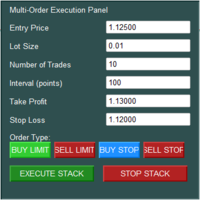
The Multi-Order Execution is an Expert Advisor for MetaTrader 5, designed to simplify the placement of multiple pending orders through a convenient on-chart control panel. The EA supports four pending order types: Buy Limit, Sell Limit, Buy Stop, and Sell Stop. Traders can configure the entry price, lot size, number of orders, price interval, take-profit (TP), and stop-loss (SL) directly from the chart. The EA automatically calculates each order's entry price based on the selected order type and
Xiao Dan Kuai Pao is a fast and clean one-click order panel for MetaTrader 5. Open and manage your trades instantly, with Stop Loss and Take Profit placed automatically — no more typing TP distances by hand. Key features: - One-click buttons: BUY, SELL, CLOSE, BREAK EVEN - Custom Stop Loss and Take Profit (in points) — set any distance you want - Flexible risk/reward — combine SL and TP freely to build any ratio, such as 1:1, 1:2, 1:3, 1:4 or 1:5 - Real-time price display (Bid) - Bar countdown t
TradingX Hotkeys
Johannes Stephanus Lombard
Inputs Available Lotsizes Partial Close % You can change lotsizes as you require On an open chart click once to select chart to be able to use hotkeys on specific chart. All Pairs can be used with this expert We created this expert to be able to still trade C300 with a 0.06 Lotsize If you enter a 0.6 lot and close 0.90% you can trade with 0.06 Lot Keys to be used: B -Buy S -Sell C -Close Profitable D -Breakeven (Note if stoploss is set it won't break even) P -Partial close X -Close all
Neuron News Risk Manager MT5 Neuron News Risk Manager MT5 est un système de protection contre les actualités économiques, de gestion du risque et de contrôle à distance via Telegram pour MetaTrader 5. Il surveille le calendrier économique MT5 et affiche le prochain événement, la devise, l'heure, l'importance, l'impact et le temps restant. Les événements Low, Medium et High peuvent être filtrés et affichés sous forme de lignes sur le graphique. Le Global Algo Trading Guard peut désactiver automat
Title : Trade Assistant Manager MT5 Trade Assistant Manager — See your risk before you click Visual Risk Manager is a MetaTrader 5 chart utility for discretionary traders who want a clear, visual way to size positions . Place your Entry, Stop Loss, and Take Profit directly on the chart. The panel shows the lot size, the money at risk, the profit target in money, and the reward-to-risk ratio — updated as you move the lines. What you gain   Faster decisions   : - Automatically calculate the volum
FREE
VRD Insight shows the results of each EA on your MT5 account separately, grouped by magic number, on one chart panel. What it does for you See which EA adds to the account and which costs you: one row per magic number with closed result, floating result and open positions. Track account maximum drawdown from the running peak of the balance curve. Spot an EA that has gone quiet: a cadence strip per EA (active, quiet, dark) with time since its last trade. Check the terminal itself: health dots for
FREE
Session panel
Timo Mario Hoffmann
Session Panel for MT5 Session Panel is a free MT5 indicator that gives you a fast and convenient live overview of the major trading sessions directly from the chart. Monitor Tokyo, London, and New York session times, see which session is currently active, track countdowns to the next session, and view session overlap information in one compact dashboard. Built for traders who want better market timing, clearer session awareness, and a cleaner chart workflow in live market conditions. Session Pan
FREE
Two steps
ROMAN BOROVLEV
Discover the world of trading with “Two Steps”! Are you a beginner dreaming of financial independence? Or an experienced trader looking for a tool to optimize your strategy? “Two Steps” is the program designed especially for you! We know the market never stands still. It’s constantly moving, offering countless opportunities to make a profit. And it’s precisely this dynamic that we leveraged when creating “Two Steps”. What makes “Two Steps” unique? Simplicity and intuitiveness. Forget about comp
StatsBoard — Account P&L Statistics Board StatsBoard is a lightweight MT5 indicator that turns your entire trading history into a clear, on-chart statistics dashboard. No equity curve, no clutter — just the numbers that matter, organized by day, week, month, quarter, year, symbol, magic number, and comment. **Key Features** - **10 built-in tabs**: Summary, Day, Week, Month, Quarter, Year, Symbol, Magic, Comment, Account - **Full P&L breakdown per period**: lots, min/max lots, trade count, ne
Multi trades update
Abdelaziz Omar Abdelaziz Nader
Core Features: Profit Target Control: Automatically closes all open positions once a defined total profit value is reached. Drawdown Protection: Monitors total floating losses and closes all trades if the loss exceeds a set percentage of the account balance. Trading Halt on Target: Automatically stops further trading once a desired percentage profit of account balance is achieved. Dynamic SL/ TP Adjustment: Optionally adjusts Take Profit and Stop Loss for all open trades to pr
FREE
- Statistics and monitoring of account - Sending screenshot  to TG   and push notification to the phone : bot report by schedule and by pressing the button; notifications of the drawdown (in % or currency) of a symbol and/or account by schedule; - Closing the position of the symbol by pressing its current profit/loss My bot's token is written in the "Bot token (0=off)" parameter . To work it, you need to find it in search of TG called " GR_BOT_MT5_TO_TG_bot " and send a message "/start" .  After
TradeRazor: One-Click Trade Execution Panel It calculates your risk before every trade, places market and pending orders in one click, and manages open positions with partial closing, breakeven, and close-all functions with one click. Order Execution One-Click Execution Place market Buy or Sell orders instantly. Lot size, stop loss, and take profit are all pre-set before you click. Preset Buttons Four customizable lot size, stop loss, and take profit presets each, ready in one click. Universal
KS Hotkey Trading Panel Pro est un Expert Advisor pour MetaTrader 5 qui permet un trading rapide au clavier, accompagné d'un tableau de bord interactif affiché directement sur le graphique. Caractéristiques principales Trading par raccourcis clavier — Actions déclenchables par une seule touche pour : Achat / Vente au marché Buy Limit / Sell Limit Buy Stop / Sell Stop Fermer toutes les positions Fermer uniquement les positions d'achat / uniquement les positions de vente Supprimer tous les
Visualisez le risque corrélé caché dans toutes vos positions ouvertes — en direct sur le graphique, avec un plafond d'exposition et des alertes claires. PRÉSENTATION Beaucoup de traders dimensionnent chaque position avec soin, mais prennent quand même plus de risque que prévu, car plusieurs positions ouvertes dépendent de la même devise ou évoluent ensemble. Acheter EURUSD et GBPUSD en même temps revient en grande partie à une seule position sur l'USD. Une « couverture » sur une paire négative
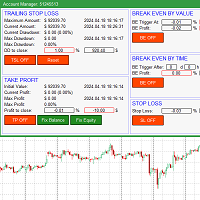
The account manager has a set of functions necessary for trading, which take into account the results of the entire account in total, and not for each individual open position: Trailing stop loss. Take profit. Break-even on the amount of profit. Breakeven by time. Stop Loss Typically, each of these options can be applied to each individual trade. As a result, the total profit on the account may continue to increase, and individual positions will be closed. This does not allow you to get the maxi
AI QUANT SYSTEM EA — Institutional Neural Engine (v52.0) Fully Automatic Trading EA Please Note:- First that this is an EXPERT ADVISOR, not a Utility. However, due to certain restrictions, I have to publish this  EXPERT ADVISOR  under the Utilities category.  We are  Provided  including a FREE OpenAI API key with this product, so you do not need to purchase AI API KEYS one separately, With Lifetime FREE Upgardes in Future. The AI Quant System EA is a next-generation, high-frequency quantitative
Trade Slippage Calculator
Priyanshu Dayasagar Chaudhari
Slippage Calculator for MT5 — User Guide Overview The Slippage Calculator is an MT5 script designed to analyze the execution quality of your trades. It scans your trading history and calculates: Total slippage Average slippage per trade Entry slippage Exit slippage Estimated money lost due to slippage This tool is especially useful for: Scalpers High-frequency EAs Gold (XAUUSD) traders News traders Low take-profit systems Broker execution testing Why This Tool is Useful 1. Detect Bad Broker Exec
Telegram Signal Bridge relie VOTRE bot Telegram à VOTRE terminal MetaTrader 5. Les signaux publiés dans vos canaux ou groupes sont lus, compris et tradés avec le risque, les filtres et les limites que vous choisissez. Rien n'est envoyé au développeur et rien ne tourne sur un serveur tiers : l'EA ne communique qu'avec Telegram et, si vous l'activez, avec le service d'IA de votre propre compte. VOS CANAUX, VOS RÈGLES Créez un bot avec le BotFather officiel, collez son jeton et ajoutez le bot à vos
RealCost Auditor MT5 is an execution-cost monitor for MetaTrader 5. It does not open, close, or modify trades. It watches the chart symbol, samples live spread, records executed deals, estimates signed slippage when the terminal exposes the requested price, and saves a local CSV audit file. Many backtests use spread, slippage, commission, and swap assumptions that are cleaner than real trading conditions. This utility gives you broker and account data from your own terminal before you trust a s
Set your limits before emotions take over. RiskGuard by Cold Execution is a risk-management utility for MetaTrader 5 that helps you follow your trading rules. Configure daily loss limits and profit giveback protection to help control overtrading and enforce a break when your limits are reached. Main features Two-level daily loss limits: set separate Level 1 and Level 2 thresholds. Level 1 provides a configurable trading break. The Level 2 daily loss lock remains active until the next day in the
Position Limit Monitor: Efficient Control of Your Trading Operations Have you ever worried about having too many open trades simultaneously? Would you like precise control over the maximum number of positions in your account? Position Limit Monitor is the solution you need. Main Features: • Real-time monitoring: Constantly supervises the number of open positions in your account. • Customizable limit: Easily set the maximum number of positions you want to keep open. • Automatic closure: When the
Noetrix Guard
Julien Jeremy Rodrigue Gazagnaire
Noetrix Guard ## Risque du compte et actions de protection dans un seul tableau de bord MT5 Noetrix Guard réunit la surveillance du risque, les limites de trading configurables et les actions de protection dans une interface native MetaTrader 5. Il est conçu pour les traders manuels, les portefeuilles automatisés et les comptes d'évaluation qui souhaitent visualiser clairement leur risque sans modifier leur stratégie de trading. Il suffit d'attacher Guard à un seul graphique pour surveiller
FREE
Rectangle line Trade Execution Assistant Rectangle Line Trade Assistant EA  Semi-Automated Trading Assistant       IMPORTANT :   On the main/purchased program a user can click on the Rectangle line and move/ drag it around the chart, by double clicking on it. Please keep in mind that this option is not available on demo version, due to some restrictions/limitations of Strategy Tester, some Object related operations are not available in the Strategy Tester. But, it will not prevent you from Test
One Click Trade Manager MT5 Key Features One Click Buy & Sell Close All Orders Close Profit Orders Close Loss Orders Break Even One Click Trailing Stop Live Balance Display Live Equity Display Live Profit Display Spread Display Fast Order Execution Easy-to-Use Trading Panel Supports All MT5 Brokers Optimized for Gold, Forex, Indices, and Crypto Benefits Faster trade execution Better risk management Simple and professional interface Perfect for scalpers, intraday traders, and swing traders Save t
ZETEC Prop Manager — Garde-fou risque prop firms pour MetaTrader 5 Garde journalier, drawdown max et objectif de profit pour challenges et comptes funded. La plupart des challenges se perdent sur une règle, pas sur la stratégie. ZETEC Prop Manager surveille l'equity MT5 en temps réel et applique vos limites : perte journalière, perte totale, alerte et objectif. Sur rupture il clôture tout et bloque les entrées jusqu'à flat — réessai toutes les 5 secondes, même après redémarrage. Convient à toute
One Click Trade Manager Panel – fast manual trading utility for MetaTrader 5 One Click Trade Manager is a compact on-chart control panel that lets you open, manage and close trades with a single click. It does not trade automatically: every order is placed only when you press a button, so you stay in full control. MAIN FEATURES • One-click BUY and SELL with preset Stop Loss and Take Profit • Adjustable lot size directly on the panel (+ / - buttons) • Optional Risk % mode: lot size is calculat
FREE
AKCAP Hotkey Tool
AK Capital Markets Limited
5 (3)
Special offer for the next 10 copies Are you tired of manually navigating through menus and inputting data every time you want to execute a trade or open an order on Meta Trader? Our hotkey tool is here to make your life easier and boost your trading efficiency. Our tool is natively coded for lightning-fast performance and comes loaded with all the features you could possibly want. From pending orders and OCO orders to trailing and multiple buckets, it has everything a scalper could need. And
Your account, protected. Whatever is trading on it. Phoenix Palladium Guard does not trade. It watches your whole account and steps in when a limit you set is reached: it closes all positions, deletes pending orders and keeps new trades out until the limit resets. It works for every EA on the account, EAs from any developer, and your own manual trades. **Why an account guard?** Every EA calculates its risk as if it had the whole account to itself. Run four at once with similar settings and yo
FREE
Les acheteurs de ce produit ont également acheté
Trade Assistant MT5
Evgeniy Kravchenko
4.43 (216)
It helps to calculate the risk per trade, the easy installation of a new order, order management with partial closing functions, trailing stop of 7 types and other useful functions. Additional materials and instructions Installation instructions - Application instructions Line function -   shows on the chart the Opening line, Stop Loss, Take Profit. With this function it is easy to set a new order and see its additional characteristics before opening.   Risk management  - The risk calculation
Bienvenue sur Trade Manager EA, l’outil ultime de gestion des risques conçu pour rendre le trading plus intuitif, précis et efficace. Ce n’est pas seulement un outil d’exécution d’ordres ; c’est une solution complète pour la planification des trades, la gestion des positions et le contrôle des risques. Que vous soyez débutant, trader expérimenté ou scalpeur ayant besoin d’une exécution rapide, Trade Manager EA s’adapte à vos besoins, offrant une flexibilité sur tous les marchés, des devises et i
Local Trade Copier EA MT5
Juvenille Emperor Limited
4.94 (149)
Local Trade Copier EA MT5 est un copieur de trades rapide et flexible permettant de copier et de gérer des trades entre plusieurs comptes MetaTrader 5 sur le même ordinateur Windows ou Windows VPS. Il combine la synchronisation locale des trades avec des contrôles côté Receiver pour la taille des lots, la gestion du risque, le filtrage des trades, le mappage des symboles, la gestion des trades et la protection du compte. Configurez vos terminaux Transmitter et Receiver en environ 1 minute et co
Telegram to MT5 Multi-Channel Copier   copie automatiquement les signaux de trading de vos canaux Telegram et Discord directement vers MetaTrader 5. Pas de bots, pas d'extensions de navigateur, pas de copie manuelle. Un signal arrive sur Telegram ou Discord et l'EA ouvre le trade dans votre terminal en quelques secondes. Et avant de copier un canal, le backtester intégré vous montre ce que ce canal aurait fait sur votre compte. Le produit comprend deux composants : une application Windows qui éc
TradePanel MT5
Alfiya Fazylova
4.88 (170)
Trade Panel est un assistant commercial multifonction. L'application contient plus de 50 fonctions de trading pour le trading manuel et permet d'automatiser la plupart des tâches commerciales. Instructions d'utilisation : https://www.mql5.com/fr/blogs/post/762589 Version d'essai de l'application pour un compte démo : https://www.mql5.com/fr/blogs/post/762644 Comment installer l'application : https://www.mql5.com/fr/blogs/post/762645 Comment tester l'application en mode visuel : https://www.mql5.
Copiez les signaux Telegram avec vos propres règles de trading Telegram to MT5 Signal Trader copie automatiquement les signaux de trading au format texte provenant de canaux et de groupes Telegram publics et privés vers MetaTrader 5. Gérez plusieurs fournisseurs et comptes MT5 depuis une seule application de bureau, avec des paramètres de risque et de trading propres à chaque fournisseur . Aucun bot Telegram ni configuration d'API n'est nécessaire pour copier les signaux. Connectez-vous simpleme
================================================================================ POC BREAKOUT - V20.72. Full Professional Grade Toolkit ================================================================================ POC Breakout is a full MetaTrader 5 trading dashboard for discretionary traders who want breakout signals, Point of Control (POC) context, volume profiles, order flow, market structure, news, alerts, and advanced trade planning in one professional workspace. Attached directly to you
News Trade EA MT5
Konstantin Kulikov
4.55 (11)
Je voudrais vous présenter un robot efficace que j'utilise depuis plusieurs années. Il peut être utilisé en mode semi-automatique, comme en mode totalement automatique. >>> Chat <<< Le programme comporte des paramètres souples pour le commerce sur les nouvelles du calendrier économique. Il est impossible de le vérifier dans le testeur des stratégies. Ce qu’il faut, c’est le travail réel. Il faut ajouter à la liste des URL autorisées, dans les paramètres du terminal, un site d'actualités. Cliqu
Dealer Panel
Mian Rameez Ali
Dealer's Panel No signal decides anything here — a hand does. One click, and the panel calculates what's underneath: lot size from risk, target from a 30-step balance ladder that remembers exactly how far an account has climbed. Toggle between market and pending without touching an input field. Set a stop, and the take-profit can write itself — a fixed share of the balance, translated into price with no arithmetic left for the trader to get wrong. One trade live at a time; it won't let a seco
Farmed Hedge Yield Farming | All Markets (Manual - Hybrid - Semi/Automated EA) VERIFIED TRADING RESULTS - Farmed Hedge Yield Axi Copy:  https://www.mql5.com/en/signals/2356376 - Farmed Hedge Yield Exn Copy:   https://www.mql5.com/en/signals/2356404 - Farmed Hedge Yield V Copy:  https://www.mql5.com/en/signals/2357156 IMPORTANT NOTICE: FarmedHedge is a MANUAL-FOCUSED TRADING UTILITY ,not a fully automated EA. Results shown on this Signal include manual trades and overall strategic management.
MT5 to Telegram Signal Provider est un utilitaire facile à utiliser et entièrement personnalisable qui permet l'envoi de signaux spécifiés vers un chat, un canal ou un groupe Telegram, transformant ainsi votre compte en fournisseur de signaux. Contrairement à la plupart des produits concurrents, il n'utilise pas d'importations DLL. [ Démonstration ] [ Manuel ] [ Version MT4 ] [ Version Discord ] [ Canal Telegram ]  New: [ Telegram To MT5 ] Configuration Un guide utilisateur étape par étape est
Prochaine mise à jour — Version 2.52 bientôt disponible ! [NOUVEAU] Préparez-vous à découvrir 4 nouvelles fonctionnalités majeures conçues pour améliorer votre analyse du marché et votre flux de travail de trading Nous faisons passer l’analyse du marché au niveau supérieur avec 4 nouvelles fonctionnalités conçues pour répondre à vos besoins en trading. Découvrez : 1. TRADE OVERVIEW DASHBOARD 2. CONFLUENCE AT ZONE 3. STRONG & WEAK HIGH/LOW 4. OTE 1. TRADE OVERVIEW DASHBOARD Un tableau de bord qu
VirtualTradePad PRO SE MT5 — centre de contrôle de trading professionnel pour MetaTrader 5 VirtualTradePad PRO SE est un panneau de trading premium basé sur le graphique et un espace de gestion des trades pour MetaTrader 5 . Il est conçu pour les traders qui souhaitent une exécution plus rapide, un contrôle plus clair des positions, une gestion structurée des trades, une planification visuelle des niveaux et un flux de travail professionnel directement depuis le graphique. Ce n’est pas seulement
RETAILBERG FOOTPRINT CHART PRO — Order-Flow Workspace for MetaTrader 5 Version 7.00  |  Professional System  |  31 tools  |  One chart A full 150-page illustrated User Manual is included. Please read the full manual to understand this feature packed footprint chart elements and ui. https://www.mql5.com/en/blogs/post/777982 DEMO / STRATEGY TESTER — PLEASE READ FIRST
Exp COPYLOT CLIENT for MT5
Vladislav Andruschenko
3.97 (35)
Copieur professionnel de trades pour MetaTrader 5 Un copieur de trades rapide, professionnel et fiable pour MetaTrader . COPYLOT permet de copier des trades Forex entre les terminaux MT4 et MT5 avec prise en charge des comptes Hedge et Netting . La version MT5 de COPYLOT prend en charge : - MT5 Hedge → MT5 Hedge - MT5 Hedge → MT5 Netting - MT5 Netting → MT5 Hedge - MT5 Netting → MT5 Netting - MT4 → MT5 Hedge - MT4 → MT5 Netting Version MT4 Description complète + DEMO + PDF Comment acheter Comme
Grid Manual MT5
Alfiya Fazylova
4.73 (22)
Grid Manual est un panneau de trading permettant de travailler avec une grille d'ordres. L'utilitaire est universel, possède des paramètres flexibles et une interface intuitive. Il fonctionne avec une grille d'ordres non seulement dans le sens des pertes, mais aussi dans le sens de l'augmentation des profits. Le commerçant n'a pas besoin de créer et de maintenir une grille d'ordres, l'utilitaire le fera. Il suffit d'ouvrir une ordre et "Grid Manual" créera automatiquement une grille de ordres po
Anchor Trade Manager
Kalinskie Gilliam
5 (9)
Your EAs cannot see each other, but Anchor can. Anchor gives you one place to coordinate your EAs, manage risk, and decide when trading is allowed. It works alongside the trading bots you already use without any changes to them. The Problem One EA opens a trade. Then another starts trading. The next thing you know, you wake up to multiple grids built across your account. Each EA may be doing exactly what it was designed to do, but together they can place far more risk on your account than you in
The Patch
Mian Rameez Ali
The Patch It never opens a trade. It walks behind the ones that did. Every open position, every pending order — checked twice a second for the one thing that's easy to forget: a stop, a target. Found bare, it doesn't ask. It writes the missing number in, measured in points from wherever the position began, and moves on to the next. No strategy, no opinion on direction. Just the quiet assumption that nothing should ever sit on the market unprotected — not because someone decided it shouldn't,
RS Trade Copier - le copieur de trades local ultra-rapide avec une véritable interface graphique. Arrêtez de saisir les numéros de compte manuellement. Fini les listes interminables de 200+ paramètres dans l'onglet Inputs. Un outil fiable et flexible pour copier les opérations de trading entre plusieurs terminaux MT5 et MT4. Il convient aux traders expérimentés, aux services de signaux ainsi qu'aux investisseurs privés. Il permet la synchronisation du trading d'un ou plusieurs Providers vers un
Power Candles Strategy Scanner - Outil de recherche de configurations multi-symboles à optimisation automatique Le Power Candles Strategy Scanner utilise le même moteur d'auto-optimisation que celui qui alimente l'indicateur Power Candles, pour chaque symbole de votre Market Watch, en parallèle. Un panneau vous indique quels symboles sont statistiquement négociables à l'instant, quelle stratégie est la plus performante pour chacun, la paire Stop Loss / Take Profit optimale, et vous alerte dès qu
Trader Evolution
Siarhei Vashchylka
5 (7)
" Trader Evolution " - A utility designed for traders who use wave and technical analysis in their work. One tab of the utility is capable of money management and opening orders, and the other can help in making Elliott wave and technical analysis. Manual (Be sure to read before purchasing) | Version for MT4 Advantages 1. Trading in a few clicks. Immediate and pending orders are available in the panel 2. Money management. The program automatically selects the appropriate lot size 3. Simplifies
YuClusters
Yury Kulikov
4.93 (43)
Attention: You can view the program operation in the free version  YuClusters DEMO .  YuClusters is a professional market analysis system. The trader has unique opportunities to analyze the flow of orders, trade volumes, price movements using various charts, profiles, indicators, and graphical objects. YuClusters operates on data based on Time&Sales or ticks information, depending on what is available in the quotes of a financial instrument. YuClusters allows you to build graphs by combining da
Prop Guardian Risk Manager MT5 – Drawdown, Risk & Hedge Protection for Prop Firm and Managed Accounts Prop Guardian Risk Manager is a professional risk-control utility for MetaTrader 5, designed for prop firm traders, money managers and anyone who wants strict account-level risk protection. It does not generate trading signals, strategy entries or trading decisions. Instead, it runs in the background, monitors your account risk and can automatically block new exposure, close managed positions or
The product will copy all telegram signal to MT5 ( which you are member) , also it can work as remote copier.  Easy to set up, copy order instant, can work with almost signal formats, image signal,  s upport to translate other language to English Work with all type of channel or group, even channel have "Restrict Saving Content", work with  multi channel, multi MT5 Work as remote copier: with signal have ticket number, it will copy exactly via ticket number. Support to backtest signal. How to s
Floor Watch
Syed Tauqeer Hussain Shah
Floor Watch One number, watched every thirty seconds: how far equity has fallen since the day began — or since its highest point, if it's told to trail the peak instead of the open. Cross the line and it doesn't argue. Every open position closes, every pending order vanishes, and anything that slips through afterward gets shut the moment it appears. Not asked. Removed. The floor holds until the clock turns 5 AM Pakistan time — then, and only then, does the day start over. One rule. No except
EA Auditor
Stephen J Martret
5 (6)
EA Auditor is an independent analysis tool for traders evaluating Expert Advisors and trading signals on MetaTrader 5. It audits backtest reports, reviews posted developer signals, and cross-verifies the two against each other to help traders assess strategies before committing capital. The MQL5 market offers a wide range of Expert Advisors from many developers, with varying approaches, quality, and transparency. EA Auditor provides a consistent, data-driven framework for reviewing them, answer
Telegram to MT5 Coppy
Sergey Batudayev
5 (10)
Télégramme vers MT5 :   la solution ultime pour copier des signaux Simplifiez votre trading avec Telegram vers MT5, l'outil moderne qui copie les signaux de trading directement des canaux et chats Telegram vers votre plateforme MetaTrader 5, sans DLL. Cette solution puissante garantit une exécution précise des signaux, de nombreuses options de personnalisation, un gain de temps et une efficacité accrue. [ Instructions and DEMO ] Caractéristiques principales Intégration directe de l'API Telegram
Trade Manager DashPlus
Henry Lyubomir Wallace
4.85 (13)
DashPlus est un outil de gestion de trading avancé conçu pour améliorer l'efficacité et la performance de vos transactions sur la plateforme MetaTrader 5. Il offre un ensemble complet de fonctionnalités, incluant le calcul des risques, la gestion des ordres, des systèmes de grilles avancés, des outils basés sur les graphiques et des analyses de performance. Fonctionnalités principales 1. Grille de récupération Implémente un système de grille flexible et de moyenne pour gérer les transactions dan
Trade Copier Ultimate
Janitha Sandaruwan Amaradasa Wickramasingha Arachchilage
5 (5)
Trade Copier Ultimate - Telegram to MT5 Signal Copier Trade Copier Ultimate automatically copies Telegram trading signals into MetaTrader 5. The EA can read signal messages, detect the symbol, order type, entry price, Stop Loss, Take Profit levels and selected update commands, then execute or manage the trade in MT5 using your lot and risk settings. It is more than a basic Telegram to MT5 copier. TCU also supports Bot API and user-account Bridge workflows, Discord signal routing, local MT5 to MT
Un seul achat. Tous mes indicateurs et robots de trading (EA) pour MT4 et MT5, disponibles aujourd’hui et publiés à l’avenir, sans frais supplémentaires. Contactez-moi après l’achat pour connaître la procédure de réception. Il est prévu d’augmenter le prix de 50$ toutes les 10 ventes, jusqu’à 999$. Le prix du Market au moment du paiement fait foi. Gardez l’indicateur auquel vous faites confiance. Automatisez les tâches qui l’entourent. Votre signal. Vos règles. Votre exécution. Vous utilisez dé
Plus de l'auteur
Midas Volume Profile
Timothy Teye Asigbey
Midas Volume Profile shows where volume traded in each day or week, drawn as a histogram at the start of the session, with the levels profile traders use, and the session and anchored VWAPs that go with them. All volume is tick volume from a lower timeframe; VWAP from tick volume is not exchange VWAP. Profiles A volume histogram for each session, with the value area highlighted. POC (point of control): the price row with the most volume, drawn across the session. Value area high and low (VAH and
Your watchlist in one grid, drawn over a chart: a row per symbol, the trend on each timeframe you choose, how much of its average daily range today has used, its correlation to the chart's symbol, and the strength of its two currencies. Everything in it is a state, not a signal, and every column says which rule produced it. The columns Trend on each timeframe (M15, H1, H4, D1 and W1 by default, up to six): Up when the last closed bar is above its EMA and the EMA is higher than it was a few bars
Midas Key Levels
Timothy Teye Asigbey
Midas Key Levels draws the levels most traders mark by hand every morning, and follows each one until price takes it. The levels Previous day, week and month high and low (PDH/PDL, PWH/PWL, PMH/PML), labelled with the day, week or month they come from. The day, week and month opens (DO, WO, MO), as dashed reference lines for their period. The Asia, London and New York sessions as boxes, with their high and low as levels when the session ends. Equal highs and equal lows : two confirmed swing poin
Midas Trade Copier
Timothy Teye Asigbey
Trade one account and have the same trades follow on your other accounts, across brokers: for example from your broker's MetaTrader 5 to a prop firm's MetaTrader 5 on the same computer. Midas Trade Copier runs inside the terminals: no server, no internet, no account passwords shared. How it works Attach it in Master mode to a chart on the account you trade, and in Receiver mode on each account that should copy, each in its own terminal. Use the same channel name; use different channel names for
Midas EventLens
Timothy Teye Asigbey
Midas EventLens is an economic-event research desk for MetaTrader 5. Select past releases from the terminal's built-in economic calendar, or import your own UTC event list, and inspect the surrounding one-minute candles from your broker. Compare reactions and replay a window one minute at a time. This indicator never opens, changes or closes trades. Study past reactions Choose a currency and event name, a start date, a symbol and an importance filter. Exact event-name matches take priority; a pa
Filtrer:
Aucun avis
Répondre à l'avis