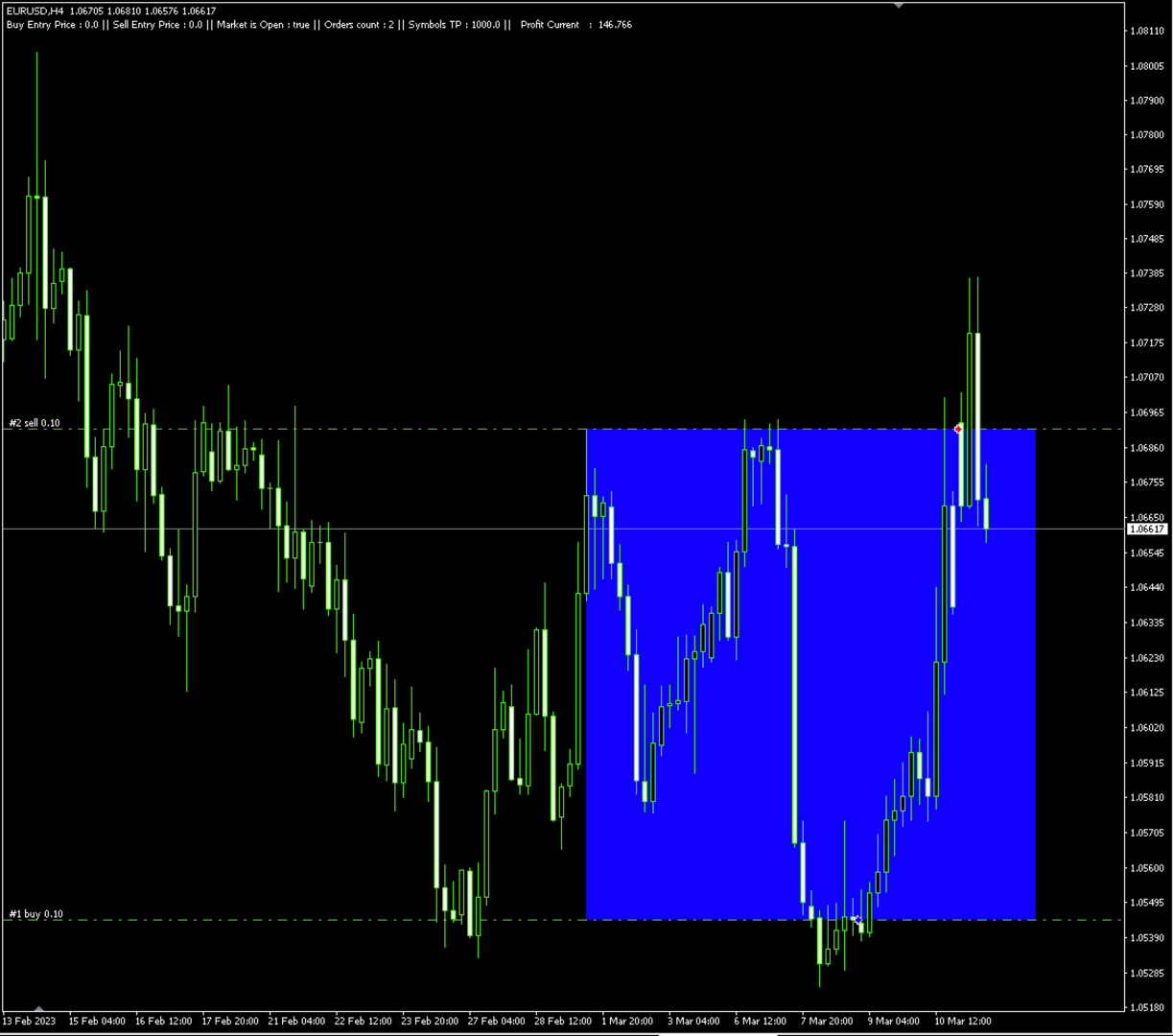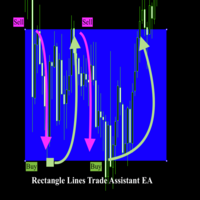
Rectangle line Trade Execution Assistant

Rectangle line Trade Execution Assistant

Rectangle Line Trade Assistant EA

 Semi-Automated Trading Assistant    

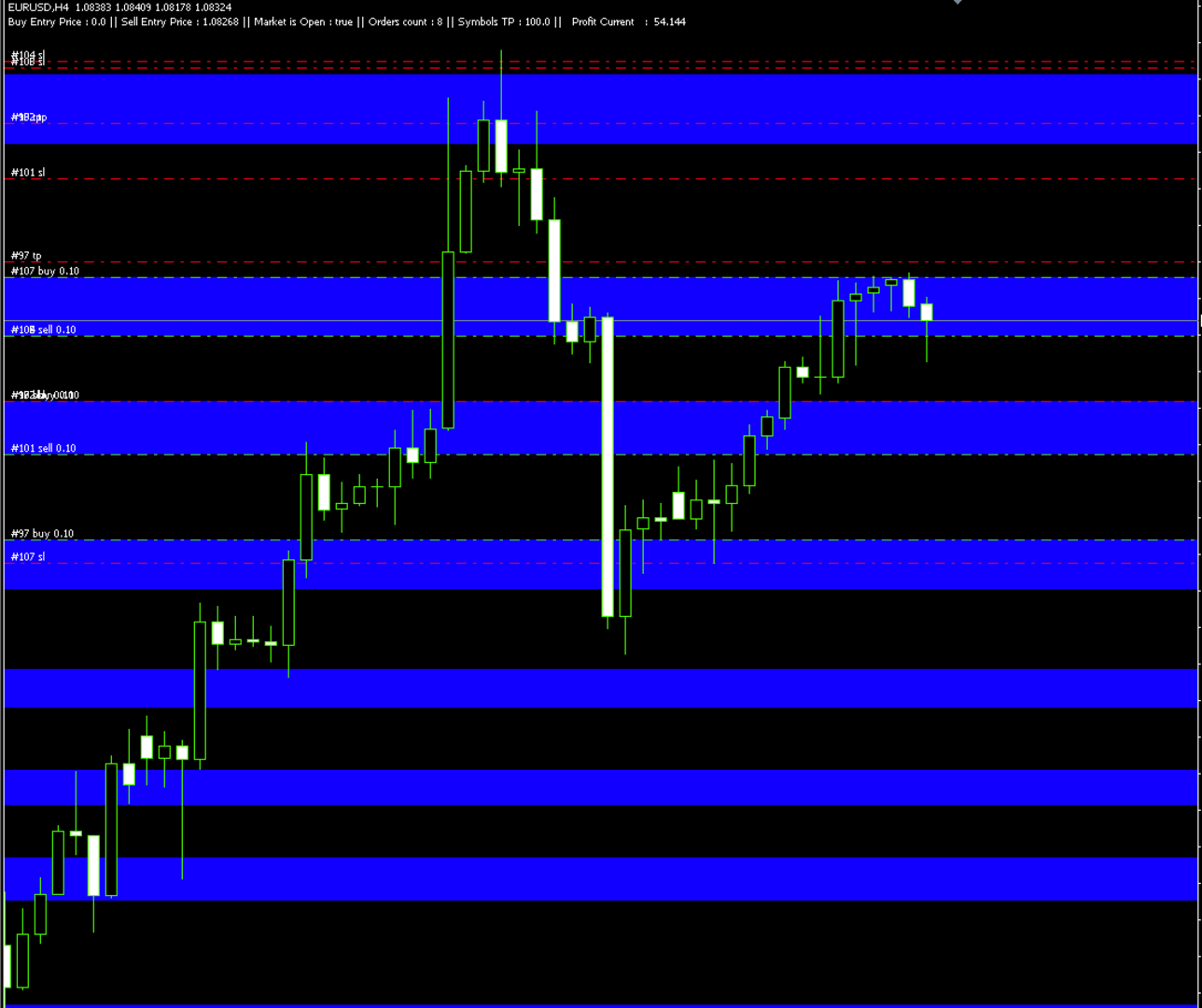
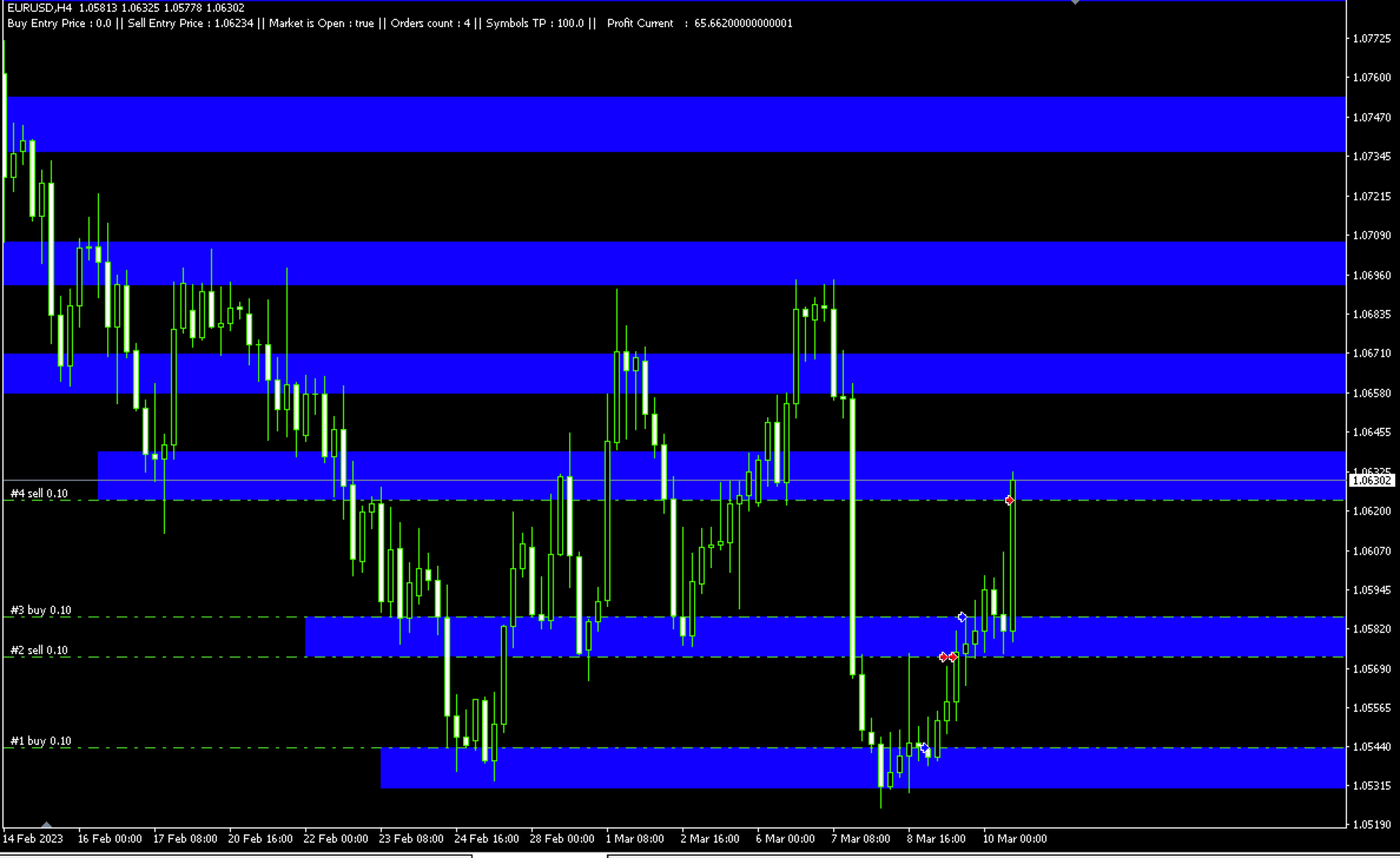
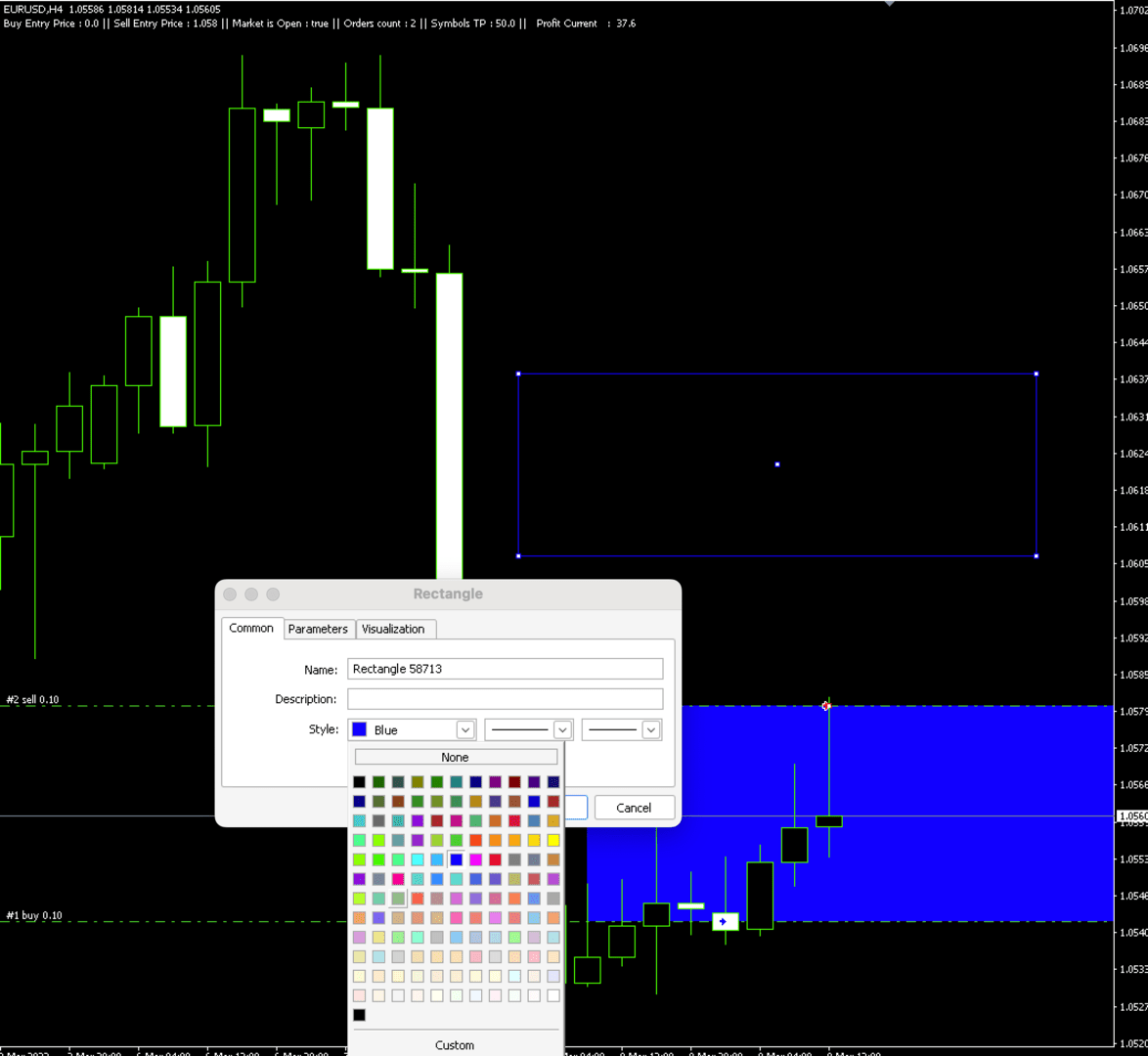
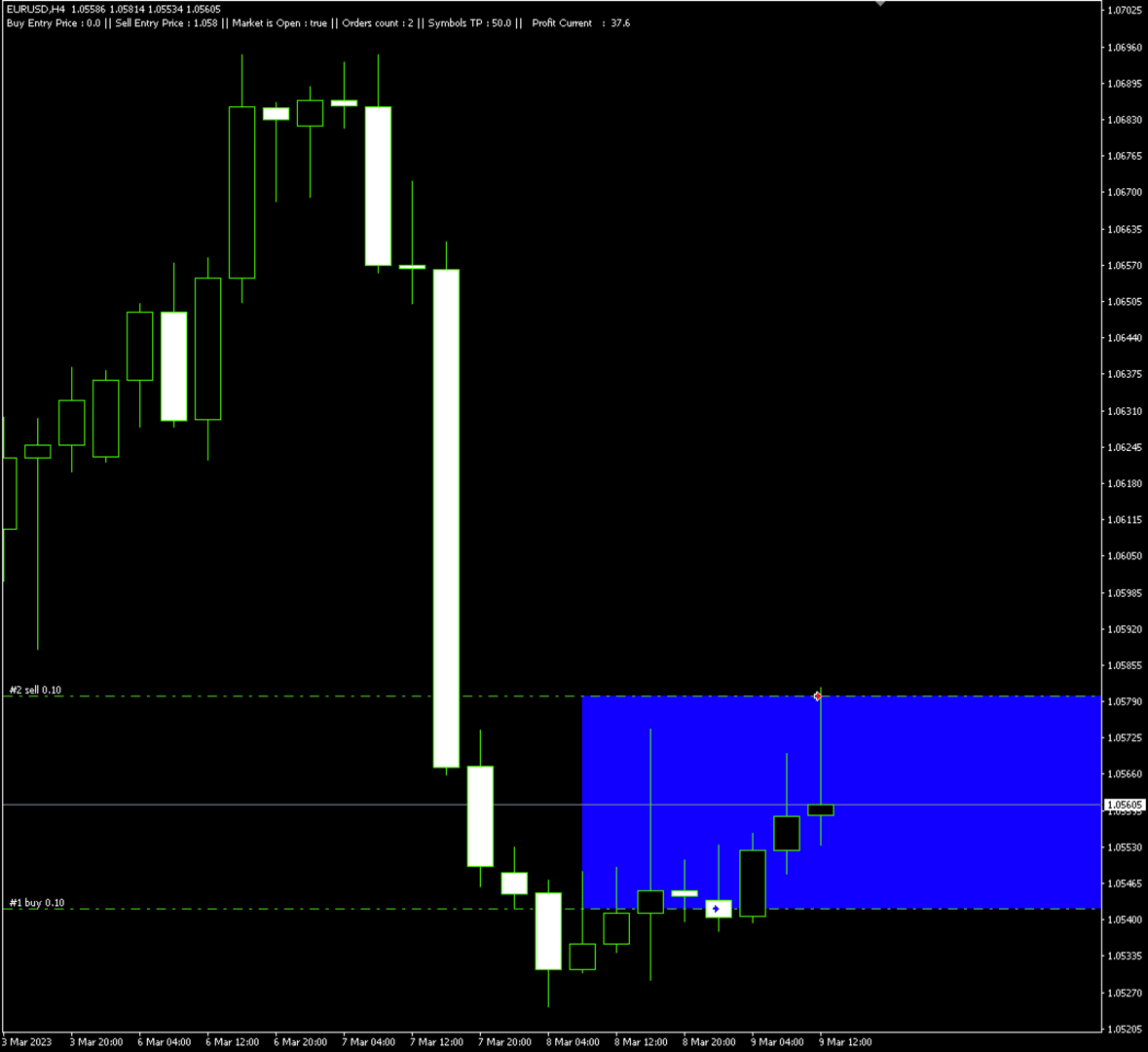
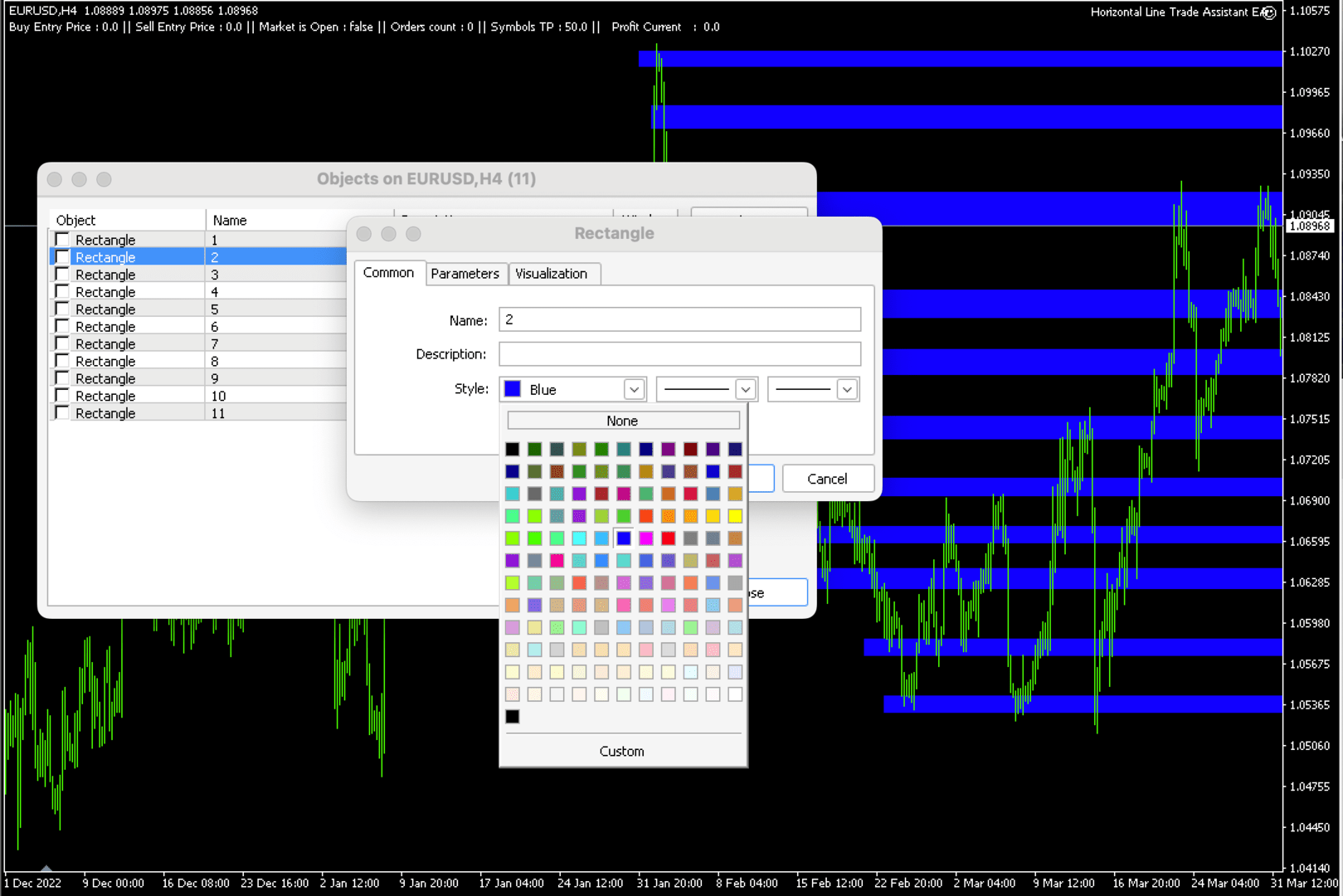
 IMPORTANT:   On the main/purchased program a user can click on the Rectangle line and move/ drag it around the chart, by double clicking on it. Please keep in mind that this option is not available on demo version, due to some restrictions/limitations of Strategy Tester, some Object related operations are not available in the Strategy Tester. But, it will not prevent you from Testing, please drop an Object to chart, then save your objects as a new templet, after, run an EA in strategy tester with that saved templet, and it will automatically assign and perform Buy or Sell positions based on your predefined parameters. 

You can drag and drop the EA to a chart, and it will automatically determine the Pair and will start working. Please See the list of instruments that are pre-coded to this EA.   

List of Pairs: AUDCAD, AUDCHF, AUDJPY, AUDNZD, AUDUSD, CADCHF, CADJPY, CHFJPY, EURAUD, EURCAD, EURCHF, EURGBP, EURJPY, EURNZD, EURUSD, GBPCAD, GBPCHF, GBPJPY, GBPUSD, NZDJPY, NZDUSD, USDCAD, USDCHF, USDJPY, XAGUSD, XAUUSD, GBPAUD, EUSTX50, FRA40, GER30, ASX200, NDX100, JPN225, UK100, US30, SPX500, VIX, US2000, HK50, USDX, CAN60, SWI20, NTH25, UKOUSD, USOUSD, XPTUSD, XZNUSD, XNIUSD, XAUJPY, XAUEUR.        

Description: 

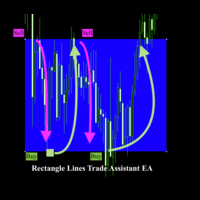
Unlock the power of semi-automation Rectangle Line Trade Assistant EA, a versatile Expert Advisor Assistant designed to enhance your trading experience. This innovative tool offers a seamless integration of your trading strategies with the dynamic world of chart analysis.    

Key Features:  

Rectangle Line Object Detection and Trade Execution 

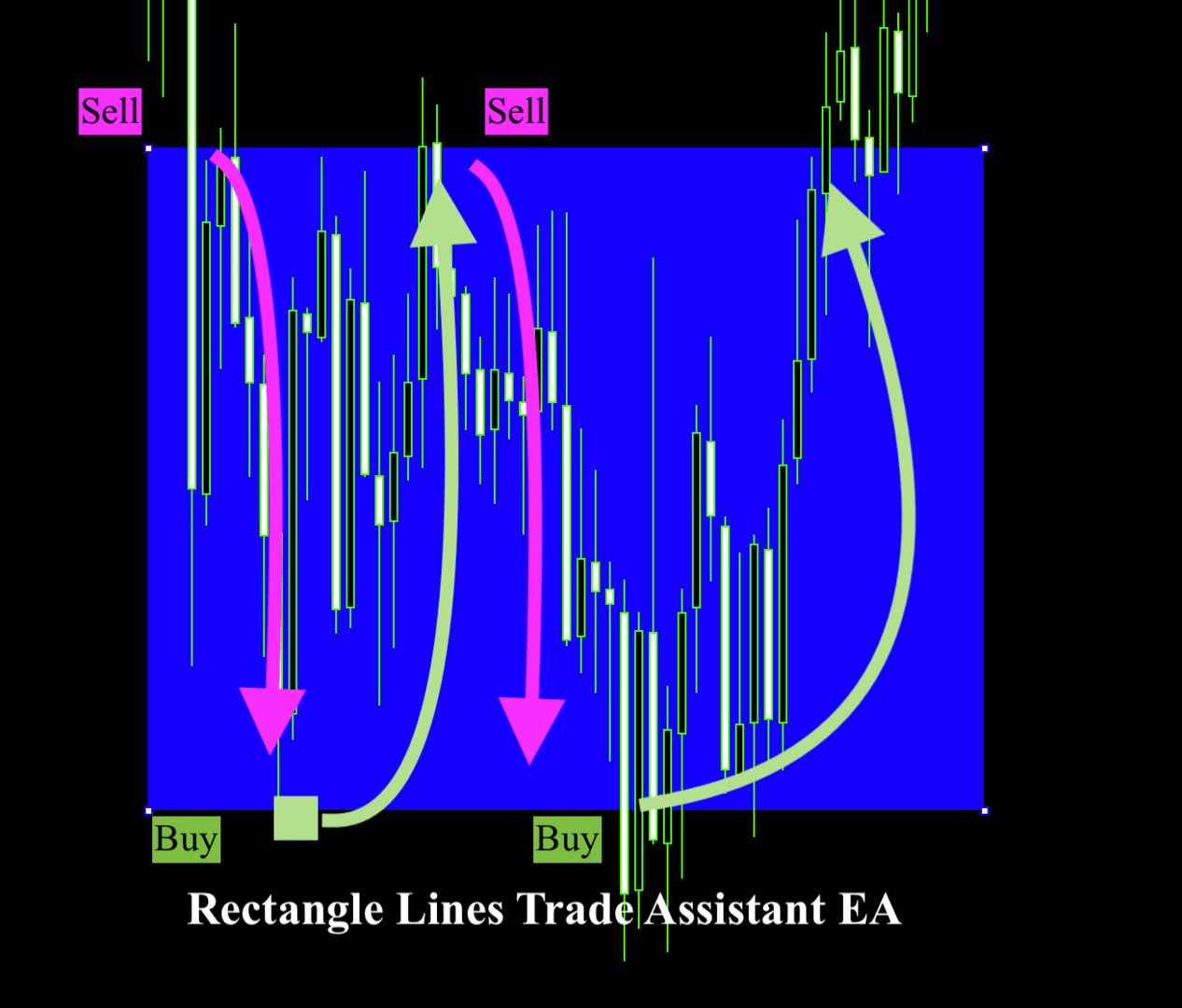
                  This EA operates by intelligently detecting Rectangle Line Objects on your trading chart. It will Automatically determine if it’s a Buy or Sell order based on users predetermined parameters.  

Flexibility in Trading: 

Choose your preferred trading direction – buy or sell – based on the positioning of the Rectangle Line Object.   

Trade on Your Terms: 

                  Say goodbye to constant chart monitoring and alert-watching. With this EA, simply draw your Rectangle Lines on the chart and let the EA do the rest.    

Enjoy the freedom to live your life while Rectangle Line Trade Assistant EA    

automates your trades according to your predefined strategies.   

Compatible with Diverse Strategies: 

Rectangle Line Trade Assistant EA caters to a broad spectrum of trading styles, including but not limited to Hedging, Support and Resistance trading, and more.    

Adapt the EA to suit your unique strategies and level of experience.    


Versatility for Personal and Prop Firm Accounts: 

                  Whether you're managing your personal account or operating within a Proprietary firm evaluation accounts, Rectangle Line Trade Assistant EA extends its capabilities to suit your trading environment.    

Ownership and Licensing: 

- The rights to this program, including but not limited to the source code, are owned by Bakyt Kenzhebek. No part of this program may be reproduced, distributed, or sold without explicit permission from the developer.
- The user (buyer) is granted a license to use this program solely for trading purposes. Any form of resale, redistribution, or sharing with third parties is strictly prohibited.
- The developer of this program does not take any responsibility for any trading losses or damages incurred by the user. The user should carefully evaluate and test the program based on their trading strategy before using it in live trading.
- By using this program, the user acknowledges and agrees to abide by these terms and conditions. Any violation of these terms may result in the termination of the user's license to use the program.
- For inquiries regarding licensing, permissions, or support, please contact y.bakyt@mail.com.   

If there is/are an Error/s, please send an email to ‘y.bakyt@mail.com’ with explanation and screenshots.   


Expert Properties explained:  

//+------------------------------------------------------------------+ 

Buy_Top_Sell_Buttom = false; - if true Buys on the top rectangle price, opposite for false.

showComment = true; - Shows or Hides Comments 

"Allow Multiple Positions at same Line/Price" 

Allow_Multiple_Positions_At_Same_Price = false; 

"Wait time between Orders, in Minutes." 

Minutes_btw_Orders = 180; 

If Market price moves away fron the pending position X Pips, the EA Deletes the order 

Delete_Pending_Order_After_X_Pips_Away = 30; 

"Minimum Difference btw Orders in Pips." 

Min_Pips_Difference_btw_Orders = 30; 

"Take Profit and Stop Loss" 

Take_Profit = 0; 

Stop_Loss = 0; 

Lots = 0.1; 

"Name for Trade Comments" 

Comment_Text = "Put Your Name";

Trailing_Allowed = false; 

Trailing_Pips = 0; 

New_TP = 0; 

" If in InProfit more or equal to X, this will close all positions for the symbol" 

InProfit_For_LessThan_3 = 70; 

InProfit_For_MoreThan_3 = 50; 

      Changning InProfit, means, if 3 or less positions are open, the Profit should be $100 (example bellow). Else if, equal or more than 3 positions the Profit is $50 and the EA will Close All positions for the Current Symbol.    

   InProfit_For_LessThan_3 = 100;    

   InProfit_For_MoreThan_3 = 50;    


   "Input Market Open and Close H:M". Military time is a technique of tracking hours in which the day runs from midnight to midnight and is broken into 24-hour increments. This is not the same as the 12-hour clock commonly used worldwide. For example, a military clock that reads 1930 hours is the same as 7:30 PM when using the 12-hour clock. Since military time reflects the counting up to 24 hours, AM and PM is not required.    

Like the 12-hour clock, the first two digits are the hours, and the last two represent the minutes. Military time ranging from 0000 to 1159 is considered AM, and military time ranging from 1200 to 2359 is PM.     

   Market_Close_Time_Hour = 15;    

   Market_Close_Time_Minute = 59;    

   Market_Open_Time_Hour = 17;    

   Market_Open_Time_Minute = 01;   


Produtos recomendados
Xiao Dan Kuai Pao is a fast and clean one-click order panel for MetaTrader 5. Open and manage your trades instantly, with Stop Loss and Take Profit placed automatically — no more typing TP distances by hand. Key features: - One-click buttons: BUY, SELL, CLOSE, BREAK EVEN - Custom Stop Loss and Take Profit (in points) — set any distance you want - Flexible risk/reward — combine SL and TP freely to build any ratio, such as 1:1, 1:2, 1:3, 1:4 or 1:5 - Real-time price display (Bid) - Bar countdown t
MT5 to Telegram trade notifier and signal sender: posts opens, SL/TP changes, partial closes and closes with pips and profit, chart screenshots and a daily report. Attach it to ONE chart. It reports the whole account: manual trades and every EA, or only the magic numbers and symbols you choose. WHAT IS SENT New positions: direction, symbol, entry price, SL, TP, lot SL/TP changes (break-even, trailing, manual edits) Partial closes: closed and remaining volume, pips and profit Closes: exit price,
The analyzer makes it possible to quickly assess spread changes on historical data,   the magnitude and frequency of bursts, the dynamics and nature of the extensions by the days of the week, etc. The analyzer needs to be started in the tester (visualization mode) on the symbol and time interval required for analysis,   recommended TimeFrame H1, select "Every tick based on real ticks" mode.
Automated Timeframe cycling with Symbols centered.  Force every timeframe onto one clock window, so the story you see on Daily is the same story you are slicing on H4, H1, and M1.  Traders usually flip timeframes and lose the span. A Daily chart shows a few weeks, then M15 shows a few hours, and the eye treats them as different markets. This indicator locks the window to N bars of the highest enabled timeframe — default 10 Daily — and maps every lower timeframe to that same stretch. You stay ins
FREE
Midas AI Trade Coach Review your closed MT5 trades with a statistical map and optional AI explanations. The utility reads account history and displays its findings on your chart. It never places, changes or closes orders, including in the Strategy Tester. Your History, Eight Views Explore results by UTC hour block, weekday, session, symbol, direction, holding time, trade size, and whether a trade followed a win or loss. Filter by look-back period, symbol and magic number, including manual trades
Este produto é um EA de apoio ao fechamento automático que ajuda traders discricionários a executar as regras de fechamento que já decidiram. Você pode configurar condições de fechamento com base em um horário especificado, confirmação de candle ou cruzamento/aproximação de MA, e usar TIME, CANDLE e MA CROSS separadamente ou ao mesmo tempo. Também é possível exibir as MA de 1H, 4H, diário, semanal e mensal no gráfico atual. Não é um produto que automatiza decisões de negociação ou a abertura de
O Nexus Chart Trader é um utilitário de negociação manual e gerenciamento de risco de nível institucional, projetado para traders discricionários ativos, scalpers e gestores de execução que exigem velocidade absoluta, precisão e visibilidade de risco em tempo real no MetaTrader 5. Construído inteiramente em MQL5 nativo, sem dependências externas lentas ou DLLs pesadas, o Nexus Chart Trader garante tempos de resposta de execução inferiores a um milissegundo, compatibilidade com múltiplos ativos
Free automatic Fibonacci is an indicator that automatically plots a Fibonacci retracement based on the number of bars you select on the BarsToScan setting in the indicator. The Fibonacci is automatically updated in real time as new highest and lowest values appears amongst the selected bars. You can select which level values to be displayed in the indicator settings. You can also select the color of the levels thus enabling the trader to be able to attach the indicator several times with differe
FREE
Two steps
ROMAN BOROVLEV
Discover the world of trading with “Two Steps”! Are you a beginner dreaming of financial independence? Or an experienced trader looking for a tool to optimize your strategy? “Two Steps” is the program designed especially for you! We know the market never stands still. It’s constantly moving, offering countless opportunities to make a profit. And it’s precisely this dynamic that we leveraged when creating “Two Steps”. What makes “Two Steps” unique? Simplicity and intuitiveness. Forget about comp
TradeRazor: One-Click Trade Execution Panel It calculates your risk before every trade, places market and pending orders in one click, and manages open positions with partial closing, breakeven, and close-all functions with one click. Order Execution One-Click Execution Place market Buy or Sell orders instantly. Lot size, stop loss, and take profit are all pre-set before you click. Preset Buttons Four customizable lot size, stop loss, and take profit presets each, ready in one click. Universal
AI Basket Close Manager
Fadi Hassan Khaled Ghanem
Close all your positions together when the basket reaches a profit goal or a loss limit. How it works The utility adds the floating profit and swap of the selected positions (all symbols or the chart symbol, with an optional magic filter). When the total reaches the profit goal or the loss limit (money or percent of balance), every position in the basket is closed. A trailing lock can also close the basket if profit falls back by a set amount. Pending orders can be deleted too, and the utility c
FREE
AI Telegram Trade Signal Sender automatically sends every trade opened or closed on the chart straight to your own Telegram bot/channel, in real time, using MetaTrader 5's native WebRequest function. Key features: Listens to OnTradeTransaction and instantly detects every deal (open, close, partial close) on the account Sends a clean formatted message to your Telegram chat: symbol, type, volume, price, SL/TP, and profit on close Works with your own Telegram Bot Token and Chat ID - you stay in ful
FREE
This EA help trader to manage his pending orders, when you place many Pending Orders this utility monitor them and when of them get filed (executed) the EA cancel and delete all rest of pending orders, to avoid  opening of all of pending orders at the same time , and lose your risk management. this utility is very useful for trader when he /she is not available on the desk.
O Risk-to-Reward Ratio Manager é uma ferramenta visual de gerenciamento de ordens e calculadora de tamanho de posição projetada para apoiar negociações disciplinadas e gestão de risco profissional. Ele permite que os traders definam visualmente os níveis de entrada, stop-loss e take-profit diretamente no gráfico, enquanto calculam automaticamente o tamanho do lote e a relação risco-recompensa antes de enviar uma ordem. A ferramenta ajuda a padronizar a preparação de negociações e garante que cad
Babel Assistant
Iurii Bazhanov
4.33 (9)
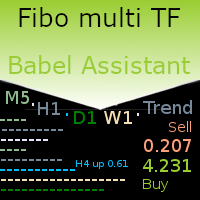
Babel assistant 1 O robô de netting do MT5 "Babel_assistant_1" utiliza o indicador ZigZag para gerar níveis de Fibonacci em vários tempos gráficos (M1, M5, M15, H1, H4, D1 e W1) e calcula a força das tendências de compra e venda. Ele abre uma posição usando a configuração "Lot for open a position" se o nível de tendência especificado de 4,925 for ultrapassado. Em seguida, o Babel posiciona ordens pendentes em determinados níveis de Fibonacci e define as linhas de Stop Loss e Take Profit especifi
FREE
Session panel
Timo Mario Hoffmann
Session Panel for MT5 Session Panel is a free MT5 indicator that gives you a fast and convenient live overview of the major trading sessions directly from the chart. Monitor Tokyo, London, and New York session times, see which session is currently active, track countdowns to the next session, and view session overlap information in one compact dashboard. Built for traders who want better market timing, clearer session awareness, and a cleaner chart workflow in live market conditions. Session Pan
FREE
Simple Risk Tool
Larry Alan Navilys
Simple Risk Tool — trade with a FIXED money risk, always. Stop calculating lot sizes by hand. Type the amount you accept to lose, place your BUY or SELL lines, drag your Stop Loss anywhere on the chart — the lot size recalculates instantly while your money risk never changes. HOW IT WORKS — 3 STEPS 1. Set the amount you want to risk (in your account currency). 2. Select your direction: BUY LINES or SELL LINES instantly draws draggable Stop Loss / Entry / Take Profit lines at the current char
Apresentamos o NAS100 Auto SL e TP Maker para MT5: Nunca mais perca a definição de StopLoss e TakeProfit com o nosso NAS100 Auto SL e TP Maker, um assistente indispensável para os traders que navegam no mercado Nasdaq 100 no MetaTrader 5. Esta ferramenta foi concebida para aqueles que procuram uma solução perfeita para automatizar a gestão dos níveis de StopLoss e TakeProfit. Caraterísticas principais: Automação sem esforço: Monitoriza automaticamente as transacções Nasdaq 100 sem StopLoss e/o
FREE
If you want to try the Demo Version, please use this one: https://www.mql5.com/en/market/product/58262 Features: easy positioning of stoploss and takeprofit with horizontal Assistance-lines automatic Volume calculation fixed risk, set by the trader Closing of all trades of one type, with the click of one button (long or short, for this symbol) Creation of pending orders with one click Direct feedback through responsive buttons Made for all your needs: Forex Indices Crypto Gold, Silver, Platin
Multiple Order Manager
Ameerul Afiq Bin Abd Halim
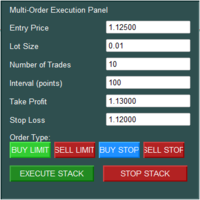
The Multi-Order Execution is an Expert Advisor for MetaTrader 5, designed to simplify the placement of multiple pending orders through a convenient on-chart control panel. The EA supports four pending order types: Buy Limit, Sell Limit, Buy Stop, and Sell Stop. Traders can configure the entry price, lot size, number of orders, price interval, take-profit (TP), and stop-loss (SL) directly from the chart. The EA automatically calculates each order's entry price based on the selected order type and
Trend Risk Monitor
Kenneth Michael Chambers
TREND RISK MONITOR EA - USER GUIDE ---------------------------------------------------- 1. OVERVIEW The Trend Risk Monitor is not a trading robot that opens new positions. Instead, it is a sophisticated risk management utility designed to work alongside another Expert Advisor (EA) on your trading account. Its primary purpose is to actively monitor trades opened by a specific EA (identified by a "Magic Number") and provide a real-time assessment of the market risk associated with each open posit
Prop Firm Lot Size Calculator
Christian Paul Anasco
5 (1)
Now, you have your very own  PROP FIRM LOT SIZE CALCULATOR ! It now has BREAKEVEN and PARTIAL CLOSURE features! There's no need to go to other websites just to compute for the exact lot size. It also opens the trade with a click of a button. All inputs on the calculator can be edited. So if you want to change the SL or TP or the lot size, you can do so before placing an order. ========================================== INPUTS (Please see screenshot for reference): 1. SL PRICE TEXT . This is clic
Prop Risk Guard
Mohamed-amine Baddir
O Prop Risk Guard aplica automaticamente as regras de risco da sua conta. Anexe-o a um único gráfico e ele monitora todas as posições da conta. Quando um limite é atingido, ele fecha as posições, exclui as ordens pendentes e bloqueia as operações, para que um trade ruim ou um EA descontrolado não quebre as regras da sua conta de avaliação ou financiada (mesa proprietária). Limite de perda diária Em percentual, valor fixo ou ambos (vale o mais rígido) Medido a partir do saldo do início do dia, do
"Clean Pending Orders" Exclua todas as ordens pendentes no símbolo atual em segundos! Este script simples, mas eficaz, foi projetado para traders que valorizam rapidez e conveniência. Basta executá-lo, e ele excluirá instantaneamente todas as ordens pendentes de compra e venda no símbolo atual. Vantagens: Remoção instantânea: Todas as ordens são excluídas em segundos. Foco apenas no símbolo atual: Outros instrumentos não são afetados. Facilidade de uso: Um clique, e seu terminal estará limpo. R
FREE
GOM Trade Manager
Wannapach Chinnaprapa
GOM Trade Manager helps you execute trades the way you want it. Works on all instruments Forex, Commodities, & Crypto. It helps you with lot calculations, spread addition and balance calculations so you can just focus on actual trading. For full automatic planned management, stackable triggers and spread widening protection >> check out GOM Trade Manager Pro . ------------------------------------------NOTABLE FEATURES------------------------------------------ You set everything based on bid
FREE
O simulador de treinamento MetaTrader 5 combina a prática simulada do testador de estratégias com a negociação real, utilizando a mesma interface. Você pode aprimorar suas estratégias usando dados históricos de mercado e, em seguida, negociar com dinheiro real usando a mesma interface, ferramentas de gerenciamento de risco e ferramentas de gerenciamento de negociações. O simulador de negociação MT5 inclui o LiveAI integrado com o Assistente de IA do MT5. Você pode fazer perguntas em linguagem s
Watchman is a news filter and drawdown guard for MetaTrader 5. It pauses any Expert Advisor during high-impact economic news, closes or protects open positions, and enforces daily loss and maximum drawdown limits across the whole account. It works with any EA, including commercial products with no built-in news filter and no accessible source code. Attach Watchman to one empty chart. It finds every chart in the terminal running an EA, reads the MetaTrader economic calendar for events affecting t
Neuron News Risk Manager MT5 Neuron News Risk Manager MT5 é uma central de proteção contra notícias econômicas, gerenciamento de risco e controle remoto via Telegram para MetaTrader 5. A ferramenta monitora o Calendário Econômico do MT5 e exibe no painel a próxima notícia, moeda, horário, importância, impacto e tempo restante. O usuário pode filtrar eventos de importância Low, Medium e High e visualizar linhas de notícias diretamente no gráfico. Um dos principais recursos é o Global Algo Trading
FREE
Prop Challenge Replay MT5 Trading Capital P reproduz qualquer símbolo a partir de uma data passada em até quatro timeframes sincronizados, permite operar o replay em uma conta simulada e avalia seu trading como um desafio de mesa proprietária (prop firm), com um diário automático de cada operação. Ele nunca envia uma ordem à sua corretora. Um replay real, sem o futuro Um símbolo personalizado temporário é clonado a partir do símbolo do seu gráfico (casas decimais, contrato, valor do tick, moedas
QUANITION EA PERFORMANCE DASHBOARD ULTRA — tudo numa tela. Cada robô da sua conta, o que cada um faz ao saldo e os meses que o trouxeram até aqui, desenhados sobre o gráfico em vez de enterrados num relatório. Um saldo é uma média, e médias escondem coisas. Um robô pode cobrir em silêncio as perdas de outro durante meses enquanto a curva de equity ainda parece calma. Isto lê as suas operações fechadas e volta a separar esse único número por Magic Number. Há uma edição gratuita, e ela corre num g
Os compradores deste produto também adquirem
Trade Assistant MT5
Evgeniy Kravchenko
4.43 (216)
Ajuda a calcular o risco por comércio, a fácil instalação de uma nova encomenda, gestão de encomendas com funções de fecho parcial, trailing stop de 7 tipos e outras funções úteis. Materiais e instruções adicionais Instruções de instalação   -   Instruções para a aplicação   Função de linha Mostra no gráfico a linha de Abertura, Stop Loss, Take Profit. Com esta função é fácil definir uma nova ordem e ver as suas características adicionais antes da abertura.   Gestão de risco A função de cálcul
Farmed Hedge Yield Farming | All Markets (Manual - Hybrid - Semi/Automated EA) VERIFIED TRADING RESULTS - Farmed Hedge Yield Axi Copy:  https://www.mql5.com/en/signals/2356376 - Farmed Hedge Yield Exn Copy:   https://www.mql5.com/en/signals/2356404 - Farmed Hedge Yield V Copy:  https://www.mql5.com/en/signals/2357156 IMPORTANT NOTICE: FarmedHedge is a MANUAL-FOCUSED TRADING UTILITY ,not a fully automated EA. Results shown on this Signal include manual trades and overall strategic management.
Bem-vindo ao Trade Manager EA—uma ferramenta de gestão de risco criada para tornar o trading mais intuitivo, preciso e eficiente. Não é apenas uma ferramenta para executar ordens, mas uma solução abrangente para planejamento de operações, gerenciamento de posições e controle de risco. Seja você um iniciante, trader avançado ou scalper que precisa de execução rápida, o Trade Manager EA adapta-se às suas necessidades, oferecendo flexibilidade em todos os mercados, desde forex e índices até commodi
Local Trade Copier EA MT5
Juvenille Emperor Limited
4.94 (150)
Local Trade Copier EA MT5 é um copiador de operações rápido e flexível para copiar e gerenciar operações entre várias contas MetaTrader 5 no mesmo computador Windows ou Windows VPS. Ele combina a sincronização local de operações com controles no lado do Receiver para tamanho de lote, gerenciamento de risco, filtragem de operações, mapeamento de símbolos, gerenciamento de operações e proteção da conta. Configure seus terminais Transmitter e Receiver em aproximadamente 1 minuto e copie operações
O Telegram to MT5 Multi-Channel Copier copia automaticamente os sinais de trading dos seus canais de Telegram e Discord diretamente para o MetaTrader 5. Sem bots, sem extensões de navegador, sem copiar à mão. O sinal chega ao Telegram ou ao Discord e o EA abre a operação no seu terminal em poucos segundos. E antes de copiar um canal, o backtester integrado mostra o que esse canal teria feito na sua conta. O produto inclui dois componentes: um aplicativo de Windows que escuta os seus canais de Te
EA Overfitter
Stephen J Martret
5 (4)
That backtest looks great. But will it still be making money tomorrow, next week, next month? EA Overfitter re-runs your EA on 100 price histories it has never seen. One score tells you if the edge is real. A backtest tells you what an EA did on one price history — the one that happened to occur. What you cannot tell from it is how much of that result was the strategy and how much was the particular path. EA Overfitter answers that. It builds up to 100 synthetic price histories your EA has n
TradePanel MT5
Alfiya Fazylova
4.89 (174)
Trade Panel é um assistente de negociação multifuncional. O aplicativo contém mais de 50 funções de negociação para trading manual e permite automatizar a maioria das tarefas de negociação. Instruções para o aplicativo: https://www.mql5.com/pt/blogs/post/762435 Versão de teste do aplicativo para conta demo: https://www.mql5.com/pt/blogs/post/762547 Como instalar o aplicativo: https://www.mql5.com/pt/blogs/post/762548 Como testar o aplicativo no modo visual: https://www.mql5.com/pt/blogs/post/770
News Trade EA MT5
Konstantin Kulikov
4.55 (11)
Apresento um robô útil que eu mesmo uso há vários anos. Pode ser usado nos modos semiautomático e totalmente automático. >>> Chat <<< O programa contém configurações flexíveis para negociação nas notícias do calendário econômico. Não pode ser verificado no testador de estratégia. Somente trabalho real. Descarregue o ficheiro mais recente de definições: https://www.mql5.com/en/blogs/post/747929 Monitorização de sinais: https://www.mql5.com/en/signals/author/test-standart Ao criar suas próprias
Exp COPYLOT CLIENT for MT5
Vladislav Andruschenko
3.97 (35)
Copiador profissional de operações para MetaTrader 5 Um copiador de operações rápido, profissional e confiável para MetaTrader . COPYLOT permite copiar operações de Forex entre terminais MT4 e MT5 com suporte para contas Hedge e Netting . A versão MT5 do COPYLOT oferece suporte a: - MT5 Hedge → MT5 Hedge - MT5 Hedge → MT5 Netting - MT5 Netting → MT5 Hedge - MT5 Netting → MT5 Netting - MT4 → MT5 Hedge - MT4 → MT5 Netting Versão MT4 Descrição completa + DEMO + PDF Como comprar Como instalar Como
Strategy Ledger Pro
Abdullah Uygar Tuna
5 (17)
Agora disponível em português. Strategy Ledger Pro é um painel de análise de conta somente leitura para o MetaTrader 5. Ele separa os resultados da conta por Expert Advisor, estratégia, símbolo e número mágico, para que você veja o que cada um realmente contribui. O painel está disponível em 11 idiomas: English, Français, Deutsch, Español, Italiano, Português, Русский, Türkçe, 中文, 日本語 e 한국어. Antes de baixar a demo. O Market executa a demo de qualquer produto pago somente no Testador de Estratég
Copie sinais do Telegram com suas próprias regras de negociação Telegram to MT5 Signal Trader copia automaticamente sinais de negociação em texto de canais e grupos públicos e privados do Telegram para o MetaTrader 5. Gerencie vários provedores e contas MT5 em um único aplicativo para desktop, com configurações individuais de risco e de negociação para cada provedor . Você não precisa de um bot do Telegram nem configurar uma API para copiar sinais. Basta entrar com sua própria conta do Telegram
================================================================================ POC BREAKOUT - V20.72. Full Professional Grade Toolkit ================================================================================ POC Breakout is a full MetaTrader 5 trading dashboard for discretionary traders who want breakout signals, Point of Control (POC) context, volume profiles, order flow, market structure, news, alerts, and advanced trade planning in one professional workspace. Attached directly to you
The product will copy all telegram signal to MT5 ( which you are member) , also it can work as remote copier.  Easy to set up, copy order instant, can work with almost signal formats, image signal,  s upport to translate other language to English Work with all type of channel or group, even channel have "Restrict Saving Content", work with  multi channel, multi MT5 Work as remote copier: with signal have ticket number, it will copy exactly via ticket number. Support to backtest signal. How to s
Próxima Atualização — Versão 2.52 em Breve! [NOVO] Prepare-se para 4 Grandes Novos Recursos Projetados para Aprimorar sua Análise de Mercado e seu Fluxo de Trabalho de Trading Estamos levando a análise de mercado a um novo nível com 4 novos recursos desenvolvidos para atender às suas necessidades de trading. Apresentamos: 1. TRADE OVERVIEW DASHBOARD 2. CONFLUENCE AT ZONE 3. STRONG & WEAK HIGH/LOW 4. OTE 1. TRADE OVERVIEW DASHBOARD Um painel que ajuda você a compreender mais facilmente o panoram
EA Auditor
Stephen J Martret
5 (7)
EA Auditor is an independent analysis tool for traders evaluating Expert Advisors and trading signals on MetaTrader 5. It audits backtest reports, reviews posted developer signals, and cross-verifies the two against each other to help traders assess strategies before committing capital. The MQL5 market offers a wide range of Expert Advisors from many developers, with varying approaches, quality, and transparency. EA Auditor provides a consistent, data-driven framework for reviewing them, answer
Telegram to MT5 Coppy
Sergey Batudayev
5 (10)
Telegram para MT5:   A solução definitiva para cópia de sinais Simplifique suas negociações com o Telegram para MT5, a ferramenta moderna que copia sinais de negociação diretamente dos canais e chats do Telegram para a sua plataforma MetaTrader 5, sem a necessidade de DLLs. Esta solução poderosa garante execução precisa dos sinais, amplas opções de personalização, economiza tempo e aumenta sua eficiência. [ Instructions and DEMO ] Principais características Integração direta da API do Telegram A
Trade copier MT5
Alfiya Fazylova
4.61 (57)
Trade Copier é um utilitário profissional projetado para copiar e sincronizar negociações entre contas de negociação. A cópia ocorre da conta / terminal do fornecedor para a conta / terminal do destinatário, instalada no mesmo computador ou vps. Antes de comprar, você pode testar a versão demo em uma conta demo. Versão de demonstração aqui . Instruções completas aqui . Principais funcionalidades e benefícios: Suporta a cópia de MT5> MT5, MT4> MT5, MT5> MT4, incluindo contas "MT5 netting". Os mod
Telegram To MT5 Ultra
Mirel Daniel Gheonu
5 (5)
Telegram To MT5 — Copiador de sinais Transforme as chamadas de trading dos seus canais do Telegram em ordens reais no MT5 — automaticamente, em quantas contas quiser, com o risco e as regras totalmente sob o seu controlo. O Telegram To MT5 liga os canais VIP / de sinais que já segue no Telegram ao seu terminal MetaTrader 5. Um aplicativo de desktop complementar gratuito lê as mensagens (mesmo de canais que bloqueiam bots), e este Expert Advisor executa-as na sua conta — aplicando as suas própria
Trade Dashboard MT5
Fatemeh Ameri
4.94 (135)
Trade Dashboard simplifies how you open, manage, and control your trades, with built-in lot size calculation. It allows you to execute trades, manage risk, and control positions directly on the chart, with tools such as partial close, breakeven, and trailing stop. Designed to reduce manual work and help you stay focused on your trading decisions. A demo version is available for testing. Detailed explanations of features are provided within the MQL5 platform. Installation instructions are include
EA Portfolio Control & Cloud Monitoring for MetaTrader 5 Your EAs manage trades. KONTROL_01 manages your EAs. A control system for traders running multiple Expert Advisors on the same account. Coordinate EA activity, manage trading risks and monitor your setup remotely. A detailed User Manual is available via DM after purchase. IN PRACTICE Multiple EAs. No coordination. Your EAs trade independently, unaware of each other's activity. KONTROL_01 coordinates them, limits simultaneous activity a
News Filter EA
Rashed Samir
5 (2)
News Filter EA: Advanced Algo Trading Assistant News Filter EA is an advanced algo trading assistant designed to enhance your trading experience. By using the News Filter EA , you can integrate a Forex economic news filter into your existing expert advisor, even if you do not have access to its source code. In addition to the news filter, you can also specify trading days and hours for your expert. The News Filter EA also includes risk management  and equity protection features. MT4 Version Ma
MT5 to Telegram Signal Provider é uma utilidade fácil de usar e totalmente personalizável que permite o envio de sinais especificados para o chat, canal ou grupo do Telegram, tornando sua conta um fornecedor de sinais . Ao contrário da maioria dos produtos concorrentes, ele não usa importações de DLL. [ Demonstração ] [ Manual ] [ Versão MT4 ] [ Versão Discord ] [ Canal do Telegram ]  New: [ Telegram To MT5 ] Configuração Um guia do usuário passo a passo está disponível. Não é necessário conhec
Seconds Chart MT5
Boris Sedov
4.61 (18)
Seconds Chart - uma ferramenta exclusiva para criar gráficos de segundos no MetaTrader 5 . Com o Seconds Chart , você pode criar gráficos com períodos definidos em segundos, proporcionando flexibilidade e precisão ideais para análise, indisponíveis em gráficos padrão de minutos ou horas. Por exemplo, o período S15 indica um gráfico com velas de 15 segundos. Você pode usar qualquer indicador ou Expert Advisor com suporte a símbolos personalizados. Trabalhar com eles é tão conveniente quanto negoc
Trader Evolution
Siarhei Vashchylka
5 (7)
" Trader Evolution " - A utility designed for traders who use wave and technical analysis in their work. One tab of the utility is capable of money management and opening orders, and the other can help in making Elliott wave and technical analysis. Manual (Be sure to read before purchasing) | Version for MT4 Advantages 1. Trading in a few clicks. Immediate and pending orders are available in the panel 2. Money management. The program automatically selects the appropriate lot size 3. Simplifies
VirtualTradePad PRO SE MT5 — centro profissional de controle de trading para MetaTrader 5 VirtualTradePad PRO SE é um painel de trading premium baseado no gráfico e um ambiente de gerenciamento de operações para MetaTrader 5 . Ele foi desenvolvido para traders que desejam execução mais rápida, controle de posições mais claro, gerenciamento de trades estruturado, planejamento visual de níveis e um fluxo de trabalho profissional diretamente no gráfico. Não é apenas um painel de COMPRA / VENDA. O P
AW Trade Manager
AW Trading Software Limited
AW Trade Manager é um painel de negociação para MetaTrader 5 com uma ferramenta de risco/retorno no gráfico. A operação é planejada com as linhas Entry, Stop Loss e Take Profit, arrastadas com o mouse: as etiquetas mostram preço, distância e valor em dinheiro, as zonas mostram lucro e prejuízo, e o volume é calculado a partir do risco. Antes do envio, a janela de confirmação mostra a operação completa, com risco, margem e as regras da posição. Manual e instrução -> AQUI / Demo LIVE gratuita -> A
O Local Trade Copier EA é uma solução para traders individuais ou gerentes de contas que precisam executar sinais de negociação de fontes externas ou que precisam gerenciar várias contas ao mesmo tempo, sem a necessidade de uma conta MAM ou PAMM. Copia de até 8 contas mestras para contas escravas ilimitadas [ Guia de instalação | Guia de atualização | Solução de problemas | Perguntas frequentes | Todos os produtos ] 100% auto-hospedado Fácil de instalar e usar Nenhum instalador, arquivos de con
RETAILBERG FOOTPRINT CHART PRO — Order-Flow Workspace for MetaTrader 5 Version 7.00  |  Professional System  |  31 tools  |  One chart A full 150-page illustrated User Manual is included. Please read the full manual to understand this feature packed footprint chart elements and ui. https://www.mql5.com/en/blogs/post/777982 DEMO / STRATEGY TESTER — PLEASE READ FIRST
Power Candles Strategy Scanner: localizador de setups multissímbolo que se otimiza sozinho Um scanner que apita a cada tremida ensina você a ignorá-lo. Um fechamento de vela agitado, alerta atrás de alerta, e o único setup que você realmente opera se afoga no ruído. Power Candles Strategy Scanner roda o motor auto-otimizável do Power Candles em cada símbolo da sua Market Watch e só alerta sobre o que passa pelos seus próprios filtros: a força da última vela fechada, a relação retorno/risco do se
AW Shepherd Safety MT5
AW Trading Software Limited
5 (5)
AW Shepherd Safety EA es un asesor experto para gestionar posiciones abiertas. El trader abre la primera orden desde el panel y a partir de ahí el EA gestiona la cesta por su cuenta: añade órdenes de recuperación con filtro de tendencia, cierra el lado por TakeProfit, trailing o stop y muestra los niveles de cierre en el gráfico. Las compras y las ventas se gestionan por separado, y ambos lados pueden estar abiertos a la vez. La orden de recuperación no se abre solo por el paso de precio, sino d
Mais do autor
Rectangle Lines Trade Assistant EA   Semi-Automated Trading Assistant   Description :   Unlock the power of semi-automation   Rectangle Lines Trade Assistant EA , a versatile Expert Advisor designed to enhance your trading experience. This innovative tool offers a seamless integration of your trading strategies with the dynamic world of chart analysis. Key   Features :     Rectangle Object Detection and Trade Execution                 This EA operates by intelligently detecting Rectangle Object
Trend Line Trade Assistant EA  Semi-Automated Trading Assistant     IMPORTANT :   On the main/purchased program a user can click on the Trend line and change it to Buy or Sell, and drag by double clicking on it. Please keep in mind that this option is not available on demo version, due to some restrictions/limitations of Strategy Tester, some Object related operations are not available in the  Strategy Tester. But, it will not prevent you from Testing, please drop an Object to chart and it will
Horizontal Line Trade Assistant EA  Semi-Automated Trading Assistant    IMPORTANT :   On the main/purchased program a user can click on the Horizontal line and change it to Buy or Sell, and drag by double clicking on it. Please keep in mind that this option is not available on demo version, due to some restrictions/limitations of Strategy Tester, some Object related operations are not available in the  Strategy Tester. But, it will not prevent you from Testing, please drop an Object to chart an
Regression Channel Trade Assistant EA   Semi-Automated Trading Assistant   Please be advised, that the Linear Regression Channel Indicator is a highly powerful tool for those who possess a comprehensive understanding of its functionality. We strongly recommend investing time in educating oneself on its proper utilization to harness its full potential. Description :   Unlock the power of semi-automation   Regression Channel Trade Assistant EA , a versatile Expert Advisor designed to enhance your
Trend Line Trade Assistant EA  Semi-Automated Trading Assistant      IMPORTANT :   On the main/purchased program a user can click on the Trend line and change it to Buy or Sell, and drag by double clicking on it. Please keep in mind that this option is not available on demo version, due to some restrictions/limitations of Strategy Tester, some Object related operations are not available in the  Strategy Tester. But, it will not prevent you from Testing, please drop an Object to chart and it wil
Horizontal Line Trade Assistant EA  Semi-Automated Trading Assistant      IMPORTANT :     On the main/purchased program a user can click on the Horizontal line and change it to Buy or Sell, and drag by double clicking on it. Please keep in mind that this option is not available on demo version, due to some restrictions/limitations of Strategy Tester, some Object related operations are not available in the  Strategy Tester. But, it will not prevent you from Testing, please drop an Object to chart
Filtro:
Sem comentários
Responder ao comentário