Layer Grid Tool MT5
- Utilitários
- Versão: 1.10
- Ativações: 15

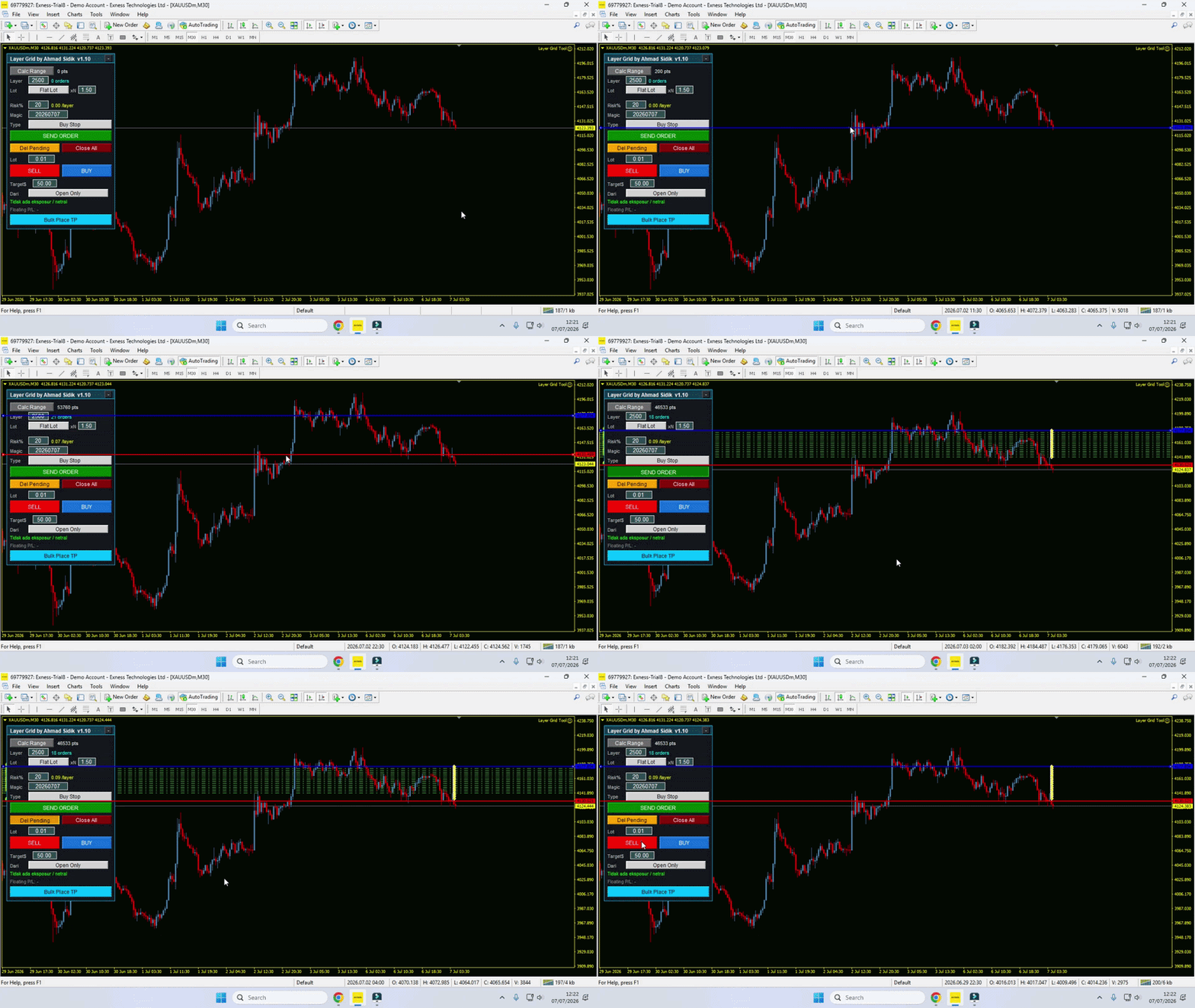
The Layer Grid Tool is a highly intuitive, semi-automated trading panel designed for traders who utilize grid, layering, or zone recovery strategies. Instead of manually calculating lot sizes and placing multiple pending orders by hand, this tool allows you to visually map out your trading zone directly on your chart and execute a basket of orders with just a few clicks.
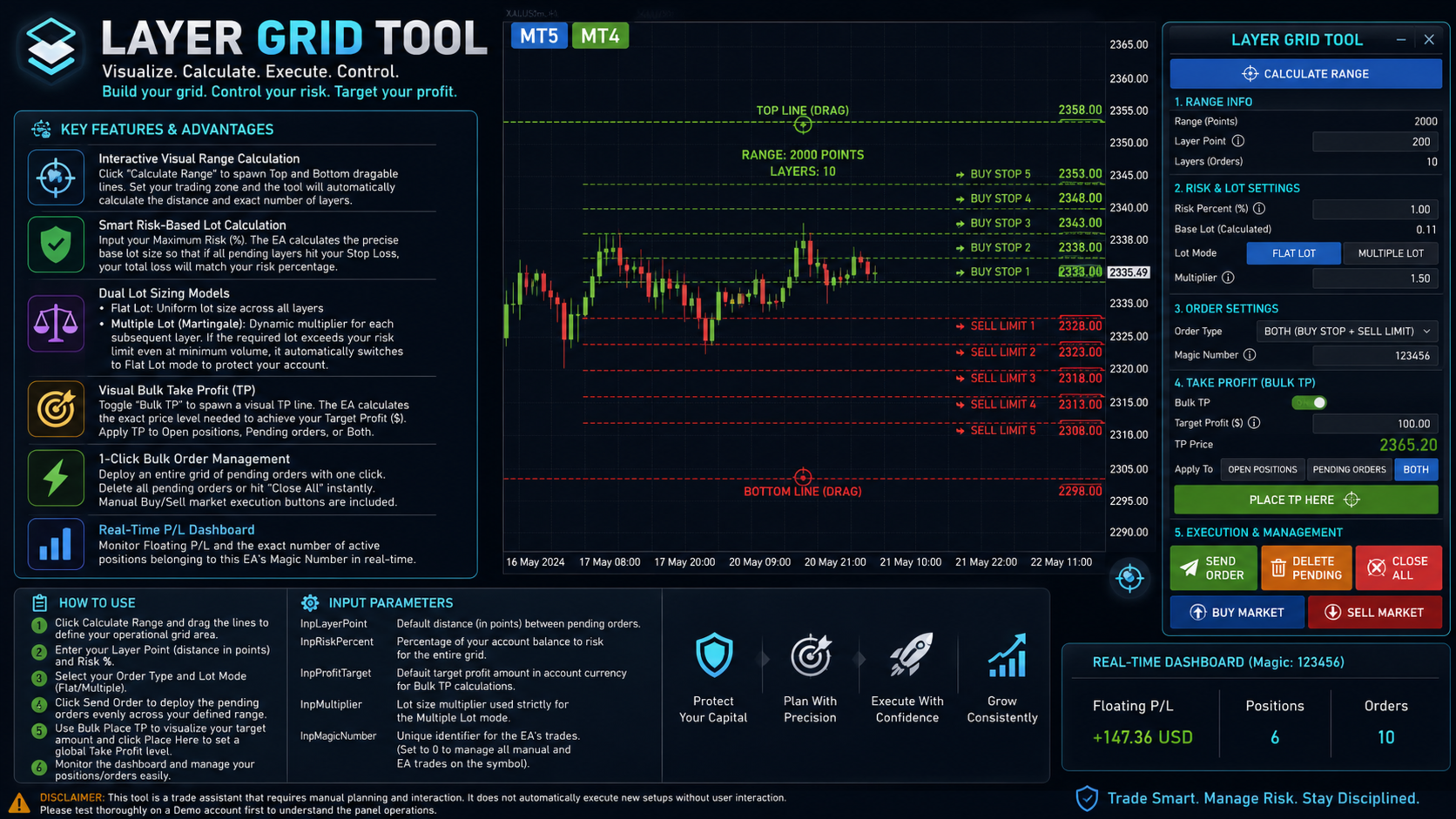
Key Features & Advantages:
-
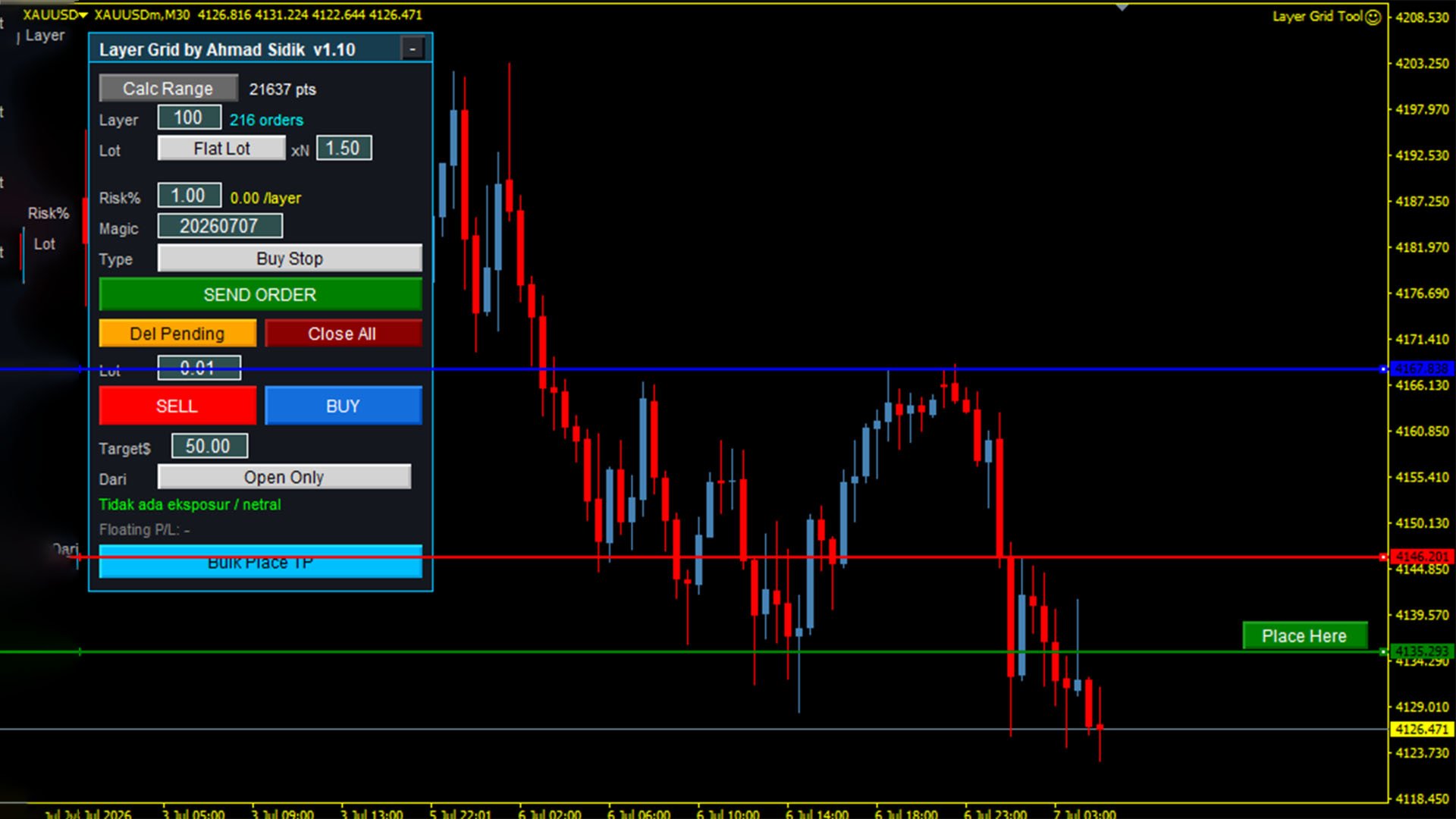
Interactive Visual Range Calculation: Click the "Calculate Range" button to spawn Top and Bottom draggable lines on your chart. Set your trading zone, and the tool will automatically calculate the distance and the exact number of layers (orders) based on your chosen Layer Point setting.
-
Smart Risk-Based Lot Calculation: Protect your capital easily. Simply input your desired Maximum Risk (%), and the EA calculates the precise base lot size. If all pending layers are triggered and hit your Stop Loss, your total combined loss will strictly match your predefined risk percentage.
-
Dual Lot Sizing Models:
-
Flat Lot: Applies a uniform, identical lot size across all layered pending orders.
-
Multiple Lot (Martingale): Applies a dynamic multiplier to each subsequent layer. Safety Feature: If the multiplier calculation exceeds your risk limit even at the broker's minimum volume, the EA automatically downgrades to Flat Lot mode to protect your account.
-
-
Visual Bulk Take Profit (TP): Spawn a visual Take Profit line by toggling the "Bulk TP" feature. The EA dynamically calculates the exact price level needed to achieve your specific Target Profit in your account currency ($). You can apply this TP target to Open positions, Pending orders, or Both.
-
1-Click Bulk Order Management: Deploy an entire grid of pending orders (Buy Stop, Sell Stop, Buy Limit, Sell Limit) with one click. You can also delete all pending orders or trigger a "Close All" panic button instantly from the panel. Manual Buy/Sell market execution buttons are also included.
-
Real-Time P/L Dashboard: Monitor your Floating P/L and the exact number of active positions belonging to the EA's Magic Number in real-time via the on-chart panel.
How to Use:
-
Click Calculate Range and drag the lines to define your operational grid area.
-
Enter your Layer Point (distance in points between orders) and Risk %.
-
Select your Order Type and Lot Mode (Flat/Multiple).
-
Click Send Order to deploy the pending orders evenly across your defined range.
-
Use Bulk Place TP to visualize your target amount and click Place Here to set a global Take Profit level.
Input Parameters:
-
InpLayerPoint: Default distance (in points) between pending orders.
-
InpRiskPercent: Percentage of your account balance to risk for the entire grid.
-
InpProfitTarget: Default target profit amount in the account's deposit currency for Bulk TP calculations.
-
InpMultiplier: Lot size multiplier used strictly for the Multiple Lot mode.
-
InpMagicNumber: Unique identifier for the EA's trades (Set to 0 to manage all manual and EA trades on the symbol).
Disclaimer: This tool is a trade assistant that requires manual planning and interaction. It does not automatically execute new setups without user interaction. Please test thoroughly on a Demo account first to understand the panel operations.