FxStrike999 bot 449
- 유틸리티
- 버전: 4.49
- 활성화: 5

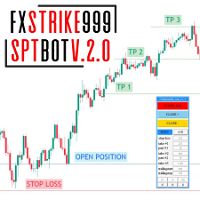
FxStrike999 OA bot is a universal trading robot and trader toolkit for MetaTrader 5. It works on any symbol and can be used in three ways: as a position accelerator for small deposits, as a trader panel that manages the trades you open, and as a fully automated robot driven by signals from the CashFlow Assistant and PulseTrail Pro indicators.
It is not a fixed black box. It is a constructor: you choose how aggressive it is, how it adds to positions, and how it protects profit. The robot executes your rules exactly, without emotions.
THREE WAYS TO USE IT
1) ACCELERATOR MODE (small deposits)
Built for traders who prefer to put a small amount on the account and let the robot build a position step by step.
• Position sizing follows a built-in formula. You do not guess the volume: you choose the aggression level and the intensity of the acceleration.
• You set the step, the lot scale and the number of add-on positions.
• Because you deposit only an amount you are ready to lose, your exposure is limited to that amount.
2) TRADER PANEL MODE (semi-automatic)
• Open a trade yourself, by hand from the terminal or from the MetaTrader 5 mobile app, and the robot takes it over on your PC or VPS.
• Remote launch: you do not need to be at the computer. Open the trade on the phone, the robot picks it up instantly and manages it.
• The robot then handles the exit: trailing, breakeven, partial profit taking.
• Control panel on the chart.
3) FULLY AUTOMATIC MODE (with indicators)
Connect CashFlow Assistant or PulseTrail Pro and the robot trades their signals without manual entries.
• It reads the indicator buffers: signal, strength, stop level, three take-profit levels and the trend on every timeframe from M1 to MN.
• The indicator's stop and TP1 / TP2 / TP3 are used to manage the trade: partial profit taking, move to breakeven, trailing.
• Multi-timeframe filter: entries against the higher-timeframe trend can be filtered out.
• Stale signals are ignored, so the robot does not enter late.
• Both indicators are sold in the same developer store, so you can buy them together with the robot.
MAIN FEATURES
• Works on any symbol, multi-currency.
• Three identical and independent blocks: they can be configured for different scenarios, used one after another or combined in one trade.
• Profit protection and safe-exit module: flexible profit lock that adapts to the market, breakeven, trailing, staged virtual ATR stops.
• Entry filters: volatility, trading session hours, spread, news.
• Lot sizing: fixed, or based on the risk you choose.
• On-chart panel with quick controls.
• Detailed settings with full documentation for every parameter.
WHAT YOU GET
• One robot for three tasks: accelerate, assist manual trading, trade automatically.
• Full control of the strategy: step, lot scale, number of add-ons and exit rules are yours.
• Automation of the indicators you already use: the same signals you see on the chart are traded by the robot.
HOW TO START
1. Attach the robot to a chart and allow automated trading.
2. Choose the mode and the aggression level.
3. For fully automatic trading, also install CashFlow Assistant or PulseTrail Pro from the developer's store and select the indicator in the robot settings.
4. Test on a demo account first.
IMPORTANT RISK WARNING
Trading financial markets involves a high risk of capital loss. Adding to positions increases exposure and can quickly increase losses in an adverse move. A small deposit limits what you put at risk, but it does not remove market risk: slippage and gaps can close the account at a loss up to the full deposit. The robot does not guarantee profit and is not trading advice. Use only money you can afford to lose and test on a demo account first.