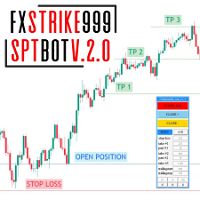
FxStrike999 bot 449

FxStrike999 OA bot is a universal trading robot and trader toolkit for MetaTrader 5. It works on any symbol and can be used in three ways: as a position accelerator for small deposits, as a trader panel that manages the trades you open, and as a fully automated robot driven by signals from the CashFlow Assistant and PulseTrail Pro indicators.

It is not a fixed black box. It is a constructor: you choose how aggressive it is, how it adds to positions, and how it protects profit. The robot executes your rules exactly, without emotions.

THREE WAYS TO USE IT

1) ACCELERATOR MODE (small deposits)
Built for traders who prefer to put a small amount on the account and let the robot build a position step by step.
• Position sizing follows a built-in formula. You do not guess the volume: you choose the aggression level and the intensity of the acceleration.
• You set the step, the lot scale and the number of add-on positions.
• Because you deposit only an amount you are ready to lose, your exposure is limited to that amount.

2) TRADER PANEL MODE (semi-automatic)
• Open a trade yourself, by hand from the terminal or from the MetaTrader 5 mobile app, and the robot takes it over on your PC or VPS.
• Remote launch: you do not need to be at the computer. Open the trade on the phone, the robot picks it up instantly and manages it.
• The robot then handles the exit: trailing, breakeven, partial profit taking.
• Control panel on the chart.

3) FULLY AUTOMATIC MODE (with indicators)
Connect CashFlow Assistant or PulseTrail Pro and the robot trades their signals without manual entries.
• It reads the indicator buffers: signal, strength, stop level, three take-profit levels and the trend on every timeframe from M1 to MN.
• The indicator's stop and TP1 / TP2 / TP3 are used to manage the trade: partial profit taking, move to breakeven, trailing.
• Multi-timeframe filter: entries against the higher-timeframe trend can be filtered out.
• Stale signals are ignored, so the robot does not enter late.
• Both indicators are sold in the same developer store, so you can buy them together with the robot.

MAIN FEATURES
• Works on any symbol, multi-currency.
• Three identical and independent blocks: they can be configured for different scenarios, used one after another or combined in one trade.
• Profit protection and safe-exit module: flexible profit lock that adapts to the market, breakeven, trailing, staged virtual ATR stops.
• Entry filters: volatility, trading session hours, spread, news.
• Lot sizing: fixed, or based on the risk you choose.
• On-chart panel with quick controls.
• Detailed settings with full documentation for every parameter.

WHAT YOU GET
• One robot for three tasks: accelerate, assist manual trading, trade automatically.
• Full control of the strategy: step, lot scale, number of add-ons and exit rules are yours.
• Automation of the indicators you already use: the same signals you see on the chart are traded by the robot.

HOW TO START
1. Attach the robot to a chart and allow automated trading.
2. Choose the mode and the aggression level.
3. For fully automatic trading, also install CashFlow Assistant or PulseTrail Pro from the developer's store and select the indicator in the robot settings.
4. Test on a demo account first.

IMPORTANT RISK WARNING
Trading financial markets involves a high risk of capital loss. Adding to positions increases exposure and can quickly increase losses in an adverse move. A small deposit limits what you put at risk, but it does not remove market risk: slippage and gaps can close the account at a loss up to the full deposit. The robot does not guarantee profit and is not trading advice. Use only money you can afford to lose and test on a demo account first.
おすすめのプロダクト
Bneu Trade Manager
Marvinson Salavia Caballero
Bneu Trade Manager is a professional trading utility Expert Advisor for MetaTrader 5 designed to help manual traders plan, execute, protect and manage trades directly from a visual chart dashboard. It combines drag-and-drop trade planning, risk-based position sizing, one-click execution, pending orders, automated trade management for both EA and manual trades, protection tools, templates, reporting and performance analytics in one organized panel. The latest version includes a reorganized dash
FREE
HB Trading Bot – Professional Risk & Trade Management for MT5 HB Trading Bot is a professional risk management and trade management Expert Advisor designed for MetaTrader 5 . It does not open trades . Instead, it manages already opened positions with strict, rule-based logic to help traders protect their capital and remove emotional decision-making from trading. Most trading losses are caused by psychology, not poor analysis. HB Trading Bot was built to solve this problem by enforcing discipline
FREE
The utility for setting a common stop loss for multiple orders. Beta version. After the test,  common take profit function will be added, orders close function will be added , and other necessary features will be added. Please do not give bad ratings to this free beta version. If you like it, give it a good rating and write to the author about any errors you find and what you would like to see in the utility. I made this utility for myself and use it daily. I am sharing it with you. A commercial
FREE
CloseAllPosition
Konstantin Chernov
4 (2)
A script for closing positions If you need to quickly close several positions, this script will make all the routine for you! The script does not have any input parameters. Allow AutoTrading before running the script. Usage: Run the script on a chart. If you need to specify the maximal deviation and the number of attempts to close positions, use the script with input parameters https://www.mql5.com/en/market/product/625 You can download MetaTrader 4 version here: https://www.mql5.com/en/market/
FREE
Exp Assistant 5
Vladislav Andruschenko
4.77 (126)
自動設定、ストップロス、テイクプロフィット、トレーリングストップ、損益分岐点レベルにより、 仮想 ストップロスとテイクプロフィットが可能になります。 Exp Assistant は、 ポジションの維持を計画するのに役立ちます。 このプログラムである Expert Advisor は、 リアルまたはバーチャルを 自動的に設定するように設計されています。     取引中のポジションの ストップロスとテイクプロフィット のレベル。 Expert Advisor のすべての操作は、チャート上のコントロール パネルから簡単に管理できます。 オープンポジションの ストップロス、テイクプロフィット、 トレーリングストップ 、 損益 分岐点 の設定が難しい場合 、または手動で取引したい場合は、アシスタントを使用できます。 取引のストップロスとテイクプロフィットの設定、トレーリングストップのオン、必要に応じてストップロスを損益分岐点に移動するなど、必要なアクションが自動的に実行されます。 アシスタントには、 パラボリック Sar インジケーターに基づくトレーリング ストップ機能も備えています。 MT4
FREE
AlgoWay Telegram Reporter is a free MetaTrader 5 utility that sends clear and detailed trading notifications directly to Telegram. The utility does not open, modify, or close trades. It only monitors trading activity on the account. It works with: • Manual trades • Trades opened from mobile or web terminals • Trades opened by Expert Advisors • Trades opened through AlgoWay • Netting and hedging accounts Main features • Position opening notifications • Entry price, volume, Stop Loss and Take Prof
FREE
TradingTimeControl is a utility implemented as an Expert Advisor for MetaTrader 5. It automatically closes all open positions and deletes pending orders at a specified time each day. This tool is designed for traders who need to automate position management with flexible settings. Key Features Closes positions and orders at the specified time ( CloseHour , CloseMinute ) daily. Allows you to change the closing time at any moment, applying new settings immediately. Supports MagicNumber : 0 for al
FREE
` Account Limit Guard MT5 ` is a free account-level daily limit protection utility for MetaTrader 5. It is not a trading strategy, does not open trades, does not generate signals, and does not rely on any specific indicator. Its purpose is simple: monitor your account-level daily loss and automatically apply protection once your configured limit is reached. For prop / funded-challenge traders   Need more than a daily-loss cap?   Prop Firm Risk Guardian (MT5)   is the full prop-challenge p
FREE
The AllClosedMT5 utility in the form of an expert. The utility is designed for closing all open positions simultaneously based on the total profit (in the deposit currency) of all open positions. The utility can be attached to any chart with any trading instrument. Parameters Profit - the total positive profit in the deposit currency, at which all open positions are closed (profit). Stop - the total negative profit in the deposit currency, at which all open positions are closed (loss). The valu
FREE
Phoenix Breakeven Button
PHOENIX GLOBAL INVESTMENTS LTD
相場が激しく変動している最中に、複数の建玉について手動でストップロスをブレークイーブンに移動させるのは時間がかかり、誤ってまだ含み損の状態にある建玉に適用してしまうこともよくあります。 「Phoenix Breakeven Button」を使えば、ワンクリックで利益が出ているすべての建玉のストップロスをブレークイーブンに移動させ、まだ含み損の状態にある建玉は自動的にスキップします。 利益を守る仕組み - ワンクリックで、口座内のすべてのオープンポジションにブレークイーブン保護を適用 - 現在損失が出ているポジションを自動的に検出してスキップ - ブレークイーブンでは、ストップを正確なエントリー価格に設定します。ストップがヒットした場合はスプレッドが発生しますが、パネルでは「無料の保護」と暗示することなく、この点を明確に表示します - 成功または失敗時にサウンドアラートが鳴り、変更された内容、スキップされたポジション、すでに保護済みのポジションに関する詳細なログが記録されます カスタマイズ機能 パネルの配置位置とオフセット、「すでに保護済み」チェックのための調整可能なブレーク
FREE
すべてのストップロスとテイクプロフィットを削除 — SL/TPレベルを即座に削除するシンプルな解決策 ワンクリックですべてのストップロスとテイクプロフィットレベルを削除! すべてのストップロスとテイクプロフィットを削除 は、すべての未決済ポジションに設定された SL および TP レベルを迅速かつ効率的に削除したいトレーダー向けに設計された便利なスクリプトです。そのシンプルな操作と即時の実行は、ダイナミックな市場条件で欠かせないツールとなります。 主な利点: • 時間の節約: 各ポジションを手動で編集する必要はありません — すべて自動で処理されます。 • 複数シンボルのサポート: スクリプトは、すべての取引中のシンボルのレベルを削除します。 • 使いやすさ: スクリプトをチャートにドラッグするだけで完了! • 信頼性: 実行前に各ポジションをチェックし、正確な動作を保証します。 使用方法: スクリプトを MetaTrader 5 のチャートにドラッグします。 スクリプトがすべてのポジションの SL および TP レベルを自動的に削除します。 取引の完全な自由を楽しみましょう! 対象ユ
FREE
Daily P/L Risk Management is a MetaTrader 5 utility that watches your account's daily profit and loss and acts automatically when a limit is hit. It tracks both realized and unrealized P/L and can close positions, disable trading or alert you. It is a practical safety net for prop-firm challenges and disciplined day trading. Features Daily loss and profit limits, set by money amount or percent of balance/equity. Combined P/L tracking: counts both closed-trade (realized) and open-position (unreal
FREE
SymbolMonitor 1.3 – あなたのトレードを完全管理! 複数の銘柄を取引していて、 リアルタイムで利益を確認 したいですか? SymbolMonitor 1.3 は、 各銘柄の収益性を自動分析 し、 柔軟な設定とアラート を提供する強力なエキスパートアドバイザー(EA)です! バージョン 1.3 の新機能 カスタマイズ可能な表示設定 – フォント、サイズ、テキストカラー を自由に調整 自動通知機能 – 利益が目標に達するとアラートを受信 正確な利益計算 – 総取引量、利益、スワップ、手数料 を表示 リアルタイム更新 – すべてのデータが自動で更新 2か国語対応 – Русский / English (設定で変更可能) 重要! 1ロットあたりの手数料は 手動で入力する必要があります 。ブローカーや銘柄によって異なるため、パラメータで設定し、正確な純利益を計算してください。 SymbolMonitor はこんな方におすすめ! 複数銘柄を取引するトレーダー – 各銘柄の利益を個別に監視 スキャルパー・デイト
FREE
Script for deleting pending orders If you need to delete all pending orders you placed, this script will do it for you! It doesn't have any input parameters. Allow AutoTrading before running the script. Usage: Run the script on a chart. If you need a possibility to adjust parameters of the script, use the version with input parameters https://www.mql5.com/en/market/product/627 You can download MetaTrader 4 version here: https://www.mql5.com/en/market/product/2782
FREE
Strifor SmartTrade Expert
Strifor (Mauritius) Ltd
4.86 (7)
Strifor SmartTrade Expert — プロトレーダー向けのソリューションで、注文の主要ステップを自動化します: 即座にストップロスとテイクプロフィットを設定 取引ごとのリスクを固定(エキスパート設定で指定) 時間を節約し、手入力ミスを防止 Strifor Lot Calculator と連携可能(計算機でロットを計算し、エキスパートで同じリスクを設定) ショートカットキー ALT+F4 — ワンクリックで注文。SL/TPと固定リスクを設定して即開設。 利点 速度 — 手動操作なしで瞬時に取引開始 規律 — リスクが常に一定、人為的ミスを排除 汎用性 — すべての銘柄・時間足で利用可能 信頼性 — すべての取引が保護される Strifor SmartTrade Expert — ALT+F4 一発で取引開始:SL/TP自動設定、リスク固定。 Strifor Lot Calculator と相性抜群。迅速。規律。ミスなし。 設定 Risk per Trade (%) — 取引ごとのリスク(Lot Calculatorと同じ) Stop/Take Parameters —
FREE
这款专为MetaTrader 5设计的EA(Expert Advisor),能够在加载后自动关闭所有图表,并立即从当前图表中自行移除。它适合那些希望快速清理所有图表,并避免手动关闭每个图表的用户。 功能特点: 一次性清理: 加载后立即关闭所有打开的图表。 自动移除: 执行完毕后,EA自动从当前图表中移除,无需手动操作。 快速高效: 适用于快速清理交易环境,特别适合在需要快速重置或结束交易日的情境。 使用说明: 只需将此EA添加到任何一个图表上,它将自动执行关闭所有图表的操作并自行移除。使用前,请确保已保存所有重要的图表数据和设置。 风险提示: 请谨慎使用此EA,以防不小心关闭重要图表。 适用于MetaTrader 5平台。 技术支持: 如有任何技术问题或需求,请联系我以获得帮助。
FREE
AK Capital Backtest panel
AK Capital Markets Limited
5 (3)
backtester buttons for testing strategies in the MT5 strategy tester.  load up strategy tester then click on visual test and once visual tester opened apply any chart template you'd like. To update the chart pause the visual tester and apply templates, colors and such like the normal chart. On the settings you can choose lot size and take profit and stop loss.  Enjoy
FREE
Very often there are situations when you need to quickly close all open positions or close only under a certain condition... The Positions Close script closes open positions according to the selected settings. You can choose to close All positions , only Buy, only Sell You can also choose by which symbols to close positions: by all symbols or only by the current one, on the chart of which the script was thrown There is a filter for closing profitable or unprofitable positions, as well as bo
FREE
The Panel
Ahmed Alaaeldin Abdulrahman Ahmed Elherzawi
Investment Castle Panel — Your Trades, At a Glance The Panel puts the numbers that matter right on your chart: floating profit and loss, drawdown and more — for manual trades and for any Expert Advisor. A clean, movable dashboard so you always know exactly where you stand. What it does for you Live P/L on the chart: floating profit/loss for the current symbol, for both buy and sell orders, in your base currency and in pips. Max drawdown at a glance: keep an eye on risk without digging through
FREE
Strategy Ledger
Abdullah Uygar Tuna
5 (12)
Strategy Ledger は MetaTrader 5 向けの読み取り専用の口座分析パネルです。口座の成績をエキスパートアドバイザー、戦略、銘柄ごとに分けて表示します。 すべての機能を解説した詳細なマニュアル: https://www.mql5.com/en/blogs/post/774132 MetaTrader は口座全体でひとつの残高しか表示しません。複数の EA が同時に取引すると、その残高では各 EA の貢献が分かりません。Strategy Ledger は口座履歴を読み取り、決済済みポジションを再構築し、戦略に割り当て、その結果をひとつのパネルに表示します。 本製品は注文の発注・変更・決済を行いません。取引戦略を含まず、インジケーターを作成せず、チャート価格も読み取りません。 主な機能 EA・個別戦略・銘柄別の成績。 今日から全履歴までのプリセット期間と、任意の日付範囲。 確定損益と含み損益、建玉エクスポージャー、取引統計、ドローダウン、エクイティ曲線。 手数料、スワップ、コスト負担率、推定エントリー/エグジットのスリッページ。 固定ルールに基づく成績評価、文章に
FREE
This EA is designed to monitor the slippage of opening and closing orders, and save the records in csv file. It is useful to record the slippage and evaluate brokers. The record files are saved in the folder  MT5_Data_Folder\MQL5\Files.  Go to   "File " --> "Open Data Folder"   . Warning :   Do NOT open the files directly, otherwise it will affect the exectution of EA, just copy them to another folder and open them. Usage: Open a chart and load the EA on it, just need only one EA to run, it mo
FREE
Stop guessing your performance. Track your wins and losses instantly, directly on your charts! As traders, keeping an accurate, real-time pulse on our psychological and execution performance is key to staying disciplined. DaBhoza Win Rate Tracker is a lightweight, intuitive, and highly visible on-chart utility designed to help you log and monitor your trade outcomes manually with a single click. Whether you are testing a new manual strategy, practicing on a demo account, or keeping track of your
FREE
Scalping Pro Tool
Ewa Kornelia Harmida
5 (1)
This plugin is designed to enhance trading efficiency and risk management in scalping strategies. Key features include: -One-Click Trade Execution: With a single click, the plugin opens two trades simultaneously, each with its own Take Profit (TP1 and TP2) targets. -Automatic Stop Loss Adjustment: The plugin automatically adjusts the Stop Loss (SL) to Break Even (BE) once the price reaches halfway towards TP1, securing partial profits. -Account Protection Features: It includes built-in protecti
FREE
Free Global Stop Loss and Take Profit Setter with Break Even Free one click Stop Loss and Take Profit tool for manual trading. Apply a fixed SL and TP to every open position on the symbol, or move them all to break even, with a single button. It only modifies Stop Loss and Take Profit levels — it never opens or closes a trade. Set your SL and TP distance in points, click once, and every position on the current symbol is protected. The break even button moves stops to entry (or a configurable num
FREE
MyFXRoom EA — Smart Position Size Calculator & Trade Execution Tool Overview MyFXRoom EA is a professional semi-automated trading tool designed to remove the guesswork and manual calculation from trade execution. Built for serious traders who manage their own entries and exits but want precision, speed, and consistency in every trade — without the complexity of a fully automated system. The EA does one thing exceptionally well: it calculates the correct position size for your exact risk toleran
FREE
SL TP Manager is a compact on-chart panel that sets the stop loss or take profit of all open trades on a symbol in one click, or moves every stop loss to break-even. It is designed for traders who scale in with several positions and do not want to edit each trade one by one. HOW IT WORKS - Type a price in the SL box and click Set SL: the stop loss is applied to every open trade on the chart's symbol. - Type a price in the TP box and click Set TP: the take profit is applied the same way. - Clic
FREE
AQ RiskOptimizer MT5
HIT HYPERTECH INNOVATIONS LTD
4 (1)
Risk Optimizer is the absolute solution for applying risk management on your account. Bad risk management is the main reason that causes traders to lose money. Risk Optimizer calculates and suggests the correct lot size for each position according to your personal, customized risk profile. You can give directly your preferred risk as percentage (%) for each position or you can trust our algorithms to calculate and optimize according to your risk category selection. But it is not only that! Selec
FREE
Trader Panel new
Mohamed Eltayeb Abdellah Mahmoud Ismail
Trade Manager Panel is a free on-chart utility that helps you manage open positions quickly with a set of one-click buttons. It does not open trades on its own and generates no trading signals - it is a pure manual-trading assistant that works on any account with no restrictions. Features: - Close All: close every open position at once. - Close Profit: close only the positions currently in profit. - Close Loss: close only the positions currently in loss. - Partial Close: close a configurable p
FREE
Ever thought of your broker stop hunting your stop losses? Incognito SL and TP is exactly what you need! As promised, version 1.1 now has the SL and TP lines that can easily be adjusted by the user. ========================================== INPUTS: SL: Exact price you want the orders for the chart symbol to close when this SL price was hit. Set to 0 for no SL. TP: Exact price you want the orders for the chart symbol to close when this TP price was hit. Set to 0 for no TP. ======================
FREE
ARMOR Risk Calculator Trade with a plan. Calculate your risk before you enter the market. ARMOR Risk Calculator is a professional and easy-to-use risk management tool for MetaTrader 5, designed to help traders calculate their position size and potential trade risk before placing a trade. Instead of manually calculating lot sizes and risk values, ARMOR Risk Calculator provides a clean and intuitive dashboard where you can enter your trade parameters and instantly review the calculated results. Ke
FREE
このプロダクトを購入した人は以下も購入しています
Trade Assistant MT5
Evgeniy Kravchenko
4.43 (216)
取引 ごとのリスクの 計算、新規注文 の 簡単 な 設置、部分的 な 決済機能 を 持 つ 注文管理、 7 種類 のトレーリングストップなど 、便利 な 機能 を 備 えています 。 追加の資料と説明書 インストール手順   -   アプリケーションの手順   -   デモアカウント用アプリケーションの試用版 ライン機能 チャート上にオープニングライン、ストップロス、テイクプロフィットを表示します。この機能により、新規注文を簡単に設定することができ、注文を出す前にその特徴を確認することができます。   リスク計算 リスク計算機能は、設定されたリスクとストップロス注文のサイズを考慮して、新規注文のボリュームを計算します。ストップロスの大きさを自由に設定できると同時に、設定したリスクを守ることができます。 Lot calc ボタン - リスク 計算 を 有効 / 無効 にします 。 Risk フィールドでは 、必要 なリスクの 値 を 0 から 100 までのパーセンテージまたは 預金通貨 で 設定 します 。 設定」 タブで 、 リスク 計算 の 種類 を 選択 します :「 $ 通
Trade Manager EAへようこそ。これは、取引をより直感的、正確、そして効率的にするために設計された究極の リスク管理ツール です。これは単なるオーダー実行ツールではなく、包括的な取引計画、ポジション管理、リスク管理のためのソリューションです。初心者から上級者、迅速な実行を必要とするスキャルパーまで、Trade Manager EAはあらゆるニーズに対応し、為替、指数、商品、暗号通貨などさまざまな市場で柔軟に対応します。 Trade Manager EAを使用すると、複雑な計算が過去のものになります。市場を分析し、エントリーポイント、ストップロス、テイクプロフィットのレベルをチャート上のラインでマークし、リスクを設定するだけで、Trade Managerが最適なポジションサイズを即座に計算し、SLとTPをピップ、ポイント、口座通貨でリアルタイムに表示します。すべての取引が簡単かつ効果的に管理されます。 主な機能: ポジションサイズ計算機 :定義されたリスクに基づいて取引サイズを瞬時に決定します。 簡単な取引計画 :エントリー、ストップロス、テイクプロフィットを設定するためのド
Local Trade Copier EA MT5
Juvenille Emperor Limited
4.94 (149)
Local Trade Copier EA MT5 は、同一の Windows PC または Windows VPS 上で稼働する複数の MetaTrader 5 口座間で、取引をコピーおよび管理するための高速で柔軟なトレードコピーツールです。 ローカルでの取引同期に加え、Receiver 側でロットサイズ、リスク管理、取引フィルター、シンボルマッピング、取引管理、口座保護を個別に設定できます。 Transmitter と Receiver のターミナルは約 1分 で設定でき、同一ブローカーまたは異なるブローカーの口座間で、手動取引や EA による取引をコピーできます。適切な条件下では、ローカルの MetaTrader ターミナル間で取引情報を 0.5秒未満 で同期できます。実際の約定速度は、ブローカーのレイテンシー、ネットワーク状況、PC/VPS の性能、ターミナルの負荷によって異なります。 ご購入前に無料デモをお試しください Local Trade Copier EA MT5 の完全機能版無料デモ を、MT5 デモ口座で 1回につき4時間 テストできます。 Local Trad
Telegram to MT5 Multi-Channel Copier   は、 Telegram と Discord チャンネルのトレードシグナルを MetaTrader 5 へ自動コピーします。ボット不要、ブラウザ拡張不要、手動コピー不要。Telegram や Discord にシグナルが届くと、EA が数秒であなたのターミナルに注文を出します。 さらに、チャンネルをコピーする前に、内蔵バックテスターでそのチャンネルがあなたの口座でどう動いたかを確認できます。 製品は 2 つのコンポーネントで構成されます:Telegram チャンネルを監視する Windows アプリと、MT5 ターミナルでシグナルを執行する本 EA です。MT4 版もあります   こちら . セットアップガイドとアプリのダウンロード:   https://www.mql5.com/en/blogs/post/768988 Telegramのシグナルチャンネルをバックテストする方法 をご覧ください。 現在の価格は今後値上げされます。 仕組み アプリはあなた自身の Telegram アカウントで接続するため、フォロ
================================================================================ POC BREAKOUT - V20.72. Full Professional Grade Toolkit ================================================================================ POC Breakout is a full MetaTrader 5 trading dashboard for discretionary traders who want breakout signals, Point of Control (POC) context, volume profiles, order flow, market structure, news, alerts, and advanced trade planning in one professional workspace. Attached directly to you
日本語に対応しました。 Strategy Ledger Pro は、MetaTrader 5 用の読み取り専用の口座分析パネルです。口座の成績をエキスパートアドバイザー(EA)、戦略、銘柄、マジックナンバーごとに分け、それぞれが実際にどれだけ貢献しているかを明らかにします。 パネルは 11 言語に対応しています:English、Français、Deutsch、Español、Italiano、Português、Русский、Türkçe、中文、日本語、한국어。 デモをダウンロードする前に。 Market では、有料製品のデモはストラテジーテスター内でのみ実行されます。このパネルはご自身の口座の取引を分析しますが、ストラテジーテスターには読み取る口座履歴がないため、デモは空のパネルで起動し、その旨を表示します。これはデモの仕組みによるもので、製品の制限ではありません。 この説明内の動画では、実口座でのパネルの動作をご覧いただけます。 すべての機能を解説した詳しい マニュアル (英語)と、情報交換やお知らせのための AureusAI Trading Suite グループをご用意し
TradePanel MT5
Alfiya Fazylova
4.88 (170)
Trade Panelは多機能なトレーディングアシスタントです。アプリには手動取引用の50以上のトレーディング機能が搭載されており、ほとんどの取引作業を自動化することができます。 アプリの説明書: https://www.mql5.com/en/blogs/post/756482 デモ口座用アプリの試用版: https://www.mql5.com/en/blogs/post/750865 アプリのインストール方法: https://www.mql5.com/en/blogs/post/756239 アプリをビジュアルモードでテストする方法: https://www.mql5.com/en/blogs/post/770277 VPSのMetaTraderにアプリをインストールする方法: https://www.mql5.com/en/blogs/post/770190 取引。 ワンクリックで取引操作を行うことができます: リスクを自動計算して指値注文やポジションを開く。 複数の注文やポジションをワンクリックで開く。 注文のグリッドを開く。 保留中の注文やポジションをグループごとに閉じる
自分の取引ルールで Telegram のシグナルをコピー Telegram to MT5 Signal Trader は、Telegram の公開・非公開チャンネルやグループから、テキスト形式の取引シグナルを MetaTrader 5 へ自動でコピーします。1つのデスクトップアプリで複数の配信者と MT5 口座を管理し、 配信者ごとにリスクと取引設定を個別に指定 できます。 シグナルのコピーに Telegram ボットや API 設定は必要ありません。 電話番号または QR コードでご自身の Telegram アカウントにログインし、すでに参加しているチャンネルやグループを選ぶだけです。ボットの作成や、Telegram API トークン、API ID、API hash の入力は不要です。 ポジションサイズを選び、複数の利確水準に分けて決済し、建値へのストップ移動やトレーリングストップを自動化できます。配信者のシグナルを受け取りながら、実際の取引方法は自分で管理できます。 本製品は、この MT5 エキスパートアドバイザ(EA)と、必須の Windows 連携アプリで構成されます。 インス
Power Candles Strategy Scanner - 自動最適化型マルチシンボル設定ファインダー パワーキャンドル・ストラテジー・スキャナーは 、パワーキャンドル・インジケーターを駆動するのと全く同じ自己最適化エンジンを、マーケットウォッチに登録されているすべての銘柄に対して並行して実行します。1つのパネルで、現在統計的に取引可能な銘柄、各銘柄で勝率の高い戦略、最適なストップロス/テイクプロフィットの組み合わせが表示され、新たなシグナルが発生した瞬間に通知が届きます。 このツールは、Stein Investmentsのエコシステムの一部です。  18種類以上のツールをすべて閲覧し、AIを活用したセットアップの推奨を受け取り、  https://stein.investments でコミュニティに参加しましょう 市場動向を網羅。銘柄ごとに3,000件以上の自動最適化。2種類のアラート。ワンクリックでチャートを切り替えて即座にアクション。 なぜこれが必要なのか 多くのマルチ銘柄スキャナーは、 価格の動き (ボラティリティ、変動率、銘柄ごとのRSI)を表示するだけです。それ
Grid Manual MT5
Alfiya Fazylova
4.73 (22)
「Grid Manual」は、注文のグリッドを操作するための取引パネルです。 ユーティリティはユニバーサルで、柔軟な設定と直感的なインターフェイスを備えています。 それは、損失を平均化する方向だけでなく、利益を増やす方向でも注文のグリッドで機能します。 トレーダーは注文のグリッドを作成して維持する必要はありません。 すべてが「Grid Manual」によって行われます。 注文を開くだけで十分であり、「Grid Manual」は注文のグリッドを自動的に作成し、非常に閉じるまでそれに付随します。 完全な説明とデモバージョン ここ。 ユーティリティの主な機能と機能 ユーティリティは、モバイル端末から開かれた注文を含め、あらゆる方法で開かれた注文を処理します。 「制限」と「停止」の2種類のグリッドで機能します。 グリッド間隔の計算には、固定と動的(ATRインジケーターに基づく)の2つの方法で機能します。 オープンオーダーグリッドの設定を変更できます。 チャート上の各注文グリッドの損益分岐点を表示します。 各注文グリッドの利益率を表示します。 ワンクリックでグリッドから収益性の高い注文を閉じるこ
MT5 to Telegram Signal Provider は、Telegramのチャット、チャンネル、またはグループに 指定された シグナルを送信することができる、完全にカスタマイズ可能な簡単なユーティリティです。これにより、あなたのアカウントは シグナルプロバイダー になります。 競合する製品とは異なり、DLLのインポートは使用していません。 [ デモ ] [ マニュアル ] [ MT4版 ] [ Discord版 ] [ Telegramチャンネル ]  New: [ Telegram To MT5 ] セットアップ ステップバイステップの ユーザーガイド が利用可能です。 Telegram APIの知識は必要ありません。必要な全ては開発者から提供されます。 主な特長 購読者に送信する注文の詳細をカスタマイズする機能 例えば、Bronze、Silver、Goldといった階層型のサブスクリプションモデルを作成できます。Goldサブスクリプションでは、すべてのシグナルが提供されます。 id、シンボル、またはコメントによって注文をフィルターできます 注文が実行されたチャート
Footprint Chart Pro — Professional OrderFlow EA for MetaTrader 5 Version 6.34 | Professional tool for real traders | Institutional-Grade Visualization DEMO USERS - PLEASE SELECT EVERY TICK / REAL TICK WHEN TESTING AND YOU HAVE DOWNLOADED HISTORICAL DATA. IF YOU SEE A WAITING SCREEN AND IT IS NOT DOWNLOADING, IT MEANS YOU HAVE LOW HISTORICAL DATA. TRY 1 MIN AND 5 MIN FIRST ON 1 DAY DATA. ONE DAY DATA SHOULD BE THE NEWEST AND MOST CURRENT DATE. PLEASE WAIT UNTIL THE MARKET HAS ROLLED OVER PERIOD.
Signal TradingView to MT5 Pro Automator TradingViewとMetaTrader 5間の即時プロフェッショナル実行 TradingViewのシグナル(アラート)とMT5での実際の約定を繋ぐ、最も強固なコミュニケーションブリッジで、取引戦略を自動化します。スピード、柔軟性、そして完璧なリスク管理を求めるトレーダー向けに設計されたこのExpert Advisorは、あらゆるアラートメッセージを正確な成行または指値注文に変換します。 強みと利点 ユニバーサルパーシングエンジン(独自技術): あらゆるアラート形式からデータを自動的に認識し、抽出できる高度なテクノロジー。単一の固定フォーマットに制限されることはありません。システムはシンボル(銘柄)、アクション、価格、SL(ストップロス)、TP(テイクプロフィット)を自動的に理解します。 リアルタイム実行: レイテンシ(遅延)を最小限に抑えるよう最適化された、1秒未満の超高速ポーリング技術。シグナルを受信してから数ミリ秒以内に注文が実行されます。 機関投資家レベルのリスク管理: 以下に基づく自動かつ正確
Trade copier MT5
Alfiya Fazylova
4.61 (56)
Trade Copierは、取引口座間の取引をコピーして同期するように設計された専門的なユーティリティです。 コピーは、同じコンピューターまたはvps にインストールされている、サプライヤーのアカウント/端末から受信者のアカウント/端末に行われます。 購入する前に、デモ アカウントでデモ バージョンをテストできます。 デモ版 こちら 。 詳細な説明は こちら 。 主な機能と利点: MT5ネッティングアカウントを含む、MT5> MT5、MT4> MT5、MT5> MT4のコピーをサポートします。 高いコピー速度(0.5秒未満)。 ベンダーモードと受信者モードは同じ製品内に実装されています。 チャートから直接リアルタイムでコピーを制御できる、簡単で直感的なインターフェイス。 接続が切断されたり、端末が再起動されたりしても、設定と位置が失われることはありません。 コピーするシンボルを選択できます。また、受信者のシンボルを置き換えることもできます(例:EURUSD> USDJPY)。 各シンボルごとにコピーの個別設定を行うことができます。 バックコピーをサポートします。 特定の注文のみのコピー
Copy your MT5 trades to Interactive Brokers You keep using MT5. Every order you open or close is sent to your IB account. In real time. No coding. No changes to your strategy or EA. Try it first Rent 1 month: $30. Test on a live or paper account. What it does Real-time copying: same direction, reverse, or one side only. Map any MT5 symbol to any IB symbol. Set a lot ratio for each. Forex, Futures, Stocks, CFDs, Metals and Crypto. Position sync: both accounts checked, any difference fixed. Optio
Exp COPYLOT CLIENT for MT5
Vladislav Andruschenko
3.97 (35)
MetaTrader 5 用のプロフェッショナル取引コピー機 MetaTrader 向けの高速・高性能・信頼性の高い 取引コピー機 です。 COPYLOT は、MT4 と MT5 のターミナル間で Forex 取引をコピーでき、 Hedge 口座と Netting 口座の両方に対応しています。 COPYLOT MT5 版の対応構成: - MT5 Hedge → MT5 Hedge - MT5 Hedge → MT5 Netting - MT5 Netting → MT5 Hedge - MT5 Netting → MT5 Netting - MT4 → MT5 Hedge - MT4 → MT5 Netting MT4 版 完全な説明 + DEMO + PDF 購入方法 インストール方法 ログファイルの取得方法 テストと最適化の方法 Expforex のすべての製品 MT4 ターミナルへのコピーも可能です(MT4 → MT4、MT5 → MT4): COPYLOT CLIENT for MT4 COPYLOT は、2台、3台、さらには10台のターミナル間で同時に動作できる、プロフェッ
Trading Chaos Expert
Hennadii Stanilevych
5 (11)
This software has no equals in the world and represents a universal trade "console" covering trading signals, automated market entry, setting of Stop Loss and Take Profit, as well as Trailing Profit for multiple trades at the same time in a single open window. Intuitive control of the Expert Advisor in "three clicks" ensures a comprehensive use of all its functions on different computers, including tablets PCs. Interacting with additional signal indicators that mark the chart to give a real mark
Your EAs cannot see each other, but Anchor can. Anchor gives you one place to coordinate your EAs, manage risk, and decide when trading is allowed. It works alongside the trading bots you already use without any changes to them. The Problem One EA opens a trade. Then another starts trading. The next thing you know, you wake up to multiple grids built across your account. Each EA may be doing exactly what it was designed to do, but together they can place far more risk on your account than you in
Farmed Hedge Yield Farming | All Markets (Manual - Hybrid - Semi/Automated EA) VERIFIED TRADING RESULTS - Farmed Hedge Yield Axi Copy:  https://www.mql5.com/en/signals/2356376 - Farmed Hedge Yield Exn Copy:   https://www.mql5.com/en/signals/2356404 - Farmed Hedge Yield V Copy:  https://www.mql5.com/en/signals/2357156 IMPORTANT NOTICE: FarmedHedge is a MANUAL-FOCUSED TRADING UTILITY ,not a fully automated EA. Results shown on this Signal include manual trades and overall strategic management.
この製品は、ニュースタイム中にすべてのエキスパートアドバイザーと手動チャートをフィルタリングするため、急激な価格変動によるマニュアルトレードのセットアップの破壊や他のエキスパートアドバイザーによって入力された取引について心配する必要はありません。この製品には、ニュースのリリース前にオープンポジションとペンディングオーダーを処理できる完全な注文管理システムも付属しています。 The News Filter  を購入すると、将来のエキスパートアドバイザーのためにビルトインのニュースフィルターに頼る必要はなく、今後はすべてのエキスパートアドバイザーをここからフィルタリングできます。 ニュース選択 ニュースソースは、Forex Factoryの経済カレンダーから取得されます。 USD、EUR、GBP、JPY、AUD、CAD、CHF、NZD、CNYなど、任意の通貨数に基づいて選択できます。 Non-Farm(NFP)、FOMC、CPIなどのキーワード識別に基づいて選択することもできます。 影響レベルによってフィルタリングするニュースを選択することができ、低、中、高の影響範囲から選択できます。
MetaTrader 5 用トレーディングパネル — チャートとキーボードから行うプロフェッショナルなワンクリック取引 アクティブトレーダーのために設計された高機能 Trading Panel。標準の MetaTrader 操作よりも、はるかに速く、直感的に、そして効率的に取引を実行できます。 本パネルは、ポジション管理、未決注文管理、利益コントロール、執行スピードをひとつのプロフェッショナルなワークスペースに集約した実践的なソリューションです。 これは単なる補助ツールではありません。MetaTrader 5 のための本格的な trading cockpit です。チャートから直接操作し、キーボードで素早くコマンドを実行し、自動計算や視覚的なガイドを活用することで、手動トレードをより速く、より明確に、より快適にします。 このパネルを使えば、チャート上からワンクリックで注文を実行でき、標準の MetaTrader コントロールと比べて最大 30 倍速く取引操作を行うことができます。 新しいプレミアム版が利用可能です: VirtualTradePad PRO SE で取引ワークフローを強
HINN MAGIC ENTRY – the ultimate tool for entry and position management! SIMPLE. FASTEST. INTUITIVE. MAX AUTOMATED. Place orders by selecting a level directly on the chart! full description   ::  demo-version  :: 60-sec-video-description Key features: - Market, limit, and pending orders - Automatic lot size calculation - Automatic spread and commission accounting - Unlimited partitial take-profits  - Breakeven and trailing stop-loss and take-profit  functions - Invalidation leves - Intuitive, a
信頼しているインジケーターを、そのまま使う。 その周辺の作業を自動化する。 信頼できる MT5 インジケーターをお持ちでも、チャートを監視し、シグナルを待ち、ロットを計算し、発注して、各ポジションを手作業で管理していませんか? Stratiora Signal Engine MT5 は、その一連の作業をつなぐために開発されました。対応する Buy/Sell バッファーのシグナルを、エントリー、取引量の計算、Stop Loss、Take Profit、フィルター、ポジション管理、口座保護まで含む自動化された流れにできます。 インジケーターや取引アイデアを変えるたびに別の EA を発注する代わりに、柔軟なエンジンを一つ使い、各シグナルの取引方法を自分で決められます。 自分のシグナル。自分のルール。自分の執行方法。 発売記念オファー 現在の価格:199 USD。  Stratiora Signal Engine MT5 の購入後、 10 個のインジケーターを無料で受け取れます。 価格は購入が 10 件増えるごとに 50 USD 引き上げ、999 USD に達する予定です。注文時には Mar
Trade Copier Ultimate
Janitha Sandaruwan Amaradasa Wickramasingha Arachchilage
5 (5)
Trade Copier Ultimate - Telegram to MT5 Signal Copier Trade Copier Ultimate automatically copies Telegram trading signals into MetaTrader 5. The EA can read signal messages, detect the symbol, order type, entry price, Stop Loss, Take Profit levels and selected update commands, then execute or manage the trade in MT5 using your lot and risk settings. It is more than a basic Telegram to MT5 copier. TCU also supports Bot API and user-account Bridge workflows, Discord signal routing, local MT5 to MT
Trade Indicator Assistant   is a powerful MT5 utility designed to turn indicators into automated trading systems. Its main feature is the ability to automatically detect an indicator’s   BUY and SELL signal buffers , without requiring you to know the buffer numbers, search through indicator settings, or modify the indicator source code. Bonus Indicator:   After purchasing Trade Indicator Assistant, contact me to receive   Trade Signal Pro   completely free as a bonus indicator. [Download Demo V
EA Overfitter
Stephen J Martret
5 (1)
That backtest looks great. But will it still be making money tomorrow, next week, next month? EA Overfitter re-runs your EA on 100 price histories it has never seen. One score tells you if the edge is real. A backtest tells you what an EA did on one price history — the one that happened to occur. What you cannot tell from it is how much of that result was the strategy and how much was the particular path. EA Overfitter answers that. It builds up to 100 synthetic price histories your EA has n
Trade Manager は、リスクを自動的に計算しながら、取引を迅速に開始および終了するのに役立ちます。 過剰取引、復讐取引、感情的な取引を防止する機能が含まれています。 取引は自動的に管理され、アカウントのパフォーマンス指標はグラフで視覚化できます。 これらの機能により、このパネルはすべてのマニュアル トレーダーにとって理想的なものとなり、MetaTrader 5 プラットフォームの強化に役立ちます。多言語サポート。 MT4バージョン  |  ユーザーガイド + デモ Trade Manager はストラテジー テスターでは機能しません。 デモについてはユーザーガイドをご覧ください。 危機管理 % または $ に基づくリスクの自動調整 固定ロットサイズを使用するか、ボリュームとピップに基づいた自動ロットサイズ計算を使用するオプション RR、Pips、または価格を使用した損益分岐点ストップロス設定トレーリングストップロス設定 目標に達したときにすべての取引を自動的に終了するための 1 日あたりの最大損失 (%)。 過度のドローダウンからアカウントを保護し、オーバートレードを防ぎます
Telegram To MT5 — シグナルコピア Telegram チャンネルのトレードコールを、実際の MT5 注文に変換します — 自動で、好きなだけの口座に対応し、リスクとルールは完全にあなたの管理下に置けます。 Telegram To MT5 は、あなたが Telegram で既にフォローしている VIP / シグナルチャンネルを MetaTrader 5 端末に接続します。無料の付属デスクトップアプリがメッセージを読み取り(ボットを禁止しているチャンネルでも可能)、この EA があなたの口座でそれらを執行します — あなた自身のリスク設定、シンボルマッピング、テイクプロフィット処理、セッションおよびニュースフィルターを適用します。 これはシグナルコピアであり、ブラックボックス戦略ではありません。どのチャンネルを信頼するか、各トレードのロットと管理方法をあなたが決めます。 ステップバイステップの設定と付属アプリのインストールガイド 仕組み [あなたの Telegram チャンネル] -> [付属デスクトップアプリ] -> [MT5 + この EA] -> 注文 付属デスクトッ
Quant Panel
Kevin Craig E Gittins
QUANT PANEL Independent per-algo analytics, protected MT5 history and professional PDF reporting Quant Panel is built for traders who run several Expert Advisors or strategies on one MT5 account and need to know how each algo is actually performing. Instead of treating the terminal as one combined portfolio, Quant Panel groups closed positions by EA comment or magic number and calculates every strategy independently. It gives you one clear dashboard for comparing algos, finding weak systems and
作者のその他のプロダクト
FxStrike999_SPT_bot prop helper は、心理学に問題がある人、心理学に問題がある人のために特別に設計されたユニークなボットです。 置かない人は立ち止まり、利益を得ず、最終的には預金を失います。しかし、私たちのボットを使用すると、これらすべての問題が解決されます! FxStrike999_SPT_botを使用すると、預金が着実に増加する新しいレベルの取引に到達します そして、あなたはあなたのポジションについて心配するのをやめるでしょう、ボット自体はストップロスを設定し、部分的に利益を修正します (各レベルの固定率を設定する機能を備えた3つのレベルの利益確定)、 また、突然の逆転の場合にストップロスをトロールします。 利益を可能な限り節約:)また、ワンクリックで、すべての負け取引、またはすべての収益性の高い取引を閉じることができます。 またはワンクリックですべてのトランザクション。コントロールパネルには、最も必要な機能がすべて表示され、ワンクリックで必要なパーセンテージを閉じることができます ボックスに1〜100%の値を入力して位置します(そのようなボックスは
Stop risking your entire deposit for measly percentages! Risk small — Gain maximum: The philosophy of smart account flipping with FxStrike999_OA_bot. In traditional trading, a trader is always risking their entire deposit. Slippage, gaps, or "Black Swan" events can wipe out an entire account instantly, and your stop-losses simply won't trigger. I offer a different kind of math! Limited risk with unlimited profit. With FxStrike999_OA_bot, you change the rules of the game. Instead of risking
PulseTrail Pro is an all-in-one trend indicator for MetaTrader 5. It combines an adaptive ATR trailing line, a colored tick-volume histogram, an automatic position tool with three take-profit levels, and a multi-timeframe dashboard with four oscillators. HOW IT WORKS The indicator builds a trailing level around an EMA: EMA ± ATR × multiplier. The level moves only in the direction of the current trend. When the bar closes beyond it, the trend flips and a Buy or Sell arrow appears on the chart.
CashFlow Assistant is a reversal-trading suite for MetaTrader 5. It marks swing tops and bottoms, draws daily support/resistance zones from the average daily range, plans the stop and three targets for every signal, and shows the signal state of all timeframes in one panel. 1) PEAK REVERSAL SIGNALS The indicator tracks price swings. A swing top (Sell) or bottom (Buy) is confirmed when price retraces from the extreme by a threshold: ATR multiplier × average bar range. • Confirmed signal: an arr
フィルタ:
レビューなし
レビューに返信