RiskCompass Panel MT5

RiskCompass Panel MT5

1. The Problem and the Approach

You have a position idea, and the first real question is always the same: how much of this account am I about to put at risk, and can the account carry it. The information that answers that question is scattered across half a dozen windows. Balance is on one tab. Margin level is somewhere else. The spread you just paid is visible only if you look at the instrument row. The server day, which decides whether your daily loss limit has already been hit, is not shown anywhere at all. So traders end up sizing by feel, and the feel is wrong exactly when it matters: when the account is already carrying other exposure and one more idea is about to push it past the line.

RiskCompass Panel puts all of it in one place, on the chart you are already looking at. Thirteen rows update on every tick, in one compact block: balance, equity and its deviation from balance, floating result, day result, margin availability with margin level, open exposure, spread against your ceiling, and a risk-based lot calculator that gives an affordability verdict rather than a bare number. Session windows are drawn as colored background boxes behind price, so the current market phase is visible without reading a clock.

What it does not do is the other half of the tradeoff. The panel never opens, modifies or closes a position, places no orders of any kind, calls no DLLs and makes no network requests. If you are looking for something that manages orders for you, this is not it. It reads your account and shows you the numbers; every trading decision stays yours. That is a deliberate limit, not a missing feature, and the smoke run in section 2 confirms it by construction: zero executed trades.

2. Verified Build Facts

This release is built from audited single-file source (RiskCompass_Panel.mq5, 463 lines, no custom includes) compiled with MetaEditor to zero errors and zero warnings:

  • Binary: RiskCompass_Panel.ex5, 29066 bytes, md5 f63c1d4e17b8f6beadfc361e7b4cf51d
  • Source: RiskCompass_Panel.mq5, md5 c74f6219d5c682a7206e064d075ce4a3
  • Smoke run: XAUUSDm M5, Model 0 real ticks, January 2024 window, 5770 bars at 96 percent history quality, deposit 10000 on Exness-MT5Trial17
  • Smoke outcome: indicator handle created cleanly via iCustom, panel initialized, clean deinitialization, journal reports normal completion, executed trade count is zero which is the correct outcome for a harness that never trades
  • Static compliance scan: zero trade-execution calls, zero paid-product references, one marketplace link (our own MQL5 Market profile), description asserts display-only behavior
  • 3. What the Dashboard Shows

    Each row updates on every tick and on a configurable timer (default one second):

  • Header with symbol name and the current session name (ASIAN, LONDON, NEW YORK or OFF-HOURS)
  • Balance and equity, with equity shown alongside its percentage deviation from balance
  • Floating result across all open positions on the chart symbol, colored green when non-negative and red otherwise
  • Day result combining closed day profit (profit plus swap plus commission from history since server midnight, chart symbol) with floating result, plus its percentage of balance; the row turns red when the day loss reaches your configured daily maximum
  • Margin availability with margin level percentage; the row turns red when margin level drops under 200 percent
  • Open exposure row with position count and total open volume on the chart symbol, or session name when exposure display is switched off
  • Spread in points against your configured ceiling, turning red when the ceiling is exceeded
  • Lot calculator block: configured risk percent, stop distance in points, computed lot size with an OK or SKIP verdict, and required margin for the computed size
  • Server time stamp so screenshots and journal entries can be correlated
  • Colors for normal, warning and alert states are all configurable, as are panel corner, pixel offsets and refresh interval.

    4. Risk-Based Lot Calculator

    The calculator answers one question before position sizing: given a risk percent of equity and a stop distance, what lot size keeps the potential loss at the planned amount, and can the account afford it. The stop distance comes from an ATR multiple (default period 14, multiple 2.5) or from a fixed point value when ATR mode is off. The raw size is normalized to the broker volume grid (minimum, maximum and step) using the same normalize-then-clamp pattern used in production risk guards, then checked against available margin at 90 percent of margin availability, stepping down one volume step at a time. When even the minimum volume is unaffordable the calculator returns zero and the panel shows SKIP instead of a size, so an unaffordable suggestion is never presented as valid. A risk percent of zero or below, or above 100, is rejected at startup with a journal message and initialization failure.

    5. Session Markers

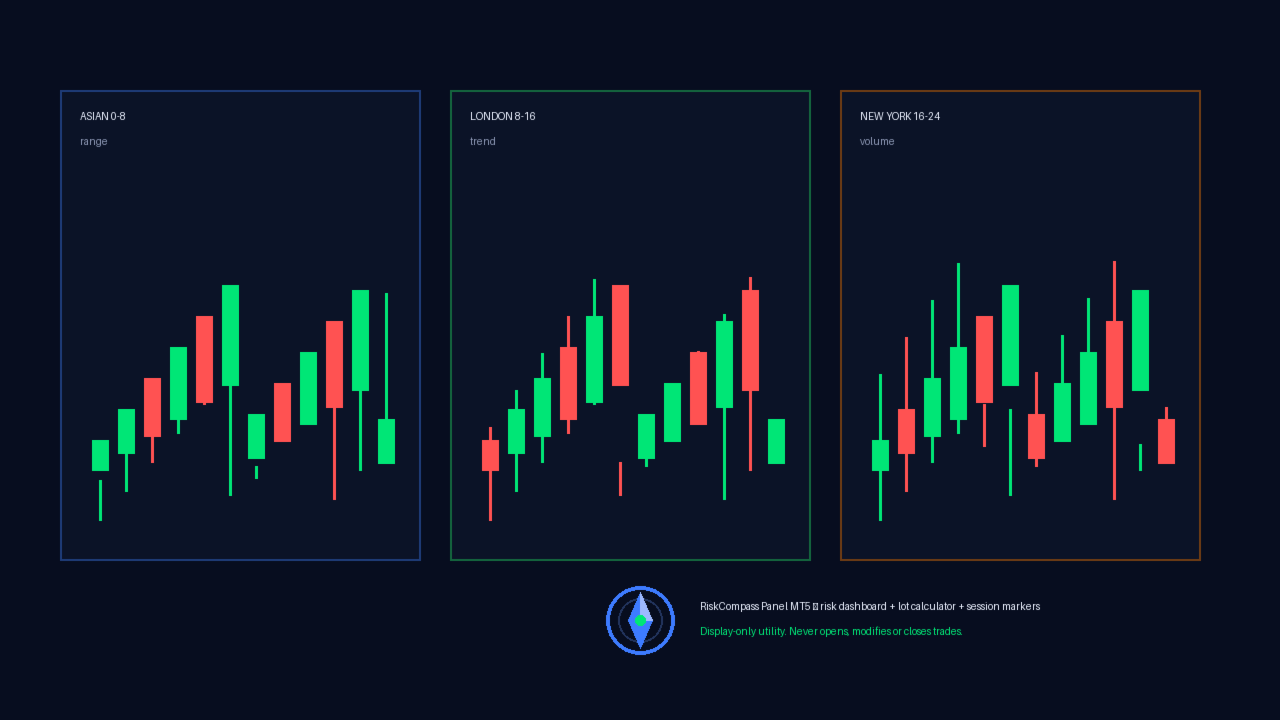
    Three configurable session windows (defaults Asian 0 to 8, London 8 to 16, New York 16 to 24 server hours) are drawn as filled background rectangles behind price for the current day plus a configurable number of prior days (default five). Weekends are skipped automatically, out-of-range hours are rejected at startup, and boxes are drawn once when the panel is attached and rebuilt at the start of each new server day; the panel's periodic refresh updates the numeric rows only. Each session has its own color input.

    6. Inputs

    Panel group: show or hide the panel, corner (0 to 3), X and Y pixel offsets, refresh seconds, background color, text color, normal-state color, warning color, alert color. Risk watch group: daily maximum loss percent for the alert threshold, maximum spread in points for the alert threshold, exposure row on or off. Lot calculator group: risk percent per idea, ATR mode on or off, ATR period, ATR multiple, fixed stop points. (The calculator block itself is always displayed; the show-block switch only controls whether the ATR handle is created.) Session group: session boxes on or off, start and end hour per session, days back, one color per session.

    7. Installation

    Attach RiskCompass Panel to any chart like any other indicator: copy the EX5 file into the MQL5 Indicators folder, refresh the Navigator or restart the terminal, then drag it onto a chart. It works on any symbol and any timeframe, on hedging and netting accounts alike, because every value it reads is account-level or symbol-level data. No set files, no companion files and no setup sequence are required.

    8. Compatibility and Safety Notes

    The utility needs no special account permissions beyond standard indicator rights. It creates only chart objects prefixed RCP_ and removes all of them on deinitialization, leaving no residue when removed from the chart. Each refresh re-reads account and symbol values and re-scans the current server day's deals, so the panel does more work than a single cached read; lower the refresh seconds if you want fewer updates. Because it never trades, it is equally at home on live, contest-excluded evaluation, and practice accounts, and it can run alongside any expert advisor without interfering with order flows.

    About reviews: we do not ask anyone for a rating, and we do not remove critical ones. If the panel does something you disagree with, or it simply did not work for you, write it plainly. A review that says why something is wrong helps the next trader more than a review that says nothing at all.

    9. Questions

    Does it open positions? No. It has no order-sending code path; the smoke run closed with zero deals by construction.

    Does it repaint or rewrite history? It draws session background boxes from the high and low of each daily bar and refreshes numeric rows from current account state; it does not modify bars, indicators or deal history.

    Why does the lot row show SKIP? Available margin cannot cover even minimum volume at 90 percent utilization, or the ATR handle failed and the fixed fallback still yields an unaffordable size. Reduce risk percent or widen margin headroom.

    Why is a session box missing? The day is a weekend, the daily bar for that date is absent from history, or session display is switched off.

    Which account types are supported? Any MT5 account for which standard indicator, account-information and history-selection functions are available.

    10. Changelog

    Version 1.00 (2026-09-20): initial Market release. Risk dashboard with 13 rows, ATR or fixed-point lot calculator with margin-affordability verdict, three configurable session overlays, full input validation at startup, clean object lifecycle, verified zero-error compile and passing smoke run with zero-deal correct outcome.

    See all of our products on MQL5 Market: https://www.mql5.com/en/users/khoaphan0511
    추천 제품
    Trade assistant pro v8
    Ahmed Mohammed Bakr Bakr
    2 (1)
    FREE FREE FREE Trade Assistant MT5 – Professional Trading & Risk Management Panel Trade Assistant MT5 is an advanced trading panel designed to help traders execute orders faster, safer, and more professionally . It simplifies manual trading by combining smart order management , precise risk control , and one-click execution , making it ideal for both beginners and advanced traders. This tool does not trade automatically . Instead, it empowers you with full control while applying professional-gra
    FREE
    Core function Intelligent transaction management one-click opening and closing operation, which supports user-defined lots to set multiple closing modes: all closing, closing by direction and closing by profit and loss status. Professional risk control, real-time risk monitoring and spread control to avoid high-cost trading environment. Visual control panel has an intuitive graphical interface, and all functions can be operated with one button to display position information, profit and loss sta
    FREE
    FiT Panel Pro
    Thonglak Janyakorn
    Overview FiT Panel Pro is a professional-grade trade management panel designed for MetaTrader 5 traders who demand speed, precision, and full control over their trades. Built with a modern dark-theme UI, it combines one-click execution with advanced risk management, visual SL/TP drag lines, automatic Fibonacci-based levels, and comprehensive order management — all in a single, compact panel. Whether you are a scalper, day trader, or swing trader, FiT Panel Pro gives you the edge you need to exec
    FREE
    GDS RiskLab TradeDesk Free Manual Trading Desk and Risk-Control Utility for MetaTrader 5 GDS RiskLab TradeDesk is a free chart-based utility for traders who want a cleaner manual trading workspace in MetaTrader 5. It is designed as a simple execution-support and risk-control panel. The goal is to keep the trading process more organized: review the chart, plan the trade, keep risk visible and execute manually with more structure. This tool does not generate buy or sell signals. It does not predic
    FREE
    Calculating the volume of orders every time you create an order is an extremely important thing in risk management Let this tool simplify your work! ----------------------------------------------------- How to use? Attach the indicator to the chart and set its parameters:  Risk size in %  or money and Risk Reward Ratio. Click on the ON button and locate the horizontal line to your would-be StopLoss level. Options: Click on the Pending/Instant button to locate the horizontal line  to your would-b
    FREE
    Collective TP SL Manager is a MetaTrader 5 utility that manages a combined take-profit and stop-loss across many open positions on one symbol. Instead of setting TP/SL per order, it watches the net profit or loss of all (or filtered) positions and closes the basket when your target is reached. Features Basket-level targets: one collective take-profit and one collective stop-loss for the whole group of positions. Net P/L monitoring: continuously sums the profit/loss of all selected positions in
    FREE
    Manual Assistant MT5
    Igor Kotlyarov
    4.75 (4)
    Bonus when buying an indicator or an advisor from my list. Write to me in private messages to receive a bonus. Manual Assistant MT5 is a professional manual trading tool that will make your trading fast and comfortable. It is equipped with all the necessary functions that will allow you to open, maintain and close orders and positions with one click. It has a simple and intuitive interface and is suitable for both professionals and beginners. The panel allows you to place buy and sell orders w
    FREE
    ================================================================ MATRIX CONDITION MONITOR Live Trade Condition Panel for MetaTrader 5 Fully Automatic -- Works with ALL Matrix EAs ================================================================ NEVER MISS A TRADE SETUP AGAIN Matrix Condition Monitor is a free utility that attaches to any chart and automatically checks all 10 trade conditions in real time -- showing you exactly why a trade will or will not open, and alerting you the moment ever
    FREE
    SmartRisk Trade Tool — One-Click Risk-Based Trade Panel SmartRisk Trade Tool is a manual trading panel for MetaTrader 5 built around position sizing and risk control rather than signal generation. It does not analyze the market or suggest trade direction — it exists so that every order sent from the chart already has a calculated lot size, stop loss, and take profit consistent with a risk value the trader chooses, removing the manual arithmetic that normally happens between deciding to trade and
    FREE
    ADAPTIVE CLOSER Manage many open positions as one book, from the chart Type: Utility (position manager) Symbols: Any Account: Hedging and Netting Opens trades: Only when you press a button 1. The problem this addresses One position is easy to manage. Six are not. Once several tickets are open — entered by hand, by different Expert Advisors, from a phone — the thing you actually care about is the combined result, and MetaTrader gives you no way to act on it. You end up closing tickets one at a t
    FREE
    Equity monitor This is a simple means change informer. I wrote it for myself, maybe someone will need it... 1. Displays the change in funds for the day. Every day, when the terminal is first launched, it remembers the current funds and monitors changes throughout the day. 2. The first day of the month, well remembers the money and, within months, to monitor changes. 3. Well, it displays the profit of the open position. To work, you need to create 4 global variables: gvarEqityDay , gvarEq
    FREE
    Important Lines
    Terence Gronowski
    4.88 (24)
    This indicator displays Pivot-Lines, preday high and low, preday close and the minimum and maximum of the previous hour. You just have to put this single indicator to the chart to have all these important lines, no need to setup many single indicators. Why certain lines are important Preday high and low : These are watched by traders who trade in a daily chart. Very often, if price climbs over or falls under a preday low/high there is an acceleration in buying/selling. It is a breakout out of a
    FREE
    When executing an order, whether through the Metatrader ticket on a computer or the Metatrader app on a mobile device, either manual or pending, Easy Trade will automatically set the take profit and stop loss levels, as well as a limit order with its respective take profit and stop loss levels. It follows the trading strategy for market open (US30, US100, US500), but it can be applied to any market asset.
    FREE
    PriceAlert
    Ryoma Iwayama
    Here's how to use the BTC_PriceAlert.mq5 indicator in MetaTrader 5: What it does It's a custom indicator (not an EA) for BTCJPY that draws horizontal alert lines on your chart and fires a notification when price touches your specified upper or lower target. It checks the high/low of each bar (wick touches count, not just closes). Install the indicator Copy BTC_PriceAlert.mq5 into your MT5 data folder under MQL5/Indicators (File > Open Data Folder in MetaEditor or MT5). Compile it in MetaEditor
    FREE
    Manual position management. Missing SL. Price moves against you. No protection. Trade Manager Lite automates Stop Loss, Take Profit, Trailing Stop, and Break-Even for your open positions. Attach to one chart. Configure your default SL/TP distance. Let it manage your positions automatically. What's Included (FREE Version) Auto SL/TP: Applies missing Stop Loss and Take Profit to positions based on your configured distance in points Trailing Stop: Adjusts SL dynamically as price moves in your favor
    FREE
    Lot by Risk MT5
    Sergey Vasilev
    4.88 (16)
    위험 거래 패널에 의해 많은 수동 거래를 위해 설계되었습니다. 이 명령을 보낼 수있는 다른 수단이다. 패널의 첫 번째 특징은 제어 라인을 사용하여 편리하게 주문할 수 있다는 것입니다. 두번째 특징은 정지 손실 선의 면전에서 주어진 위험을 위한 거래 양의 계산입니다. 제어 라인은 단축키를 사용하여 설정됩니다: 이익을-기본적으로 티 키; 가격-기본적으로 피 키; 정지 손실-기본적으로 키; 당신은 거래 패널의 설정에서 키를 직접 구성 할 수 있습니다. 작동 알고리즘: 1)-우리는(이 모든 레벨을 배치 할 필요가 없습니다)원하는 장소에 레벨을 배치; 2)–위험 지정(선택 사항); 3)-녹색 주문 보내기 버튼을 클릭하십시오.; 4)–우리는 배치 될 순서를 기다리고 있습니다,또는 오류 메시지와 경고가 나타납니다; 5)-우리는 전문가 고문에 마법에 의해 연결된 현재 기호에 대한 모든 주문을 닫으려면,다음 닫기 주문 버튼을 클릭합니다. 주문 보내기 버튼을 여러 번 눌러서는 안
    FREE
    IMPORTANT NOTE: This is a professional Trade Management Utility and on-chart assistant. It is NOT an automated trading robot. It does not open trades on its own. The UltraFast Trade Manager MT5 is the ultimate execution and risk-management suite designed to give you absolute control over your manual and algorithmic trades. When managing multiple positions, calculating complex net break-even points, or constantly monitoring the economic calendar, hesitation can lead to costly mistakes. This utili
    FREE
    Stamina HUD
    Michele Todesco
    STAMINA HUD – Advanced Market & Trend Dashboard (MT5) STAMINA HUD   is a professional   market information panel   designed for traders who want   clarity, speed, and control   directly on the chart. It provides a   clean heads-up display (HUD)   with essential market data and   multi-timeframe trend direction , without cluttering the chart or generating trading signals. What STAMINA HUD Shows   Current Price   Spread (in real pips)   Today High–Low range (pips)   Average D
    FREE
    Account Info EA It is a tool that presents on the graph all the positions of the account, and specific information concerning the positions, but also the account. It enables the user to have an image of his account at a glance. Use like any expert advisor. You can't attach it in the same chart with other expert advisor. It does not have the ability to open or manage positions. You can attach it on any chart and any timeframe.
    FREE
    Click Trading
    Jawad Tauheed
    5 (2)
    One Click Trading – Auto TP SL Developer TraderLinkz Version 1.00 Category Utility What it does Adds missing TP and SL to your manual trades and pending orders Sets them once per ticket Lets you move TP and SL afterward Works on hedging and netting accounts Scans on every tick and reacts on trade events Why you want it You place faster entries You get consistent risk and exit targets You reduce fat finger errors You keep full manual control Quick start Attach the EA to any chart Keep TP and SL e
    FREE
    Accounts Protector MT5
    Vladimir Mametov
    5 (5)
    The Expert Advisor is designed to protect the account, fix profit (loss) and display current information about the account. Trading account protection is carried out by closing all open orders in the terminal and/or closing all charts. When running the Expert Advisor with default parameters, it will only display your account information and will be reduced in size. Next, you can set the conditions under which your trading account will be protected. Profit and loss limits can be set for daily pro
    FREE
    This utility keeps a watchful eye on your trading terminals and ensures that you are notified if any of them are disconnected. Simply attach the utility to a chart and connect to a monitoring service who can notify you. We use UptimeRobot for both VPS and terminal monitoring; however, any service supporting heartbeat monitoring can be employed. Many such services offer free plans and various notification methods, such as Cronitor.io
    FREE
    목적: 마켓 워치 의 모든 심볼을 현재 시간 간격(TF)에 맞춰 default.tpl 템플릿으로 자동으로 열고, 현재 활성 차트를 제외한 모든 차트를 닫습니다. 수동 작업 없이 여러 종목을 빠르게 분석하기에 이상적입니다! 주요 기능: 자동화: 클릭 한 번으로 수십 개 차트를 열 수 있습니다. 안전성: 불필요한 차트를 닫고 현재 차트를 유지합니다. 유연성: 사용자 정의 default.tpl 템플릿 사용(사전 설정 필요!). 현재 시간 간격: 스크립트 실행 시 활성 차트의 TF와 동일하게 차트가 열립니다. 설치 방법: OpenAllSymbolsSafe.mq5 파일을 MetaTrader 5 터미널의 MQL5/Scripts 폴더에 복사합니다. 터미널을 재시작하거나 스크립트 목록을 새로 고칩니다(마우스 오른쪽 버튼 → 새로 고침 ). ️ 주의사항: default.tpl 이 MQL5/Profiles/Template/ 폴더에 있는지 확인하세요. 현재 차트를 제외
    FREE
    Broker & Account Info / Network Connection / Historical Order Benchmarks / Market Watch Symbols / Current Order Status Features: 1. Symbol’s Trading Privileges – Ensure the symbol is tradable. 2. Order Execution Mode – Check the broker’s execution type. 3. Trade Session Hours – Verify the trading hours. 4. Min/Max Lot Sizes – Check the allowed lot range. 5. Max Pending Orders – Confirm the maximum number of pending orders allowed. 6. Freeze Point & Pending Order Distance – Minimum distance re
    FREE
    AI Smart Risk Trade Manager is a professional trade-management utility panel for MetaTrader 5. It does not open trades on its own signal - instead it gives you a one-click, risk-based way to enter the market and then automatically manages every open position (yours or from any other EA) with breakeven, trailing and partial-close logic. Key features: One-click BUY / SELL panel buttons that size the position automatically from your chosen risk percent of account balance Automatic Stop Loss and Tak
    FREE
    Signalator Trade Summary Panel MT5는 계정, 포지션, 심볼 및 리스크 상태를 차트에서 직접 명확하게 확인할 수 있는 무료 로컬 MetaTrader 5 유틸리티입니다. Signalator Trading and Analysis Ecosystem의 일부로, 계정 모니터링, 시장 분석, 심볼 스캔, 알림 및 트레이더 워크플로우 개선을 위한 실용적인 MetaTrader 도구 모음입니다. 이 패널은 계정 및 포지션 모니터링에 통합 Symbol Inspector와 거래 전 Lot Size / Risk Calculator를 결합합니다. 여러 터미널 탭을 전환하지 않고 Floating P/L, 익스포저, SL/TP 커버리지, 브로커 심볼 사양 및 계획된 거래 리스크를 확인할 수 있습니다. 시장 스캔, 추세 방향 확인 및 multi-timeframe 알림에는 관련 Signalator 제품도 사용할 수 있습니다: MT4 Summary Panel  -  Multi TF Symb
    FREE
    Abj Sweep EA
    Abdellah Afkir
    Abj Sweep EA is a professional Smart Money Concepts (SMC) Expert Advisor for MetaTrader 5, built to identify high-probability liquidity sweep opportunities and execute trades with advanced risk management. It combines market structure analysis, institutional concepts, and automated trade management into a single multi-currency trading system. —-FOR SET FILE CLICK HERE —-EURUSD 1M —-Check EA live performance———————— -Server: Exness-MT5Trial15 -Login: 474003403 -Investor Password: Aa12345@ ———————
    FREE
    Signalator Lot Size Evaluator MT5 는 수동 트레이더가 주문을 실행하기 전에 예상 포지션 크기를 계산할 수 있도록 설계된 무료 로컬 MetaTrader 5 유틸리티입니다. 선택한 심볼, BUY 또는 SELL 방향, 예정 진입 가격, Stop Loss, 선택적 Take Profit 및 리스크 비율을 사용하여 거래를 계획할 수 있습니다. 계산기는 현재 계좌 정보와 브로커가 제공하는 심볼 사양을 함께 사용하여 권장 랏 크기와 주요 리스크 값을 계산합니다. 사용 절차는 간단합니다: 거래 설정 정의 → 계좌 리스크 수준 선택 → 권장 랏 크기와 브로커 조건 확인 → 설정이 적절한 경우 수동으로 거래를 실행합니다. Signalator Lot Size Evaluator MT5 는 Signalator Trading and Analysis Ecosystem 의 일부입니다. 이는 거래 준비, 심볼 및 브로커 분석, 계좌 모니터링, 포지션 관리 및 일상적인 트레이딩 작업 흐름
    FREE
    EmaRsi robot
    Deepak Saini
    https://youtu.be/KHhg88fXWTk?si=ZoVtpc-wpfTVImSL 5-Minute Trading Strategy | Quick & Effective for Beginners Welcome to our trading channel- the deepak trading In this video, we'll be exploring a simple 5-minute trading strategy that can help you capture quick market movements and make profitable trades. Whether you're a beginner or an experienced trader, this strategy is designed to give you clear entry and exit points using technical indicators like EMA, RSI, and Stochastic Oscillator.
    FREE
    Dynamic Candle Timer
    Channaphat Yamuangmorn
    Overview The Dynamic Candle Timer is a lightweight and efficient utility designed for MetaTrader 5. Unlike traditional candle timers that remain static in the corner of the chart, this indicator dynamically attaches to the current Bid price line. This allows traders to monitor the remaining candle time directly at the point of action, enhancing focus during fast-paced market movements. It is highly suitable for day traders and scalpers operating on XAUUSD, Forex, Crypto, or Indices. Key Feature
    FREE
    이 제품의 구매자들이 또한 구매함
    Trade Assistant MT5
    Evgeniy Kravchenko
    4.43 (216)
    거래당 위험 계산, 라인을 사용한 손쉬운 신규 주문, 부분 청산 기능을 통한 주문 관리, 7가지 유형의 트레일링 스탑 및 기타 유용한 기능을 제공합니다. 추가 자료 및 지침 설치 지침   -   애플리케이션 지침   -   데모 계정용 애플리케이션 평가판 라인 기능       - 차트에 개시선, 손절매, 차익실현을 표시합니다. 이 기능을 사용하면 새로운 주문을 쉽게 하고 개봉 전에 추가 특성을 볼 수 있습니다. 위기 관리       -       위험 계산 기능은 설정된 위험과 손절매 주문의 크기를 고려하여 새 주문의 볼륨을 계산합니다. 이를 통해 손절매 크기를 설정하고 동시에 설정된 위험을 존중할 수 있습니다. 로트 계산 버튼 - 위험 계산을 활성화/비활성화합니다. 필요한 위험 값은 위험 필드에 0에서 100 사이의 백분율 또는 예금 통화로 설정됩니다. 설정 탭에서 위험 계산 옵션을 선택합니다. $ 통화, % 잔액, % 지분, % 자유 마진, % 사용자 정의, % AB 이전
    Trade Manager EA에 오신 것을 환영합니다. 이 도구는 거래를 보다 직관적이고 정확하며 효율적으로 만들기 위해 설계된 궁극적인 리스크 관리 도구 입니다. 단순한 주문 실행 도구가 아닌, 원활한 거래 계획, 포지션 관리 및 리스크 제어를 위한 종합 솔루션입니다. 초보자부터 고급 트레이더, 빠른 실행이 필요한 스캘퍼에 이르기까지 Trade Manager EA는 외환, 지수, 상품, 암호화폐 등 다양한 시장에서 유연성을 제공합니다. Trade Manager EA를 사용하면 복잡한 계산은 이제 과거의 일이 됩니다. 시장을 분석하고 진입, 손절 및 익절 수준을 차트의 수평선으로 표시한 후 리스크를 설정하면, Trade Manager가 이상적인 포지션 크기를 즉시 계산하고 SL 및 TP 값을 실시간으로 표시합니다. 모든 거래가 간편하게 관리됩니다. 주요 기능: 포지션 크기 계산기 : 정의된 리스크에 따라 거래 크기를 즉시 결정합니다. 간단한 거래 계획 : 진입, 손절, 익절을 위한
    Local Trade Copier EA MT5
    Juvenille Emperor Limited
    4.94 (149)
    Local Trade Copier EA MT5는 동일한 Windows 컴퓨터 또는 Windows VPS에서 여러 MetaTrader 5 계정 간에 거래를 복사하고 관리할 수 있는 빠르고 유연한 거래 복사기입니다. 로컬 거래 동기화 기능과 함께 Receiver 측에서 로트 크기, 리스크 관리, 거래 필터링, 심볼 매핑, 거래 관리 및 계정 보호를 독립적으로 설정할 수 있습니다. Transmitter와 Receiver 터미널을 약 1분 안에 설정하고, 동일한 브로커 또는 서로 다른 브로커의 계정 간에 수동 거래 또는 EA 거래를 복사할 수 있습니다. 적절한 조건에서는 로컬 MetaTrader 터미널 간의 거래 정보가 0.5초 이내 에 동기화될 수 있습니다. 실제 체결 속도는 브로커 지연 시간, 네트워크 상태, 컴퓨터/VPS 성능 및 터미널 부하에 따라 달라집니다. 구매 전에 무료 데모를 사용해 보세요 MT5 데모 계정에서 Local Trade Copier EA MT5의 모든 기능을
    Strategy Ledger Pro
    Abdullah Uygar Tuna
    5 (4)
    이제 한국어로 이용할 수 있습니다. Strategy Ledger Pro 는 MetaTrader 5용 읽기 전용 계좌 분석 패널입니다. 계좌 성과를 전문가 어드바이저(EA), 전략, 심볼, 매직 넘버별로 나누어 각각이 실제로 얼마나 기여하는지 보여줍니다. 패널은 11개 언어를 지원합니다: English, Français, Deutsch, Español, Italiano, Português, Русский, Türkçe, 中文, 日本語, 한국어. 데모를 다운로드하기 전에. Market은 모든 유료 제품의 데모를 전략 테스터에서만 실행합니다. 이 패널은 사용자 자신의 계좌 거래를 분석하는데, 전략 테스터에는 읽을 계좌 기록이 없으므로 데모는 빈 패널로 열리고 그 사실을 표시합니다. 이는 데모 방식에 따른 것이며 제품의 제약이 아닙니다. 이 설명의 동영상에서 실계좌에서 작동하는 패널을 확인할 수 있습니다. 모든 기능을 설명한 자세한 매뉴얼 (영문)과 토론 및 공지를 위한 AureusAI
    Telegram to MT5 Multi-Channel Copier   는 Telegram 채널의 트레이딩 시그널을 MetaTrader 5로 자동 복사합니다. 봇도, 브라우저 확장도, 수동 복사도 필요 없습니다. Telegram에 시그널이 도착하면 EA가 몇 초 안에 터미널에서 주문을 실행합니다. 그리고 채널을 복사하기 전에, 내장 백테스터가 그 채널이 내 계좌에서 어떤 결과를 냈을지 보여줍니다. 제품은 두 가지 구성 요소로 이루어집니다: Telegram 채널을 수신하는 Windows 애플리케이션과, MT5 터미널에서 시그널을 실행하는 본 EA입니다. MT4 버전도 제공됩니다   여기 . 설정 가이드와 앱 다운로드:   https://www.mql5.com/en/blogs/post/768988 현재 가격은 향후 인상될 예정입니다. 작동 방식 앱은 여러분 자신의 Telegram 계정으로 연결되므로, 팔로우하는 모든 채널, 그룹, 토픽, 봇(비공개 및 VIP 포함)을 볼 수 있습니다. 시
    ================================================================================ POC BREAKOUT - V20.72. Full Professional Grade Toolkit ================================================================================ POC Breakout is a full MetaTrader 5 trading dashboard for discretionary traders who want breakout signals, Point of Control (POC) context, volume profiles, order flow, market structure, news, alerts, and advanced trade planning in one professional workspace. Attached directly to you
    TradePanel MT5
    Alfiya Fazylova
    4.88 (169)
    Trade Panel은 다기능 거래 도우미입니다. 이 애플리케이션에는 50개 이상의 수동 거래 기능이 포함되어 있으며 대부분의 거래 작업을 자동화할 수 있습니다. 앱 사용 설명서 + 동영상 설명: https://www.mql5.com/en/blogs/post/772292 데모 계정용 앱 체험판: https://www.mql5.com/en/blogs/post/750865 앱 설치 방법: https://www.mql5.com/en/blogs/post/756239 시각 모드에서 앱 테스트 방법: https://www.mql5.com/en/blogs/post/770277 VPS MetaTrader에 앱 설치 방법: https://www.mql5.com/en/blogs/post/770190 거래. 한 번의 클릭으로 거래를 수행할 수 있습니다: 리스크 자동 계산과 함께 예약 주문 및 포지션 열기. 한 번의 클릭으로 여러 주문 및 포지션 열기. 주문 그리드 열기. 예약 주문 및 포지션을 그룹별로
    내 거래 규칙에 맞춰 Telegram 신호 복사 Telegram to MT5 Signal Trader 는 공개 및 비공개 Telegram 채널과 그룹의 텍스트 기반 거래 신호를 MetaTrader 5로 자동 복사합니다. 하나의 데스크톱 앱에서 여러 신호 제공자와 MT5 계좌를 관리하고, 제공자마다 위험 관리 및 거래 설정을 개별적으로 지정 할 수 있습니다. 신호 복사에는 Telegram 봇이나 API 설정이 필요하지 않습니다. 전화번호 또는 QR 코드로 본인의 Telegram 계정에 로그인한 후, 이미 가입한 채널이나 그룹을 선택하면 됩니다. 봇을 만들거나 Telegram API 토큰, API ID 또는 API 해시를 입력할 필요가 없습니다. 포지션 크기를 선택하고, 여러 익절 목표에 청산 물량을 배분하며, 손익분기점 이동과 트레일링 스톱을 자동화하세요. 제공자의 신호를 따르면서도 실제 거래 방식은 직접 설정할 수 있습니다. 이 제품은 MT5 Expert Advisor와 필수 Win
    Farmed Hedge Yield Farming | All Markets (Manual - Hybrid - Semi/Automated EA) VERIFIED TRADING RESULTS - Farmed Hedge Yield Axi Copy:  https://www.mql5.com/en/signals/2356376 - Farmed Hedge Yield Exn Copy:   https://www.mql5.com/en/signals/2356404 - Farmed Hedge Yield V Copy:  https://www.mql5.com/en/signals/2357156 IMPORTANT NOTICE: FarmedHedge is a MANUAL-FOCUSED TRADING UTILITY ,not a fully automated EA. Results shown on this Signal include manual trades and overall strategic management.
    파워 캔들 전략 스캐너 - 자체 최적화 다중 종목 설정 찾기 도구 파워 캔들 전략 스캐너는 마켓 워치에 등록된 모든 종목에 대해 파워 캔들 지표와 동일한 자체 최적화 엔진을 동시에 실행합니다. 하나의 패널에서 현재 통계적으로 거래 가능한 종목, 각 종목별 최적의 전략, 최적의 손절매/익절 조합을 알려주며, 새로운 신호가 발생하면 즉시 알림을 전송합니다. 이 도구는 Stein Investments 에코시스템의 일부입니다. 18개 이상의 도구와 함께 당신의 1대1 AI 트레이딩 멘토 Max.  항상 대기 중, 모든 인디케이터를 깊이 있게 이해, 무언가를 차근차근 생각해보고 싶은 순간에 도움을 줍니다.  https://stein.investments 에서 만나보세요 완벽한 시장 모니터링. 종목당 3,000건 이상의 자동 최적화. 2가지 알림 유형. 한 번의 클릭으로 차트를 전환하고 바로 거래하세요. 이 도구가 필요한 이유 대부분의 다중 종목 스캐너는 가격 변동만 보여줍니다. 티커별
    Exp COPYLOT CLIENT for MT5
    Vladislav Andruschenko
    3.97 (35)
    MetaTrader 5용 전문 트레이드 복사기 MetaTrader 용 빠르고 전문적이며 신뢰할 수 있는 트레이드 복사기 입니다. COPYLOT 은 MT4와 MT5 터미널 간의 Forex 거래 복사를 지원하며, Hedge 및 Netting 계좌를 모두 지원합니다. COPYLOT MT5 버전 지원 구성: - MT5 Hedge → MT5 Hedge - MT5 Hedge → MT5 Netting - MT5 Netting → MT5 Hedge - MT5 Netting → MT5 Netting - MT4 → MT5 Hedge - MT4 → MT5 Netting MT4 버전 전체 설명 + DEMO + PDF 구매 방법 설치 방법 로그 파일 확인 방법 테스트 및 최적화 방법 Expforex의 모든 제품 MT4 터미널로도 거래를 복사할 수 있습니다(MT4 → MT4, MT5 → MT4): COPYLOT CLIENT for MT4 COPYLOT은 2개, 3개, 심지어 10개의 터미널과 동시에 작동할
    Signal TradingView to MT5 Pro Automator TradingView와 MetaTrader 5 간의 즉각적인 전문 실행 TradingView 알림과 MT5의 실제 실행을 연결하는 가장 강력한 커뮤니케이션 브리지로 거래 전략을 자동화하세요. 속도, 유연성 및 완벽한 위험 관리를 요구하는 트레이더를 위해 설계된 이 Expert Advisor는 모든 알림 메시지를 정확한 시장가 또는 지정가 주문으로 변환합니다. 강점 및 이점 범용 파싱 엔진(독점 기술): 모든 알림 형식에서 데이터를 자동으로 인식하고 추출할 수 있는 고급 기술입니다. 단일하고 엄격한 형식에 얽매일 필요가 없습니다. 시스템은 심볼, 액션, 가격, SL 및 TP를 자동으로 이해합니다. 실시간 실행: 지연 시간을 최소화하도록 최적화된 1초 미만의 초고속 폴링 기술. 신호 수신 후 몇 밀리초 내에 주문 실행이 이루어집니다. 기관 수준의 위험 관리: 다음 기준에 따른 자동적이고 정확한 로트(Lot) 크기 계
    HINN MagicEntry Extra
    ALGOFLOW OÜ
    4.74 (19)
    HINN MAGIC ENTRY – the ultimate tool for entry and position management! SIMPLE. FASTEST. INTUITIVE. MAX AUTOMATED. Place orders by selecting a level directly on the chart! full description   ::  demo-version  :: 60-sec-video-description Key features: - Market, limit, and pending orders - Automatic lot size calculation - Automatic spread and commission accounting - Unlimited partitial take-profits  - Breakeven and trailing stop-loss and take-profit  functions - Invalidation leves - Intuitive, a
    Premium Trade Manager - 코치가 내장된 트레이딩 패널 Premium Trade Manager 는 차트 안에 트레이딩 코치를 심어놓은 도구입니다. 주문을 확정하기 전에, AI 트레이딩 코치 Max가 설정된 거래를 직접 읽고 명확한 판단을 내려줍니다. 스톱이 규율 있는 접근 방식에 맞는지, 리스크 크기가 합리적인지, 고영향 뉴스 이벤트가 몇 분 후에 있는지, 프롭 펌 한도에 근접했는지. 그 아래에는 완전한 실행 엔진이 있습니다. 원클릭 리스크 기반 진입, 차트에서 드래그로 세우고 거래가 진행되는 동안에도 계속 움직일 수 있는 플랜, 최대 4단계 분할 익절, 7가지 트레일링 방식, 실시간 프롭 펌 컴플라이언스, 뉴스 가드, 그리고 자체 비용을 평가하는 스프레드까지. 결정은 당신이 내립니다. Max가 두 번째 시선으로 확인합니다. 패널이 그 이후의 모든 것을 처리합니다. 구매 전에 직접 체험해 보세요. 브라우저에서 라이브 패널을 직접 클릭해볼 수 있습니다. 구매 전에 실제
    구매 후 저에게 메시지를 보내주시면 전체 매뉴얼 키트 + AI 기능을 테스트할 수 있는 3일간의 OpenAI API 체험 + 추가 보너스 선물을 제공해 드립니다 현재 가격은 8월 재출시 업데이트를 위한 기간 한정 할인 가격입니다 — 가격이 인상되기 전에 지금 에디션을 확보하세요. 다음 가격: $340 이것은 시장에서 지금까지 사용해 보았거나 본 어떤 트레이딩 패널과도 완전히 다릅니다. 현재 리테일 시장에서 이용할 수 있는 가장 혁신적인 AI 기반 트레이딩 패널 중 하나입니다. AI를 차트에 직접 연결한다고 상상해 보세요   — AI 추천, 계좌 감사, AI 트레이딩 신호 수신 및 클릭 한 번으로 실행. Telegram을 통해 스마트폰에서   전체 트레이딩 계좌를 관리한다고 상상해 보세요   — AI와 채팅하고, 즉각적인 알림을 받고, 거래를 관리하며 어디서든 계좌를 보호할 수 있습니다. 여러   EA를 실행하면서   각 EA의 성과를 개별적으로 모니터링하고, 거래를 관리하거나 특정
    MT5 Trading Deck
    Manuel Michiels
    5 (2)
    One button. One trade. MT5 Trading Deck is a hotkey trading panel for MetaTrader 5 that turns the platform into a keyboard-driven execution cockpit. Stop loss, take profit and lot size are pre-calculated for every key; the moment you press, a market order is live on the broker. A complete technical user manual is attached in the product Comments section. It documents every input parameter, the full hotkey map, the recommended Stream Deck XL layout, and the advanced workflows for Pre-Limit orders
    Grid Manual MT5
    Alfiya Fazylova
    4.73 (22)
    "Grid Manual"은 주문 그리드 작업을 위한 거래 패널입니다. 이 유틸리티는 보편적이며 유연한 설정과 직관적인 인터페이스를 제공합니다. 그것은 손실을 평균화하는 방향뿐만 아니라 이익을 증가시키는 방향으로 주문 그리드와 함께 작동합니다. 거래자는 주문 그리드를 만들고 유지할 필요가 없으며 유틸리티에서 수행합니다. 거래자가 주문을 시작하는 것으로 충분하며 "Grid Manual"는 자동으로 그를 위한 주문 그리드를 생성하고 거래가 마감될 때까지 그와 동행할 것입니다. 전체 설명 및 데모 버전 여기 . 유틸리티의 주요 기능: 모바일 터미널을 포함하여 어떤 방식으로든 열린 주문과 함께 작동합니다. "제한" 및 "중지"의 두 가지 유형의 그리드와 함께 작동합니다. 고정 및 동적(ATR 표시기 기반)의 두 가지 유형의 그리드 간격 계산과 함께 작동합니다. 오픈 오더 그리드의 설정을 변경할 수 있습니다. 차트에서 각 주문 그리드의 손익분기점 수준을 표시합니다. 각 주문 그리드에 대한 이익
    EasyInsight AIO MT5
    Alain Verleyen
    4.92 (12)
    EASY Insight AIO – 스마트하고 손쉬운 트레이딩을 위한 올인원 솔루션 개요 외환, 금, 암호화폐, 지수, 심지어 주식까지 — 전 시장을 몇 초 만에, 수동 차트 확인이나 복잡한 설치, 인디케이터 설정 없이 스캔할 수 있다고 상상해 보세요. EASY Insight AIO 는 AI 기반 트레이딩을 위한 궁극의 플러그 앤 플레이(Plug & Play) 데이터 내보내기 도구입니다. 단 하나의 깔끔한 CSV 파일로 전체 시장 스냅샷을 제공하며, ChatGPT, Claude, Gemini, Perplexity 등 다양한 AI 플랫폼에서 즉시 분석할 수 있습니다. 창 전환, 복잡함, 차트 오버레이는 더 이상 필요 없습니다. 자동으로 내보내지는 순수하고 구조화된 데이터 인사이트만으로, 반복적인 차트 감시 대신 데이터 기반의 스마트한 의사결정에 집중할 수 있습니다. 왜 EASY Insight AIO인가요? 진정한 올인원 • 별도의 설정, 인디케이터 설치, 차트 오버레이가 필요 없습
    Trade Dashboard MT5
    Fatemeh Ameri
    4.94 (134)
    Trade Dashboard simplifies how you open, manage, and control your trades, with built-in lot size calculation. It allows you to execute trades, manage risk, and control positions directly on the chart, with tools such as partial close, breakeven, and trailing stop. Designed to reduce manual work and help you stay focused on your trading decisions. A demo version is available for testing. Detailed explanations of features are provided within the MQL5 platform. Installation instructions are include
    Trade copier MT5
    Alfiya Fazylova
    4.61 (56)
    Trade Copier는 거래 계정 간의 거래를 복사하고 동기화하도록 설계된 전문 유틸리티입니다. 복사는 공급자의 계정/단말기에서 동일한 컴퓨터 또는 vps에 설치된 수신자의 계정/단말기로 발생합니다. 프로모션 - 이미 "Trade copier MT5"를 구매하셨다면, "Trade copier MT4"를 무료로 받으실 수 있습니다 (MT4 → MT5 및 MT4 ← MT5 복사용). 조건에 대한 자세한 정보를 원하시면, 개인 메시지를 통해 저희에게 문의해 주시기 바랍니다! 구매하기 전에 데모 계정에서 데모 버전을 테스트할 수 있습니다. 데모 버전 여기 . 전체 지침 여기 . 주요 기능 및 이점: 복사기는 "МТ5> МТ5", "МТ4> МТ5", "МТ5> МТ4" 복사를 지원합니다. 복사기는 데모 계정 > 실 계정, 실 계정 > 데모 계정, 데모 계정 > 데모 계정 및 실제 계정 > 실 계정 복사를 지원합니다. 복사기는 읽기 전용 암호가 적용된 투자자 계정에서 복사를 지원합니다. 하
    EA Overfitter
    Stephen J Martret
    5 (1)
    That backtest looks great. But will it still be making money tomorrow, next week, next month? EA Overfitter re-runs your EA on 100 price histories it has never seen. One score tells you if the edge is real. A backtest tells you what an EA did on one price history — the one that happened to occur. What you cannot tell from it is how much of that result was the strategy and how much was the particular path. EA Overfitter answers that. It builds up to 100 synthetic price histories your EA has n
    MT5 to Telegram Signal Provider 는 사용하기 쉽고 완전히 커스터마이즈 가능한 유틸리티로, 특정 신호를 Telegram의 채팅, 채널 또는 그룹으로 전송하고, 귀하의 계정을 신호 제공자 로 만듭니다. 경쟁 제품과 달리 DLL 임포트를 사용하지 않습니다. [ 데모 ] [ 매뉴얼 ] [ MT4 버전 ] [ 디스코드 버전 ] [ 텔레그램 채널 ]  New: [ Telegram To MT5 ] 설정 단계별 사용자 가이드 가 제공됩니다. 텔레그램 API에 대한 지식은 필요하지 않습니다; 개발자가 제공하는 모든 것이 필요합니다. 주요 특징 구독자에게 보낸 주문 상세 정보를 커스터마이즈할 수 있습니다. 예를 들어, 브론즈, 실버, 골드와 같은 계층 구독 모델을 만들 수 있습니다. 골드 구독에서는 모든 신호를 받습니다. id, 심볼, 또는 코멘트로 주문을 필터링할 수 있습니다. 주문이 실행된 차트의 스크린샷이 포함됩니다 보낸 스크린샷에 닫힌 주문을 그려 추가 검증을 합니다
    Telegram To MT5 Ultra
    Mirel Daniel Gheonu
    5 (5)
    Telegram To MT5 — 시그널 카피어 텔레그램 채널의 트레이딩 콜을 실제 MT5 주문으로 바꿔 드립니다 — 자동으로, 원하는 만큼의 계좌에서, 리스크와 규칙을 완전히 당신의 통제 아래 둡니다. Telegram To MT5는 이미 텔레그램에서 팔로우하고 있는 VIP / 시그널 채널을 당신의 MetaTrader 5 터미널에 연결합니다. 무료 동반 데스크톱 앱이 메시지를 읽고(봇을 차단하는 채널에서도 가능), 이 EA가 당신의 계좌에서 이를 실행합니다 — 당신만의 리스크 설정, 심볼 매핑, 익절(TP) 처리, 세션 및 뉴스 필터를 적용합니다. 이것은 블랙박스 전략이 아니라 시그널 카피어입니다. 어떤 채널을 신뢰할지, 각 거래의 수량과 관리 방식을 당신이 결정합니다. 단계별 설정 및 동반 앱 설치 가이드 작동 방식 [당신의 텔레그램 채널] -> [동반 데스크톱 앱] -> [MT5 + 이 EA] -> 주문 동반 데스크톱 앱(무료, 포함)은 당신의 텔레그램 계정으로 로그인하여 선택한
    EA Slipstream
    Stephen J Martret
    5 (1)
    Your backtest filled every order at the price it asked for. Your account does not. EA Slipstream measures what execution costs your EA, using your own fills, slippages and spreads to show you the true performance of your EA. A backtest prices every trade at the level the EA named. In live trading a pending order fills at whatever price is available when it triggers, a stop closes wherever the market is when it is hit, and the spread at that moment is whatever the account was quoting. The differ
    Dynamic Fibonacci Grid
    Tsvetan Tsvetanov
    5 (1)
    MT5용 Dynamic Fibonacci Grid Dashboard 최신 버전을 소개합니다. 많은 새로운 기능이 추가된 이번 대시보드는 거래 경험을 완전히 변화시키며, 시장과 가격 움직임을 완전히 새로운 관점에서 볼 수 있게 합니다. 여러 시간대와 여러 심볼을 동시에 분석하여 새로운 가능성을 발견하세요. 수동 거래와 포지션 관리에 친화적인 사용자 인터페이스와 미리 정의된 자동 전략을 적용할 수 있는 확장된 기능을 제공합니다. 또한 DFG는 이제 전략 테스터(Strategy Tester)에서 트레이딩 시뮬레이터로 완벽하게 작동하며, 과거 데이터를 사용하여 다양한 거래 조건을 재현할 수 있습니다. 시각 모드에서 수동 거래를 연습하고, 고속 모드에서 자동 전략을 테스트할 수 있습니다. 주요 기능 • Dynamic Fibonacci Bands 개념을 기반으로 한 다중 시간대 및 다중 심볼 고급 기술 분석 실시간 시장 모니터링 대시보드를 통해 탁월한 효율성을 경험할 수 있습니다. M1,
    Telegram to MT5 Coppy
    Sergey Batudayev
    5 (10)
    Telegram에서 MT5로:   최고의 신호 복사 솔루션 DLL 없이도 Telegram 채널과 채팅에서 MetaTrader 5 플랫폼으로 거래 신호를 직접 복사하는 최신 도구인 Telegram to MT5를 사용하여 거래를 간소화하세요. 이 강력한 솔루션은 정밀한 신호 실행, 광범위한 사용자 정의 옵션을 제공하고 시간을 절약하며 효율성을 높여줍니다. [ Instructions and DEMO ] 주요 특징 직접 Telegram API 통합 전화번호와 보안 코드를 통해 인증하세요. 사용자 친화적인 EXE 브리지를 통해 채팅 ID를 쉽게 관리하세요. 여러 채널/채팅을 추가, 삭제, 새로 고침하여 동시에 신호를 복사합니다. 고급 필터를 사용한 신호 파싱 예외 단어(예: "보고서", "결과")가 포함된 원치 않는 신호를 건너뜁니다. 유연한 SL 및 TP 형식을 지원합니다: 가격, 핍 또는 포인트. 가격 대신 포인트를 지정하는 신호에 대한 진입 포인트를 자동으로 계산합니다. 주문 맞춤화 및
    The News Filter MT5
    Leolouiski Gan
    4.78 (23)
    이 제품은 뉴스 시간 동안 모든 전문가 어드바이저 및 수동 차트를 필터링하여 수동 거래 설정이나 다른 전문가 어드바이저가 입력한 거래가 파괴될 수 있는 급격한 가격 상승으로부터 걱정하지 않아도 됩니다. 이 제품은 또한 뉴스 발표 전에 열린 포지션과 대기 주문을 처리할 수 있는 완전한 주문 관리 시스템이 함께 제공됩니다.   The News Filter  를 구매하면 더 이상 내장 뉴스 필터에 의존할 필요가 없으며 이제부터 모든 전문가 어드바이저를 여기서 필터링할 수 있습니다. 뉴스 선택 뉴스 소스는 Forex Factory의 경제 캘린더에서 얻어집니다. USD, EUR, GBP, JPY, AUD, CAD, CHF, NZD 및 CNY와 같은 어떤 통화 기준으로 선택할 수 있습니다. Non-Farm (NFP), FOMC, CPI 등과 같은 키워드 식별을 기준으로 선택할 수도 있습니다. 저, 중, 고 영향을 가지는 뉴스를 필터링할 수 있도록 선택할 수 있습니다. 차트와 관련된 뉴스만 선
    The product will copy all telegram signal to MT5 ( which you are member) , also it can work as remote copier.  Easy to set up, copy order instant, can work with almost signal formats, image signal,  s upport to translate other language to English Work with all type of channel or group, even channel have "Restrict Saving Content", work with  multi channel, multi MT5 Work as remote copier: with signal have ticket number, it will copy exactly via ticket number. Support to backtest signal. How to s
    Anchor Trade Manager
    Kalinskie Gilliam
    5 (9)
    Your EAs cannot see each other, but Anchor can. Anchor gives you one place to coordinate your EAs, manage risk, and decide when trading is allowed. It works alongside the trading bots you already use without any changes to them. The Problem One EA opens a trade. Then another starts trading. The next thing you know, you wake up to multiple grids built across your account. Each EA may be doing exactly what it was designed to do, but together they can place far more risk on your account than you in
    Footprint Chart Pro — Professional OrderFlow EA for MetaTrader 5 Version 6.34 | Professional tool for real traders | Institutional-Grade Visualization DEMO USERS - PLEASE SELECT EVERY TICK / REAL TICK WHEN TESTING AND YOU HAVE DOWNLOADED HISTORICAL DATA. IF YOU SEE A WAITING SCREEN AND IT IS NOT DOWNLOADING, IT MEANS YOU HAVE LOW HISTORICAL DATA. TRY 1 MIN AND 5 MIN FIRST ON 1 DAY DATA. ONE DAY DATA SHOULD BE THE NEWEST AND MOST CURRENT DATE. PLEASE WAIT UNTIL THE MARKET HAS ROLLED OVER PERIOD.
    제작자의 제품 더 보기
    StatArb Fader Pro — XAUUSDm M5 Expert Advisor Fade the extremes. Not the trend. StatArb Fader Pro is a statistical-arbitrage mean-reversion Expert Advisor built exclusively for XAUUSDm (Gold) on the M5 timeframe . Instead of chasing breakouts, it fades stretched price extremes when the market is in a range-bound regime — one isolated position at a time, with strict ATR-based risk control on every trade. Key Features Bollinger Band Extreme Fade — 20-period / 3.5-deviation bands detect stretched p
    No grid. No martingale. Discrete wick-fill entries sized from account-balance risk — never lot-doubled, never grid-averaged, with a hard maximum of positions per direction. Wick Fill Hedge for Gold M5 is an Expert Advisor built for traders who want a structured wick-fill entry model on Gold (XAUUSD) charts. The trading logic is designed around three core steps: 1. A directional impulse must appear first. 2. Price must sweep a recent liquidity level. 3. The setup is confirmed only after the c
    RSI Bollinger Reversal Scalper EA for MetaTrader 5 — Gold (XAUUSD) M5 scalper RSI Bollinger Reversal Scalper EA is a professional automated trading system that combines the Relative Strength Index (RSI) and Bollinger Bands to identify high-precision mean-reversion entries on XAUUSD (Gold) M5 . The strategy is built around a simple, time-tested idea: when price stretches too far from the mean, it tends to snap back. The EA waits for that stretch, confirms it with RSI, and enters in the direction
    EMA BREAKOUT TREND HUNTER EA — A high-performance automated trend breakout system for MetaTrader 5, designed for Forex pairs and Gold (XAUUSD). The EMA Breakout Trend Hunter tracks the market with a volatility-aware EMA crossover engine and confirms every signal with ATR-based dynamic filtering, so it aims to enter trends early and avoid choppy, low-quality setups. Risk is managed with hardened position sizing that keeps the system safe even on small accounts. How it works EMA Volatility Crossov
    Multi Indicator Gold Scalper EA MT5 Multi Indicator Gold Scalper EA MT5 is a fully automated Expert Advisor built specifically for scalping Gold (XAUUSD) on MetaTrader 5. Instead of relying on a single signal, it combines four proven technical indicators — RSI, Bollinger Bands, EMA, and MACD — and requires confluence between them before opening a position. This multi-indicator approach is designed to filter out weak setups and trade only the higher-probability moments in the Gold market. Why Gol
    MACD RSI Trend Engine EA MT5 Dual-Confirmation Trend and Divergence Trading System — works on Gold (XAUUSD) and all major Forex pairs Introduction The MACD RSI Trend Engine EA MT5 combines two of the most widely respected technical indicators in institutional trading — the Moving Average Convergence Divergence (MACD) and the Relative Strength Index (RSI) — into a single, unified algorithmic framework. Rather than acting on either indicator independently, this Expert Advisor requires confirmation
    EA HEDGING TRAILING STOP PRO — A sophisticated hedging strategy Expert Advisor for MetaTrader 5 that works on Gold (XAUUSD), Forex pairs and any other symbol, with a dynamic trailing stop loss for automatic profit locking. Built for traders who want active profit protection without constant monitoring, this EA combines two proven techniques: dynamic hedging and a volatility-adaptive trailing stop. It is symbol-agnostic — equally at home on Gold (XAUUSD) charts, EURUSD or any other instrument — a
    GOLD MARTINGALE GRID EXPERT EA — A powerful grid-based Expert Advisor for Gold (XAUUSD) with controlled martingale and strict drawdown limits. Designed specifically for MetaTrader 5, this Expert Advisor builds a grid of orders around the current price on Gold (XAUUSD) and manages recovery with a disciplined, controlled martingale scheme. Unlike aggressive grid systems, it combines ATR-based dynamic spacing, a capped lot multiplier and hard drawdown protection so risk stays measurable and control
    The Breakout BuyStop SellStop EA MT5 is a fully automated Expert Advisor for Gold (XAUUSD) and other liquid markets that detects price consolidation zones and executes breakout trades using market orders. It monitors price action in real time, identifies accumulation and range-bound phases, and enters positions when the price breaks decisively beyond established support or resistance levels. This EA follows a systematic breakout strategy. It eliminates emotional decision-making by entering trade
    AutoGen Hybrid Mean Reversion EA MT5 Designed for Gold (XAUUSD) and major forex pairs, AutoGen Hybrid Mean Reversion EA MT5 is a fully automated expert advisor for MetaTrader 5 that trades the classic Bollinger Bands mean-reversion setup, filtered by the ADX indicator to stay out of strong trending markets. It combines two well-known concepts — reversion to the mean and trend-strength filtering — into a single robust trading robot. The strategy is symbol-agnostic: the same Bollinger / ADX / ATR
    # Gold EA MT5 - Heiken Ashi Trend Scalper Pro: High-Yield Momentum Expert Advisor ## High-Yield Multi-Year Walk-Forward Validation (2021–2026) Heiken Ashi Trend Scalper Pro is a high-profit, momentum-driven Expert Advisor for MetaTrader 5 designed for XAUUSD and trend-following liquid instruments. It combines smoothed Heiken Ashi candle dynamics with an EMA 100 trend regime filter and an adaptive tight trailing stop that locks in compounding profits while maintaining strict risk boundaries. Ever
    FillWick Champion EA — XAUUSDm(골드)용 통계적 차익거래 평균회귀(Mean Reversion) 전략 FillWick Champion EA는 XAUUSDm(골드) M5 타임프레임 전용으로 설계된 통계적 차익거래 기반 평균회귀(Mean Reversion) 전문가 어드바이저 입니다. 추세 돌파를 쫓는 대신, 시장이 레인지(횡보) 국면에 있을 때 과도하게 늘어난 가격의 극단(Extreme) 구간을 되받아치는(Fade) 방식 으로 거래합니다. 두 개의 포지션을 동시에 잡지 않고 한 번에 하나의 격리된 포지션 만 진입하며, 모든 거래에 엄격한 ATR 기반 리스크 통제를 적용합니다. 골드 M5에 평균회귀 전략이 적합한 이유 M5 차트의 골드는 대부분의 시간을 거래 레인지 안에서 등락하며 보냅니다. 돌파(브레이크아웃) EA는 가짜 돌파에 시달리고, 추세 추종 EA는 오랜 시간 가만히 있게 됩니다. 평균회귀 엔진은 시장에서 가장 빈번하게 나타나는 행동에서 이익을 얻습니다: 공
    DCA V6 SuperDCA Master Confluence entries. ATR-spaced grid. Trailing basket take-profit. DCA V6 SuperDCA Master is a multi-level grid Expert Advisor built for XAUUSDm (Gold) on the M5 timeframe . It opens a confluence-filtered base order and manages the whole basket as one unit - averaging in at ATR-spaced grid levels against a pullback, and closing the entire basket once a trailing profit target is reached. A crash-stop basket stop-loss and a hard equity-drawdown kill-switch protect capital on
    # Gold EA MT5 - Spawn Champion: Walk-Forward Validated XAUUSD Expert Advisor ## Walk-Forward Validated 2021–2026 (Real MT5 Data) Spawn Champion is a high-precision, low-drawdown Expert Advisor for MetaTrader 5 designed to trade XAUUSD (Gold) on the M5 timeframe. The trading logic uses dynamic entry confirmation filtered by trend strength with adaptive trailing stops. Every performance metric below comes directly from a real MT5 Strategy Tester backtest — zero fabricated figures, zero curve-fitti
    SUPER GOLD HYPERPROFIT EA v2.50 — QUANTUM INSTITUTIONAL BREAKOUT Institutional-grade Multi-Session Breakout & Momentum Volatility Harvester for XAUUSD (Gold). 100% Non-Martingale, 100% Non-Grid Algorithmic System with Dynamic 4-Tier Trailing Acceleration. VERIFIED WIN RATE 92.24% Full 2021-2026 History PROFIT FACTOR 1.86 – 2.19 In-Sample & OOS Verified MAX EQUITY DRAWDOWN 9.79% Prop Firm Compliant (< 10%) KEY ARCHITECTURAL ADVANTAGES 100% No Grid / No Martingale Guarantee: Every single t
    Gold HyperScalper Pro EA MT5 — Multi-Session Breakout & Keltner Volatility Engine Gold HyperScalper Pro EA is a high-performance, institutional-grade automated trading algorithm developed exclusively for XAUUSD (GOLD) on the M15 timeframe . Engineered with quantitative rigor, it captures high-probability breakout momentum across Asian, London, and New York sessions using adaptive Keltner Volatility Bands and an advanced 4-Tier Dynamic Trailing Stop. KEY ADVANTAGES & QUANT STRATEGY Instituti
    Gold Session Breakout Master EA v3 MT5 — Institutional Multi-Session Breakout Engine Gold Session Breakout Master EA v3 is an institutional-grade, multi-session breakout trading system engineered exclusively for XAUUSD (GOLD) on the M15 timeframe . It incorporates macro trend filtering via H4 EMA 200 , session volatility exhaustion filtering via D1 ATR 20 , and an aggressive 4-Tier Trailing Acceleration Engine that dynamically locks in profit during high-momentum impulses. KEY ADVANTAGES &
    Quantum DCA Harvester Pro MT5 — Institutional Multi-Timeframe Trend & Smart Recovery Engine Quantum DCA Harvester Pro MT5 (v6.00) is a premier institutional algorithmic trading suite engineered for XAUUSD (GOLD) and high-volatility FX instruments on the M5 timeframe . It features an advanced Triple-Timeframe Gating Architecture (H4 EMA 200 + H1 EMA 50 + M5 RSI/Stochastic Confluence) , Dynamic ATR-based Grid Spacing , and a proprietary Trailing Basket Profit Harvester that locks in collective
    Gold DCA HyperHarvest EA MT5 Advanced Dollar-Cost Averaging Expert Advisor for MetaTrader 5 Gold DCA HyperHarvest is an automated DCA (Dollar-Cost Averaging) trading system engineered specifically for XAUUSD (Gold). It combines a higher-timeframe trend filter with oscillator confluence entries, opens a controlled grid of positions using volatility-adaptive spacing, and manages every basket with a trailing take-profit engine and hard equity protection. Key Features H4 EMA(200) Trend Filter — trad
    [size=18][b]Gold Session Breakout Master Pro EA MT5[/b][/size] [size=12][i]Multi-session M15 breakout — London · New York · Asian · hard SL · no martingale · GA optimized[/i][/size] ━━━━━━━━━━━━━━━━━━━━━━━━━━━━━━━━━━ [size=14][color=#FFA500][b]🔄 What's New in v5.0 (GA Champion Update)[/b][/color][/size] [i]Existing owners: update is FREE (lifetime updates included).[/i] [b]GA-optimized parameters with statistically sig
    ContraFade Master — Contrarian Gold Trading System Trade the turn. Not the hope. ContraFade Master is a specialized quantitative trading system engineered for XAUUSD (Gold) on the M15 timeframe . Built on the principle of statistical exhaustion, the system identifies stretched price extensions and executes precision mean-reversion fades rather than chasing runaway breakouts. Key Architectural Principles Statistical Exhaustion Entries: Identifies overextended momentum cycles and fading volatility
    [size=18][b]Gold MTF Trend Continuation Pro EA MT5[/b][/size] [size=12][i]Multi-timeframe gold trend continuation — H1/M15 confluence · hard SL · no martingale[/i][/size] ━━━━━━━━━━━━━━━━━━━━━━━━━━━━━━━━━━ [size=14][b]Strategy Overview[/b][/size] Multi-timeframe trend continuation on XAUUSD: [list=1] [*][b]H1 Trend Filter:[/b] Higher-timeframe directional bias ensures entries align with the dominant trend [*][b]M15 Entry Pre
    [size=18][b]BTC Squeeze Breakout Master EA MT5[/b][/size] [size=12][i]Volatility squeeze breakout on BTCUSD H4 — GA optimized · hard SL · no martingale[/i][/size] ━━━━━━━━━━━━━━━━━━━━━━━━━━━━━━━━━━ [size=14][color=#FFA500][b]🔄 What's New in v2.0 (GA Champion Update)[/b][/color][/size] [i]Existing owners: update is FREE.[/i] [b]GA optimization delivered consistent results:[/b] [list] [*]PF [b]1.63[/b] with [b]523 trades[/b
    [size=18][b]Gold H4 Swing Trend Master Pro EA MT5[/b][/size] [size=12][i]H4 swing trend following — EMA 37 filter · channel reclaim · ATR trailing · hard SL · no martingale[/i][/size] ━━━━━━━━━━━━━━━━━━━━━━━━━━━━━━━━━━ [size=14][color=#FFA500][b]🔄 What's New in v2.0 (GA Champion Update)[/b][/color][/size] [i]Existing owners: update is FREE (lifetime updates included).[/i] [b]GA-optimized parameter set delivered a dramat
    [size=18][b]Crypto H4 Short Trend Master Pro EA MT5[/b][/size] [size=12][i]Short-only ETH H4 trend capture — hard stop loss · no martingale · volatility-adaptive[/i][/size] ━━━━━━━━━━━━━━━━━━━━━━━━━━━━━━━━━━ [size=14][b]Strategy Overview[/b][/size] This EA captures sustained downtrends on Ethereum (ETHUSD) using the H4 timeframe: [list=1] [*][b]Short-Only Design:[/b] No long entries — purpose-built for downtrend capture [*
    [size=18][b]Gold H4 Entry Trend Continuation Pro EA MT5[/b][/size] [size=12][i]H4 trend continuation with EMA filter — high win rate · hard SL · no martingale[/i][/size] ━━━━━━━━━━━━━━━━━━━━━━━━━━━━━━━━━━ [size=14][b]Strategy Overview[/b][/size] H4 trend continuation on XAUUSD with multi-condition entry: [list=1] [*][b]H4 Trend Filter:[/b] Only enters when H4 structure confirms bullish or bearish bias [*][b]EMA Confirmation:
    JOIN PUBLIC LAB: https://t.me/khoa_phan_ea_mt5_1 Hub: https://khoaphan8i.github.io/khoa-phan-gold-lab/ --- Overview Multi Indicator Gold Scalper Pro is an Expert Advisor for MetaTrader 5 designed for XAUUSD (Gold) scalping on M5 / M15. It requires confluence across RSI, Bollinger Bands, EMA, and MACD before considering an entry, then manages the trade with stop-loss, take-profit, and trailing logic. This Pro edition focuses on execution filters and risk controls suitable for careful live use and
    Macd Rsi Trend Engine Pro MT5 INSTITUTIONAL GRADE ALGORITHMIC TRADING SYSTEM Fully Compatible with Prop Firms (FTMO, MFF, Funded Next) & Standard ECN Accounts THE PRO EVOLUTION (UPGRADED FROM FREE #187884) The original free edition (Macd Rsi Trend Engine EA MT5) reached thousands of downloads on MQL5 Market. However, retail traders requested an institutional-grade, prop-firm-safe version capable of generating high profit velocity with strict drawdown control. The Macd Rsi Trend Engine Pro MT5 is
    Overview Breakout BuyStop SellStop Pro is a MetaTrader 5 Expert Advisor for range breakout trading on liquid symbols, with primary focus on XAUUSD (Gold) and optional use on BTCUSD-class symbols where your broker supports clean pending execution. The Pro edition places and manages breakout brackets with synthetic OCO-style cancellation, Donchian / ATR channel range logic, order auto-expiration (to avoid stale fills), and trailing that activates only after momentum confirmation. Risk profile is n
    Overview EMA Breakout Trend Hunter Pro is a MetaTrader 5 Expert Advisor built for trend expansion / breakout entries using a triple EMA architecture (EMA 20 / 50 / 200) with slope/expansion logic, volatility filtering, and trailing profit protection. Primary instruments: XAUUSD (Gold), with multi-asset focus also covering BTCUSD and ETHUSD where your broker offers stable CFD/crypto execution. Timeframes commonly used: M15 and H4 (validate per symbol). The Pro edition emphasizes regime-aware risk
    필터:
    리뷰 없음
    리뷰 답변