RiskCompass Panel MT5
- Utilitaires
-
Phan Van Khoa
 ⭐ PROFESSIONAL QUANT DEVELOPER & ALGORITHMIC TRADING SYSTEMS
Welcome to my official MQL5 developer page. I specialize in institutional-grade quantitative trading systems, high-precision Expert Advisors, and statistical breakout models for MetaTrader 5. - Version: 1.0
1. The Problem and the Approach
You have a position idea, and the first real question is always the same: how much of this account am I about to put at risk, and can the account carry it. The information that answers that question is scattered across half a dozen windows. Balance is on one tab. Margin level is somewhere else. The spread you just paid is visible only if you look at the instrument row. The server day, which decides whether your daily loss limit has already been hit, is not shown anywhere at all. So traders end up sizing by feel, and the feel is wrong exactly when it matters: when the account is already carrying other exposure and one more idea is about to push it past the line.
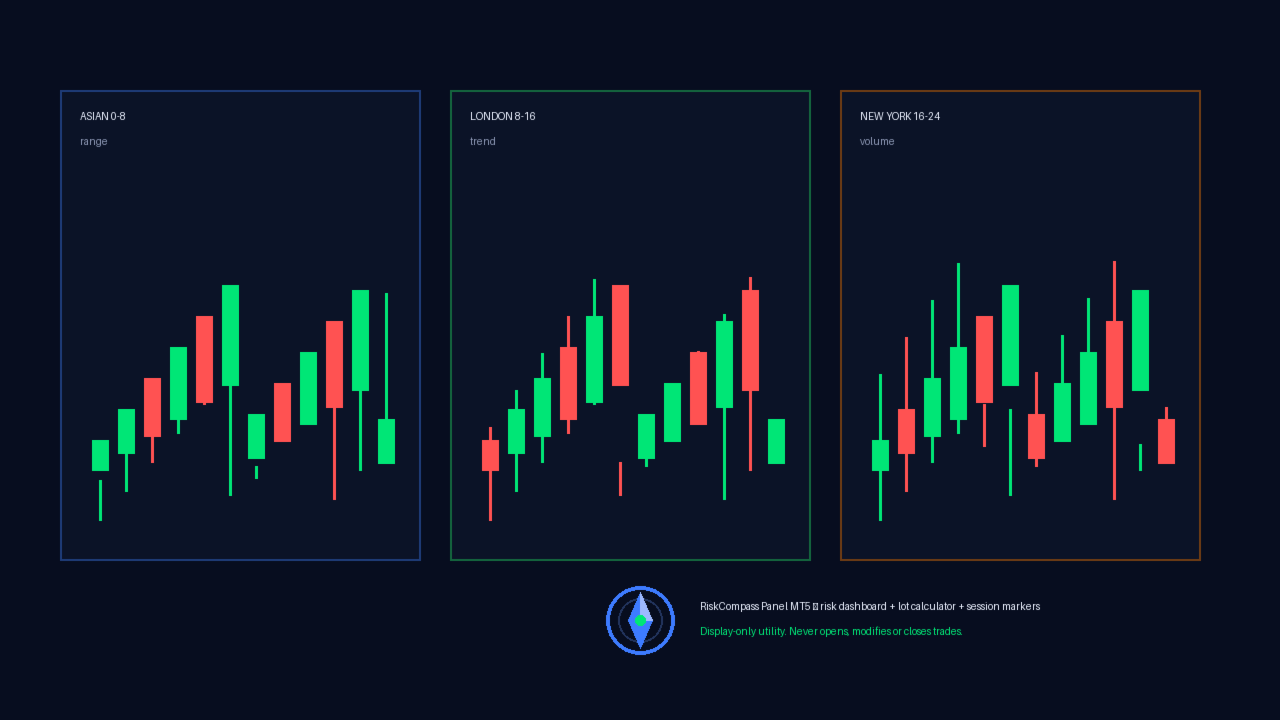
RiskCompass Panel puts all of it in one place, on the chart you are already looking at. Thirteen rows update on every tick, in one compact block: balance, equity and its deviation from balance, floating result, day result, margin availability with margin level, open exposure, spread against your ceiling, and a risk-based lot calculator that gives an affordability verdict rather than a bare number. Session windows are drawn as colored background boxes behind price, so the current market phase is visible without reading a clock.
What it does not do is the other half of the tradeoff. The panel never opens, modifies or closes a position, places no orders of any kind, calls no DLLs and makes no network requests. If you are looking for something that manages orders for you, this is not it. It reads your account and shows you the numbers; every trading decision stays yours. That is a deliberate limit, not a missing feature, and the smoke run in section 2 confirms it by construction: zero executed trades.
2. Verified Build Facts
This release is built from audited single-file source (RiskCompass_Panel.mq5, 463 lines, no custom includes) compiled with MetaEditor to zero errors and zero warnings:
3. What the Dashboard Shows
Each row updates on every tick and on a configurable timer (default one second):
Colors for normal, warning and alert states are all configurable, as are panel corner, pixel offsets and refresh interval.
4. Risk-Based Lot Calculator
The calculator answers one question before position sizing: given a risk percent of equity and a stop distance, what lot size keeps the potential loss at the planned amount, and can the account afford it. The stop distance comes from an ATR multiple (default period 14, multiple 2.5) or from a fixed point value when ATR mode is off. The raw size is normalized to the broker volume grid (minimum, maximum and step) using the same normalize-then-clamp pattern used in production risk guards, then checked against available margin at 90 percent of margin availability, stepping down one volume step at a time. When even the minimum volume is unaffordable the calculator returns zero and the panel shows SKIP instead of a size, so an unaffordable suggestion is never presented as valid. A risk percent of zero or below, or above 100, is rejected at startup with a journal message and initialization failure.
5. Session Markers
Three configurable session windows (defaults Asian 0 to 8, London 8 to 16, New York 16 to 24 server hours) are drawn as filled background rectangles behind price for the current day plus a configurable number of prior days (default five). Weekends are skipped automatically, out-of-range hours are rejected at startup, and boxes are drawn once when the panel is attached and rebuilt at the start of each new server day; the panel's periodic refresh updates the numeric rows only. Each session has its own color input.
6. Inputs
Panel group: show or hide the panel, corner (0 to 3), X and Y pixel offsets, refresh seconds, background color, text color, normal-state color, warning color, alert color. Risk watch group: daily maximum loss percent for the alert threshold, maximum spread in points for the alert threshold, exposure row on or off. Lot calculator group: risk percent per idea, ATR mode on or off, ATR period, ATR multiple, fixed stop points. (The calculator block itself is always displayed; the show-block switch only controls whether the ATR handle is created.) Session group: session boxes on or off, start and end hour per session, days back, one color per session.
7. Installation
Attach RiskCompass Panel to any chart like any other indicator: copy the EX5 file into the MQL5 Indicators folder, refresh the Navigator or restart the terminal, then drag it onto a chart. It works on any symbol and any timeframe, on hedging and netting accounts alike, because every value it reads is account-level or symbol-level data. No set files, no companion files and no setup sequence are required.
8. Compatibility and Safety Notes
The utility needs no special account permissions beyond standard indicator rights. It creates only chart objects prefixed RCP_ and removes all of them on deinitialization, leaving no residue when removed from the chart. Each refresh re-reads account and symbol values and re-scans the current server day's deals, so the panel does more work than a single cached read; lower the refresh seconds if you want fewer updates. Because it never trades, it is equally at home on live, contest-excluded evaluation, and practice accounts, and it can run alongside any expert advisor without interfering with order flows.
About reviews: we do not ask anyone for a rating, and we do not remove critical ones. If the panel does something you disagree with, or it simply did not work for you, write it plainly. A review that says why something is wrong helps the next trader more than a review that says nothing at all.
9. Questions
Does it open positions? No. It has no order-sending code path; the smoke run closed with zero deals by construction.
Does it repaint or rewrite history? It draws session background boxes from the high and low of each daily bar and refreshes numeric rows from current account state; it does not modify bars, indicators or deal history.
Why does the lot row show SKIP? Available margin cannot cover even minimum volume at 90 percent utilization, or the ATR handle failed and the fixed fallback still yields an unaffordable size. Reduce risk percent or widen margin headroom.
Why is a session box missing? The day is a weekend, the daily bar for that date is absent from history, or session display is switched off.
Which account types are supported? Any MT5 account for which standard indicator, account-information and history-selection functions are available.
10. Changelog
Version 1.00 (2026-09-20): initial Market release. Risk dashboard with 13 rows, ATR or fixed-point lot calculator with margin-affordability verdict, three configurable session overlays, full input validation at startup, clean object lifecycle, verified zero-error compile and passing smoke run with zero-deal correct outcome.
See all of our products on MQL5 Market: https://www.mql5.com/en/users/khoaphan0511