ChartZephyr Charting Workspace
- 유틸리티
- 버전: 1.10
- 업데이트됨: 22 10월 2026
- 활성화: 5

ChartZephyr: Charting workspace for MetaTrader 5, with Pine Script support and a built-in trade manager
Chart, indicators, drawings, layouts and trade setup in one program. ChartZephyr redraws the MT5 chart with its own engine, runs indicators on top of it, and adds drawing tools and a built-in trade manager.
Charting
Custom Rendering Engine
ChartZephyr replaces the native MetaTrader 5 chart with its own rendering layer, giving it complete control over every element on screen.
- Candlesticks and volume: fully customizable candle colors with an integrated volume band
- Independent scales: a dedicated price axis and time axis for every pane
- Precision crosshair: a dashed crosshair with live price and time labels
- OHLC legend: open, high, low and close values for the bar under the cursor
Drag to pan and use the wheel to zoom. Each pane has buttons for auto-size and log scale.
Indicator settings open in a dialog with Inputs, Style and Visibility tabs. You can change inputs, element colors, line styles, thickness and per-timeframe visibility. Changes apply immediately and are kept for your next session.
Indicators
built-in indicators, including moving averages, Bollinger Bands, Donchian Channels, Ichimoku Cloud, Supertrend, Parabolic SAR, RSI, Aroon and pivot points.
Load your own Pine Script (v4, v5 and v6)
Place any custom pinescript code with the extension .pine into the zephyr\custom folder in the terminal's Files area, Access them from Add Indicators command in the top toolbar and selecting the custom group
Drawing Tools
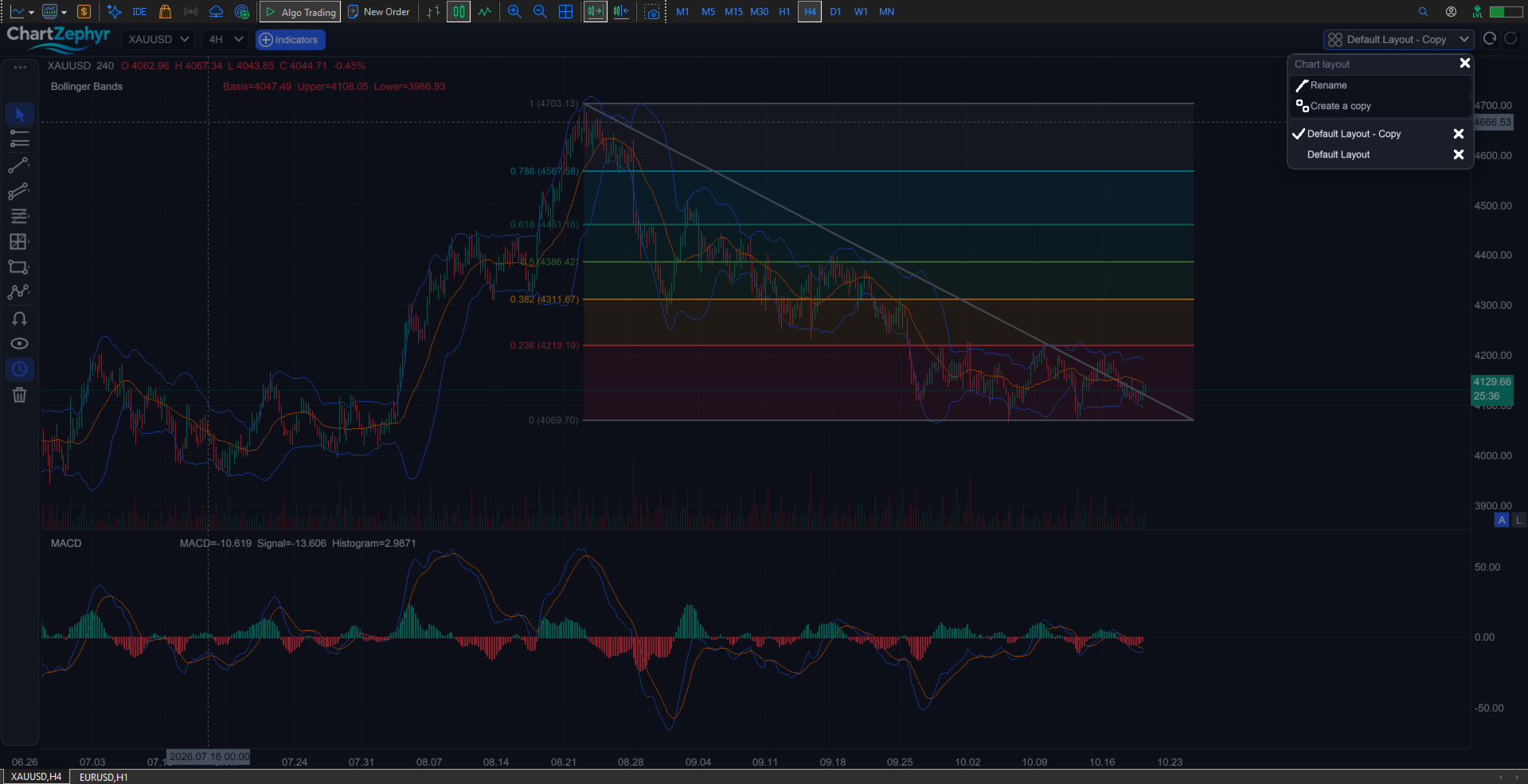
various tools: trend lines, channels, Fibonacci and Gann sets, shapes, paths and annotations. Select any object to move, restyle, lock or delete it from a floating toolbar or the properties panel. The magnet snaps placement to bar prices.
Chart layouts
A layout saves the whole chart: loaded indicators and their settings, visible panes, drawings, camera position and timeframes. Name, copy, rename and delete layouts from the top bar. The chart reopens on the layout you left it on.
Trade setup tool
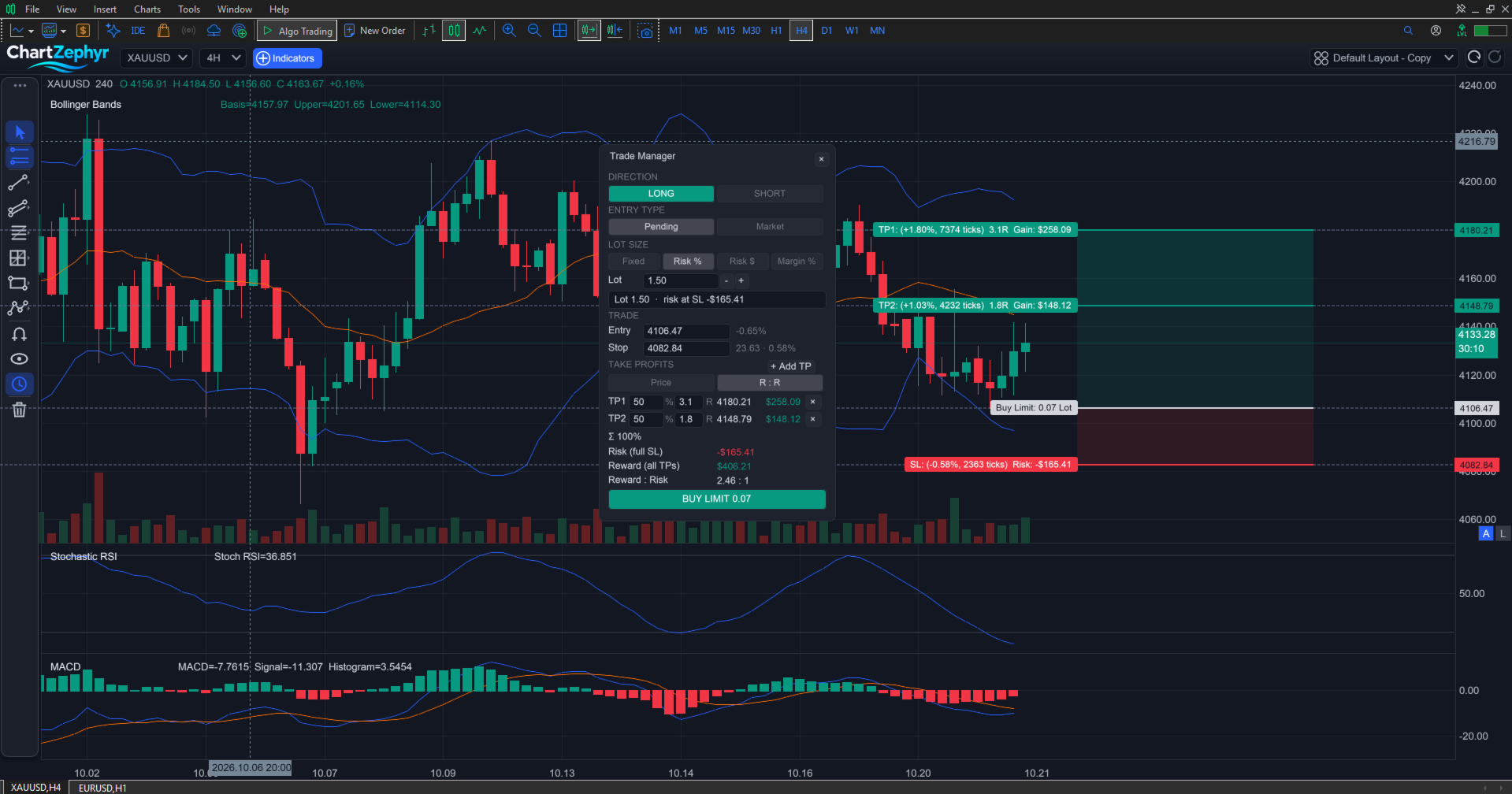
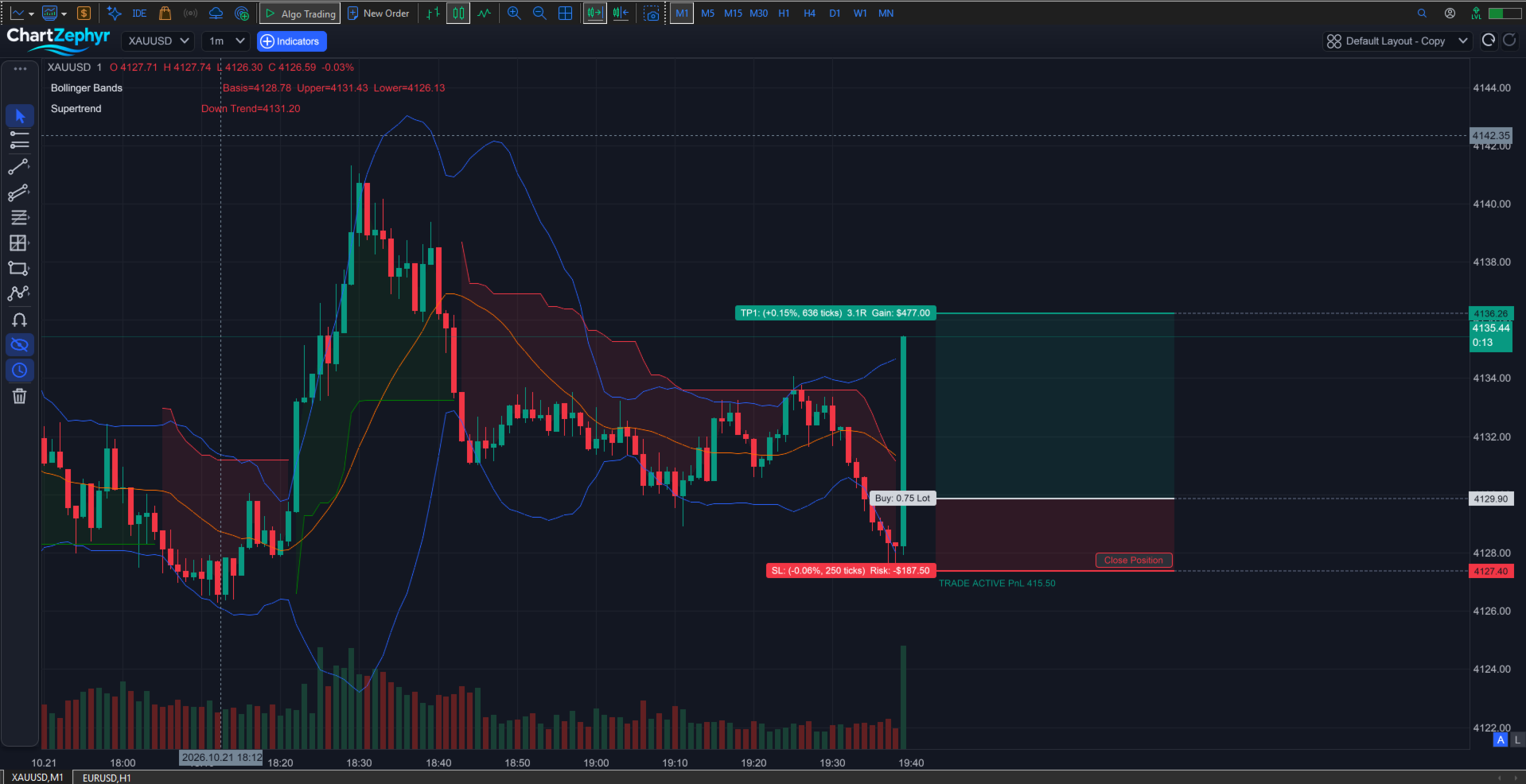
Each click on the rail entry opens a new trade manager, so you can keep several setups on the chart at once. Every setup shows entry, stop and take-profit levels, with the risk and reward areas shaded behind it.
You can edit:
- Direction and entry type
- Lot size: fixed, risk %, risk amount or margin %
- Entry and stop prices
- A take-profit ladder, in price or in stop-distance multiples, with a partial share per level
Cancel a sent setup or close an open position from the manager. Levels, ladder and closing reason survive a chart reload.
Notes
Works on any symbol and timeframe.
Support: use the comments on this page.